
Is your smartphone running out of juice before the day ends? You are not alone. In 2026, with always-on displays, 5G connectivity, and power-hungry apps, battery drain is the number one frustration for mobile users worldwide. The good news is that you do not need to buy a new phone or carry a bulky power bank everywhere. The right battery optimization apps can dramatically extend your screen-on time, monitor battery health, and help you understand exactly what is consuming your power.
In this comprehensive guide, we have tested and ranked the 13 best apps to boost battery life and performance in 2026 for both Android and iOS. Whether you need detailed analytics, one-tap optimization, or smart charging alerts, these apps have you covered. Understanding your battery capacity in mAh is the first step, and these apps take it from there.
Table of Contents
- AccuBattery (Rating 4.7)
- Avast Cleanup (Rating 4.6)
- Battery HD+ (Rating 4.6)
- Ampere (Rating 4.5)
- KillApps (Rating 4.5)
- Battery Guru (Rating 4.4)
- Battery Widget Reborn (Rating 4.4)
- Battery Alarm (Rating 4.2)
- GSam Battery Monitor (Rating 4.2)
- CPU Monitor (Rating 4.1)
- Phone Cleaner Pro (Rating 4.8)
- Greenify (Rating 3.6)
- Full Battery Alarm (Rating 3.7)
- Pro Tips to Maximize Battery Life
- Frequently Asked Questions
1. AccuBattery (Rating 4.7)
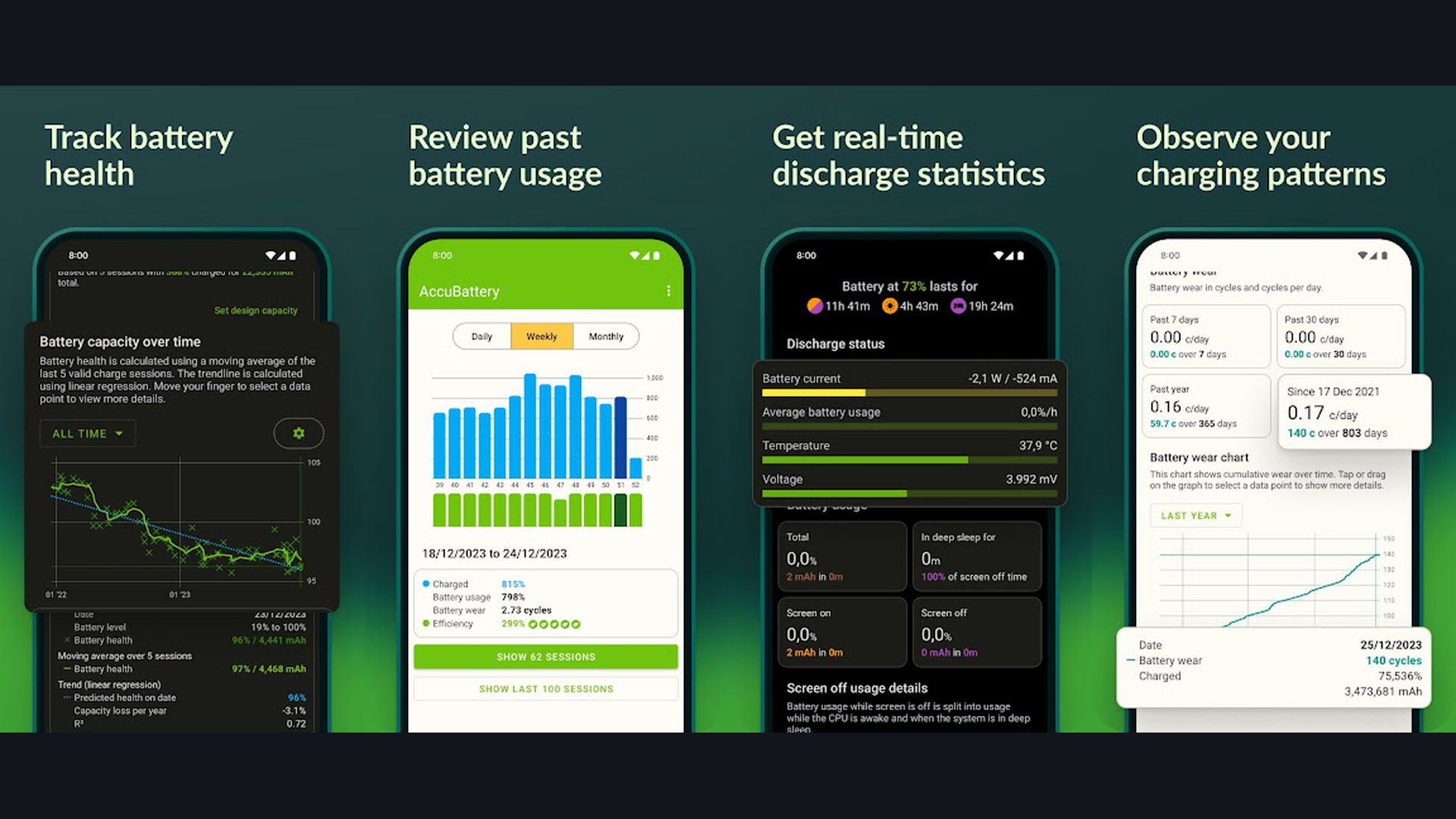
AccuBattery is the gold standard for battery health monitoring on Android. It tracks real-time battery capacity degradation, measures actual mAh during charging, and provides a Smart Charging Alarm that alerts you when your battery reaches a custom threshold. The app displays detailed charge and discharge history, helping you understand which apps drain your battery the fastest. Its clean Material Design interface makes complex battery metrics easy to understand, and the battery wear estimation feature helps you preserve long-term battery health by recommending optimal charging levels.


2. Avast Cleanup (Rating 4.6)
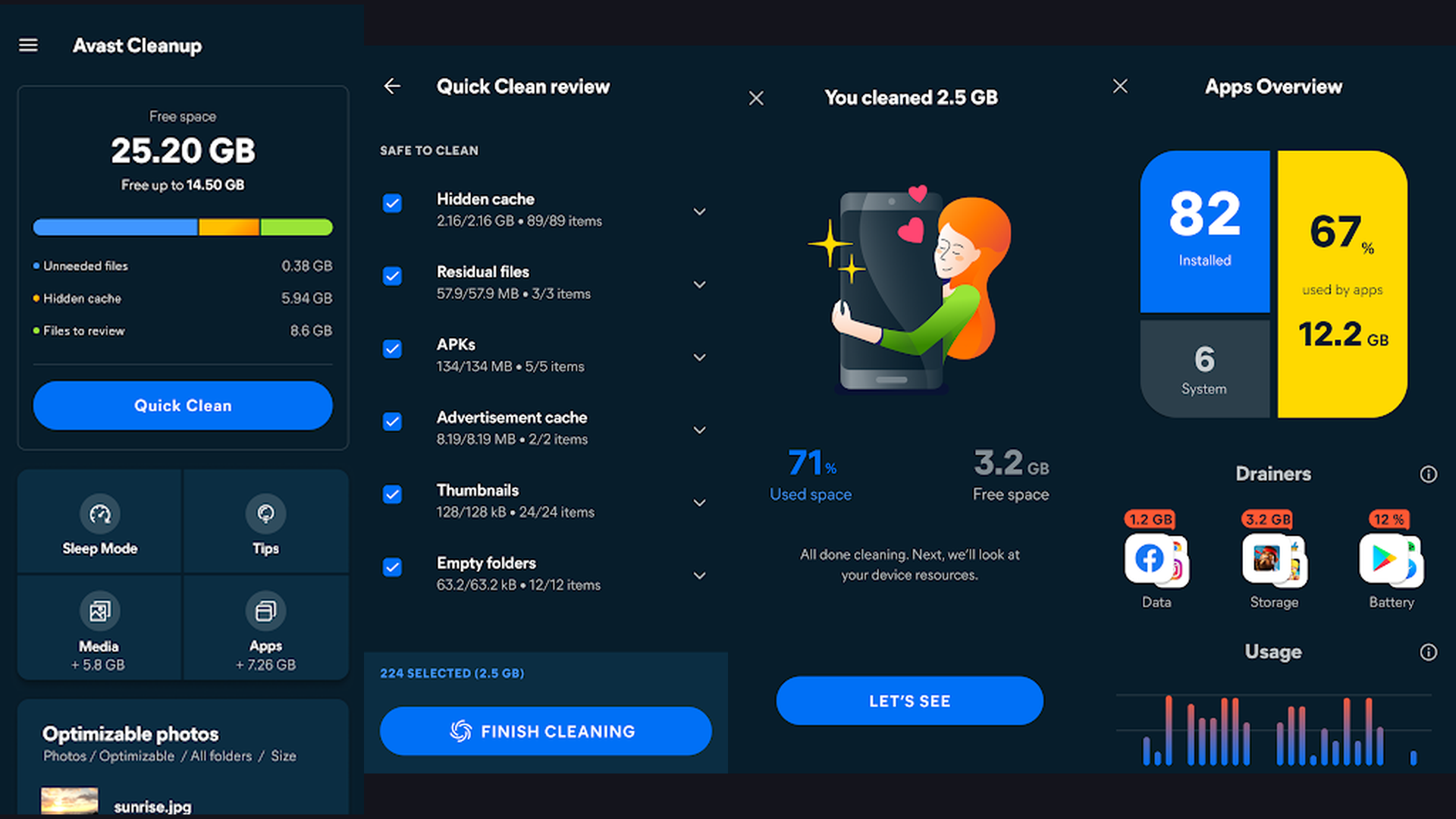
Avast Cleanup combines powerful battery optimization with comprehensive device maintenance. Its Smart Battery Saver mode automatically adjusts screen brightness, connectivity, and background processes based on your usage patterns. The app detects battery-draining apps and suggests actions to extend your screen-on time. Beyond battery management, it clears junk files, removes duplicate photos, and frees up storage space. The built-in Hibernate feature suspends resource-hungry apps, significantly reducing background power consumption.
3. Battery HD+ (Rating 4.6)
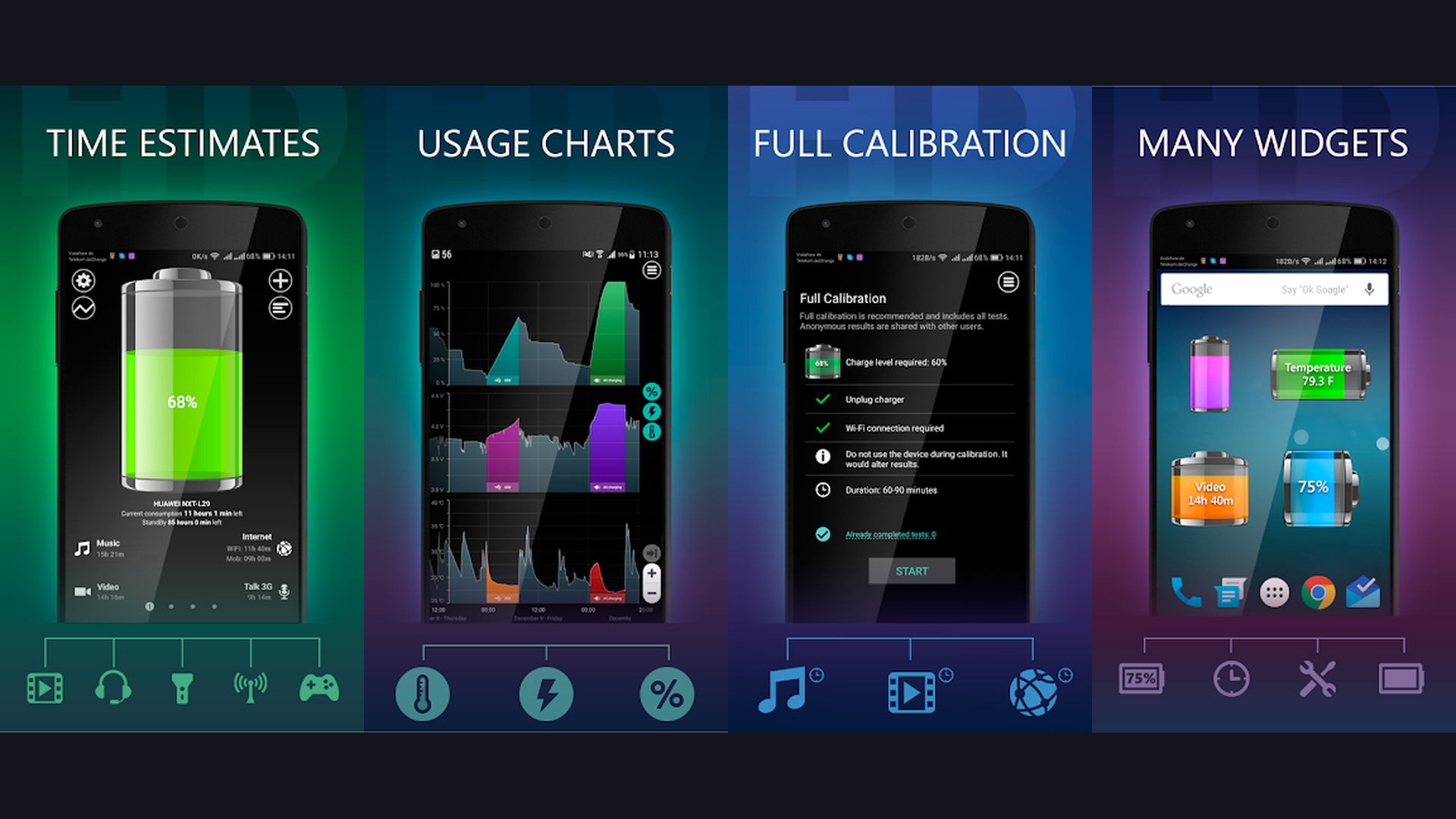
Battery HD+ provides beautifully visualized battery analytics with stunning graphs and charts. It estimates remaining usage time for activities like video playback, web browsing, gaming, and phone calls. The app monitors battery temperature, voltage, and health status in real time. Its notification center widget gives you instant access to battery percentage and estimated runtime without opening the app. Battery HD+ supports both Android and iOS, making it a universal choice for users who want clear, actionable battery insights.
4. Ampere (Rating 4.5)
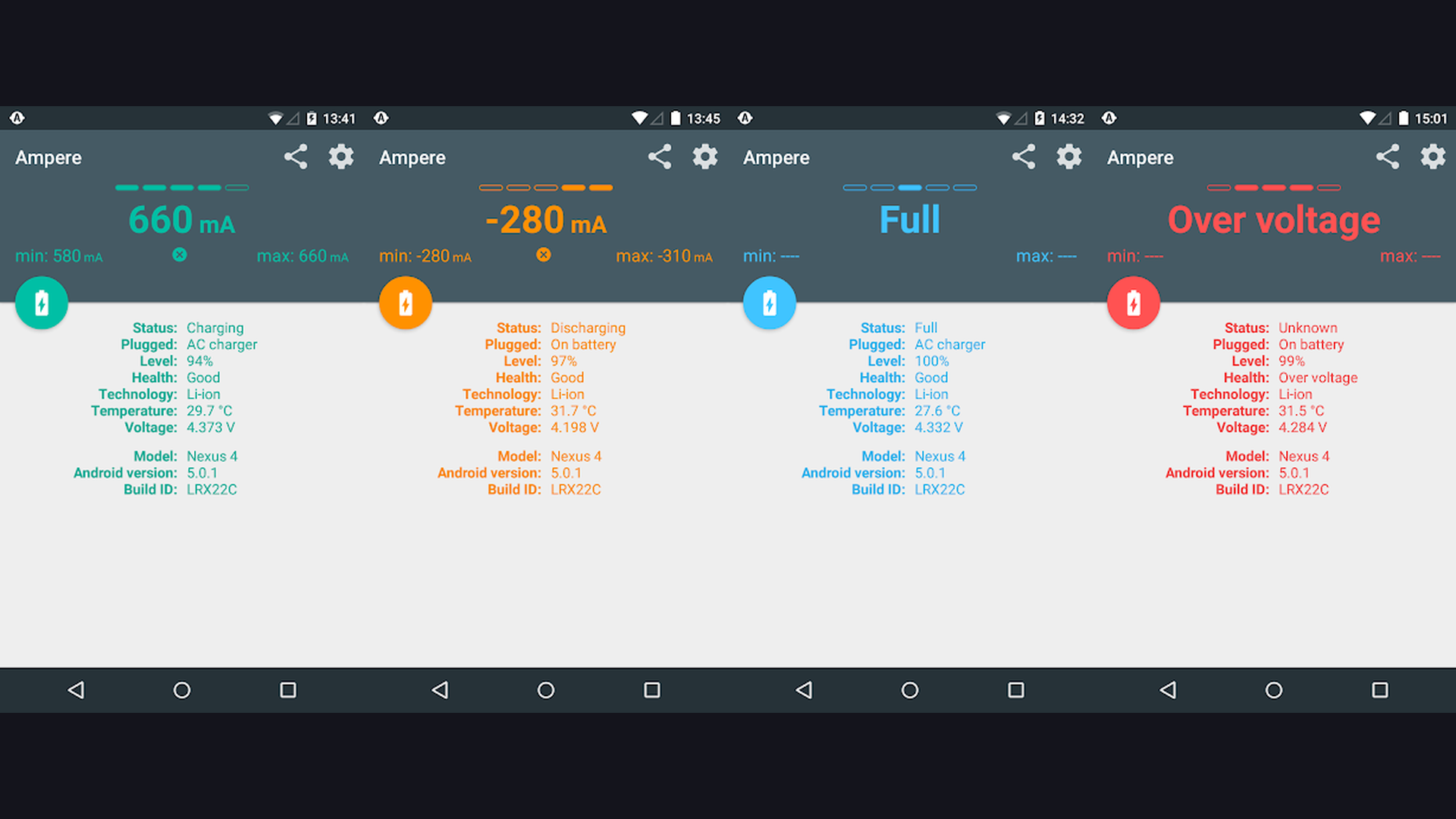
Ampere is the go-to app for measuring your charging and discharging current in real time. It shows you exactly how many milliamps your charger delivers, helping you identify slow or faulty chargers. The app tracks battery voltage, temperature, and health metrics with a simple, easy-to-read gauge interface. Ampere also logs charging history so you can compare different chargers, cables, and power banks. This is particularly useful for diagnosing charging issues and ensuring you are using the most efficient charging setup.
5. KillApps (Rating 4.5)
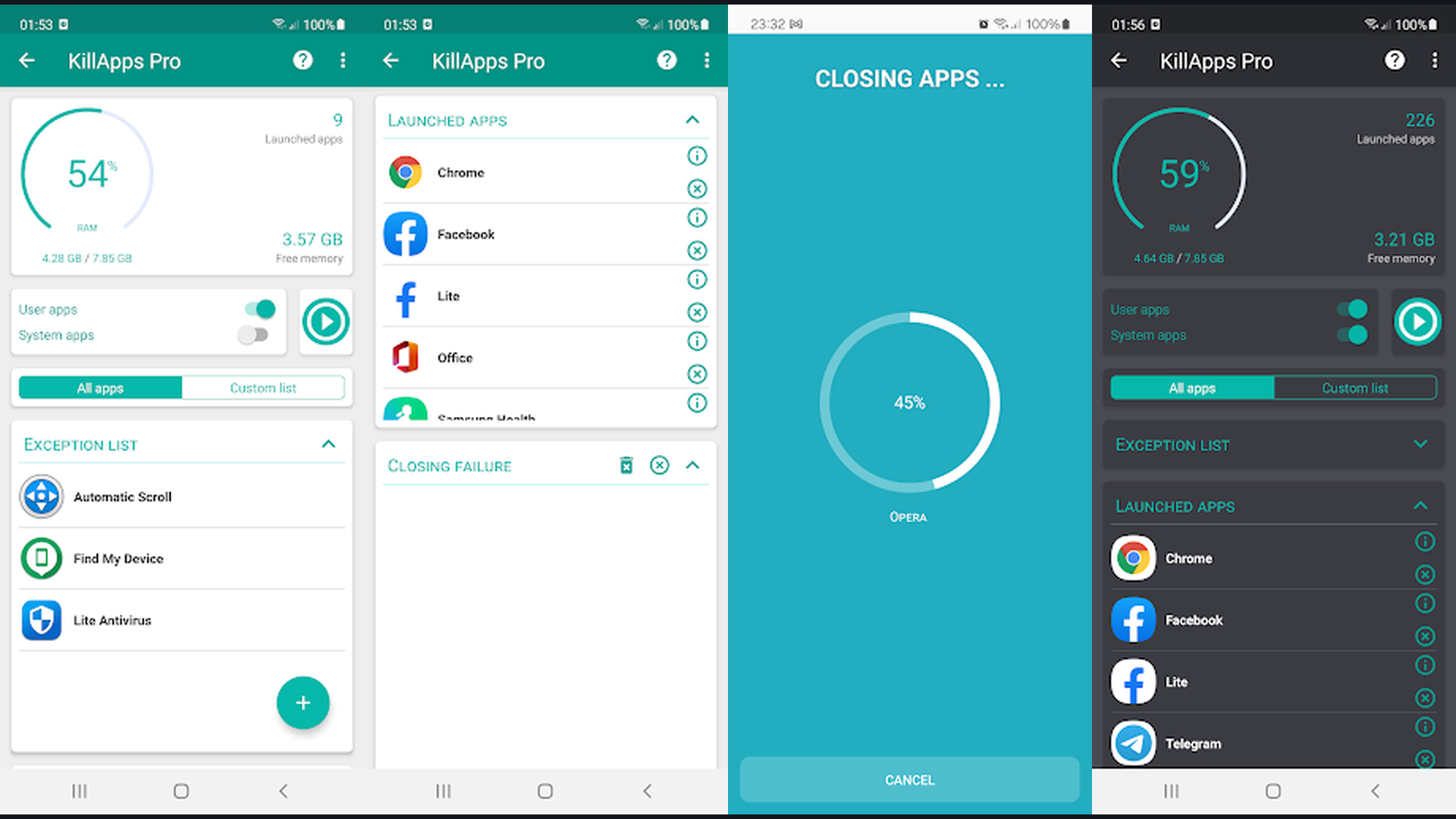
KillApps is a lightweight utility that force-stops all running applications with a single tap. Unlike closing apps from the recent apps menu, KillApps completely terminates background processes, freeing up RAM and CPU resources immediately. This translates to instant battery savings, especially if you have dozens of apps running in the background. The app works without root access and includes a customizable exclusion list so essential services like messaging apps keep running. Its simple one-button design makes it the fastest way to reclaim battery power.
6. Battery Guru (Rating 4.4)
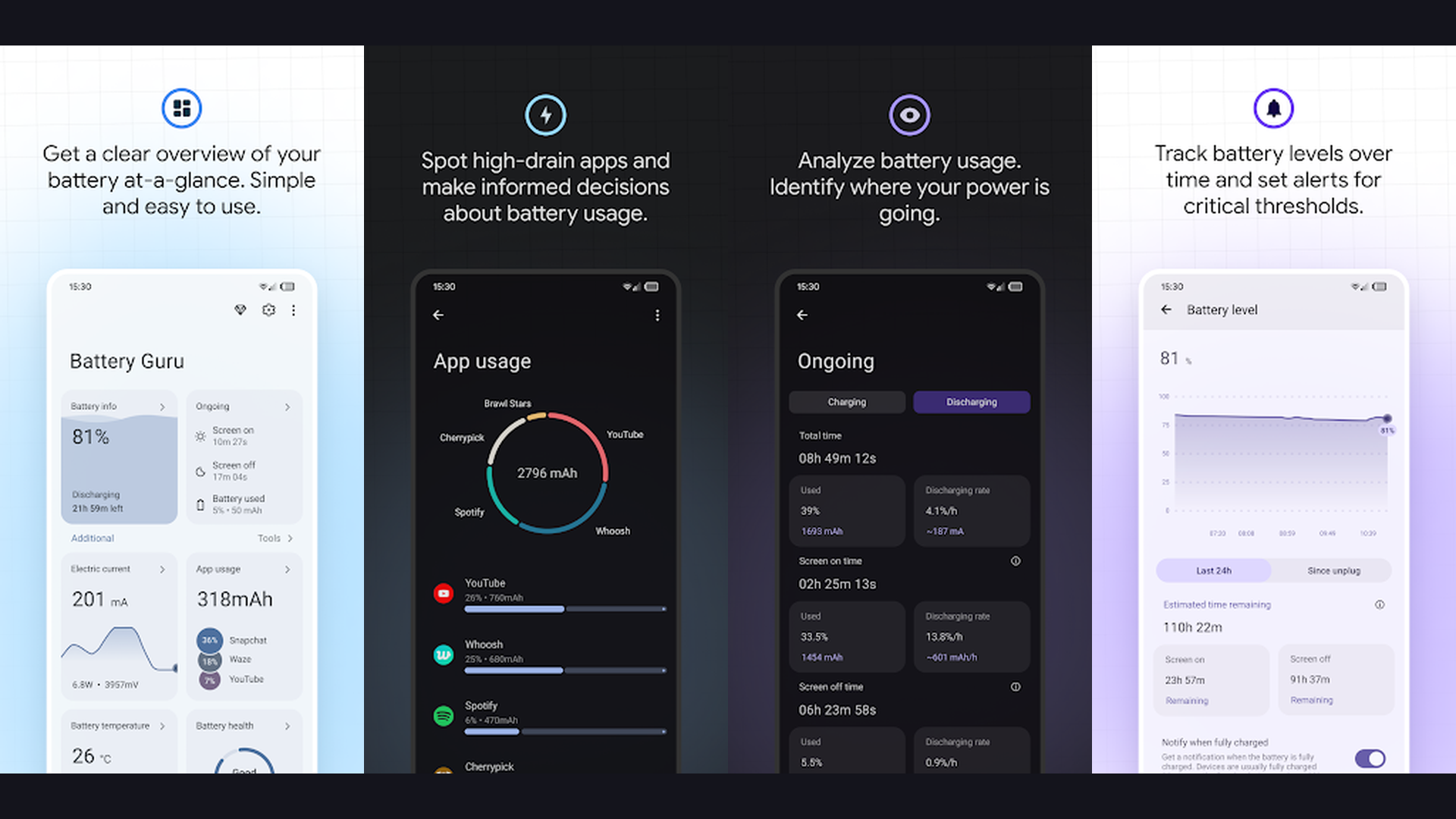
Battery Guru takes a scientific approach to battery optimization. It monitors your charging habits and provides personalized recommendations to extend battery lifespan. The app tracks charge cycles, battery wear level, and estimated remaining capacity over time. Its Doze mode enhancer forces your device into deep sleep more aggressively when the screen is off, dramatically reducing idle battery drain. Battery Guru also includes customizable charging limits and alerts, helping you maintain the optimal 20-80 percent charge range that battery experts recommend for lithium-ion longevity.
7. Battery Widget Reborn (Rating 4.4)
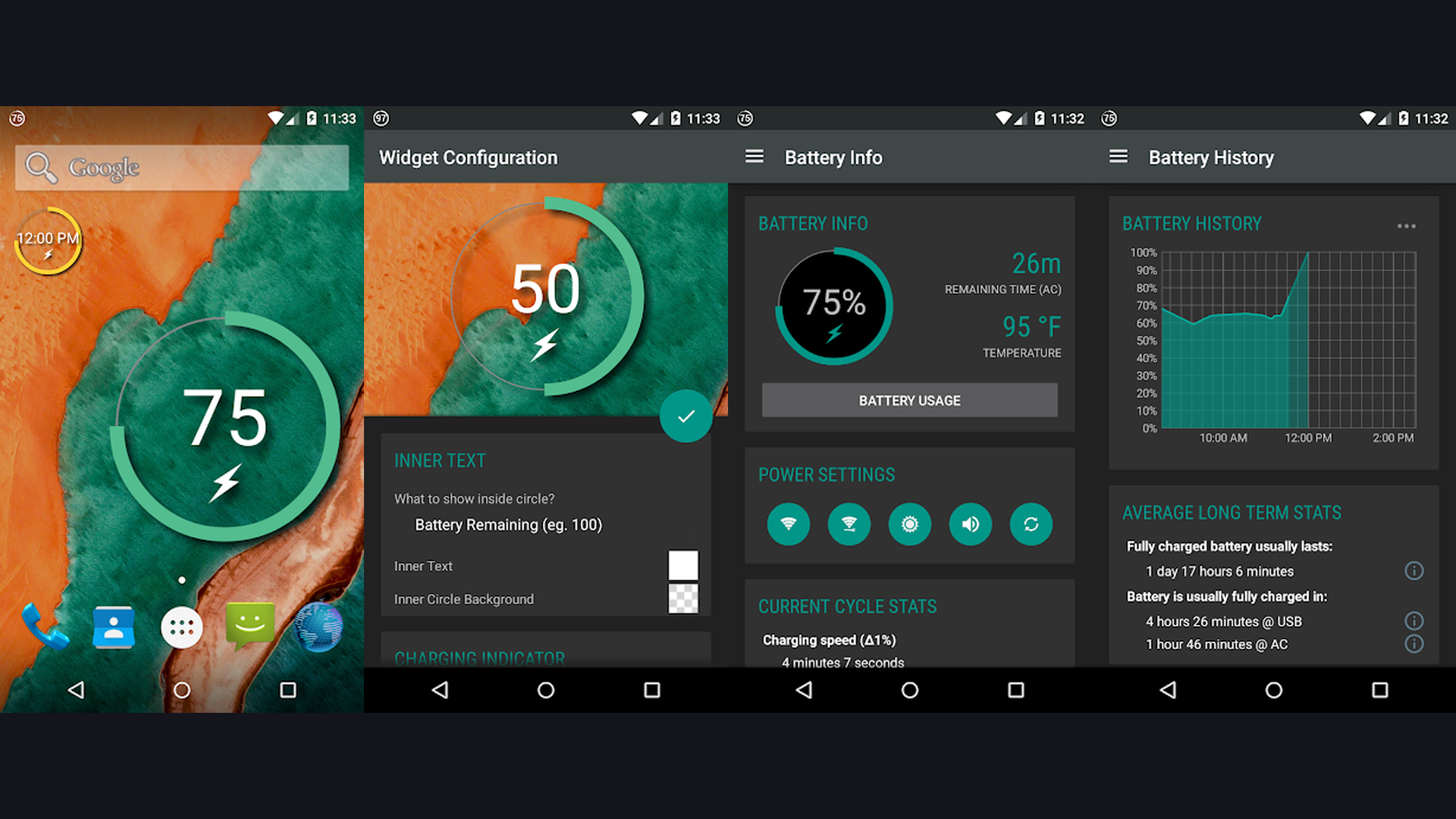
Battery Widget Reborn puts critical battery information right on your home screen with highly customizable widgets. Choose from circle, bar, or text-based widgets that display battery percentage, estimated remaining time, temperature, and charging status. The app supports multiple widget sizes and themes, letting you match your home screen aesthetic. It also monitors connected Bluetooth devices like earbuds and smartwatches, showing their battery levels alongside your phone. The historical usage graph helps you spot patterns in your daily battery consumption.
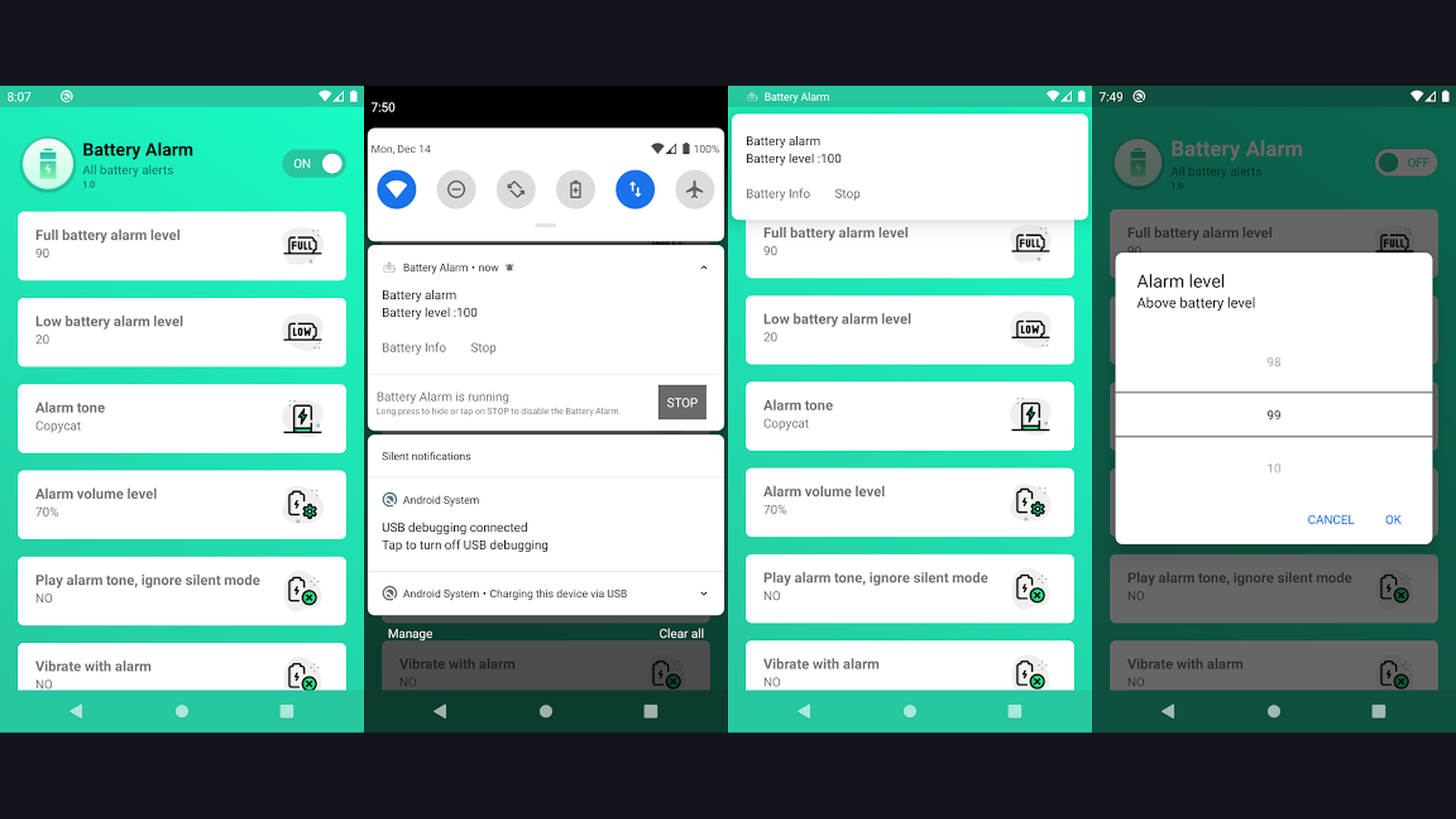
8. Battery Alarm (Rating 4.2)
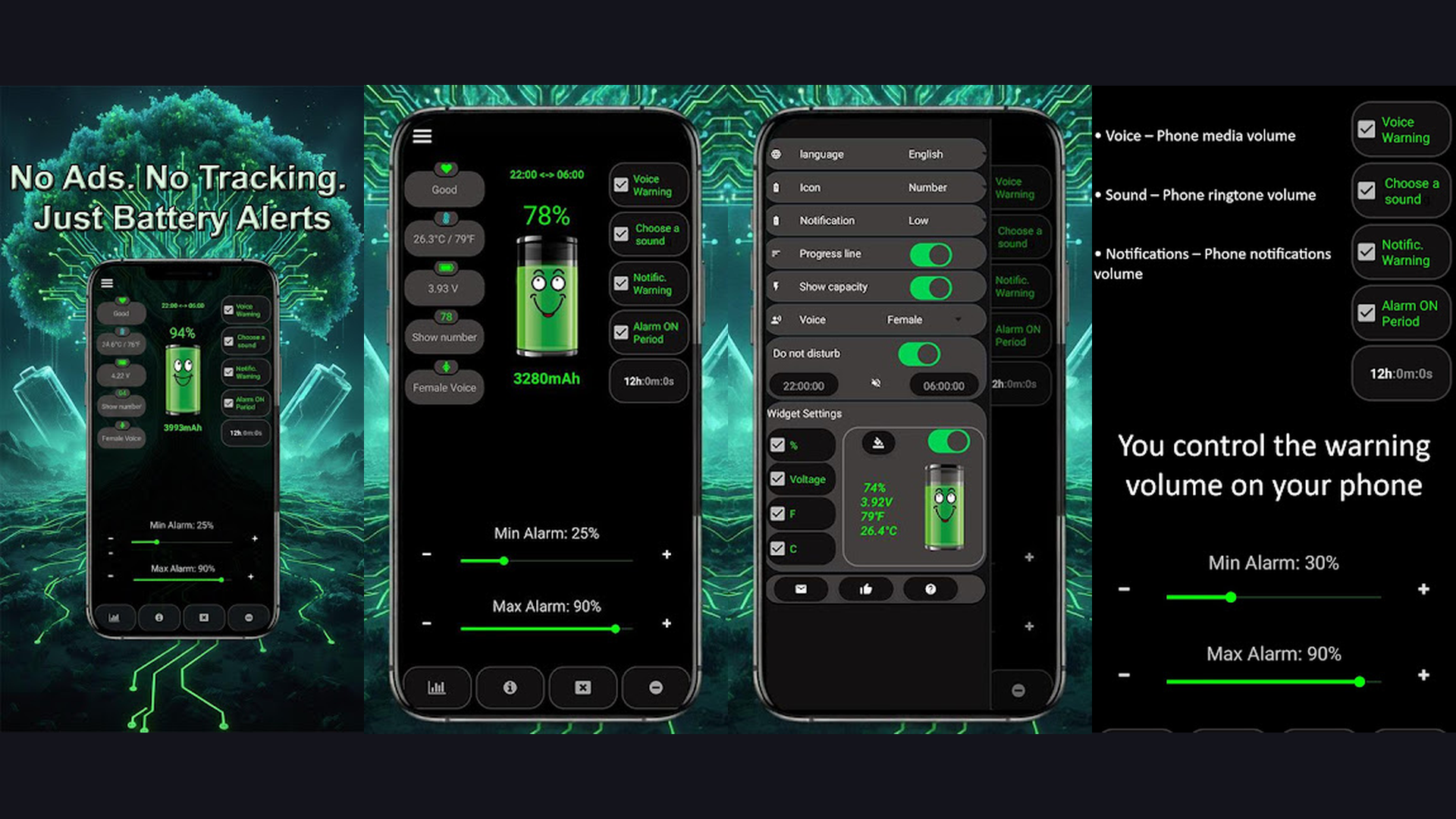
Battery Alarm provides smart charging notifications that prevent overcharging and deep discharging. Set custom alarm thresholds for both high and low battery levels, and the app alerts you with customizable sounds. This is essential for battery longevity because keeping your charge between 20 and 80 percent significantly reduces wear on lithium-ion cells. The app runs silently in the background with minimal battery impact and includes a notification shade indicator showing real-time charge percentage and estimated time to full charge.
9. GSam Battery Monitor (Rating 4.2)
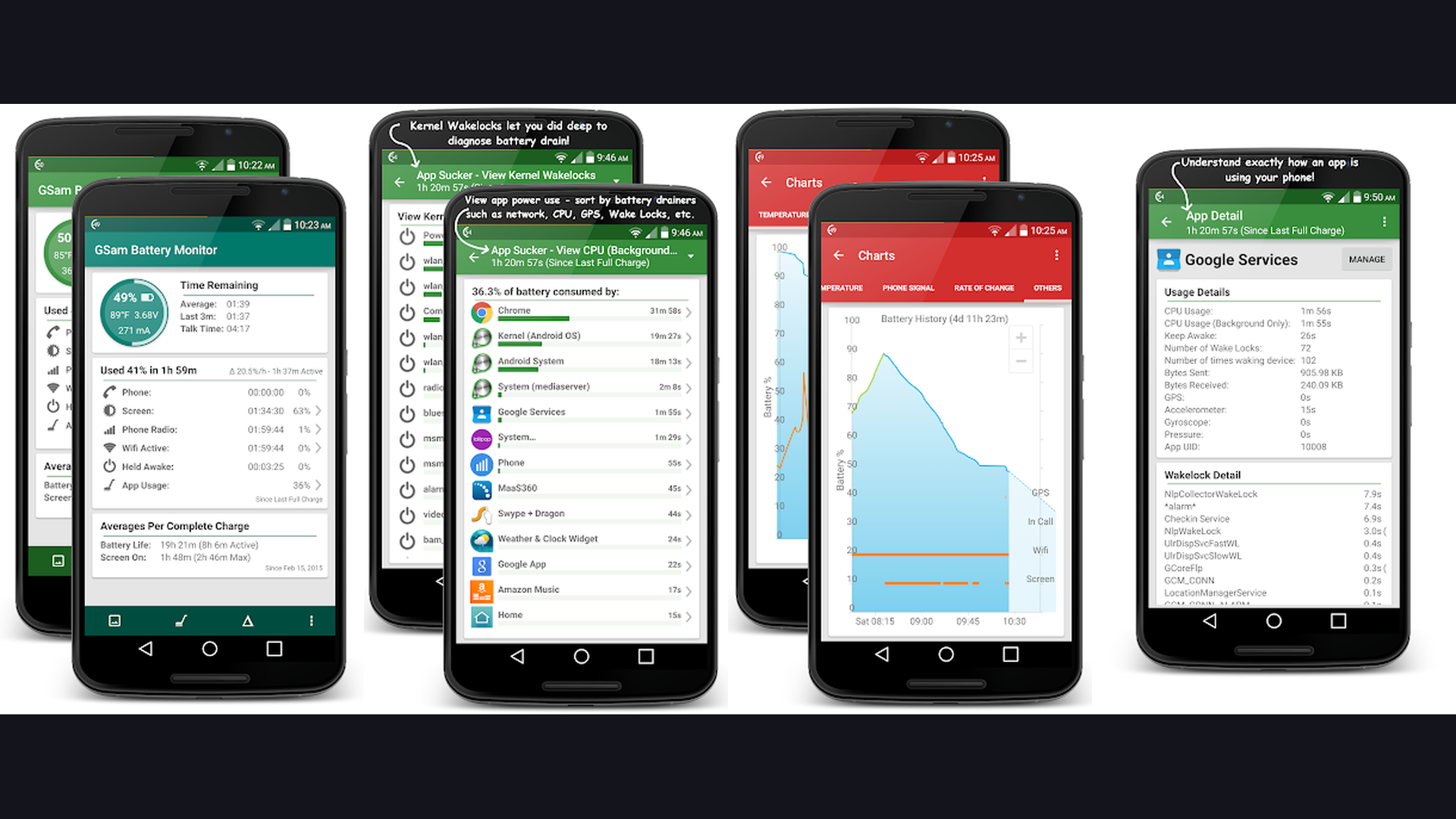
GSam Battery Monitor is one of the most detailed battery analytics apps available for Android. It tracks per-app battery consumption with granular breakdowns of CPU usage, wake locks, sensor activity, and network traffic. The app identifies which applications consume the most power even when running in the background. Its timeline view shows exactly when and how your battery was drained throughout the day. GSam also provides kernel wakelocks analysis for advanced users, making it an indispensable tool for diagnosing mysterious battery drain issues.
10. CPU Monitor (Rating 4.1)
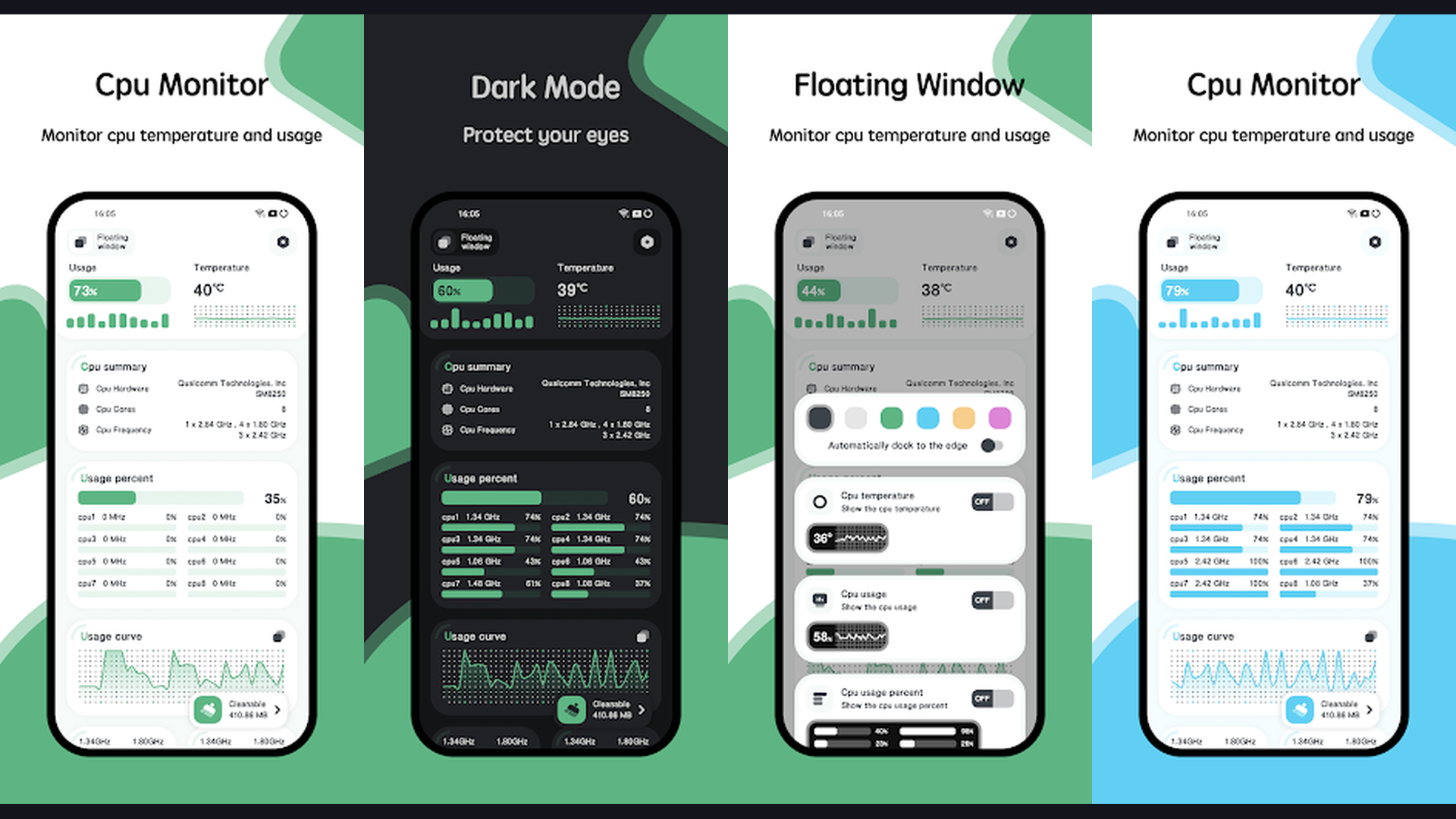
CPU Monitor tracks processor usage, temperature, and frequency in real time, giving you direct insight into what is consuming your battery. High CPU usage is the number one cause of rapid battery drain, and this app helps you identify the culprit processes immediately. It displays real-time graphs for all CPU cores, RAM usage, and GPU activity. The temperature monitoring feature warns you when your device is overheating, which also accelerates battery degradation. Use CPU Monitor alongside battery apps to get the complete picture of your device performance and power consumption.
11. Phone Cleaner Pro (Rating 4.8)
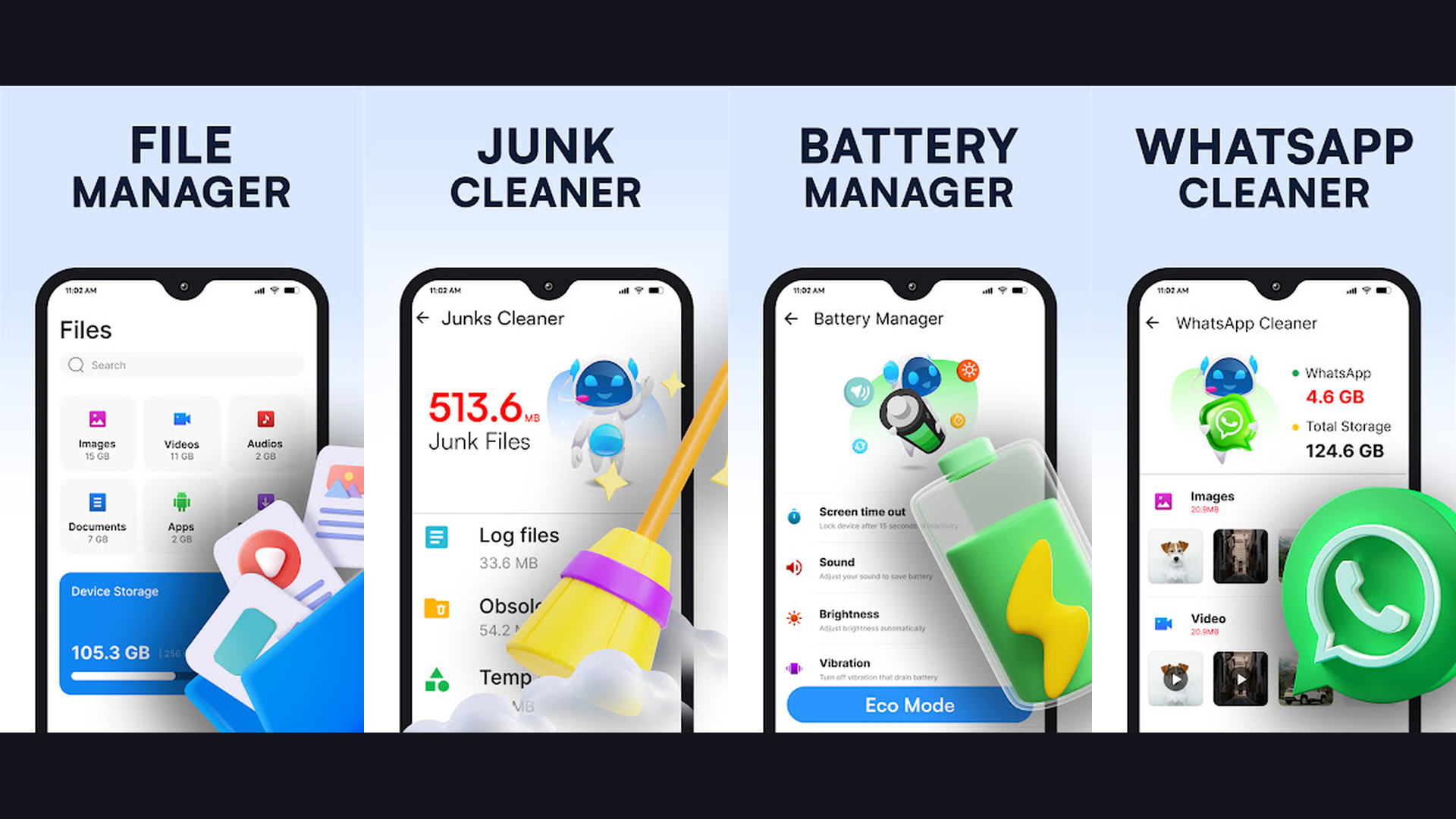
Phone Cleaner Pro combines AI-powered optimization with battery management. Its intelligent scan identifies battery-draining apps, clears cached data, and optimizes memory allocation to reduce power consumption. The app includes customizable power-saving profiles for different scenarios like work, sleep, and travel. Its one-tap boost feature instantly kills background processes and clears RAM for immediate battery improvement. The AI engine learns your usage patterns over time and proactively suggests optimizations before your battery runs low.
12. Greenify (Rating 3.6)
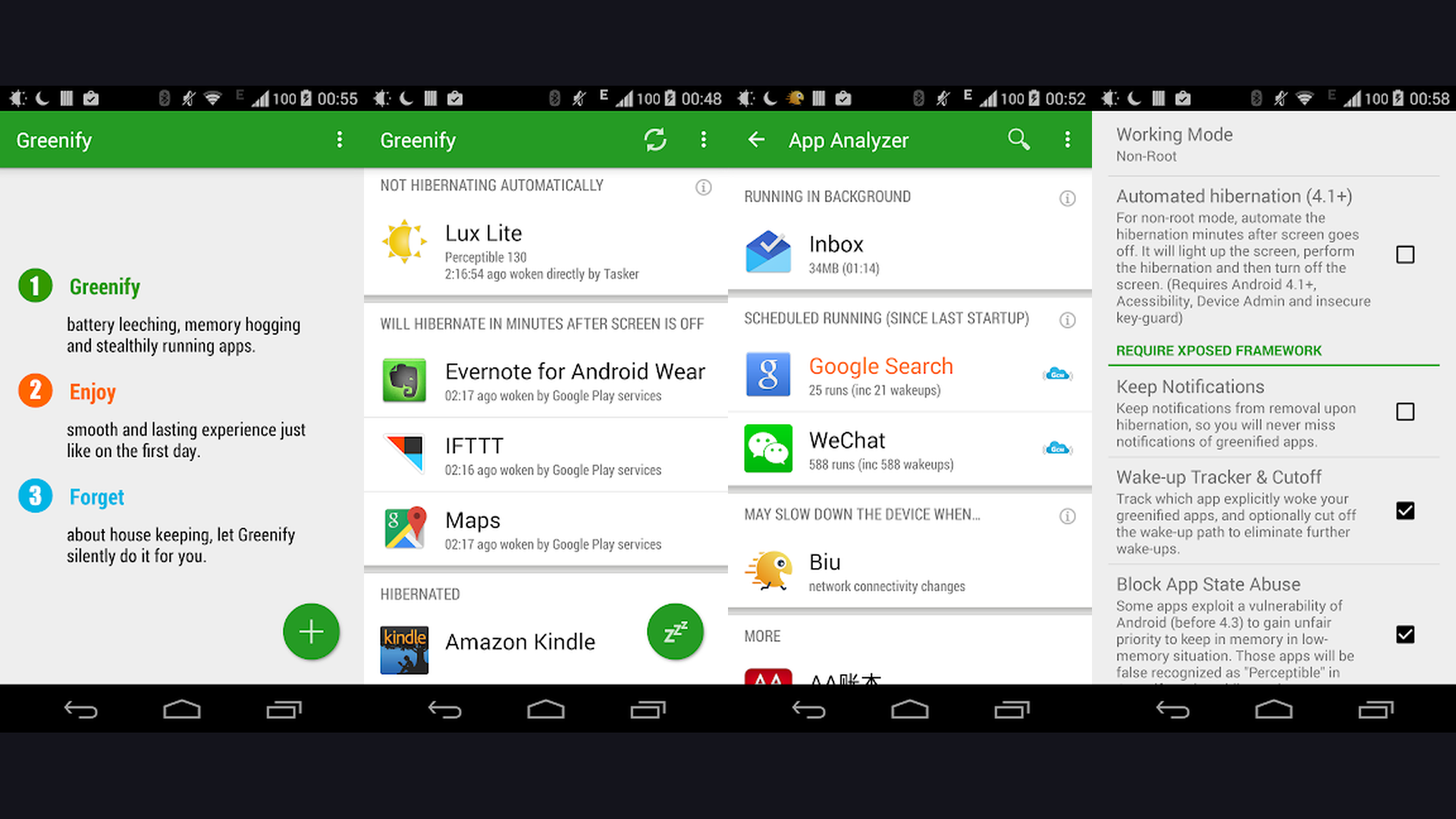
Greenify is a pioneer in Android battery optimization. It identifies and hibernates apps that run in the background, preventing them from waking up your device and consuming power. The Aggressive Doze mode on rooted devices pushes battery savings even further by cutting off all background activity during screen-off periods. For non-rooted phones, Greenify still provides significant improvements through its automated hibernation scheduling. The app is particularly effective for older devices running Android 11 and below, where system-level battery management is less sophisticated.
13. Full Battery Alarm (Rating 3.7)
Full Battery Alarm sends loud and customizable notifications when your battery reaches full charge, preventing the harmful practice of overnight overcharging. Choose from multiple alarm tones or set a vibration-only alert. The app also warns you when battery drops to critically low levels so you can plug in before your phone dies. Its minimal design means it uses virtually zero resources while running in the background. Configure separate alarm thresholds for different times of day to match your charging habits.
Pro Tips to Maximize Battery Life in 2026
Beyond using optimization apps, these proven strategies will help you squeeze every last drop from your battery:
- Enable Adaptive Battery - Modern Android 15 and Android 12 include built-in AI battery optimization. Enable it in Settings under Battery to let your phone learn which apps to restrict.
- Use Dark Mode - On phones with OLED displays, dark mode can save up to 40 percent battery because black pixels are completely turned off.
- Manage Screen Brightness - Your display is the biggest battery consumer. Use automatic brightness and lower it when indoors.
- Disable Unnecessary Radios - Turn off Bluetooth, GPS, and NFC when not needed. If you are in an area with poor 4G LTE coverage, switch to airplane mode to prevent constant signal searching.
- Limit Background App Refresh - Both Android and iOS allow you to restrict which apps can refresh data in the background. Check your battery usage stats and disable refresh for non-essential apps.
- Keep Your Phone Cool - Heat accelerates battery degradation. Remove your case while charging and avoid direct sunlight. The optimal temperature range for lithium-ion batteries is 20 to 25 degrees Celsius.
- Charge Smart - Maintain between 20 and 80 percent charge for maximum battery lifespan. Avoid overnight charging without a smart alarm app like AccuBattery or Battery Alarm.
- Update Your Apps - Developers continuously optimize their apps for better battery efficiency. Keep everything updated through the Play Store or App Store.
Understanding Why Your Battery Drains So Fast
Battery drain in modern smartphones comes from multiple sources. The processor works harder when running intensive apps, 5G connectivity consumes more power than 4G, and high-resolution flexible OLED displays require significant energy. Your RAM also plays a role, as more RAM means more apps staying active in memory. Combined with background services, location tracking, and push notifications, even a phone with a large 5000mAh battery can struggle to last a full day under heavy use.
Frequently Asked Questions
Do battery saver apps actually work?
Yes, legitimate battery apps like AccuBattery and Battery Guru provide genuine benefits through monitoring, smart charging alerts, and background process management. However, be wary of apps that claim to "boost" or "clean" your battery with miracle improvements. The real value comes from understanding your usage patterns and making informed decisions about charging habits and app management.
Is it safe to use third-party battery apps?
All apps listed in this guide are well-established, highly rated applications available on official app stores. They request only necessary permissions and have been verified by millions of users. Always download battery apps from the official Google Play Store or Apple App Store and avoid sideloading APKs from unknown sources.
Which battery app is best for Android?
AccuBattery is the best overall battery app for Android in 2026. It combines accurate battery health monitoring, smart charging alarms, and detailed per-app power consumption analytics. For those who want advanced diagnostics, GSam Battery Monitor provides the deepest level of analysis including kernel wakelocks.
Can battery apps damage my phone?
No, the apps in this list cannot damage your phone. They monitor and manage power consumption without modifying system files. However, some aggressive optimization tools that require root access can potentially cause issues if misconfigured. We recommend sticking with the apps listed here for safe and effective battery management.
How often should I charge my phone for best battery health?
Battery experts recommend keeping your charge between 20 and 80 percent for optimal lithium-ion battery lifespan. Avoid letting your phone drop to zero or charging it to 100 percent regularly. Apps like AccuBattery and Battery Alarm can help you maintain this ideal range with custom notifications. Check our guide on apps to check mobile battery health for more detailed information.
Do I need different apps for Android and iOS?
Yes, battery management works differently on each platform. iOS has stricter background process controls built into the operating system, so iOS users benefit most from monitoring apps like Battery HD+ and Battery Life Doctor. Android users have more flexibility and can use apps like AccuBattery, Greenify, and KillApps for active battery optimization. Check out the best iPhone apps for more iOS recommendations.
Final Thoughts
Managing battery life effectively in 2026 requires a combination of smart software and good habits. The apps listed above give you the tools to monitor, analyze, and optimize your battery performance, whether you are an Android power user or an iPhone enthusiast. Start with AccuBattery for comprehensive health monitoring, add Battery Guru or Greenify for active optimization, and use Battery Alarm to protect your battery from overcharging. Combined with the pro tips above, you can realistically extend your daily battery life by 2 to 4 hours. For more app recommendations, explore our collection of best reminder apps, WiFi calling apps, and employee communication apps.