
Apple's stock Camera app is undeniably fantastic for instantly capturing spontaneous moments. Its computational photography engine—combining Deep Fusion, Smart HDR, and Photonic Engine technologies—virtually guarantees a bright, usable photo every time you tap the shutter. However, as your passion for mobile photography deepens, you will eventually hit a frustrating structural ceiling. The stock app relentlessly prioritizes automated "perfection" over creative artistic control, entirely hiding crucial settings like shutter speed, ISO, and manual focus pulling.
If you want to truly unlock the physical potential of the advanced optical lenses bolted to the back of your smartphone, you absolutely must venture onto the App Store. In this definitive 2026 guide, we will analyze the absolute best camera app for iPhone users looking to transition from casual point-and-shoots to professional, manual mobile photography.
1. The Champion: Halide Mark II
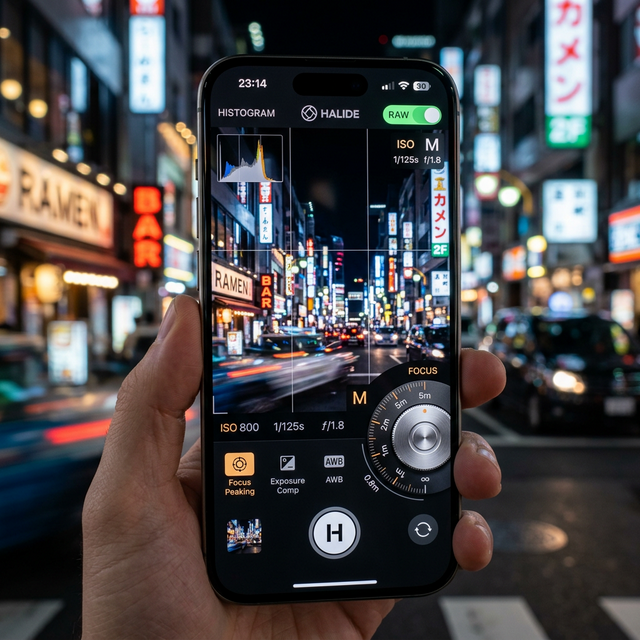
When professional photographers discuss mobile shooting, Halide Mark II dominates the conversation. Built exclusively for iOS, Halide is an engineering marvel designed entirely around one-handed, gesture-based ergonomics.
- True Manual Controls: Swiping across the screen effortlessly adjusts your ISO and shutter speed, allowing for deliberate artistic choices like motion blur or capturing razor-sharp sports action.
- Focus Peaking: Halide introduces high-end mirrorless camera features natively to the iPhone. Its focus peaking system graphically highlights exactly what edges in your frame are in sharp focus, ensuring absolute precision when shooting macro photography or portraits.
- ProRAW Mastery: Halide bypasses Apple's heavy computational noise reduction algorithms, allowing you to capture pure, uncompressed RAW data directly from the camera sensor for unparalleled extreme editing latitude later.
2. The Cinema Choice: Blackmagic Camera
If your primary focus is videography rather than still photography, the relatively new Blackmagic Camera App is a massive paradigm shift. Blackmagic Design, famous for manufacturing Hollywood-grade cinema cameras, ported their legendary digital film interface directly to iOS—and shockingly, released it completely for free.
This app instantly transforms your iPhone into a genuine digital cinema rig. It provides obsessive granularity over frame rates, shutter angles (crucial for natural motion blur), white balance temperature (in exact Kelvin), and Apple ProRes color space encoding. Furthermore, it seamlessly integrates with their massive DaVinci Resolve desktop software via cloud syncing, allowing video editors to instantly access footage shot on location. For creators wondering if they need a dedicated cinema camera, check out our expansive Mobile Phone Reviews to see how modern flagship iPhone sensors physically compare against entry-level mirrorless models.
3. Don't Forget External Mobile Hardware
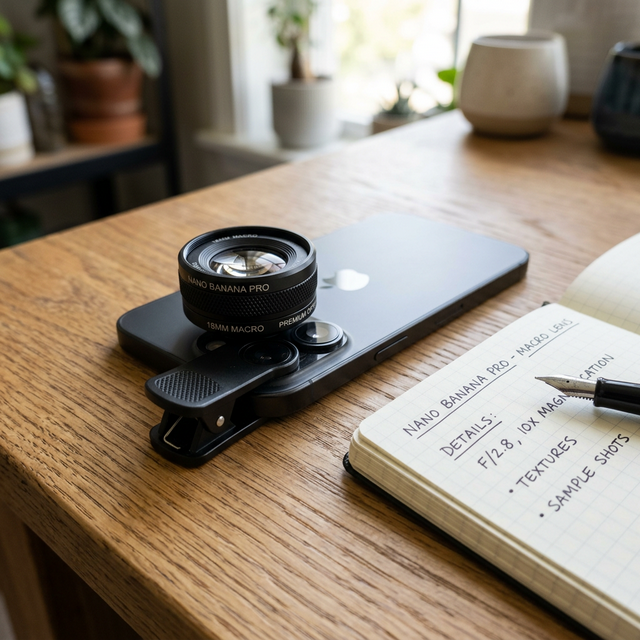
Software can radically alter how you capture images, but augmenting the physical glass covering your sensor pushes your iPhone into entirely new creative dimensions.
While the iPhone 15 and 16 Pro models feature dedicated macro modes via the ultrawide lens, utilizing premium third-party aftermarket glass from manufacturers like Moment or Sandmarc drastically improves edge-to-edge optical sharpness. Clipping a dedicated 10x Macro lens over the primary 48MP main sensor provides astonishing, microscopically detailed captures of insects or jewelry that software zooming simply cannot replicate due to mathematical interpolation limits. Before investing heavily in optical accessories, ensure your fundamental device is up to standard by researching our Samsung Galaxy vs. iPhone Comparison Guide.
4. The Editing Process: Adobe Lightroom Mobile
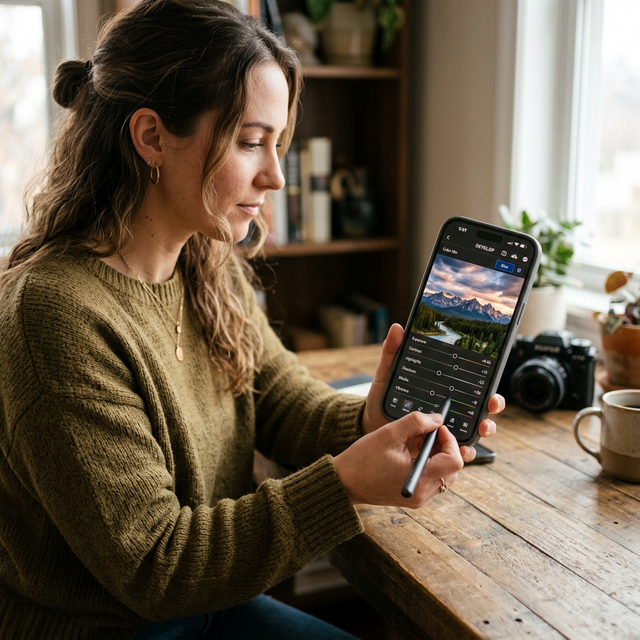
Capturing the photo in manual mode using Halide is only 50% of the process. If you are shooting in Apple ProRAW, the image will often look extremely "flat" and desaturated straight out of the camera. RAW files intentionally lack the aggressive baked-in contrast found in JPEGs.
To properly develop your manual shots, Adobe Lightroom Mobile remains the absolute industry standard. It handles the massive 48MP ProRAW files flawlessly, allowing you to selectively mask out specific areas of the image (like brightening exclusively a subject's face while independently darkening a blown-out sky). The precision of Lightroom’s color grading wheels ensures that your final export matches your exact artistic vision far better than simple Instagram filters.
Conclusion
While sticking strictly to the native camera app is undeniably convenient, taking the leap into third-party, manual-focus software is an incredibly rewarding journey into authentic digital photography. Without question, the best camera app for iPhone users right now is Halide Mark II for stunning still imagery, supplemented by the Blackmagic Camera App for cinematic video recording. By taking manual control over your ISO, shutter angle, and exclusively shooting in ProRAW, you will dramatically elevate the quality of your daily captures. Keep expanding your digital toolkit by exploring the constantly updated software guides on the MobileKiShop Homepage.