
The history of Google's mobile operating system is marked by slow, incremental evolution punctuated by massive architectural leaps. Looking back, Android 12 (codenamed "Snow Cone") stands as one of those monumental leaps. Released in late 2021, it completely rewrote the visual language of the operating system, pivoting away from the stark, sterile whites of the past and introducing a highly personal, vibrantly colored aesthetic.
As we analyze the mobile landscape in 2026, the foundational changes introduced in Android 12 are still actively dictating how developers build apps today. This comprehensive retrospective guide will explore the massive UI overhaul known as Material You, the crucial introduction of the Privacy Dashboard, and how this specific update forever altered the trajectory of the Google Pixel ecosystem.
1. The Birth of "Material You"
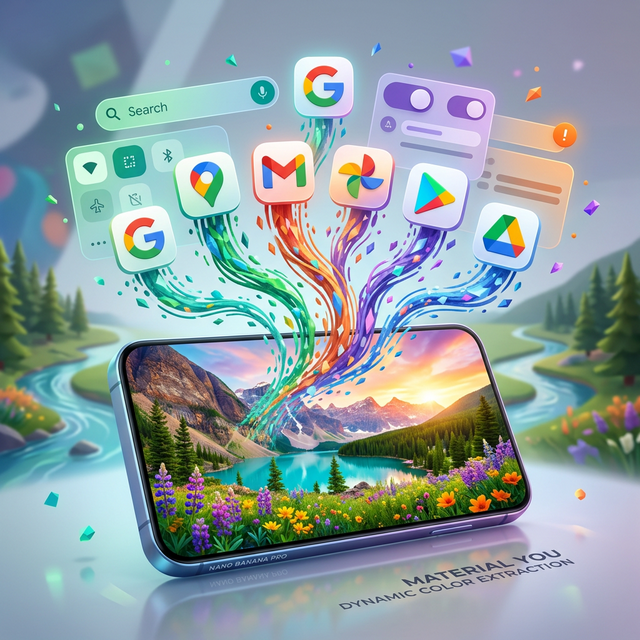
Before Android 12, the OS utilized "Material Design"—a rigid, flat design language that prioritized clean lines and intense minimalism. Android 12 shattered this paradigm with Material You. The core philosophy was radical personalization. Your smartphone should not look exactly like the smartphone of the person sitting next to you.
The genius of Material You lies in its dynamic color extraction algorithm (code-named "Monet"). When you apply a new wallpaper, the operating system instantly analyzes the image, identifies the dominant and complementary hex codes, and generates a cohesive color palette. This custom palette is then aggressively applied across the entire system. Notification shades, volume sliders, the calculator app, and even third-party application icons dynamically shift their accent colors to perfectly match your chosen background nature scene or family photo.
2. The Revamped Quick Settings and Animations
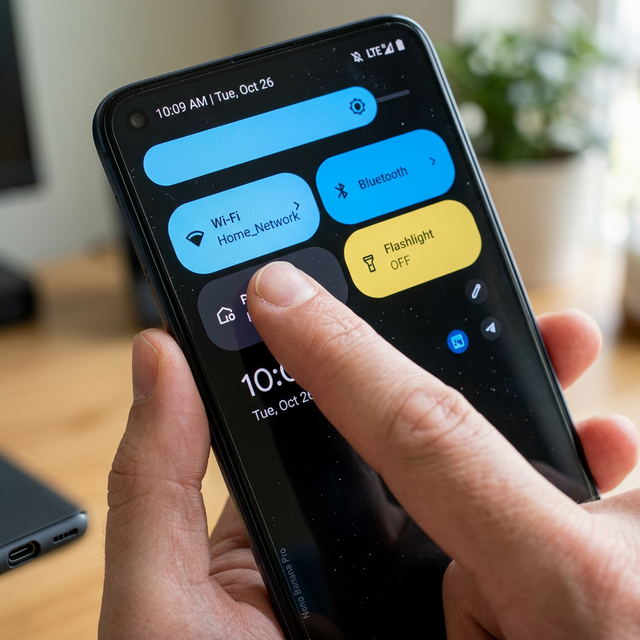
Beyond the color engine, Android 12 fundamentally changed how users interact with their devices physically. The immediate, jarring difference users noticed was the overhauled notification shade. Gone were the tiny, circular toggles. In their place, Google introduced massive, easily tappable "pill-shaped" Quick Settings tiles.
This change was highly polarizing at launch. Tech enthusiasts complained about the drastic reduction in information density (seeing fewer toggles per swipe), but accessibility advocates praised the massive touch targets. Furthermore, the entire OS gained a sense of "bounciness" and elasticity. Swiping to the end of a menu resulted in a satisfying visual stretching effect, making the digital glass feel like a tangible, responsive physical object.
3. Unprecedented Privacy Controls
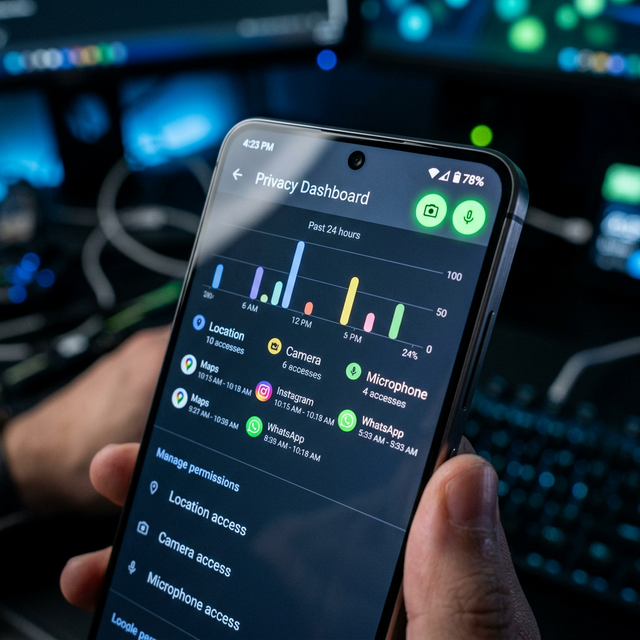
While the visual overhaul captured the headlines, the under-the-hood security upgrades in Android 12 were arguably more significant. For the first time, Android introduced the Privacy Dashboard, a centralized hub that offered a 24-hour timeline explicitly showing exactly which applications accessed your location, camera, or microphone.
Furthermore, Android 12 implemented hardware-level indicators. If an application secretly activated your system microphone or camera in the background, a highly visible bright green dot would instantly illuminate in the top-right corner of the status bar. This specific feature violently exposed hundreds of malicious "spyware" apps and fundamentally changed how developers requested permissions. Additionally, users were finally given the option to provide "Approximate" rather than "Precise" GPS data to weather apps that did not need their exact street address.
4. The Android 12 Legacy in 2026
Today, finding a modern Mobile Phone that does not heavily rely on the UI paradigms established by Android 12 is practically impossible. While manufacturers like Samsung (One UI) and Xiaomi (HyperOS) heavily skin standard Android, they have universally adopted dynamic color theming and the mandatory privacy indicators established by the Snow Cone update.
If you are currently evaluating older, refurbished devices, ensuring they can be upgraded past Android 11 is paramount for both security and modern application compatibility. Many older budget devices running chips like the MediaTek Helio G-Series struggled slightly with the heavy animation demands of Android 12 at launch, but software optimization has largely caught up.
Conclusion
More than just a fresh coat of paint, Android 12 was a foundational reset for Google. By successfully merging aggressive, colorful personalization through Material You with rigorous, transparent privacy controls, it laid the essential groundwork for every subsequent update that followed. As we continue to push the boundaries of mobile computing, looking back at version 12 reminds us of exactly when our smartphones officially stopped feeling like generic tools, and started feeling profoundly personal. Keep exploring the MobileKiShop Homepage for more retrospectives on the software driving our daily lives.