
Whether you are on a long-haul flight, traveling through remote areas, or simply trying to conserve data, airplane mode does not have to mean boredom. Dozens of excellent apps work perfectly without an internet connection — from addictive offline games to productivity tools, e-readers, and focus apps.
We have tested and ranked the 15 best apps for airplane mode in 2026. Each app on this list has been verified to work fully offline on both Android and iOS. Whether you want to game, read, organize your tasks, or learn a new language — just download these apps before takeoff and you are set. For more mobile tips, check our battery optimization guide and NFC technology explained.
Table of Contents
1. Monument Valley 2 (★ 4.9)
Monument Valley 2 is a breathtaking puzzle game and the highest-rated offline app on our list. Guide a mother and her child through impossible architecture, manipulating perspective and geometry to navigate surreal worlds. Every level is a work of art with meditative music that makes the experience feel more like an interactive painting than a traditional game.

The game requires no internet connection whatsoever and runs beautifully on any modern phone. Each chapter takes 10-20 minutes to complete, making it perfect for flights. The visual design has won multiple awards including Apple Design Awards. If you enjoyed the original, the sequel adds richer storytelling and more complex optical illusion puzzles.


2. Amazon Kindle (★ 4.8)
Amazon Kindle transforms your phone into a portable library with millions of books available for offline reading. Simply download your books before boarding and read for the entire flight without using any data. The app supports e-books, audiobooks, magazines, and comics.
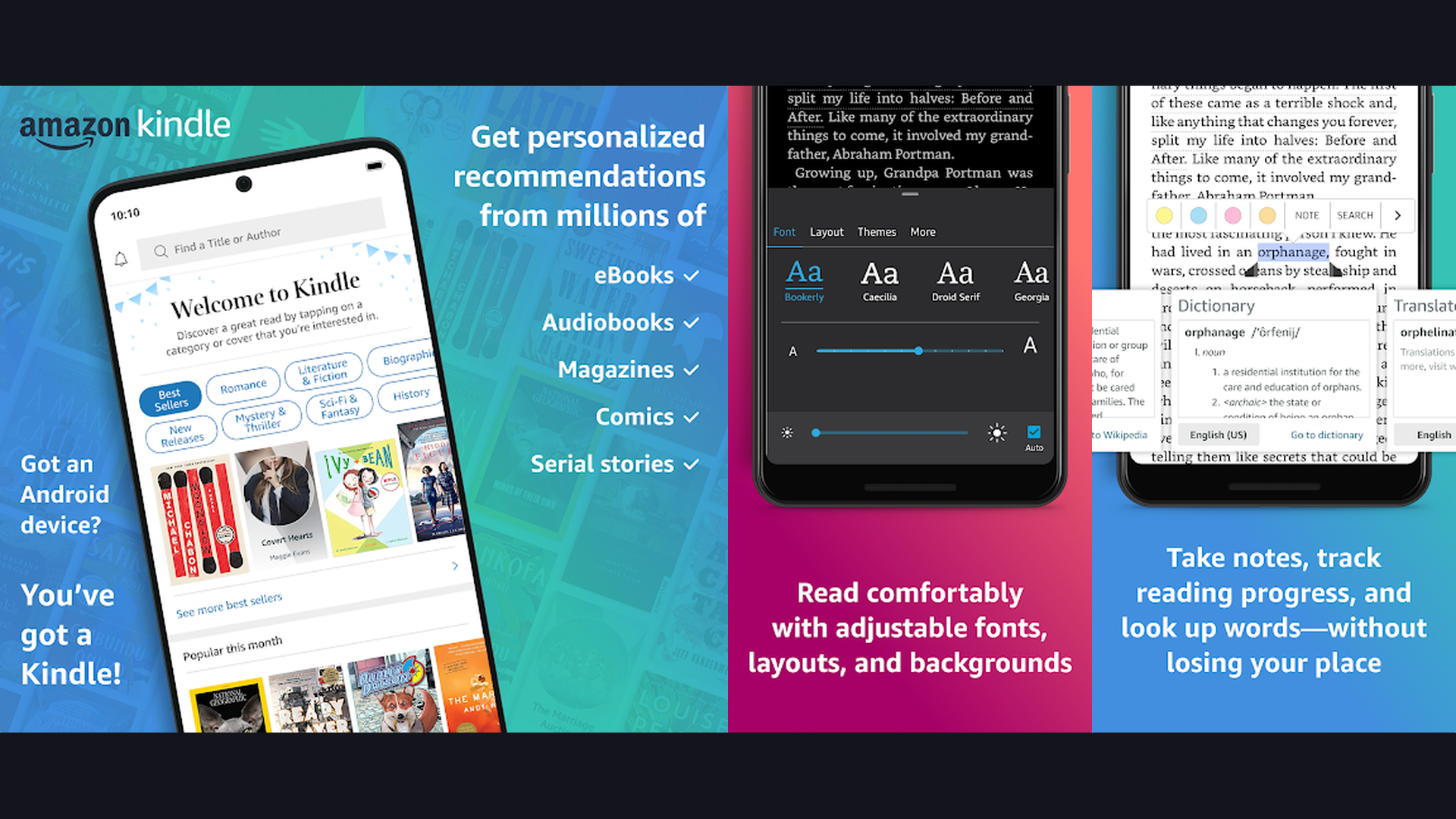
Customizable reading features include adjustable fonts, background colors (including dark mode), brightness control, and progress tracking across devices. The built-in dictionary lets you look up words instantly without internet. Whispersync saves your reading position across all devices automatically. Kindle Unlimited subscribers get access to over 4 million titles. Essential for any frequent traveler.
3. The Room (★ 4.8)
The Room by Fireproof Studios is a critically acclaimed puzzle game with incredibly detailed 3D environments and mysterious atmospheric storytelling. Examine intricate puzzle boxes, discover hidden mechanisms, and unlock secrets through tactile touch interactions.
Each puzzle feels like a physical object you can rotate, open, and manipulate. The game uses a mysterious eyepiece mechanic that reveals hidden clues invisible to the naked eye. Four sequels (The Room Two, Three, Old Sins, and A Dark Matter) are available if you finish the original. All entries work completely offline and provide 3-5 hours of immersive gameplay each. For the best display experience, play on a larger screen.
4. Pocket (★ 4.8)
Pocket lets you save articles, videos, and web content for offline reading. Found an interesting article but boarding soon? Save it to Pocket and read it in airplane mode. The app strips away ads and distractions, presenting clean, readable content.
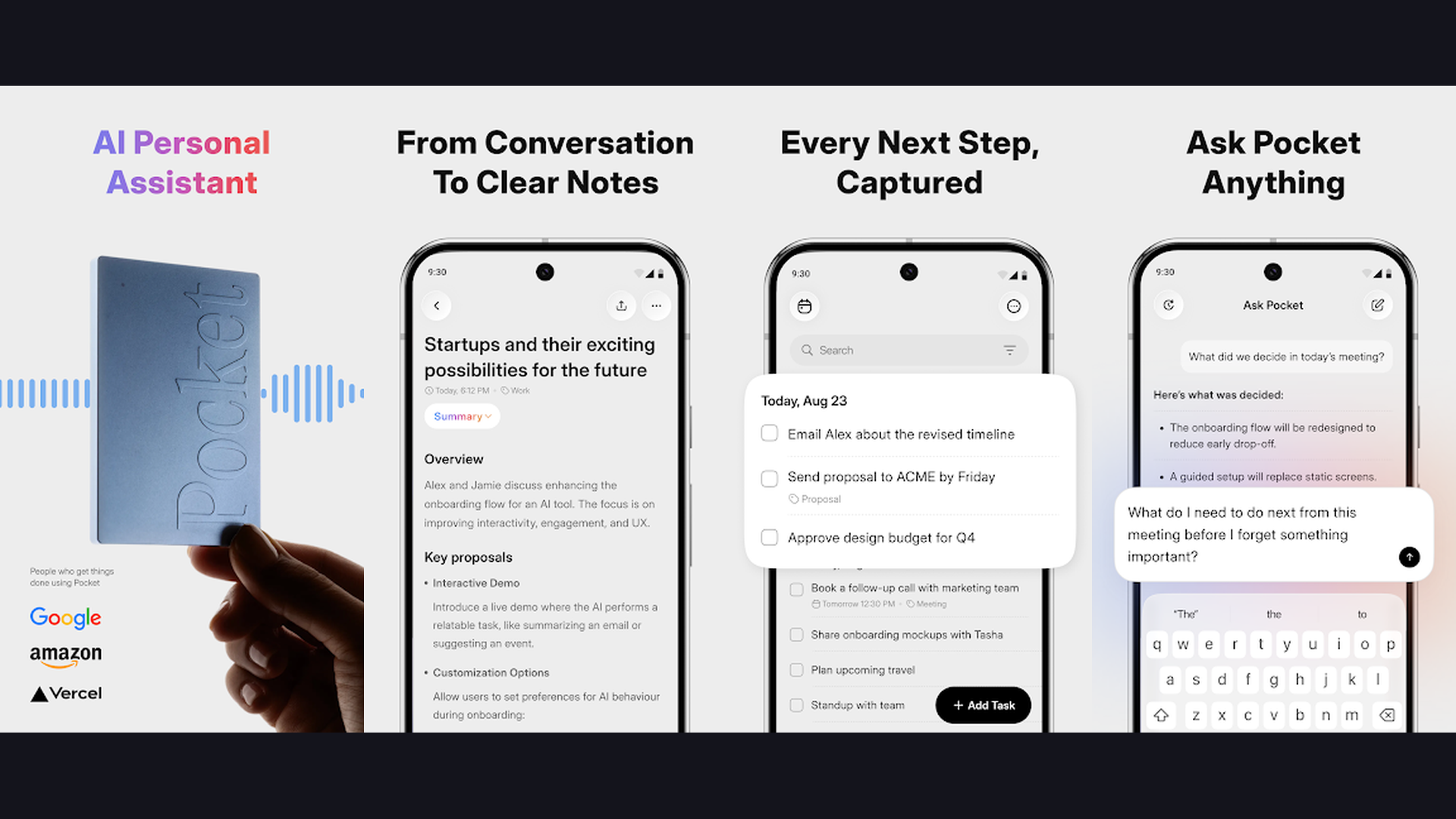
The text-to-speech feature can read articles aloud as an alternative to audiobooks. Tagging and highlighting help you organize saved content. Premium features include a permanent library and advanced search. Pocket syncs across all devices, so content saved on your computer is available on your phone offline. Perfect for catching up on news and longform articles during flights.
5. Plague Inc. (★ 4.7)
Plague Inc. is a unique strategy simulation game where you create a pathogen and attempt to infect and eliminate the entire world population. Choose from bacteria, viruses, fungi, parasites, and more exotic disease types, each requiring different strategies to spread globally.
The game features intelligent AI that fights back — countries close borders, fund research, and develop cures. Strategic depth comes from balancing infectivity, severity, and lethality while adapting to global health responses. Scenario Creator mode lets you build custom scenarios. All gameplay works entirely offline, and a single game can last 30-60 minutes — perfect for long flights. Learn more about mobile processors that handle strategy games smoothly.
6. Stardew Valley (★ 4.6)
Stardew Valley is the ultimate offline farming RPG. Inherit your grandfather farm and build it into a thriving agricultural paradise. Plant crops, raise animals, mine for resources, fish in rivers, and build relationships with the charming townspeople of Pelican Town.
With hundreds of hours of content, Stardew Valley can keep you occupied across dozens of flights. The game features seasonal crop cycles, festivals, dungeon crawling in the mines, cooking, crafting, and romantic relationships. Touch controls are well-optimized for mobile. No internet required at any point. This is arguably the best value-for-money offline game on mobile — a one-time purchase with no ads or microtransactions.
7. Todoist (★ 4.6)
Todoist is a powerful task management app that works seamlessly in airplane mode. Add tasks, set priorities, organize projects, and check off completed items — all without internet. Changes sync automatically when you reconnect.
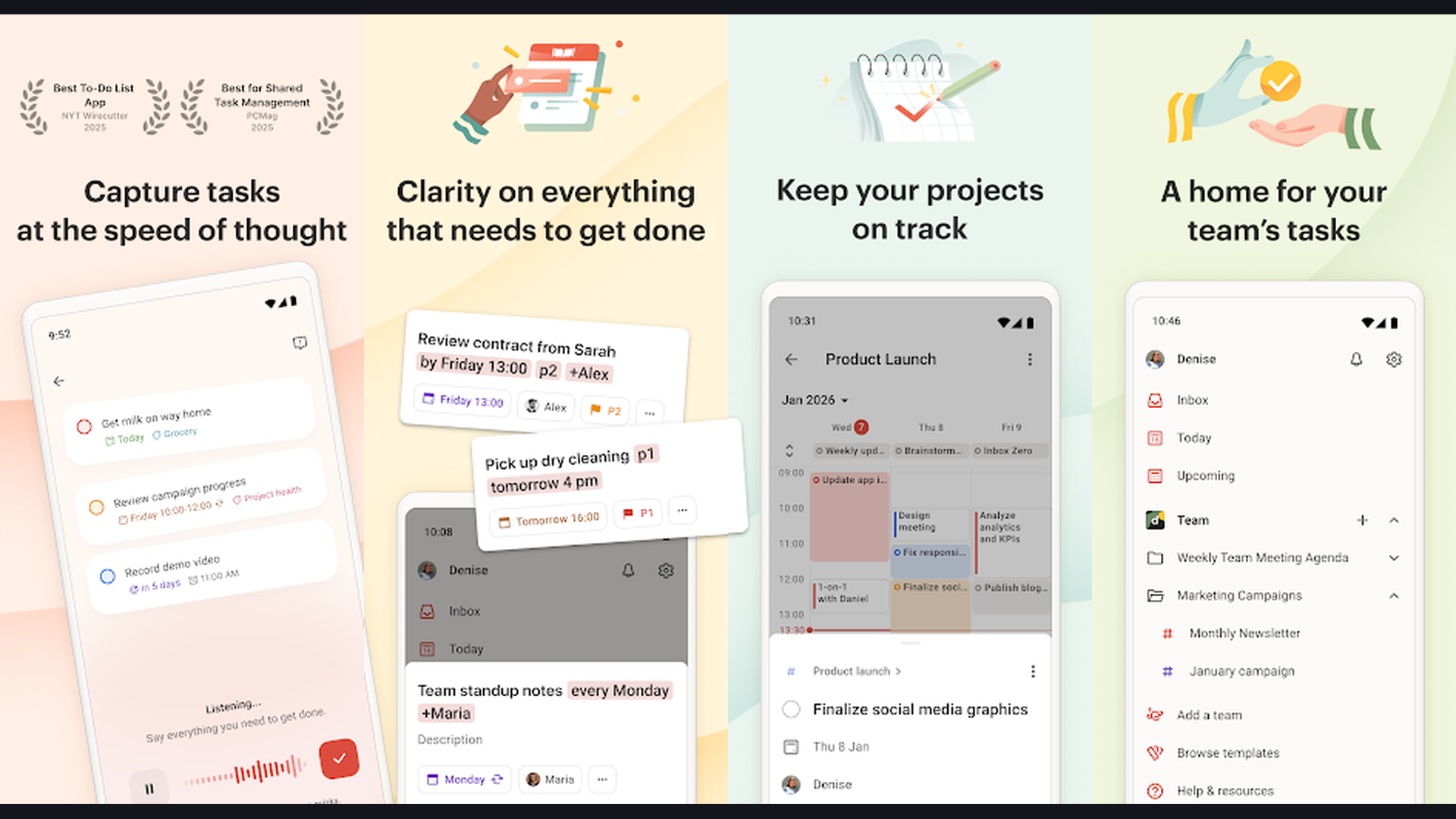
Natural language input lets you type "Submit report by Friday at 3pm" and the app automatically sets the date and time. Projects, labels, filters, and priority levels help organize complex workflows. Recurring tasks, subtasks, and comments make it versatile for both personal and professional use. Available on every platform with seamless cross-device sync. Use flight time productively by planning your week ahead.
8. Subway Surfers (★ 4.6)
Subway Surfers is a high-paced endless runner that works perfectly in airplane mode. Dash through subway tracks, dodge oncoming trains, collect coins, and use power-ups while being chased by a grumpy inspector and his dog.

The game rotates its world tour settings every few weeks, featuring cities from around the globe. Character customization, hoverboard collection, and mission challenges add replayability. Quick sessions of 2-5 minutes make it perfect for short attention spans, while high-score chasing can keep you playing for hours. Free to play with no internet needed for core gameplay. Great for teens and casual gamers.
9. Alto Odyssey (★ 4.5)
Alto Odyssey is a visually stunning endless snowboarding game set across breathtaking procedurally generated landscapes. Glide across sand dunes, canyons, and temple ruins while performing tricks and collecting coins.

The game features a dynamic weather system and day-night cycle that creates genuinely beautiful moments — sunsets, storms, shooting stars. Zen Mode removes all scoring and obstacles for a purely meditative experience, perfect for relaxing during turbulence. Smooth one-touch controls make it accessible to everyone. Fully offline with no ads in the premium version. One of the most beautiful mobile games ever created.
10. Crossy Road (★ 4.5)
Crossy Road is the modern take on the classic "why did the chicken cross the road" concept. Navigate an endless series of roads, rivers, and train tracks with simple swipe controls. The voxel art style is charming and the addictive one-more-try gameplay makes time fly.
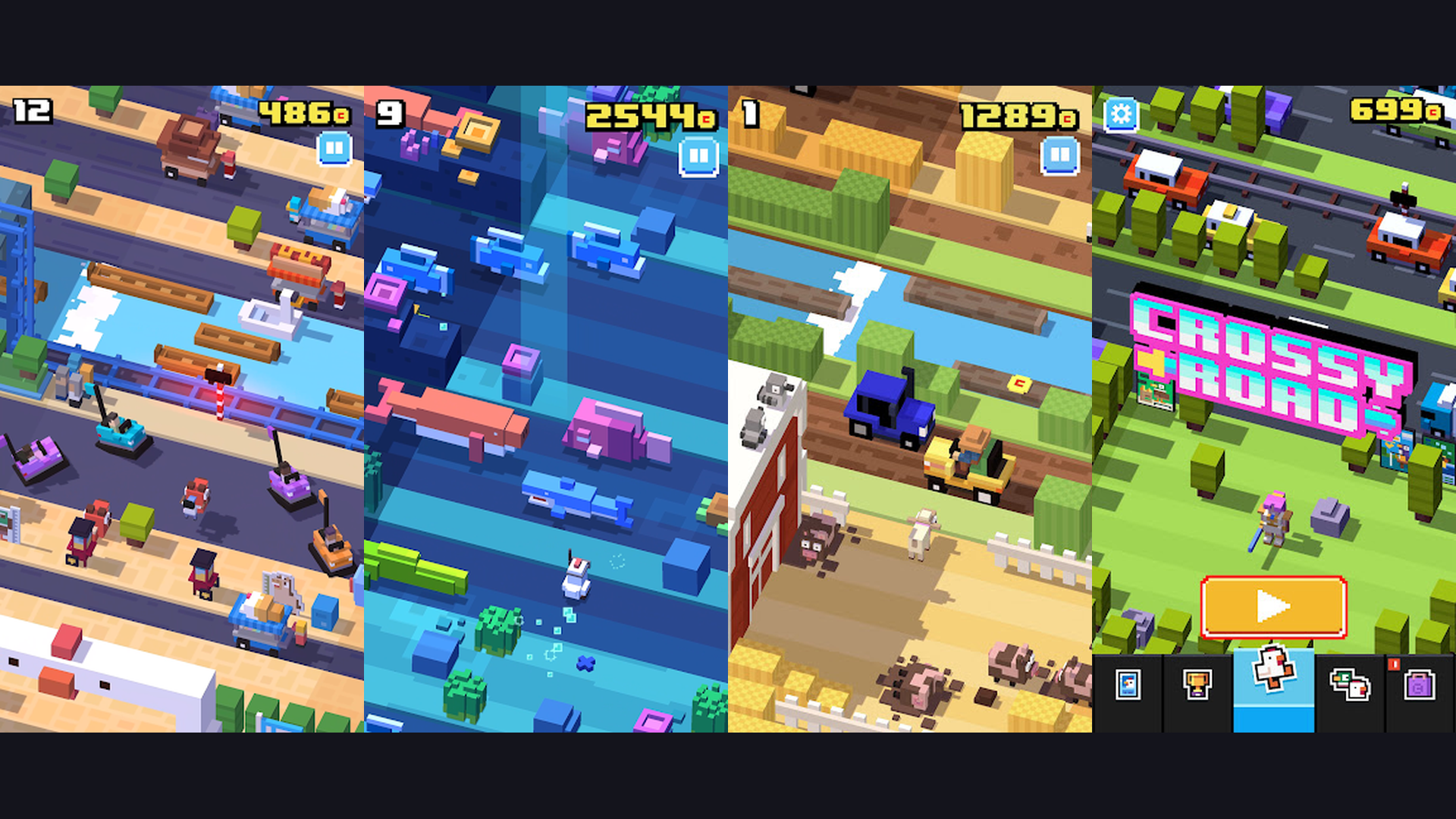
Over 200 collectible characters (including crossover characters from popular franchises) add personality and replay value. Each character slightly changes the game world visuals. The game is completely free with no paywalls, and the core gameplay is 100% offline. Quick sessions of 30 seconds to 5 minutes make it the quintessential pick-up-and-play airplane mode game.
11. Forest (★ 4.4)
Forest is a unique focus and productivity app that gamifies staying off your phone. Plant a virtual tree, set a timer, and if you leave the app before the timer ends, your tree dies. Stay focused and your tree grows into a beautiful forest over time.
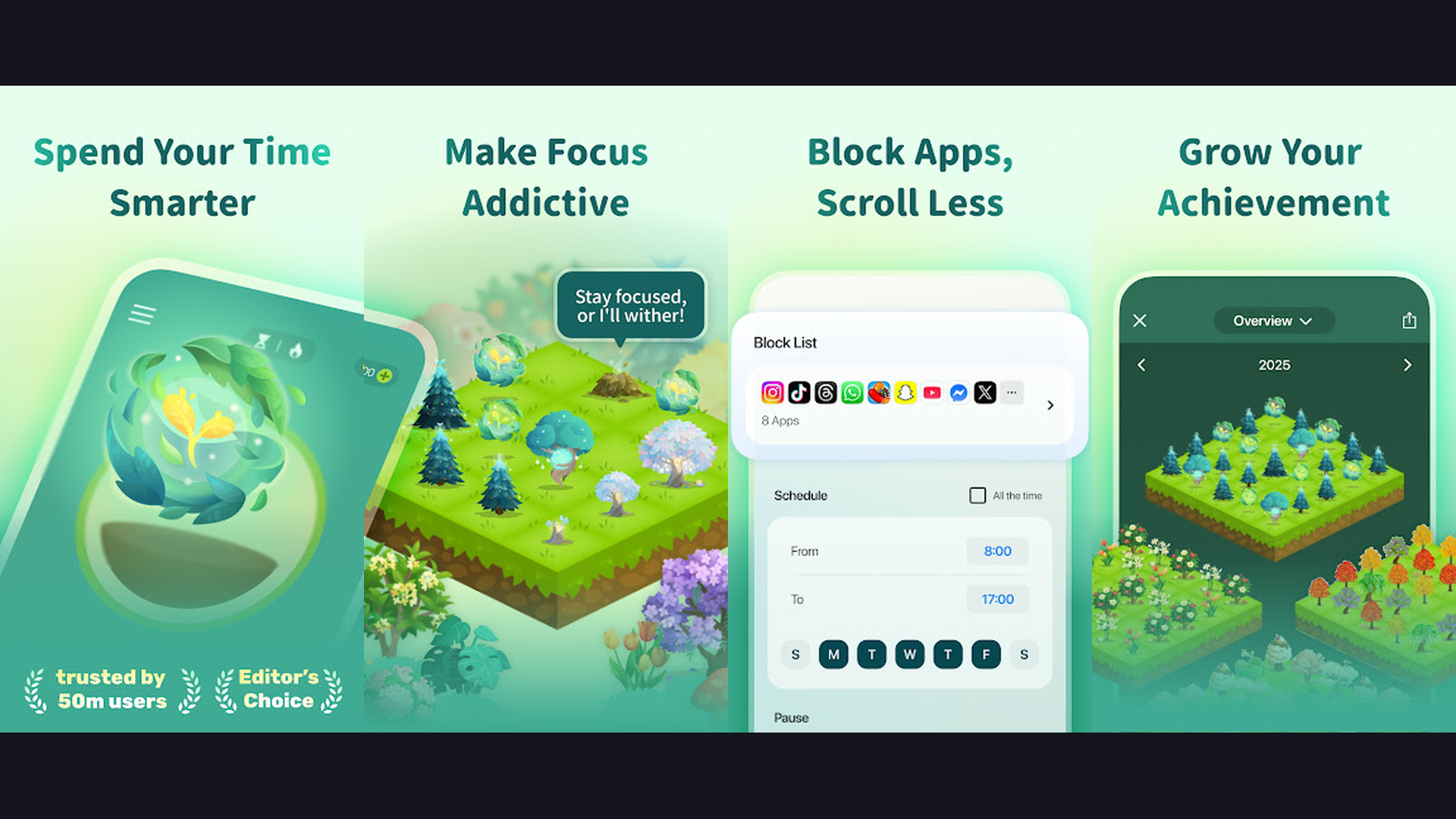
The app works perfectly in airplane mode — ideal for using flights as focused work or reading time. A variety of tree species unlock as you accumulate focus time. Statistics track your daily, weekly, and monthly focus habits. The partnership with Trees for the Future means your virtual trees can translate into real tree planting. Tags let you categorize focus sessions (work, study, reading). See our battery optimization tips to maximize Forest sessions.
12. Spotify (★ 4.3)
Spotify Premium subscribers can download entire playlists, albums, and podcasts for offline listening. Before your flight, download your favorite music and you have hours of entertainment without needing any data. Free tier users cannot download for offline play.
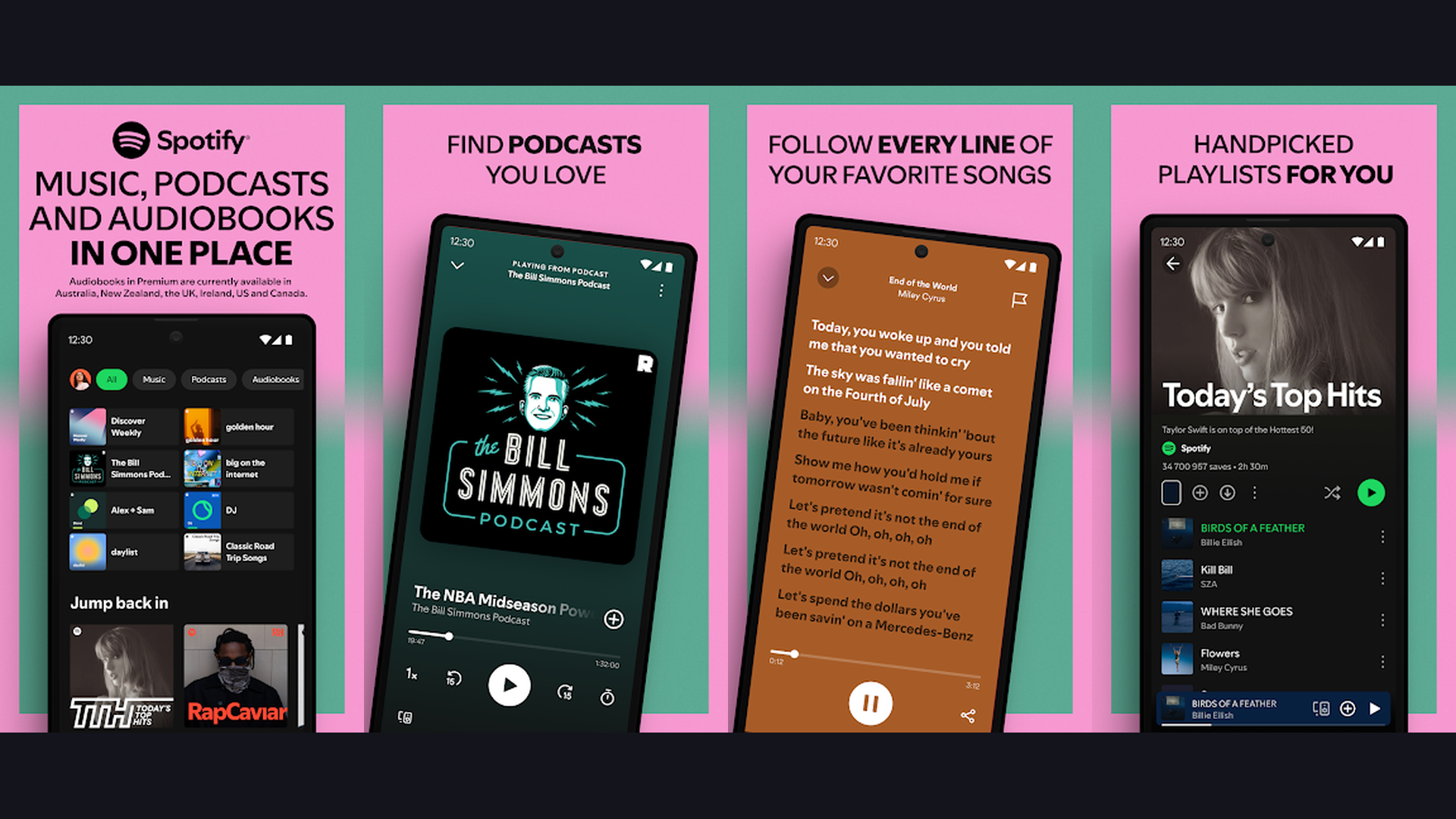
Offline downloads support up to 10,000 songs on up to 5 devices. Audio quality settings let you choose between Normal, High, and Very High quality for downloads. Downloaded podcasts auto-update when connected. Smart Downloads automatically refreshes your offline content based on listening habits. The app also supports offline playback of audiobooks (Premium only). Essential for any music lover traveling by air.
13. Google Translate (★ 4.3)
Google Translate supports offline translation by downloading language packs in advance. If you are traveling internationally, download your destination language before takeoff and translate signs, menus, and conversations without any internet.
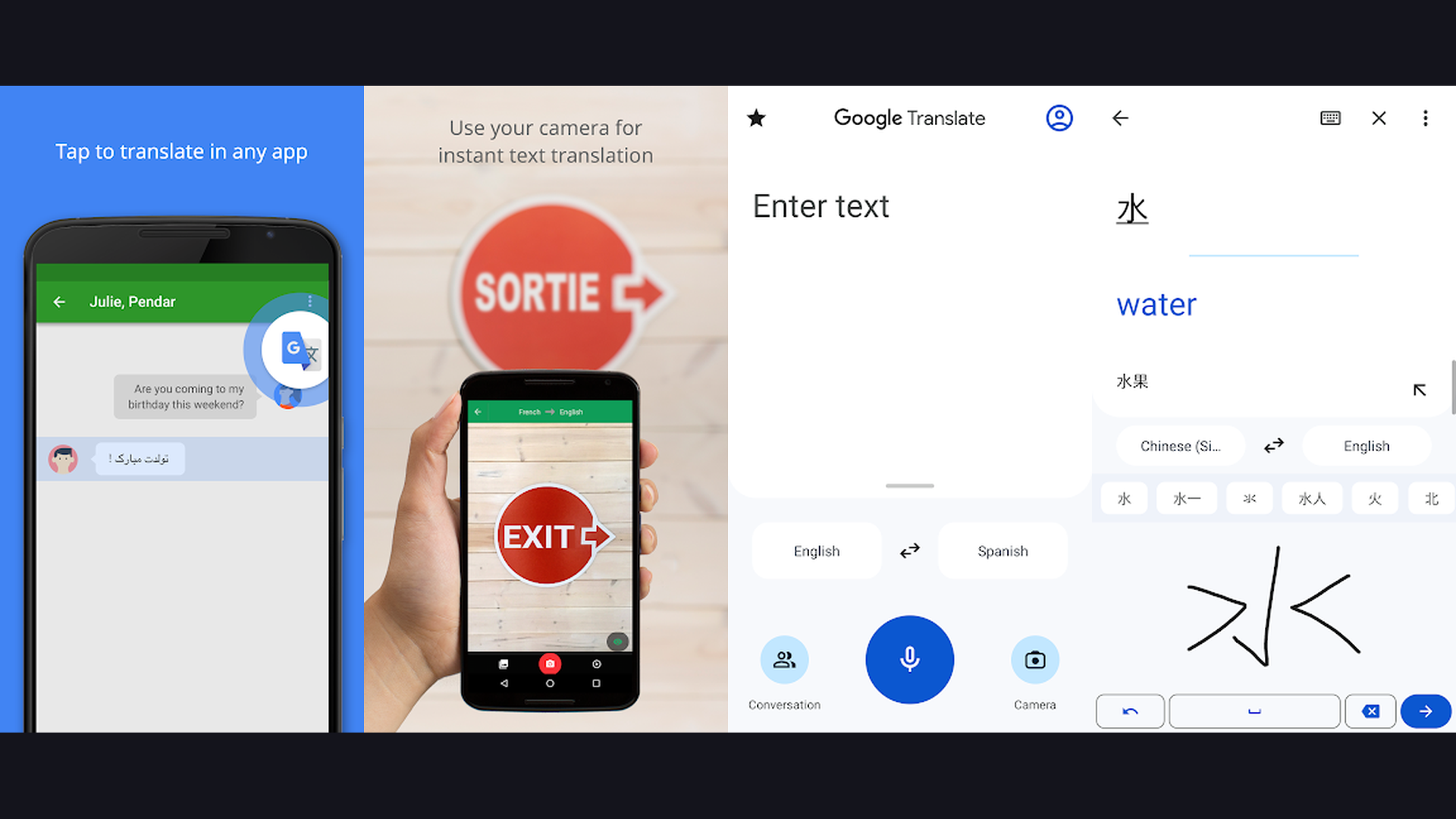
Offline packs are available for 59+ languages. Camera translation lets you point your phone at text and see instant translations overlaid on the image — works offline with downloaded language packs. Conversation mode enables real-time spoken translation between two languages. Handwriting recognition supports complex scripts like Chinese, Japanese, and Korean. A must-have travel companion for international flights.
14. Evernote (★ 3.6)
Evernote is a powerful note-taking app with robust offline capabilities. Premium subscribers can make entire notebooks available offline, giving you access to all your notes, documents, and saved web clippings without internet during flights.
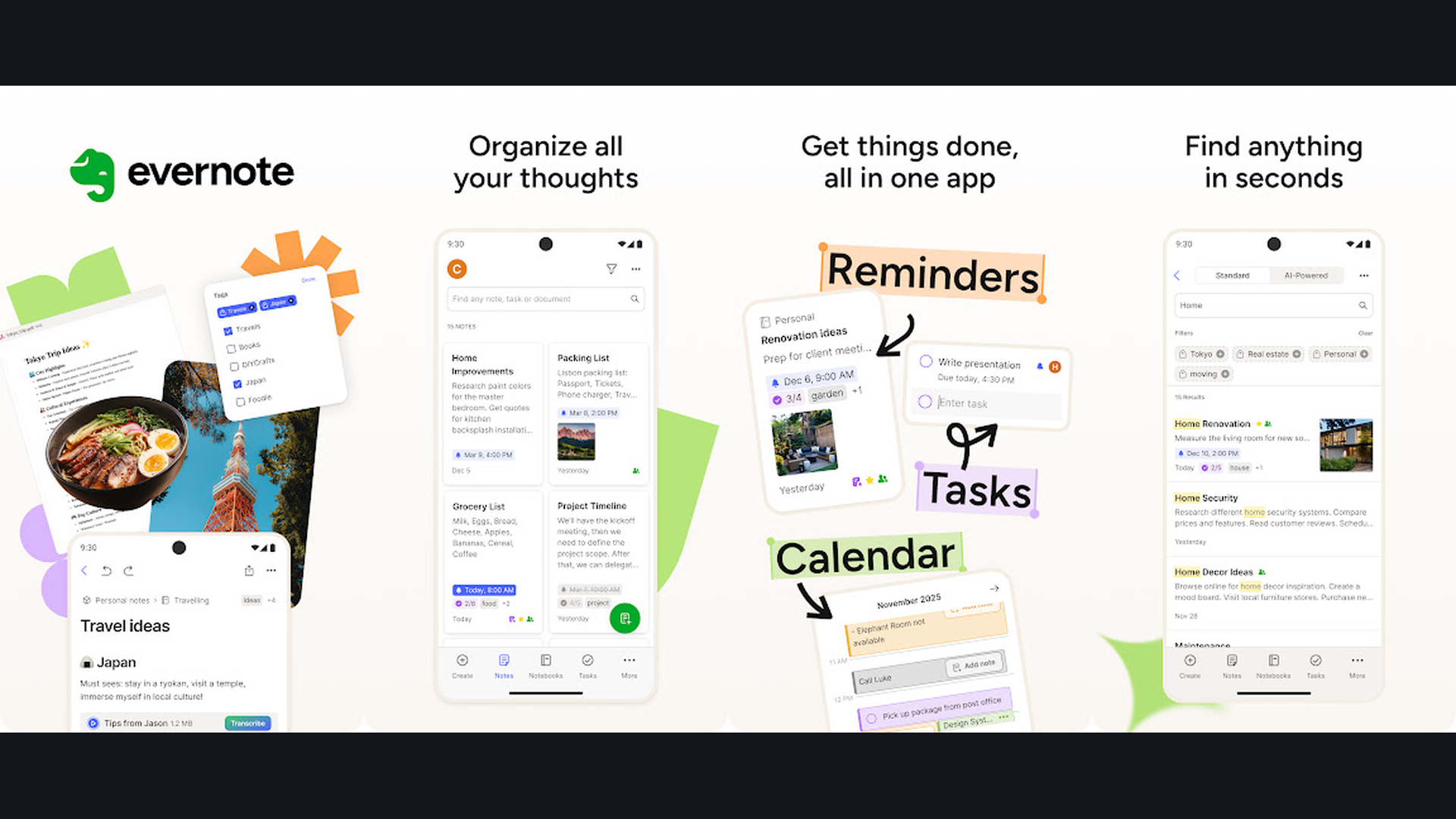
Rich text formatting, image embedding, audio recording, checklists, and tables make Evernote versatile for any type of note. Templates for meeting notes, project plans, and journals help you get started quickly. Tags and notebooks organize thousands of notes into searchable collections. Use flight time to journal, plan projects, or organize your thoughts. Changes sync automatically when you land.
15. Google Maps (★ 3.2)
Google Maps offers offline map downloads that let you navigate, search for places, and get driving directions without internet. Before traveling, download the map of your destination area and use it seamlessly in airplane mode or areas without cell service.
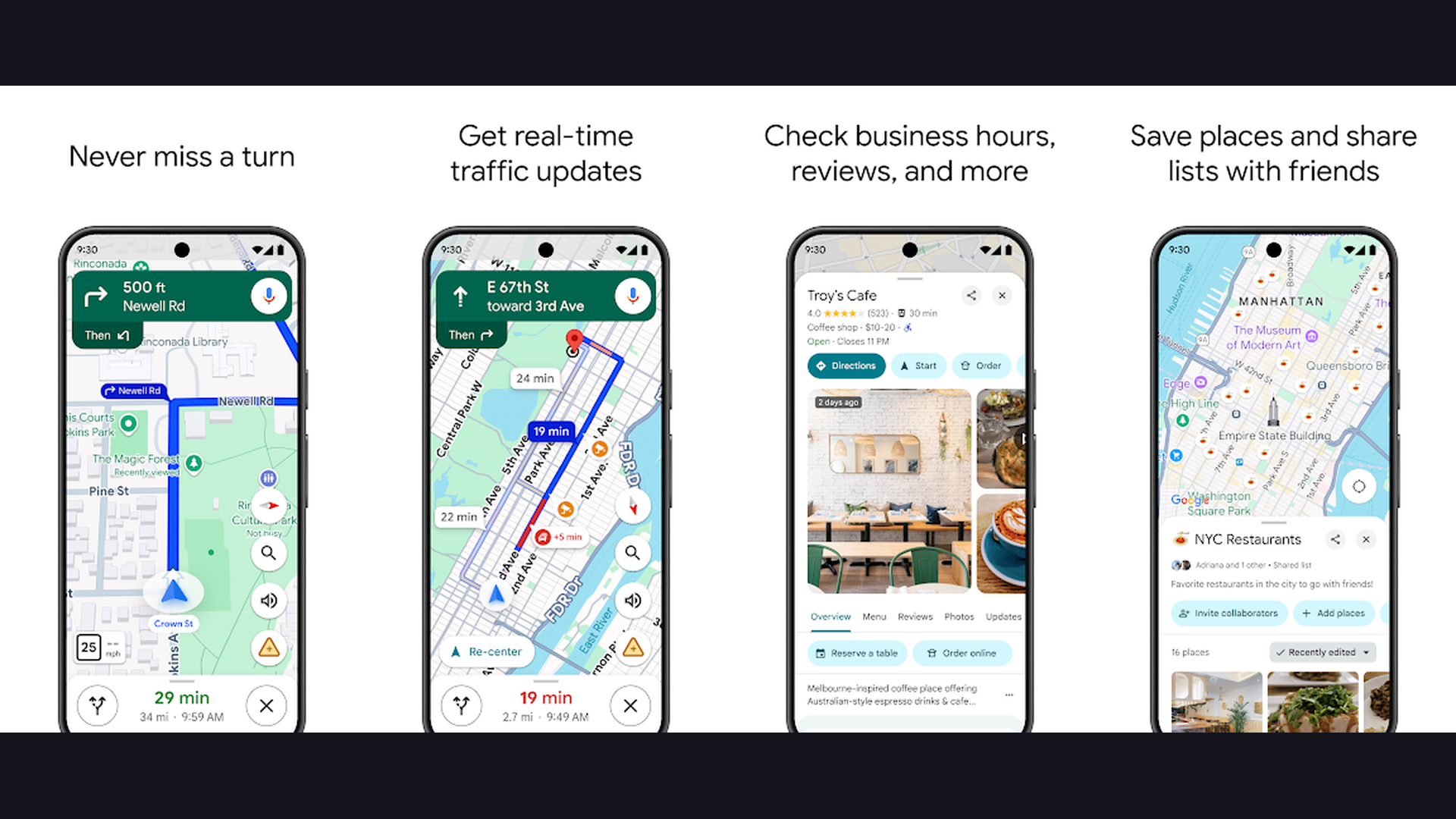
Offline maps include street names, points of interest, business information, and turn-by-turn driving directions. Maps can cover areas up to 120,000 square kilometers. Downloaded maps auto-update when connected. You can download maps of cities, countries, or custom regions. Despite its lower rating (due to privacy concerns and UI changes), Google Maps remains the most reliable offline navigation tool. For more smartphone tips, explore our camera technology and battery technology guides.
Tips for Using Apps in Airplane Mode
Download Content Before Your Flight
Download your Spotify playlists, Kindle books, Google Translate language packs, and Google Maps offline areas while connected to Wi-Fi at home or the airport. Most apps will prompt you to download content for offline use in their settings.
Manage Storage Space
Offline content can consume significant storage. Stardew Valley is about 500MB, Google Maps offline areas are 100-500MB each, and Spotify playlists can be 1-5GB depending on quality. Check your available memory storage before downloading.
Preserve Battery Life
Airplane mode itself saves battery by disabling radios, but screen brightness and CPU-intensive games still drain power. Dim your screen, close background apps, and use battery health tools to extend your usage time. See our phone benchmark guide if you need a device that handles gaming without overheating.
Frequently Asked Questions
Do all apps work in airplane mode?
No. Most social media, streaming, and communication apps require an internet connection. The apps listed above are specifically verified to work offline. Streaming apps like Netflix and YouTube Music require you to download content beforehand for offline access.
Can I use Wi-Fi in airplane mode?
Yes. You can enable Wi-Fi separately while airplane mode is active. Many airlines offer in-flight Wi-Fi, but it is often slow and expensive. Having offline apps ready means you do not depend on in-flight Wi-Fi for entertainment.
Which free apps work best offline?
Subway Surfers, Crossy Road, Google Translate, and Google Maps are completely free and work fully offline. Forest has a free version with limited features. Plague Inc. has a free version with ads.
How much storage do offline apps need?
Games like Monument Valley 2 (300MB), The Room (700MB), and Stardew Valley (500MB) are relatively small. Content-heavy downloads like Google Maps areas (100-500MB), Spotify playlists (1-5GB), and Kindle libraries vary based on how much you download. We recommend having at least 5GB free before a flight.
Conclusion
Flying without internet does not mean flying without entertainment. The 15 apps above cover every need — from puzzle games and farming simulators to reading, music, productivity, and navigation. Monument Valley 2, The Room, and Stardew Valley provide hours of premium gaming. Kindle and Pocket handle reading. Spotify and Forest cover music and focus. And Google Maps and Google Translate ensure you are ready when you land.
Download these apps before your next flight and transform airplane mode from a limitation into an opportunity for uninterrupted entertainment, reading, and productivity. For more mobile recommendations, explore our best action games, affordable smartphones, and display resolution guide.