
Flutter has become the most popular cross-platform framework for building iOS and Android apps from a single codebase. Created by Google and powered by the Dart programming language, Flutter enables developers to write once and deploy to both mobile platforms, the web, and desktop with native performance and beautiful UIs. In 2026, over one million apps have been built with Flutter, and major companies from banking giants to automotive brands trust it for their most critical customer-facing applications.
This guide showcases 12 of the best apps built with Flutter in 2026, spanning fintech, e-commerce, IoT, health, entertainment, education, and automotive. Each app demonstrates specific Flutter strengths: hot reload for rapid development, the widget system for beautiful UIs, Dart compilation for native performance, and single-codebase efficiency for cross-platform deployment. Whether you are a developer evaluating Flutter, a business leader considering cross-platform strategy, or a tech enthusiast curious about what powers your favorite apps, these examples prove Flutter is production-ready at any scale. For more app recommendations, explore our guides on AI apps, note-taking apps, student apps, and health apps.
Table of Contents
- Nubank (Rating 4.7)
- eBay Motors (Rating 4.6)
- Philips Hue (Rating 4.5)
- Groupon (Rating 4.4)
- Fastic (Rating 4.4)
- Hamilton (Rating 4.4)
- Reflectly (Rating 4.2)
- Google Ads (Rating 4.2)
- Google Pay (Rating 3.9)
- My BMW (Rating 3.8)
- Dream11 (Rating 3.7)
- Google Classroom (Rating 3.5)
- Why Companies Choose Flutter
- Flutter Development Tips and Best Practices
- Frequently Asked Questions
1. Nubank (Rating 4.7)
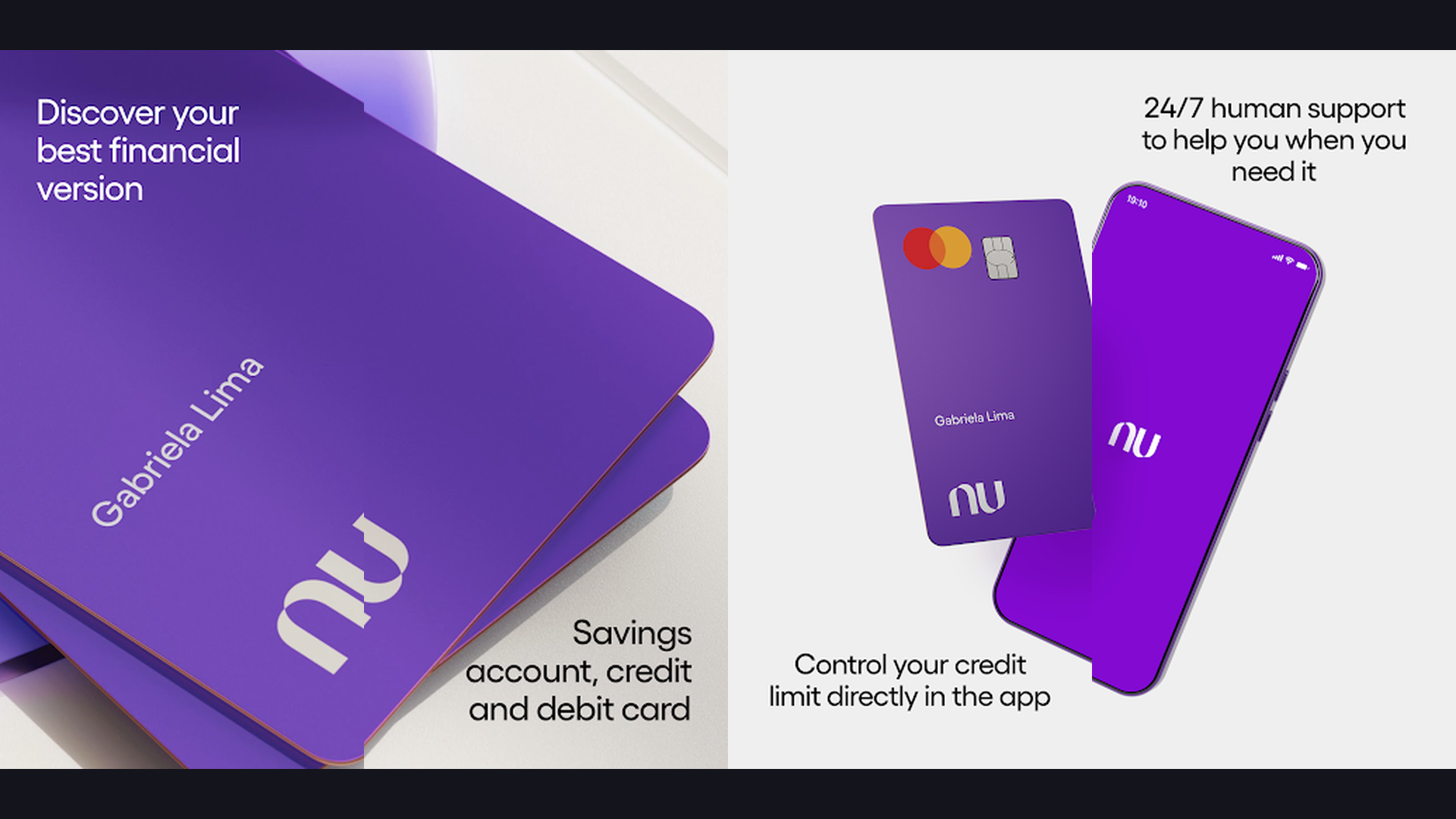
Nubank is the largest independent digital bank in the world and one of Flutter greatest success stories, serving over 100 million customers across Brazil, Mexico, and Colombia with a seamless cross-platform experience built entirely with Flutter. Nubank migration to Flutter transformed their development velocity. Before Flutter, maintaining separate iOS and Android codebases meant features took twice as long to ship and required double the engineering effort. With Flutter, Nubank unified their mobile development into a single codebase that delivers identical experiences on both platforms. The results are remarkable: development cycles shortened dramatically, build times dropped, and feature parity across platforms became automatic rather than aspirational. The app handles complex financial operations including real-time transaction notifications, credit card management, investment portfolios, loan applications, and instant payments with buttery-smooth 60fps animations. The Material Design implementation creates a clean, intuitive banking interface that millions of users trust with their finances daily. Nubank engineering team has spoken extensively about how Flutter hot reload accelerated their UI iteration cycles. Nubank is free to download and use. For developers evaluating Flutter, Nubank proves that the framework scales to enterprise applications serving hundreds of millions of users. Manage your finances with planner tools.


2. eBay Motors (Rating 4.6)
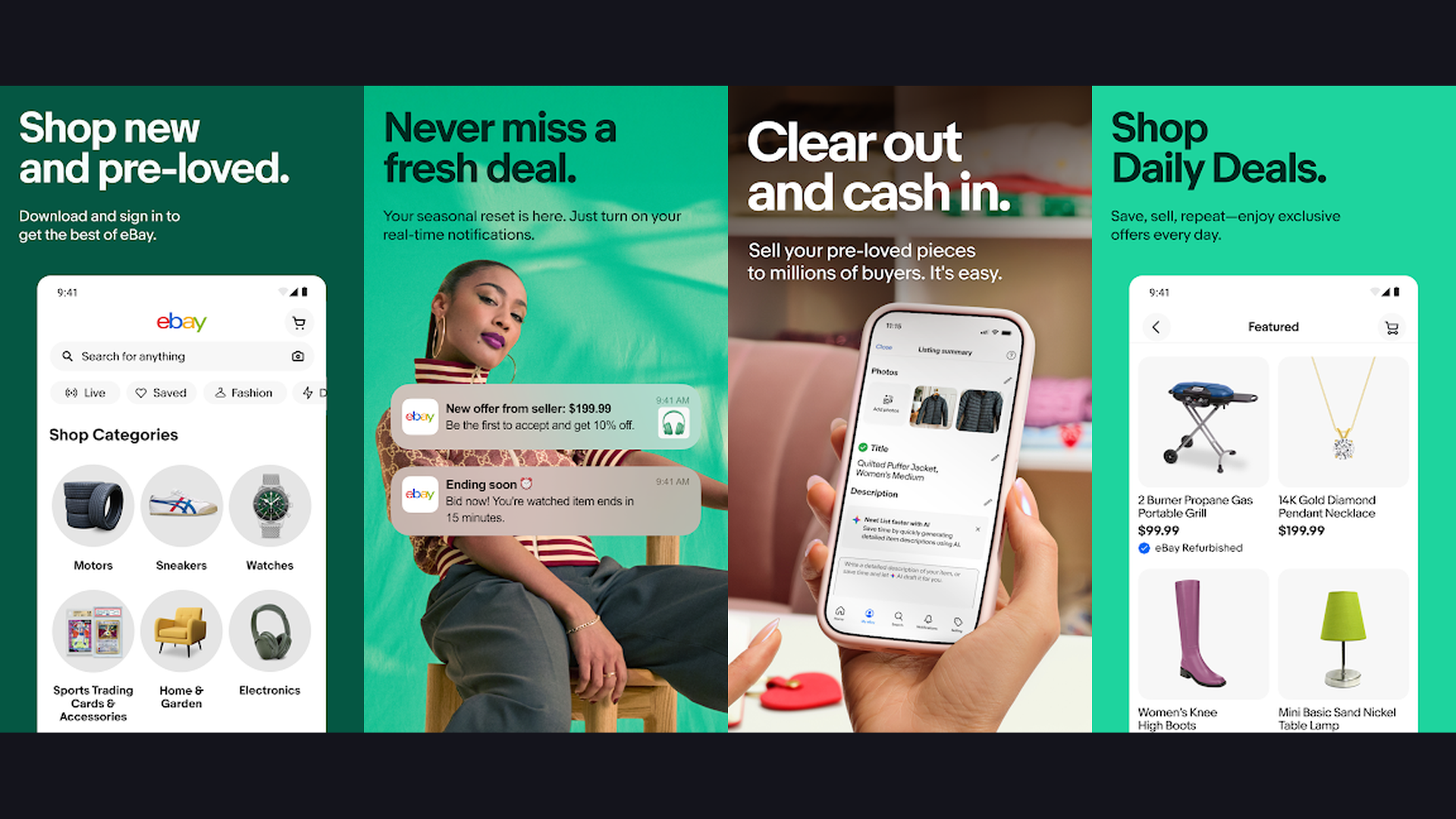
eBay Motors is eBay specialized marketplace for buying and selling vehicles, parts, and accessories, rebuilt with Flutter to deliver weekly feature updates and a unified engineering workflow across iOS and Android. The eBay Motors team chose Flutter specifically to accelerate their development cadence. Before Flutter, shipping features required coordinating separate iOS and Android teams with different timelines and release cycles. With Flutter, the team ships new features and improvements every single week to both platforms simultaneously. The app handles complex automotive marketplace features including VIN scanning, vehicle condition reports, financing calculators, shipping estimates, photo galleries with zoom and 360-degree views, and real-time auction bidding. The search experience filters millions of listings by make, model, year, price, location, and condition with instant results. The customizable notification system alerts buyers when matching vehicles are listed. The seller tools include guided listing flows that help photograph and describe vehicles effectively. eBay Motors is free to download. For Flutter developers, eBay Motors demonstrates how Flutter enables rapid iteration cycles for complex e-commerce applications. Browse deals with auction apps.
3. Philips Hue (Rating 4.5)
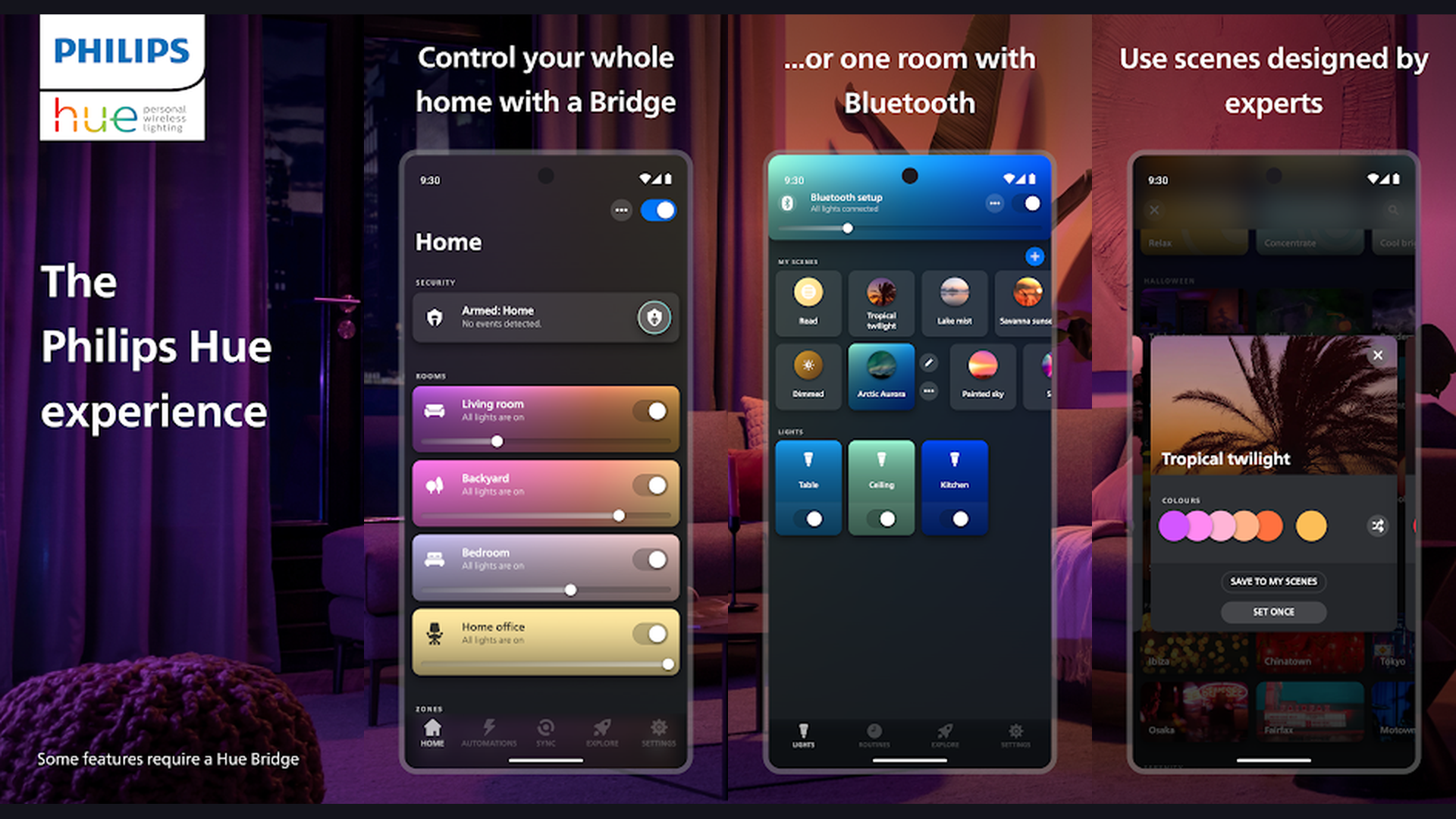
Philips Hue is the world leading smart lighting platform, using Flutter to deliver a beautiful, responsive control interface for managing smart bulbs, light strips, and accessories across iOS and Android from a single codebase. The Philips Hue app demonstrates Flutter strength in IoT and hardware control applications. The interface manages complex interactions between your phone, the Hue Bridge, and dozens of individual smart lights, all requiring instant responsiveness. The color picker wheel renders smoothly at 60fps, providing real-time color changes as you drag your finger across millions of possible hues. Scene management lets you save and recall lighting configurations for different activities and times of day. The automation system creates schedules, sunrise/sunset routines, and motion-activated triggers. Room grouping organizes lights by physical location. Entertainment zones sync lights with movies, music, and games. The clean Material Design interface makes controlling a complex IoT ecosystem feel simple and intuitive. Flutter widget system is perfectly suited for the interactive sliders, color wheels, and animated transitions the Hue app requires. Philips Hue is free (requires Hue Bridge and lights). This app proves Flutter handles real-time IoT hardware communication with beautiful, responsive interfaces. Boost your smart home with device optimization.
4. Groupon (Rating 4.4)
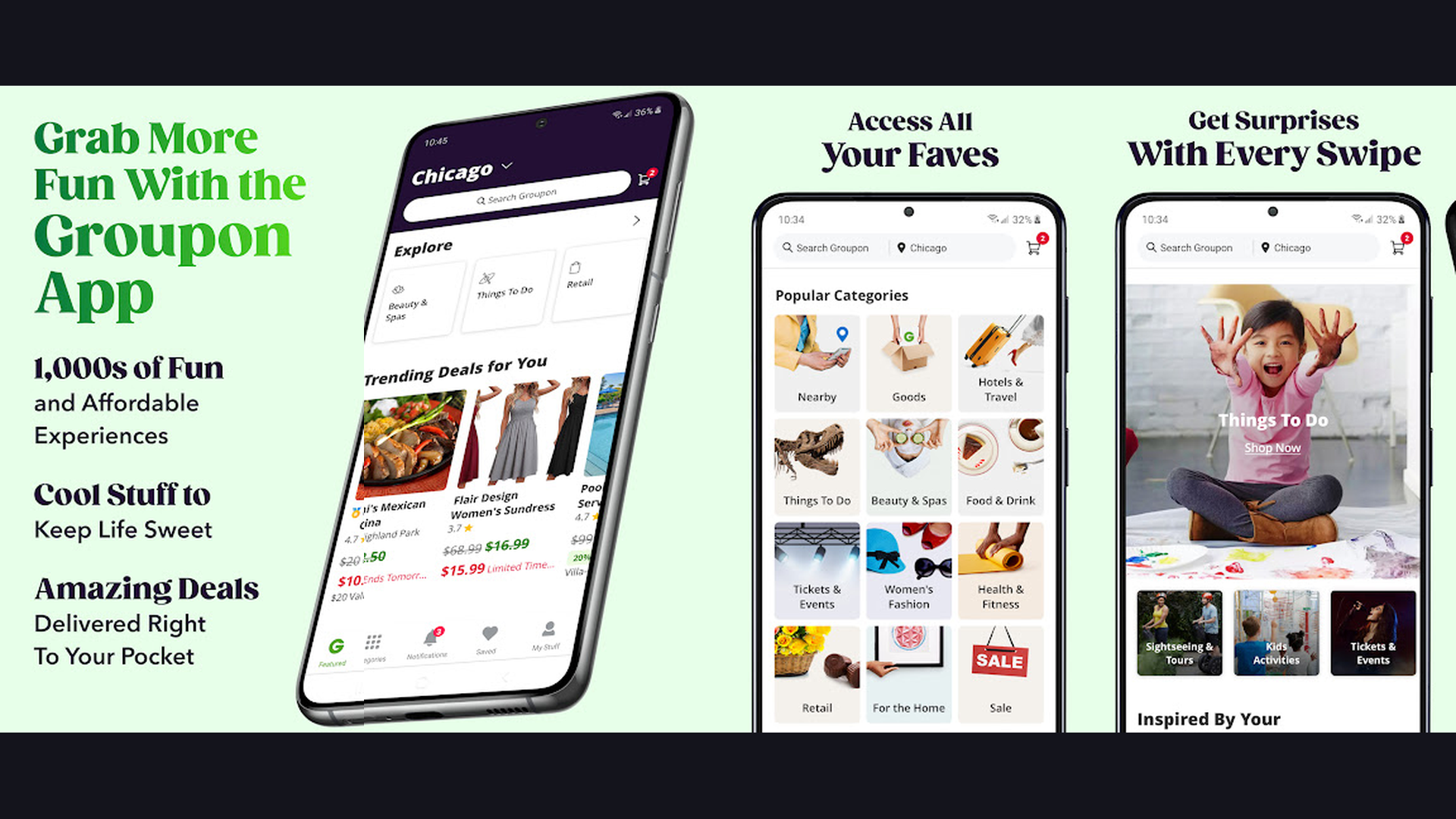
Groupon is a major deals and coupons marketplace that adopted Flutter to unify their mobile experience, delivering location-based deals, restaurant bookings, activity reservations, and product purchases across iOS and Android. Groupon decision to adopt Flutter reflects the framework growing credibility among established technology companies. The app handles a diverse range of use cases: browsing local deals by category, purchasing restaurant vouchers, booking spa treatments, reserving travel activities, and shopping product deals. The location-based discovery system presents relevant deals based on your current position with map integration. The search and filtering system handles thousands of concurrent deals across hundreds of categories. The checkout flow manages multiple payment methods, deal redemptions, and order tracking. The personalization engine learns your preferences and surfaces deals you are most likely to enjoy. Push notifications alert you to flash sales and deal expirations. Groupon is free to download. For the Flutter community, Groupon adoption validates the framework for large-scale consumer marketplace applications with complex commerce flows. Find more shopping deals with shopping apps.
5. Fastic (Rating 4.4)
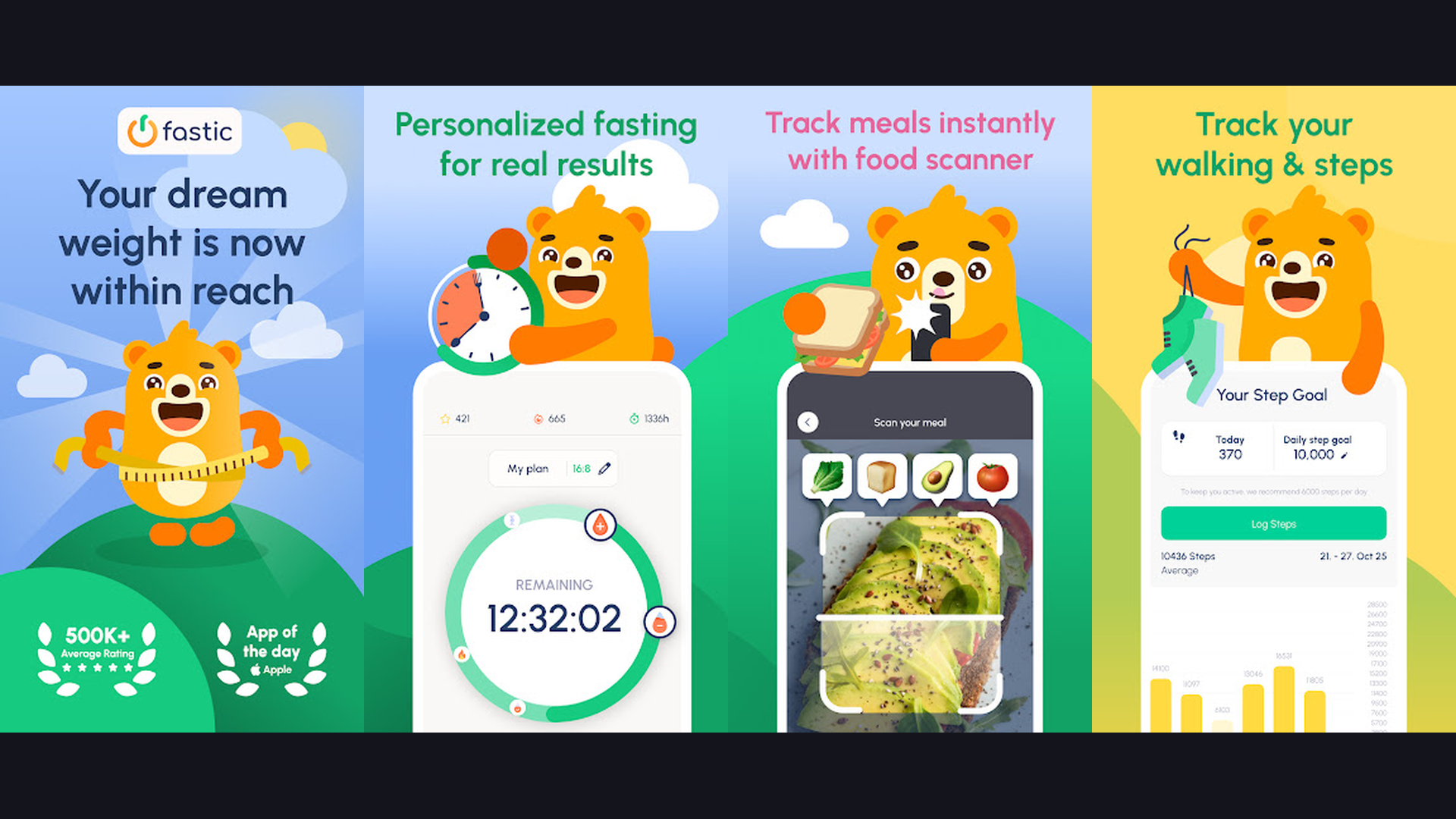
Fastic is a leading intermittent fasting and weight loss app built with Flutter, offering fasting timers, meal tracking, hydration monitoring, step counting, and a supportive community across both mobile platforms. Fastic exemplifies how Flutter enables health and wellness startups to build beautiful, feature-rich apps with smaller engineering teams. The fasting timer is the centerpiece: a beautifully animated circular progress indicator that tracks your current fasting window with real-time updates. The timer animations are smooth and engaging, demonstrating Flutter ability to render complex custom animations effortlessly. The meal logging system includes a food database, barcode scanning, and photo-based meal tracking. The hydration tracker encourages proper water intake with gentle reminders. The step counter integrates with device health APIs. The progress dashboard visualizes fasting history, weight trends, and health metrics with interactive charts. The community features include challenges, leaderboards, and achievement badges. The educational content explains fasting science and nutrition principles. Fastic is free with Premium from $4.99/month. Fastic demonstrates Flutter excellence at health tracking apps with rich animations and data visualization. Track health with fitness apps.
6. Hamilton (Rating 4.4)
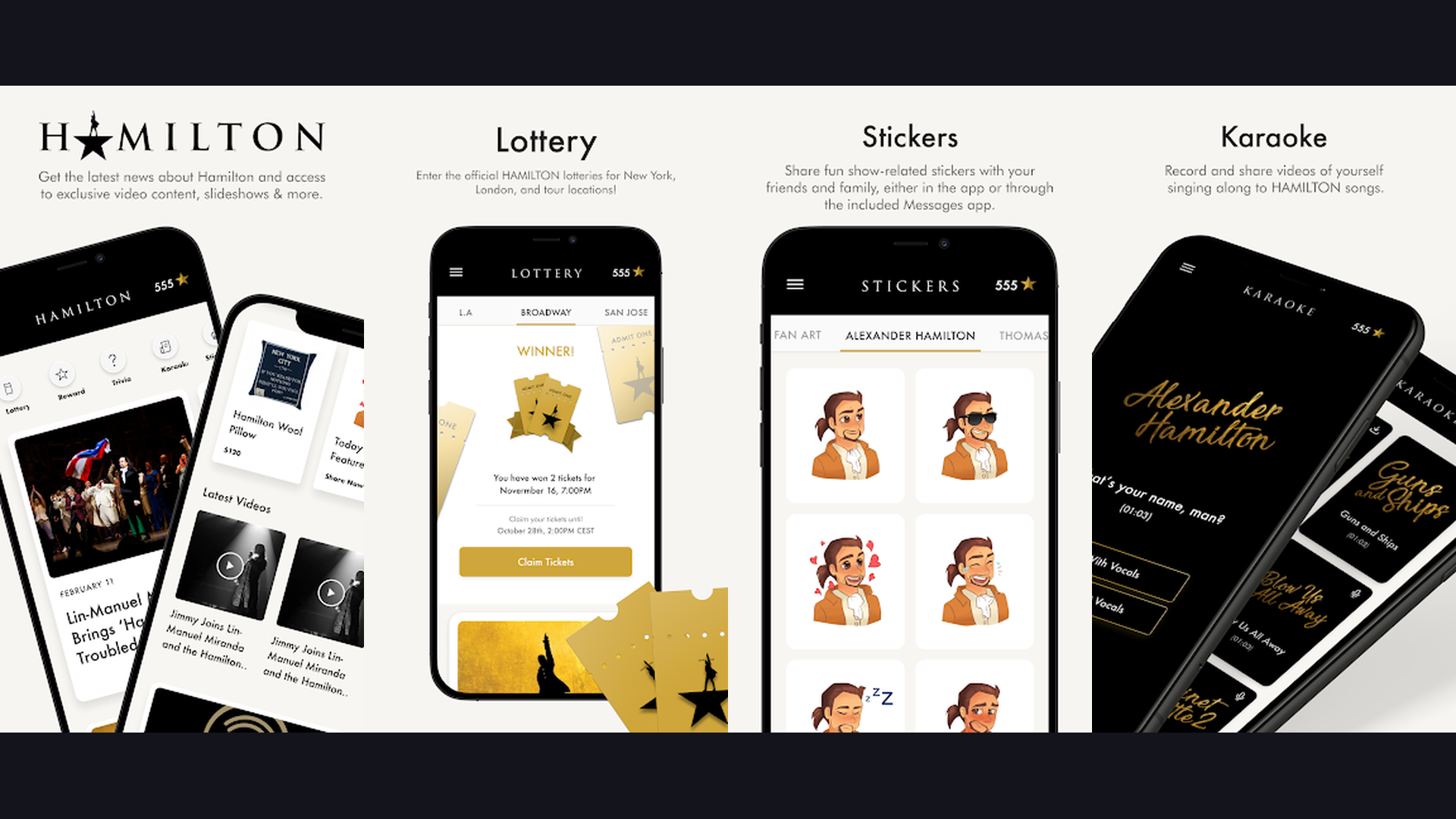
Hamilton: The Official App was one of the earliest high-profile Flutter showcase apps, demonstrating that Flutter could deliver stunning, production-quality native experiences on both iOS and Android for one of Broadway most iconic musicals. The Hamilton app holds special significance in Flutter history. When it launched, Flutter was still relatively new and many developers questioned whether the framework could produce truly polished, production-ready applications. The Hamilton app answered definitively: yes. Built by the Posse creative agency (now Superformula) in collaboration with Google, the app delivered a premium experience featuring daily lottery entries for discounted tickets, a curated game and trivia section, exclusive merchandise shopping, news and content feeds, and push notification for show updates. The UI featured custom animations, rich media integration, and a design language that matched the show premium branding. The development team publicly shared how Flutter enabled them to build the app for both platforms simultaneously in a fraction of the time traditional native development would have required. Hamilton is free to download. As a historical milestone, Hamilton proved that Flutter could deliver consumer-grade, premium app experiences. Enjoy entertainment with streaming apps.
7. Reflectly (Rating 4.2)
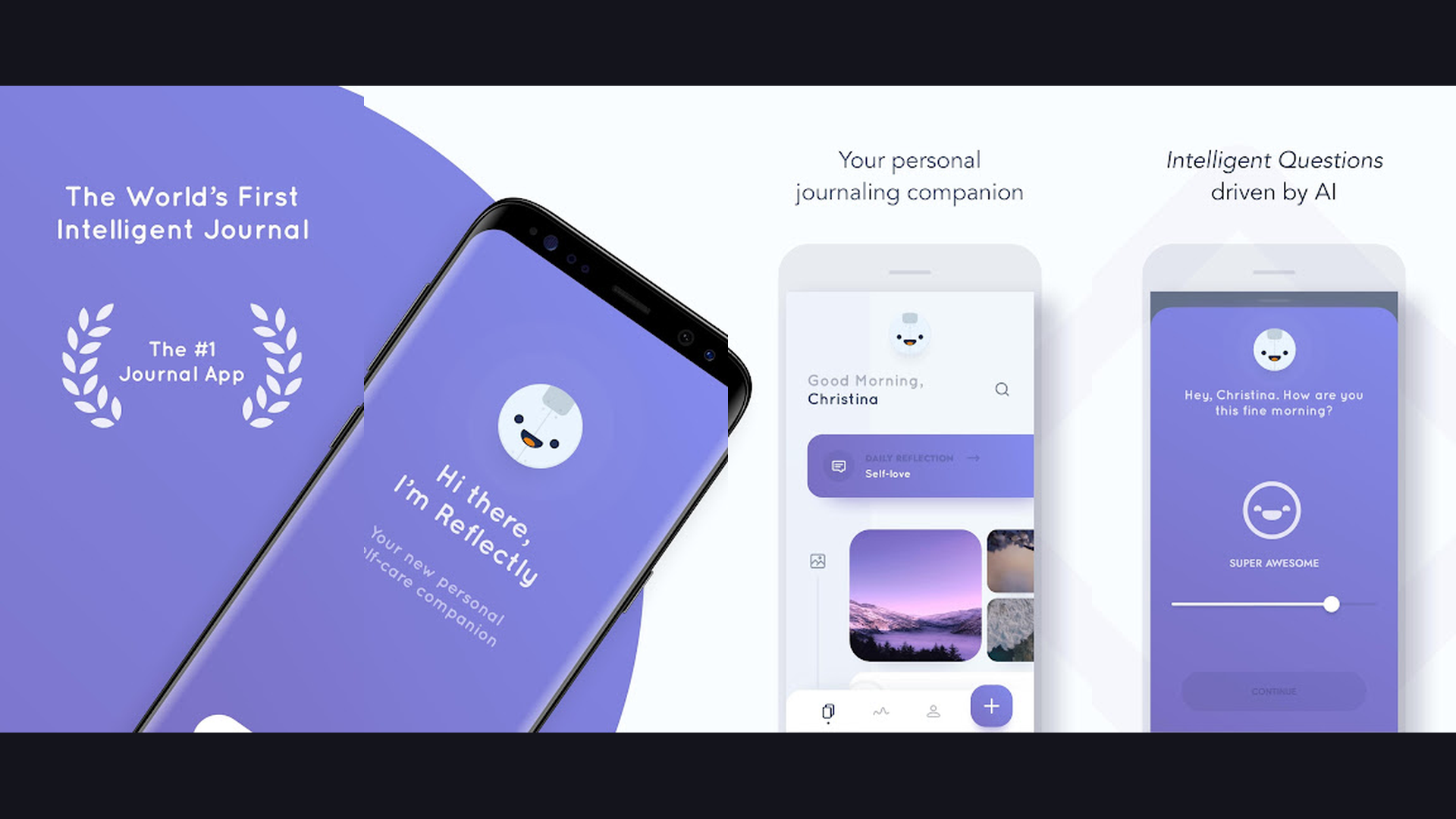
Reflectly is an award-winning AI-powered journaling app that migrated from React Native to Flutter, achieving dramatic improvements in performance, development speed, and visual quality that make it a compelling case study for framework comparison. Reflectly story is one of the most cited migration stories in the cross-platform development world. The team originally built the app in React Native but encountered performance limitations, especially with the complex animations that define the Reflectly experience. After rebuilding in Flutter, the team reported that development time for new features dropped significantly, the app performance improved measurably, and the visual quality of animations reached a level they could not achieve before. The app features daily mood tracking with interactive emotion selection, AI-powered journaling prompts that adapt to your emotional state, gratitude exercises, mindfulness activities, and beautiful data visualizations of your emotional patterns over time. The gradient backgrounds, smooth transitions, and fluid animations create a premium, calming user experience. Reflectly is free with Premium from $9.99/month. For developers comparing frameworks, Reflectly proves that Flutter outperforms React Native for animation-heavy applications. Boost wellness with health apps.
8. Google Ads (Rating 4.2)
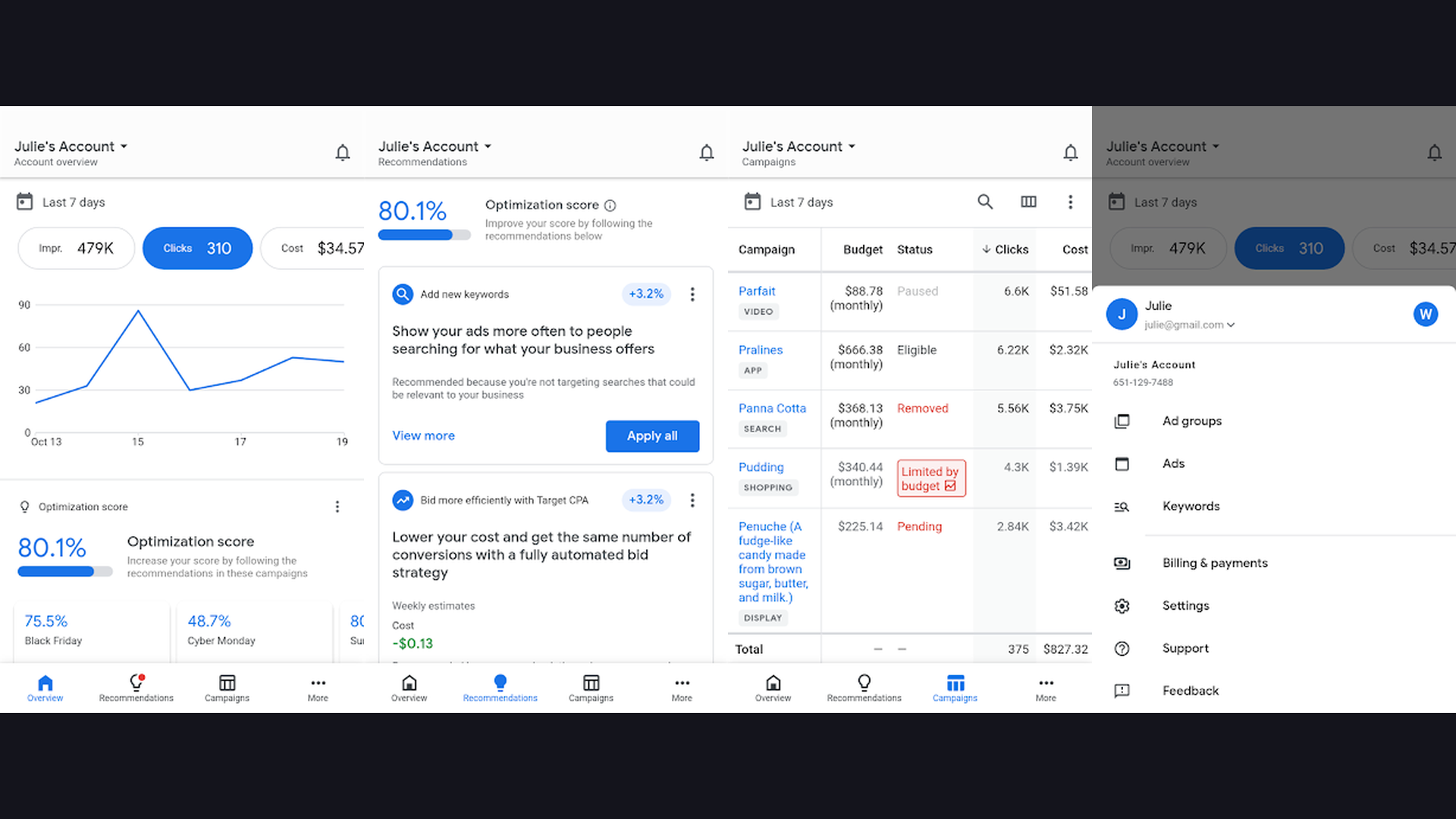
Google Ads is Google own advertising management platform built with Flutter, allowing millions of advertisers to monitor campaigns, track performance metrics, adjust budgets, and manage keywords across iOS and Android from a unified codebase. When Google builds its own production apps with Flutter, it sends the strongest possible signal about the framework maturity and reliability. Google Ads handles mission-critical business operations for millions of advertisers worldwide. The app displays complex data dashboards with real-time campaign performance metrics including impressions, clicks, conversions, cost-per-click, and return on ad spend. Interactive charts and graphs visualize performance trends over customizable time periods. The campaign management tools let advertisers pause, resume, and adjust bids directly from mobile. The notification system alerts advertisers to budget depletion, performance anomalies, and optimization suggestions. The recommendations engine surfaces actionable improvements powered by Google machine learning. The offline capabilities ensure critical data is accessible without connectivity. Google Ads is free (requires Google Ads account). Google using Flutter for Ads proves the framework is trusted for business-critical enterprise applications. Manage business with invoicing apps.
9. Google Pay (Rating 3.9)
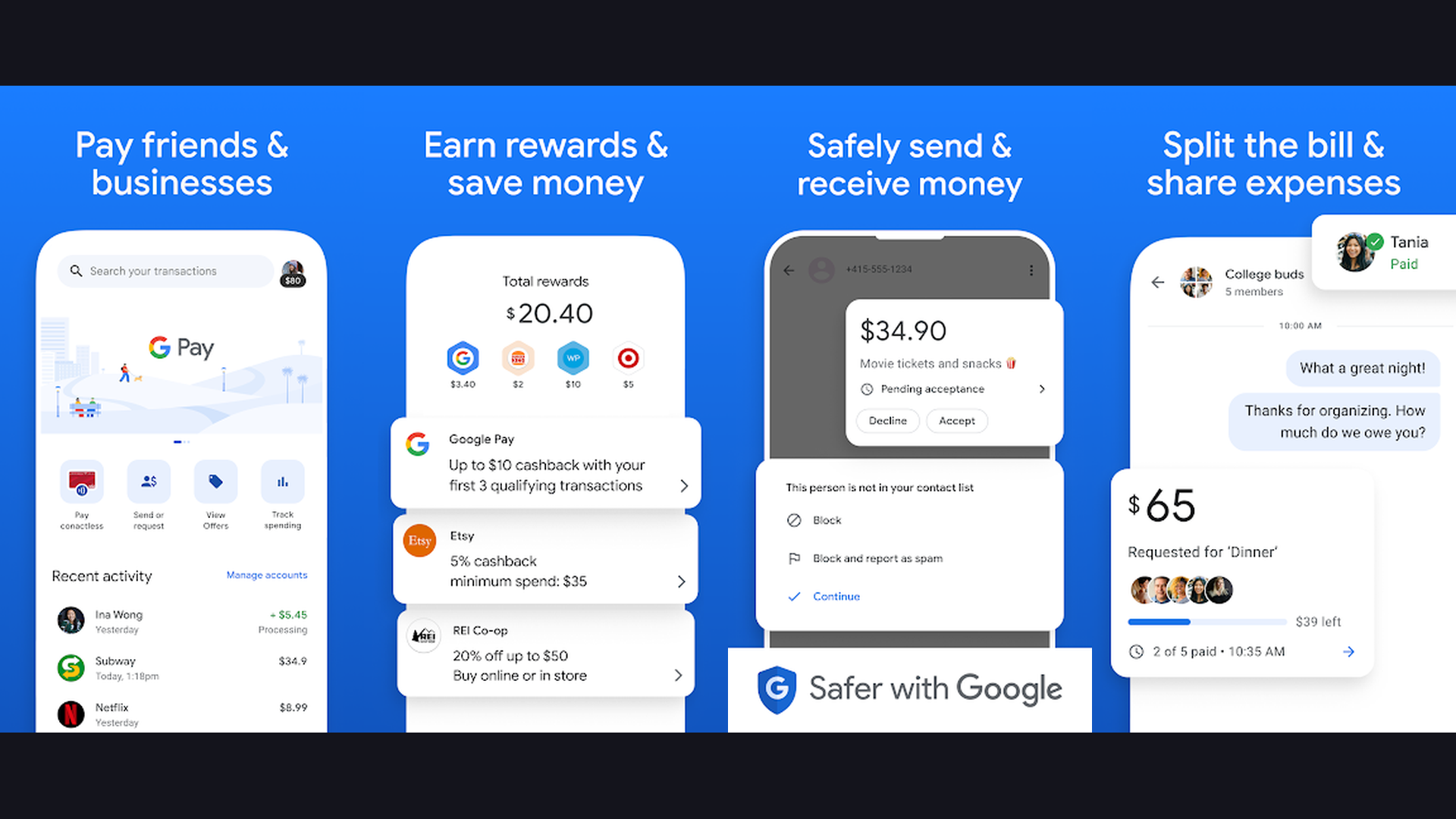
Google Pay is Google digital wallet and payment platform, one of the most significant Flutter adoption stories, demonstrating how the framework handles sensitive financial transactions, NFC payments, peer-to-peer transfers, and loyalty card management at massive scale. Google Pay migration to Flutter is perhaps the most important endorsement the framework has received. When Google entrusted its flagship payments product to Flutter, it validated the framework for the most demanding category of mobile applications: financial services. The app manages NFC tap-to-pay transactions at physical stores, peer-to-peer money transfers, online payment processing, loyalty card and rewards management, transaction history and spending insights, and bill splitting. The Flutter implementation reduced the Google Pay engineering codebase while maintaining (and in some cases improving) the app performance and user experience. The unified codebase means that security patches and new features reach both platforms simultaneously, which is critical for a payments application. The smooth animations during payment confirmations and the responsive transaction history scrolling demonstrate Flutter rendering performance. Google Pay is free to download and use. Google Pay proves Flutter is trusted for the most security-sensitive, high-scale consumer applications. Track spending with planning apps.
10. My BMW (Rating 3.8)
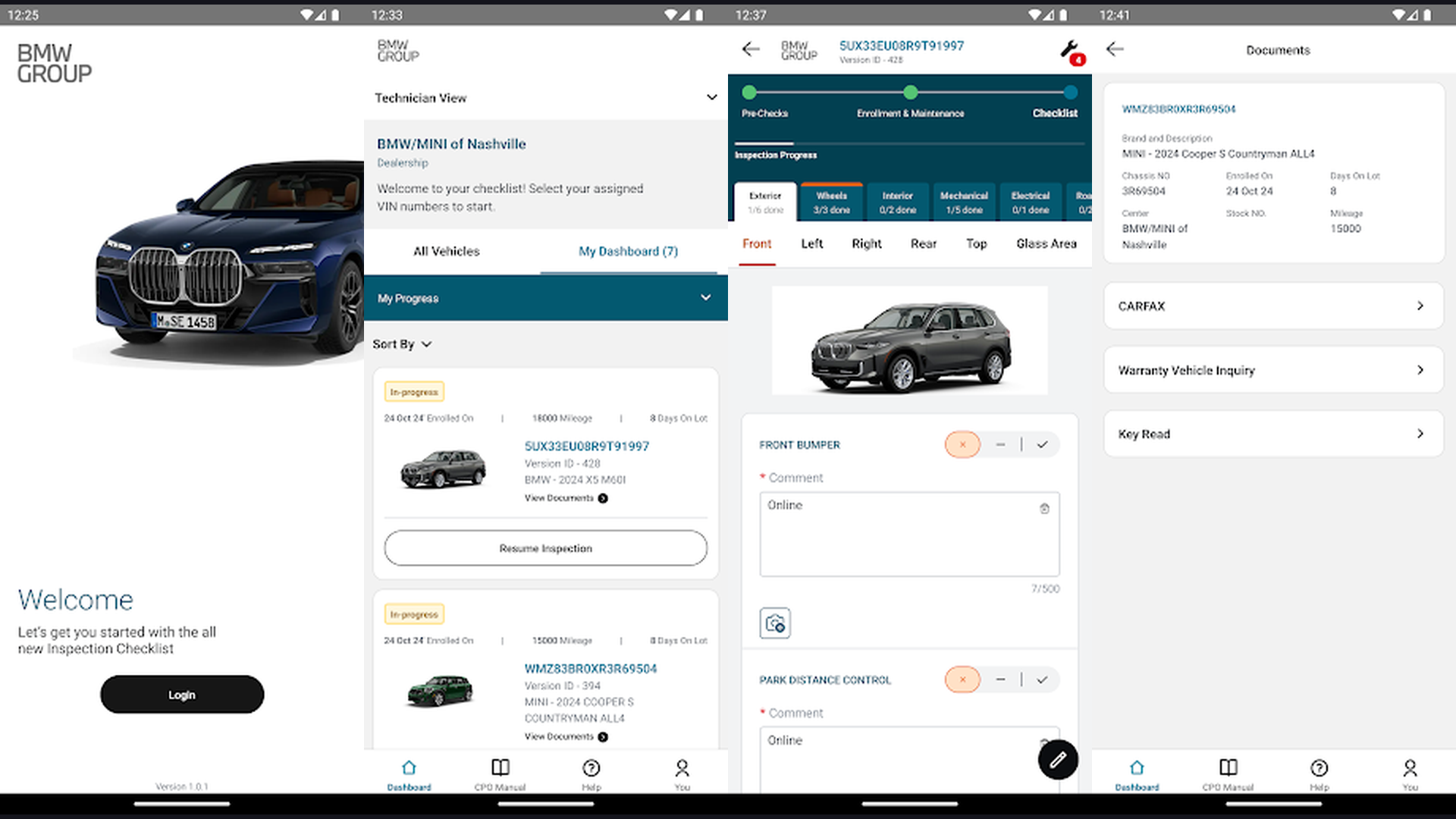
My BMW is the official companion app for BMW vehicles, built with Flutter to consolidate a global digital experience across dozens of markets, providing vehicle status monitoring, remote control, navigation, and service management from a single cross-platform codebase. BMW decision to adopt Flutter for their flagship customer-facing app demonstrates the framework credibility in the automotive industry. The app provides real-time vehicle status including fuel/charge level, tire pressure, door lock status, and maintenance schedules. Remote control features let owners lock/unlock doors, flash lights, honk the horn, and pre-condition the climate system. The navigation system sends destinations directly to the vehicle. The trip planner for electric BMW models calculates charging stops and estimated range. The dealer integration manages service appointments, recalls, and warranty information. The global deployment spans dozens of countries with localized content, language support, and region-specific features. BMW also built the MINI app with Flutter, further validating the framework. My BMW is free (requires BMW vehicle). BMW Flutter adoption proves the framework handles complex automotive IoT applications with global deployment requirements. Navigate smarter with navigation apps.
11. Dream11 (Rating 3.7)
Dream11 is India largest fantasy sports platform with over 200 million registered users, using Flutter to deliver real-time fantasy cricket, football, basketball, and kabaddi experiences that handle millions of concurrent users during live sporting events. Dream11 represents Flutter capability to handle extreme concurrent loads. During major cricket matches like the Indian Premier League, millions of users simultaneously create teams, make last-minute changes, and track live scores. The Flutter implementation manages this real-time intensity with responsive UI updates, live score streaming, and instant team modification without lag. The fantasy team creation interface lets users select players from a pool, manage salary caps, assign captain and vice-captain roles, and join contests. The contest marketplace lists thousands of competitions with varying entry fees and prize pools. The live match center displays ball-by-ball updates with point calculations. The leaderboard system tracks rankings across thousands of simultaneous contests. The withdrawal and deposit systems handle financial transactions. Dream11 is free to download (contests may require entry fees). Dream11 proves Flutter handles extreme real-time concurrency and live event processing at massive scale. Enjoy sports with sports apps.
12. Google Classroom (Rating 3.5)
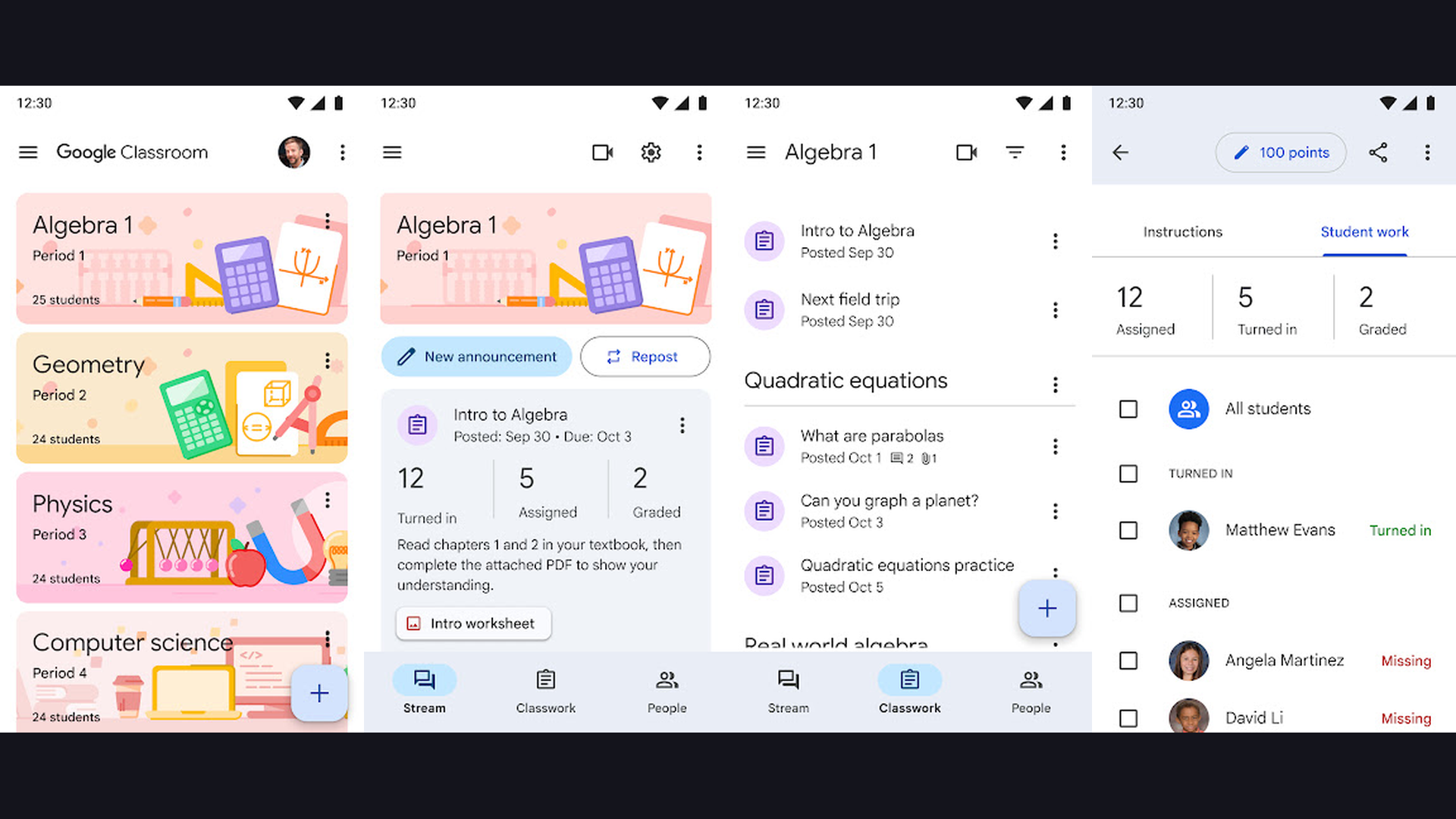
Google Classroom is a mission-critical education platform serving hundreds of millions of students and teachers worldwide, with Flutter components powering parts of its cross-platform mobile experience for assignment management, grading, and communication. Google Classroom adoption of Flutter components within its mobile apps demonstrates the framework integration capability. Rather than rebuilding the entire app from scratch, Google strategically uses Flutter for specific features and screens, showcasing the add-to-app capability that allows teams to incrementally adopt Flutter within existing native applications. The app manages class creation and enrollment, assignment creation and submission, grading and feedback, announcement posting, material sharing, and integration with Google Drive, Docs, Sheets, and Slides. The real-time stream shows class activity chronologically. The assignment workflow handles file uploads, due date management, and grade distribution. The offline capabilities let students access materials without internet connectivity. Google Classroom is free for schools using Google Workspace for Education. Google Classroom demonstrates Flutter add-to-app capability for incremental adoption within large existing applications. Study with student apps.
Why Companies Choose Flutter
Single Codebase, Dual Platform Deployment
The most compelling reason companies choose Flutter is writing one codebase that deploys to both iOS and Android. Nubank, Google Pay, eBay Motors, and Groupon all benefit from this: every feature, bug fix, and security patch reaches both platforms simultaneously. This eliminates the feature parity gap that plagues teams maintaining separate native codebases. Engineering teams are effectively twice as efficient, and hiring becomes simpler because Flutter developers work across both platforms.
Hot Reload for Rapid Development
Flutter hot reload lets developers see code changes instantly without restarting the app or losing state. Nubank and Reflectly have publicly credited hot reload with dramatically accelerating their UI development cycles. Designers and developers can iterate on visual designs in seconds rather than minutes, enabling real-time collaboration and faster experimentation. This feature alone often justifies the framework choice for teams prioritizing development speed.
Native Performance via Dart Compilation
Unlike frameworks that use JavaScript bridges or web views, Flutter compiles Dart code directly to native ARM machine code. This produces performance comparable to fully native iOS and Android apps. Google Pay handles NFC payment transactions, Dream11 manages millions of concurrent users during live sporting events, and Philips Hue controls IoT hardware in real-time - all demonstrating that Flutter performance meets the demands of the most intensive applications.
Beautiful, Customizable UIs
Flutter widget-based architecture gives developers complete control over every pixel on screen. The custom animations in Reflectly, the color picker in Philips Hue, the data dashboards in Google Ads, and the premium branding in Hamilton all showcase UI quality that matches or exceeds native development. The framework includes Material Design and Cupertino widget libraries, plus the flexibility to create entirely custom designs.
Enterprise-Scale Reliability
The apps in this guide collectively serve over a billion users. Nubank handles banking transactions for 100+ million customers. Google Pay processes payments for hundreds of millions. Dream11 manages millions of concurrent users during live events. Google Classroom serves hundreds of millions of students. These numbers prove Flutter scales reliably to the most demanding enterprise requirements.
Flutter Development Tips and Best Practices
- Start with Flutter Official Documentation - The Flutter documentation at flutter.dev is exceptionally well-written and comprehensive. The "Get Started" guide walks through installation, IDE setup, and your first app. The widget catalog provides interactive examples of every built-in widget. The cookbook offers practical recipes for common tasks. Before searching Stack Overflow, check the official docs first because they are frequently more accurate and current. The codelabs provide guided, hands-on projects that teach specific concepts.
- Use Flutter DevTools for Debugging - Flutter DevTools is a powerful suite of performance and debugging tools built specifically for Flutter apps. The Widget Inspector helps visualize and explore the widget tree. The Performance view identifies rendering bottlenecks. The Memory view tracks allocation patterns. The Network tab monitors API calls. The CPU Profiler identifies expensive computations. Learning to use DevTools effectively from the beginning prevents performance issues from accumulating in your codebase. Enhance your dev workflow with note-taking apps.
- Master State Management Early - State management is the most critical architectural decision in any Flutter project. Popular options include Provider (simple, Google-recommended), Riverpod (improved Provider), BLoC (business logic component pattern), GetX (minimalist), and Redux (if you come from React). Start with Provider for smaller apps and graduate to Riverpod or BLoC for larger projects. The choice affects your entire codebase architecture, so invest time evaluating options before your project grows large. Nubank and Google teams use BLoC extensively.
- Optimize Build Size and Performance - Flutter apps can grow large if not optimized. Use tree-shaking to remove unused code. Compress images and consider using vector assets (SVG) through the flutter_svg package. Use const constructors wherever possible to reduce widget rebuilds. Profile your app on real devices, not just emulators. Use the RepaintBoundary widget to isolate expensive repaints. Consider deferred loading for large feature modules. These optimizations are especially important for users on older devices or slower networks.
- Test on Real Devices Across Both Platforms - While Flutter promises cross-platform consistency, subtle differences exist between iOS and Android rendering, gesture handling, and system integration. Always test on real physical devices for both platforms, not just simulators. Pay particular attention to keyboard behavior, navigation gestures (iOS swipe-back vs Android back button), permission dialogs, and push notification handling. Platform-specific edge cases are the most common source of bugs in Flutter apps. Track issues with project management apps.
- Leverage the pub.dev Package Ecosystem - The Flutter package ecosystem on pub.dev contains thousands of community and Google-maintained packages that solve common problems. Before building custom solutions, check pub.dev for existing packages. Essential packages include dio (HTTP networking), shared_preferences (local storage), cached_network_image (image caching), go_router (navigation), freezed (immutable data classes), and hive (local database). Check package scores, maintenance status, and null safety support before adding dependencies.
- Use Platform Channels for Native Features - When you need functionality that Flutter does not provide directly (like NFC, Bluetooth, biometrics, or specific camera features), Platform Channels enable communication between Dart code and native iOS/Android code. Google Pay uses this for NFC payment processing. Philips Hue uses this for IoT bridge communication. My BMW uses this for vehicle hardware integration. Learning Platform Channels unlocks the full native capabilities of each platform while maintaining your Flutter codebase.
- Consider Flutter for Web and Desktop Too - Flutter now supports web, Windows, macOS, and Linux deployment from the same codebase. This means your mobile app can potentially expand to web and desktop without rewriting. While web and desktop support is still maturing compared to mobile, it is production-ready for many use cases. The dashboard and admin panel patterns from Google Ads work well on larger screens. Planning for multi-platform deployment from the start ensures your architecture scales. Learn more with AI development tools.
Frequently Asked Questions
What is Flutter and why is it used for iOS and Android apps?
Flutter is an open-source framework created by Google for building natively compiled applications for mobile (iOS and Android), web, and desktop from a single codebase. It uses the Dart programming language and compiles directly to native ARM code, delivering performance comparable to fully native apps. Companies choose Flutter because it allows them to maintain one codebase instead of two, reducing development time by up to 50%, ensuring feature parity across platforms, and enabling faster iteration through hot reload. Over one million apps have been built with Flutter, including Google Pay, Nubank, BMW, and eBay Motors.
Is Flutter better than React Native or native development?
Flutter and React Native serve similar purposes but with different architectures. Flutter compiles to native code and renders its own widgets, providing consistent cross-platform UI and better animation performance. React Native uses native platform widgets through a JavaScript bridge, which can cause performance overhead. Reflectly publicly documented how migrating from React Native to Flutter improved their app performance and development speed. Compared to fully native development (Swift/Kotlin), Flutter sacrifices some platform-specific optimization for dramatic development speed and single-codebase efficiency. For most applications, Flutter performance is indistinguishable from native.
Can Flutter handle enterprise-scale applications?
Absolutely. The apps in this guide prove Flutter enterprise credentials: Nubank serves 100+ million banking customers. Google Pay processes payments for hundreds of millions of users. Dream11 handles millions of concurrent users during live sporting events. Google Classroom serves hundreds of millions of students and teachers. eBay Motors manages a complex marketplace with millions of listings. BMW deploys globally across dozens of markets. These are not small apps - they are mission-critical enterprise applications trusted by billions of users collectively.
Is Flutter free to use?
Yes, Flutter is completely free and open-source under the BSD license. There are no licensing fees, royalties, or usage restrictions. You can build and publish commercial applications without paying Google anything for the framework itself. The development tools (Flutter SDK, Dart SDK, DevTools) are all free. The IDE plugins for VS Code and Android Studio/IntelliJ are free. The only costs are standard platform fees: Apple Developer Program ($99/year for App Store publishing) and Google Play Developer Account ($25 one-time fee).
How long does it take to learn Flutter?
A developer with existing programming experience (especially in object-oriented languages) can build a functional Flutter app within 2-4 weeks of focused learning. The Dart language is straightforward for anyone familiar with Java, JavaScript, C#, or Kotlin. Flutter widget-based architecture has a learning curve, but the excellent documentation, interactive codelabs, and large community make the process efficient. Building production-quality apps with proper state management, testing, and architecture patterns typically requires 2-3 months of practice. The Flutter community on Reddit, Discord, and Stack Overflow is exceptionally helpful.
What types of apps should not use Flutter?
While Flutter is suitable for most applications, some categories may benefit from native development: apps requiring extensive use of platform-specific APIs (like ARKit-heavy iOS apps), apps that need the absolute smallest possible binary size, apps deeply integrated with platform-specific UI paradigms (like watchOS complications), and games requiring intensive 3D rendering (though Flutter 3D capabilities are improving with Impeller). For the vast majority of consumer and enterprise applications across fintech, e-commerce, health, IoT, education, and entertainment, Flutter delivers excellent results, as the 12 apps in this guide demonstrate.
Final Thoughts
Flutter has proven itself as the definitive cross-platform framework for building production-quality iOS and Android apps. The 12 apps in this guide represent a combined user base exceeding one billion people across banking (Nubank), payments (Google Pay), automotive (My BMW), e-commerce (eBay Motors, Groupon), IoT (Philips Hue), health (Fastic, Reflectly), entertainment (Hamilton, Dream11), advertising (Google Ads), and education (Google Classroom). Each demonstrates specific Flutter strengths, from hot reload development speed to native compilation performance to the widget system beautiful UIs. Whether you are a developer choosing your next framework, a CTO evaluating cross-platform strategy, or a product manager planning a mobile launch, Flutter track record speaks for itself. For more app guides, explore our coverage of iPad note apps, video recording apps, AI photo editing, and language learning apps.