
Your smartphone is the most powerful wellness tool you own. In 2026, health and fitness apps cover every aspect of physical and mental wellness: workout routines, nutrition tracking, meditation, sleep optimization, outdoor activity, and hydration. Whether you are a complete beginner starting your fitness journey or an experienced athlete looking to optimize performance, the right combination of apps can replace expensive gym memberships, personal trainers, and nutritionists.
This ultimate guide reviews the 13 best health and fitness apps across six wellness categories: exercise and workouts, nutrition and calorie tracking, meditation and mental health, sleep tracking, outdoor fitness, and hydration. Each app is tested and ranked by store rating, with detailed breakdowns of features, pricing, and who it is best for. Build your personal wellness stack from this list and transform your phone into a complete health companion. For more lifestyle apps, explore our guides on digital planners for organizing your wellness routine, meal planning apps for healthy eating, and language learning apps to keep your brain sharp.
Table of Contents
- AllTrails (Rating 4.6)
- Strava (Rating 4.6)
- Lose It! (Rating 4.6)
- Seven - 7 Minute Workout (Rating 4.5)
- Calm (Rating 4.5)
- WaterMinder (Rating 4.4)
- MyFitnessPal (Rating 4.4)
- Nike Training Club (Rating 4.3)
- Sleep Cycle (Rating 4.3)
- Headspace (Rating 4.3)
- Fitbit (Rating 4.2)
- Peloton (Rating 4.1)
- Noom (Rating 4.1)
- Build Your Wellness App Stack
- Tips for Getting the Most from Fitness Apps
- Frequently Asked Questions
1. AllTrails (Rating 4.6)
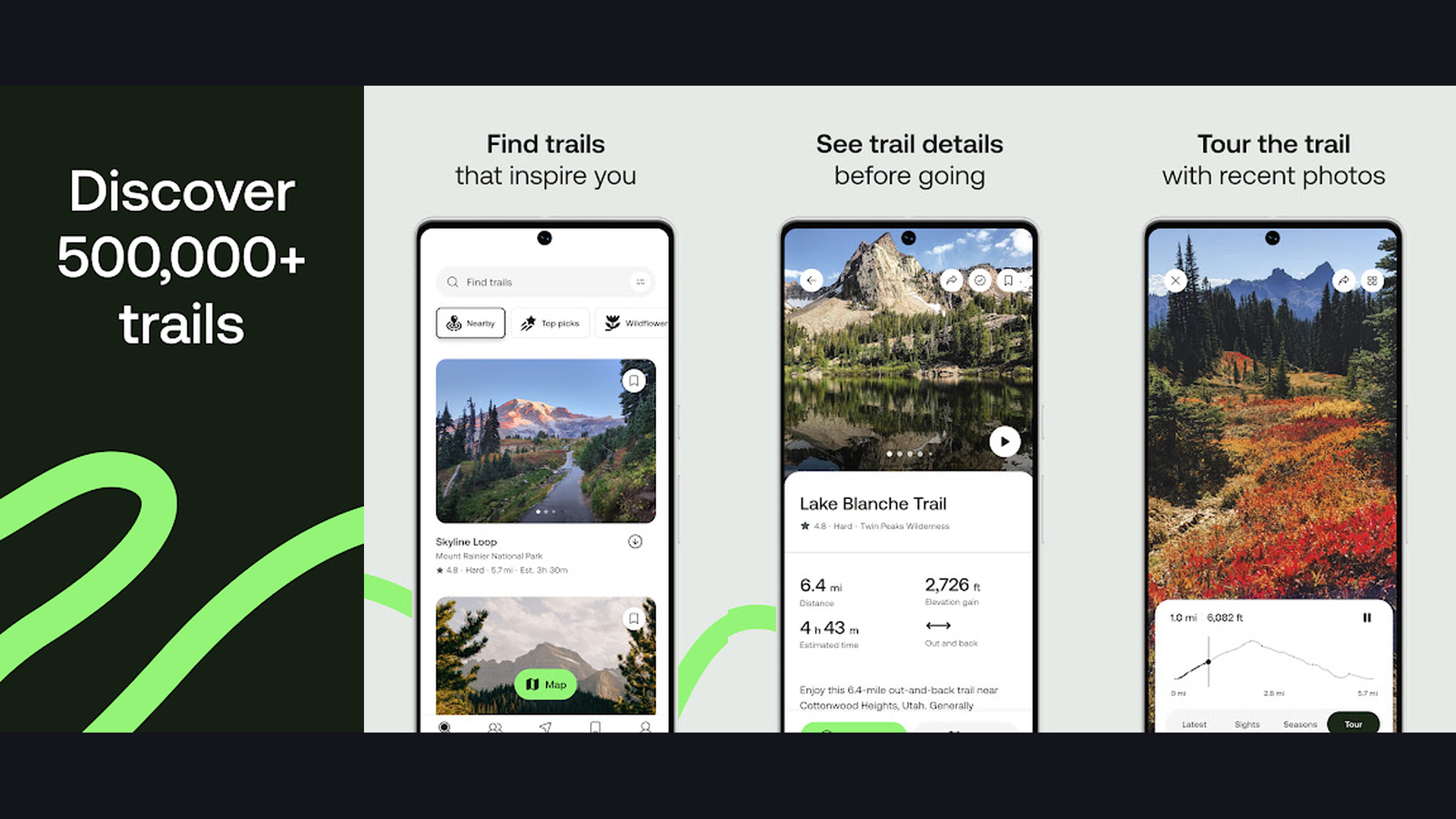
AllTrails is the ultimate outdoor fitness app with over 400,000 curated hiking, biking, and running trails worldwide. For anyone who prefers exercising outdoors over a gym, AllTrails transforms nature into your fitness playground. Search trails by location, difficulty, length, elevation gain, and activity type. Each trail shows detailed GPS maps, elevation profiles, photos from other users, and reviews with current trail conditions. The offline maps feature downloads trails to your phone so you never lose your way even without cell service. AllTrails tracks your activity with GPS including distance, time, elevation gain, and pace. The trail recording feature lets you create new trails and share them with the community. AllTrails integrates with Apple Health and Google Fit to sync your outdoor workouts with your overall fitness data. The free version provides trail search and basic tracking. AllTrails+ ($35.99/year) adds offline maps, wrong-turn alerts, 3D flyover previews, and Lifeline safety features that share your real-time location with emergency contacts. For fitness enthusiasts who want to explore the outdoors while staying active, AllTrails is the definitive trail companion.


2. Strava (Rating 4.6)
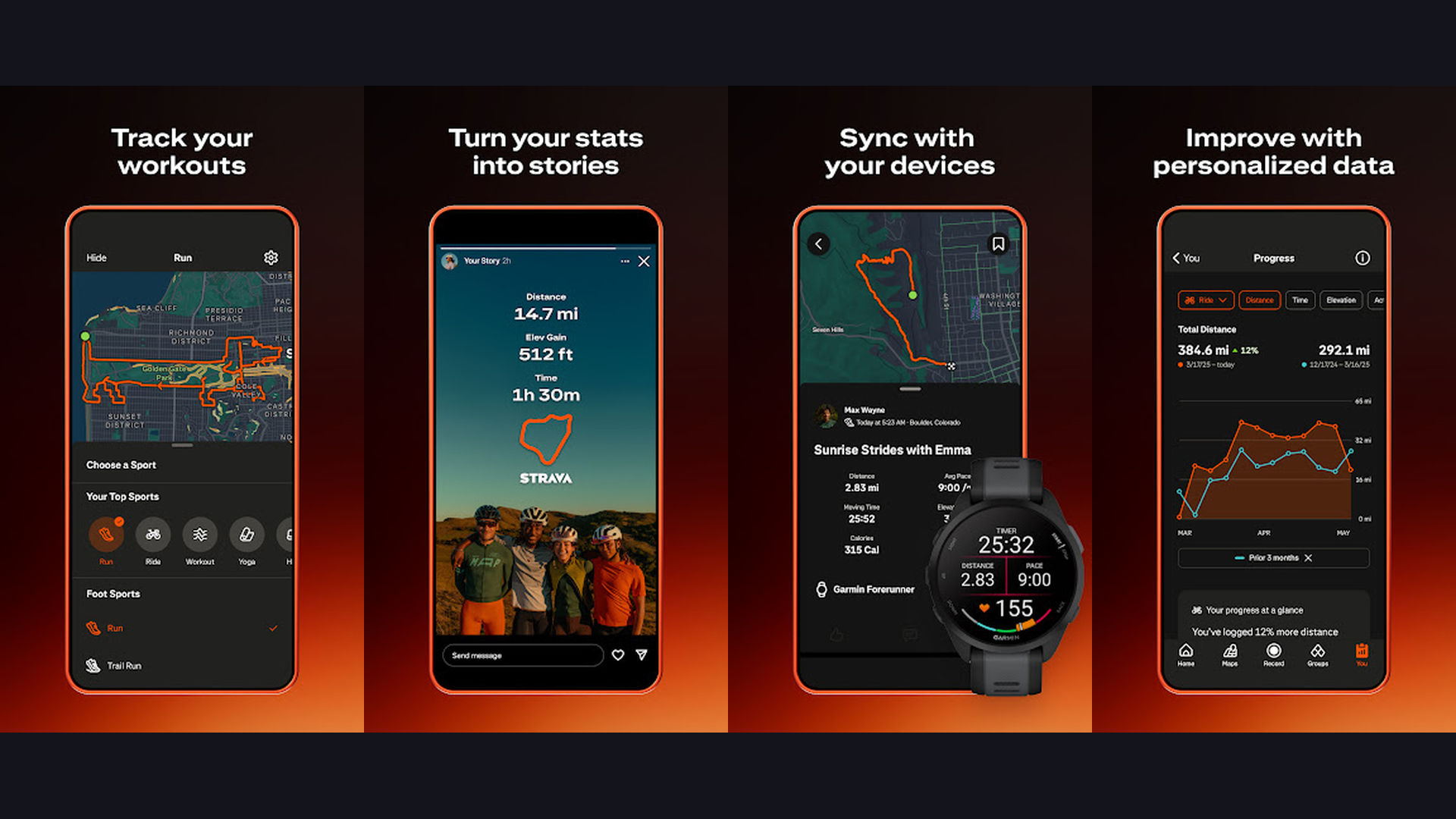
Strava is the social network for athletes and the most popular GPS activity tracker for running, cycling, and swimming. What sets Strava apart is the community aspect: follow friends, join clubs, compete on segments (specific stretches of road or trail), and share your workouts with a feed that feels like Instagram for athletes. The Segments feature creates virtual competitions where you race against others who have run or cycled the same route, with leaderboards showing where you rank. GPS tracking records your route, pace, distance, elevation, and cadence with high accuracy. Strava integrates with virtually every fitness wearable and smartwatch including Apple Watch, Garmin, Fitbit, and Samsung Galaxy Watch. The training log shows weekly mileage, relative effort, and fitness trends over time. Strava is free for basic tracking and sharing. Strava Summit ($11.99/month) adds route planning, live segments, training plans, beacon safety features, and advanced analytics. For runners, cyclists, and multisport athletes who thrive on sharing their achievements and competing with friends, Strava is the gold standard fitness community.
3. Lose It! (Rating 4.6)
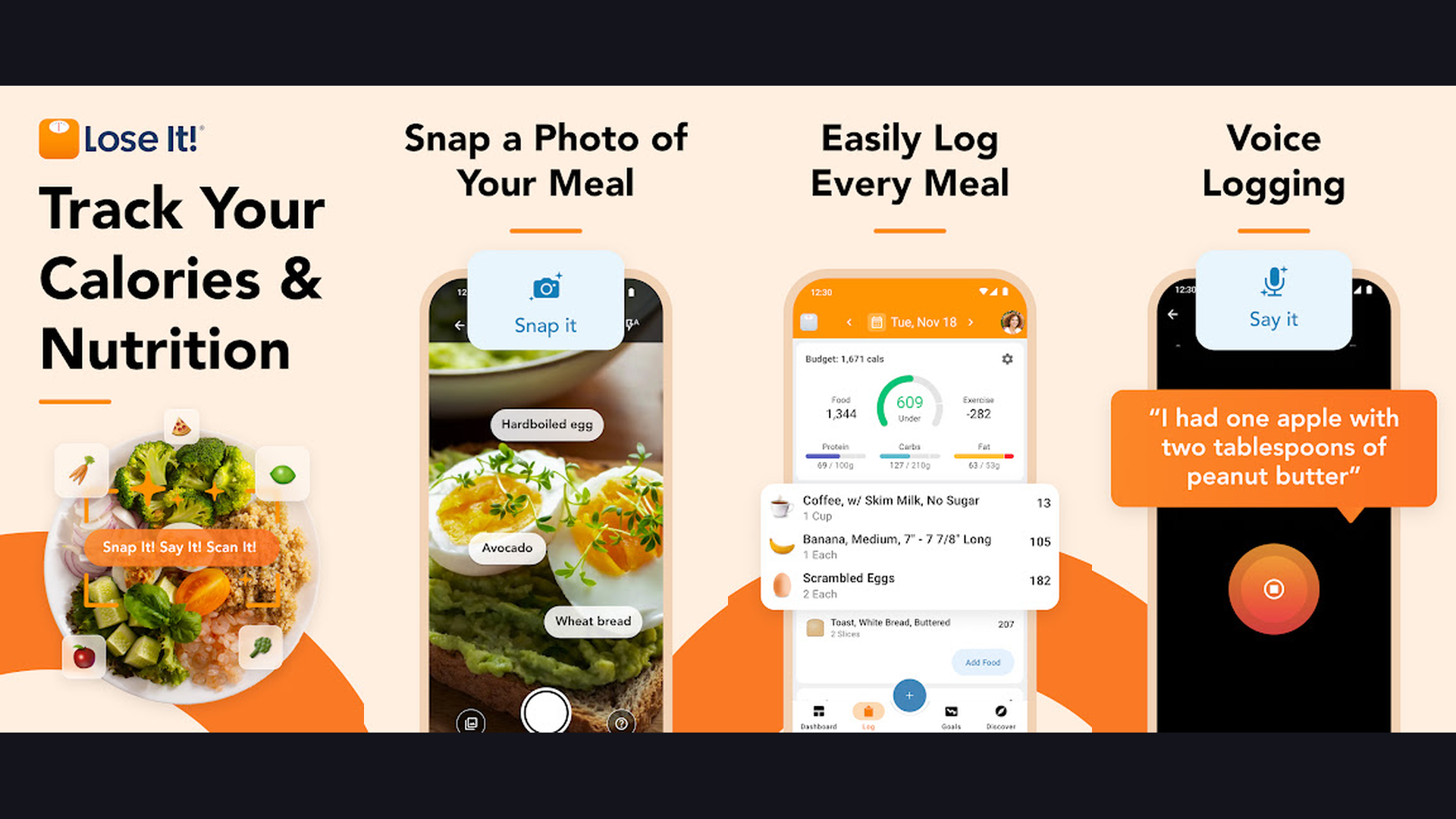
Lose It! is a beginner-friendly calorie counter and weight loss app with AI-powered food recognition. The standout feature is Snap It: take a photo of your meal and the AI automatically identifies the food and logs the calories. The food database contains over 33 million verified items. The barcode scanner instantly logs packaged foods. Lose It! creates a personalized daily calorie budget based on your weight loss goal, current weight, height, and activity level. The simple interface shows a daily progress bar that fills as you log meals and empties as you exercise. Meal planning suggestions help you stay within your budget. The app tracks macronutrients (protein, carbs, fat) and water intake. Logging streaks and achievements gamify the weight loss journey. Lose It! syncs with Apple Health, Google Fit, Fitbit, Garmin, and other trackers. The free plan covers basic calorie tracking. Lose It! Premium ($39.99/year) adds meal planning, advanced nutrient targeting, and Body Scan. For beginners who want the simplest, most intuitive calorie tracking experience with AI food recognition, Lose It! makes healthy eating effortless.
4. Seven - 7 Minute Workout (Rating 4.5)
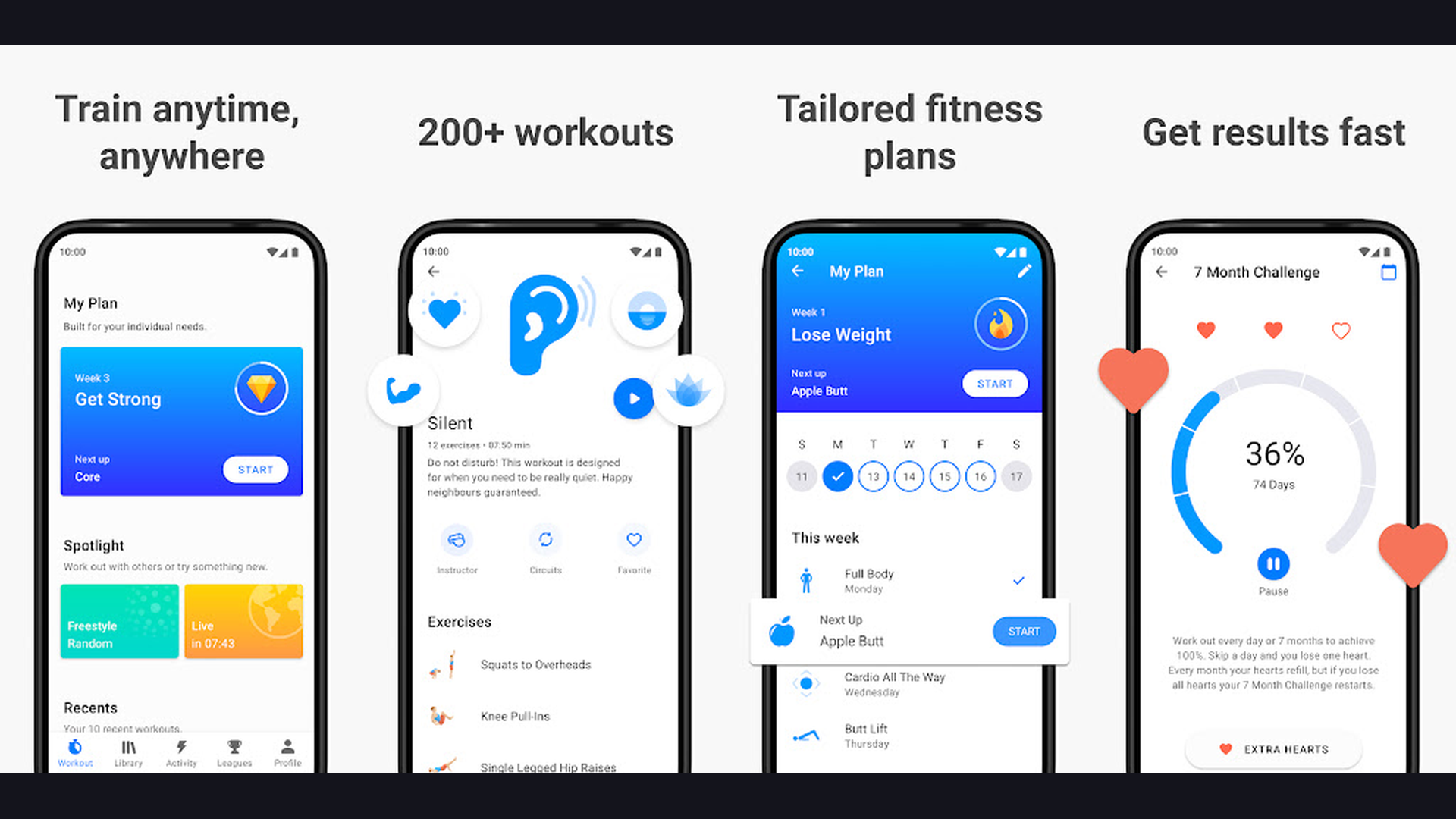
Seven is a science-based 7-minute workout app that proves you do not need a gym or equipment to get fit. Based on the High-Intensity Circuit Training (HICT) research published in the American College of Sports Medicine Health and Fitness Journal, Seven delivers full-body workouts in just 7 minutes using only your body weight and a chair. The gamified challenge system keeps you motivated: commit to working out for 7 months, and the app tracks your streak. Miss a day and you lose a life (like a video game). Each exercise shows clear animated demonstrations. Customizable workouts target different goals: full body, core, upper body, lower body, and cardio. The app creates a workout schedule adapted to your fitness level. Seven is perfect for busy professionals, travelers, and anyone who struggles to find time for exercise. The free version includes a daily workout. Seven Club ($9.99/month) unlocks all workouts, personalized training plans, and detailed analytics. For anyone who thinks they are too busy to exercise, Seven proves that 7 minutes is all you need to start building fitness.
5. Calm (Rating 4.5)
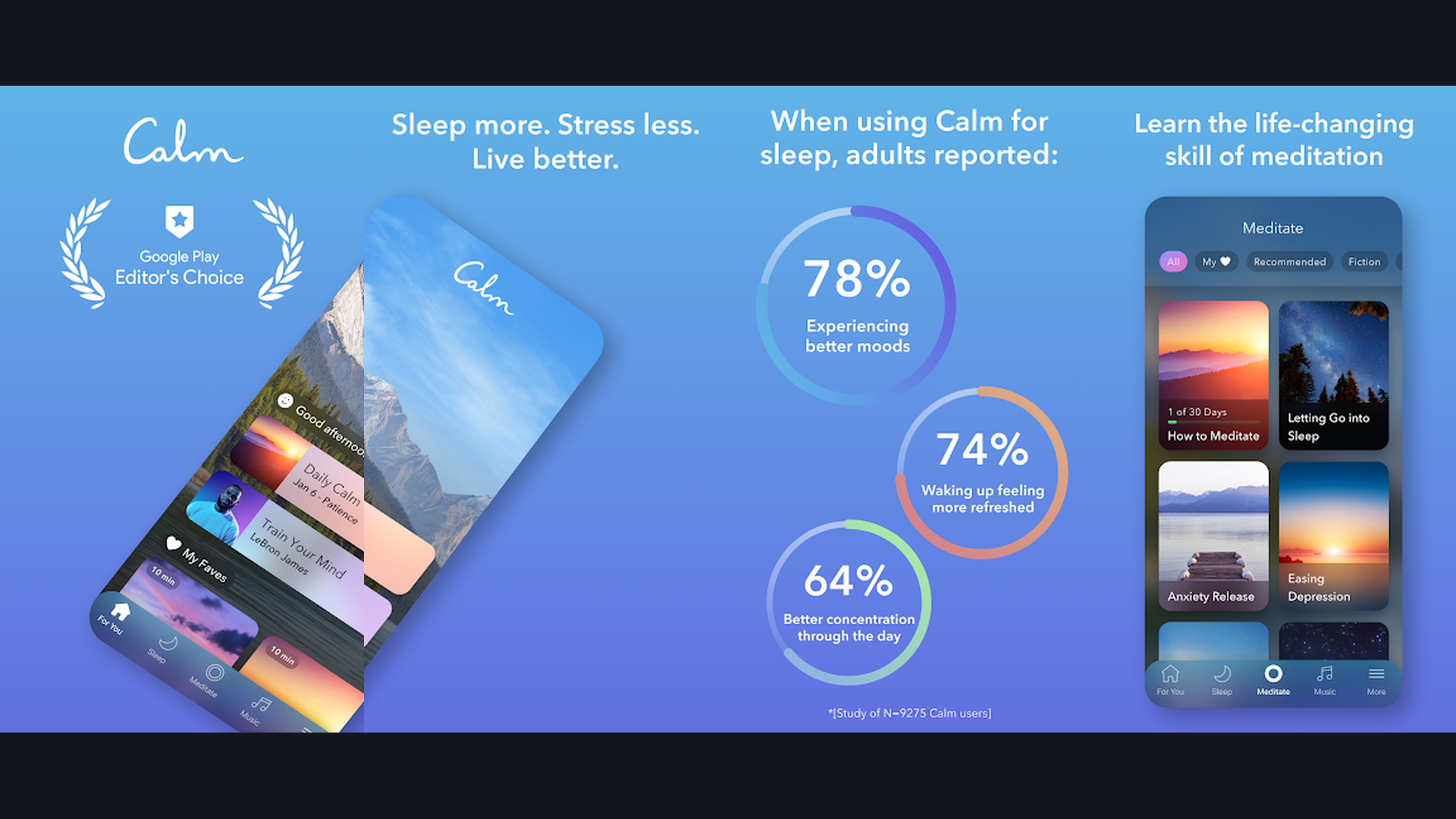
Calm is the leading meditation and mental wellness app for stress reduction, better sleep, and emotional balance. The Daily Calm feature delivers a new 10-minute guided meditation every day. Sleep Stories, narrated by celebrities like Matthew McConaughey and Harry Styles, gently guide you to sleep with soothing narratives. Calm covers meditation programs for anxiety, stress, focus, relationships, self-care, and gratitude. The breathing exercises (including 4-7-8 breathing and box breathing) provide instant stress relief. Background soundscapes include rain, ocean waves, forest sounds, and fireplace for ambient relaxation. Calm Body offers gentle stretching and movement exercises. The Calm for Work section addresses burnout, presentations, and workplace stress. Calm integrates with Apple Health for mindfulness minutes tracking. The free version includes limited meditations and one Sleep Story. Calm Premium ($69.99/year) unlocks the complete library of hundreds of meditations, all Sleep Stories, Calm Masterclasses, and exclusive music. For anyone struggling with stress, anxiety, or mental exhaustion, Calm is the most polished meditation experience.
6. WaterMinder (Rating 4.4)
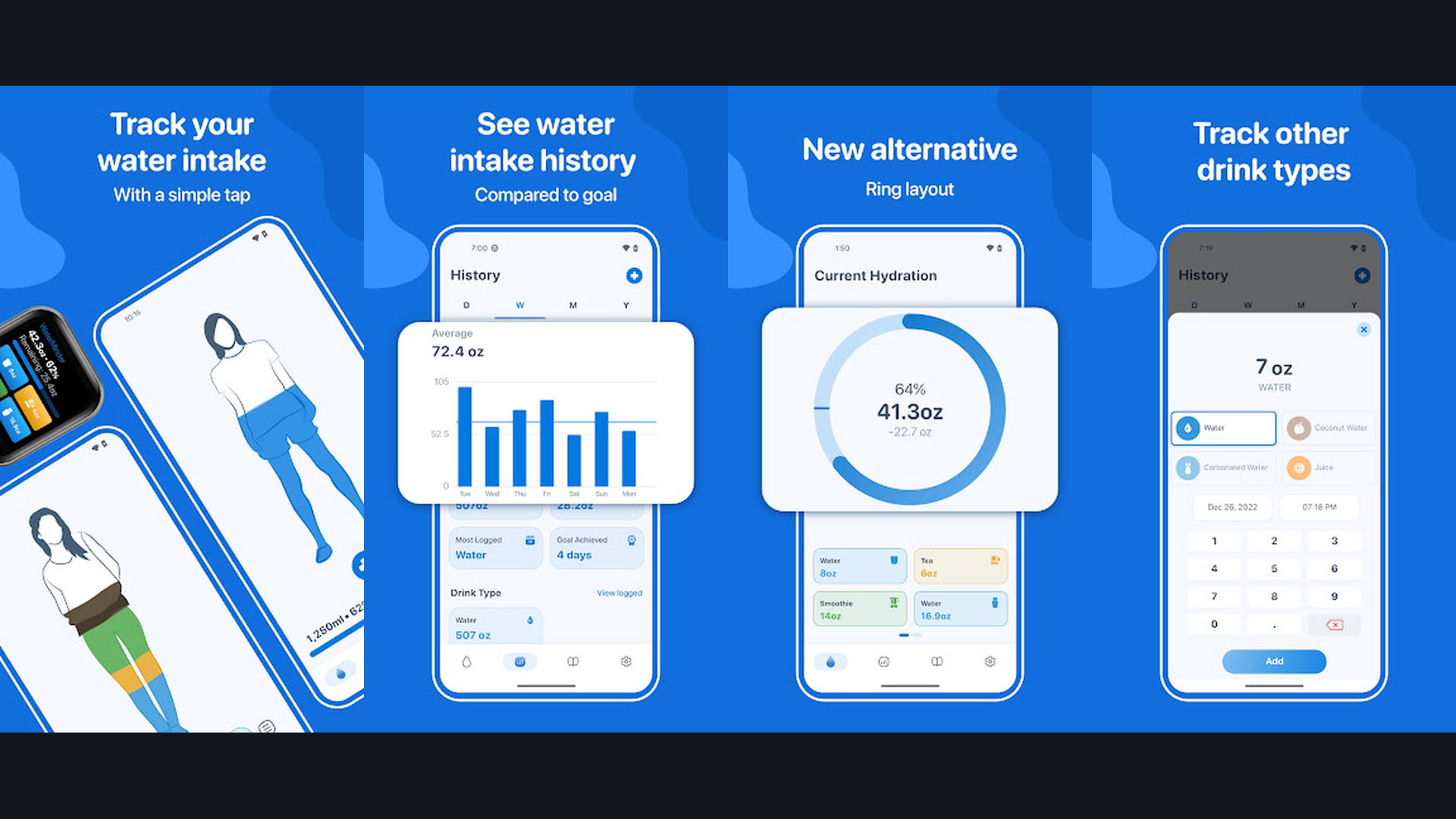
WaterMinder is a smart water intake tracker that helps you stay properly hydrated throughout the day. Dehydration impacts energy, cognitive function, skin health, and exercise performance, yet most people do not drink enough water. WaterMinder calculates your recommended daily water intake based on your weight and activity level. Smart reminders nudge you throughout the day to drink water, with customizable notification intervals. The visual cup animation makes logging enjoyable: tap the cup icon to add common drink sizes (glass, bottle, mug). Track different beverage types including water, tea, coffee, juice, and smoothies. The hydration history shows daily, weekly, and monthly trends. WaterMinder integrates with Apple Watch for wrist-based logging and reminders, plus Apple Health and Google Fit for syncing with your health data. Custom drink presets let you save your favorite vessels and volumes. The free version includes basic tracking. WaterMinder Pro ($4.99 one-time) unlocks Apple Watch support, history, and themes. For anyone looking to improve daily nutrition starting with the fundamentals, WaterMinder makes hydration tracking effortless.
7. MyFitnessPal (Rating 4.4)
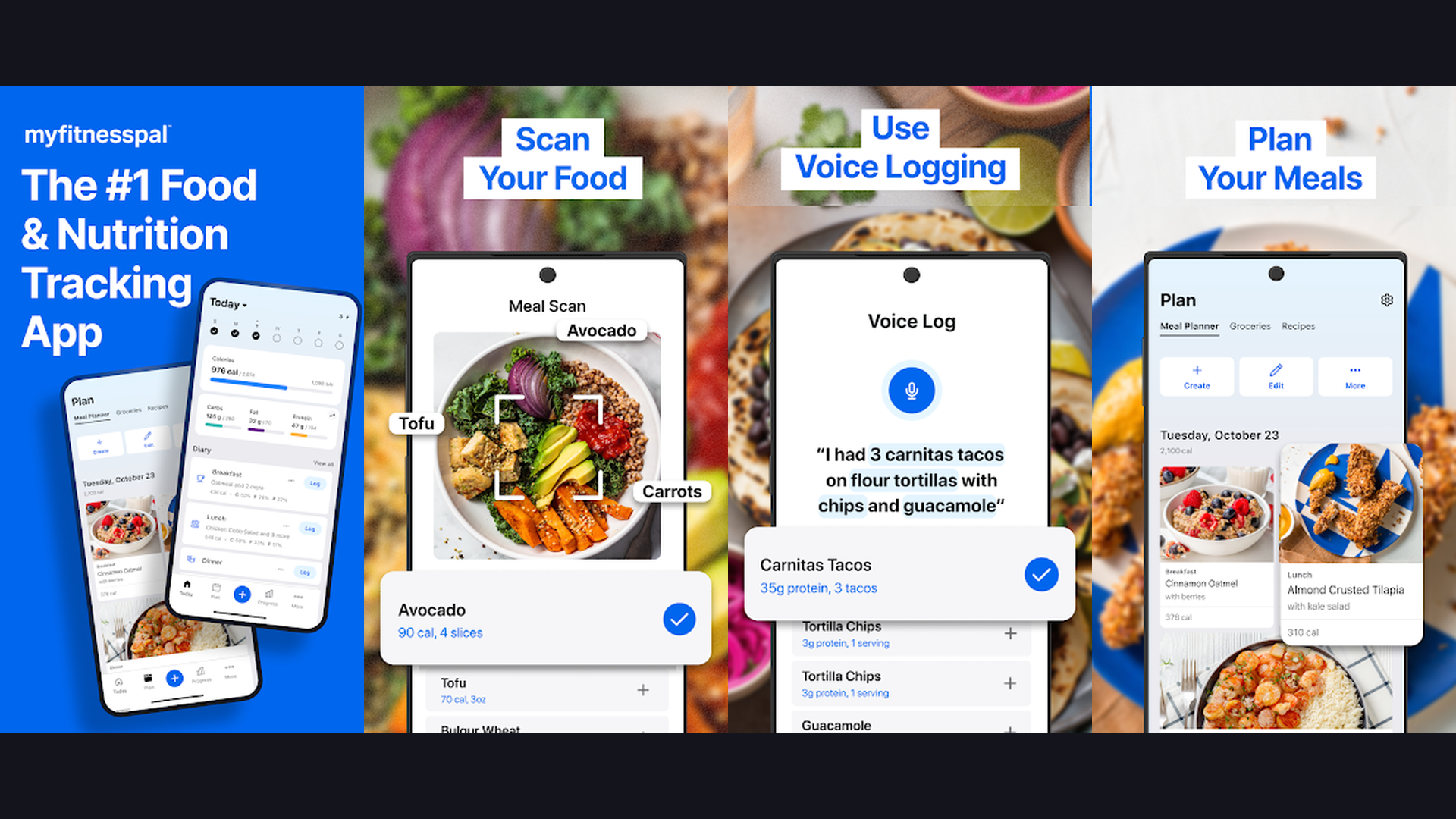
MyFitnessPal is the most comprehensive calorie counter and nutrition tracker with the largest verified food database in the world. With over 14 million foods in the database, virtually every food item, restaurant meal, and packaged product can be logged with a quick search or barcode scan. Track calories, macronutrients (protein, carbs, fat), and 18 micronutrients including fiber, sodium, iron, and vitamins. The recipe calculator imports ingredients from URLs and calculates per-serving nutrition. MyFitnessPal integrates with over 50 fitness apps and devices including Garmin, Fitbit, Apple Watch, Samsung Health, Strava, and gym equipment. Exercise logging adjusts your daily calorie budget automatically. The streak system and community features provide daily motivation. Goal-based tracking supports weight loss, maintenance, or muscle gain. The free plan includes basic food logging and one daily goal. MyFitnessPal Premium ($19.99/month) adds macronutrient goals, meal plans, advanced nutrients, and an ad-free experience. For serious nutrition tracking with the deepest food database, MyFitnessPal remains the industry standard.
8. Nike Training Club (Rating 4.3)
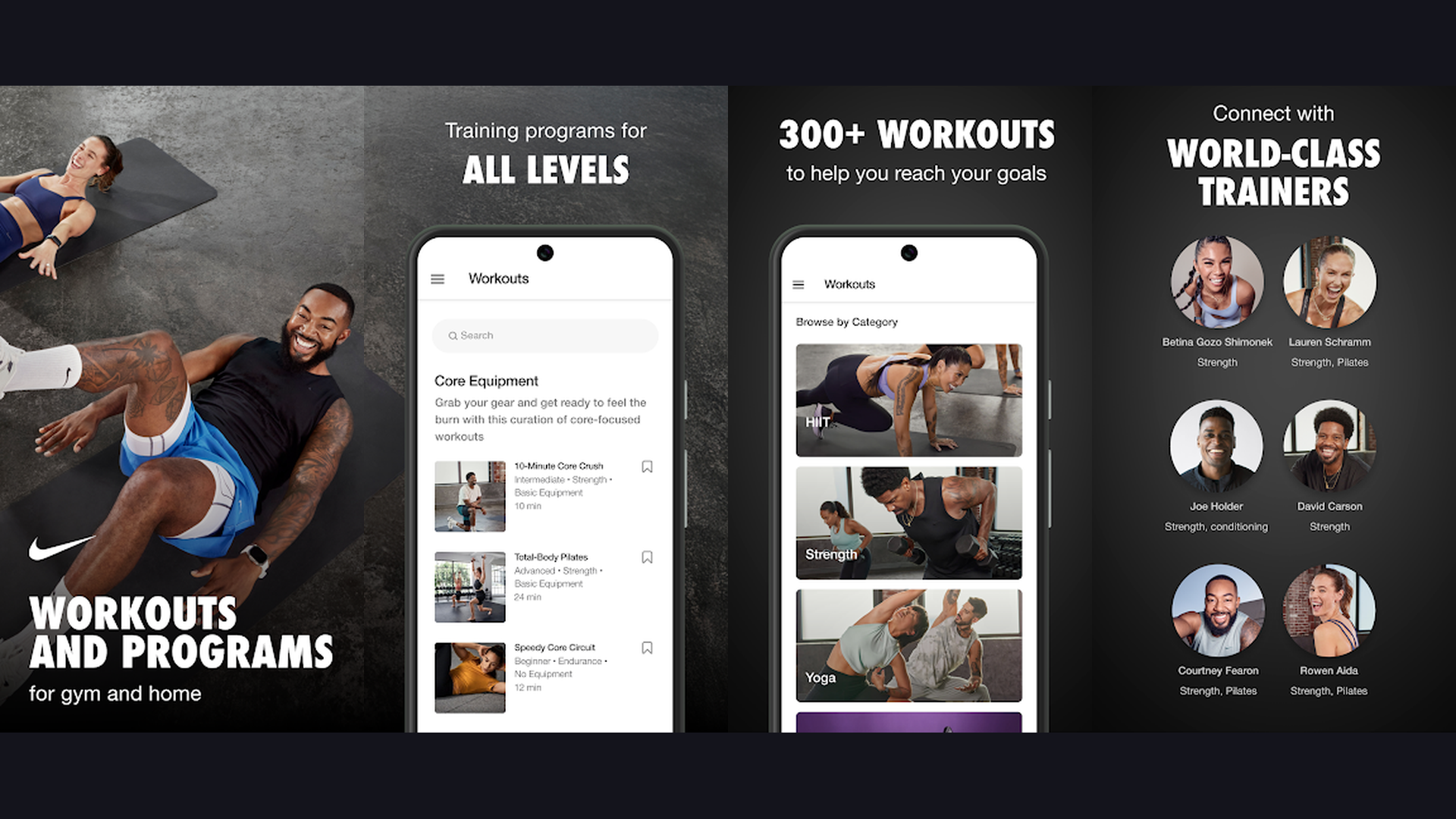
Nike Training Club (NTC) is a free workout app offering 200+ guided exercises for strength, cardio, yoga, and mobility. What makes NTC exceptional is the quality: every workout is designed by Nike Master Trainers and demonstrated with professional video. Workouts range from 5 to 60 minutes and scale to beginner, intermediate, and advanced levels. Multi-week training programs adapt to your schedule and progression. Categories include strength, endurance, mobility, yoga, HIIT, and core-specific routines. Equipment-free workouts require only your body weight, while gym workouts incorporate dumbbells, kettlebells, and resistance bands. Nike Training Club integrates with Apple Watch for heart rate tracking during workouts. Activity shares to Apple Health and Google Fit. The community features show streaks, milestones, and allow you to share workouts with friends. The entire library of workouts and programs is completely free, making NTC the most generous free fitness app. For anyone who wants professionally guided workouts without paying a subscription, Nike Training Club delivers premium quality at zero cost.
9. Sleep Cycle (Rating 4.3)
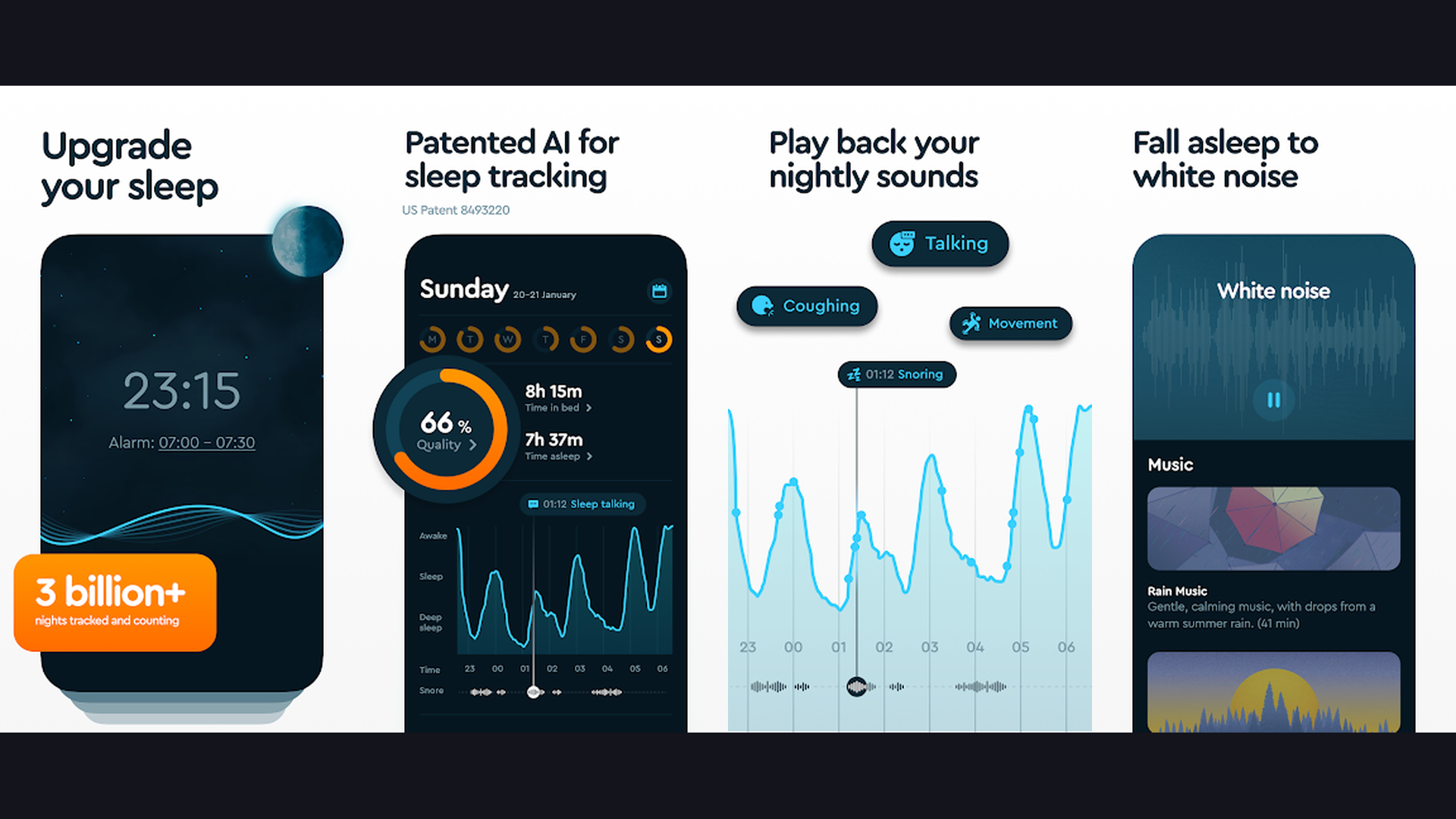
Sleep Cycle is a smart alarm clock and sleep tracker that wakes you during your lightest sleep phase for a more refreshed morning. Place your phone on the nightstand and Sleep Cycle uses sound analysis (microphone) or motion detection (accelerometer) to monitor your sleep patterns throughout the night. The smart alarm wakes you within a 30-minute window before your set alarm time, choosing the optimal moment when you are in light sleep. This avoids the groggy feeling of being jarred awake during deep sleep. Sleep quality is analyzed and scored with detailed statistics showing time in bed, sleep duration, sleep quality percentage, time to fall asleep, and wake-ups during the night. Track sleep trends over weeks and months. Sleep aids include guided relaxation, ambient sounds, and Sleep Stories. The sleep notes feature correlates habits (caffeine, exercise, stress, screen time) with sleep quality to identify what helps or hurts your rest. Sleep Cycle is free with basic tracking. Premium ($39.99/year) adds long-term trends, detailed analysis, snore detection, and online backup. For improving your daily energy by optimizing sleep, Sleep Cycle is the most intelligent alarm clock.
10. Headspace (Rating 4.3)
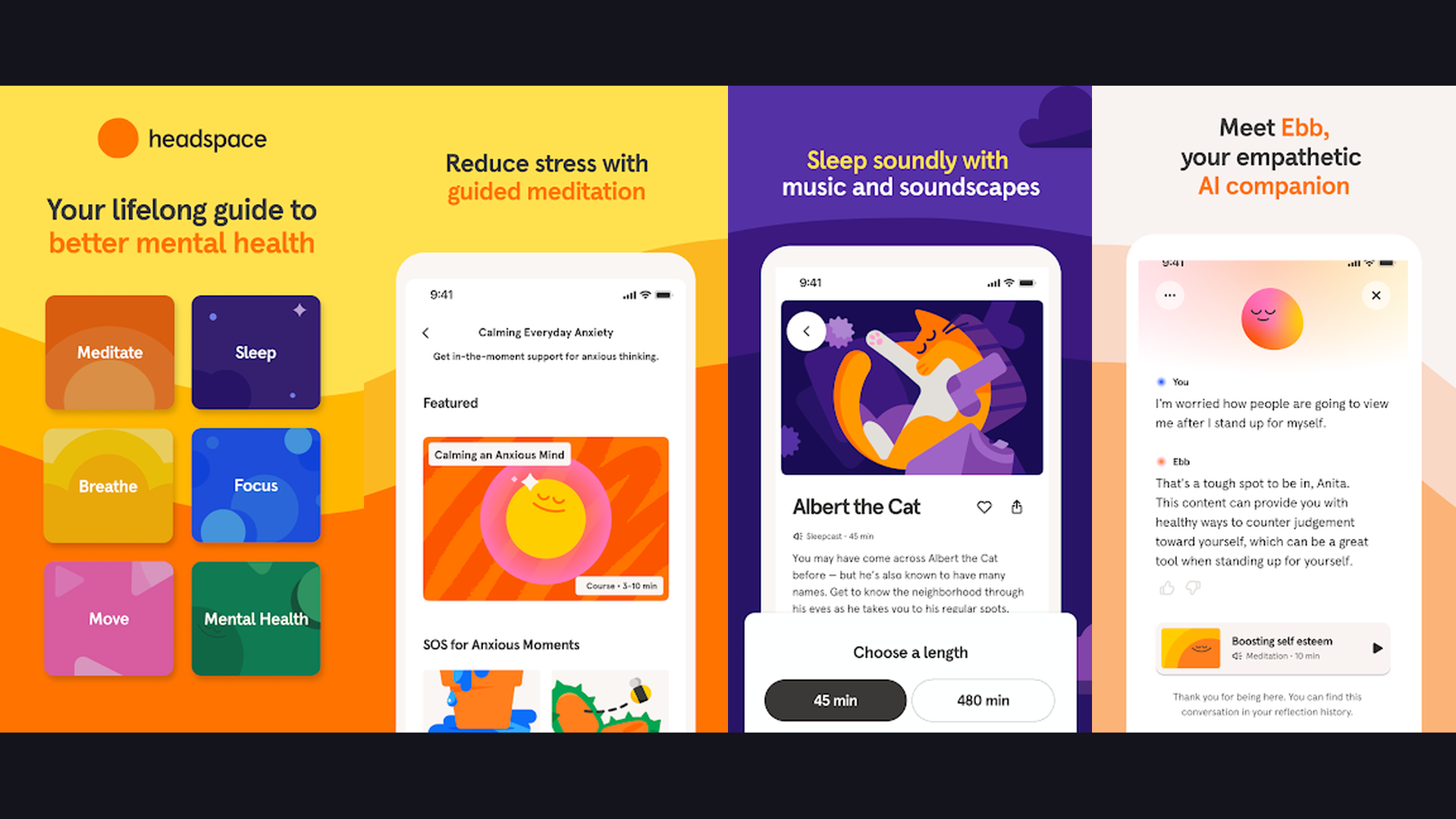
Headspace is a structured meditation and mindfulness app designed for beginners with an approachable, friendly teaching style. Co-founded by Andy Puddicombe, a former Buddhist monk, Headspace makes meditation accessible through short, guided sessions. The Basics course is a free 10-day introduction to meditation. Themed meditation packs cover stress, sleep, focus, anxiety, self-esteem, anger, and relationships. Each pack progresses over multiple sessions, building your skills gradually. Headspace Focus offers concentration-enhancing music and soundscapes for work and study. The sleep section includes Sleepcasts (audio experiences that guide you to sleep), wind-down exercises, and sleep music. Headspace Move provides guided workout videos combining fitness with mindfulness. The SOS sessions offer quick 3-minute meditations for moments of panic or overwhelm. The playful animations and warm narration style make Headspace feel less intimidating than traditional meditation. Headspace integrates with Apple Health, Google Fit, and Samsung Health. The free plan includes limited content. Headspace Premium ($12.99/month) unlocks the full library. For meditation beginners who want a structured learning path with a friendly guide, Headspace is the most accessible entry point.
11. Fitbit (Rating 4.2)
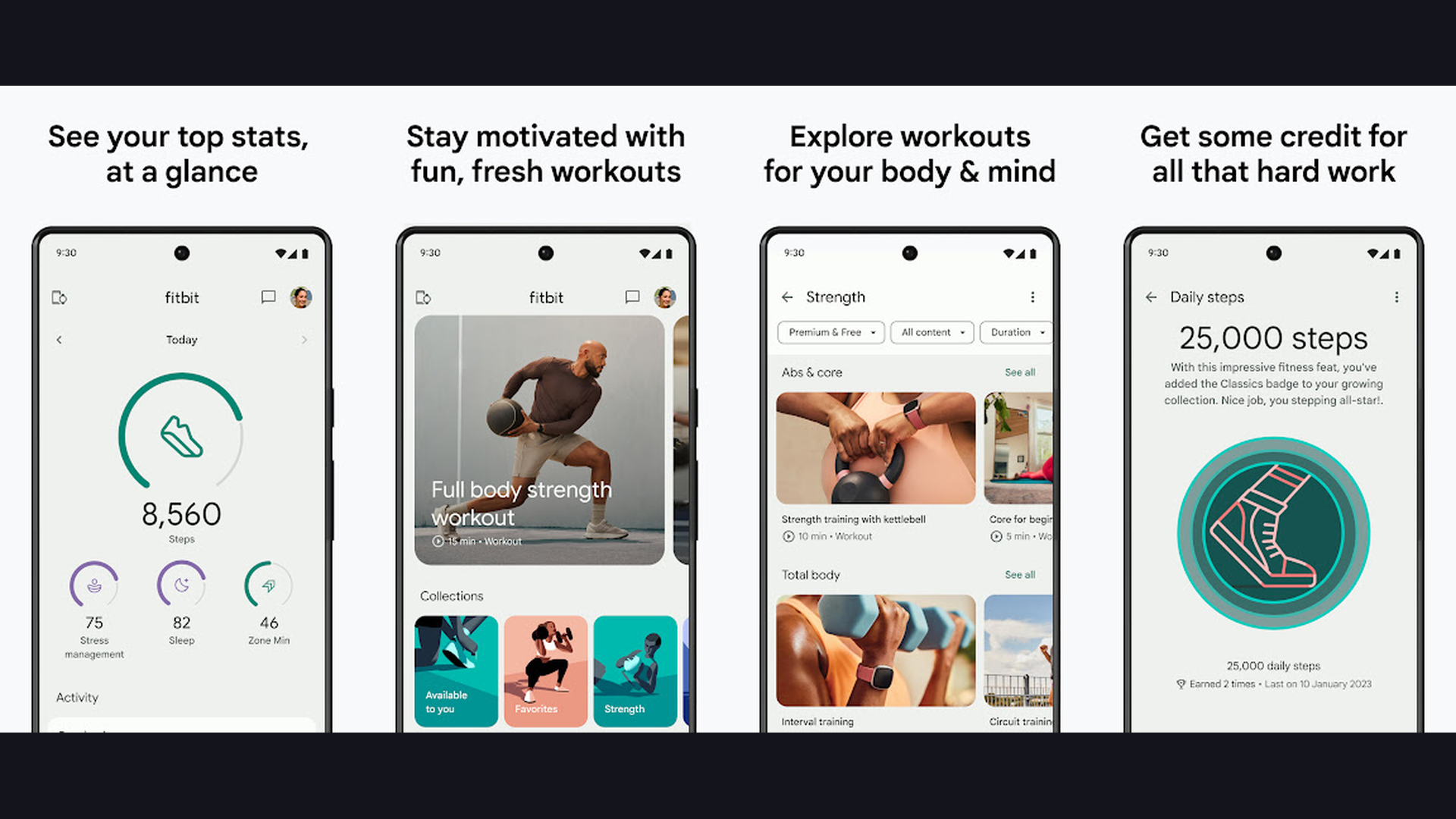
Fitbit is a comprehensive health dashboard that tracks activity, exercise, heart rate, sleep, stress, and overall wellness. While designed to pair with Fitbit wearables (now owned by Google), the Fitbit app also works with phone sensors for basic step counting and activity tracking. The Daily Readiness Score tells you if your body is ready for intense exercise or needs recovery. Active Zone Minutes measure time spent in fat-burn, cardio, and peak heart rate zones. The sleep tracking provides Sleep Score with detailed breakdowns of light, deep, and REM sleep stages. Stress Management Score quantifies your daily stress level. Female health tracking monitors menstrual cycles and fertility windows. The Food Log with barcode scanner tracks nutrition and water intake. Fitbit Premium ($9.99/month) adds personalized insights, guided programs, workout videos from brands like Daily Burn and POPSUGAR, and advanced sleep analytics. The community challenges let you compete with friends on steps and activity. For a holistic health overview connecting activity, sleep, stress, nutrition, and heart health in one daily dashboard, Fitbit provides the most comprehensive wellness picture.
12. Peloton (Rating 4.1)
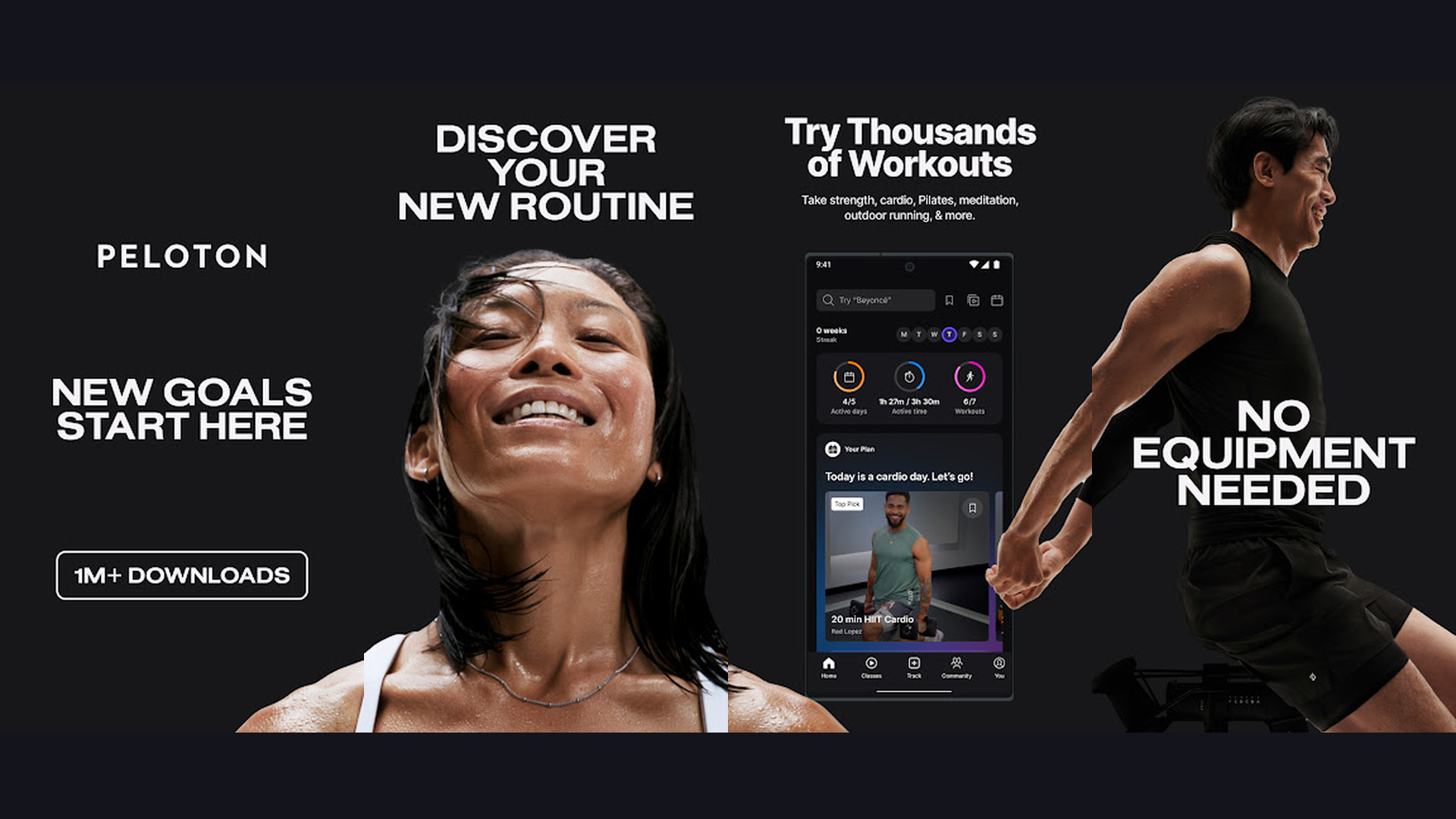
Peloton is a premium fitness platform with thousands of instructor-led classes for strength, cardio, yoga, meditation, and outdoor activities. While famous for its connected bike and tread, the Peloton App works independently on any phone or tablet. Stream live and on-demand classes across 15+ disciplines: cycling, running, walking, strength, yoga, Pilates, meditation, stretching, barre, bootcamp, boxing, dance cardio, outdoor running, and cycling. World-class instructors lead energetic classes with curated music playlists. The Peloton leaderboard creates a competitive gym atmosphere from home. Stacking lets you combine multiple short classes into a custom workout. Programs provide multi-week structured training plans. Peloton integrates with Apple Watch, Apple Health, and Google Fit. The free tier includes a limited selection of classes. Peloton App ($12.99/month without equipment) unlocks the full class library including live classes, on-demand content, and programs. For fitness enthusiasts who miss the energy of group classes and want instructor-led motivation at home, Peloton delivers the most engaging virtual studio experience.
13. Noom (Rating 4.1)
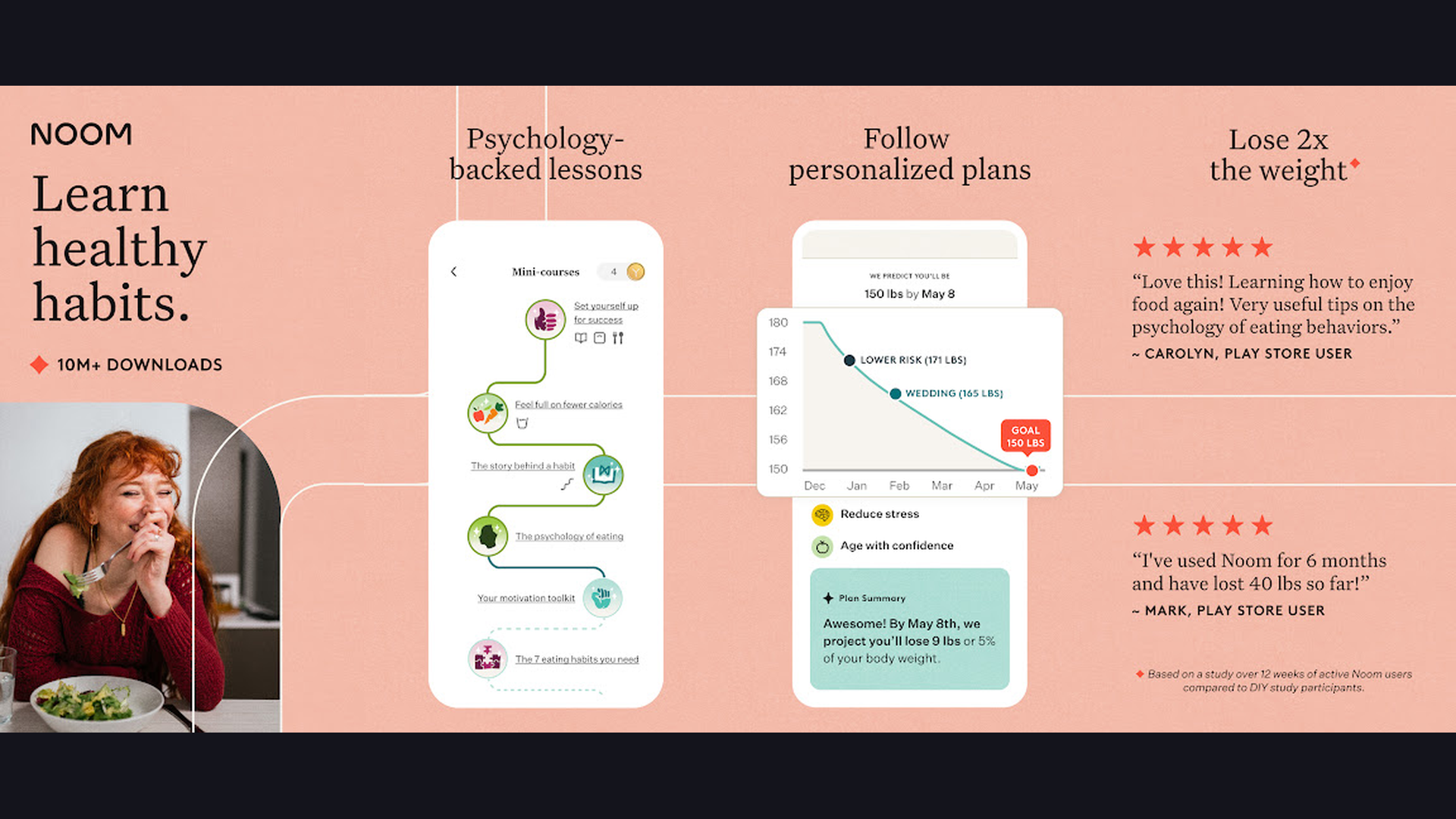
Noom is a psychology-based weight loss program that focuses on changing your relationship with food and building sustainable healthy habits. Unlike traditional calorie counters, Noom uses cognitive behavioral therapy (CBT) principles to identify why you eat, what triggers overeating, and how to build lasting behavioral changes. Daily 5-10 minute lessons teach nutrition science, emotional eating awareness, goal setting, and stress management. The color-coded food system categorizes foods as green (nutrient dense, eat freely), yellow (moderate nutrition), and orange (calorie dense, eat mindfully) without restricting any food. A personal Goal Specialist coaches you through the program. Group support connects you with other Noom users on the same journey. Food logging uses the color system alongside traditional calorie tracking. Weight logging tracks trends and correlates with habits. Noom is subscription-based starting at $59/month (discounted with longer commitments). For people who have tried and failed with traditional diets and want a behavior-change approach to sustainable weight loss, Noom addresses the psychology behind eating habits.
Build Your Wellness App Stack
No single app covers everything. Here are recommended combinations based on your wellness goals:
The Beginner Starter Pack (All Free)
- Workouts: Nike Training Club (free guided workouts) or Seven (7-minute exercises)
- Nutrition: Lose It! (simple calorie tracking with AI food recognition)
- Mindfulness: Headspace (free Basics course) or Calm (daily meditation)
- Hydration: WaterMinder (daily water tracking with reminders)
The Runner/Cyclist Stack
- Activity Tracking: Strava (GPS tracking, segments, community)
- Trail Discovery: AllTrails (400,000+ routes with offline maps)
- Nutrition: MyFitnessPal (comprehensive calorie and macro tracking)
- Recovery: Sleep Cycle (optimize sleep for athletic performance)
The Weight Loss Stack
- Behavior Change: Noom (psychology-based approach) or Lose It! (calorie tracking)
- Exercise: Nike Training Club (structured programs) or Peloton (instructor-led classes)
- Sleep: Sleep Cycle (poor sleep correlates with weight gain)
- Stress Management: Calm (stress eating is a major factor)
The Complete Wellness Stack
- Health Dashboard: Fitbit (connects all health data in one view)
- Workouts: Peloton (premium instructor-led classes)
- Nutrition: MyFitnessPal (detailed macro and micronutrient tracking)
- Meditation: Calm or Headspace (daily mindfulness practice)
- Sleep: Sleep Cycle (smart alarm and sleep analysis)
- Hydration: WaterMinder (automated water reminders)
Tips for Getting the Most from Fitness Apps
- Start With One App, Not All 13 - App overload is real. Pick one app that addresses your primary wellness goal (exercise, nutrition, or sleep) and use it consistently for 30 days before adding another. Building one habit at a time is more effective than tracking everything at once. Nike Training Club or Seven are the best starting points for exercise beginners.
- Enable Smart Notifications - Set reminder notifications for workouts, meals, water intake, and meditation at times that fit your routine. Consistency is more important than intensity. A daily nudge at a set time creates an automatic habit trigger. Configure notifications in the app settings to match your daily schedule.
- Connect Your Apps Together - Most fitness apps sync with Apple Health (iOS) or Google Fit (Android), creating a unified health dashboard. Strava workout data flows to MyFitnessPal calorie adjustments. Sleep Cycle data appears in Fitbit. Connecting apps eliminates double-logging and gives you a complete wellness picture. Check each app settings for Health Kit or Google Fit integration.
- Use a Smartwatch for Automatic Tracking - A smartwatch (Apple Watch, Fitbit, Garmin) automates step counting, heart rate monitoring, sleep tracking, and workout detection. This removes the friction of manual logging. Most apps in this guide support major smartwatch platforms. The data quality from wearable sensors is significantly better than phone-only tracking.
- Focus on Trends, Not Daily Numbers - A single bad day does not matter. Weekly and monthly trends reveal your true progress. Did your average sleep quality improve this month? Is your weekly running mileage gradually increasing? Did your average daily calorie intake decrease? Use the trend views in MyFitnessPal, Sleep Cycle, and Strava to track long-term progress rather than obsessing over daily fluctuations.
- Do Not Forget Rest and Recovery - More exercise is not always better. The Fitbit Daily Readiness Score and Strava Relative Effort tell you when your body needs recovery. Sleep Cycle data helps you understand if you are getting enough rest. Calm and Headspace meditation sessions support active recovery. Schedule rest days and listen to your body.
- Join Communities for Accountability - Strava clubs, Peloton leaderboards, Noom groups, and Headspace buddy challenges provide social accountability. Research shows that people who exercise with friends are 42% more likely to maintain their routine. Share your progress and celebrate milestones with others.
- Track Your Mental Health Too - Physical fitness is half the equation. Calm and Headspace address stress, anxiety, and sleep quality. Seven and Nike Training Club include yoga and mobility sessions. The Fitbit Stress Management Score quantifies daily stress. A complete wellness approach includes both physical and mental health tracking.
Frequently Asked Questions
What is the best free health and fitness app?
Nike Training Club is the best completely free fitness app with 200+ professional workout videos. For calorie tracking, Lose It! offers excellent free features with AI food recognition. For meditation, Headspace Basics provides a free 10-day introduction course. For outdoor fitness, AllTrails free tier includes trail search and GPS activity tracking.
Do I need a smartwatch to use these fitness apps?
No. All 13 apps work on a smartphone without a wearable device. Your phone can track steps (via accelerometer), GPS location (for running and hiking), and basic activity. However, a smartwatch adds automatic heart rate monitoring, sleep tracking, and more convenient workout tracking. Fitbit, Apple Watch, and Garmin devices provide the best integration with these apps.
Which app is best for losing weight?
For calorie tracking with the largest food database, use MyFitnessPal. For a simpler approach with AI food recognition, use Lose It!. For a psychology-based behavior change program, use Noom. Combine any calorie tracker with a workout app (Nike Training Club or Seven) and sleep tracking (Sleep Cycle) for the most effective weight loss approach. Consistent calorie tracking is the single most effective weight loss strategy.
How much do these fitness apps cost?
Several apps are completely free: Nike Training Club (full workout library), Fitbit (without Premium), AllTrails (basic), and the free tiers of most apps. Premium subscriptions range from $4.99/month (WaterMinder one-time) to $12.99/month (Peloton, Headspace). Annual plans typically save 30-50% compared to monthly billing. Most apps offer a 7-14 day free trial of premium features.
Can these apps replace a personal trainer?
For most people, yes. Nike Training Club and Peloton provide professional workout instruction with video demonstrations. MyFitnessPal and Lose It! handle nutrition tracking that a nutritionist would provide. Noom includes personal coaching. However, if you have specific medical conditions, injuries, or advanced athletic goals, a personal trainer can provide customized guidance that apps cannot fully replicate.
Which meditation app is better, Calm or Headspace?
Calm is better for sleep (Sleep Stories, ambient sounds) and general relaxation. Headspace is better for structured meditation learning with its progressive course format. Both offer stress relief, sleep support, and daily meditations. Try the free features of each to see which teaching style resonates with you. Calm has a warmer, nature-focused aesthetic while Headspace uses playful animations.
Final Thoughts
Building a healthier lifestyle in 2026 starts with the right apps on your phone. For exercise, Nike Training Club (free), Seven (quick workouts), Peloton (instructor-led), and Strava (outdoor tracking) cover every fitness style. For nutrition, MyFitnessPal and Lose It! make calorie tracking simple, while Noom addresses the psychology of eating. For mental wellness, Calm and Headspace reduce stress and improve sleep. For sleep optimization, Sleep Cycle wakes you refreshed. For outdoor fitness, AllTrails maps every trail. For hydration, WaterMinder keeps you drinking. And Fitbit ties it all together in one dashboard. Start with one app, build a habit, then expand your wellness stack. Your ultimate guide to wellness is already in your pocket. For more app guides, explore digital planners, navigation apps, cooking and meal planning, and video editing apps to capture your fitness journey.