
Gone are the days of losing sticky notes and forgetting appointments. In 2026, digital planner apps have evolved into AI-powered productivity engines that schedule your day, track your habits, manage your projects, and help you build better routines, all from your phone. Whether you are a student juggling classes, a professional managing deadlines, or someone who simply wants to organize their daily life, there is a digital planner built for your planning style.
We tested and ranked the 13 best digital planner apps for Android and iOS, covering everything from visual timeline planners like Structured and Sectograph to all-in-one workspaces like Notion and TickTick. Whether you prefer a minimal daily task list or a full-featured planning ecosystem with Kanban boards and habit tracking, this guide helps you find the perfect digital planner. If you are also looking for reminder apps to complement your planning routine or team communication tools for collaborative planning, we have guides for those too.
Table of Contents
- HabitNow (Rating 4.7)
- Structured (Rating 4.7)
- Google Calendar (Rating 4.7)
- Notion (Rating 4.6)
- Microsoft To Do (Rating 4.6)
- TickTick (Rating 4.6)
- Sectograph (Rating 4.6)
- Todoist (Rating 4.6)
- Any.do (Rating 4.4)
- Planner Pro (Rating 4.4)
- Time Planner (Rating 4.1)
- Trello (Rating 3.9)
- GoodNotes (Rating 4.5)
- How to Choose the Right Digital Planner
- Digital Planning Tips for Productivity
- Frequently Asked Questions
1. HabitNow (Rating 4.7)
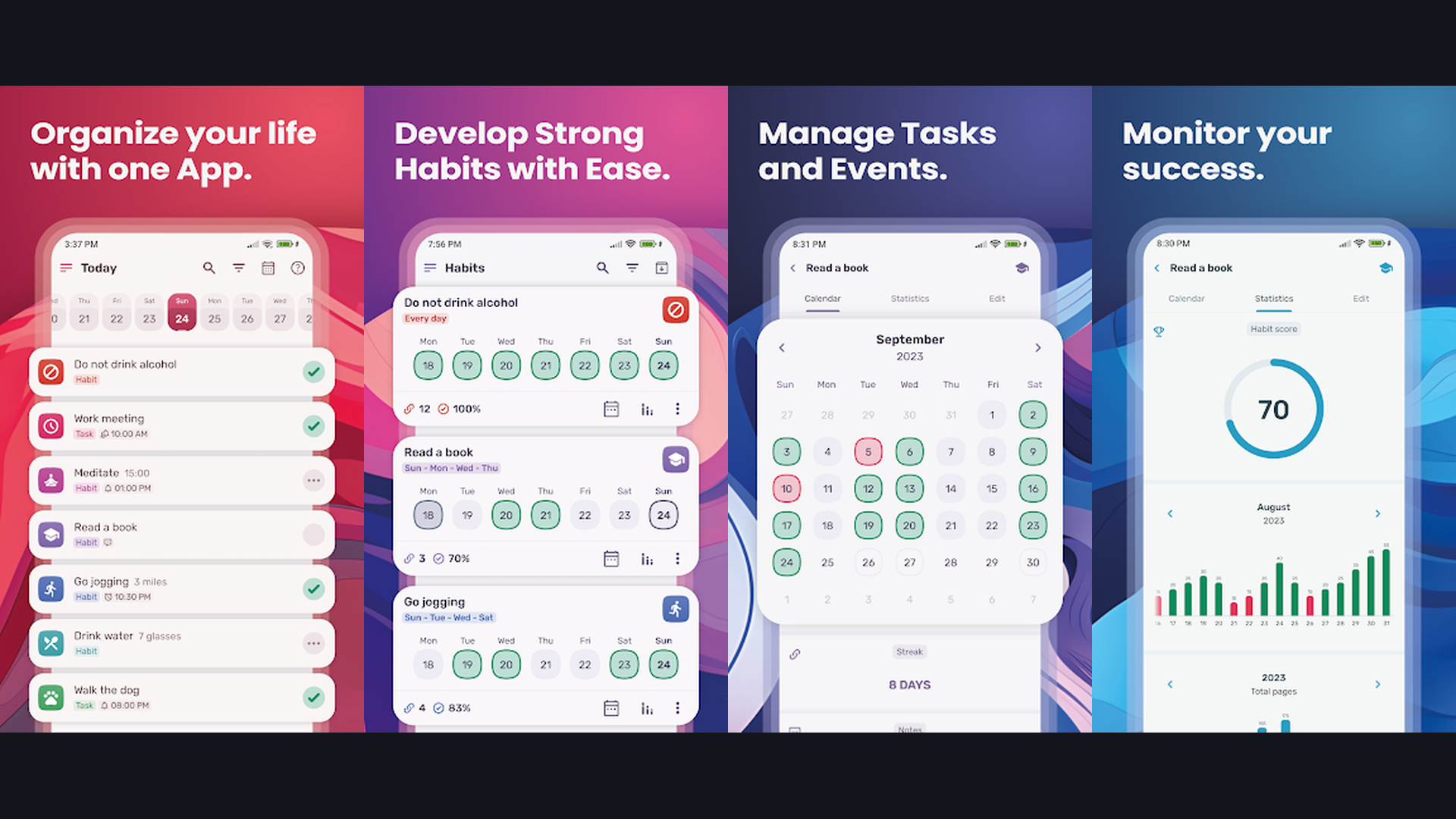
HabitNow is the best daily routine and habit-planning app that transforms your goals into structured, repeatable schedules. The app lets you create detailed daily routines with specific time slots, track habit streaks, and monitor your completion rates with beautiful visual statistics. HabitNow supports morning, afternoon, and evening routines with customizable checklists for each time block. The habit tracker offers flexible scheduling with options for daily, weekly, or custom frequency patterns. Progress analytics show your consistency over days, weeks, and months with charts that motivate you to maintain your streaks. The app features a smart reminder system with persistent notifications that keep you on track throughout the day. HabitNow is completely free with no subscription required, making it one of the most generous digital planner tools available.

2. Structured (Rating 4.7)
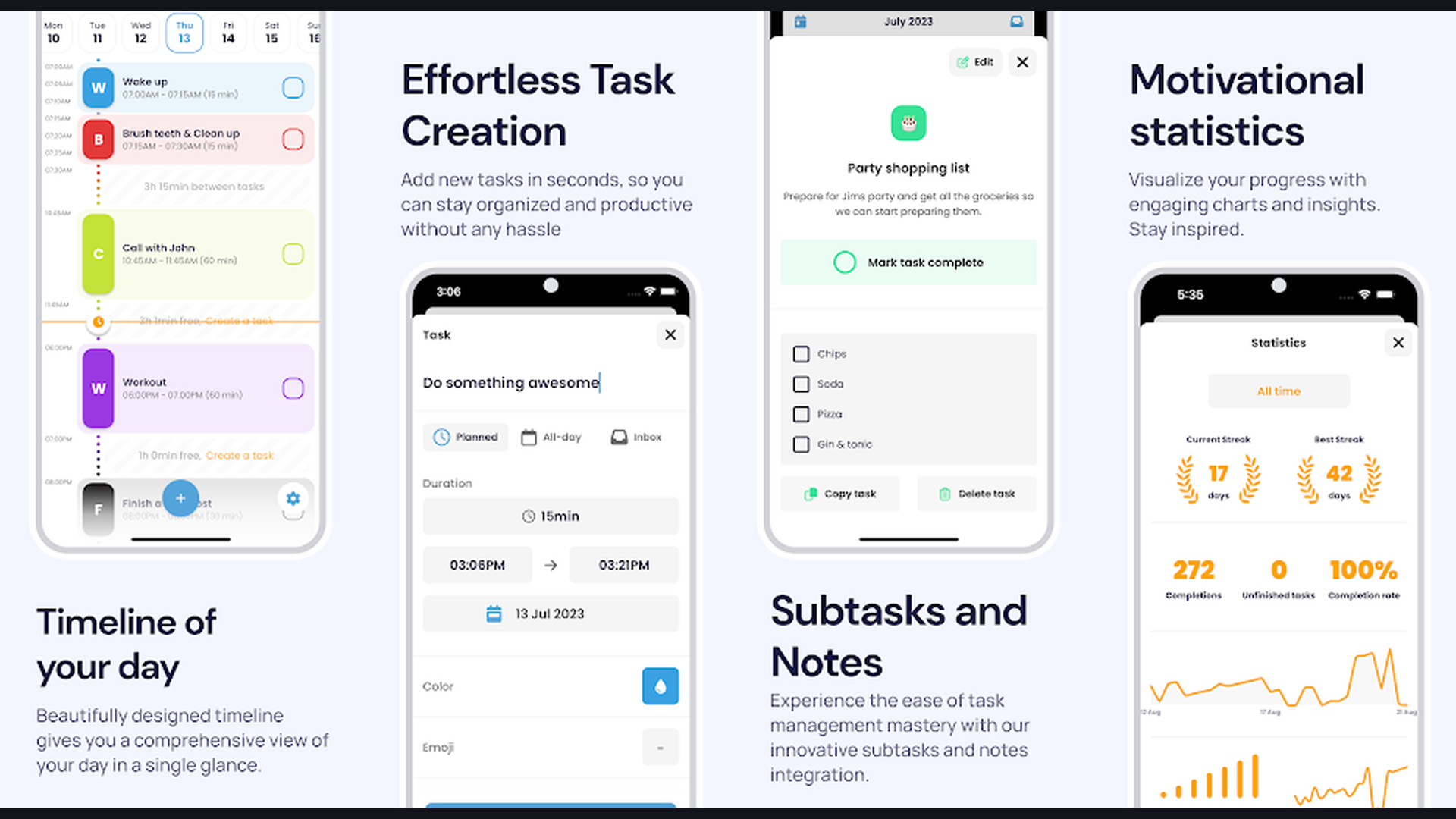
Structured is a beautifully designed visual day planner that turns your entire day into a color-coded timeline. The app presents your tasks, events, and appointments on a single scrollable timeline where you can see exactly how your day flows from morning to night. Each task gets assigned a color, icon, and duration, creating an intuitive visual overview that immediately shows whether you are overbooked or have free time. Structured syncs with your existing calendars (Google Calendar, Apple Calendar, Outlook) so imported events appear alongside your planned tasks. The app supports recurring tasks, subtasks, and time-blocking with drag-and-drop rearranging. Structured excels at helping visual thinkers who find traditional to-do lists overwhelming. The Apple Watch widget lets you check your next task at a glance. Available on iOS, iPadOS, macOS, and Android with cross-platform sync.

3. Google Calendar (Rating 4.7)
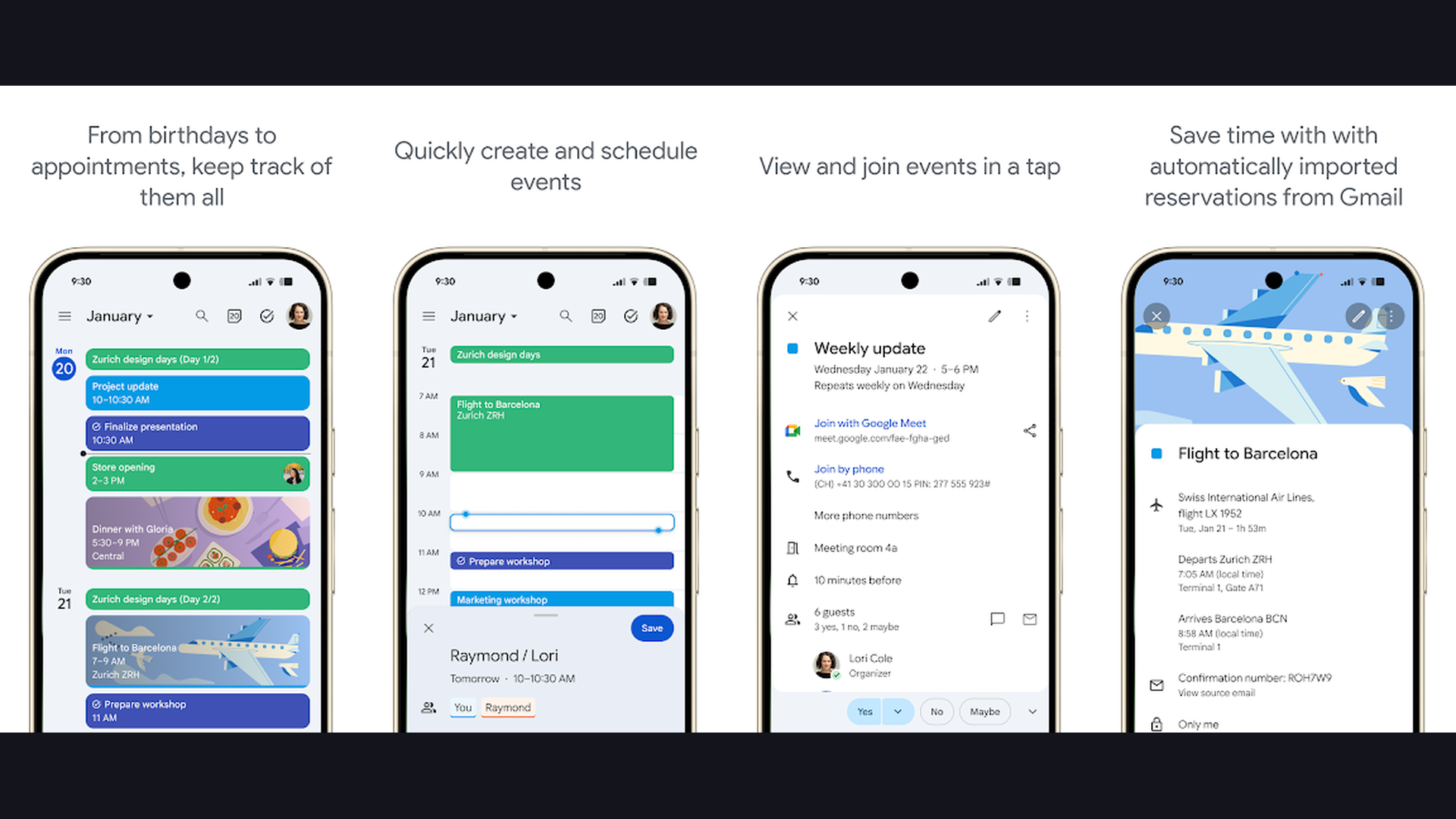
Google Calendar is the most widely used digital planning tool with seamless integration across the entire Google ecosystem. In 2026, Google Calendar has evolved with AI-powered scheduling suggestions, smart event creation from Gmail, and Focus Time blocks that automatically protect your deep work hours. The app supports multiple calendar views (day, week, month, schedule) with color-coded categories for personal, work, and family events. Time Insights show how you spend your time across different categories, helping you optimize your schedule. Google Calendar integrates with Google Tasks for simple to-do management and syncs with practically every other planning tool on this list. The Goals feature automatically finds open slots in your schedule for activities you want to build into your routine. For anyone in the Google ecosystem, this is the essential foundation of any productivity setup.
4. Notion (Rating 4.6)
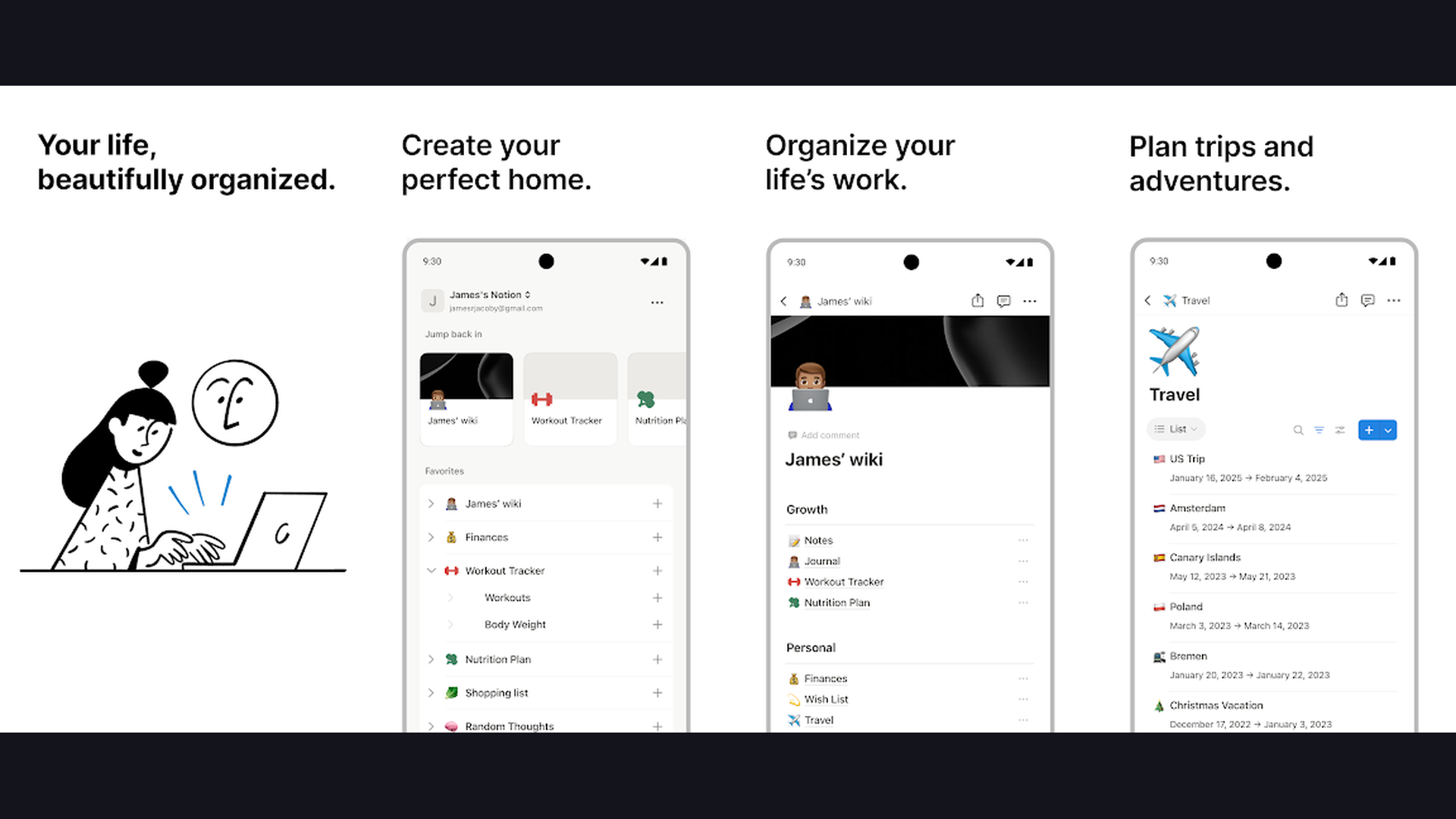
Notion is the ultimate all-in-one workspace for digital planning, combining notes, databases, task management, calendars, and wikis in a single infinitely customizable platform. You can build anything from a simple daily planner to a comprehensive life operating system with linked databases, automated workflows, and AI-powered assistance. Notion AI helps generate content, summarize meeting notes, and create action items from unstructured text. The template gallery offers thousands of pre-built planners including weekly dashboards, habit trackers, goal-setting frameworks, and project management boards. Notion databases with calendar views function as powerful digital planners where each entry can hold unlimited notes, files, and subtasks. The app syncs across all devices with real-time collaboration, making it ideal for both personal planning and team coordination. Notion is free for personal use with generous limits.
5. Microsoft To Do (Rating 4.6)
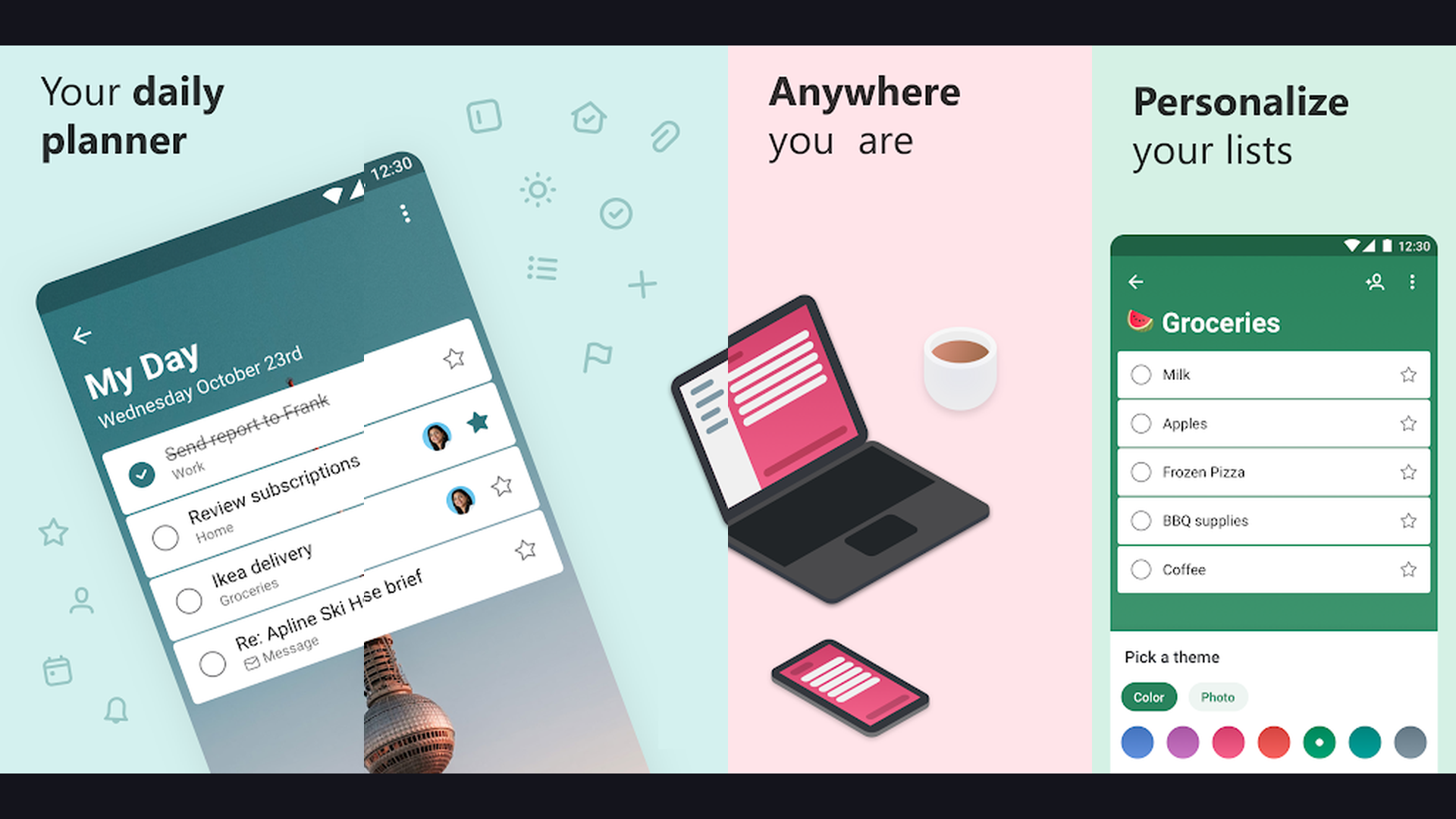
Microsoft To Do is a clean, intelligent task manager that integrates deeply with the Microsoft 365 ecosystem. The "My Day" feature is the apps killer feature for digital planning. Each morning, you review your tasks and select which ones to tackle today, creating a focused daily plan without the clutter of your entire task backlog. Smart Suggestions analyzes your existing tasks and recommends items for your daily plan based on due dates and priorities. The app supports shared lists for collaborative planning, file attachments, step-by-step subtasks, and recurring tasks. Integration with Outlook means emails can be flagged directly into your task list. Microsoft To Do also syncs with Planner for project management and works across Windows, macOS, Android, iOS, and web. The app is completely free with no subscription required, and includes dark mode and personalized list themes.
6. TickTick (Rating 4.6)
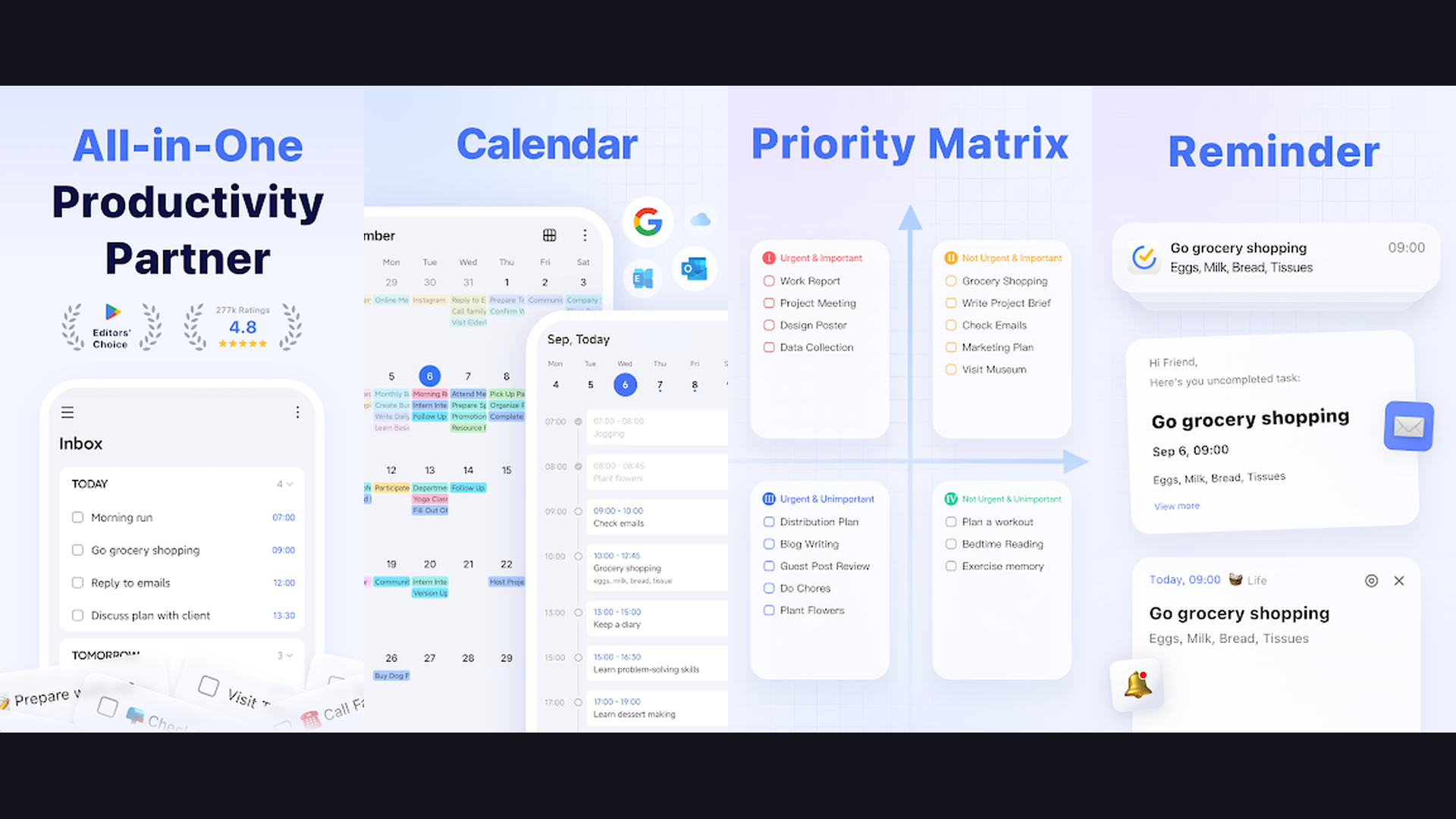
TickTick is arguably the most feature-complete digital planner app available, combining task management, calendar, habit tracking, Pomodoro timer, and note-taking in one polished package. The calendar view shows your tasks alongside events with drag-and-drop time-blocking, turning TickTick into a powerful visual planner. Natural language input lets you type things like "submit report Friday at 3pm" and the app automatically parses the date, time, and priority. The built-in Pomodoro timer helps you focus on tasks with customizable work and break intervals. Habit tracking lets you build daily routines with streak tracking and statistics. TickTick supports Eisenhower Matrix prioritization (urgent vs important), Kanban boards for visual project management, and detailed productivity statistics. The free tier is generous, and TickTick Premium ($35.99/year) unlocks calendar views, custom filters, and unlimited lists.
7. Sectograph (Rating 4.6)
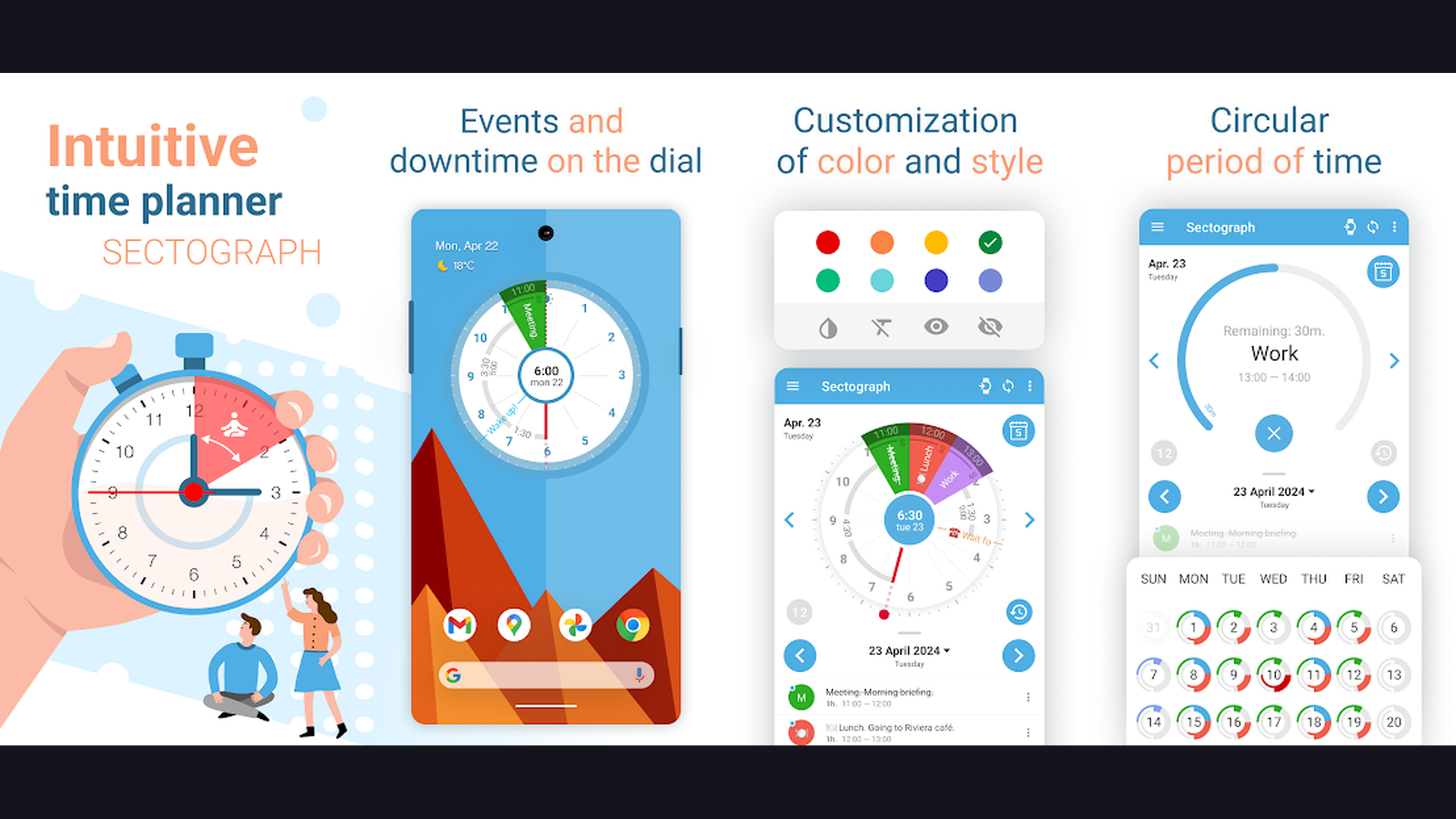
Sectograph is a unique clock-face planner that visualizes your day as a 12-hour pie chart, making time management intuitive and visual. Instead of a traditional list or calendar grid, Sectograph displays your events and tasks as colored arcs around a clock dial, instantly showing you how much time each activity occupies and where your free slots are. The app syncs with Google Calendar, so your existing events automatically appear on the visual clock. You can add tasks directly in Sectograph and see them represented as time blocks on the dial. The widget is the apps standout feature, providing a gorgeous at-a-glance view of your remaining day right on your home screen. Sectograph works perfectly as a companion to other planners, adding a visual time dimension that text-based planners lack. The app supports AMOLED-friendly dark mode for always-on display widgets.
8. Todoist (Rating 4.6)
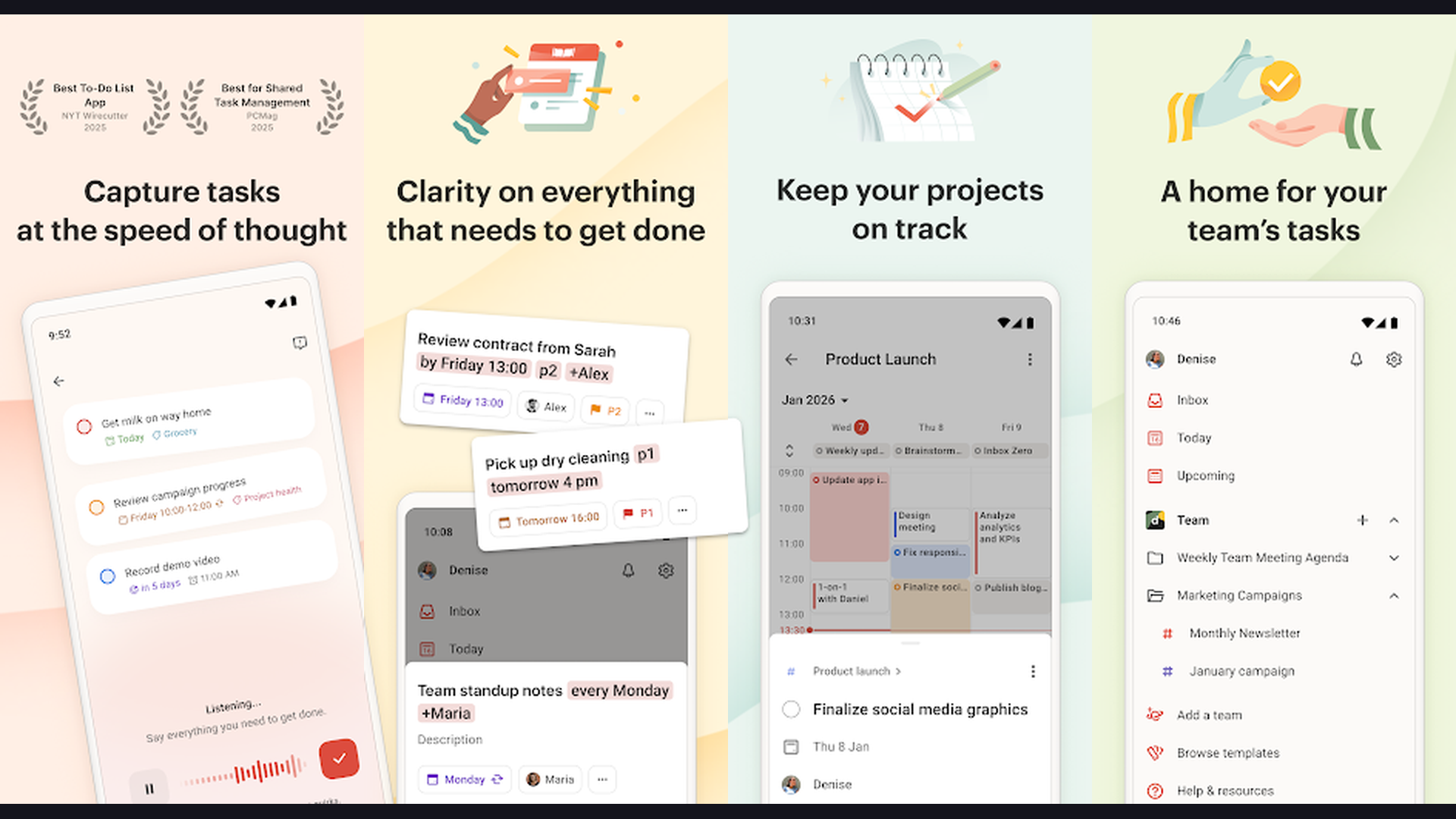
Todoist is the gold standard task manager for getting things done efficiently, trusted by over 30 million users worldwide. The app excels at capturing, organizing, and prioritizing tasks with minimal friction. Natural language input understands dates, priorities, and labels, so typing "Call dentist tomorrow p1" creates a high-priority task for tomorrow. Projects and sub-projects let you organize every area of your life from work deliverables to personal goals and shopping lists. Todoist Boards provide Kanban-style visual planning for project workflows. The Karma system gamifies productivity by awarding points for completing tasks and maintaining daily/weekly goals. Todoist integrates with over 80 apps including Google Calendar, Slack, Alexa, and Siri. The calendar feed feature syncs your tasks to any calendar app for time-blocking. With apps for every platform and a fast web interface, Todoist ensures your plans are always accessible.
9. Any.do (Rating 4.4)
Any.do strips daily planning down to what matters most: simplicity and speed. The app opens with a clean daily view showing today and upcoming tasks, encouraging you to focus on the present rather than getting overwhelmed by a massive backlog. The "Plan My Day" feature walks you through each pending task and asks whether to schedule it for today, tomorrow, next week, or someday, creating a mindful daily planning ritual. Any.do combines a task manager, calendar, and grocery list in one app with smart grocery list recognition that automatically categorizes items by store aisle. The calendar view integrates with Google Calendar and iCloud, showing events alongside tasks for complete daily visibility. Any.do also supports shared lists and task assignment for family and team planning. The AI assistant helps with task suggestions and smart scheduling. The premium plan ($5.99/month) unlocks recurring tasks, color tags, and WhatsApp integration.
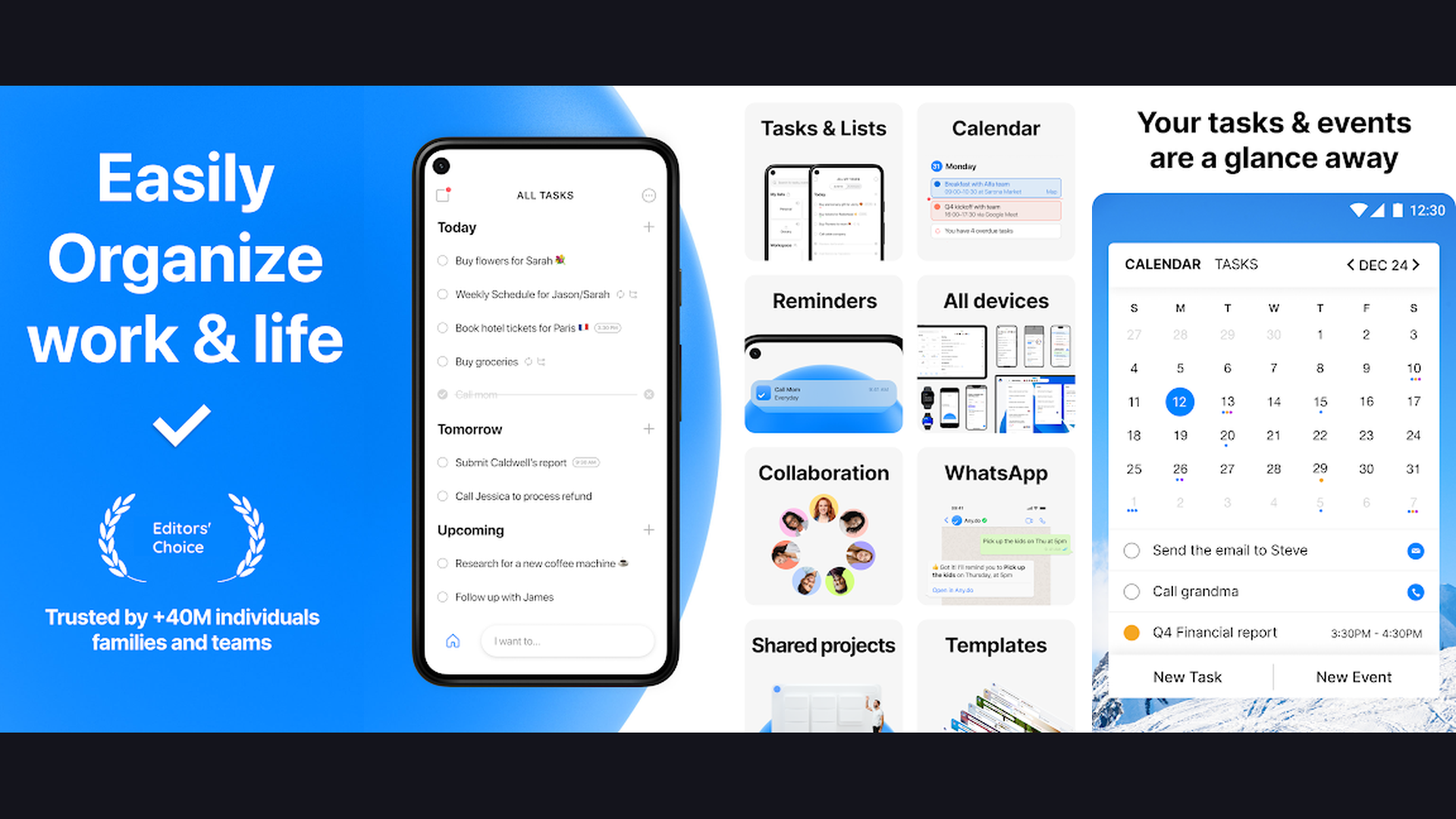
10. Planner Pro (Rating 4.4)
Planner Pro is a traditional digital planner that mimics the experience of a paper planner with the convenience of a mobile app. The app combines a calendar, task manager, and note-taking tool with a familiar, intuitive layout that feels natural to anyone transitioning from physical planners. Daily, weekly, and monthly views show your events and tasks in clean, organized formats. Planner Pro syncs with Google Calendar, Outlook, and iCloud for seamless integration with your existing calendar setup. The notes section supports rich text formatting for meeting notes, project briefs, and personal journals. Task management includes priorities, categories, recurring tasks, and subtasks with completion tracking. The apps strength lies in its straightforward approach: no complex databases or learning curves, just a clean digital version of the paper planner experience. Ideal for users who want simplicity without sacrificing essential features.
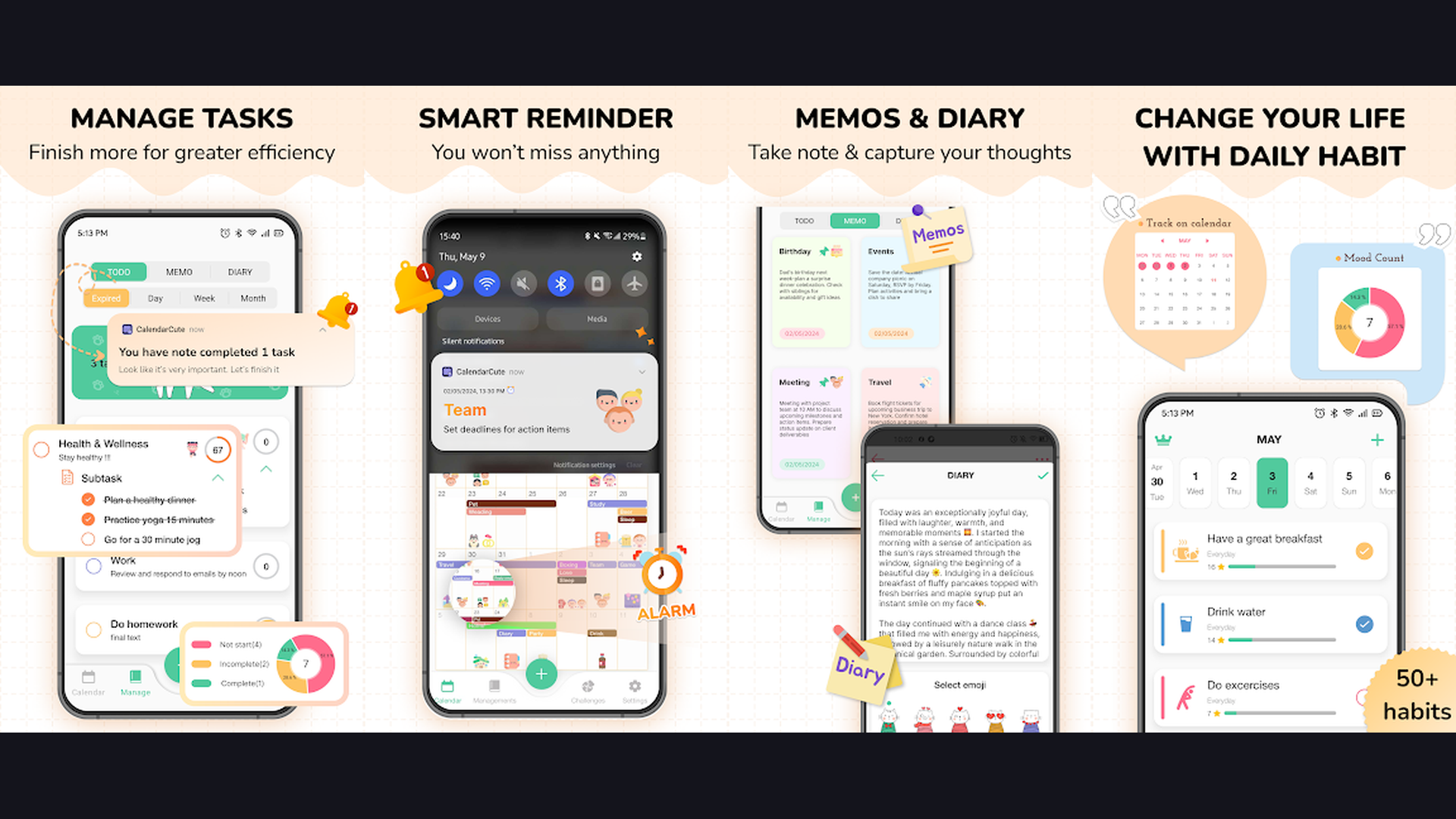
11. Time Planner (Rating 4.1)
Time Planner is a comprehensive scheduling and productivity analytics tool that helps you plan your day hour by hour while tracking how effectively you use your time. The app features a timeline view where you assign specific time slots to tasks, creating a detailed blueprint for your day. What sets Time Planner apart is its built-in productivity analytics that track task completion rates, time spent on different categories, and your overall productivity trends over weeks and months. The goal-setting feature lets you define targets across life areas (health, work, learning, social) and tracks your progress toward each one. Time Planner supports Eisenhower Matrix task prioritization, helping you distinguish between urgent and important activities. The app integrates with Google Calendar and shows events alongside your planned tasks. Statistics dashboards reveal patterns in your productivity, helping you identify your most productive hours and optimize your daily routine.
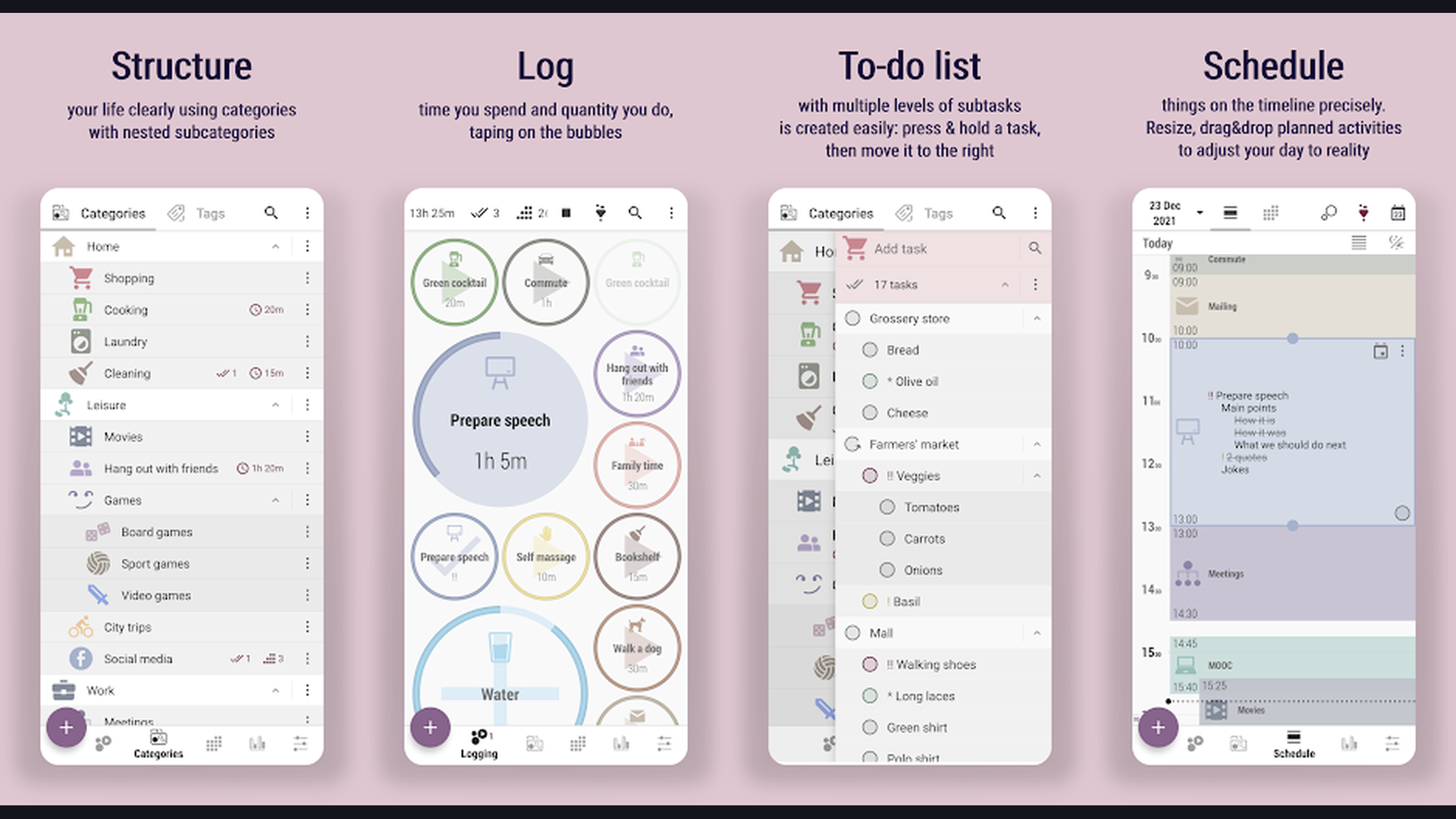
12. Trello (Rating 3.9)
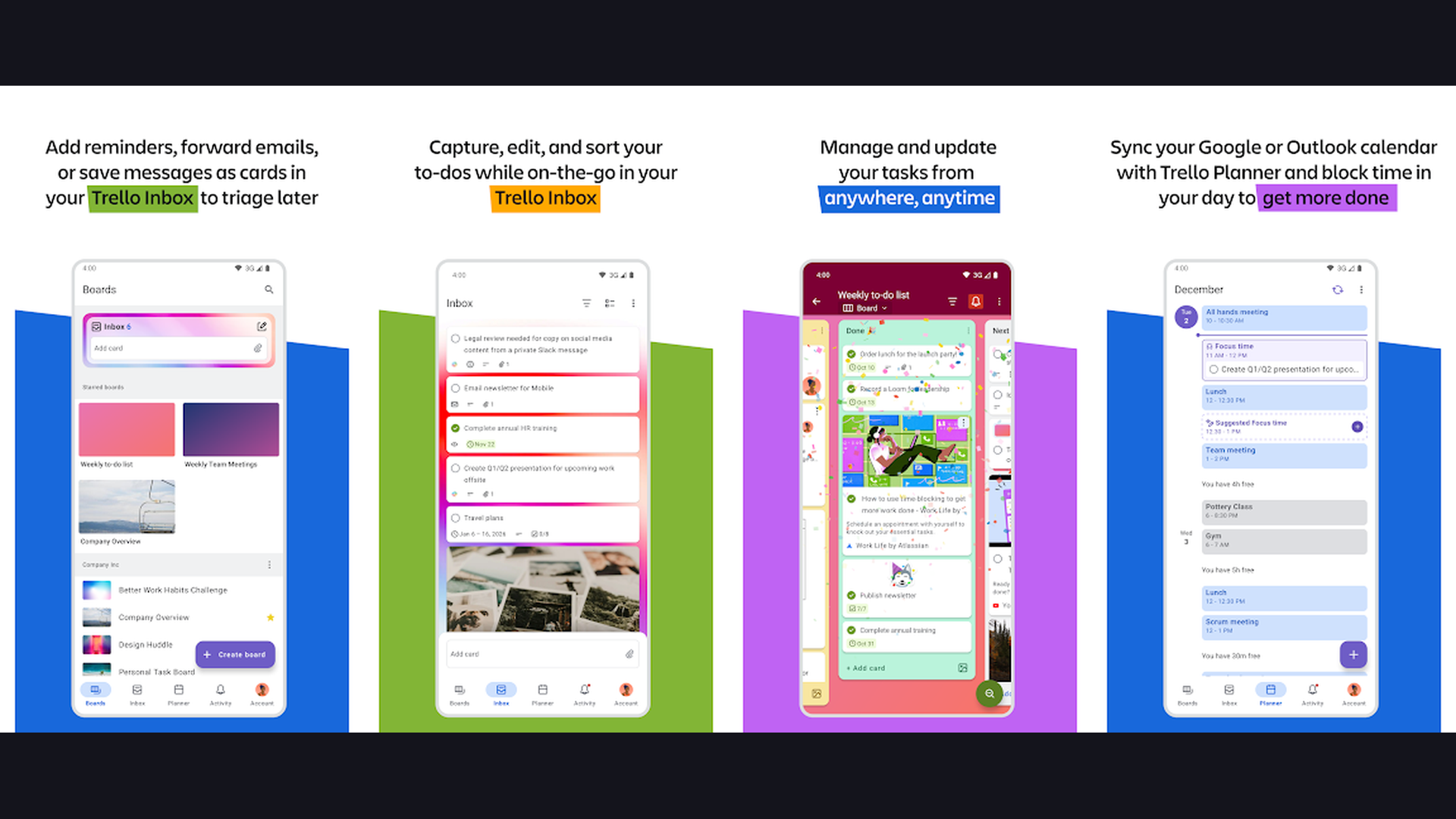
Trello uses visual Kanban boards to organize tasks and projects in an intuitive drag-and-drop interface. Each board contains lists (like "To Do," "In Progress," and "Done"), and each list contains cards representing individual tasks. This visual approach makes it easy to see the status of every project at a glance. Trello cards can hold checklists, attachments, due dates, labels, comments, and assigned team members, making each card a rich container for project details. Butler automation (built into Trello) can automate repetitive actions like moving cards between lists, assigning due dates, or sending notifications. The Calendar Power-Up adds a calendar view to any board, showing your cards by due date. Trello works beautifully for personal planning when you create boards for different life areas: a "Weekly Meals" board, a "Home Projects" board, a "Work Tasks" board. The app syncs across all platforms with excellent offline support.
13. GoodNotes (Rating 4.5)
GoodNotes 6 is the premier handwritten digital planning app for iPad and iPhone that feels like writing on paper with the power of digital search and organization. The Apple Pencil support is industry-leading, with pressure sensitivity, palm rejection, and near-zero latency that creates a natural writing experience. Import hyperlinked PDF planner templates from popular digital planner creators to get a complete planner system with clickable tabs for months, weeks, and days. GoodNotes AI features include handwriting recognition for searching through your handwritten notes, Math Conversion for solving equations in your handwriting, and AI-generated summaries of your written content. The Marketplace offers professionally designed planner templates, stickers, and covers. For creative planners who prefer pen-and-paper aesthetics with digital convenience, GoodNotes is the undisputed champion. The app supports PDF annotation, making it useful for academic planning as well.
How to Choose the Right Digital Planner
By Planning Style
- Visual planners who think in timelines and color-codes: Structured, Sectograph, Google Calendar
- List-based planners who love checking off tasks: Todoist, TickTick, Microsoft To Do
- All-in-one builders who want maximum customization: Notion, TickTick
- Handwriting enthusiasts who prefer pen-on-screen planning: GoodNotes
- Project managers who need boards and workflows: Trello, Notion
- Minimalists who want simple daily focus: Any.do, HabitNow, Microsoft To Do
By Ecosystem
- Google users: Google Calendar + Todoist or TickTick
- Microsoft users: Microsoft To Do + Outlook Calendar
- Apple users: Structured + GoodNotes or Planner Pro
- Cross-platform: Notion, TickTick, Todoist, Any.do
Digital Planning Tips for Maximum Productivity
- Plan the Night Before - Spend 5-10 minutes each evening reviewing tomorrow and setting your top 3 priorities. Apps like Any.do and TickTick have evening review features that make this habit effortless, leaving you ready to start each morning with clarity.
- Use Time Blocking - Assign specific time slots to your tasks instead of just listing them. Structured and Sectograph are built for this approach, and Google Calendar makes it easy. Time blocking creates commitment and prevents your day from being consumed by low-priority busywork.
- Follow the Two-Minute Rule - If a task takes less than two minutes, do it immediately instead of adding it to your planner. This prevents your task list from becoming cluttered with tiny items that create mental overhead. Save your planner for tasks that genuinely need scheduling.
- Keep One Central System - Avoid splitting your tasks across multiple apps. Choose one primary planner and use it consistently. If you need specialized features, pick apps that integrate with each other, like Todoist syncing with Google Calendar or TickTick combining tasks and habits.
- Review Weekly - Set a weekly review ritual where you assess what you accomplished, clear completed tasks, reschedule anything that slipped, and plan the week ahead. Sunday evening or Monday morning works best. Most apps track completion rates to help you measure your progress.
- Color-Code Everything - Assign colors to life categories (work, personal, health, finance, learning). This creates instant visual clarity when scanning your calendar or task list, helping you spot imbalances. Most planner apps support custom color labels and categories.
- Use Widgets - Place your planner widget on your home screen so your daily plan is visible every time you unlock your phone. Structured, Sectograph, Google Calendar, and TickTick all offer excellent widgets that keep you productive throughout the day.
- Start Simple - Begin with basic features and add complexity only as needed. Many people set up elaborate planning systems, get overwhelmed, and abandon them entirely. A simple daily task list you actually use beats an elaborate system you ignore.
Frequently Asked Questions
What is the best free digital planner app?
Google Calendar, Microsoft To Do, and HabitNow are all excellent free digital planners with no subscription required. Google Calendar is best for schedule management, Microsoft To Do excels at task lists with its "My Day" feature, and HabitNow is perfect for building daily routines. Notion also offers a generous free personal plan with unlimited pages, databases, and AI assistance that can function as a complete digital planner.
Can digital planners replace paper planners?
For most people, yes. Digital planners offer advantages that paper cannot match: automatic reminders, search functionality, cloud backup, cross-device sync, and the ability to reschedule without messy cross-outs. However, if you love the tactile experience of handwriting, GoodNotes with an Apple Pencil or stylus provides the closest digital equivalent to paper planning while adding digital search and organization.
What is the best planner app for students?
Notion and TickTick are excellent choices for students. Notion works as a complete academic workspace for notes, assignments, and project planning in one app. TickTick combines task management with a Pomodoro timer for focused study sessions and habit tracking for building study routines. Google Calendar helps manage class schedules, and GoodNotes is ideal for graduate students who prefer handwritten notes and planning.
Do digital planner apps work offline?
Most digital planner apps offer some offline functionality. Todoist, TickTick, Google Calendar, and Microsoft To Do all work offline and sync when you reconnect to the internet. GoodNotes works fully offline since it stores data locally. Notion has improved its offline mode significantly but works best with an internet connection. Always check your chosen apps offline capabilities if you frequently work without internet access.
How do I switch from paper planning to digital?
Start by running both systems for one week: keep your paper planner and add tasks to a digital app simultaneously. This lets you test the digital workflow without losing your planning habit. Begin with a simple app like Microsoft To Do or Any.do before moving to complex tools like Notion. Transfer your recurring tasks and routines first, then gradually move project planning and goal tracking digital. Most people fully transition within 2-3 weeks.
Which planner app has the best widgets?
Sectograph, Structured, and Google Calendar offer the most useful home screen widgets. Sectograph displays your day as a visual clock face, Structured shows a clean timeline of upcoming tasks, and Google Calendar displays your schedule in a compact monthly or daily view. TickTick and Todoist also offer highly customizable widgets. The best widget is one you will actually look at. Placing it on your main home screen ensures your plan stays top of mind throughout the day.
Final Thoughts
The best digital planner is the one you will actually use every day. If you want a visual timeline, start with Structured or Sectograph. If you need a powerful task manager, TickTick or Todoist are unbeatable. If you want infinite customization, Notion can become your entire life operating system. And if you just want a clean, free daily planner, Google Calendar combined with Microsoft To Do provides everything most people need. Start simple, build your planning habit, and add features as your needs grow. For more productivity tools, check out our guides on reminder apps, invoice apps for freelancers, and language learning apps to add new skills to your daily routine.