
Navigating an RV on roads designed for sedans requires specialized tools that no standard GPS can provide. Low bridges that seem fine for a car can destroy a rooftop air conditioner. Weight-restricted roads can result in fines or structural damage. Narrow mountain passes and steep grades can strain your engine and test your nerves. In 2026, the best RV navigation and route planning apps account for your vehicle height, weight, length, and propane status to calculate safe routes and help you find campgrounds, fuel, and services along the way.
This guide reviews 12 of the best navigation and route planning apps for RV travel in 2026, covering RV-specific GPS navigation, campground finders, trip planners, unique overnight experiences, fuel savers, and essential supplementary tools. Whether you drive a Class A motorhome, a fifth-wheel, a travel trailer, or a camper van, these apps keep you safe on the road and connected to the RV community. For more RV and travel content, explore our guides on RV entertainment apps, van life apps, GPS apps for drivers, and digital planner apps.
Table of Contents
- Trucker Path (Rating 4.8)
- AllStays Camp and RV (Rating 4.4)
- iOverlander (Rating 4.3)
- RV LIFE (Rating 4.1)
- Waze (Rating 4.1)
- CoPilot RV (Rating 4.0)
- Harvest Hosts (Rating 4.0)
- Roadtrippers (Rating 3.8)
- Togo RV (Rating 3.7)
- Campendium (Rating 3.6)
- Google Maps (Rating 3.5)
- GasBuddy (Rating 3.5)
- Which RV App Is Right for You?
- RV Navigation Safety Tips
- Frequently Asked Questions
1. Trucker Path (Rating 4.8)
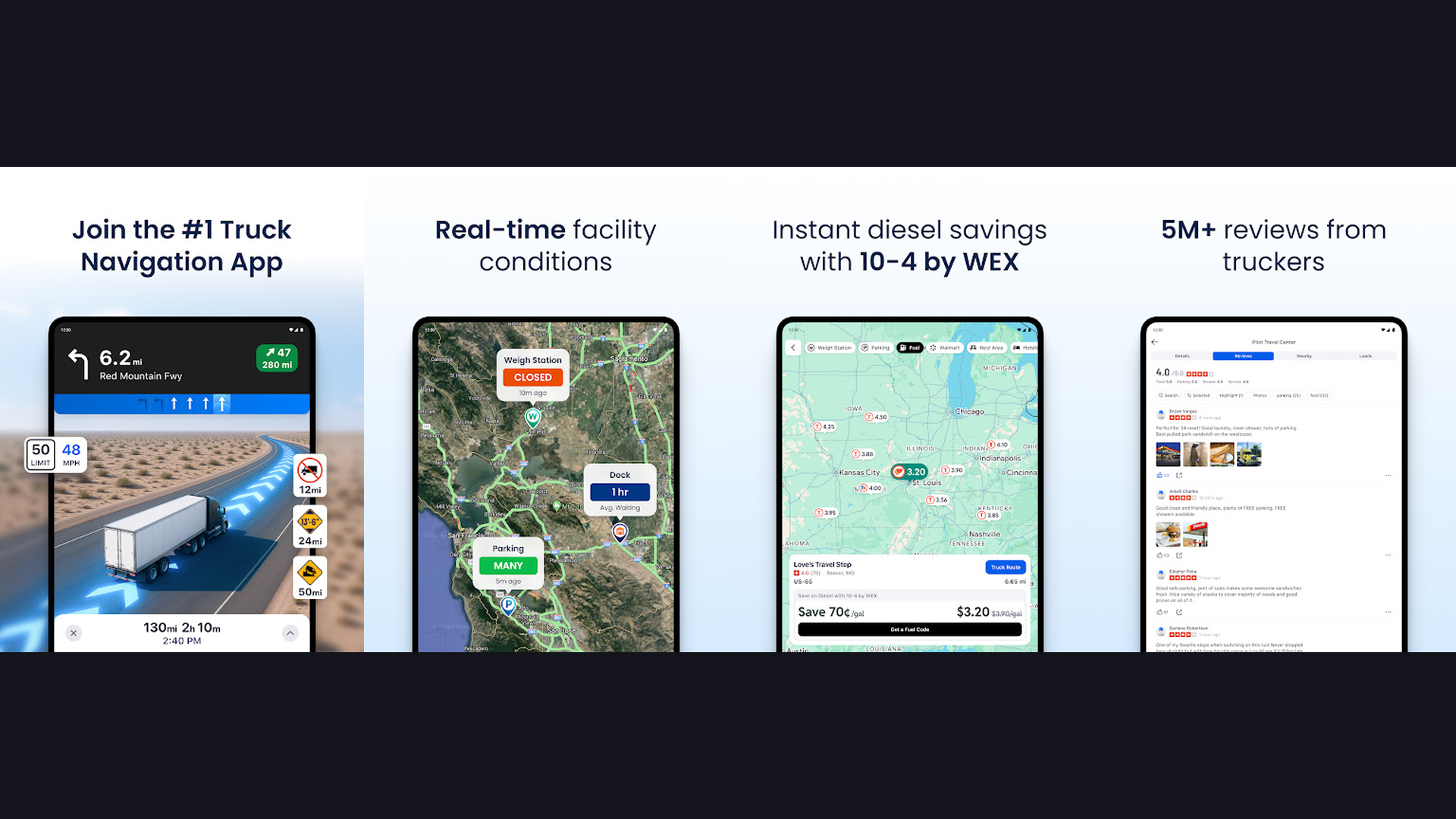
Trucker Path is the highest-rated large vehicle navigation app, originally built for truckers but invaluable for RVers, featuring truck-safe GPS routing, nationwide fuel price comparisons, weigh station status, and a massive community of over 1.5 million drivers. Trucker Path shares the same fundamental challenge as RV travel: navigating an oversized vehicle on roads not designed for it. The GPS routing accounts for vehicle height, weight, and length restrictions. The fuel price feature compares diesel and gas prices across truck stops and stations along your route, which is critical when RVs consume 8-15 MPG. The weigh station alerts show open/closed status in real-time. The community reports provide crowd-sourced information about parking spots, fuel prices, and road conditions. The truck stop directory includes amenities information: showers, dump stations, WiFi, laundry, and overnight parking. The route planning avoids low bridges, weight-restricted roads, and tight turns. Trucker Path is free with Pro from $9.99/month. For RVers who want truck-grade routing with the largest community of large-vehicle drivers, Trucker Path provides field-tested reliability. Check GPS apps for drivers.


2. AllStays Camp and RV (Rating 4.4)
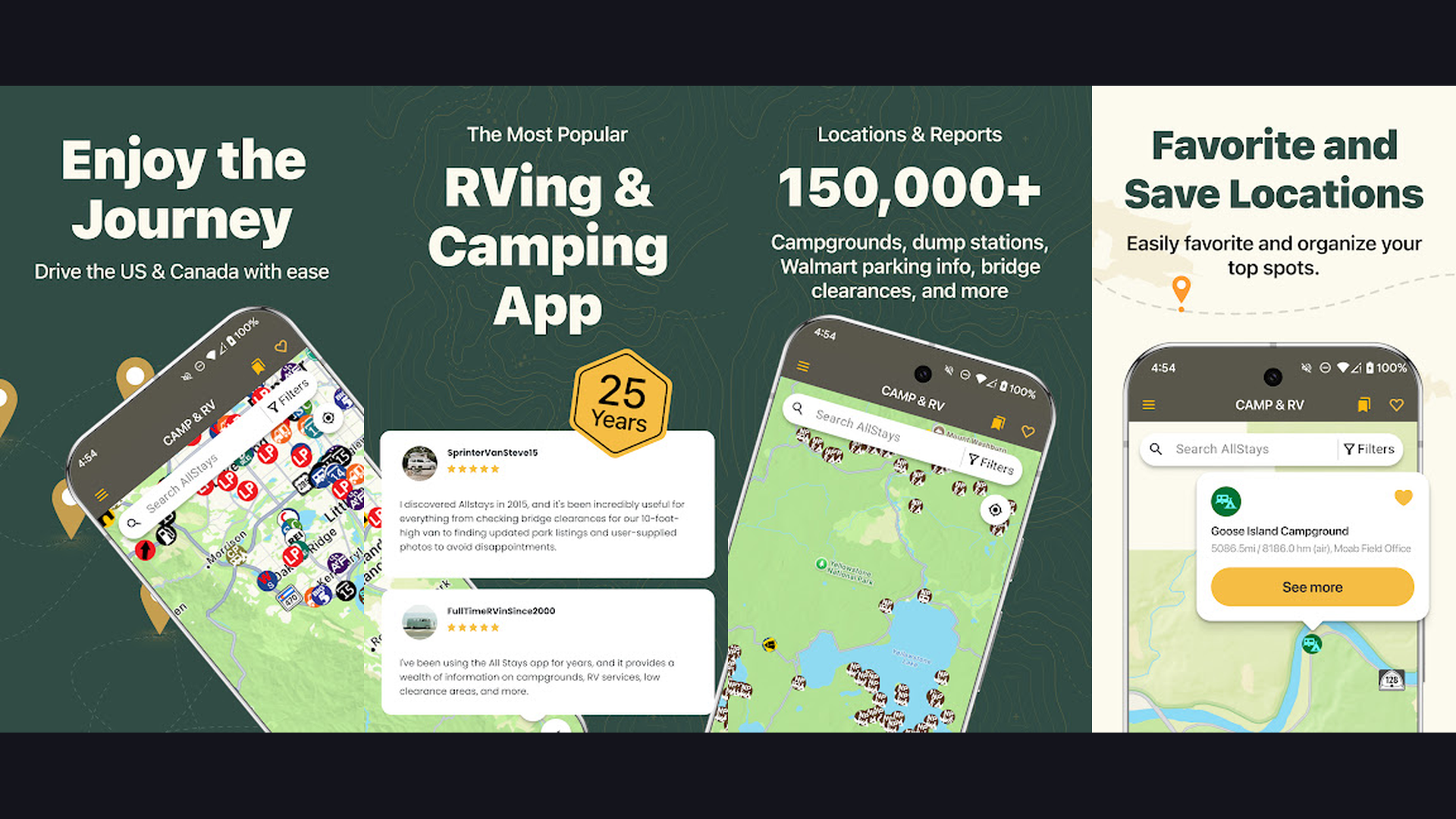
AllStays is the most comprehensive campground and RV resource database available, with over 35,000 listings for campgrounds, RV parks, Walmart parking, rest areas, dump stations, propane stations, low clearances, and road grade information across all 50 states and Canada. AllStays is the encyclopedia of RV travel. The filter system is remarkably detailed: search by 50-amp hookups, pull-through sites, big rig friendly, pet friendly, cell carrier coverage, elevation, and hundreds of other criteria. The low clearance filter shows bridges and tunnels from 7 to 15 feet high, which is absolutely essential for avoiding height-related accidents. The road grade filter helps you avoid steep mountain passes that can strain your RV engine and brakes. The Walmart overnight parking database shows which locations allow RV parking and which have banned it. Rest areas, truck stops, dump stations, and propane refill locations are all mapped. AllStays is a one-time purchase ($9.99 iOS) or subscription ($34.99/year Android). For RVers who need the most exhaustive database of every RV resource and potential stopping point, AllStays is indispensable. Explore RV entertainment apps.
3. iOverlander (Rating 4.3)
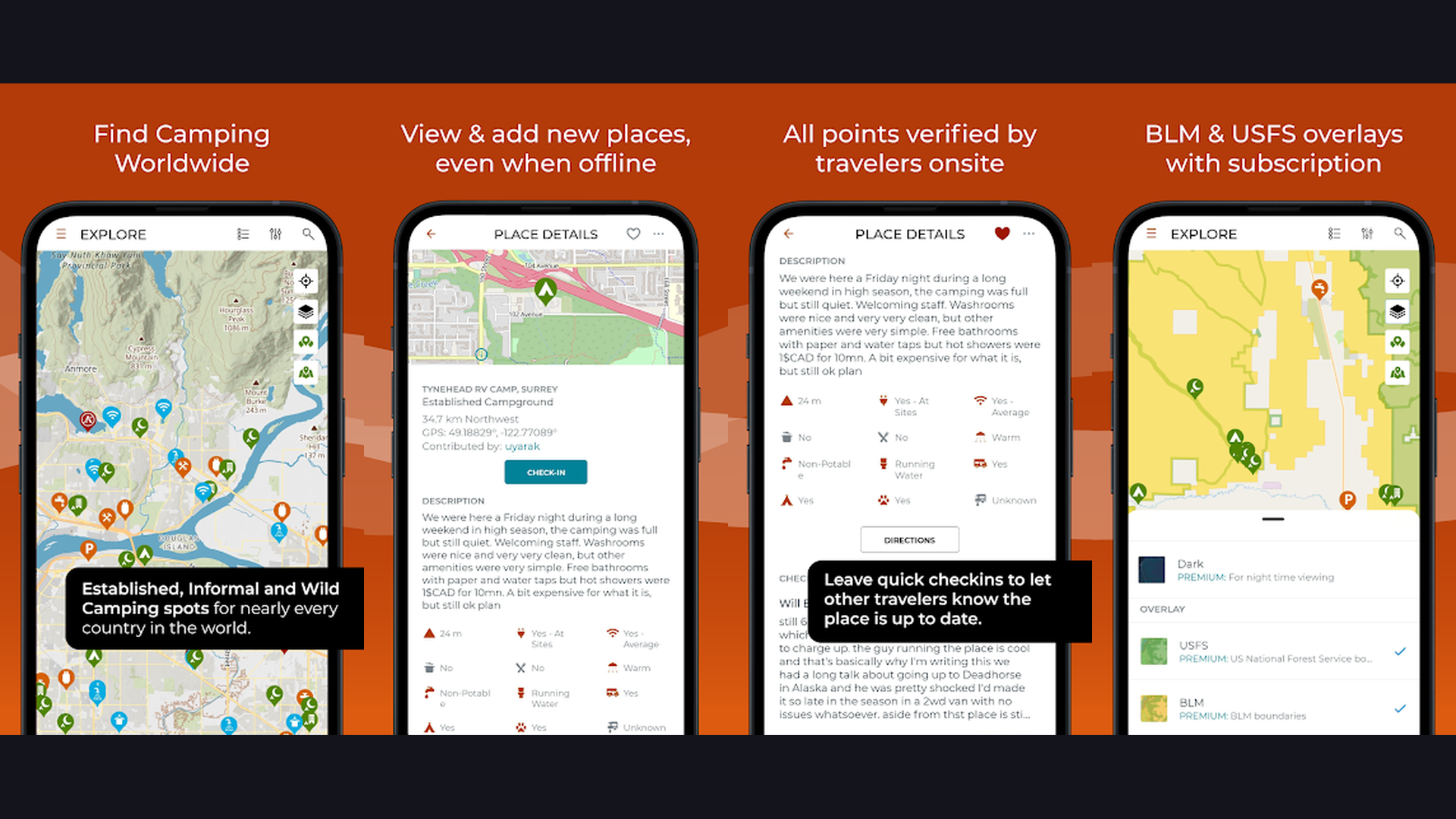
iOverlander is a global community-driven camping and resource database with extensive offline functionality, specializing in free camping, boondocking, and off-grid locations that commercial campground apps overlook. iOverlander was originally built for international overlanding travelers but has become essential for domestic RVers seeking free and unconventional camping spots. The community-driven database includes user-submitted locations with detailed reviews, photos, GPS coordinates, and current status reports. Categories cover free camping, paid camping, water refill, dump stations, propane, mechanics, and various services. The offline map download feature is critical: download map data for your entire trip area and access it without cell service, which is invaluable in remote areas where boondocking sites are typically located. The global coverage means you can use the same app for RV travel in the USA, Canada, Mexico, and beyond. User reviews are typically recent and detailed, including information about road conditions, site levelness, noise, and safety. iOverlander is completely free. For boondockers and off-grid RVers who need community-verified free camping spots with offline access, iOverlander is the essential companion.
4. RV LIFE (Rating 4.1)
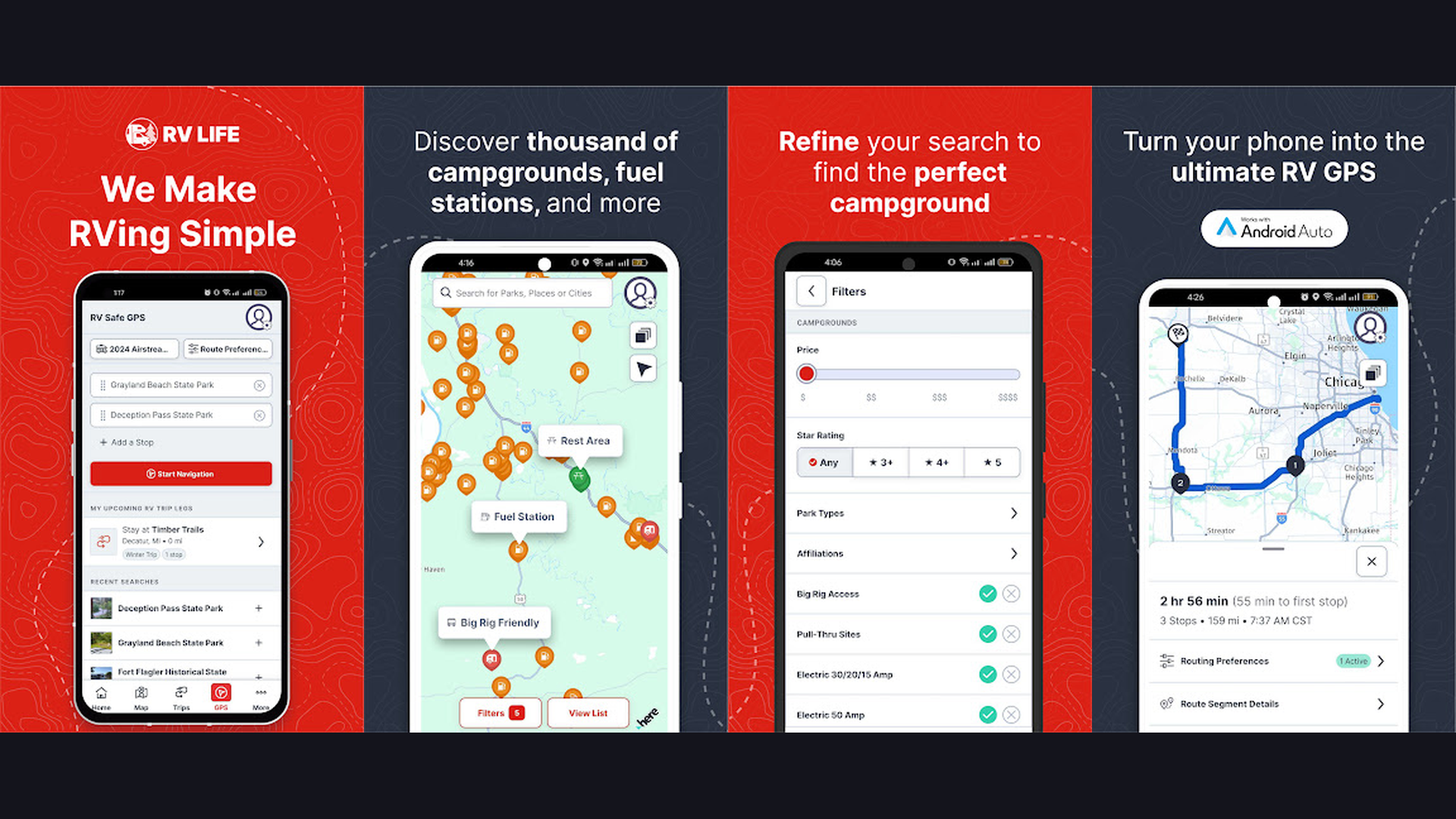
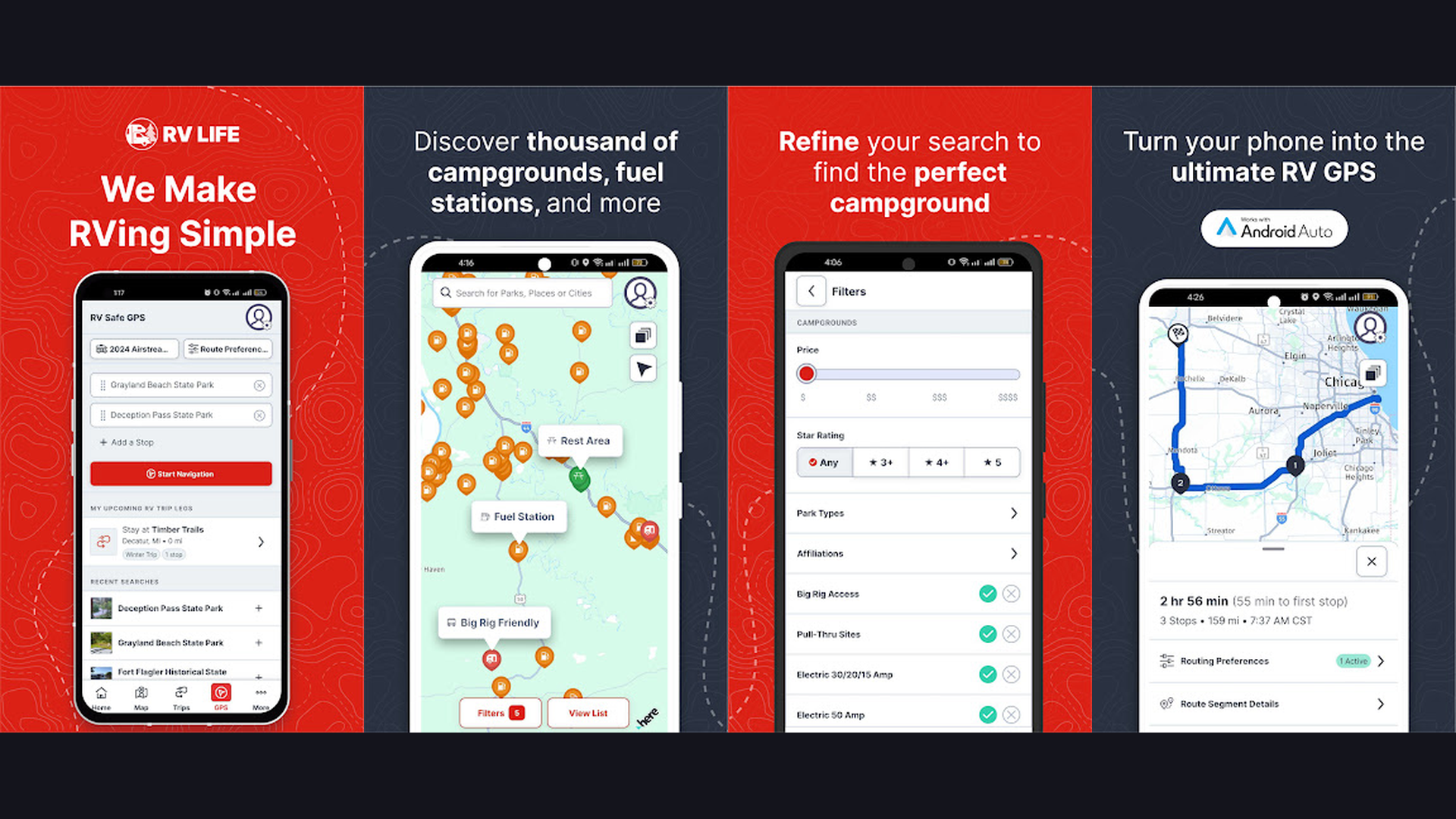
RV LIFE is the most comprehensive all-in-one RV navigation platform, combining RV-safe GPS turn-by-turn directions customized to your vehicle dimensions with an integrated trip planner and extensive campground database. RV LIFE is the gold standard for dedicated RV navigation. Enter your RV height, length, weight, and whether you carry propane, and the GPS calculates routes specifically avoiding low bridges, weight-restricted roads, narrow passages, and propane-restricted tunnels. The integration with RV Trip Wizard (web-based trip planner) lets you plan complex multi-stop itineraries on your computer and sync them to the mobile app for navigation. The campground database includes detailed reviews, amenity filters (hookups, WiFi, pool, pet-friendly), and pricing information. The offline map capability ensures navigation continues even in areas without cell service. The route comparison feature shows alternative routes with different trade-offs between time, distance, and road conditions. The fuel cost estimator calculates trip expenses based on your RV fuel economy. RV LIFE costs $64.99/year (includes Trip Wizard and RV Safe GPS). For full-time RVers and frequent travelers who need the most complete RV-specific navigation with integrated trip planning, RV LIFE is the top investment. Related: van life apps.
5. Waze (Rating 4.1)
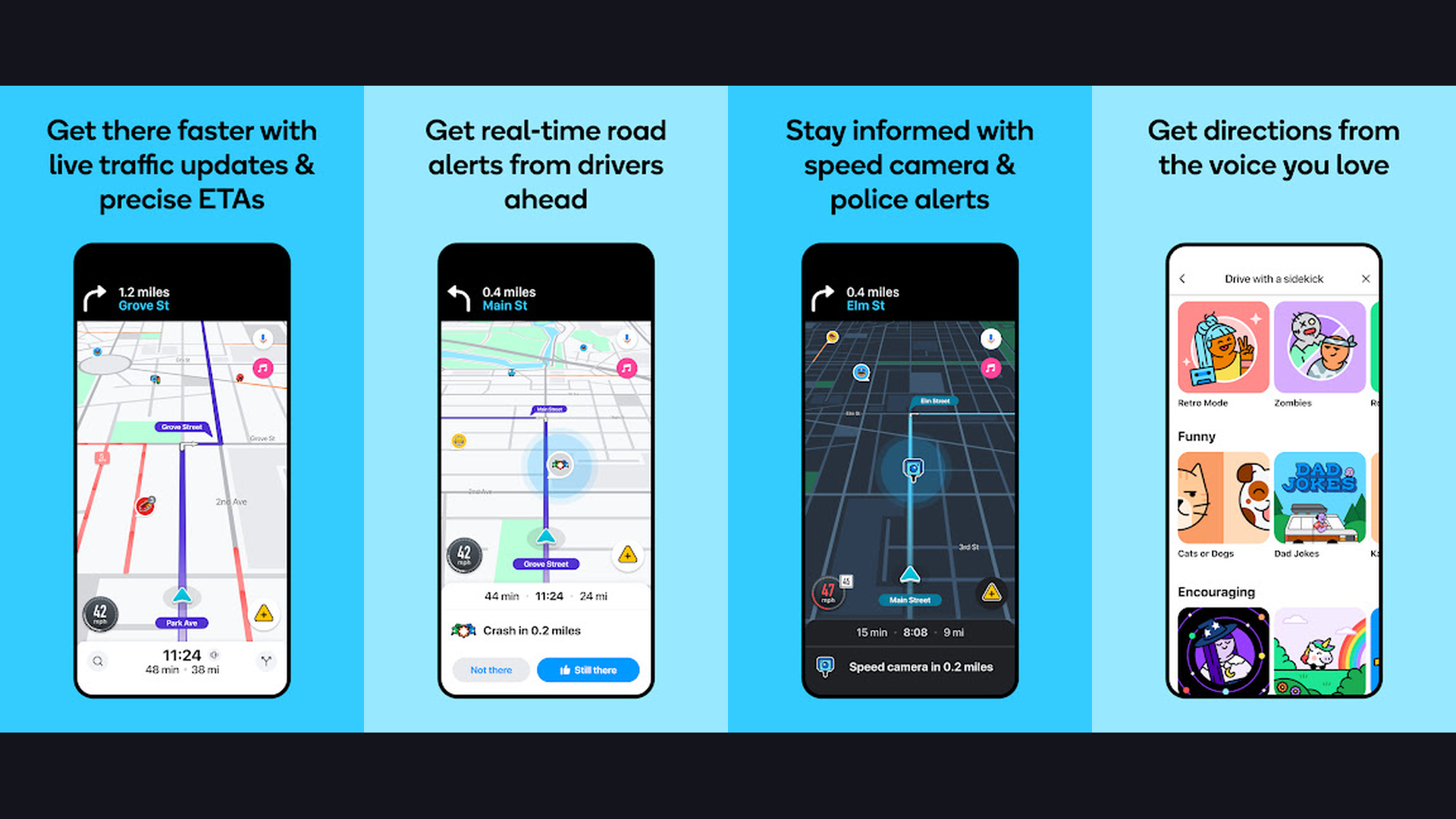
Waze is the best real-time traffic navigation app with the largest community of drivers reporting road conditions, speed traps, accidents, road closures, and hazards, making it invaluable for RV trip planning as a supplementary navigation tool. While Waze is not RV-specific and cannot account for vehicle dimensions, its unmatched real-time traffic intelligence makes it an essential companion alongside a dedicated RV GPS. The community reports provide second-by-second updates on road conditions: accidents reported with severity levels, police speed traps, road closures, construction zones, objects on the road, and weather hazards. The ETA accuracy is superior to most navigation apps because it uses actual speed data from millions of active drivers rather than speed limit estimates. The automatic rerouting around traffic jams saves significant time on long RV trips. The planned drives feature lets you set departure time alerts to minimize traffic. The gas price crowdsourcing shows fuel costs at nearby stations. Waze is completely free. For RVers who need the most accurate real-time traffic avoidance and road condition alerts, Waze is the perfect supplementary tool alongside a dedicated RV GPS. Browse more GPS apps.
6. CoPilot RV (Rating 4.0)
CoPilot RV is a dedicated RV navigation app with complete offline maps, RV-safe routing based on vehicle height and weight, voice-guided turn-by-turn directions, and real-time traffic, designed specifically for RV and motorhome travel. CoPilot RV distinguishing feature is its complete offline map system. Unlike apps that require cell service for map tiles, CoPilot downloads entire state or country maps to your device. This means full navigation capability in the most remote areas where cell coverage is nonexistent. Enter your RV height, weight, and length, and CoPilot calculates routes avoiding low bridges, weight-restricted roads, and unsuitable turns. The active traffic feature provides real-time updates when you have connectivity. Lane guidance shows which lane to be in at complex intersections. Speed limit warnings alert when you exceed posted limits. The drag-to-route feature lets you visually adjust your route on the map. Points of interest include gas stations, campgrounds, and rest areas. CoPilot RV is an annual subscription ($29.99/year). For RVers who travel in remote areas with limited cell service and need reliable offline RV-safe navigation, CoPilot RV provides the most dependable offline experience. Track trips with planner apps.
7. Harvest Hosts (Rating 4.0)
Harvest Hosts is a membership-based service connecting RVers with unique free overnight parking at wineries, breweries, farms, museums, golf courses, and attractions across the US, offering experiences no campground can match. Harvest Hosts transforms RV travel from campground-hopping into a curated adventure experience. Members gain access to over 5,600 host locations across the United States. Park your RV overnight at a working vineyard and enjoy a wine tasting. Stay at a craft brewery and sample local beers. Spend the night at a lavender farm, an alpaca ranch, or a historic battlefield. Each host listing includes photos, availability, amenities (typically parking on level ground, sometimes hookups), pet policies, and guest reviews. The etiquette expectation is to support the host business with a minimum purchase (typically $20-25). The app includes filtering by location, amenities, and host type. The route planning overlay helps you find hosts along your travel path. Road-Trip membership adds campground access and Roadtrippers Plus. Harvest Hosts costs $99/year for basic, $149/year for Road-Trip. For RVers who want unique overnight experiences beyond regular campgrounds, Harvest Hosts creates memorable stops. Great with RV entertainment.
8. Roadtrippers (Rating 3.8)
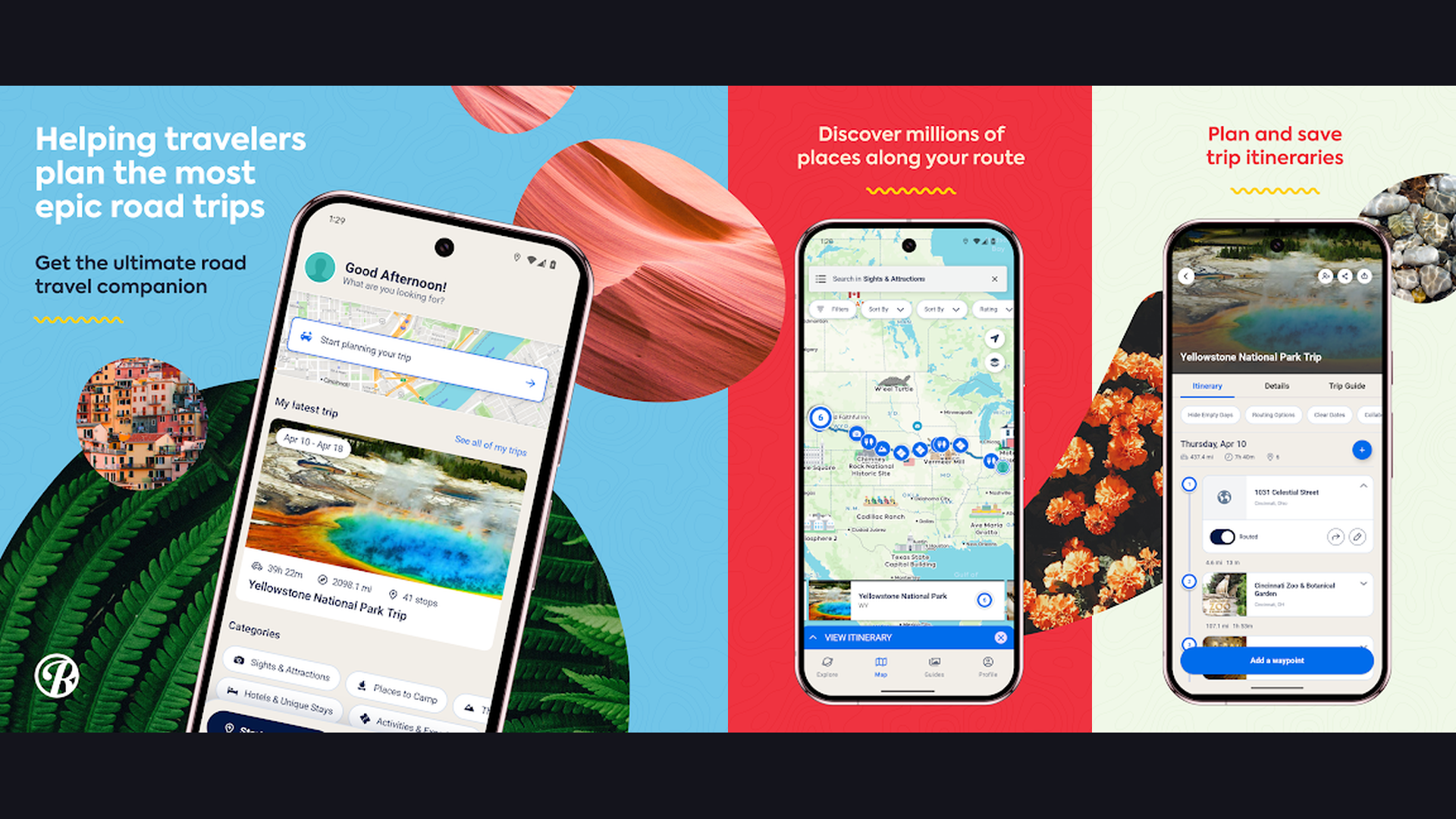
Roadtrippers is the best trip discovery and itinerary planning app for RVers, featuring a curated database of roadside attractions, national parks, campgrounds, restaurants, and scenic routes with RV-specific routing in the premium version. Roadtrippers transforms route planning from point-A-to-B efficiency into an exploration experience. Enter your starting point and destination, and Roadtrippers shows interesting stops along the way: quirky roadside attractions, scenic viewpoints, iconic diners, state parks, national monuments, and local experiences you might otherwise miss. The premium version adds RV-specific routing with vehicle dimension inputs for height, weight, and propane status. The collaboration feature lets multiple travelers plan together. The trip guide saves itineraries for future reference. The fuel cost calculator estimates expenses based on your vehicle efficiency and gas prices. The weather overlay shows conditions along your route for trip timing. The integration with Campendium and Togo RV provides campground options. Roadtrippers is free (limited) or Plus from $29.99/year. For RVers who want to discover amazing stops and plan memorable road trip itineraries, Roadtrippers turns every journey into an adventure. Plan with van life tools.
9. Togo RV (Rating 3.7)
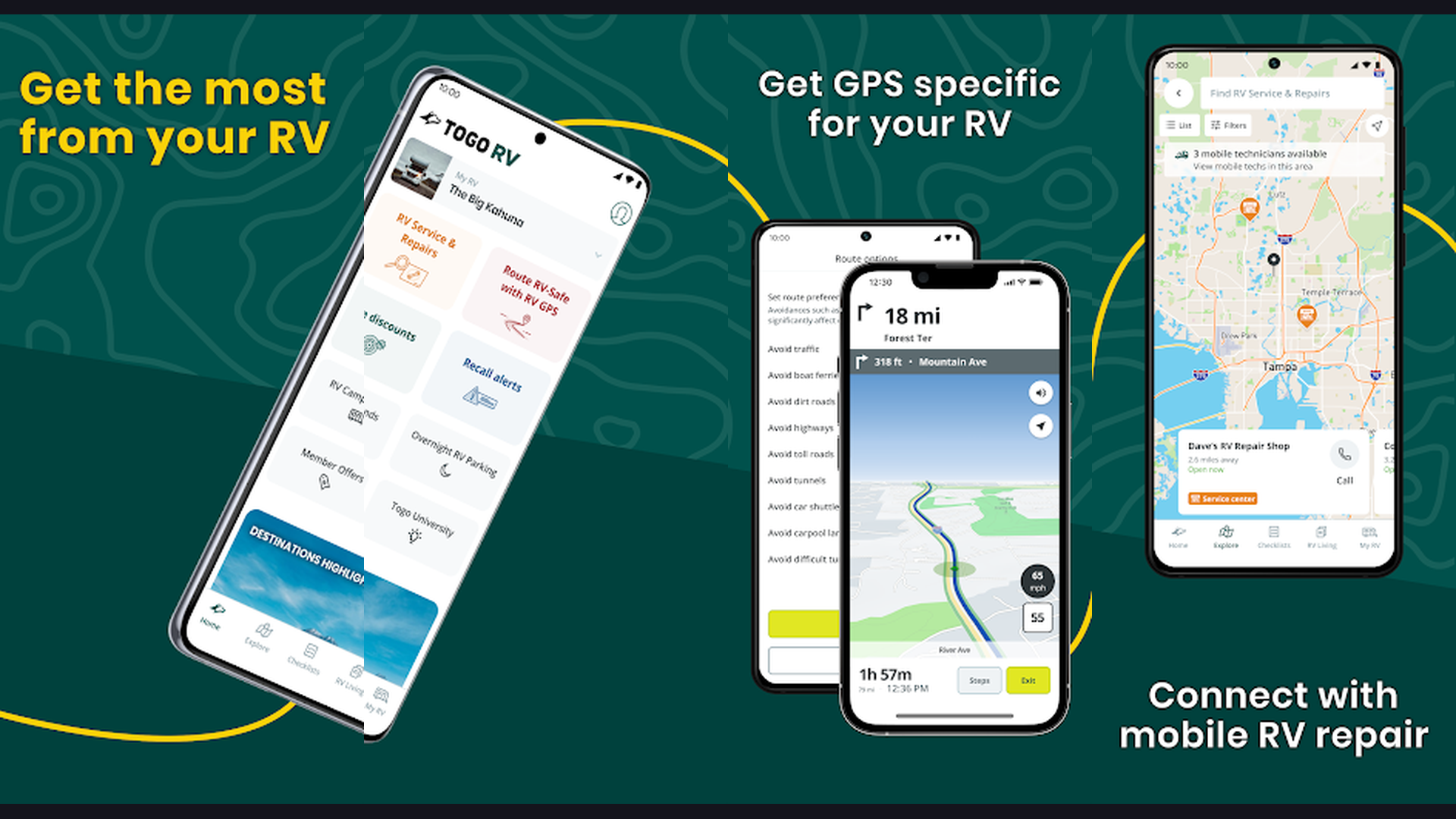
Togo RV is a comprehensive RV companion app offering RV-specific GPS navigation with Roadpass Pro, maintenance tracking, trip logging, and an integrated marketplace for RV services and accessories. Togo RV takes a broader approach to RV travel management beyond just navigation. The Roadpass Pro GPS feature provides turn-by-turn directions that account for weight limits, low overhead clearances, terrain grades, and propane restrictions. The maintenance tracker logs oil changes, tire rotations, generator servicing, and other RV-specific maintenance schedules with reminders. The trip journal records your travels with photos, notes, and route history. The RV marketplace connects you with parts, accessories, and services. The integration with Roadtrippers provides access to the curated discovery database. The campground search includes filters for hookups, pricing, amenities, and user reviews. The pre-departure checklist helps ensure you have not forgotten anything before moving camp. Togo RV with Roadpass Pro costs $39.99/year. For RVers who want navigation combined with RV maintenance tracking and trip management, Togo RV provides the most holistic RV companion experience. Also check note-taking apps.
10. Campendium (Rating 3.6)
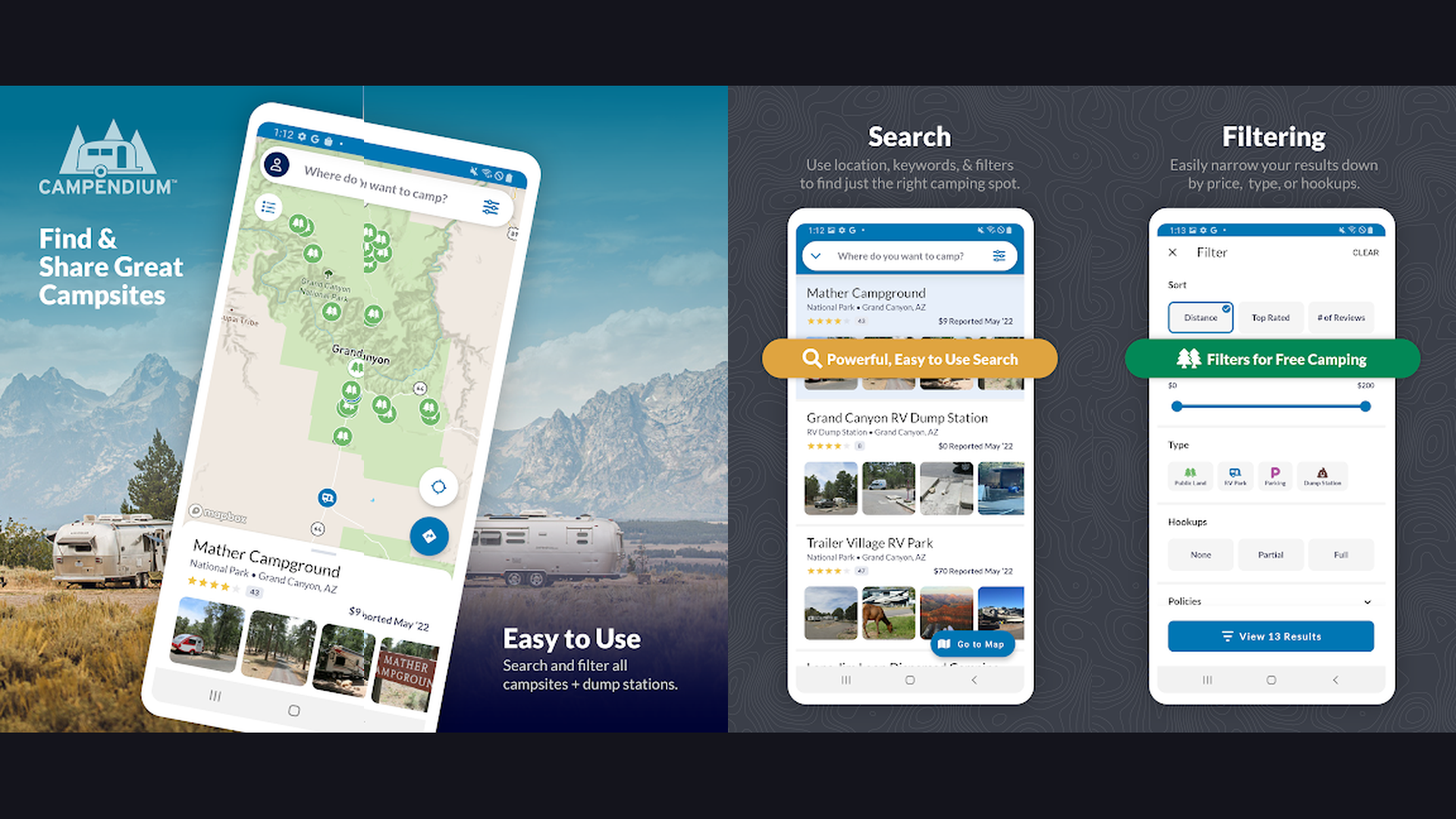
Campendium is a community-driven campground directory excelling at detailed user reviews, cell service coverage maps filterable by carrier, public land overlays, and free camping site discovery for budget-conscious RVers. Campendium stands out through the quality and depth of its community reviews. Users provide detailed information beyond basic amenity lists: specific site recommendations, road conditions to reach the campground, noise levels, actual versus advertised cell coverage, and seasonal considerations. The cell service map is unique and invaluable: see actual reported signal strength for AT&T, Verizon, T-Mobile, and other carriers at each campground, which is critical for RVers who work remotely. The public land overlay shows BLM, National Forest, and other federal lands where free dispersed camping is permitted. The price comparison helps find affordable camping across private and public campgrounds. The Pro membership provides enhanced filtering, trip planning tools, and an ad-free experience. The campground photos are user-submitted and typically show actual conditions rather than marketing images. Campendium is free with Pro from $29.99/year. For budget-conscious RVers who need detailed reviews, cell service maps, and free camping locations, Campendium is the most informative resource.
11. Google Maps (Rating 3.5)
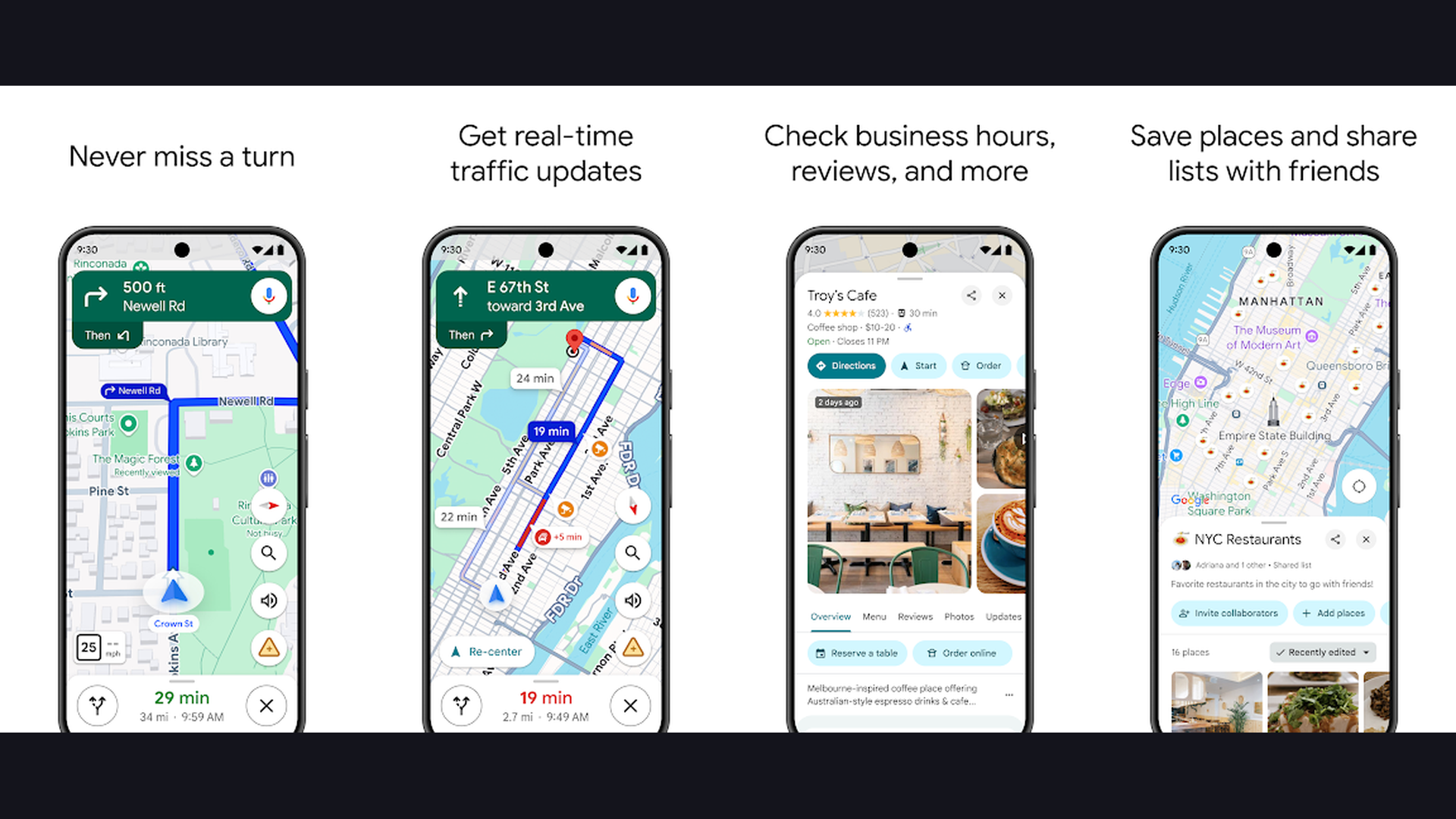
Google Maps is the most widely used navigation app in the world with the most comprehensive map data, Street View, satellite imagery, business information, and offline maps, serving as an essential supplementary tool for RV trip research. While Google Maps does NOT account for RV dimensions and should NEVER be your primary RV navigation, it remains indispensable for trip research and supplementary planning. Street View lets you virtually drive your planned route to spot potential clearance issues, tight turns, and road conditions before you arrive. The satellite view reveals campground layouts, site spacing, and surrounding terrain. The business search finds stores, restaurants, mechanics, and services near your location. The reviews and ratings for campgrounds and RV parks complement dedicated RV apps. The offline maps download feature works in areas without cell service. The indoor maps help navigate large shopping centers and airports. The timeline feature tracks your travel history. The Share ETA feature lets family know your arrival time. Google Maps is completely free. As a supplementary research tool alongside a dedicated RV GPS, Google Maps provides intelligence that specialized RV apps cannot match. Pair with dedicated GPS apps.
12. GasBuddy (Rating 3.5)
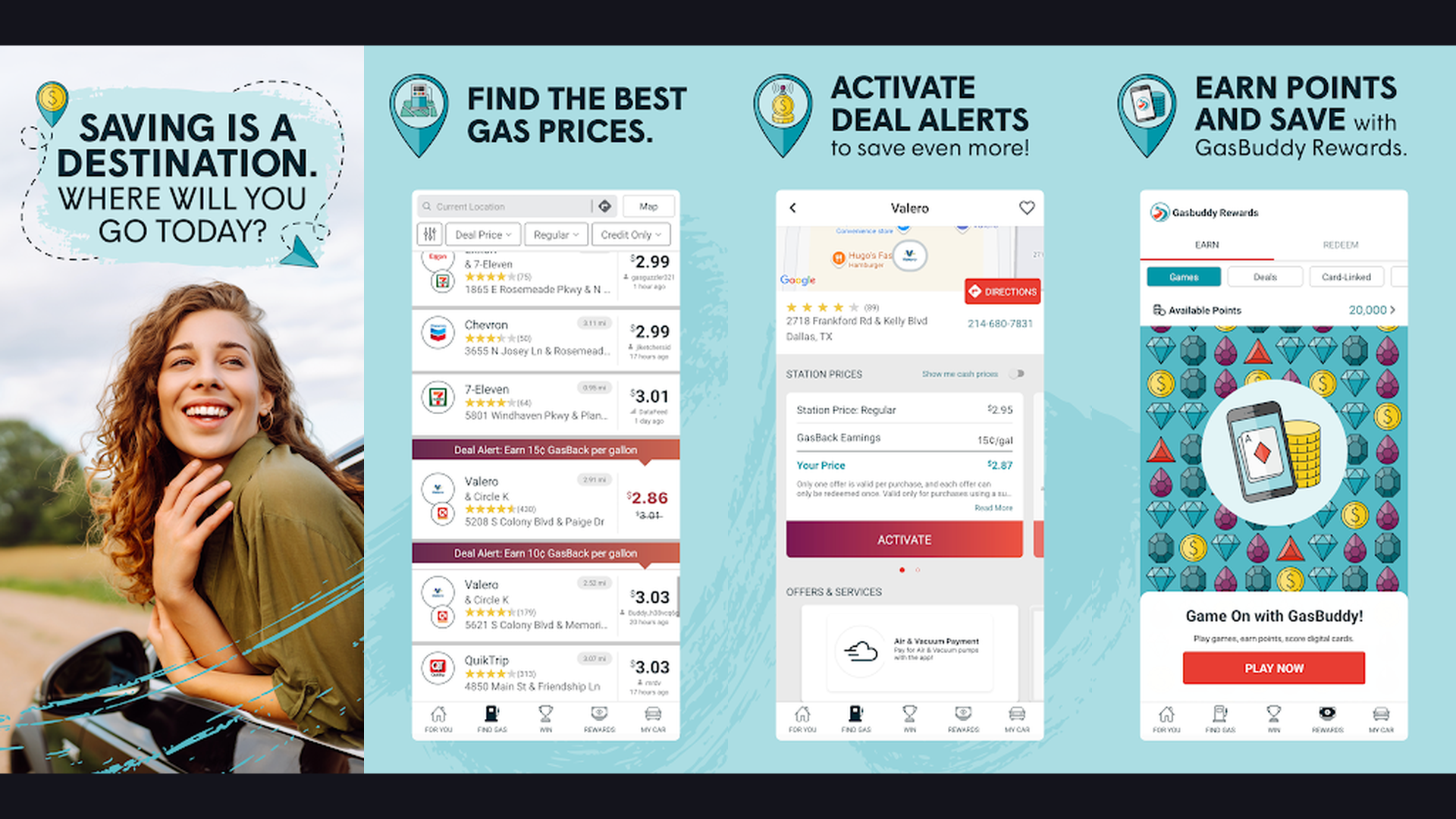
GasBuddy is the leading fuel price comparison app with community-reported prices at over 150,000 gas stations, fuel savings programs, and trip cost calculators that save RVers hundreds of dollars on every trip. Fuel is typically the second-largest expense of RV travel (after campground fees), and GasBuddy helps minimize it significantly. The community reports real-time fuel prices at gas stations and truck stops nationwide. The price map shows the cheapest fuel along your route rather than just nearby. The fuel savings can be substantial: fuel prices can vary by 50 cents or more per gallon within just a few miles, and when you are filling a 100-gallon RV fuel tank, that is $50 saved per fill-up. The Pay with GasBuddy card provides additional per-gallon savings automatically. The trip cost calculator estimates total fuel expenses based on distance, fuel economy, and current prices along your route. The station filters show which locations have diesel (critical for diesel RVs), truck lanes for easy RV access, and restroom ratings. The price alerts notify you of price drops in your area. GasBuddy is free with Premium from $7.99/month. For RVers who want to minimize fuel costs with real-time price comparison along routes, GasBuddy pays for itself immediately. Manage RV expenses with planner apps.
Which RV App Is Right for You?
Best for RV-Safe Turn-by-Turn Navigation
- RV LIFE - Most complete RV GPS with integrated trip planning
- CoPilot RV - Best offline RV navigation for remote travel
- Trucker Path - Truck-grade routing with massive driver community
Best for Finding Campgrounds
- AllStays - Most exhaustive database of campgrounds and RV resources
- Campendium - Best community reviews with cell service maps
- RV LIFE - Campgrounds integrated with RV-safe navigation
Best for Free and Boondocking Camping
- iOverlander - Best global database of free camping with offline maps
- Campendium - Public land overlays and free site reviews
Best for Unique Overnight Experiences
- Harvest Hosts - Wineries, breweries, farms, and unique host locations
Best for Trip Planning and Discovery
- Roadtrippers - Best attraction discovery and itinerary planning
- Togo RV - Navigation plus maintenance tracking and trip journaling
Best Free Supplementary Tools
- Google Maps - Street View route preview and business search
- Waze - Real-time traffic and road condition alerts
- GasBuddy - Fuel price comparison to save on every fill-up
RV Navigation Safety Tips
- Always Enter Your Exact RV Dimensions - Measure your RV height (including rooftop air conditioner, satellite dish, and any roof-mounted accessories), total length (including tow vehicle if applicable), and weight (loaded with water, gear, and passengers). Enter these exact numbers into RV LIFE, CoPilot RV, or Trucker Path. Round UP, not down, when entering dimensions. A half-inch can be the difference between clearing a bridge and destroying your roof. Update these measurements if you add any rooftop equipment. This is the single most important safety step in RV navigation.
- Never Rely on a Single Navigation Source - Use a dedicated RV GPS (RV LIFE or CoPilot RV) for your primary turn-by-turn navigation, Waze for real-time traffic intelligence, Google Maps Street View to virtually preview unfamiliar areas, and GasBuddy for fuel planning. No single app has perfect data. Bridge heights change after repaving. Roads get restricted. Construction creates detours. Multiple sources provide safety through redundancy. If two apps disagree on a route, investigate before proceeding.
- Download Offline Maps Before Every Trip - Cell service disappears in the exact places you need navigation most: mountain passes, national parks, rural areas, and remote campgrounds. Download offline maps for your entire route in CoPilot RV, Google Maps, RV LIFE, and iOverlander before leaving home while you have reliable WiFi. The few minutes of download time can save you from being lost without navigation in an unfamiliar area with no cell signal.
- Plan Fuel Stops with GasBuddy Before Departure - RV fuel tanks are enormous (50-150 gallons), and fuel prices vary dramatically along routes. Before departing, check GasBuddy for fuel prices along your planned route and identify the cheapest stops. Plan fuel stops before you reach a quarter tank, especially in rural areas where stations are 50+ miles apart. Know which stations have diesel if your RV requires it. Check which stations have wide truck lanes that accommodate RV turning radius and fuel island access.
- Use Street View to Preview Campgrounds and Tricky Roads - Before arriving at an unfamiliar campground or navigating a potentially challenging road, use Google Maps Street View to virtually drive it. Check campground entrance roads for tight turns, overhanging branches, and narrow gates. Preview mountain roads for guardrails, pullouts, and road width. Examine bridge approaches for height clearance signs. This 5-minute preview can prevent a dangerous or damaging situation. Particularly important for first-time visits to campgrounds with reports of difficult access roads. Follow driving tips from GPS navigation guides.
- Check Bridge Heights Are Current - Bridge heights in navigation apps may be outdated. Roads get repaved, adding inches of height that reduce the clearance. Construction may temporarily lower clearances with temporary structures. Always verify bridge heights from road signage, not just app data. If a bridge sign shows a lower clearance than your app indicates, trust the sign. Some RVers attach a height marker (labeled pole at vehicle height) to confirm clearance visually before committing to passing under a bridge.
- Factor in Campground Arrival Times - Unlike hotels, campgrounds often close their offices at specific times (usually 5-6 PM for check-in). Late arrivals may find locked gates and no way to access your reserved site. Plan your route departure time to ensure arrival during office hours. Use Roadtrippers or RV LIFE to estimate realistic travel times including fuel stops, rest breaks, and slower RV driving speeds (typically 55-60 MPH maximum). Add 20-30% buffer time to any estimated arrival. Document your plans with planner apps.
- Join the Community and Contribute Reviews - The RV navigation ecosystem improves when users contribute. Report new low clearances, closed roads, and changed conditions in Trucker Path. Submit campground reviews on Campendium with specific details about sites, cell service, and road conditions. Add free camping locations to iOverlander with accurate GPS coordinates. Update fuel prices on GasBuddy. The RV community relies on shared knowledge, and the information you contribute today helps fellow RVers tomorrow. Share your journey on content platforms.
Frequently Asked Questions
Can I use Google Maps or Waze as my primary RV GPS?
No, you should never use Google Maps or Waze as your primary RV navigation. These apps do not account for vehicle height, weight, or length, and they will route you under low bridges, over weight-restricted roads, and through roads too narrow for an RV. This has caused thousands of bridge strikes and property damage. Use Google Maps and Waze as supplementary tools for traffic information, business search, and Street View route preview, but always follow a dedicated RV GPS (RV LIFE, CoPilot RV, or Trucker Path) for actual turn-by-turn navigation.
What is the best RV GPS app overall?
RV LIFE is the best overall RV GPS app for most users. It combines RV-safe turn-by-turn navigation (customized for your vehicle dimensions) with integrated trip planning through RV Trip Wizard and an extensive campground database. The $64.99/year subscription covers both the GPS app and the web-based trip planner. For budget-conscious RVers, CoPilot RV at $29.99/year provides excellent RV-safe routing with the advantage of complete offline maps.
Do I need cell service for RV navigation apps?
Most RV GPS apps offer offline functionality, but the extent varies. CoPilot RV stores complete offline maps and navigates fully without cell service. RV LIFE offers offline map downloads for areas you preselect. iOverlander provides offline map and location data. Google Maps supports offline map downloads for specific regions. However, real-time features like traffic updates, community reports, and fuel prices require active connectivity. Always download offline maps for your entire route before departing.
How much do RV navigation apps cost?
Costs range from free to $99/year. Free apps include iOverlander, Google Maps, Waze, and basic versions of GasBuddy and Campendium. CoPilot RV costs $29.99/year. Campendium Pro and Roadtrippers Plus cost $29.99/year each. AllStays is a one-time $9.99 purchase on iOS. Togo RV Roadpass Pro costs $39.99/year. RV LIFE (the most comprehensive) costs $64.99/year. Harvest Hosts membership starts at $99/year. Most RVers use a combination of paid and free apps rather than relying on a single app for everything.
What is the best app for finding free camping spots?
iOverlander is the best app for finding free camping and boondocking locations worldwide. Its community-driven database includes thousands of free camping spots with GPS coordinates, user reviews, photos, and status reports. Campendium is the second-best option, with public land overlays showing BLM, National Forest, and other federal lands where free dispersed camping is permitted, plus detailed community reviews. AllStays also includes free camping options including Walmart overnight parking locations. For unique overnight experiences, Harvest Hosts offers free parking at wineries, farms, and breweries (with membership and a suggested minimum purchase).
What features should I look for in an RV GPS app?
Essential features include: vehicle dimension input (height, weight, length), low bridge and clearance avoidance, weight-restricted road avoidance, propane tunnel restrictions, offline map capability, voice-guided turn-by-turn directions, and route alternatives. Valuable additional features include: campground database integration, fuel stops along route, trip cost estimation, real-time traffic, and the ability to plan routes on a computer and sync to mobile. The ability to show steep grades and sharp curves is particularly important for mountain driving.
Final Thoughts
Safe and enjoyable RV travel in 2026 depends on having the right navigation tools. Trucker Path leads with the highest-rated large vehicle navigation. AllStays provides the most exhaustive RV resource database. iOverlander excels for free camping with offline maps. RV LIFE delivers the most complete RV-specific navigation and trip planning platform. Waze offers unmatched real-time traffic intelligence. CoPilot RV provides the best offline RV GPS experience. Harvest Hosts creates unique overnight experiences at wineries and farms. Roadtrippers discovers amazing stops along your route. Togo RV combines navigation with maintenance tracking. Campendium provides the best community reviews and cell service maps. Google Maps supplements with Street View and business search. GasBuddy saves hundreds on fuel costs. Most experienced RVers use 3-5 apps in combination for the safest, most enjoyable travel. For more RV and travel guides, explore our content on RV entertainment, van life tools, battery optimization, and AI assistant apps.