
Digital art has exploded on mobile devices in 2026, with drawing apps now rivaling desktop software in brush quality, layer support, and export capabilities. Whether you are a professional illustrator working on an iPad Pro, a manga artist sketching on an Android tablet, or a hobbyist exploring digital painting for the first time, there is an app perfectly suited to your creative needs and budget.
This guide reviews 12 of the best drawing apps for digital artists on mobile in 2026, covering professional illustration tools, free alternatives, comic creation suites, and beginner-friendly options. We evaluate each app on brush quality, layer support, platform availability, pricing, and unique features. For more creative and productivity tools, explore our guides on free photo editing apps, AI photo editing apps, iPad note-taking apps, coloring apps for iPad, and video recording apps.
Table of Contents
- Procreate (Rating 4.8)
- Sketchbook (Rating 4.8)
- Adobe Fresco (Rating 4.7)
- Concepts (Rating 4.7)
- ibis Paint X (Rating 4.7)
- Paper by WeTransfer (Rating 4.6)
- Tayasui Sketches (Rating 4.6)
- Infinite Painter (Rating 4.5)
- Clip Studio Paint (Rating 4.4)
- MediBang Paint (Rating 4.6)
- Krita (Rating 4.3)
- ArtFlow (Rating 4.2)
- Which App to Choose
- Tips for Digital Artists on Mobile
- Frequently Asked Questions
1. Procreate (Rating 4.8)
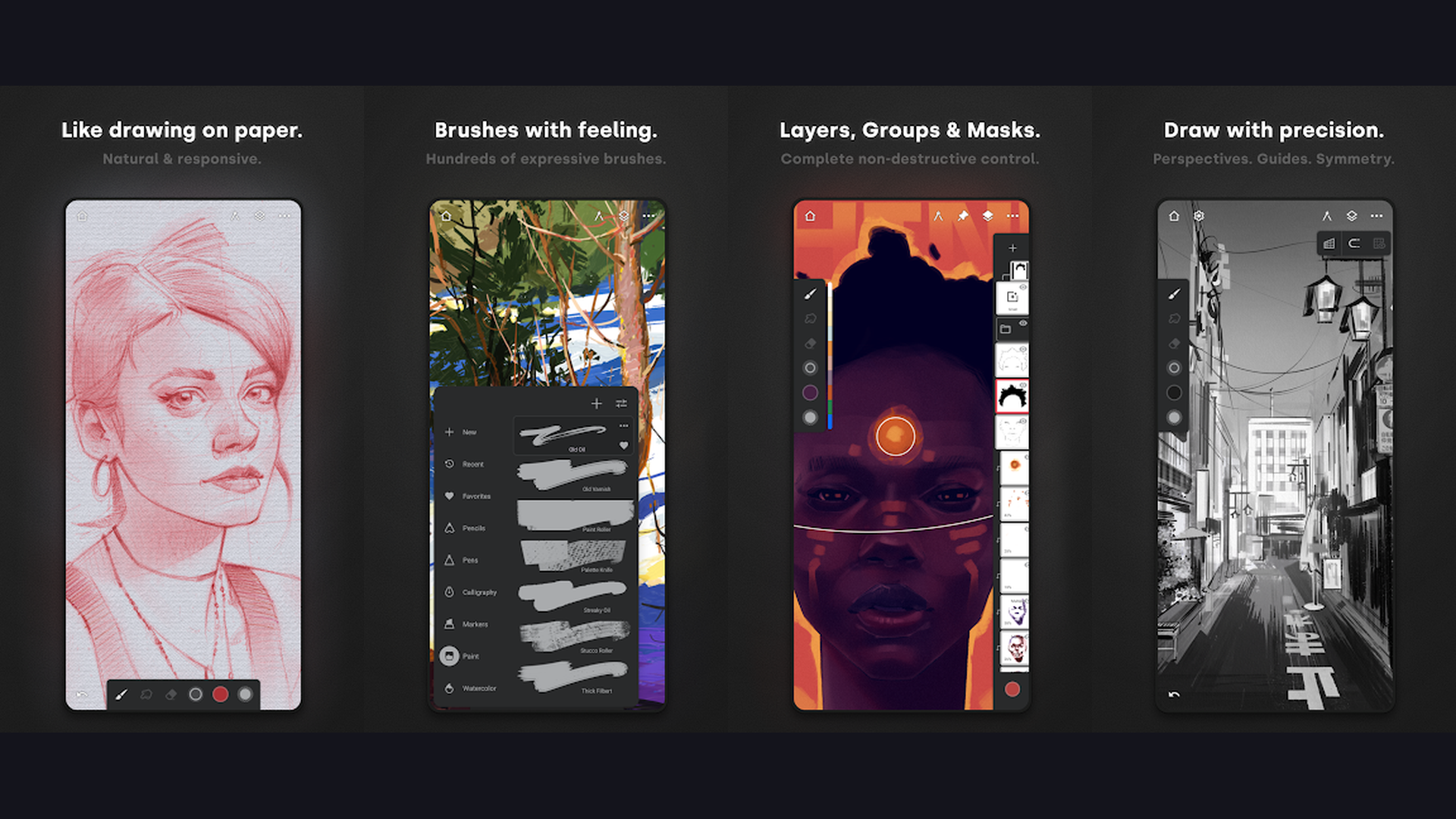
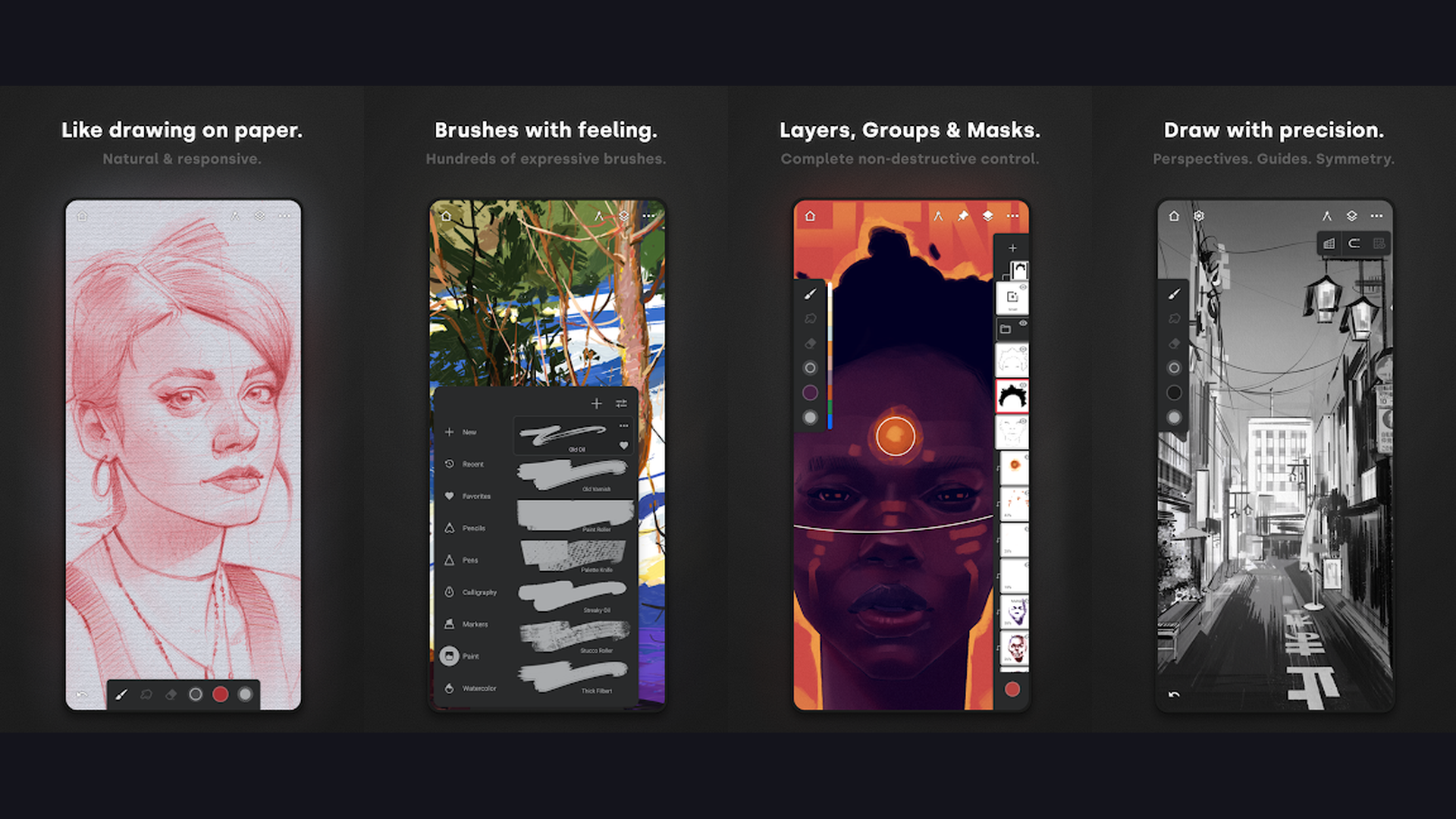
Procreate is the most powerful and beloved drawing app for iPad, featuring a professional-grade brush engine with 200+ customizable brushes, advanced layer support, stunning color tools, Apple Pencil optimization, 3D model painting, animation assist, and an intuitive interface that professional illustrators, concept artists, and hobbyists worldwide rely on daily. Procreate dominates the iPad art scene because it combines desktop-class power with a mobile-first design philosophy. The brush engine is extraordinary: each brush has over 150 customizable parameters including grain, shape, taper, pressure response, and tilt behavior. The layer system supports clipping masks, alpha lock, blend modes, reference layers, and layer groups. The color system includes disc, classic, harmony, and palette modes with automatic palette generation from photos. The QuickShape engine auto-corrects lines, circles, rectangles, and polygons. Animation Assist transforms Procreate into a frame-by-frame animation studio with onion skinning. The 3D painting feature lets you import OBJ and USDZ models and paint textures directly on them. Time-lapse replay records your entire creative process. Procreate costs $12.99 one-time purchase on iPad (Procreate Pocket $5.99 on iPhone). As the gold standard for mobile digital art, Procreate is essential for any iPad-owning artist. Explore creative tools on iPad apps.

2. Sketchbook (Rating 4.8)
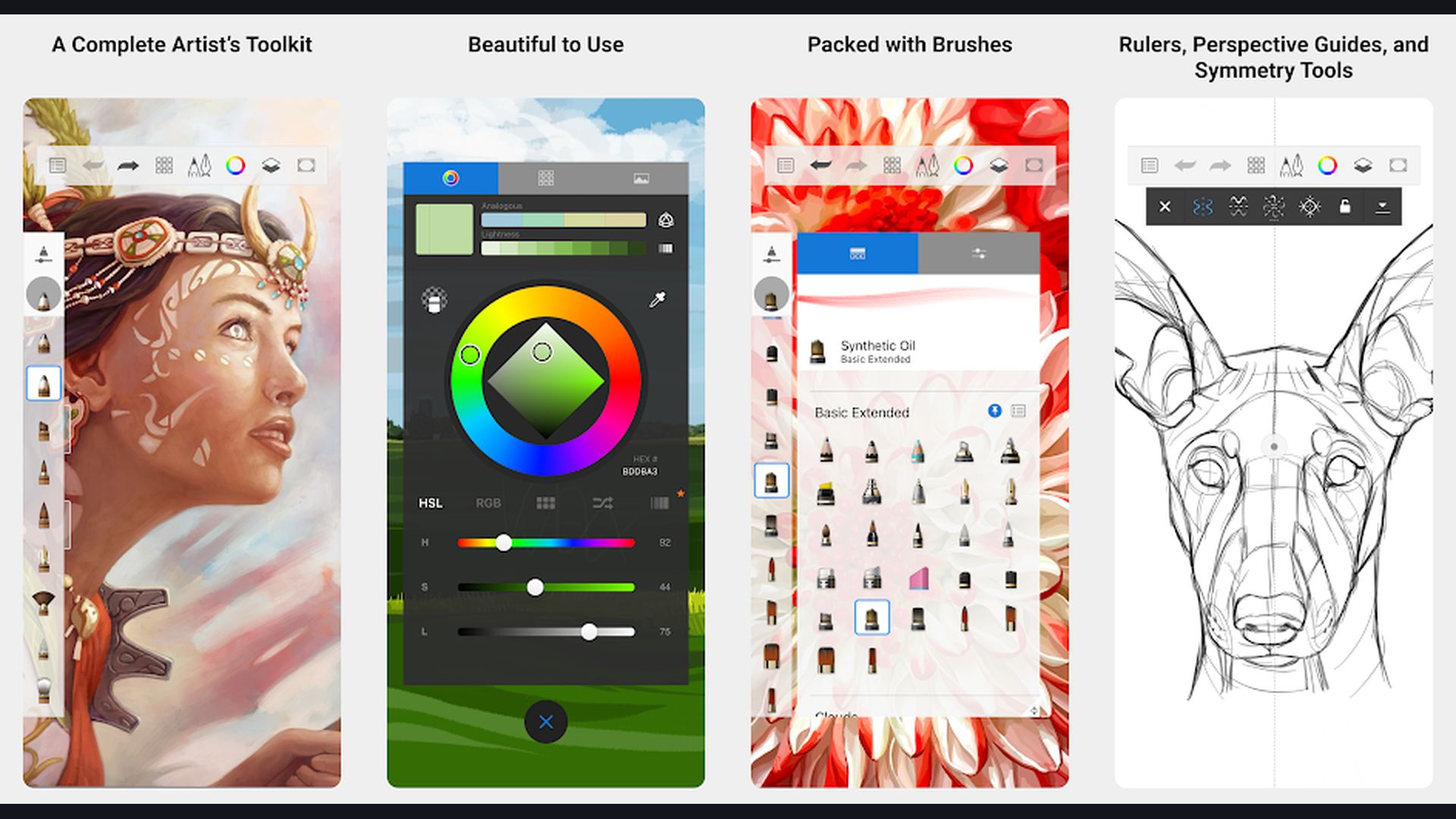
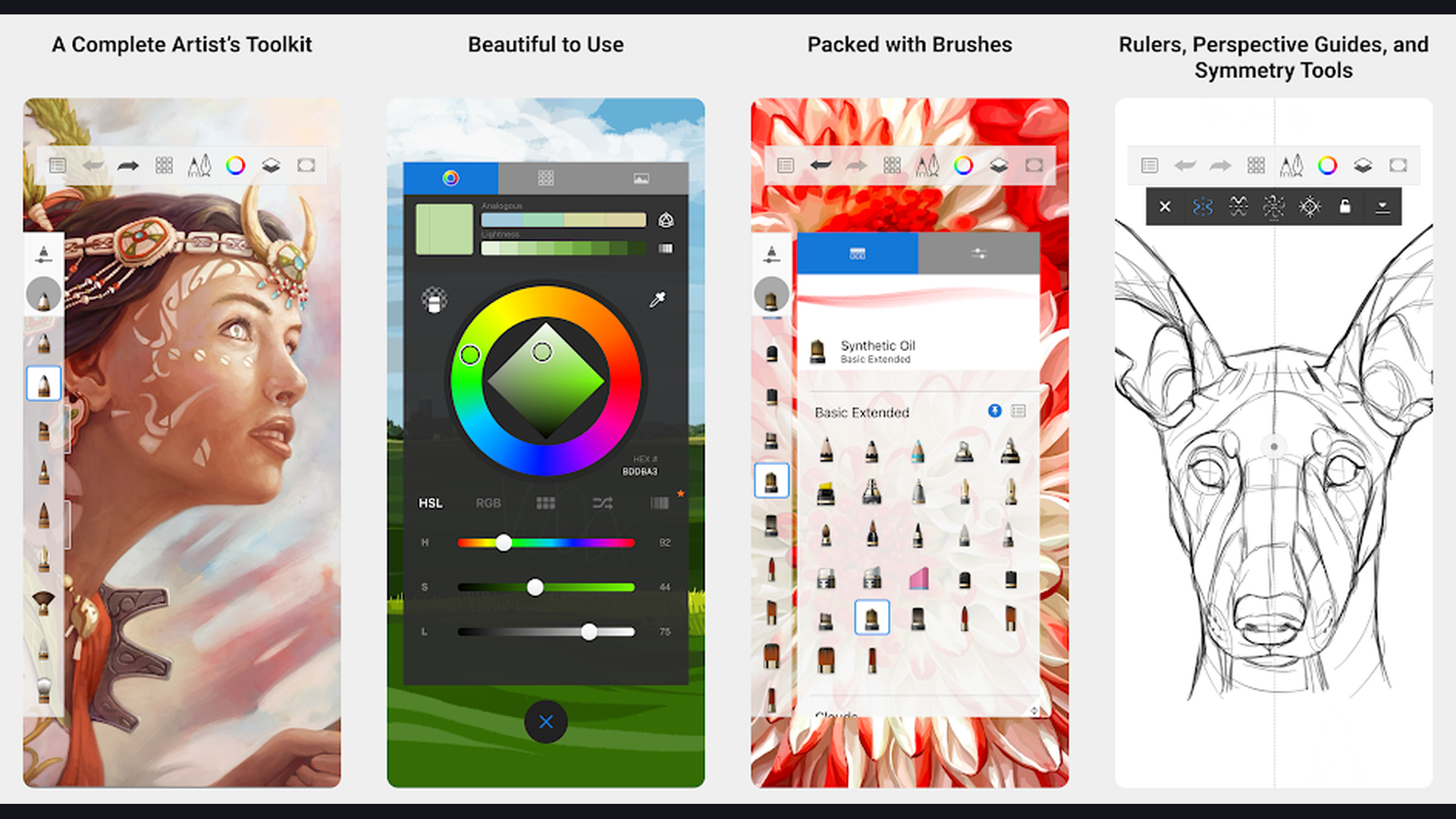
Sketchbook (formerly Autodesk Sketchbook) is the best completely free professional drawing app available on both Android and iOS, featuring a clean distraction-free interface, 190+ customizable brushes, predictive stroke smoothing, ruler and ellipse tools, unlimited layers with blend modes, and a natural drawing experience that feels like traditional media. What makes Sketchbook extraordinary is that all professional features are completely free. There are no subscriptions, no paywalled brushes, no premium tiers. You get the full professional tool set on day one. The brush engine delivers smooth, responsive strokes with pressure sensitivity support for styluses on both platforms. The predictive stroke technology smooths your lines in real-time without losing spontaneity. The perspective and symmetry tools help with architectural sketching and character design. The distortion tools (liquify, smear, pinch) enable advanced manipulation. The color picker supports HSB, RGB, and COPIC-style color palettes. Export options include PSD (preserving layers), PNG, JPG, BMP, and TIFF. Sketchbook is 100% free on all platforms. For artists wanting professional tools without spending anything, Sketchbook is unbeatable. Discover free apps on free entertainment apps.

3. Adobe Fresco (Rating 4.7)
Adobe Fresco is the most realistic digital painting app available, combining live oil and watercolor brushes that simulate real paint physics with vector brushes and pixel brushes in one app, plus seamless Adobe Creative Cloud integration, AI-powered selection tools, and professional-grade color management. Adobe Fresco stands apart from every other drawing app with its Live Brushes technology. The watercolor brushes produce genuine wet-on-wet blending, pigment diffusion, and paper absorption effects that no other app replicates. The oil brushes create thick impasto strokes with realistic paint mixing and palette knife spreading. These combine with thousands of Photoshop pixel brushes and Illustrator vector brushes in one canvas. The motion tools add animation capability. The cloud document system syncs work across iPad, iPhone, and Windows. The integration with Photoshop and Illustrator means files move seamlessly between apps. Color themes from Adobe Color integrate directly. The AI-powered Content-Aware Fill and auto-selection tools accelerate workflow. Adobe Fresco is free (basic) or $9.99/month (premium with full brush library). For artists wanting the most realistic traditional media simulation on a tablet, Adobe Fresco is unmatched. Enhance photos with AI photo editing apps.
4. Concepts (Rating 4.7)
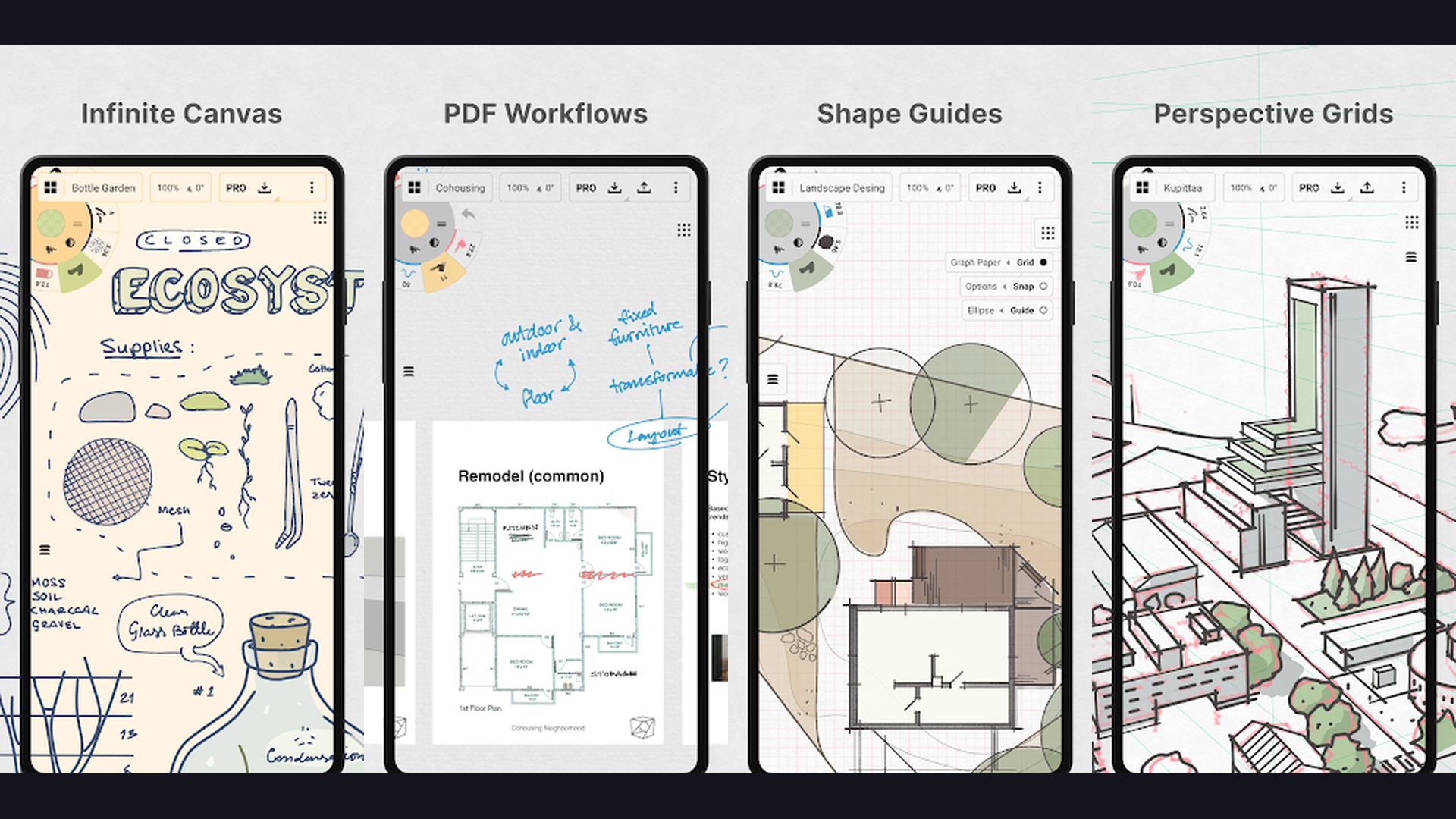
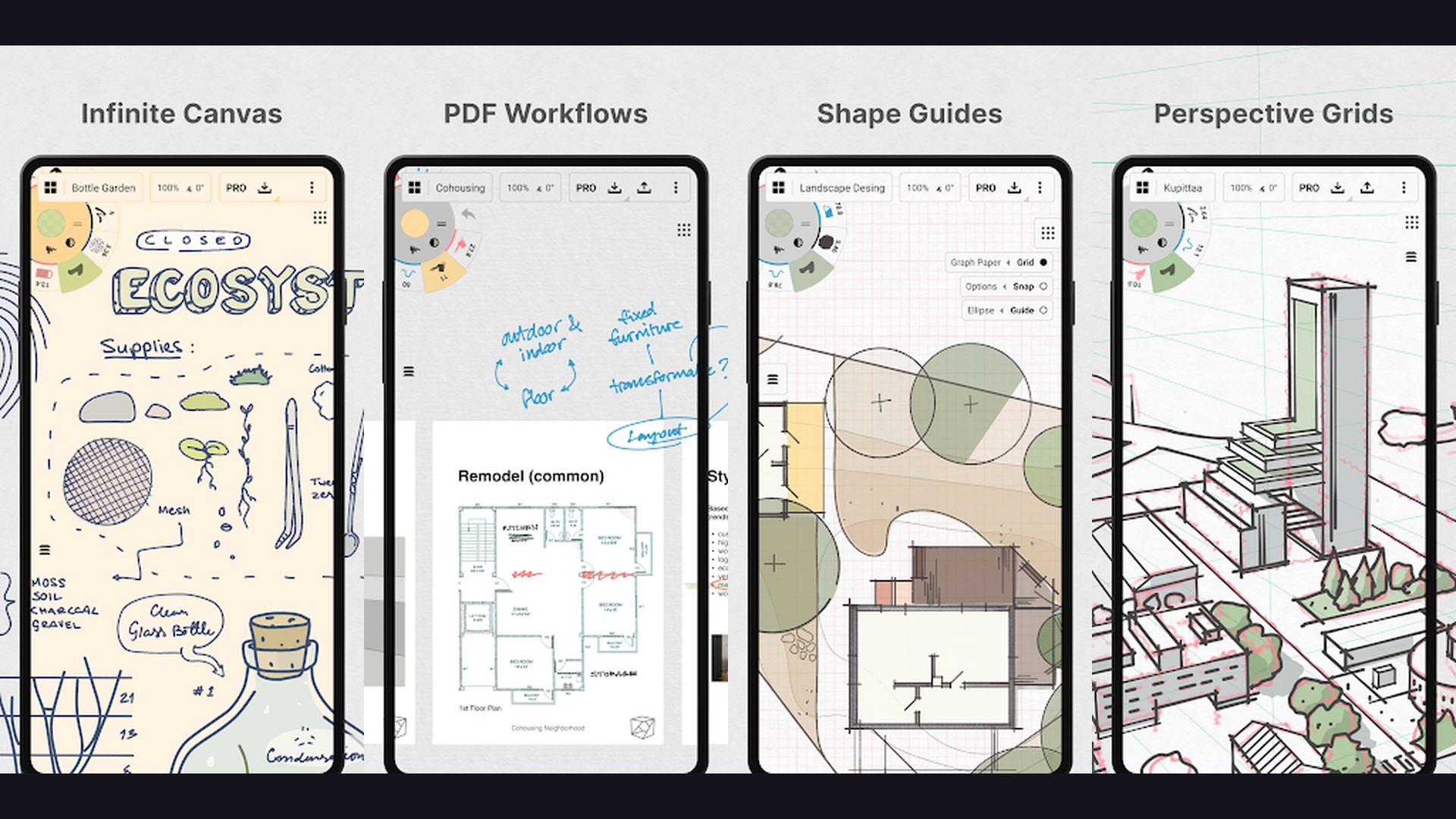
Concepts is the best vector-based sketching and design app for mobile, featuring an infinite canvas that never runs out of space, flexible vector-hybrid strokes that can be resized and edited after drawing, precision tools for technical illustration, architecture, and product design, plus export to SVG, DXF, PDF, and PSD. Concepts rethinks digital drawing by making everything infinitely flexible. Unlike pixel-based apps where a stroke is permanent, Concepts records every stroke as a vector object that can be moved, resized, recolored, and reshaped at any time without quality loss. The infinite canvas means you never hit the edge of your workspace. The selection tools let you lasso, nudge, scale, and transform individual strokes or groups. The measurement tools display real-world dimensions for industrial design and architecture. The built-in object libraries provide furniture, fixtures, UI components, and custom assets. The layer system supports opacity, blend modes, and color shifting per layer. The brush engine offers pens, pencils, markers, airbrushes, and fills. Concepts is free (basic) or $4.99/month (pro with full features). For designers and architects wanting flexible vector sketching on mobile, Concepts is the top choice. Plan projects with digital planner apps.
5. ibis Paint X (Rating 4.7)
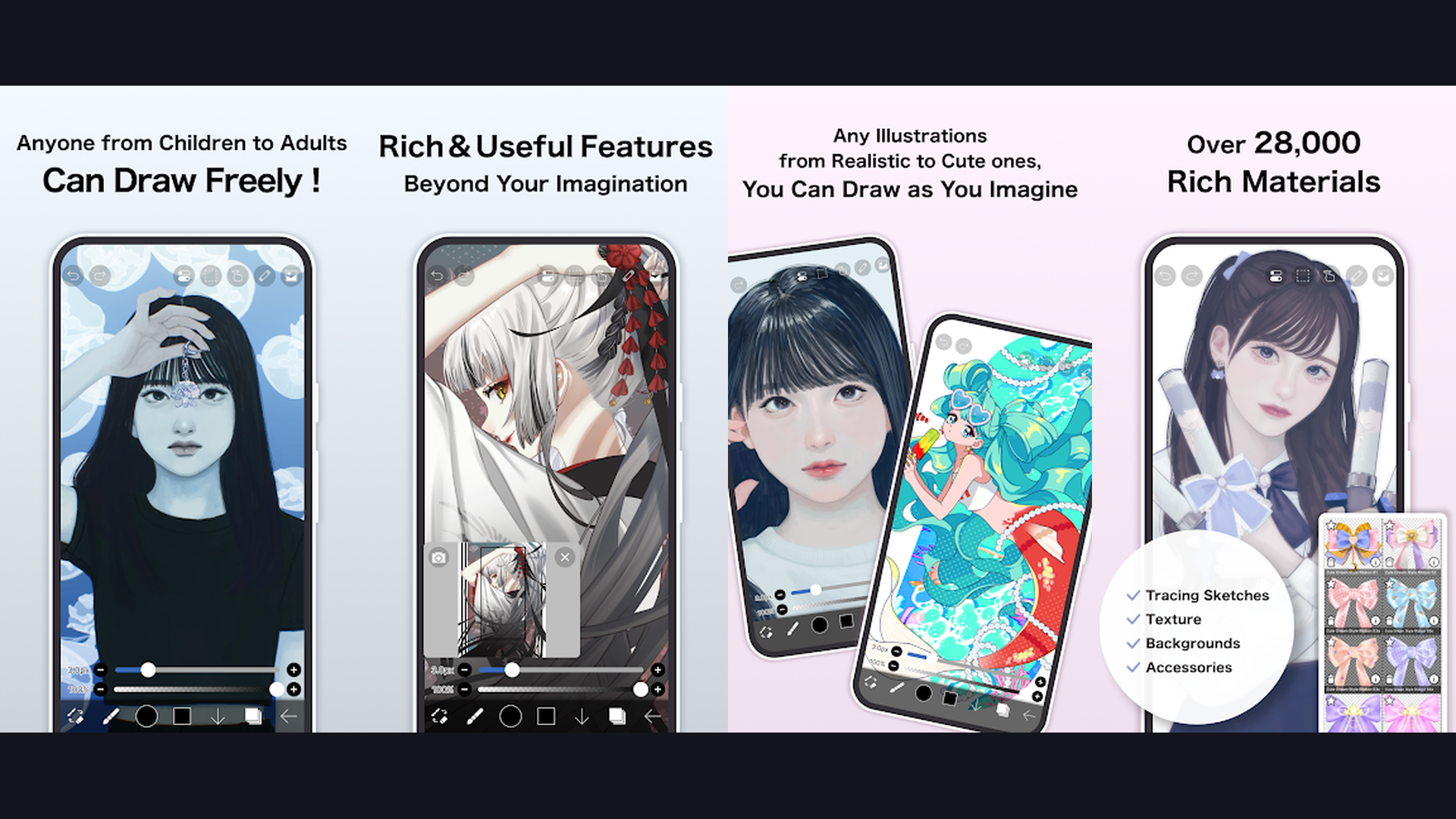
ibis Paint X is the most popular free drawing app on mobile with over 400 million downloads, featuring 15,000+ brushes, 800+ fonts, 110+ filters, 46 screentones, 80+ blend modes, unlimited layers, stroke stabilization, recording of the drawing process, and a massive online community for sharing art and learning techniques. ibis Paint X dominates mobile drawing because it packs desktop-class features into a free app. The 15,000+ brush library is staggering, covering everything from pencils and watercolors to anime screentones and halftone patterns. The stroke stabilization feature smooths hand-drawn lines, making it perfect for inking and lineart on phone screens. The clipping mask and layer lock features enable non-destructive editing. The ruler tools include straight line, circle, ellipse, and radial symmetry modes. The text tool supports 800+ fonts for comics and design work. The filter library applies effects like blur, glow, noise, drop shadow, and chromatic aberration. The online gallery lets artists share work, watch process videos, and download community-created brushes. ibis Paint X is free with ads (remove ads for $7.99). For artists wanting the most feature-rich free drawing app, ibis Paint X delivers. Create content with reels making apps.
6. Paper by WeTransfer (Rating 4.6)
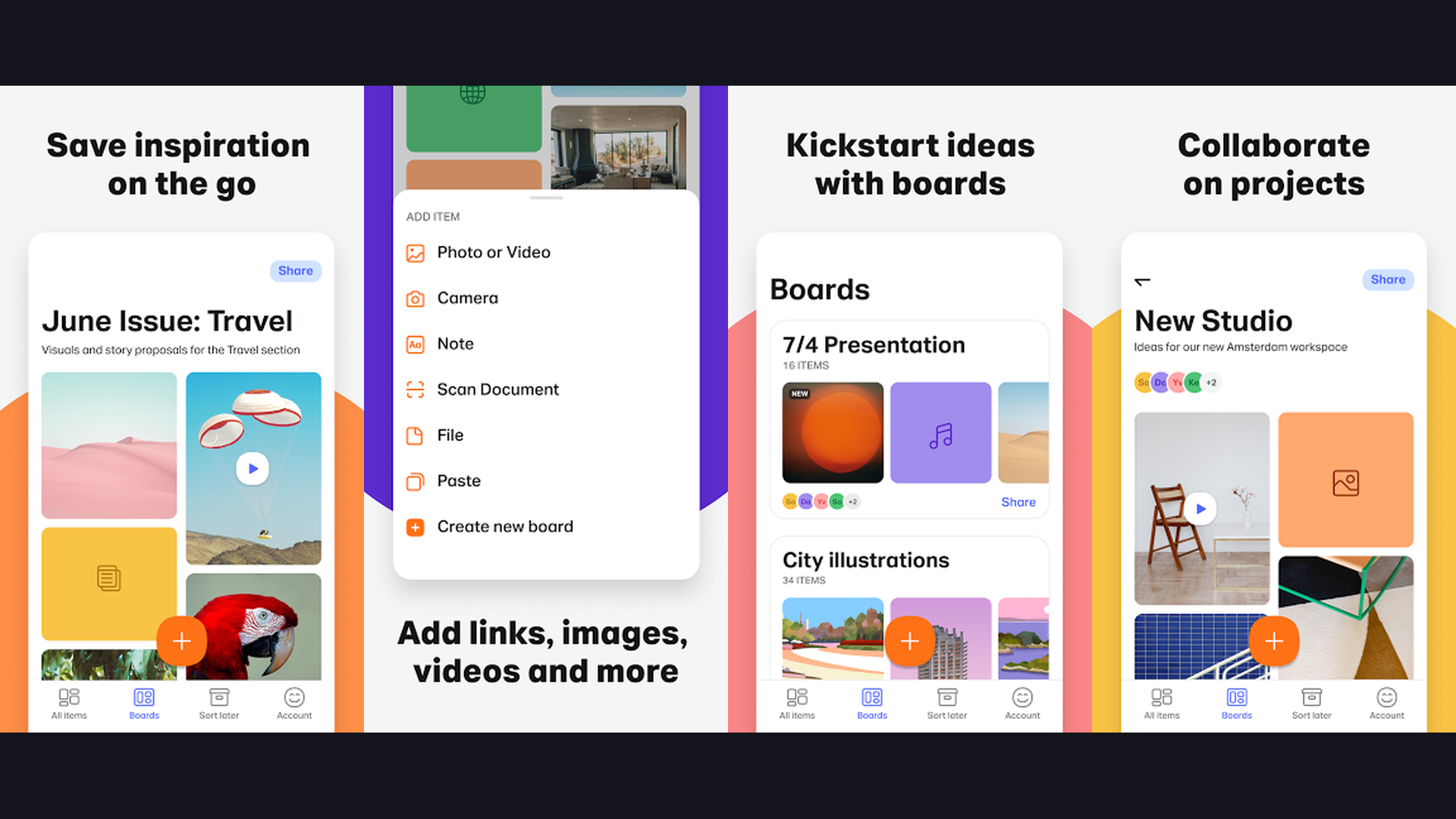
Paper by WeTransfer is the most elegant and intuitive sketching app for iOS, designed for quick idea capture with beautifully tuned drawing tools, gesture-based controls, photo import and markup, collage creation, and a journal-style organization system that makes creative note-taking feel effortless. Paper strips away complexity to focus on the essence of sketching. The drawing tools include pen, pencil, marker, watercolor brush, and fountain pen, each finely calibrated to feel natural and responsive. The gesture controls are genius: undo by two-finger swipe, zoom with pinch, color mixing by tap-and-hold. The Cut tool lets you select, move, resize, and duplicate elements with multitouch gestures. Photo import lets you sketch over photographs for reference tracing or markup. The journal system organizes work into visual notebooks that feel like premium sketchbooks. The collage mode creates mood boards by combining photos, drawings, and text. Paper Pro unlocks additional tools, colors, and diagrams. Paper is free (basic) or $11.99/year (Pro). For designers and thinkers wanting the fastest way to sketch ideas on iPhone or iPad, Paper is beautifully designed. Capture ideas with note-taking apps.
7. Tayasui Sketches (Rating 4.6)
Tayasui Sketches is the most realistic traditional-media drawing app on mobile, featuring hand-crafted brushes that simulate real pencils, pastels, watercolors, acrylics, and oil paints with stunning accuracy, plus layers, patterns, ruler tools, and a clean interface focused on the pure drawing experience. What separates Tayasui Sketches from every competitor is how its tools feel. The pencil brush produces graphite-like marks with realistic pressure variation and texture buildup. The watercolor brush creates genuine wet edges, color bleeding, and paper grain interaction. The pastel tool deposits chalky pigment that smudges naturally. The acrylic brush creates thick, opaque strokes with visible brush texture. The oil paint tool mixes colors on canvas with satisfying viscosity. The eraser removes selectively by layer. The pattern library adds textures and decorative elements. The ruler tool enables straight lines and geometric shapes. The import feature lets you paint over photos. Tayasui Sketches is free (basic) or $5.99 one-time (Pro with all brushes). For artists wanting the closest thing to real traditional media on a screen, Tayasui Sketches is remarkable. Learn drawing on coloring apps.
8. Infinite Painter (Rating 4.5)
Infinite Painter is the best Procreate alternative for Android, offering nearly 200 built-in customizable brushes, infinite layers, perspective and symmetry guides, clipping masks, selection tools, gradient maps, time-lapse recording, and a minimalist interface that puts the canvas front and center. Infinite Painter earns the "Procreate for Android" title by delivering professional features with an equally refined interface. The brush engine is deeply customizable: adjust grain shape, dynamics, scatter, color variation, and blend modes for each brush. The brush stamp import system lets you create brushes from any image. The perspective guide system offers 1-point, 2-point, 3-point, and fisheye perspective grids for architectural and environmental art. The symmetry tool supports up to 16 axes for mandala and pattern creation. The liquify tools warp, twirl, pinch, and bloat for distortion effects. Layer groups, clipping masks, and alpha lock enable sophisticated compositing. The gradient map feature applies color grading to finished work. Infinite Painter costs $9.99 one-time purchase (7-day free trial). For Android artists wanting the closest thing to Procreate on their platform, Infinite Painter is the answer. Explore Android apps on mobile apps.
9. Clip Studio Paint (Rating 4.4)
Clip Studio Paint is the industry-standard app for manga, comic, and illustration artists, featuring the most comprehensive panel layout tools, speech bubble engine, 3D model posing, perspective rulers, animation timeline, vector layers, extensive pattern and tone library, and professional publishing-ready output on both mobile and desktop. Clip Studio Paint is the app that professional manga and comic artists actually use at major publishers worldwide. The comic panel tools automatically create gutters, arrange panels, and handle page numbering for multi-page projects. The speech bubble engine creates, links, and styles dialogue with professional typography. The 3D model system lets you pose reference figures, adjust lighting and camera angle, and trace over the result. The ruler tools include perspective rulers (up to 3-point), symmetry rulers, curve rulers, and figure rulers. The vector layer system enables infinitely scalable lineart with adjustable line width after drawing. The screentone library provides hundreds of professional patterns. The animation timeline supports full-length animated projects with camera movements. Clip Studio Paint costs $0.99/month or $49.99 one-time (PRO). For manga and comic artists wanting the professional industry tool on mobile, Clip Studio Paint is essential. Read more on manga reader apps.
10. MediBang Paint (Rating 4.6)
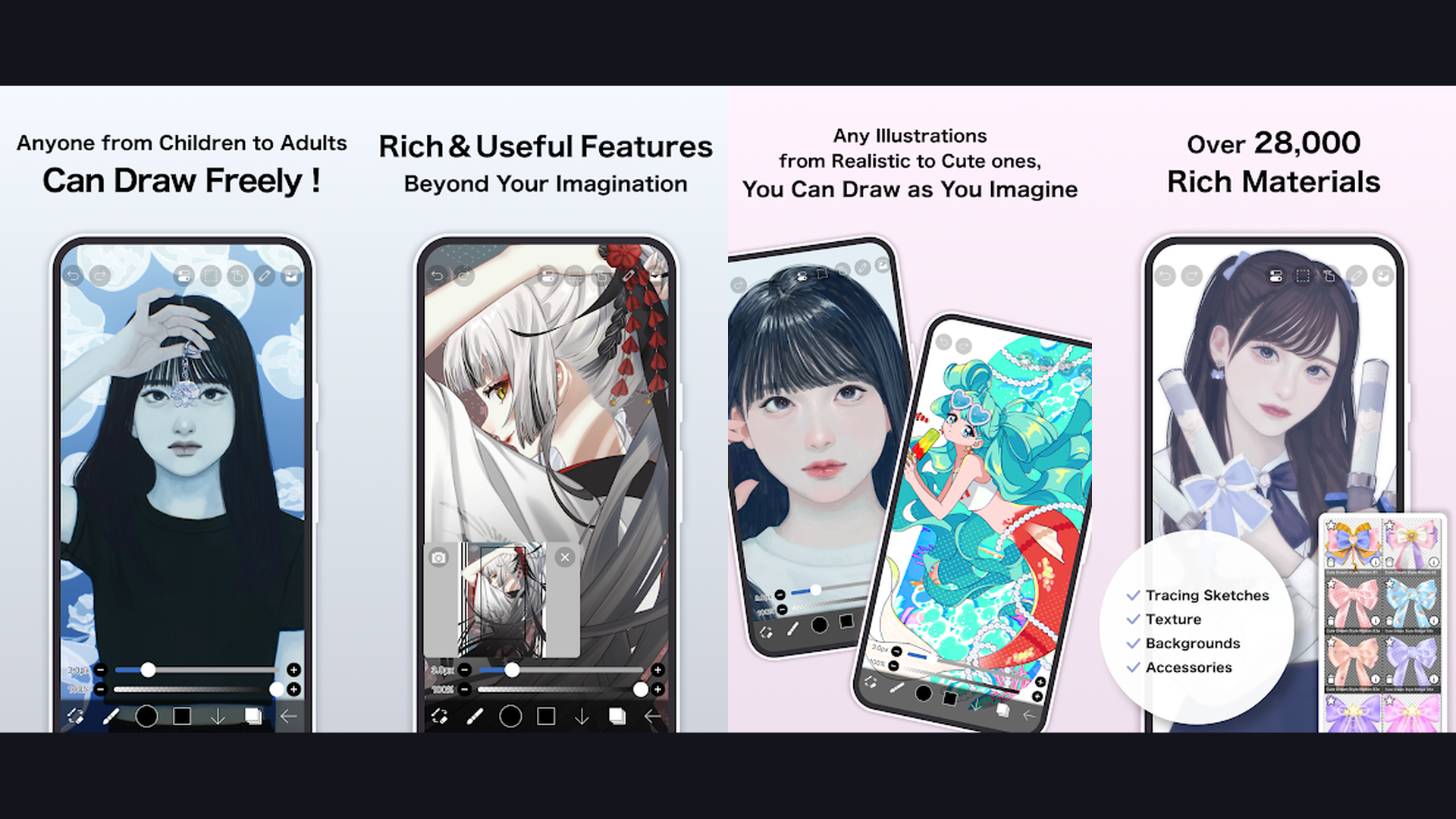
MediBang Paint is the best completely free comic creation app available on every platform, featuring 1,500+ free brushes, 150+ free tones and backgrounds, comic panel division tools, cloud storage with cross-device sync, font library for comic lettering, and collaborative features for team manga production. MediBang Paint targets comic and manga creators with a fully free tool set that rivals paid competitors. The comic panel tools divide pages into professional layouts with customizable gutter widths. The comic font library includes multiple styles for dialogue, narration, and sound effects. The 1,500+ brush library covers pencils, inks, watercolors, airbrushes, and specialized comic tools. The cloud storage system saves projects online and syncs across Windows, Mac, Android, iOS, and iPad, so you can start a comic on your desktop and continue on mobile. The collaborative mode lets multiple artists work on the same project simultaneously. The snap-to-grid feature helps with perspective and architecture. The extensive free resource library includes backgrounds, items, characters, and materials. MediBang Paint is 100% free on all platforms. For comic artists wanting free professional tools with cloud sync, MediBang is outstanding. Find creative apps on free photo editing apps.
11. Krita (Rating 4.3)
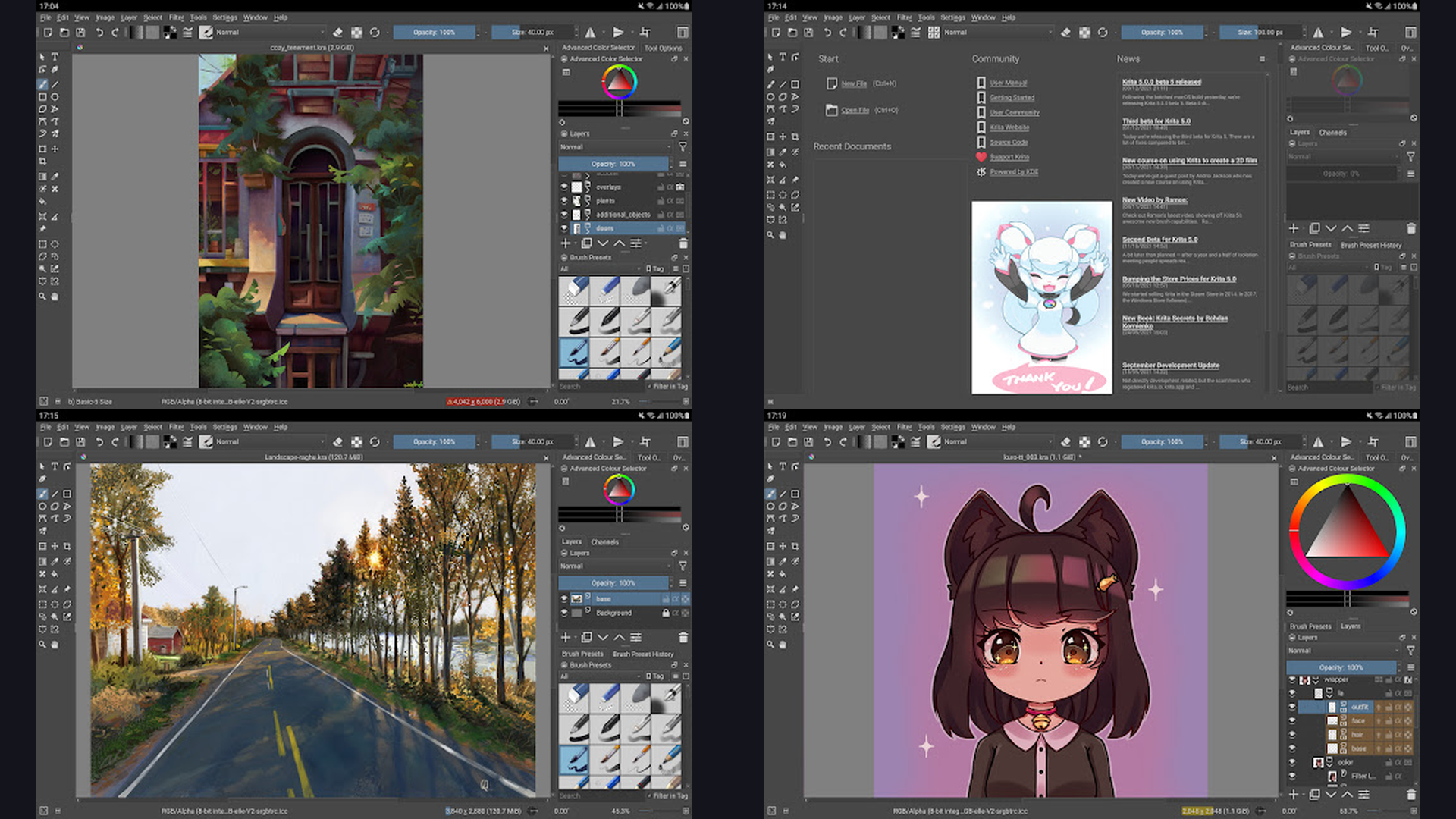
Krita is the most powerful free and open-source digital painting application brought to Android, featuring a fully customizable brush engine with 100+ professional presets, comprehensive layer management, drawing assistants for perspective and curves, animation support with onion skinning, color management with ICC profiles, and plugin extensibility. Krita is a desktop powerhouse that has arrived on Android. The brush engine is one of the most sophisticated ever created, with 9 brush engine types (pixel, smudge, color smudge, sketch, hatching, spray, shape, particle, and deform) each producing fundamentally different mark-making behaviors. The drawing assistants provide perspective, vanishing point, ellipse, parallel ruler, and spline guides that snap brush strokes to the guides. The layer system supports paint layers, vector layers, filter layers, group layers, clone layers, and file-backed layers. The animation tools offer frame-by-frame animation with onion skinning, audio sync, and export to MP4 or GIF. The resource manager handles custom brushes, gradients, patterns, and palettes. Krita is $4.49 on Android (free on desktop). For artists wanting open-source professional power on Android, Krita is remarkable. Explore open-source with self-hosted apps.
12. ArtFlow (Rating 4.2)
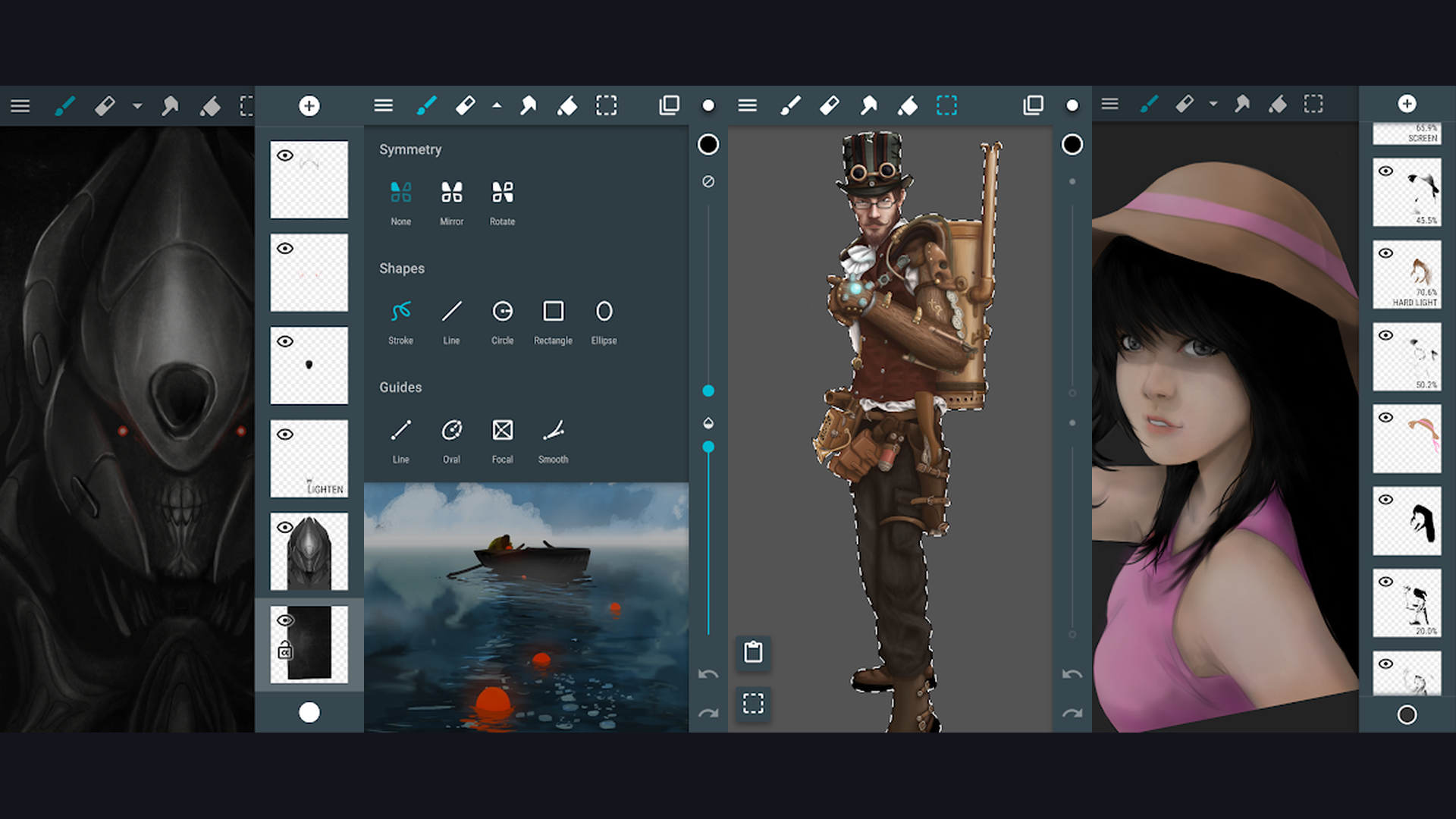
ArtFlow is the best beginner-friendly drawing app exclusively for Android, featuring over 100 brushes and tools, GPU-accelerated canvas up to 6144x6144 pixels, 50+ layer support, pressure-sensitive stylus compatibility, PSD export, smudge and liquify tools, and an interface designed to be intuitive for artists just starting their digital art journey. ArtFlow fills an important niche as an Android-exclusive drawing app designed for accessibility. The brush library covers pencils, pens, airbrushes, markers, and custom stamps with adjustable size, opacity, and smoothing. The canvas supports massive resolutions up to 6144x6144 pixels for print-quality work. The layer system provides up to 50 layers with opacity, blend modes, lock alpha, and clipping groups. The transform tools include move, scale, rotate, flip, and perspective warp. The symmetry tool mirrors strokes across vertical, horizontal, or both axes for character design and patterns. The smudge tool blends colors naturally. The liquify tool warps and distorts for creative effects. The PSD export preserves layers for continued editing in Photoshop. ArtFlow is free (limited) or $4.99 one-time (Pro). For Android beginners wanting a gentle introduction to digital art, ArtFlow is welcoming. Start creating with camera apps.
Which Drawing App to Choose
Best for Professional Illustration
- Procreate - The gold standard for iPad artists ($12.99 one-time)
- Adobe Fresco - Unmatched realistic paint simulation (free/subscription)
- Infinite Painter - Best Procreate alternative for Android ($9.99)
- Clip Studio Paint - Industry standard for illustration and comics
Best Free Options
- Sketchbook - 100% free with professional features on all platforms
- ibis Paint X - Free with 15,000+ brushes and massive community
- MediBang Paint - Free comic creation suite with cloud sync
- Krita - Free open-source powerhouse (desktop), $4.49 Android
Best for Comics and Manga
- Clip Studio Paint - The industry professional choice
- MediBang Paint - Free alternative with panel tools and collaboration
- ibis Paint X - Popular with anime-style artists
Best for Quick Sketching and Ideation
- Paper by WeTransfer - Elegant, minimal, journal-style sketching (iOS)
- Tayasui Sketches - Most realistic traditional media simulation
- Concepts - Infinite canvas vector sketching for designers
Best for Beginners
- Sketchbook - Clean interface, free, and professional tools
- ArtFlow - Designed for Android beginners
- Tayasui Sketches - Intuitive tools that feel like real media
Tips for Digital Artists on Mobile
- Invest in a Pressure-Sensitive Stylus - The single biggest upgrade for mobile art is a good stylus. For iPad, Apple Pencil is unmatched in pressure sensitivity, tilt detection, and latency. For Android, the Samsung S Pen (on Galaxy Tab) offers similar precision, and Wacom and Adonit make universal stylus options that work across devices. Drawing with a finger is fine for casual sketching, but a stylus unlocks the full potential of every app in this guide. The difference in line quality, brush dynamics, and overall control is dramatic. Find more on iPad accessories and apps.
- Use Layers for Every Element - Always separate your sketch, lineart, base colors, shading, and highlights onto separate layers. This non-destructive workflow lets you adjust any element independently without affecting the rest of your work. Use clipping masks to paint within boundaries, alpha lock to add texture to existing strokes, and blend modes to create lighting effects. Every app in this guide supports layers, so build the habit early. Organize your workflow with digital planner apps.
- Start with Gesture Drawing for Practice - Before diving into polished illustrations, practice 30-second to 2-minute gesture drawings daily. This builds your understanding of form, proportion, and movement faster than any other exercise. Apps like Sketchbook and ibis Paint X are perfect for quick gesture sessions. Set a timer, find reference images online, and capture the essence of the pose rather than details. This habit will dramatically improve every aspect of your art within weeks.
- Export in PSD for Maximum Flexibility - If you plan to continue editing your work on desktop software like Photoshop or Krita, always export in PSD format to preserve layers, blend modes, and transparency. Most professional apps in this guide (Procreate, Clip Studio Paint, Sketchbook, Krita, ArtFlow) support PSD export. Avoid exporting as flattened JPG or PNG until you are completely finished with a piece.
- Learn Color Theory Before Advanced Techniques - Understanding color temperature, complementary colors, value relationships, and saturation control will transform your artwork more than any fancy brush or filter. Use apps like Concepts and Procreate that offer color harmony tools to experiment with palettes. Study how light interacts with surfaces in real life and practice applying those observations digitally. Find learning resources with learning apps.
- Back Up Your Work with Cloud Storage - Mobile devices can be lost, damaged, or reset. Always maintain cloud backups of important artwork. MediBang Paint includes built-in cloud storage. Adobe Fresco syncs to Creative Cloud. For other apps, regularly export finished and in-progress work to Google Drive, iCloud, or Dropbox. Losing months of artwork to a device failure is a devastating experience that is entirely preventable.
- Customize Your Brush Library - Most professional drawing apps let you import custom brushes from community libraries or create your own. Procreate has a massive community of brush creators on Gumroad and Creative Market. Clip Studio Paint has its own asset store with thousands of free brushes. ibis Paint X lets users share brushes within the app. Building a curated brush library tailored to your art style dramatically improves efficiency and consistency. Share your creations with content creation apps.
- Record Your Drawing Process - Most apps (Procreate, ibis Paint X, Infinite Painter) automatically record your drawing process as a time-lapse video. These recordings are valuable for studying your own workflow, creating social media content, building a portfolio, and teaching others. Enable recording by default and review your process videos to identify inefficiencies in your workflow. For video editing, check video recording apps.
Frequently Asked Questions
What is the best free drawing app for mobile?
Sketchbook is the best free drawing app overall because it provides 100% of its professional features completely free on both Android and iOS with no subscriptions, ads, or paywalled content. ibis Paint X is the best free option for artists who want the maximum number of features (15,000+ brushes) and dont mind occasional ads. MediBang Paint is the best free option for comic and manga creators with its panel tools and cloud sync. All three are genuinely professional tools that many working artists use as their primary applications.
Is Procreate available on Android?
No, Procreate is exclusively available on iPad and iPhone (Procreate Pocket). There is no Android version and the developer has not announced plans for one. The best Procreate alternatives for Android are Infinite Painter (closest in interface and brush quality), Sketchbook (fully free professional tool), Clip Studio Paint (industry-standard for illustration), and ibis Paint X (most feature-rich free option). Many professional Android artists use Infinite Painter or Clip Studio Paint as their primary drawing application.
Which drawing app is best for beginners?
Sketchbook is the best starting point for beginners because its clean interface does not overwhelm new users with options, yet it has all the professional features you will eventually need. Tayasui Sketches is excellent for beginners who want tools that feel like real traditional media (pencils, watercolors, pastels). ArtFlow is the best beginner choice for Android users specifically. Paper by WeTransfer is ideal for beginners on iOS who want to capture quick ideas without a learning curve. Start with any of these and you will be creating art within minutes.
Can I create professional artwork on a phone?
Yes, you can create professional-quality artwork on a phone, though a tablet provides a significantly better experience due to the larger screen. ibis Paint X, Clip Studio Paint, and MediBang Paint are fully featured on phone screens with adaptable interfaces. Many professional artists create finished illustrations, comics, and concept art entirely on phones. The key limitations are screen size (harder to see fine details), stylus compatibility (not all phones support pressure-sensitive styluses), and ergonomics (longer sessions are more comfortable on tablets). For serious art, consider a tablet like iPad, Samsung Galaxy Tab, or a Chromebook tablet.
Do I need a stylus for drawing apps?
A stylus is not required but is strongly recommended. All apps in this guide work with finger input. However, a pressure-sensitive stylus (Apple Pencil, Samsung S Pen, or third-party options from Wacom and Adonit) provides dramatically better control, line quality, and access to pressure-based brush dynamics. For serious art, a stylus transforms the mobile drawing experience from adequate to professional. Even a basic capacitive stylus improves precision over finger drawing.
Which app is best for anime and manga art?
Clip Studio Paint is the industry-standard choice used by professional manga artists at major Japanese publishers. It has dedicated comic panel tools, screentone libraries, 3D model posing, and vector lineart. MediBang Paint is the best free alternative with similar comic-focused tools plus cloud sync for working across devices. ibis Paint X is the most popular choice among amateur anime artists because of its massive community, 15,000+ brushes including anime-specific tools, and free availability. For serious manga production, Clip Studio Paint is worth the subscription.
Final Thoughts
Mobile drawing apps in 2026 deliver capabilities that would have required a full desktop workstation just a few years ago. Procreate remains the iPad gold standard, while Sketchbook proves that professional tools can be completely free. Adobe Fresco recreates the magic of real paint on glass, Concepts reimagines sketching with infinite flexibility, and ibis Paint X packs an impossible number of features into a free app. Clip Studio Paint and MediBang Paint serve comic creators at every budget level. Infinite Painter gives Android artists a Procreate-quality experience, while Krita brings open-source power to mobile. Tayasui Sketches and Paper make sketching feel as natural as picking up a real pencil. ArtFlow welcomes beginners into digital art. Every artist in this guide can find the perfect tool for their creative vision. For more app recommendations, explore our guides on photo editing, iPad note-taking, subtitle apps, free entertainment, and productivity tools.