
Finding the perfect tools to enhance your mobile photography can be overwhelming. With countless options available on the Google Play Store, choosing the right application requires time and testing. Over the past few months in 2026, I have extensively tested numerous photo editing and sharing apps for Android to find the absolute best.
Whether you are a professional photographer or a casual social media user, these 10 applications offer the best features to elevate your digital art. If you are looking to upgrade your device to make the most of these high-quality applications, be sure to check out the latest devices at Mobile Ki Shop.
1. Canva: Graphic Design Made Easy
Play Store Rating: 4.8/5 Download Link: Canva on Google Play
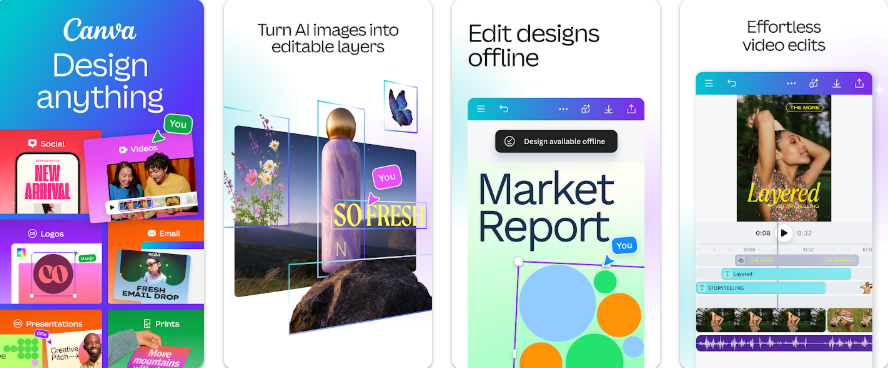
While primarily known as a graphic design tool, Canva includes a robust photo editor perfectly tailored for social media creators. I use it constantly to prepare images for various platforms because it saves me so much time on formatting.
It allows you to apply quick edits, add beautiful typography, and export in the exact dimensions needed for your preferred platform.
Key Features
Pre-sized templates for Instagram, Facebook, and TikTok.
Massive library of stock images, graphics, and fonts.
Easy-to-use drag-and-drop interface.
2. Adobe Lightroom Mobile: The Professional Choice
Play Store Rating: 4.6/5 Download Link: Adobe Lightroom on Google Play
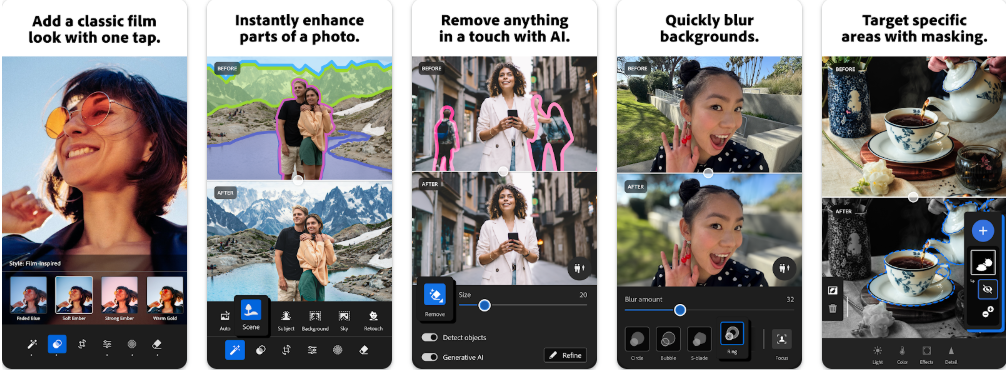
Adobe Lightroom remains the undisputed king of mobile photo editing. For months, I have relied on this application to handle my raw image files directly from my Android smartphone. The advanced colour grading options give you the exact control you need to make your photos look professionally edited.
While it has a learning curve, the results are simply unmatched for mobile photography.
Key Features
Advanced colour grading tools for precise luminance, hue, and saturation control.
Support for high-resolution raw image files.
Seamless cloud syncing to edit across multiple devices.
3. Prisma: Turn Photos into Art
Play Store Rating: 4.6/5 Download Link: Prisma on Google Play
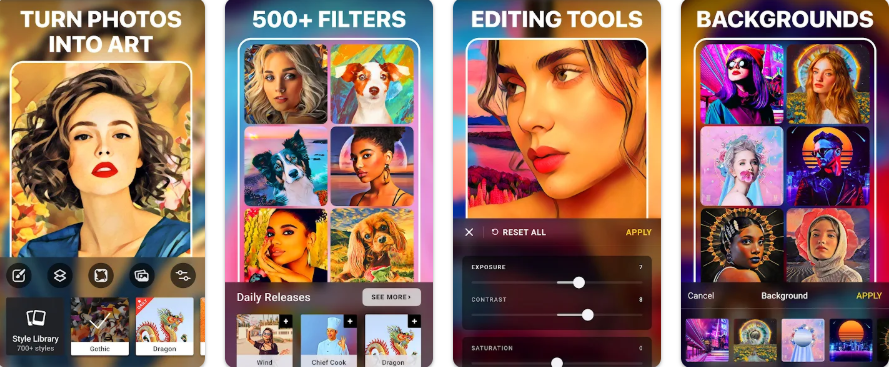
Prisma uses artificial intelligence to transform your photos into paintings inspired by famous artists like Van Gogh and Picasso. In my experience, the results are often stunning and far superior to those of standard artistic filters in other apps.
It is a fantastic tool for creating something truly unique and eye-catching.
Key Features
Hundreds of distinct, high-quality art styles.
Constant updates featuring new creative filters.
Fine-tuning tools to adjust the intensity of the artistic effects.
4. TouchRetouch: The Magic Eraser
Play Store Rating: 4.6/5 Download Link: TouchRetouch on Google Play
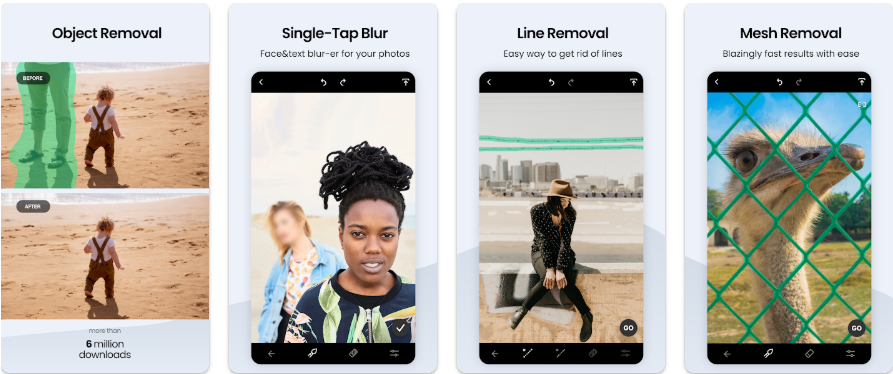
Sometimes, a great photo is ruined by a stray power line or a photobomber. TouchRetouch specialises in one thing: removing unwanted elements from your photos flawlessly.
I found it to be an incredibly satisfying tool. With a single brush stroke, the application uses intelligent algorithms to replace the unwanted object with the surrounding background perfectly.
Key Features
Advanced object removal algorithms.
Dedicated tools for removing lines and blemishes.
Non-destructive editing environment.
5. Snapseed: Google Powerhouse Editor
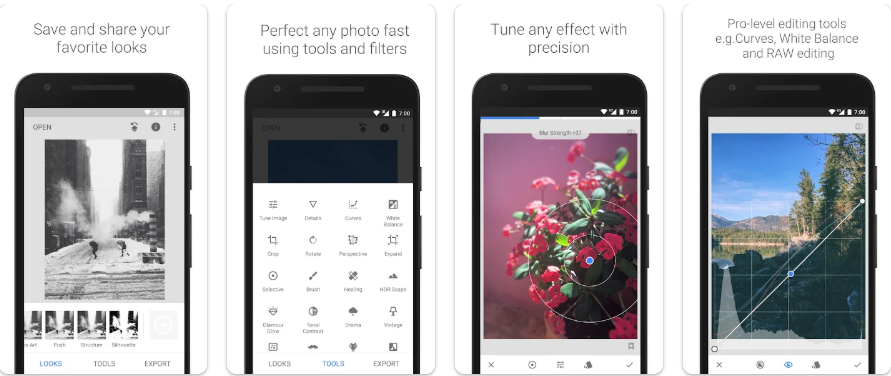
Play Store Rating: 4.4/5 Download Link: Snapseed on Google Play
Developed by Google, Snapseed is my go-to application for quick yet highly capable photo editing. It offers a clean, user-friendly interface while packing a massive range of professional-grade tools under the hood.
I particularly love using the healing brush to quickly remove unwanted objects or blemishes from my photos without any hassle.
Key Features
Powerful healing brush to remove unwanted elements seamlessly.
Selective adjustment tools to apply edits to specific areas of your image.
A wide variety of customizable filters and editing presets.
6. Pixlr: Quick and Intuitive
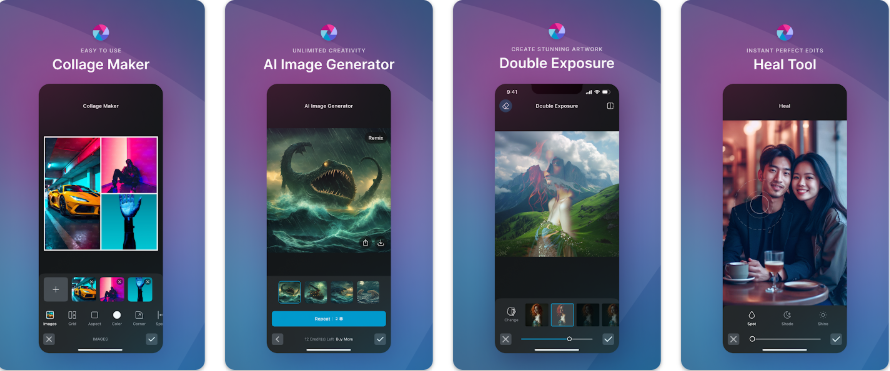
Play Store Rating: 4.2/5 Download Link: Pixlr on Google Play
Pixlr is excellent for users who want powerful features without a steep learning curve. The interface is highly intuitive, making it easy to apply quick fixes, overlays, and borders.
The Auto Fix tool was a lifesaver during my testing, intelligently balancing colour and lighting with a single tap.
Key Features:
One tap Auto Fix for instant colour and lighting balance.
Massive variety of overlays, borders, and effects.
Collage creator with extensive customisation.
7. VSCO: Best for Aesthetic Filters
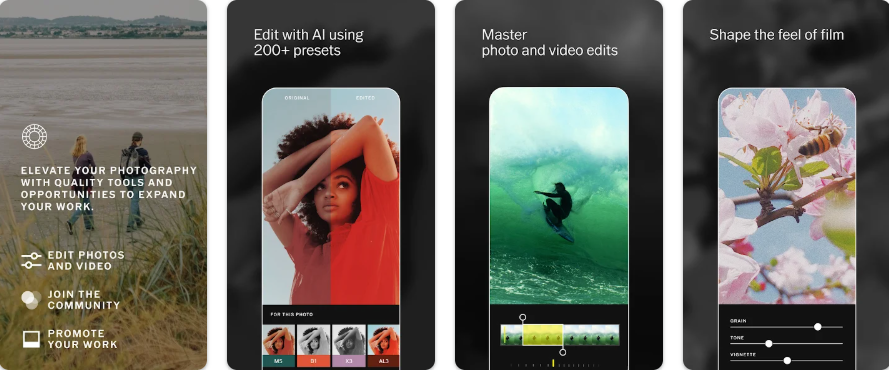
Play Store Rating: 4.1/5 Download Link: VSCO on Google Play
For those who love film-inspired aesthetics, VSCO is unmatched. During my testing, I found that this application provides gorgeous preset filters that instantly transform ordinary photos into moody, cinematic masterpieces. Beyond editing, VSCO acts as a powerful sharing platform where a community of creative individuals shares their visual diaries daily.
Key Features
Hundreds of high-quality, film-inspired presets.
Built-in camera app with advanced manual controls.
A dedicated, ad-free social community for sharing visual art.
8. PicsArt: The Creative Playground
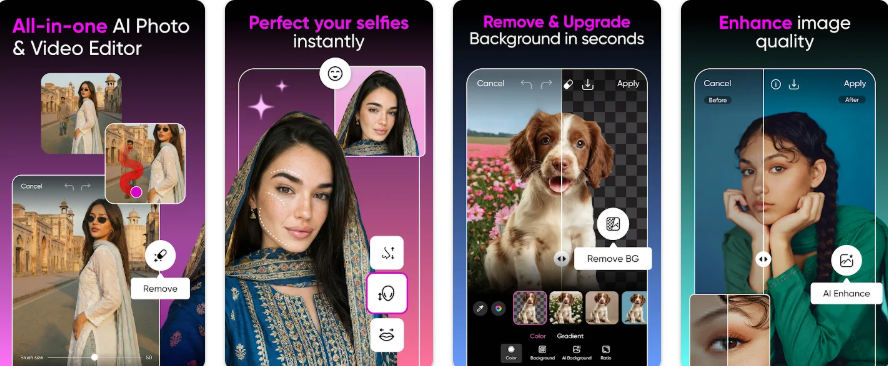
Play Store Rating: 4.1/5 Download Link: PicsArt on Google Play
PicsArt is perfect for users who want to add a creative, fun twist to their photos. I spent hours playing around with this app because it combines standard photo editing tools with a massive library of stickers, text options, and artistic effects.
It is easily the most feature packed application for casual users looking to create engaging content for their social media profiles.
Key Features
AI-powered image generation and background removal tools.
Extensive collage maker with customizable layouts.
Social features allow you to remix and share edits instantly.
9. Instagram: The Ultimate Sharing Hub
Play Store Rating: 4.0/5 Download Link: Instagram on Google Play
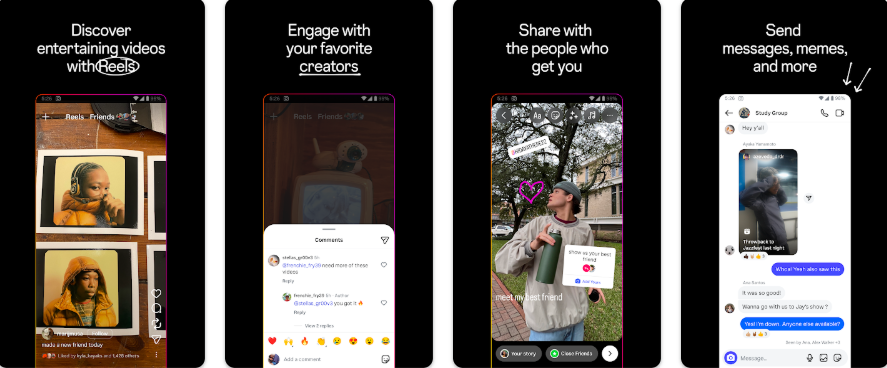
No list of photo-sharing apps is complete without Instagram. While its internal editing tools are basic compared to Lightroom or Snapseed, its massive user base makes it the premier destination for sharing your visual content.
I recommend using external editors to refine your images before uploading them to Instagram, to ensure maximum engagement with your audience.
Key Features
The largest platform dedicated to visual sharing.
Built-in stories, reels, and live broadcasting tools.
Basic filters and quick adjustment sliders.
10. Afterlight: Vintage Textures and Light Leaks
Play Store Rating: 4.0/5 Download Link: Afterlight on Google Play
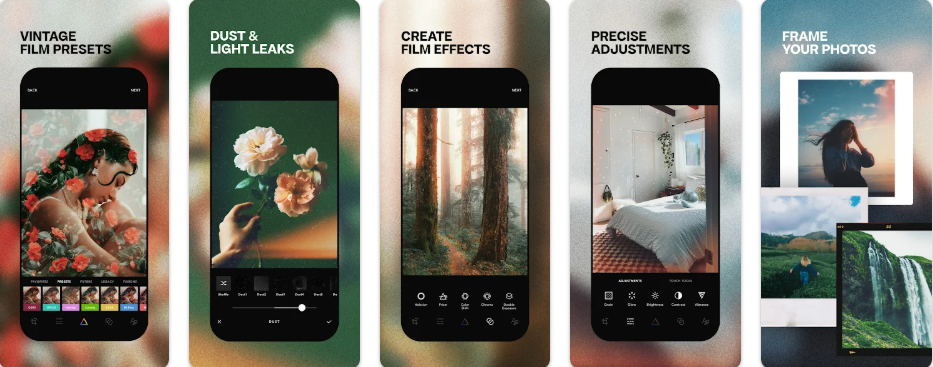
Afterlight focuses on providing authentic film textures, light leaks, and frames. If you want to give your digital photos a nostalgic, analogue feel, Afterlight is the ideal choice.
The application allows you to fine-tune the intensity and placement of light leaks, giving you complete creative control over the final vintage look of your images.
Key Features
Authentic dust and light leak textures.
High-quality preset filters inspired by real film.
Advanced tools for precise colour and tone adjustments.
Conclusion
The Android ecosystem is packed with incredible tools for photographers of all skill levels. Whether you prefer the professional precision of Adobe Lightroom, the creative freedom of PicsArt, or the aesthetic presets of VSCO, there is an application tailored to your needs. Taking the time to learn these applications will significantly improve the quality of your mobile photography.