
Self-hosting puts you in complete control of your data, privacy, and digital life by running applications on your own hardware instead of trusting corporations with your most personal information. In 2026, the self-hosting ecosystem has matured to the point where open-source alternatives to Google Photos, Dropbox, Netflix, Spotify, LastPass, and even Google Workspace are not just functional but often superior to their commercial counterparts. Whether you run a Raspberry Pi, a NAS, an old laptop, or a dedicated server rack, these applications transform your hardware into a private cloud.
This guide reviews 12 of the best self-hosted apps in 2026, covering photo management, password security, cloud storage, media streaming, VPN access, home automation, ad blocking, file sync, music streaming, and container management. Each app is evaluated for ease of deployment, mobile companion app quality, feature completeness, and community support. For more app recommendations, explore our guides on AI tools, note-taking apps, productivity apps, and photo editing apps.
Table of Contents
- Immich (Rating 4.9)
- Bitwarden (Rating 4.8)
- Nextcloud (Rating 4.7)
- Syncthing (Rating 4.5)
- WireGuard (Rating 4.4)
- Tailscale (Rating 4.1)
- Jellyfin (Rating 4.1)
- Home Assistant (Rating 4.0)
- Navidrome (Rating 4.0)
- Plex (Rating 3.7)
- AdGuard Home (Rating 3.6)
- Portainer (Rating 3.3)
- Which Self-Hosted Apps Should You Start With?
- Self-Hosting Tips and Best Practices
- Frequently Asked Questions
1. Immich (Rating 4.9)
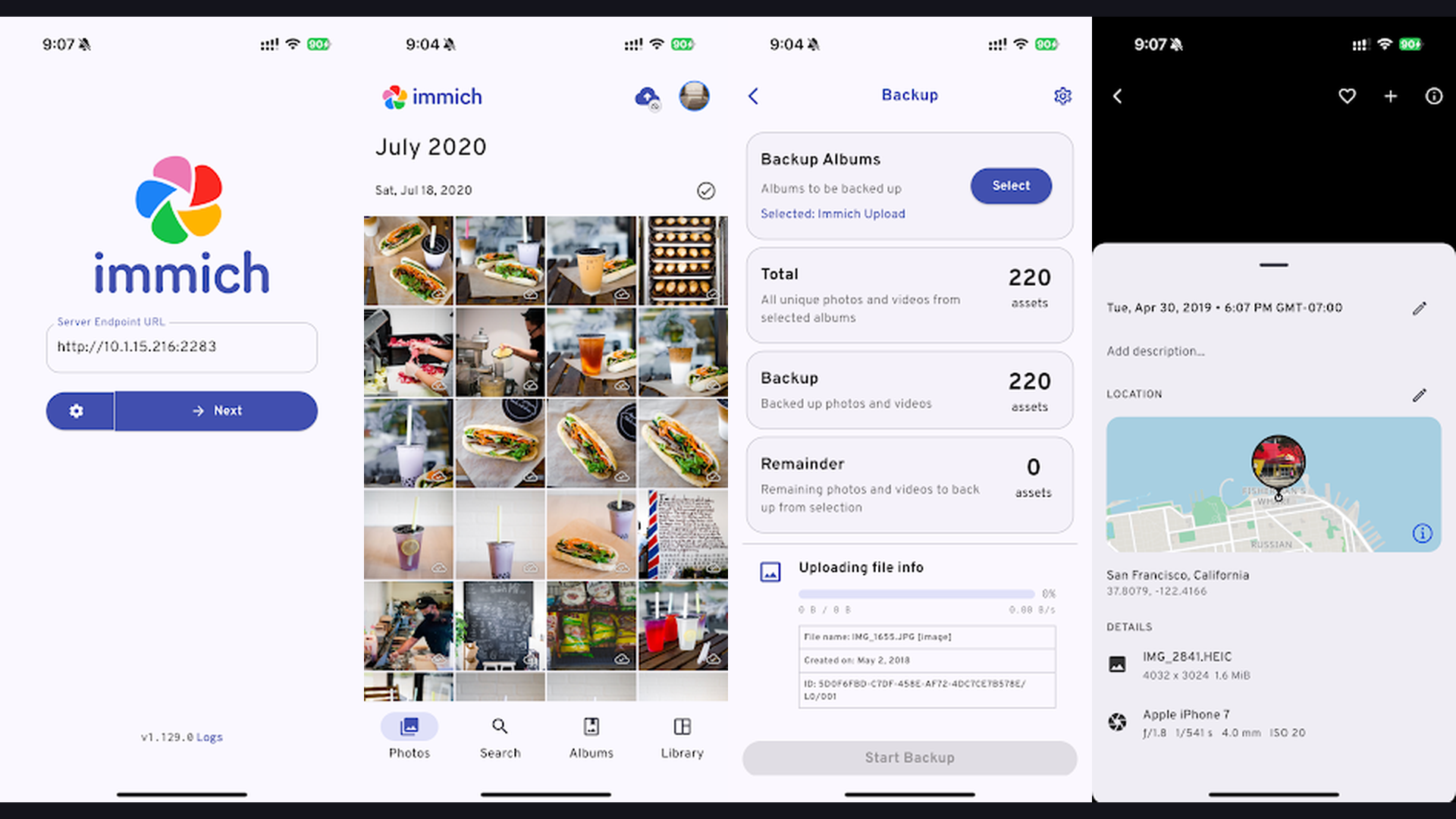
Immich is a high-performance, self-hosted photo and video backup platform that serves as a complete Google Photos replacement, offering automatic mobile backup, AI-powered face recognition, smart search, shared albums, and a beautiful timeline interface. Immich has exploded in popularity because it solves a problem that affects everyone: relying on Google or Apple to store your most personal memories. With Immich running on your own server, every photo and video you take is automatically backed up over WiFi or mobile data to hardware you own. The AI-powered features are remarkable for a self-hosted app: facial recognition automatically groups photos by person, smart search lets you find photos by describing their content (like "sunset at the beach"), and object detection tags photos with searchable metadata. The map view shows photos plotted on a world map by GPS coordinates. The shared albums let family members access and contribute to collections. The mobile apps for Android and iOS provide an experience that rivals Google Photos. The external library feature lets you import existing photo collections without duplicating files. Immich is completely free and open source. For anyone who values privacy-first photo management with AI features that match commercial alternatives, Immich is the most impressive self-hosted app available. Back up memories alongside AI photo editing tools.


2. Bitwarden (Rating 4.8)
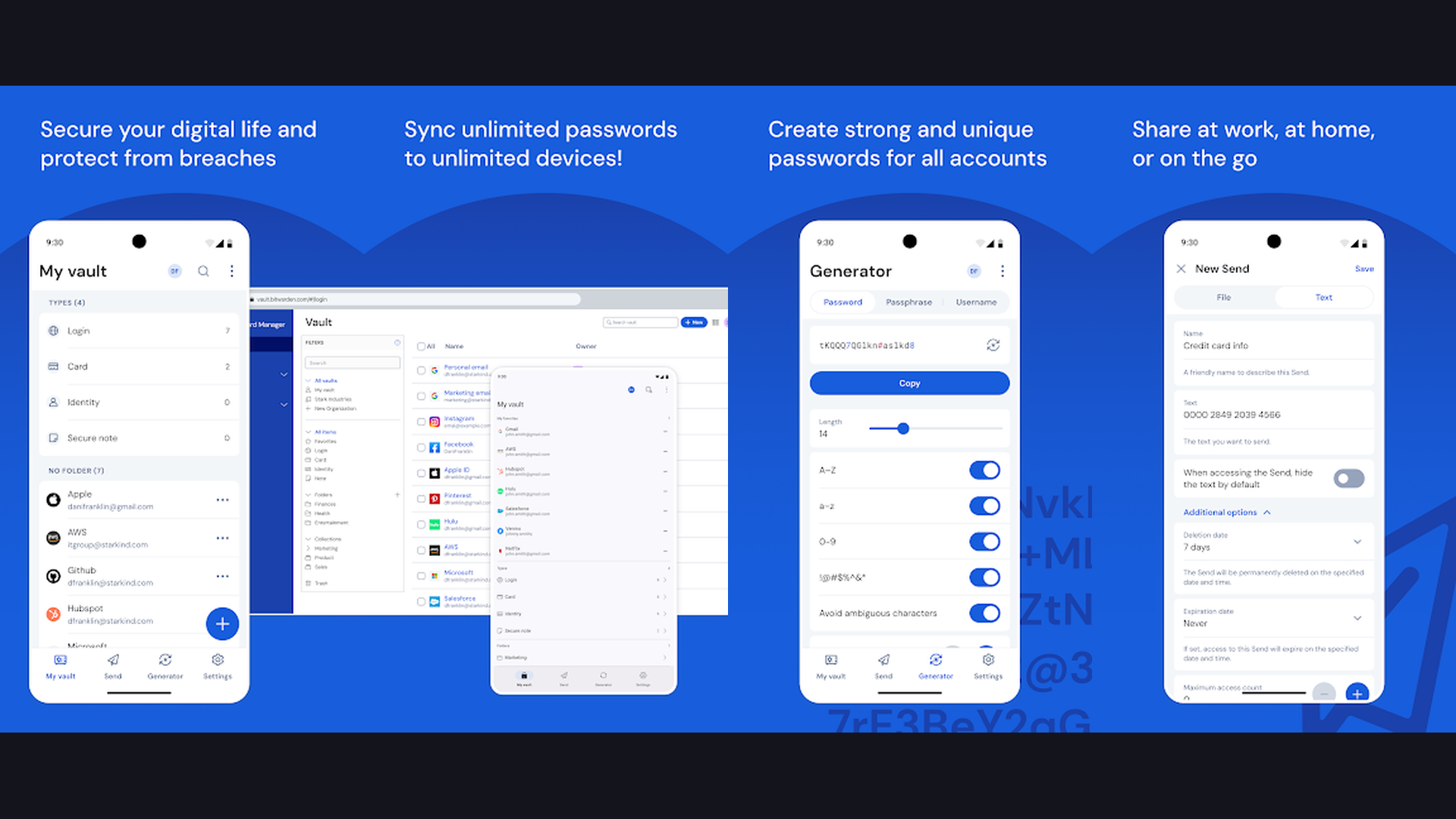
Bitwarden is the leading open-source password manager with full self-hosting support via Vaultwarden, offering end-to-end encrypted password storage, autofill, TOTP authentication, secure sharing, and cross-platform sync across unlimited devices. After the LastPass data breach, Bitwarden became the default recommendation for security-conscious users. The self-hosted option via Vaultwarden (a lightweight Rust implementation of the Bitwarden server API) means your encrypted password vault is stored entirely on your own hardware, not on cloud servers that could be compromised. The client apps for Android, iOS, Windows, macOS, Linux, and browser extensions sync seamlessly with your self-hosted server. Features include password generation, autofill credentials, TOTP two-factor authentication codes, secure notes, credit card storage, identity management, and organization vaults for sharing passwords with family or team members. The emergency access feature lets trusted contacts access your vault in emergencies. The password health reports identify weak, reused, or breached passwords. Bitwarden is free (self-hosted via Vaultwarden) or $10/year (cloud hosted). For anyone who takes password security seriously and wants zero trust in third-party cloud storage, self-hosted Bitwarden/Vaultwarden is essential. Secure your devices with phone security tools.
3. Nextcloud (Rating 4.7)
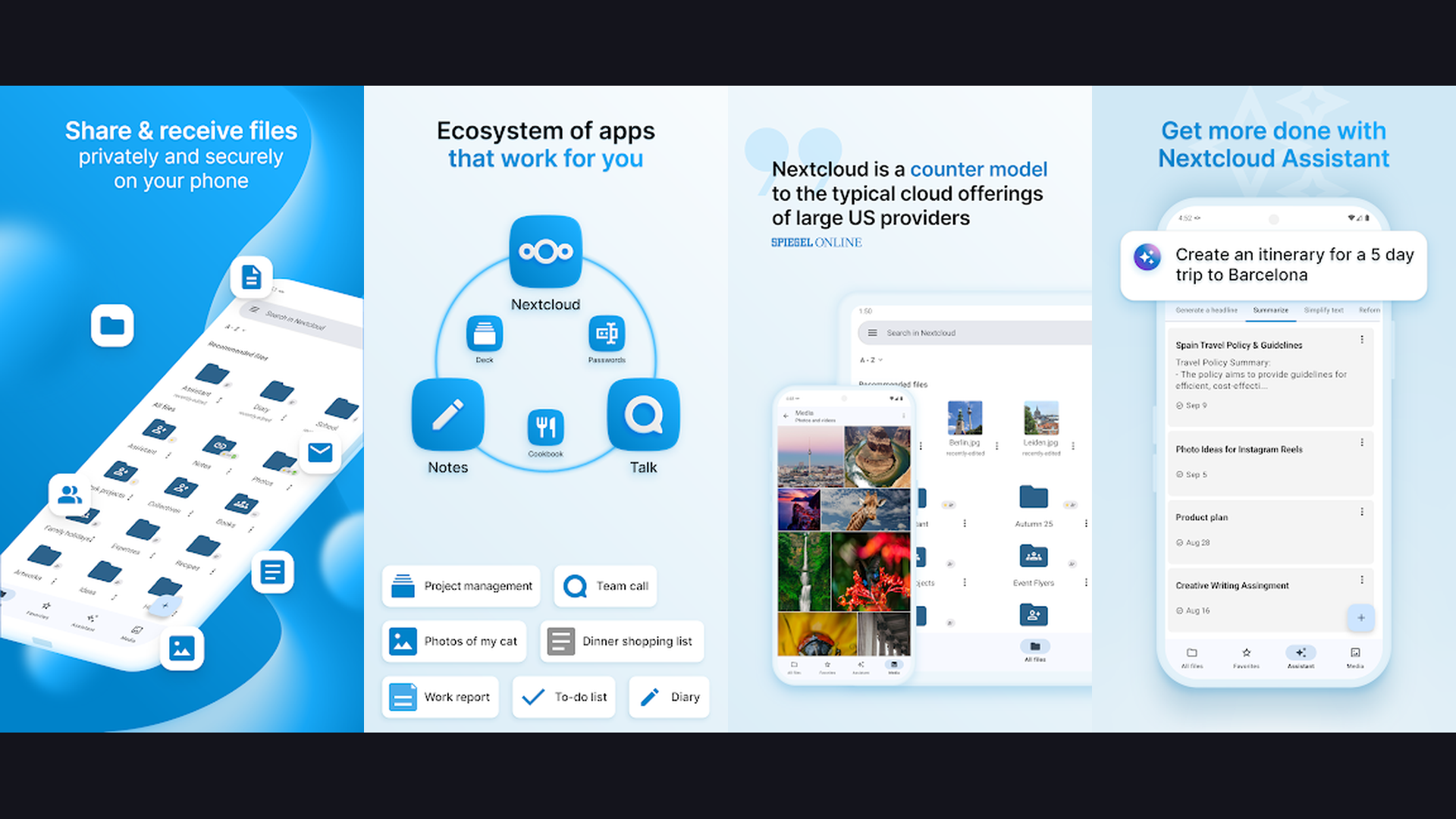
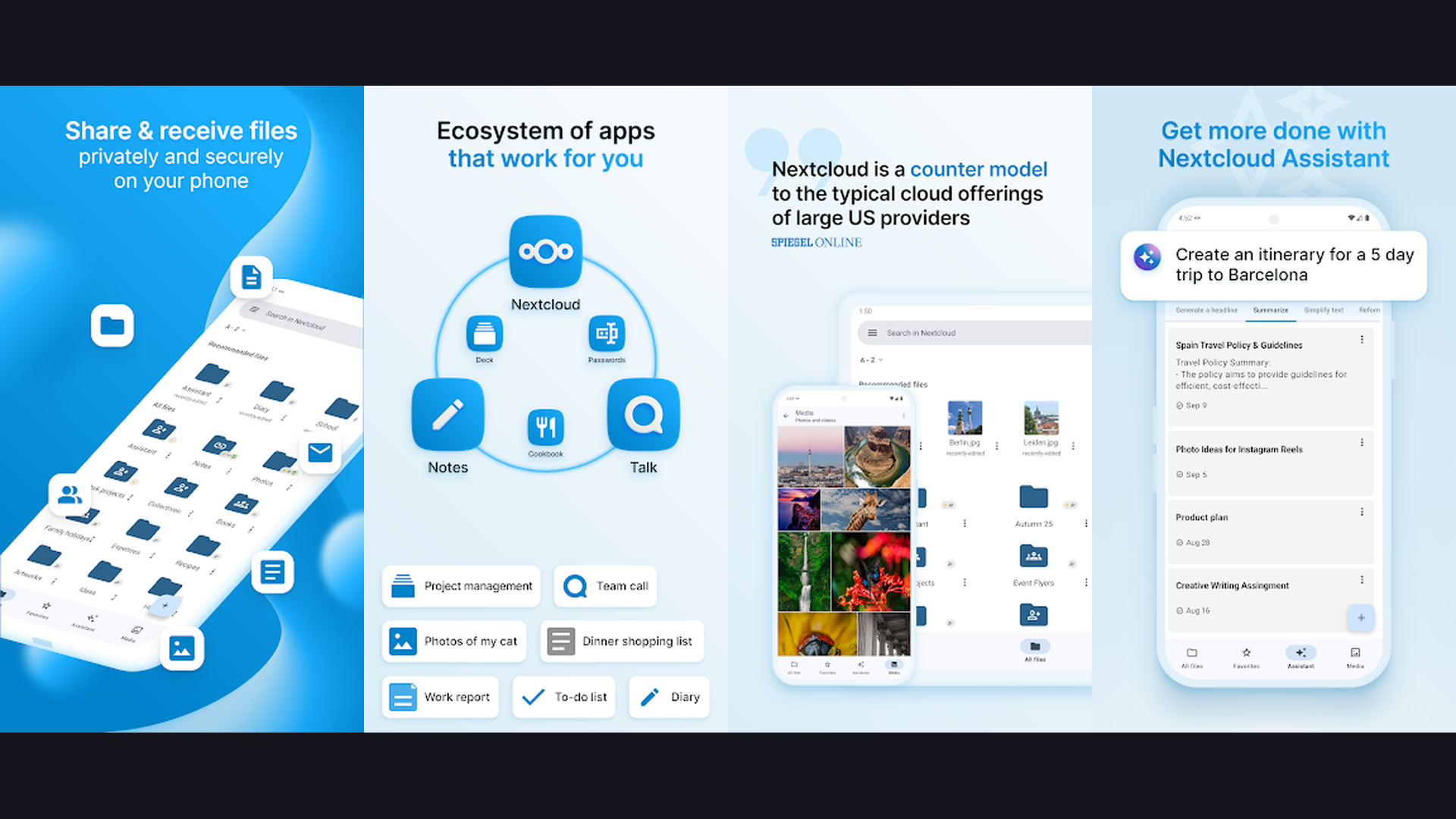
Nextcloud is the most comprehensive self-hosted cloud platform, replacing Google Drive, Google Docs, Google Calendar, and Google Chat with a single open-source solution that keeps all your data on your own server. Nextcloud is the Swiss Army knife of self-hosting. The file sync and share functionality replaces Dropbox and Google Drive with encrypted, private cloud storage. The Nextcloud Office integration (based on Collabora or OnlyOffice) provides full document, spreadsheet, and presentation editing. The Calendar and Contacts apps sync with your phone via CalDAV/CardDAV. The Talk feature provides encrypted video conferencing and chat. The Mail client aggregates email accounts. The Deck app provides Trello-style project management. The Notes app syncs markdown notes. The Photos app organizes media with face recognition. The mobile apps for Android and iOS provide file access, auto-upload of photos, and notification management. The app ecosystem includes hundreds of community plugins. Nextcloud is completely free and open source. For users who want a complete Google Workspace replacement under their control, Nextcloud is the most feature-rich self-hosted platform. Pair with note-taking apps.
4. Syncthing (Rating 4.5)
Syncthing is a decentralized, peer-to-peer file synchronization tool that keeps folders in sync between your devices without any central server, cloud service, or third-party account, using end-to-end encryption. Syncthing represents the purest form of self-hosting: there is no server at all. Your devices connect directly to each other (or through encrypted relay servers when direct connections are not possible) to synchronize designated folders. The result is Dropbox-like file sync with zero cloud dependency. Every device holds a complete copy of your files. Changes propagate automatically. Conflict resolution handles simultaneous edits. The versioning system keeps historical copies of modified files. The ignore patterns let you exclude specific files or folders. The folder sharing system lets multiple devices subscribe to the same synchronized folder. The web UI provides configuration and monitoring. The Android app runs as a background service. Syncthing requires zero account creation, zero registration, and zero subscription fees. Syncthing is completely free and open source. For privacy purists who want decentralized file sync with absolutely no cloud dependency or central server, Syncthing is the most philosophically pure option. Manage files with organization tools.
5. WireGuard (Rating 4.4)
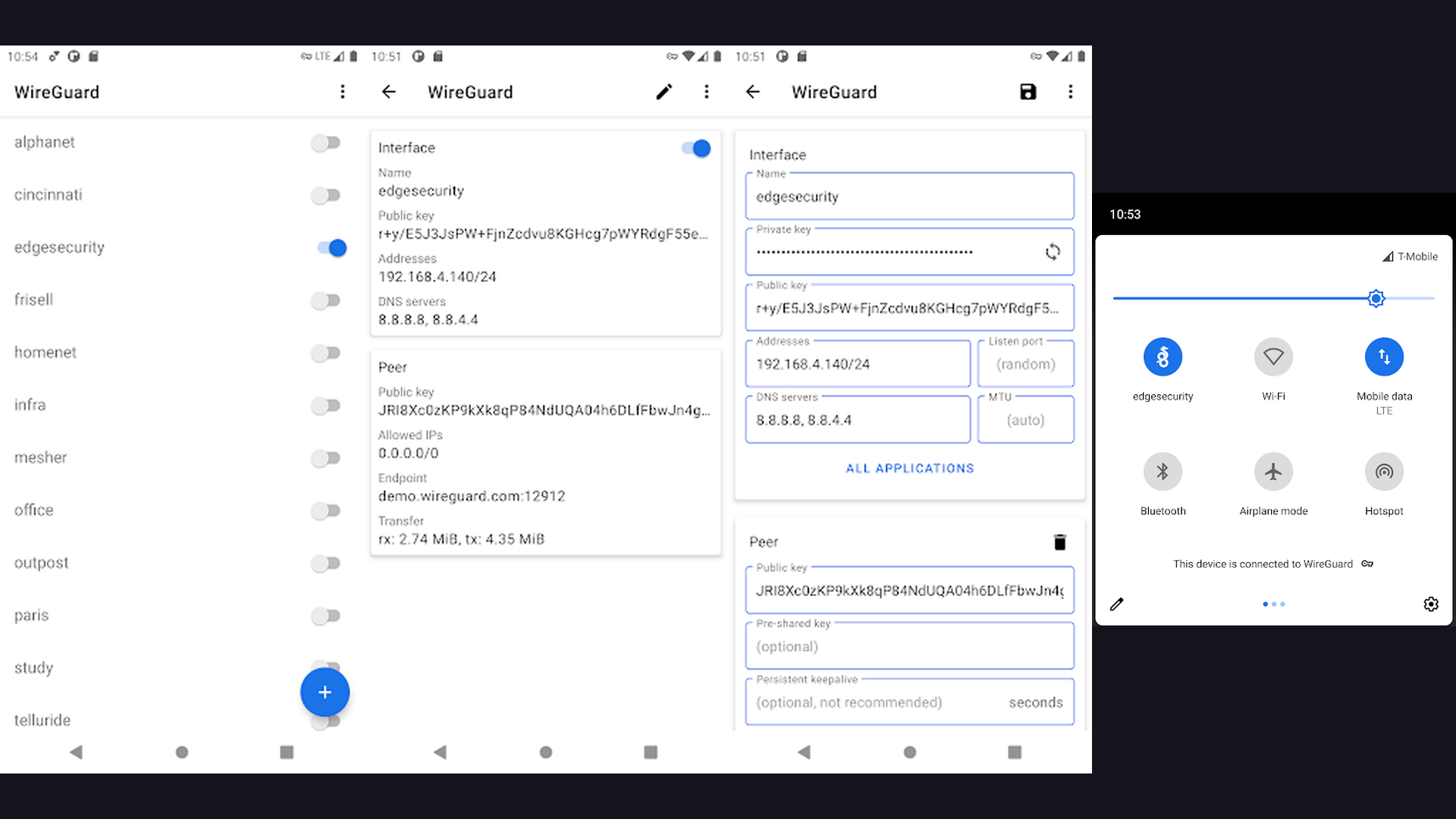
WireGuard is a next-generation VPN protocol and self-hosted VPN server that provides encrypted, high-performance tunnels to your home network, enabling secure remote access to all your self-hosted services from anywhere. WireGuard revolutionized VPN technology by being dramatically simpler, faster, and more secure than OpenVPN and IPsec. The entire codebase is approximately 4,000 lines (compared to hundreds of thousands for OpenVPN), making it easy to audit for security vulnerabilities. The cryptographic primitives (Curve25519, ChaCha20, Poly1305, BLAKE2s) represent the state of the art. The performance is exceptional: WireGuard achieves near-line-speed throughput with minimal CPU overhead. Setting up a WireGuard server on your homelab creates a secure tunnel for accessing all your self-hosted services (Nextcloud, Immich, Jellyfin, Home Assistant) from your phone or laptop anywhere in the world without exposing those services to the public internet. The mobile apps for Android and iOS provide one-tap VPN connection. The kernel-level implementation on Linux provides maximum performance. WireGuard is completely free and open source. For homelabbers who need the fastest, most secure VPN tunnel to access self-hosted services remotely, WireGuard is the gold standard. Secure your network alongside AI tools.
6. Tailscale (Rating 4.1)
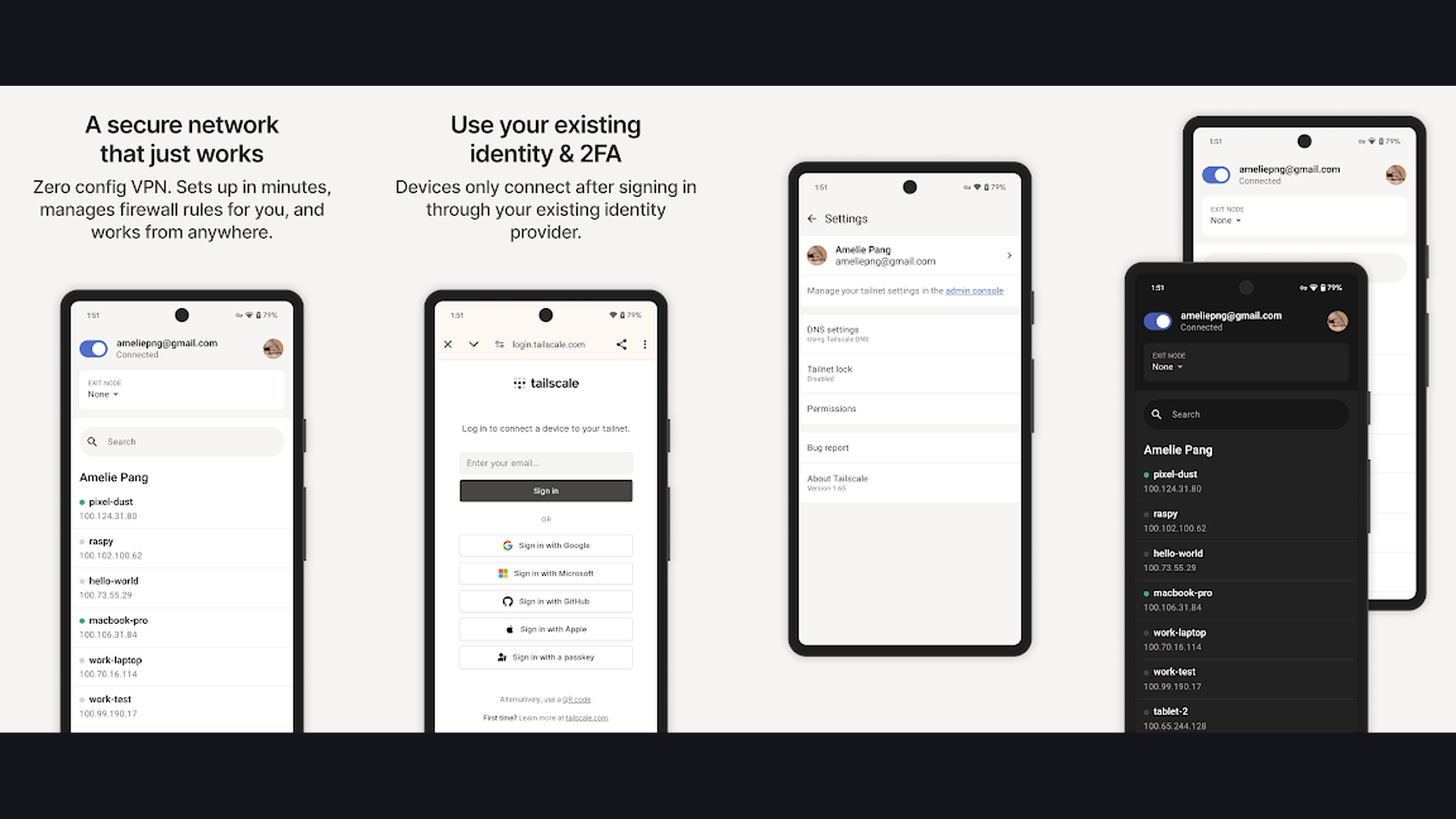
Tailscale is a zero-configuration mesh VPN built on WireGuard that automatically connects all your devices into a secure private network, eliminating port forwarding, dynamic DNS, and firewall configuration for accessing self-hosted services. If WireGuard is the VPN protocol, Tailscale is the "make it easy" layer on top. The traditional approach to accessing self-hosted services remotely requires configuring port forwarding on your router, setting up dynamic DNS, managing firewall rules, and manually exchanging WireGuard keys. Tailscale automates all of this. Install the Tailscale client on your server and your phone, and they automatically establish a WireGuard tunnel between them through NAT traversal, meaning it works even behind restrictive firewalls and carrier-grade NAT. The MagicDNS feature assigns memorable hostnames to your devices. The ACL (Access Control List) system lets you define which devices can access which services. The subnet router feature exposes your entire home network through the tailnet. The exit node feature routes all traffic through a specific device. Tailscale is free for personal use (up to 100 devices). For homelabbers who want effortless remote access without networking complexity, Tailscale is the simplest path. Browse more tech with productivity tools.
7. Jellyfin (Rating 4.1)
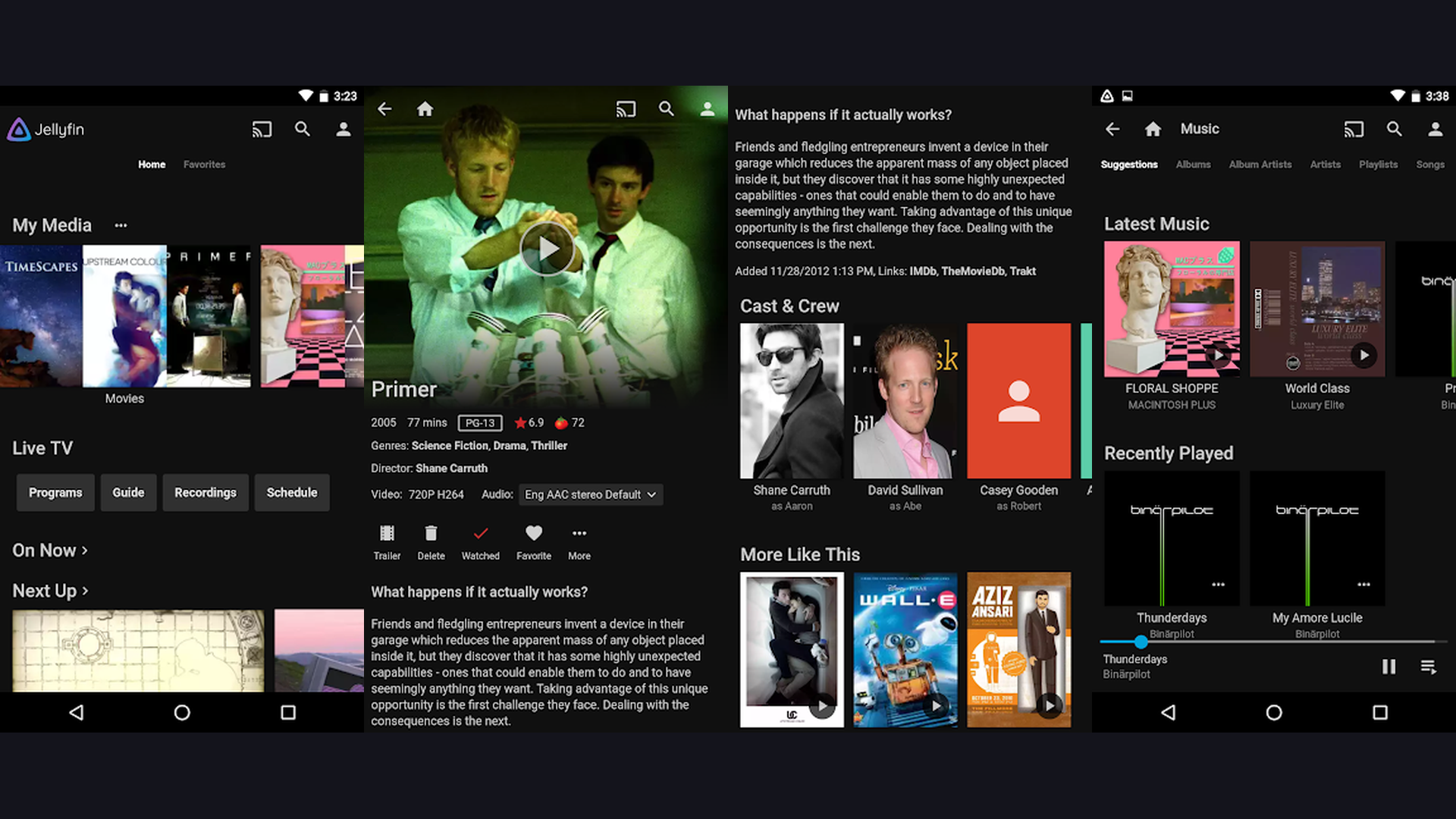
Jellyfin is a completely free, open-source media server that lets you stream your personal movie, TV show, music, and audiobook library from your own server to any device, with no subscriptions, no tracking, and no feature paywalls. Jellyfin emerged as the community response to Plex progressively locking features behind a paid Plex Pass subscription. Everything in Jellyfin is free: hardware transcoding, multi-user support, remote access, DVR/live TV integration, parental controls, and every client app. The server organizes your media library with automatic metadata fetching, artwork, descriptions, cast information, and trailer links. The transcoding engine converts media on-the-fly to match your device and bandwidth capabilities. The user management system lets family members have individual profiles with watch history, favorites, and parental controls. The live TV and DVR support integrates with TV tuners for recording broadcast television. The plugin system extends functionality with chapter skipping, LDAP authentication, and backup automation. The mobile apps for Android and iOS provide streaming anywhere via WireGuard or Tailscale. Jellyfin is completely free and open source. For cord-cutters who want a Netflix-like experience for their personal media with zero cost, Jellyfin is the definitive choice. Stream content with streaming apps.
8. Home Assistant (Rating 4.0)
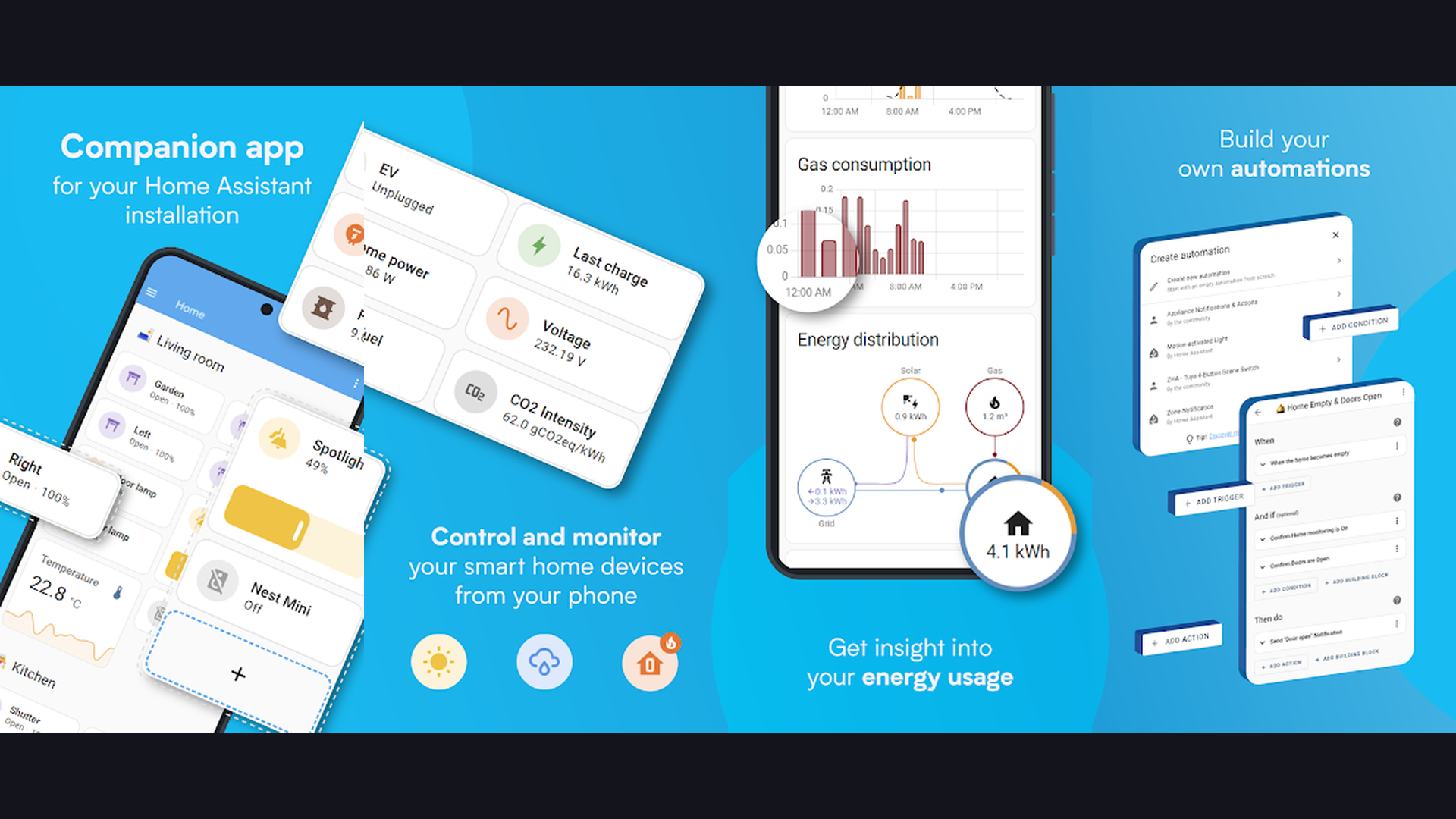
Home Assistant is the most powerful open-source home automation platform, integrating with over 2,500 smart home devices and services for local-first control, automations, energy monitoring, and a unified dashboard without cloud dependency. Home Assistant is to smart homes what Linux is to operating systems: the open-source foundation that gives you complete control. It integrates with virtually every smart home product: Zigbee and Z-Wave devices, WiFi smart plugs, Philips Hue, SmartThings, Ring, Nest, Ecobee, Lutron, IKEA TRADFRI, and thousands more. The automation engine creates sophisticated rules: turn on lights when motion is detected after sunset, adjust thermostat based on occupancy patterns, send alerts when a door sensor opens, or start the coffee maker when your morning alarm goes off. The energy dashboard monitors electricity, gas, and water consumption. The Lovelace dashboard builder creates beautiful control interfaces. The companion apps for Android and iOS provide remote control and send sensor data (location, battery, WiFi) back to your server. Home Assistant runs locally without cloud dependency, so your smart home works even when the internet goes down. Home Assistant is completely free and open source. For smart home enthusiasts who want complete local control with no cloud dependency, Home Assistant is unmatched. Control devices with device management tools.
9. Navidrome (Rating 4.0)
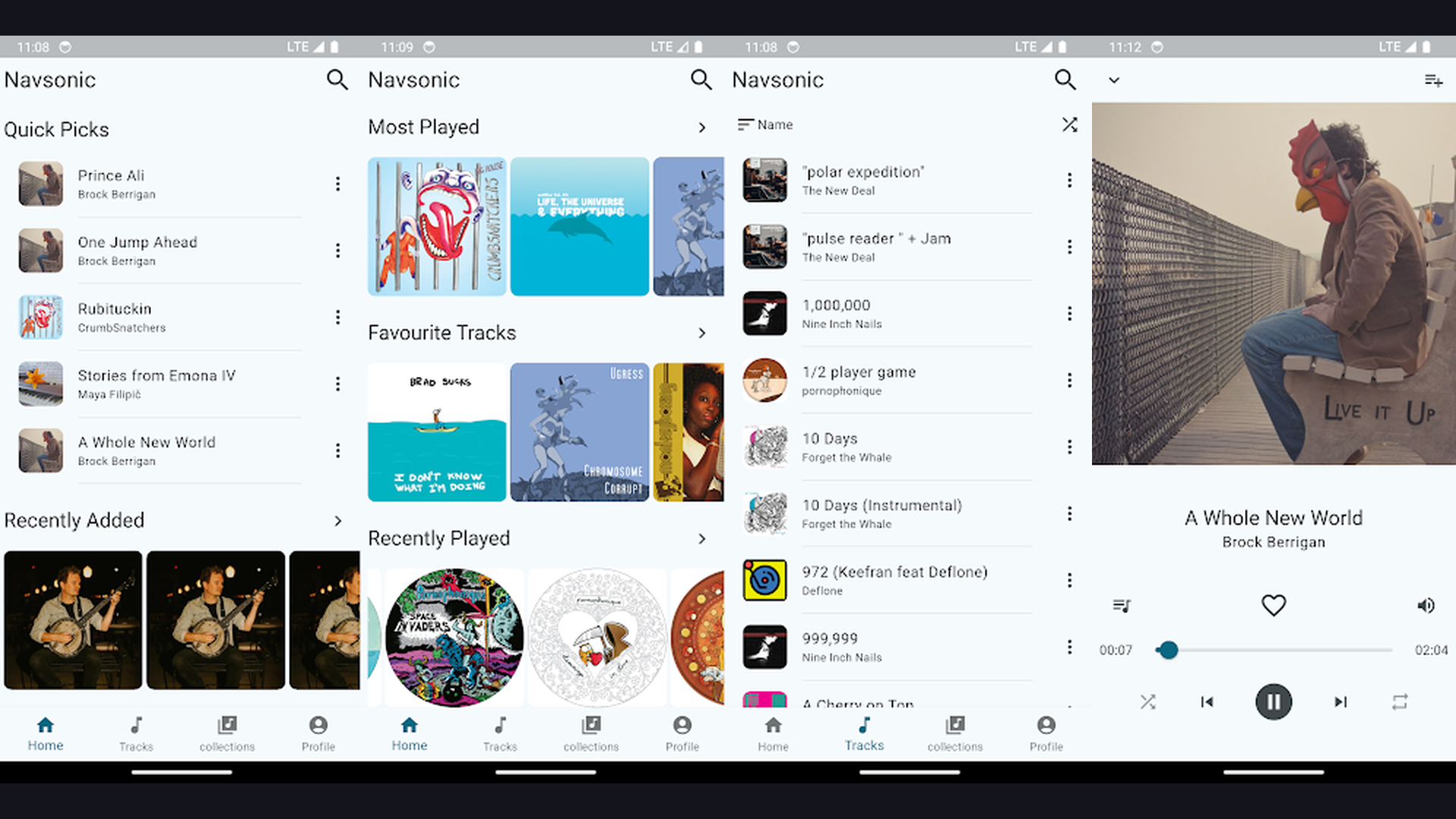
Navidrome is a lightweight, self-hosted music streaming server compatible with the Subsonic API, enabling you to stream your personal music library from your own server to any Subsonic-compatible mobile app with features like playlists, favorites, and scrobbling. If you have a music collection from CDs, purchases, or downloads, Navidrome turns your server into a personal Spotify. The server is remarkably lightweight, consuming minimal CPU and RAM compared to Plex or Jellyfin for music-only use cases. The Subsonic API compatibility means you can use excellent third-party mobile apps like Symfonium (Android), play:Sub (iOS), or substreamer for playback. The web interface provides a modern, responsive music player. The library management handles albums, artists, genres, and playlists. The transcoding system converts FLAC and other high-quality formats on-the-fly for mobile streaming over cellular data. The multi-user support lets family members have separate libraries, playlists, and play counts. The Last.fm scrobbling integration tracks your listening history. Navidrome is completely free and open source. For music collectors who want their own Spotify-like streaming service for their personal library, Navidrome is the lightest and most focused option. Enjoy media with entertainment apps.
10. Plex (Rating 3.7)
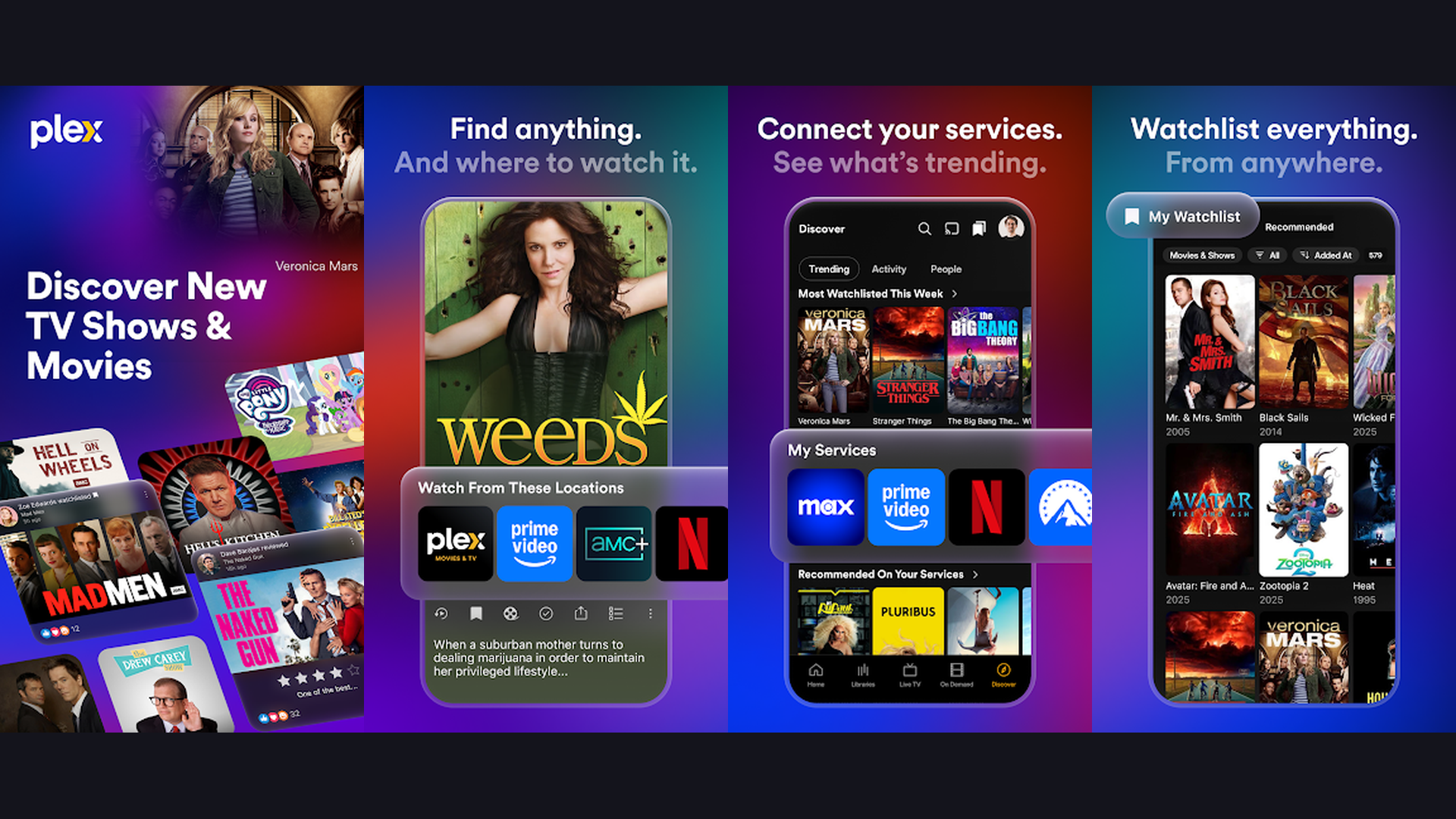
Plex is the most polished self-hosted media server platform with the best user interface, easiest remote access setup, free ad-supported streaming, live TV, and the most mature client app ecosystem across smart TVs, consoles, and mobile devices. Plex remains the gold standard for media server user experience. The interface is beautiful, intuitive, and consistent across every platform: phones, tablets, smart TVs, Roku, Apple TV, Fire TV, PlayStation, Xbox, and web browsers. The automatic media organization fetches metadata, artwork, and descriptions for movies, TV shows, music, and photos. The remote access feature works out of the box without VPN configuration, port forwarding (via Plex relay), or DNS setup. The Plex Pass subscription adds hardware transcoding, offline sync to mobile devices, DVR capabilities, and Plexamp (a dedicated music player). The free tier includes ad-supported movies and TV shows. The Watch Together feature lets friends stream simultaneously. The Discover feature aggregates content across multiple streaming services. Plex is free (core server) with Plex Pass from $4.99/month or $119.99 lifetime. For users who prioritize the most polished interface and easiest setup over pure open-source principles, Plex delivers the best out-of-box experience. Stream with video tools.
11. AdGuard Home (Rating 3.6)
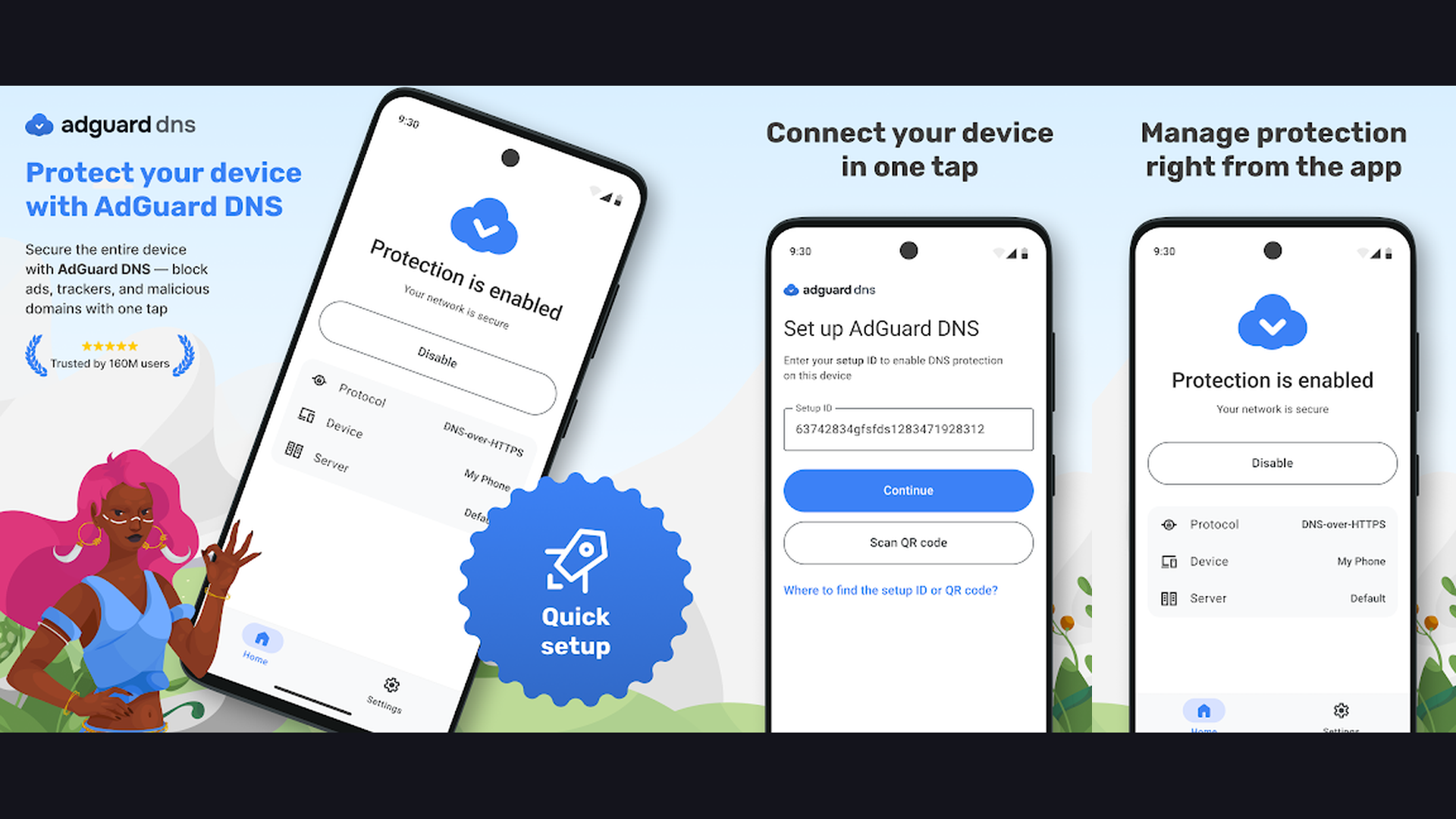
AdGuard Home is a network-wide ad blocker and DNS privacy server that blocks ads, trackers, malware domains, and adult content across every device on your network without installing anything on individual devices. AdGuard Home operates as your network DNS server, filtering all DNS queries from every device on your network: phones, laptops, smart TVs, IoT devices, and gaming consoles. When a device tries to load an ad or tracking domain, AdGuard Home blocks the DNS resolution, preventing the connection entirely. The result: ads disappear from apps, websites, and even smart TV interfaces across your entire network. The dashboard shows real-time query statistics, blocked domains, and per-client activity. The filtering rules use community-maintained blocklists covering ads, trackers, phishing, malware, and adult content. The per-client settings let you apply different filtering rules to different devices (stricter rules for children, relaxed rules for your workstation). The DNS-over-HTTPS and DNS-over-TLS support encrypts your DNS queries. The query log shows every DNS request on your network. The parental controls block adult content without device-level software. AdGuard Home is completely free and open source. For homelabbers who want network-wide ad blocking without per-device configuration, AdGuard Home is the modern alternative to Pi-hole. Browse cleaner with optimization tools.
12. Portainer (Rating 3.3)
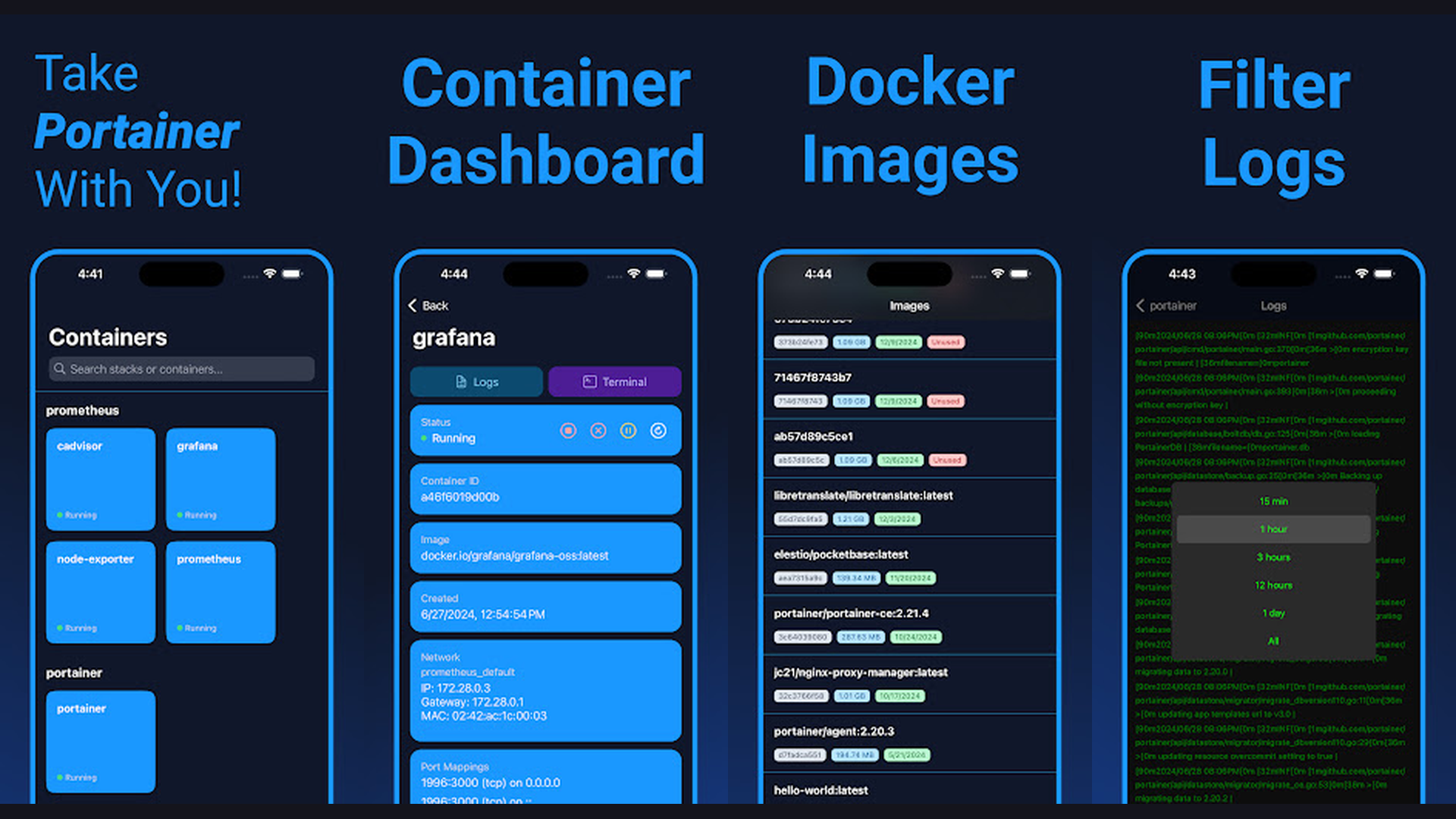
Portainer is a visual management interface for Docker containers that makes deploying, monitoring, and managing self-hosted applications easy through a web-based GUI, eliminating the need for command-line Docker expertise. Self-hosting typically means running applications in Docker containers, and Portainer is the best way to manage those containers without memorizing Docker CLI commands. The dashboard provides a visual overview of all running containers, images, networks, and volumes. One-click container deployment lets you launch new applications from the app templates library. The container management interface shows logs, console access, resource usage, environment variables, and port mappings. The stack management feature handles Docker Compose deployments. The user management system lets multiple administrators manage containers with role-based access control. The webhook support enables automated deployments. The container health monitoring alerts you when services go down. The image management handles pulling updates and cleaning unused images. The network visualization shows how containers communicate. Portainer is free for personal use (Community Edition) or from $5/node/month (Business Edition). For anyone new to Docker and self-hosting who wants a visual way to manage containers without command-line expertise, Portainer is the essential starting point. Manage your tech with productivity tools.
Which Self-Hosted Apps Should You Start With?
Essential First Three (Start Here)
- Bitwarden/Vaultwarden - Secure your passwords immediately (highest security impact)
- AdGuard Home - Block ads network-wide with minimal setup
- WireGuard or Tailscale - Secure remote access to your homelab
Best for Replacing Google Services
- Immich - Replaces Google Photos (photo backup with AI)
- Nextcloud - Replaces Google Drive, Docs, Calendar, and Contacts
- Navidrome - Replaces Spotify/YouTube Music for personal libraries
Best for Media Consumption
- Jellyfin - Best free media server (movies, TV, music)
- Plex - Most polished interface and easiest setup
- Navidrome - Lightweight, music-focused streaming
Best for Privacy and Security
- Bitwarden - Zero-trust password management
- WireGuard - Direct VPN with maximum control
- Syncthing - Serverless, decentralized file sync
- AdGuard Home - Network-wide tracker blocking
Best for Smart Home
- Home Assistant - Most comprehensive home automation platform
Best for Beginners
- Portainer - Visual Docker management (essential learning tool)
- Tailscale - Zero-configuration remote access
- Plex - Easiest media server to set up
Self-Hosting Tips and Best Practices
- Start with Docker and Portainer - Docker containers are the standard deployment method for self-hosted applications. Almost every app in this guide provides an official Docker image. Install Docker on your server first, then install Portainer for visual management. Once Docker is running, deploying new applications becomes as simple as pulling an image and configuring a few environment variables. Docker Compose files let you define multi-container applications declaratively. Learn Docker basics before diving into specific applications, as this knowledge transfers to every self-hosted app you deploy.
- Implement the 3-2-1 Backup Strategy - Self-hosting means you are responsible for your own data backups. The 3-2-1 rule means keeping 3 copies of your data on 2 different media types with 1 copy offsite. Your primary data lives on your server, a local backup lives on a separate drive (USB or NAS), and an offsite copy lives at a remote location or encrypted cloud storage. Tools like Restic, BorgBackup, or Duplicati automate encrypted backups. Schedule automated daily backups and periodically test restore procedures. Losing your Immich photo library or Bitwarden vault to a hardware failure is preventable with proper backups. Manage your data with organization tools.
- Use a Reverse Proxy for HTTPS - Accessing your self-hosted services over unencrypted HTTP is a security risk. Set up a reverse proxy like Nginx Proxy Manager (easiest GUI), Caddy (automatic HTTPS), or Traefik (Docker-native) to handle TLS certificates. These tools automatically obtain and renew free Let Encrypt SSL certificates. A reverse proxy also lets you access multiple services through a single domain with subdomains (cloud.yourdomain.com, photos.yourdomain.com). Combined with WireGuard or Tailscale for remote access, your services remain both secure and accessible.
- Secure Remote Access Before Exposing Services - Never expose self-hosted services directly to the public internet without proper security measures. The safest approach is using WireGuard or Tailscale to create a VPN tunnel, accessing all services through the encrypted tunnel without any public-facing ports. If you must expose services publicly (which is rarely necessary for personal use), implement a reverse proxy with HTTPS, fail2ban for brute-force protection, and strong authentication. Cloudflare Tunnel provides another option for secure exposure without opening firewall ports. Prioritize security from day one.
- Monitor Your Server Health - Self-hosted services need monitoring to catch problems before they cause data loss or downtime. Uptime Kuma provides a beautiful, self-hosted monitoring dashboard that pings your services and alerts you via email, Telegram, or Discord when something goes down. Grafana with Prometheus provides detailed performance metrics. Set up alerts for disk space (the most common failure: running out of storage), CPU/memory usage, and service availability. A server that runs out of disk space while Immich is backing up photos or Nextcloud is syncing files can corrupt data. Prevention through monitoring is far better than recovery.
- Keep Applications Updated Regularly - Self-hosted applications receive frequent updates with security patches, bug fixes, and new features. Establish a regular update schedule (weekly or biweekly) for all your containers. Watchtower can automate Docker container updates, though many homelabbers prefer manual updates to test for breaking changes first. Always read changelogs before updating critical services like Bitwarden or Nextcloud. Keep your host operating system updated as well. Unpatched software is the primary attack vector for compromised self-hosted services.
- Start Small and Expand Gradually - New self-hosters often try to deploy 20 applications in their first weekend and become overwhelmed. Start with 2-3 essential services (Bitwarden + AdGuard Home + Tailscale is an excellent foundation), learn how they work, establish backup procedures, and then add new applications one at a time. Each new application adds maintenance responsibility. A well-maintained homelab with 5 reliable services is better than a chaotic one with 30 applications that are not properly backed up or secured. Learn more with educational tools.
- Choose the Right Hardware - Self-hosting does not require expensive hardware. A Raspberry Pi 4/5 ($35-80) runs AdGuard Home, Syncthing, WireGuard, and Navidrome comfortably. An old laptop or mini PC (Intel N100-based) handles Nextcloud, Bitwarden, Home Assistant, and Portainer. A NAS (Synology, QNAP) or used enterprise server (Dell Optiplex, HP EliteDesk) handles everything in this guide including Plex/Jellyfin transcoding and Immich AI processing. Start with what you have and upgrade based on actual needs. Power consumption matters for 24/7 servers: a mini PC draws 10-15W compared to 200W+ for a full server. Check specs with monitoring tools.
Frequently Asked Questions
What does self-hosting mean?
Self-hosting means running applications on your own hardware (a home server, NAS, old laptop, or cloud VPS) instead of using third-party services like Google, Dropbox, or Netflix. When you self-host Nextcloud instead of using Google Drive, your files live on your own server instead of Google data centers. When you self-host Immich instead of Google Photos, your memories are stored on your own hardware. The benefits include complete data privacy, no monthly subscription fees, no storage limits (beyond your own hardware), no vendor lock-in, and full control over your data. The tradeoffs include maintenance responsibility, backup management, and initial setup complexity.
How much does self-hosting cost?
The software cost is typically zero, as most self-hosted applications are free and open source. Hardware costs range from $35 (Raspberry Pi) to $200-500 (mini PC or used enterprise hardware) for a capable home server. Electricity costs for a low-power mini PC running 24/7 are approximately $10-20 per year. A domain name costs $10-15/year if you want custom URLs. Optional: a UPS (Uninterruptible Power Supply) costs $50-100 for protecting against power outages. Compare this to Google One ($30-100/year), iCloud ($36-120/year), Plex Pass ($120 lifetime), password manager subscriptions ($35-60/year), and streaming services ($120-200/year each). Self-hosting often pays for itself within the first year.
Is self-hosting safe and secure?
Self-hosting can be more secure than cloud services when done properly. Your data is not vulnerable to large-scale data breaches at corporations (like the LastPass breach). No third party can access, analyze, or sell your data. However, security depends on your practices: use strong passwords, keep software updated, implement HTTPS via reverse proxy, use VPN (WireGuard/Tailscale) for remote access instead of exposing services publicly, enable two-factor authentication, and maintain regular backups. The biggest security risk in self-hosting is neglect: running outdated software with known vulnerabilities. Automated updates and monitoring mitigate this risk significantly.
What hardware do I need to get started?
You can start self-hosting with almost any computer. A Raspberry Pi 4 or 5 ($35-80) handles lightweight services like AdGuard Home, WireGuard, Syncthing, and Navidrome. An Intel N100 mini PC ($150-250) handles mid-range workloads including Nextcloud, Bitwarden, Home Assistant, Jellyfin (with hardware transcoding), and Portainer. For heavy workloads like Immich AI processing and Plex 4K transcoding, an Intel i5/i7 or AMD Ryzen 5/7 system ($300-500 used) provides ample power. Storage needs vary: 1-2TB SSD for general self-hosting, 4-8TB+ HDD for media libraries. Start with what you already own and upgrade based on actual needs.
Can I access self-hosted apps from my phone?
Yes, most self-hosted apps have excellent mobile companion apps. Immich, Bitwarden, Nextcloud, Plex, Jellyfin, Home Assistant, Tailscale, and WireGuard all have official Android and iOS apps. For remote access when you are away from home, WireGuard or Tailscale creates a secure VPN tunnel from your phone to your home server, giving you full access to all services as if you were on your home WiFi. The mobile apps handle photo backup (Immich), password autofill (Bitwarden), file access (Nextcloud), media streaming (Jellyfin/Plex), and home automation control (Home Assistant) seamlessly.
Should I use Plex or Jellyfin for my media server?
Choose Plex if you want the easiest setup, most polished interface, widest device support (especially smart TVs), and do not mind paying for premium features. Choose Jellyfin if you want everything free with no feature paywalls, value open-source principles, and are comfortable with a slightly less polished (but rapidly improving) interface. Jellyfin provides all features (hardware transcoding, multi-user, remote access, DVR) for free, while Plex locks several behind a Plex Pass subscription. Many self-hosters start with Plex for its ease and migrate to Jellyfin as they become more comfortable. Both are excellent choices.
Final Thoughts
Self-hosting in 2026 is more accessible and powerful than ever. The 12 apps in this guide provide a complete alternative technology stack: Immich replaces Google Photos, Bitwarden replaces LastPass, Nextcloud replaces Google Drive and Docs, Syncthing replaces Dropbox, Jellyfin and Plex replace Netflix for personal content, Navidrome replaces Spotify for personal music, WireGuard and Tailscale provide secure remote access, Home Assistant provides smart home automation, AdGuard Home blocks ads network-wide, and Portainer makes managing it all accessible to beginners. Start with the essentials (Bitwarden + AdGuard Home + Tailscale), add services gradually, maintain proper backups, and enjoy complete ownership of your digital life. For more tech recommendations, explore our guides on productivity tools, learning apps, navigation tools, and cross-platform development.