
Your smartphone is the most powerful GPS navigator ever made. In 2026, navigation apps use AI, real-time traffic data, and community intelligence to find the fastest routes, avoid congestion, and guide you with turn-by-turn directions anywhere in the world. Whether you are commuting through city traffic, road-tripping across the country, hiking mountain trails, or navigating public transit in a foreign city, the right app makes all the difference between a smooth journey and a frustrating one.
We tested and ranked the 13 best navigation apps for Android and iOS, covering driving navigation, offline maps, public transit, outdoor trails, and specialized truck routing. Each review explains the key features, offline capabilities, pricing, and which type of traveler will benefit most. If you are planning a road trip, pair your navigation app with travel planning apps for the best experience. And make sure your phone lasts the whole journey with our battery optimization tips.
Table of Contents
- Citymapper (Rating 4.8)
- OsmAnd (Rating 4.5)
- inRoute (Rating 4.3)
- Petal Maps (Rating 4.3)
- Sygic (Rating 4.2)
- Waze (Rating 4.1)
- MAPS.ME (Rating 4.1)
- Komoot (Rating 3.8)
- TomTom GO Navigation (Rating 3.6)
- MapQuest (Rating 3.2)
- HERE WeGo (Rating 3.3)
- Google Maps (Rating 3.2)
- CoPilot GPS (Rating 3.1)
- Which Navigation App is Right for You?
- Navigation Tips for Safer Driving
- Frequently Asked Questions
1. Citymapper (Rating 4.8)
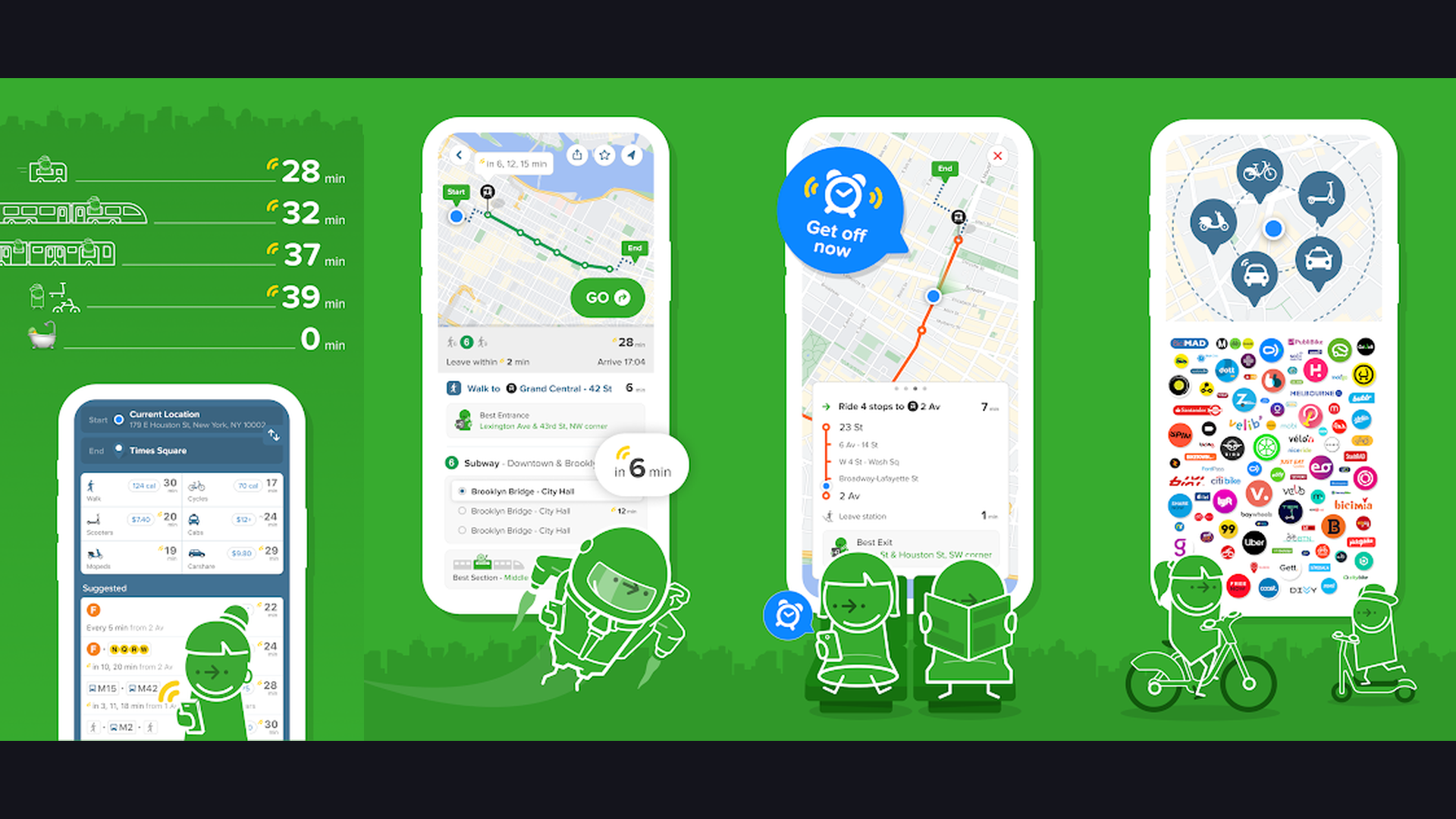
Citymapper is the best public transit navigation app for urban commuters, offering incredibly detailed multimodal route planning in over 100 cities worldwide. The app combines buses, trains, subways, trams, ferries, ride-hailing, bike-sharing, and walking into unified route suggestions. What makes Citymapper exceptional is the level of detail: it tells you which subway car to board for the fastest exit, shows real-time departure boards, alerts you when your stop is approaching, and even suggests the optimal door to stand near. The "Get Me Somewhere" feature suggests popular destinations when you are exploring a new city. Live disruption alerts show service changes, delays, and station closures in real time. Citymapper also calculates calories burned for walking segments and displays weather-aware route suggestions. For anyone who relies on public transportation in major cities like London, New York, Paris, Tokyo, or Berlin, Citymapper is the most intelligent transit navigation tool available.


2. OsmAnd (Rating 4.5)
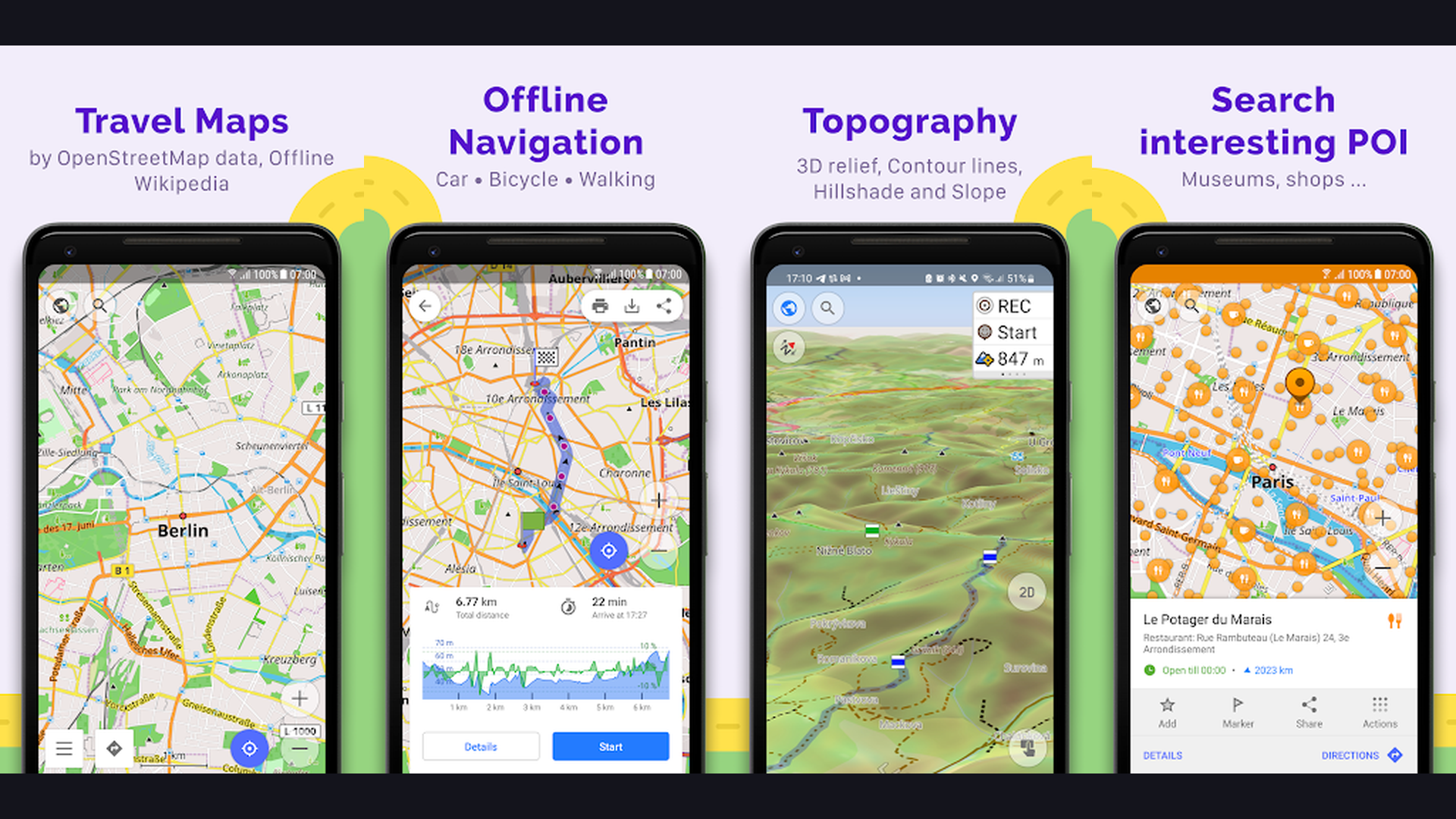
OsmAnd is the most powerful offline navigation app built on OpenStreetMap data, offering unmatched customization and detail for travelers, hikers, and cyclists. Download detailed vector maps for entire countries that work completely without internet. OsmAnd provides turn-by-turn navigation for driving, cycling, walking, and even skiing, with lane guidance, speed limit warnings, and intermediate waypoint support. The map customization is extraordinary: you can overlay topographic contour lines, hillshade terrain, slope analysis, and nautical charts. For outdoor enthusiasts, OsmAnd shows hiking trails, mountain paths, elevation profiles, and GPX track recording. The app supports dozens of map layers and plugins including public transport routes, POI search, Wikipedia articles on nearby landmarks, and OpenStreetMap editing. OsmAnd is free for 7 map downloads; OsmAnd+ (one-time purchase) unlocks unlimited downloads and all features. For power users who want travel and adventure navigation without depending on internet connectivity, OsmAnd is unbeatable.
3. inRoute (Rating 4.3)
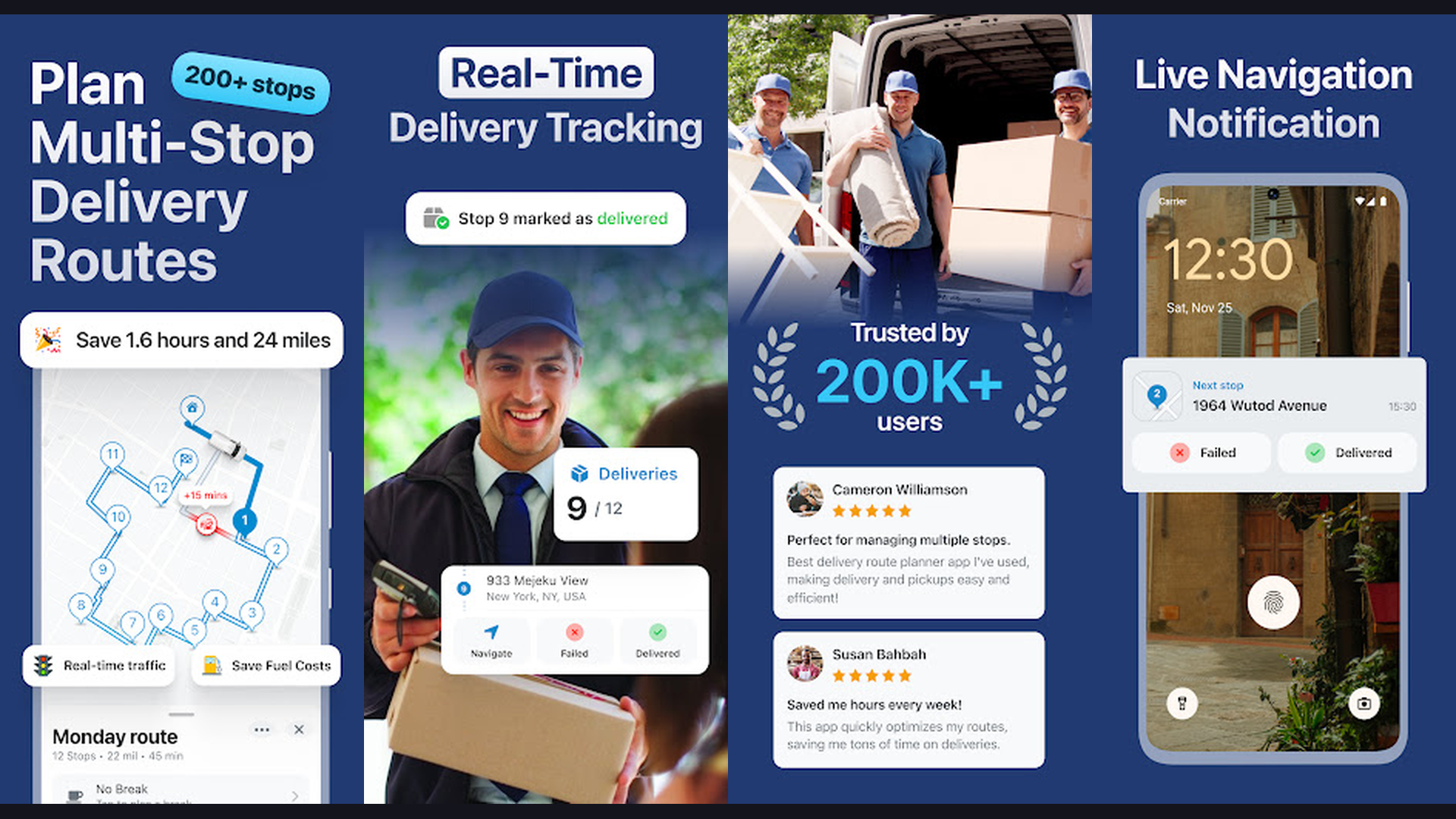
inRoute is a weather-aware route planner that helps road trippers navigate with weather conditions in mind. The app visualizes weather along your entire route using a color-coded elevation and weather graph, showing temperature, precipitation, wind, and visibility at every point of your journey. Plan multi-stop routes with up to 150 waypoints and optimize the order for the fastest path. inRoute is particularly valuable for long-distance road trips, motorcycle touring, and trucking where weather conditions significantly impact safety and travel time. The app generates turn-by-turn driving directions with voice guidance and supports exporting routes to Apple Maps, Google Maps, or other navigation apps. The fuel cost calculator estimates your trip expenses based on your vehicle fuel efficiency. For anyone planning road trips across changing weather zones, inRoute provides critical weather intelligence that no other navigation app offers.
4. Petal Maps (Rating 4.3)
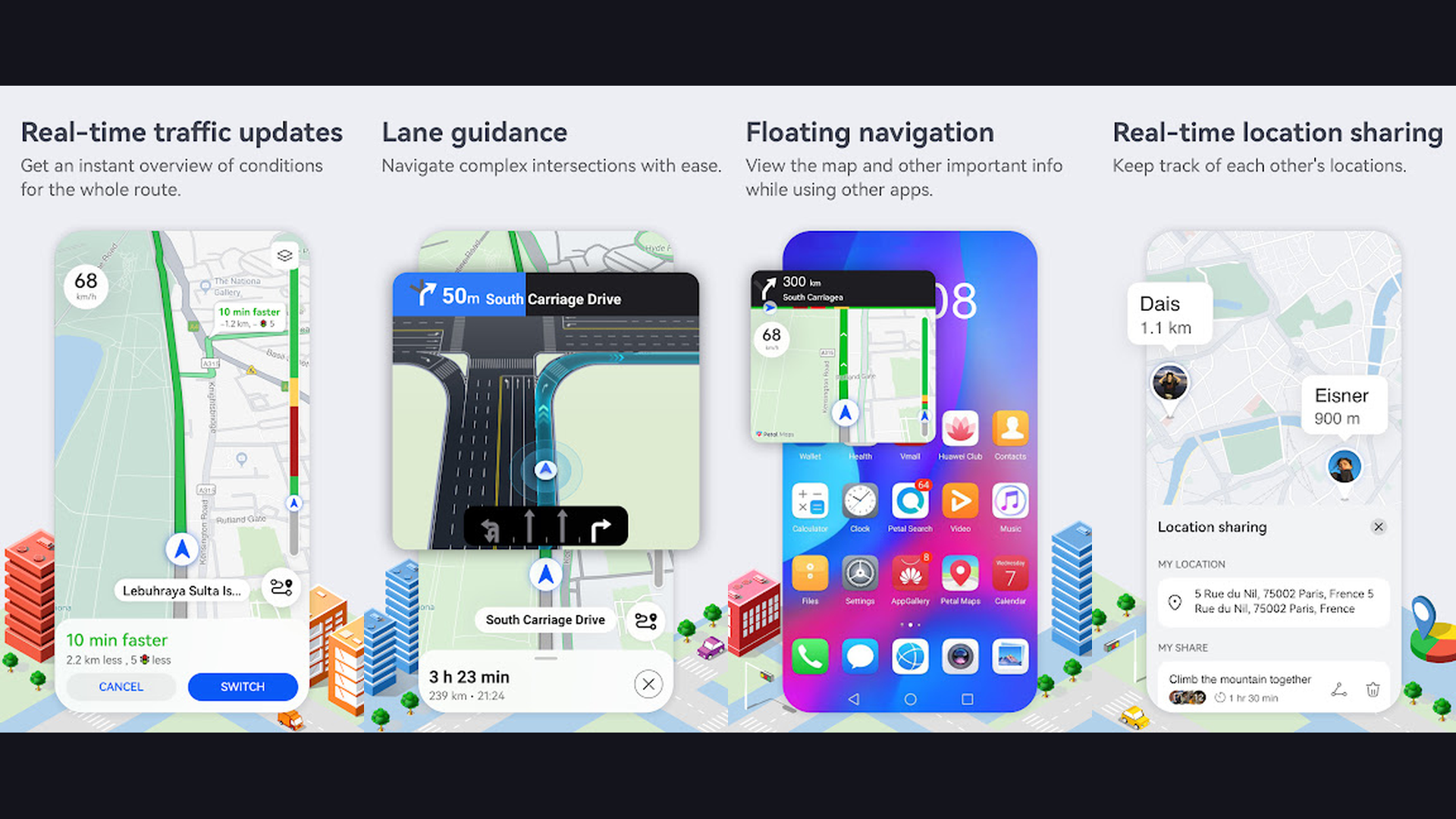
Petal Maps is Huawei's navigation app that serves as a powerful Google Maps alternative, especially for users of Huawei and Honor smartphones. The app provides turn-by-turn navigation with real-time traffic information, lane guidance, speed camera alerts, and dynamic rerouting to avoid congestion. Petal Maps features 3D building models, indoor maps for shopping malls and airports, and AR walking navigation that overlays directional arrows on your camera view. The offline maps feature lets you download regions for navigation without internet. Petal Maps supports driving, walking, cycling, and public transit directions with multi-stop route planning. The app integrates with reminder apps for location-based alerts. For Huawei device owners who cannot access Google Maps, Petal Maps provides a comprehensive and polished navigation experience with growing global coverage and frequent map data updates.
5. Sygic (Rating 4.2)
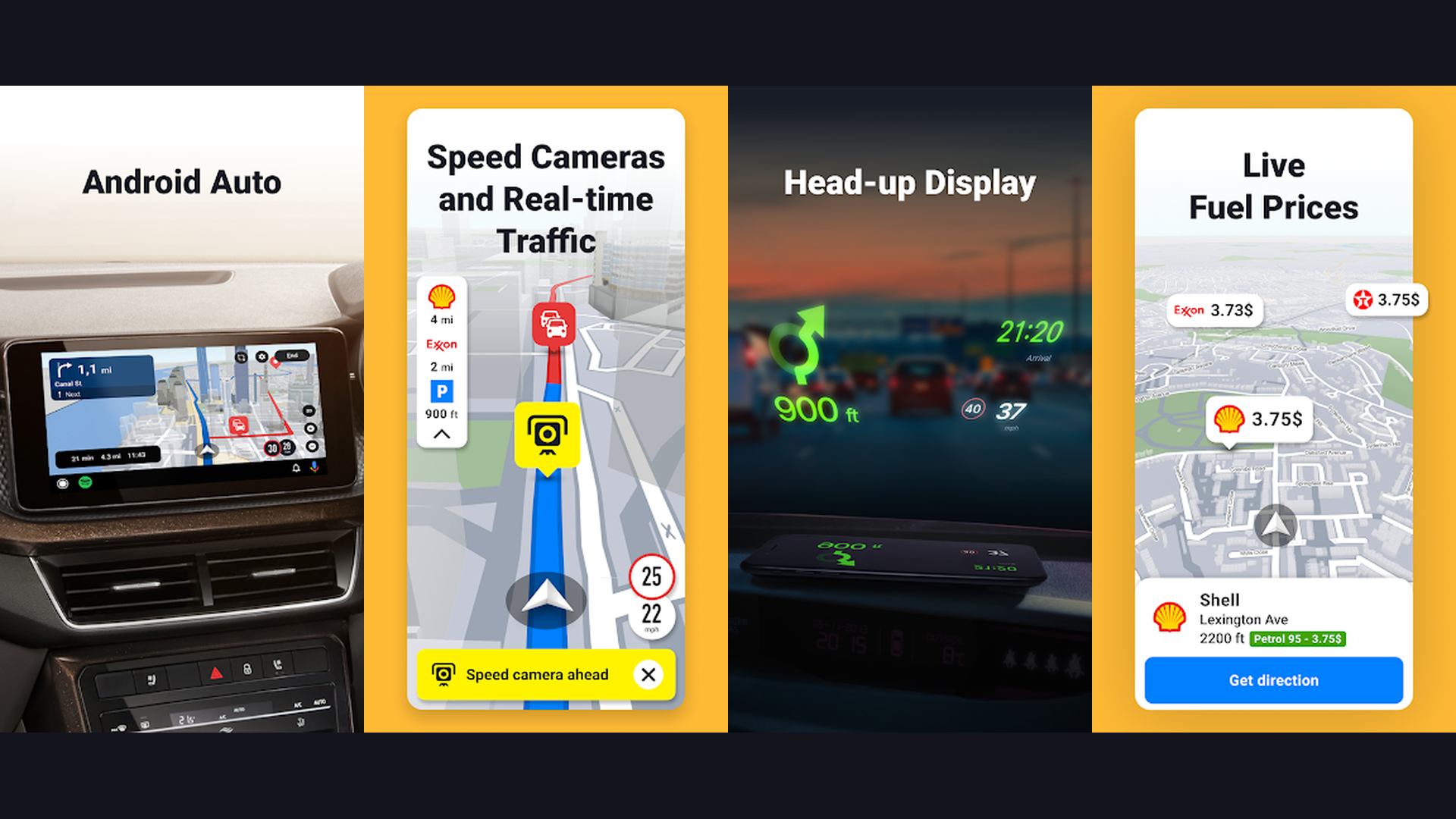
Sygic is a premium offline navigation app with advanced driver safety features. Download high-quality TomTom maps for offline turn-by-turn navigation in over 200 countries. Sygic is known for its driver assistance features: real-time speed limit display, speed camera and police trap warnings, head-up display (HUD) mode that projects directions onto your windshield, and dashcam recording that captures your drive for safety documentation. The app includes real-time traffic data with rerouting, fuel price comparison along your route, and parking suggestions at your destination. Sygic supports Android Auto and Apple CarPlay for seamless in-car integration. The Premium+ subscription unlocks live traffic, speed cameras, and HUD mode. For drivers who frequently travel in areas with poor cell coverage, Sygic provides the most reliable offline driving experience with professional-grade TomTom map data.
6. Waze (Rating 4.1)
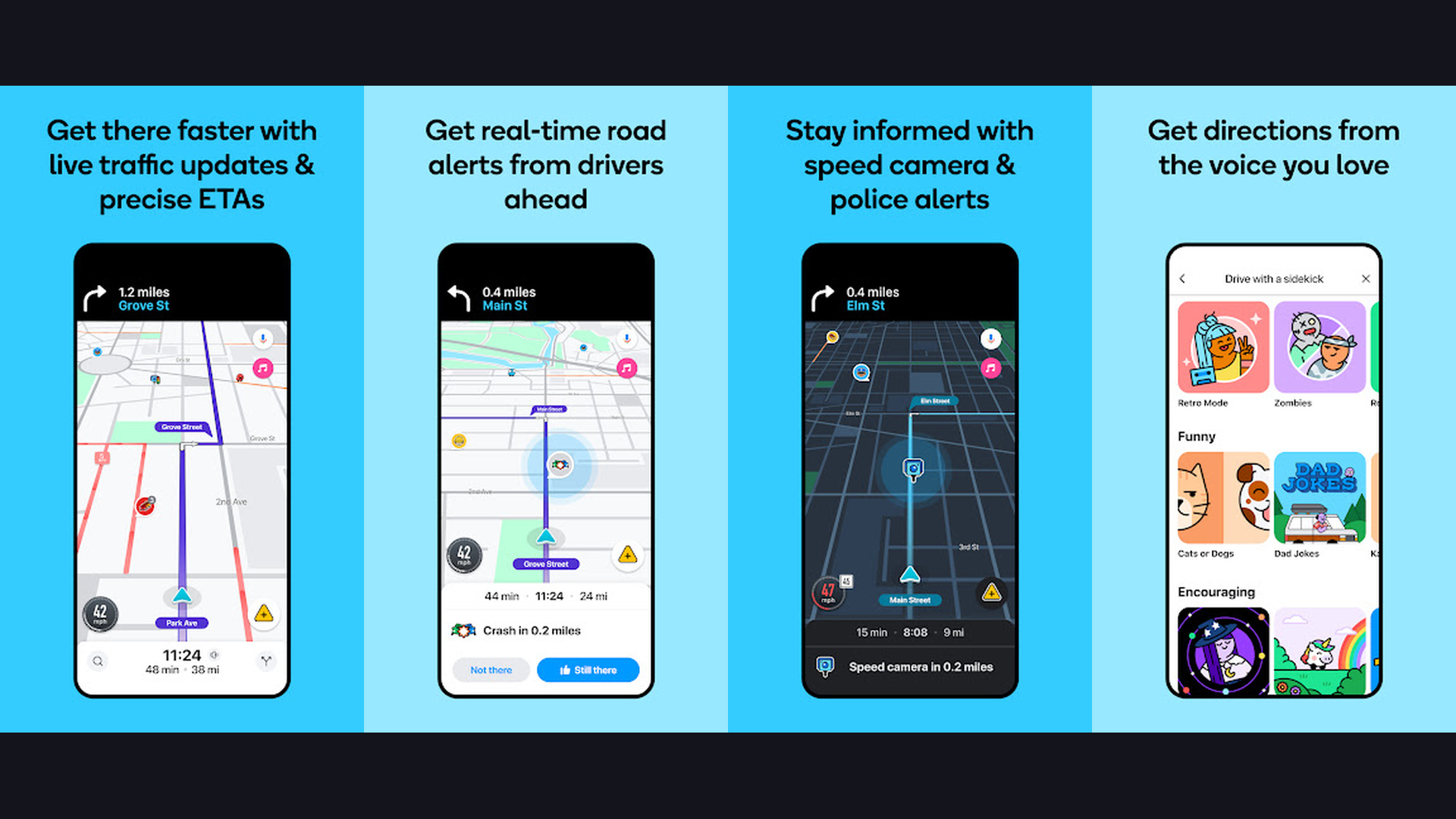
Waze is the best community-driven navigation app for avoiding traffic and finding the fastest driving routes. Owned by Google, Waze uses real-time data from millions of active drivers to identify traffic jams, accidents, road closures, police speed traps, road hazards, and construction zones. The app automatically reroutes you to faster alternatives, often through side streets that traditional GPS would ignore. The community aspect is what makes Waze unique: drivers report incidents in real time, and these reports are instantly shared with nearby users. Waze integrates with Spotify and other music apps for in-drive entertainment control. The app supports Android Auto and Apple CarPlay for hands-free use. Waze Carpool lets commuters share rides. Gas price comparison shows the cheapest fuel stops along your route. For daily commuters and road trip drivers who want the absolute fastest routes with real-time intelligence, Waze consistently outperforms traditional navigation apps.
7. MAPS.ME (Rating 4.1)
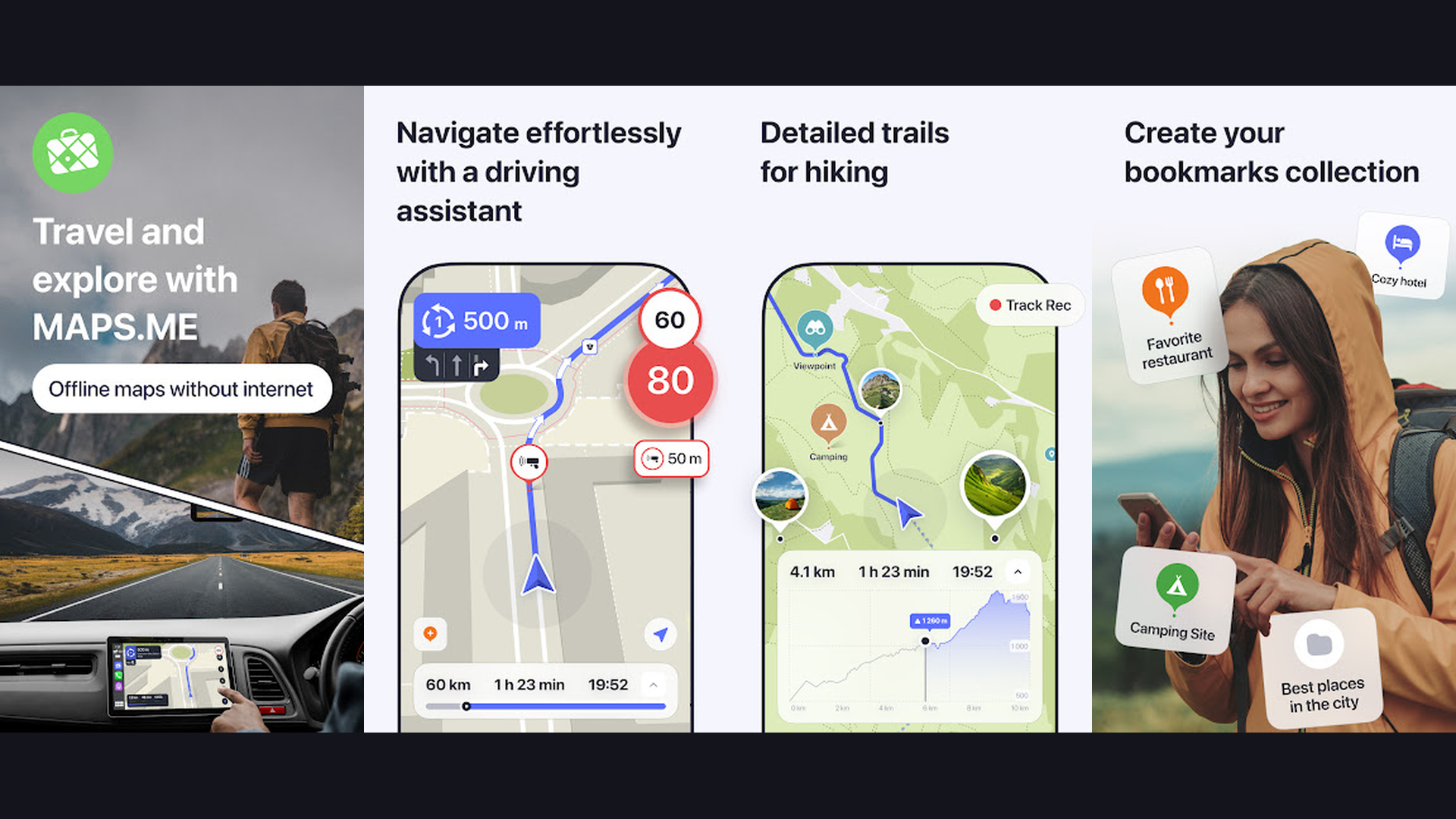
MAPS.ME is a lightweight offline navigation app perfect for international travelers. Download detailed maps for any country in the world and navigate without using mobile data. MAPS.ME excels at being simple and battery-efficient, making it ideal for travelers on budget phones or in remote areas. The maps include hiking and cycling trails, public transport routes, restaurants, hotels, and ATMs, all available offline. The app provides turn-by-turn walking and driving navigation. Bookmark favorite places and create custom travel itineraries with saved locations. MAPS.ME maps are based on OpenStreetMap data, which is often more detailed than commercial maps in developing countries and rural areas. The app is free and works on older devices with limited storage and RAM. For backpackers, travelers, and anyone exploring areas with limited internet, MAPS.ME provides reliable offline navigation that conserves battery life.
8. Komoot (Rating 3.8)
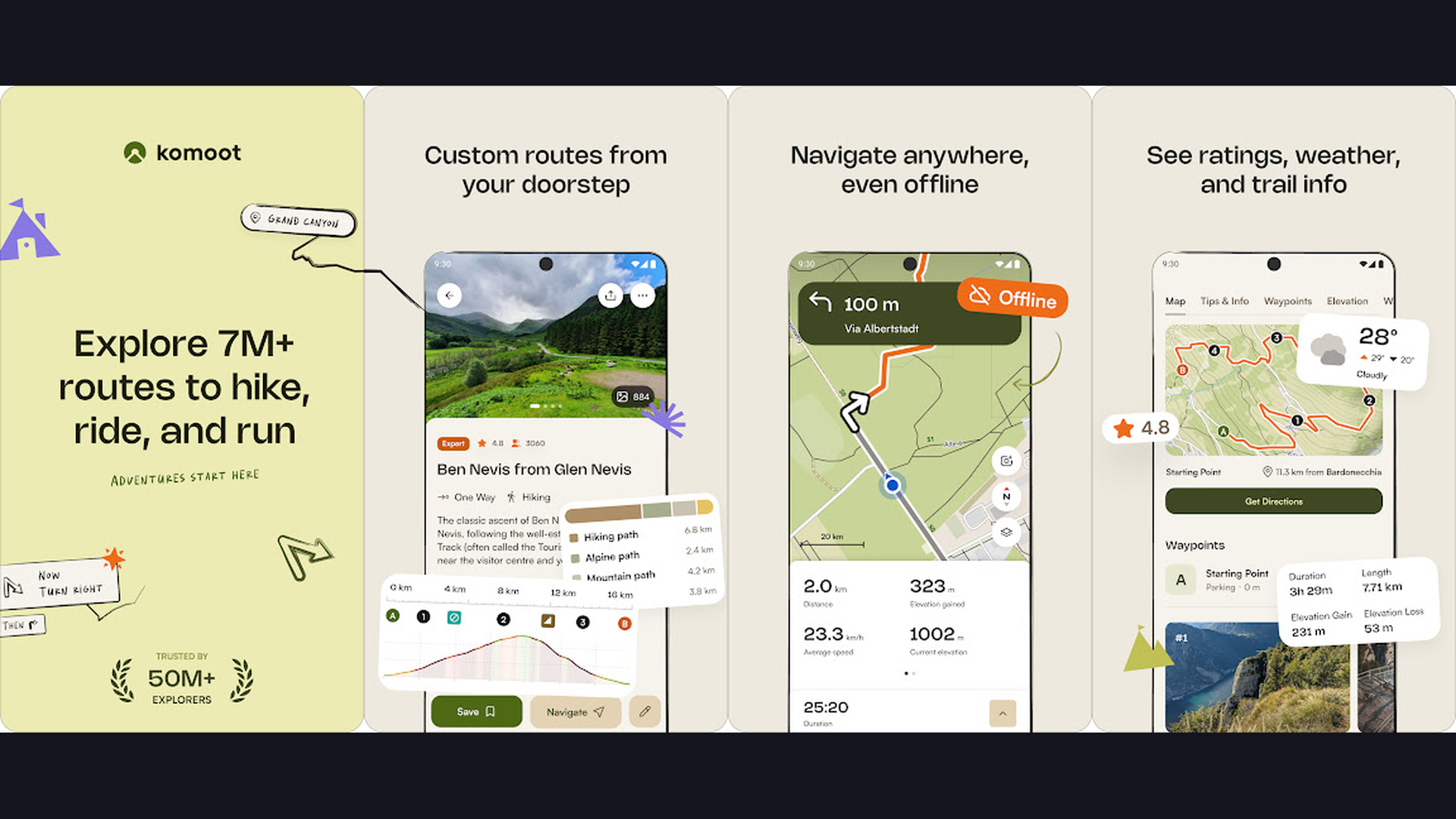
Komoot is the best navigation app for outdoor activities including hiking, cycling, mountain biking, and trail running. The app uses detailed topographic maps with surface type information (paved, gravel, dirt, singletrack) to plan routes that match your fitness level and activity type. The route planner shows elevation profiles, difficulty ratings, and estimated time for each segment. Komoot features turn-by-turn voice navigation designed for cycling and hiking, even in areas without cell coverage using downloaded offline maps. The community aspect is rich: browse millions of user-recorded routes with photos, tips, and GPS tracks. Highlights show popular points of interest along trails recommended by the community. Komoot integrates with Garmin, Wahoo, and other GPS devices for syncing planned routes. One free region is included; a one-time World Package purchase ($29.99) unlocks all maps globally. For outdoor enthusiasts who need detailed trail navigation, Komoot is the most comprehensive choice.
9. TomTom GO Navigation (Rating 3.6)
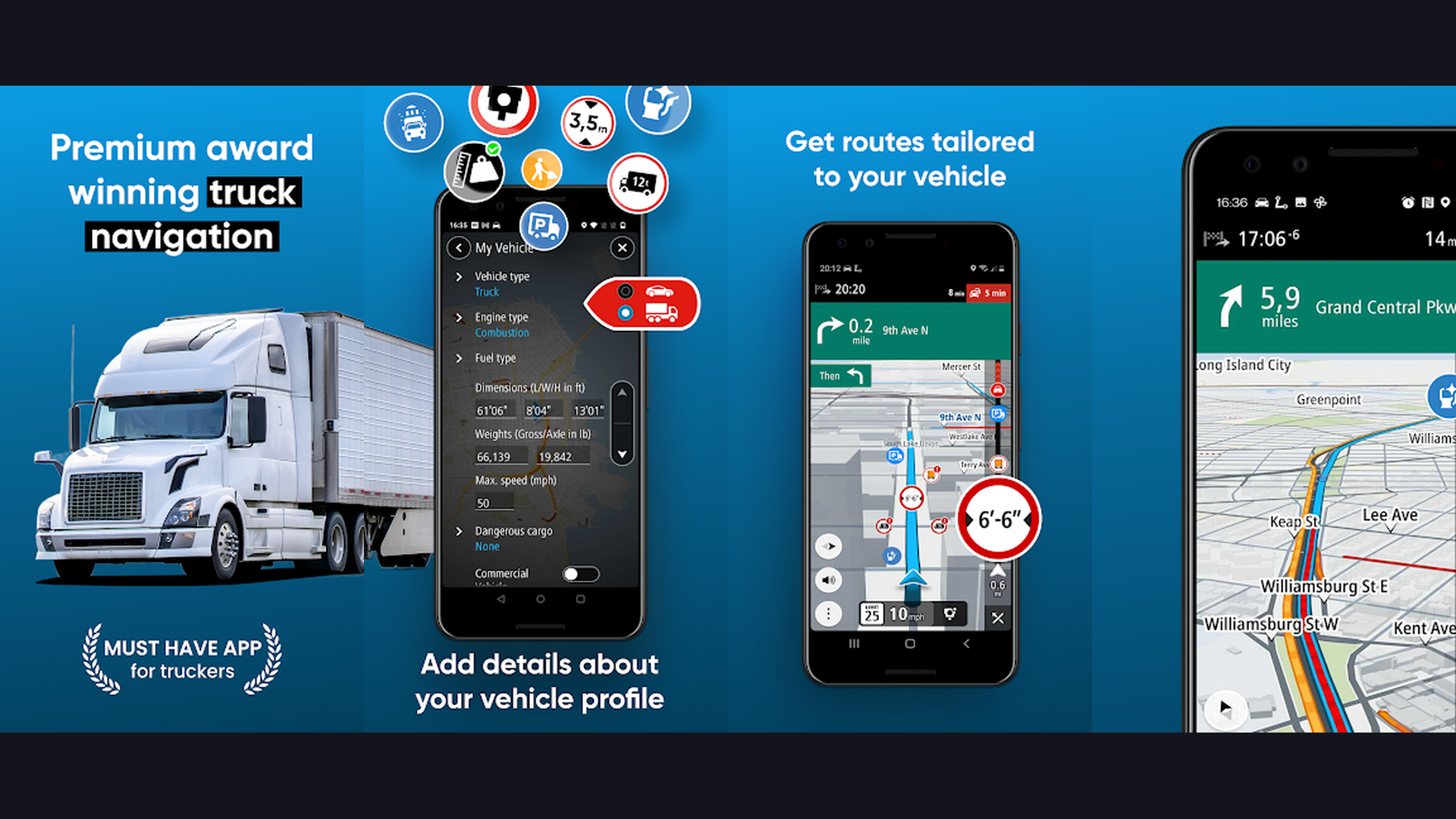
TomTom GO Navigation brings professional-grade TomTom maps and traffic intelligence to your smartphone. Known for decades as a leader in automotive navigation, TomTom now offers its expertise as a mobile app with offline map downloads, real-time traffic updates, speed camera alerts, and dynamic route optimization. The app features Lifetime Maps with regular updates, ensuring you always have the latest road data. TomTom traffic data is among the most accurate in the industry, using billions of data points from connected vehicles and sensors worldwide. The interface is clean and driver-focused with large, readable turn indicators and clear lane guidance. TomTom GO supports Android Auto and Apple CarPlay for safe in-car use. The app offers 50 km free driving per month; a subscription unlocks unlimited use with all premium features. For drivers who trust TomTom quality and want the most accurate traffic predictions, TomTom GO is a premium choice.
10. MapQuest (Rating 3.2)
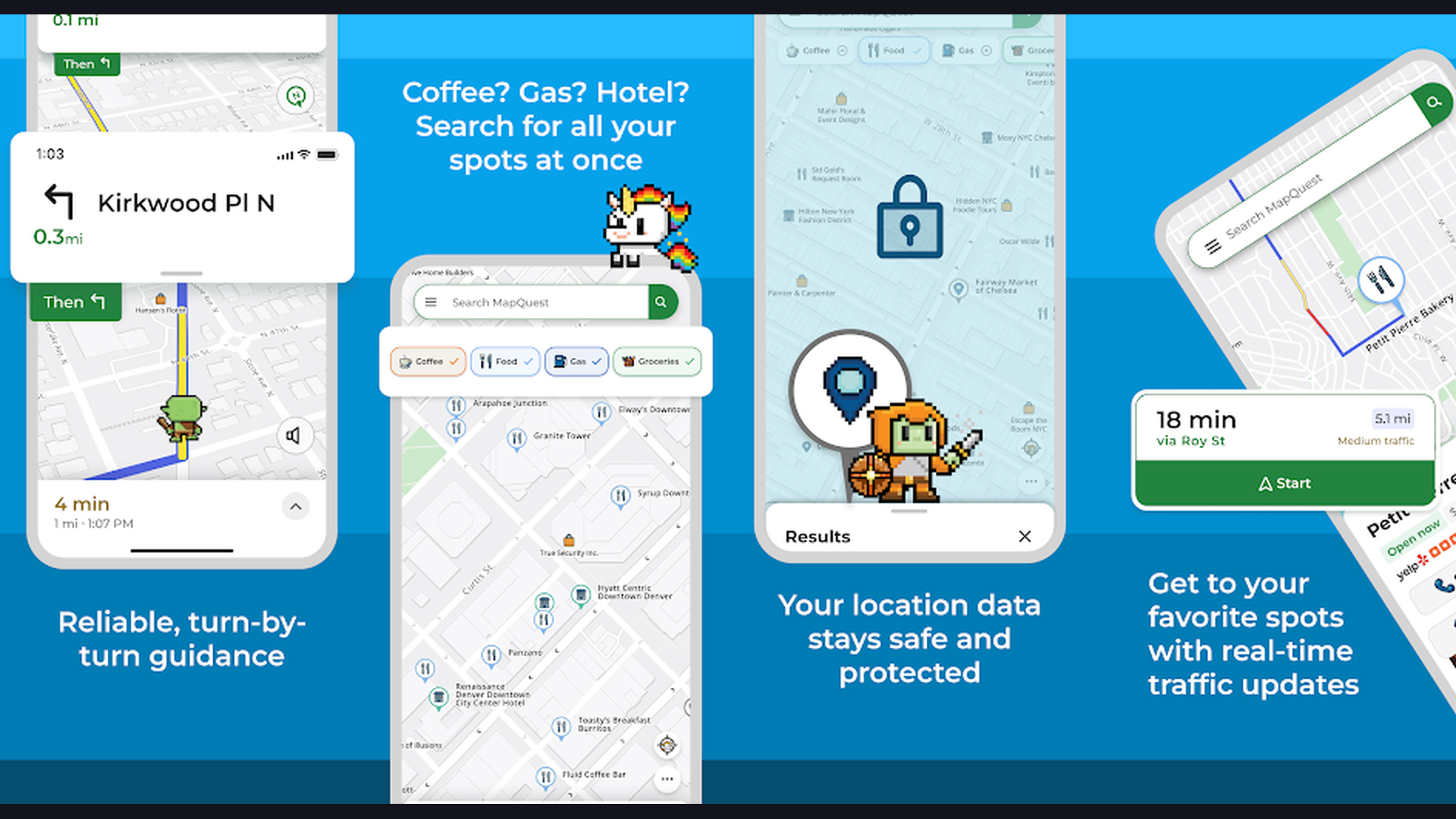
MapQuest is a straightforward navigation app from one of the original online mapping companies. The app provides turn-by-turn GPS navigation with real-time traffic updates, automatic rerouting, and voice-guided directions. MapQuest integrates gas station prices along your route so you can find the cheapest fuel stops. The multi-stop route planning feature lets you add multiple destinations and optimizes the order for efficiency. MapQuest also includes nearby search for restaurants, hotels, gas stations, and other points of interest with reviews and ratings. The app supports satellite view and traffic overlay for a comprehensive map experience. While not as feature-rich as Google Maps, MapQuest offers a cleaner, less cluttered interface that some users prefer for its simplicity. For drivers who want reliable navigation without the complexity of advanced features, MapQuest delivers a straightforward driving experience.
11. HERE WeGo (Rating 3.3)
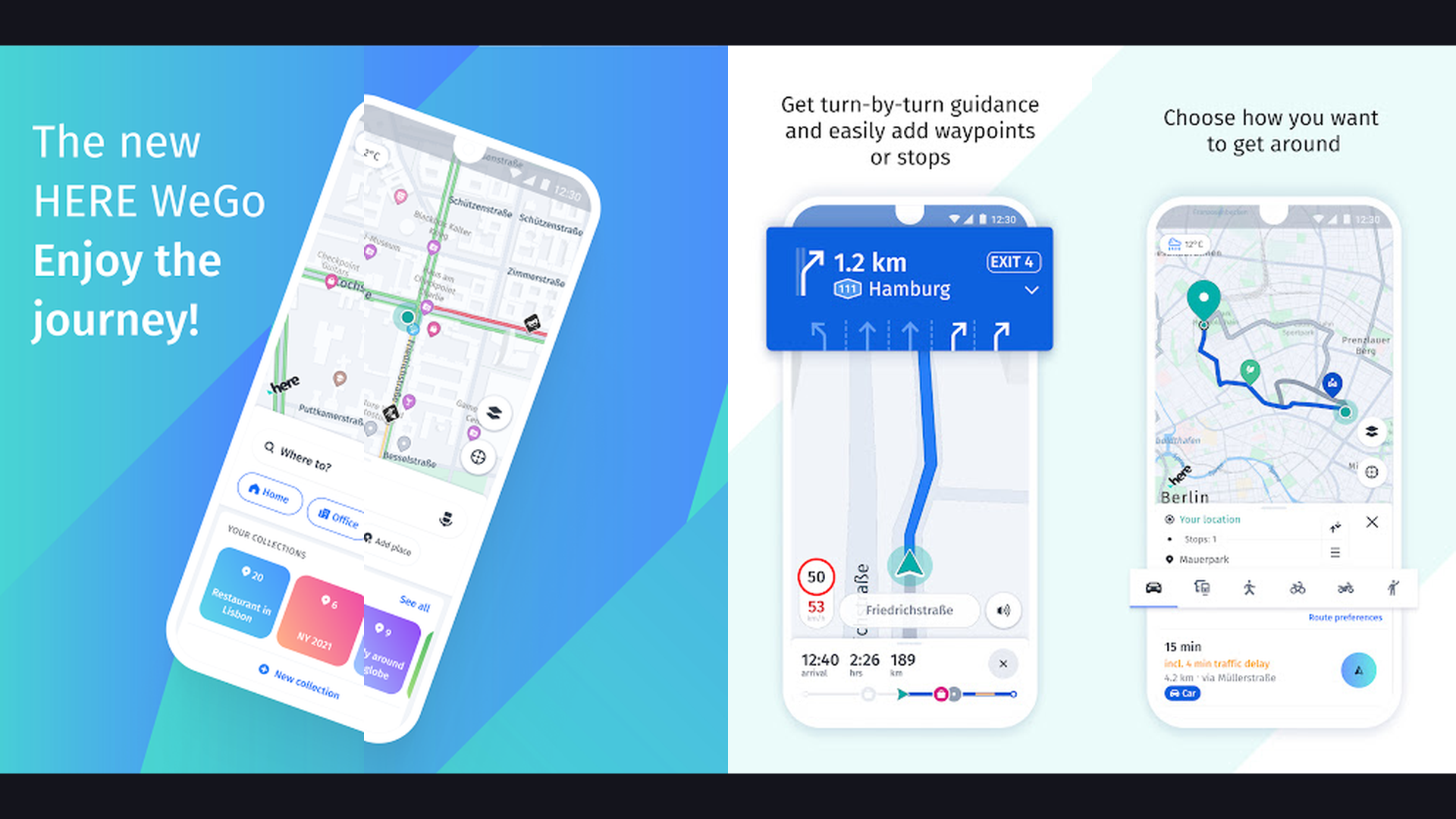
HERE WeGo is a versatile offline navigation app from the mapping company that powers many car manufacturers. Download detailed maps for over 100 countries and navigate offline with turn-by-turn directions. HERE WeGo supports driving, walking, cycling, and public transit navigation, with real-time traffic information and alternative route suggestions. The public transit feature is particularly strong, showing schedules, fare estimates, and multi-modal journey planning (bus + subway + walking). The app displays detailed information for nearby restaurants, shops, and services. HERE WeGo is built on HERE Technologies map data, the same data licensed by BMW, Mercedes, Audi, and other automotive brands, ensuring professional-quality mapping. The app is completely free with no ads or premium tiers, making it one of the most generous navigation solutions. For users who want a well-planned offline-capable multimodal navigator, HERE WeGo is excellent.
12. Google Maps (Rating 3.2)
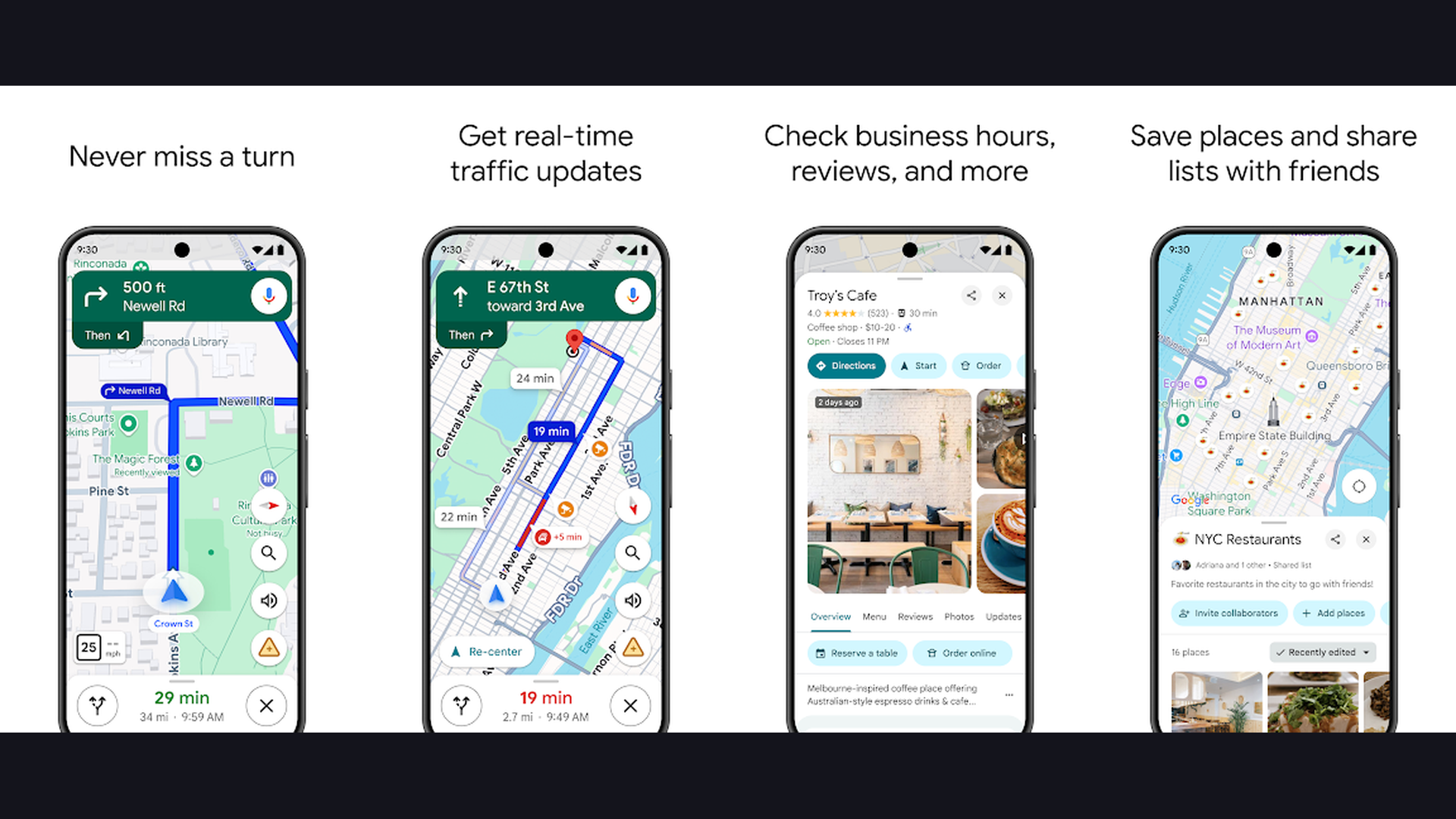
Google Maps is the most widely used navigation app in the world, offering comprehensive mapping, directions, and local business information. In 2026, Google Maps features Gemini AI integration for natural language place discovery, Immersive View with photorealistic 3D maps, and AI-powered route suggestions that consider traffic patterns, road conditions, and fuel efficiency. The app provides turn-by-turn navigation for driving, walking, cycling, and public transit across virtually every country. Street View lets you preview your destination before arriving. Live View AR navigation overlays walking directions on your camera view for intuitive pedestrian navigation. Google Maps offline maps let you download areas for navigation without internet. Integration with Google Search means finding businesses, reading reviews, checking opening hours, and making reservations happens seamlessly. For the most comprehensive, always-updated navigation experience that works everywhere, Google Maps remains the default choice for billions of users.
13. CoPilot GPS (Rating 3.1)
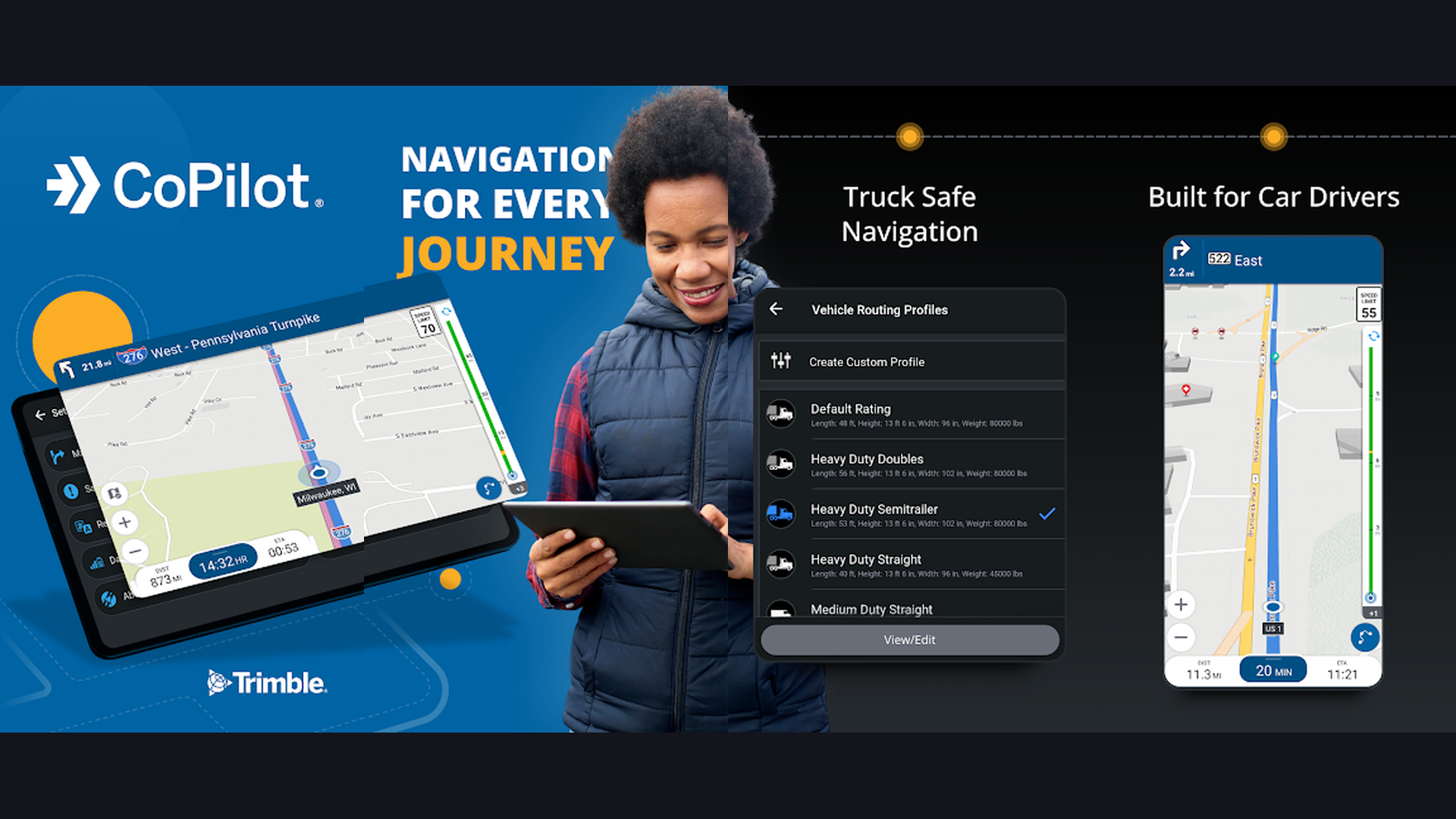
CoPilot GPS is a professional offline navigation app designed for commercial drivers and fleet management. The app stores maps entirely on your device, ensuring navigation works in areas with zero cell coverage like rural highways, tunnels, and remote delivery zones. CoPilot provides truck-specific routing that accounts for vehicle height, weight, length, and hazmat restrictions, preventing costly bridge strikes and detours. The route planning includes multi-stop optimization for delivery drivers. CoPilot supports customizable vehicle profiles, so routes adapt to whether you are driving a car, RV, or commercial truck. Speed limit warnings and speed camera alerts help avoid fines. The app is used by major logistics and delivery companies worldwide. For professional drivers, fleet operators, and RV travelers who need reliable dedicated offline navigation with vehicle-specific routing, CoPilot GPS is the industry standard.
Which Navigation App is Right for You?
By Use Case
- Daily commuting in traffic: Waze for the fastest routes with real-time traffic avoidance, or Google Maps for comprehensive all-in-one navigation
- Offline navigation (no internet): OsmAnd for maximum features, MAPS.ME for simplicity, or Sygic for premium offline driving
- Public transit commuting: Citymapper for the best urban transit planning, or Google Maps for transit in cities Citymapper does not cover
- Hiking, cycling, outdoor sports: Komoot for trail navigation with surface types and elevation, or OsmAnd for topographic maps
- Road trips and travel: Google Maps for general navigation, inRoute for weather-aware planning, or MAPS.ME for international offline maps
- Truck, RV, commercial driving: CoPilot GPS for vehicle-specific routing with weight and height restrictions
- Huawei phone users: Petal Maps as a full Google Maps alternative with offline support
Online vs Offline: What You Need
If you always have reliable mobile data, Waze and Google Maps provide the best real-time experience with live traffic and rerouting. If you travel to areas with poor coverage, rural highways, or international destinations where roaming is expensive, download offline maps from OsmAnd, MAPS.ME, Sygic, or HERE WeGo before your trip. Most offline apps let you download entire countries, using 100-500 MB of storage per country.
Navigation Tips for Safer Driving
- Set Your Destination Before Driving - Never type addresses while driving. Program your route before starting the engine. Use voice commands ("Hey Google, navigate to...") for hands-free destination entry. Mount your phone securely in a dashboard holder for easy visibility.
- Download Offline Maps Before Road Trips - Cell coverage gaps happen on highways, in tunnels, and in rural areas. Download offline maps for your entire route before leaving. Google Maps, OsmAnd, Sygic, and MAPS.ME all support offline map downloads that provide turn-by-turn navigation without internet.
- Use Waze for Commuting - If you drive the same route daily, Waze learns your schedule and proactively suggests departure times based on real-time traffic. The community-reported incidents (accidents, police, road work) give you advance warning to avoid delays.
- Enable Speed Limit Warnings - Apps like Waze, Sygic, and TomTom display speed limits and alert you when you exceed them. This is safer and more reliable than constantly checking your speedometer, and can save you from expensive speeding tickets.
- Use Night Mode - Switch to dark/night mode when driving after sunset. The reduced glare is easier on your eyes and less distracting. Most navigation apps switch automatically based on time of day, but you can also force it in settings.
- Keep Your Phone Charged - GPS navigation is battery-intensive. Always use a car charger when navigating. Check our battery life guide for tips on keeping your phone running during long drives. Close unnecessary background apps to conserve power for navigation.
- Combine Apps for Best Results - No single app is perfect for everything. Use Google Maps for general navigation, Waze for traffic-heavy commutes, and a specialized app like Komoot for outdoor activities. Different situations call for different tools.
Frequently Asked Questions
What is the best navigation app overall?
Google Maps remains the best all-around navigation app for most users, offering the widest map coverage, public transit, walking, cycling, and driving navigation with real-time traffic. For daily commuters focused on avoiding traffic, Waze is better at finding the fastest routes. For offline navigation, OsmAnd and Sygic are superior choices.
Which navigation app works best without internet?
OsmAnd, MAPS.ME, Sygic, and HERE WeGo all offer excellent offline navigation. OsmAnd is the most feature-rich (topographic maps, hiking trails, customization), MAPS.ME is the simplest and most battery-efficient, Sygic offers the best offline driving experience with premium TomTom maps, and HERE WeGo provides free offline maps with public transit support.
Is Waze better than Google Maps?
Waze is better specifically for driving in heavy traffic, as its community-reported incidents and aggressive rerouting find faster alternatives more quickly. Google Maps is better for everything else: walking, cycling, public transit, business discovery, offline maps, and international coverage. Both are owned by Google and share some traffic data, but Waze has a more active reporting community among drivers.
What is the best navigation app for hiking?
Komoot is the best dedicated hiking navigation app, offering trail surface types, elevation profiles, difficulty ratings, and community-recorded routes. OsmAnd is the best alternative with topographic contour lines and offline capabilities. Both apps work without internet using downloaded maps, which is essential for trails in remote areas without cell coverage.
Do navigation apps drain battery fast?
Yes, GPS navigation is one of the most battery-intensive activities on a smartphone. Always plug your phone into a car charger during navigation. Offline navigation apps like OsmAnd and MAPS.ME use less battery than online apps because they do not need to download map data constantly. Close other apps, reduce screen brightness, and check our battery optimization guide for more tips.
Can I use navigation apps with Apple CarPlay or Android Auto?
Yes. Google Maps, Waze, Sygic, TomTom GO, and CoPilot GPS all support Apple CarPlay and Android Auto, allowing you to display navigation on your car dashboard screen with voice-controlled directions. This is the safest way to use navigation while driving, as it minimizes distraction and keeps your phone securely mounted.
Final Thoughts
Choosing the right navigation app depends on how you travel. For everyday driving, Google Maps and Waze cover the vast majority of needs. For offline reliability, OsmAnd and Sygic ensure you never get lost without internet. For urban transit, Citymapper is unmatched. For outdoor adventures, Komoot guides you on trails with precision. And for international travel, MAPS.ME provides lightweight offline maps worldwide. Download two or three apps that match your travel patterns and you will be prepared for any journey. For more mobile tips, explore our guides on battery optimization, planner apps for trip organization, and reminder apps for travel alerts.