
A cruise vacation is one of the most exciting and complex travel experiences available in 2026, with thousands of activities, dining options, shore excursions, entertainment shows, and deck layouts to navigate across ships that carry up to 7,000 passengers. The right set of mobile apps transforms this overwhelming abundance of choices into a seamlessly organized experience, from pre-cruise packing and check-in to onboard navigation and port-day exploration.
This guide reviews 12 of the best cruise apps for navigating the seas in 2026, covering official cruise line companion apps, third-party ship tracking tools, port navigation essentials, and travel planning utilities. Whether you sail with Royal Caribbean, Carnival, Disney, MSC, Norwegian, Celebrity, or Princess, these apps ensure you never miss a show, lose your way on a mega-ship, or waste precious shore time at any port. For more travel tools, explore our guides on international travel apps, navigation apps, VPN apps for travel, and anchor alarm apps for boaters.
Table of Contents
- MSC for Me (Rating 4.8)
- ShipMate (Rating 4.8)
- Tripadvisor (Rating 4.8)
- Norwegian Cruise Line (Rating 4.8)
- Royal Caribbean (Rating 4.8)
- MarineTraffic (Rating 4.8)
- PackPoint (Rating 4.7)
- Disney Cruise Line Navigator (Rating 4.7)
- Celebrity Cruises (Rating 4.7)
- Google Maps (Rating 4.7)
- Carnival Hub (Rating 4.7)
- Princess MedallionClass (Rating 4.5)
- Which Apps to Download
- Cruise Technology Tips
- Frequently Asked Questions
1. MSC for Me (Rating 4.8)
MSC for Me is the official companion app for MSC Cruises, offering mobile check-in, digital boarding pass, interactive ship maps, real-time event schedules, dining and theater reservations, onboard spending tracking, in-app chat with travel companions without Wi-Fi charges, and personalized activity recommendations powered by AI. MSC for Me transforms your MSC cruise experience from the moment you book. The mobile check-in feature lets you complete all embarkation paperwork before arriving at the port, saving hours of waiting in lines. The digital boarding pass stores your boarding credentials and cabin key information. The interactive ship map shows your real-time location on the vessel and provides turn-by-turn navigation to restaurants, pools, theaters, and your cabin. The event schedule updates in real-time with show times, kids club activities, fitness classes, and special events. The dining reservation system lets you book specialty restaurants and manage your dining times. The chat feature connects you with your entire travel party without purchasing a Wi-Fi package, using the ships internal network instead. The spending tracker shows your onboard account balance in real-time, preventing surprise charges at the end of your voyage. MSC for Me is 100% free. For MSC cruisers, this app is essential for maximizing every moment of your voyage. Find travel essentials at international travel apps.


2. ShipMate (Rating 4.8)
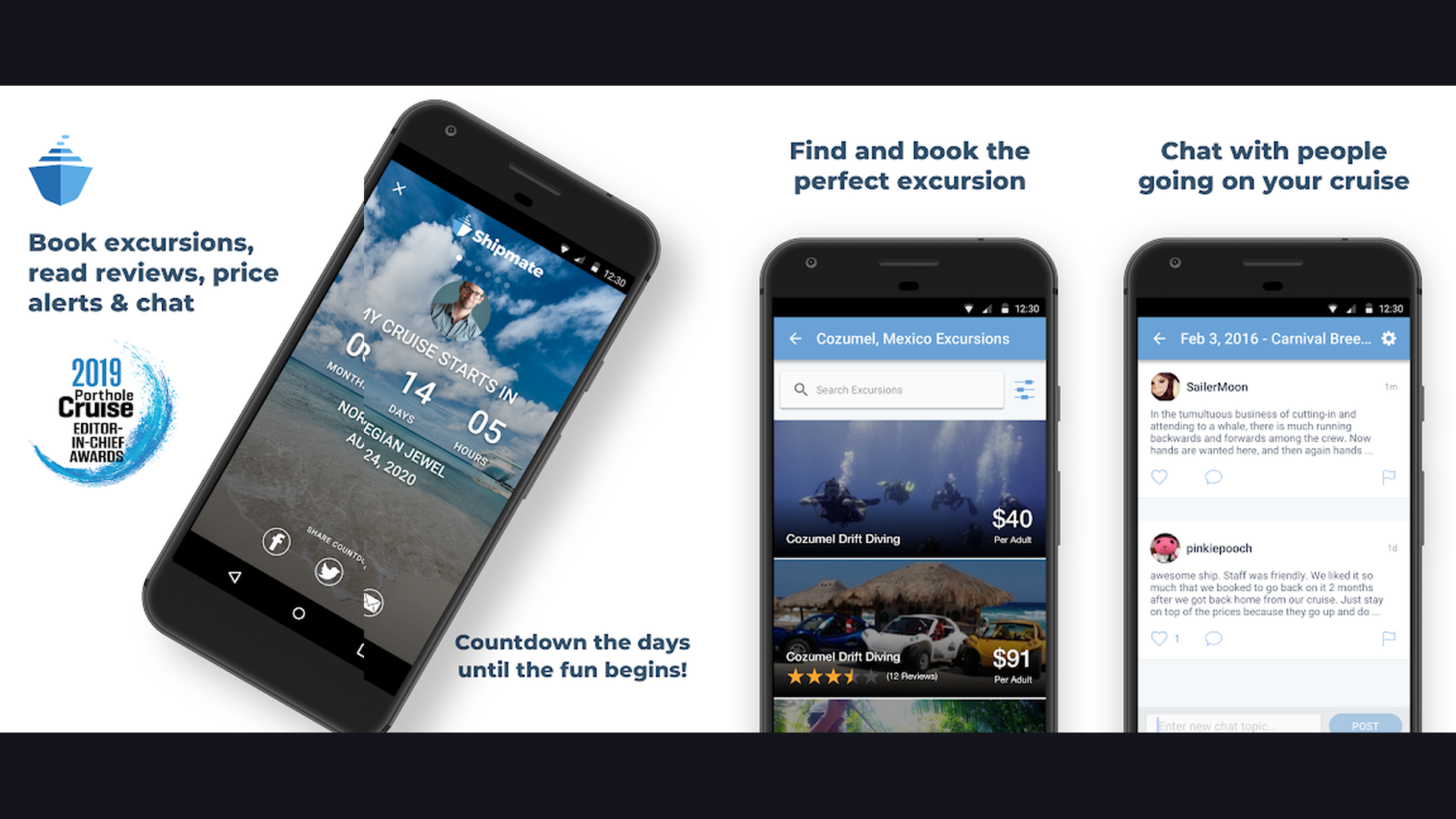
ShipMate is the best all-in-one third-party cruise companion app, providing real-time ship tracking for every major cruise line, interactive deck plans, cabin reviews from actual passengers, port guides with independent shore excursion options, cruise countdown timers, cruiser community forums, and price tracking for upcoming voyages. ShipMate fills the gap that individual cruise line apps leave. While each cruise line has its own app, ShipMate works across all of them, making it invaluable for travelers who sail with different lines. The real-time ship tracker shows the exact position, speed, and heading of any cruise ship worldwide. The deck plan viewer provides detailed layouts of every deck with cabin locations, restaurants, pools, elevators, and stairwells. The cabin review database contains thousands of reviews from real passengers describing noise levels, vibration, views, and proximity to elevators. The port guide feature offers independent shore excursion recommendations that are often cheaper than cruise line options. The community forum connects you with other passengers on your upcoming sailing for meetups and tips. The countdown feature builds excitement with a daily ticker until your departure. ShipMate is free with optional premium ($3.99/year). For cruisers who want one app that covers every cruise line, ShipMate is indispensable. Navigate ports with navigation apps.
3. Tripadvisor (Rating 4.8)
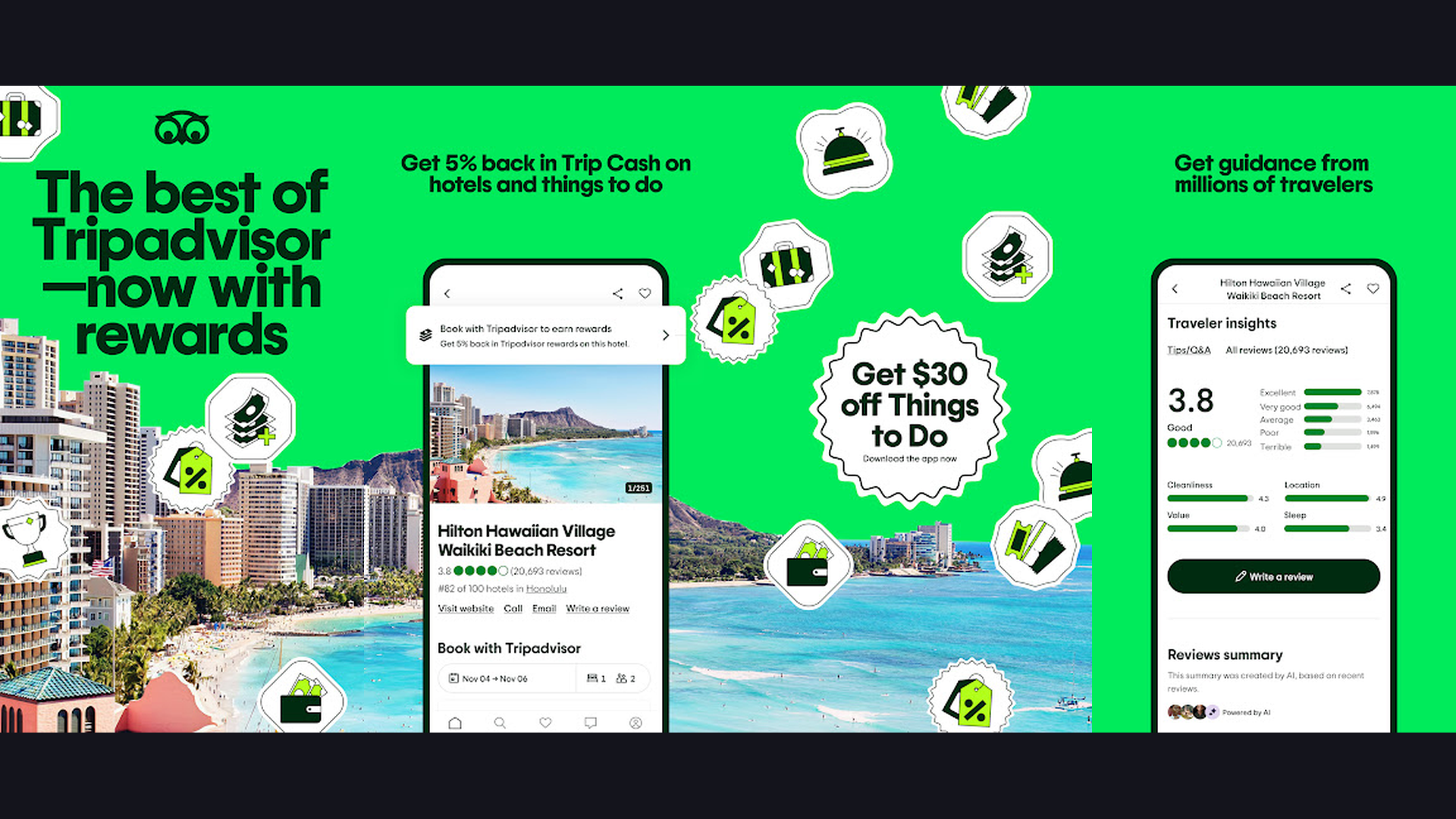
Tripadvisor is the worlds largest travel platform and the essential shore excursion planning companion for cruise passengers, featuring millions of reviews for restaurants, attractions, and tours at every cruise port, AI-powered trip planning, price comparison for excursions and activities, and offline map downloads for navigating ports without data. Every cruise passenger needs Tripadvisor specifically for port days. When your ship docks at a new destination for 6-8 hours, you need to make fast decisions about where to eat, what to see, and which tours to book. Tripadvisor reviews from millions of travelers help you avoid tourist traps and find genuinely excellent experiences. The "Near Me" feature shows top-rated restaurants, attractions, and activities sorted by distance from your current location at any port. The price comparison tool ensures you are not overpaying for shore excursions by comparing prices across multiple providers. The offline maps feature is crucial because international data roaming is expensive and port Wi-Fi is unreliable. Download city maps before you dock and navigate confidently without data. The photo galleries show exactly what each attraction looks like. Tripadvisor is free (with ads). For making the most of limited shore time at every port, Tripadvisor is essential. Explore entertainment options at free entertainment apps.
4. Norwegian Cruise Line (Rating 4.8)
The Norwegian Cruise Line app is the official NCL companion featuring mobile check-in with photo upload, digital boarding pass, shore excursion booking and management, dining and entertainment reservations, personalized daily schedule builder, Latitudes Rewards loyalty program management, and a daily digital newsletter replacing the traditional paper Freestyle Daily. The completely redesigned 2024 version of the NCL app brought major improvements that carry into 2026. The mobile check-in process is streamlined: upload your documents, take a selfie for facial recognition boarding, and receive your digital boarding pass. The shore excursion marketplace lets you browse, compare, and book excursions at every port with detailed descriptions, photos, difficulty ratings, and cancellation policies. The dining reservation system covers both complimentary and specialty restaurants, with real-time availability and waitlist options. The entertainment booking secures seats for shows, comedy acts, and special events. The personalized schedule feature lets you build a custom daily itinerary combining dining, shows, activities, and spa appointments into one timeline. All core app features work onboard without consuming Wi-Fi minutes. NCL app is 100% free. For Norwegian cruisers wanting freestyle cruising at their fingertips, this app is a must. Plan excursions with GPS apps.
5. Royal Caribbean (Rating 4.8)
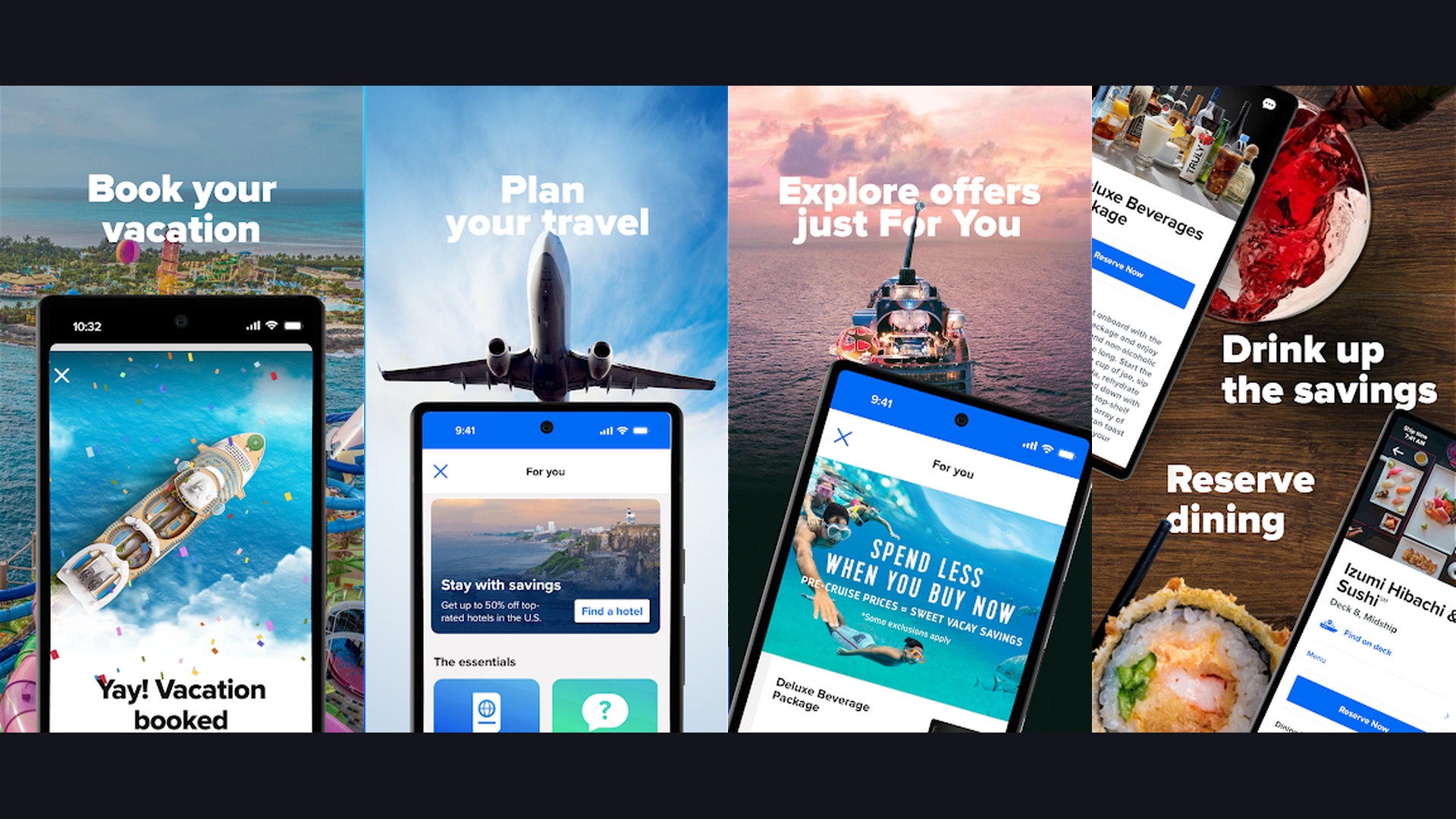
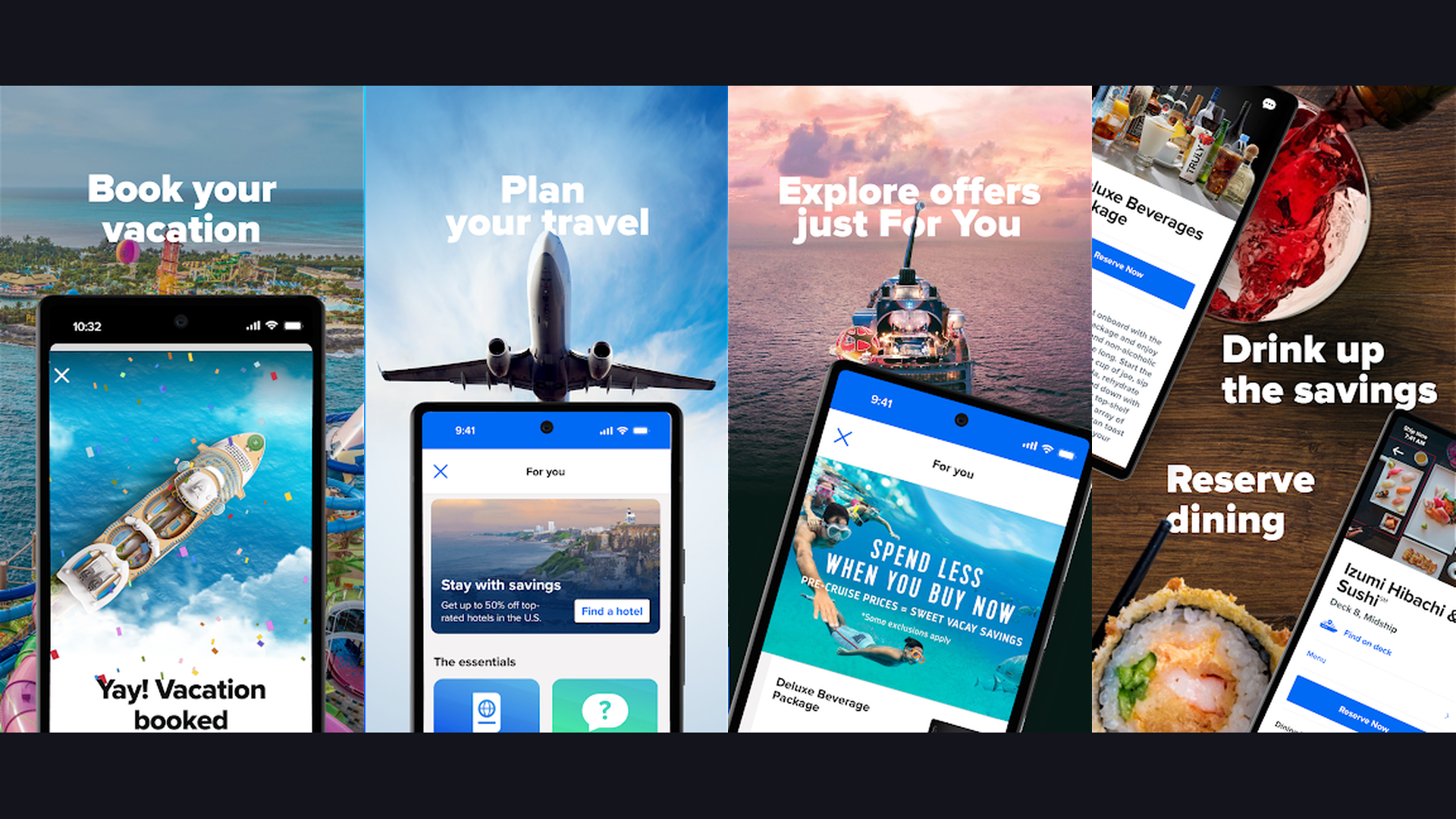
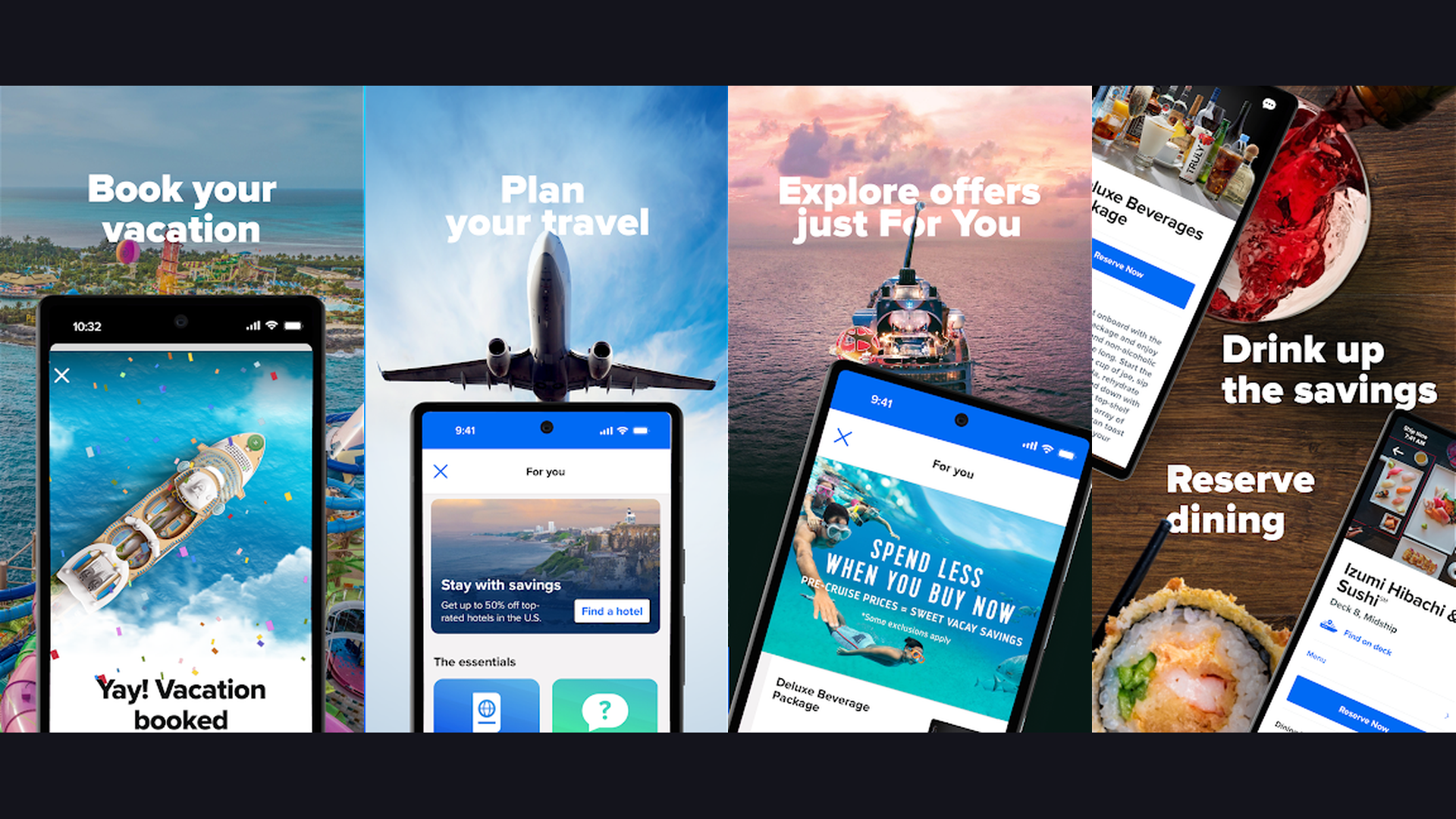
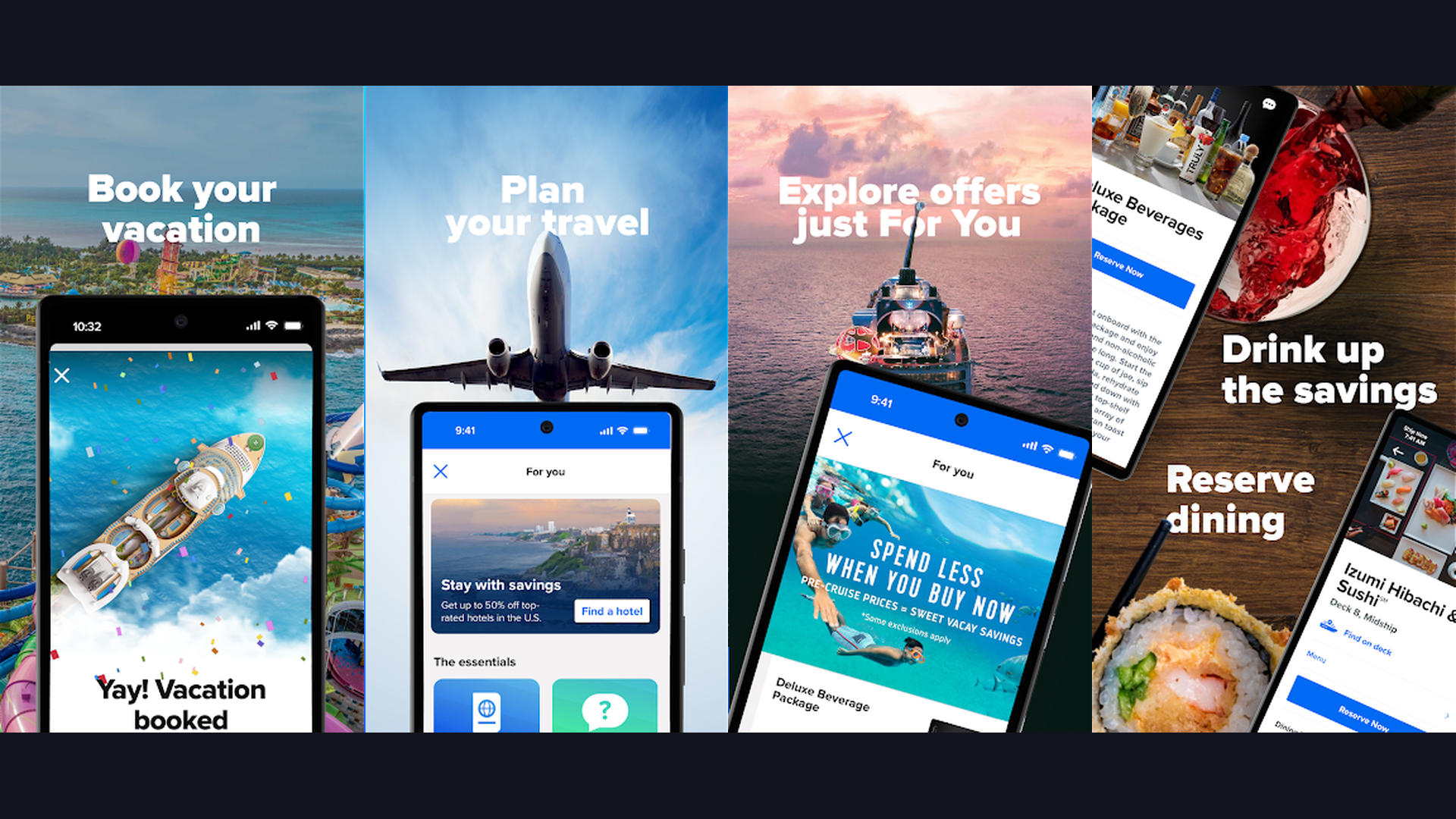
The Royal Caribbean app is the official companion for the worlds largest cruise line, featuring mobile check-in with facial recognition, pre-cruise package savings on beverages and internet, interactive deck maps with GPS-style navigation, daily activity planner, dining and entertainment reservations, in-app chat without Wi-Fi purchase, Muster 2.0 digital safety briefing, and onboard account management. Royal Caribbean pioneered many of the digital cruise features that others now copy. The mobile check-in uses facial recognition technology for seamless embarkation, often reducing boarding time to under 10 minutes. The pre-cruise savings section offers discounted packages on drink packages, internet access, spa treatments, and dining that are significantly cheaper when purchased before embarkation. The interactive deck map provides a GPS-like experience showing your real-time position on the ship with navigation to any venue. The activity planner lets you browse and filter the daily schedule by category (adventure, entertainment, dining, kids, fitness) and add favorites to your personal calendar. The in-app chat connects your entire travel group using the ships internal network at no extra cost. Muster 2.0 eliminates the tedious group safety drill by allowing you to complete it independently through the app. Royal Caribbean app is 100% free. For Royal Caribbean guests wanting the full digital cruise experience, this app is essential. Track finances with financial management tools.
6. MarineTraffic (Rating 4.8)
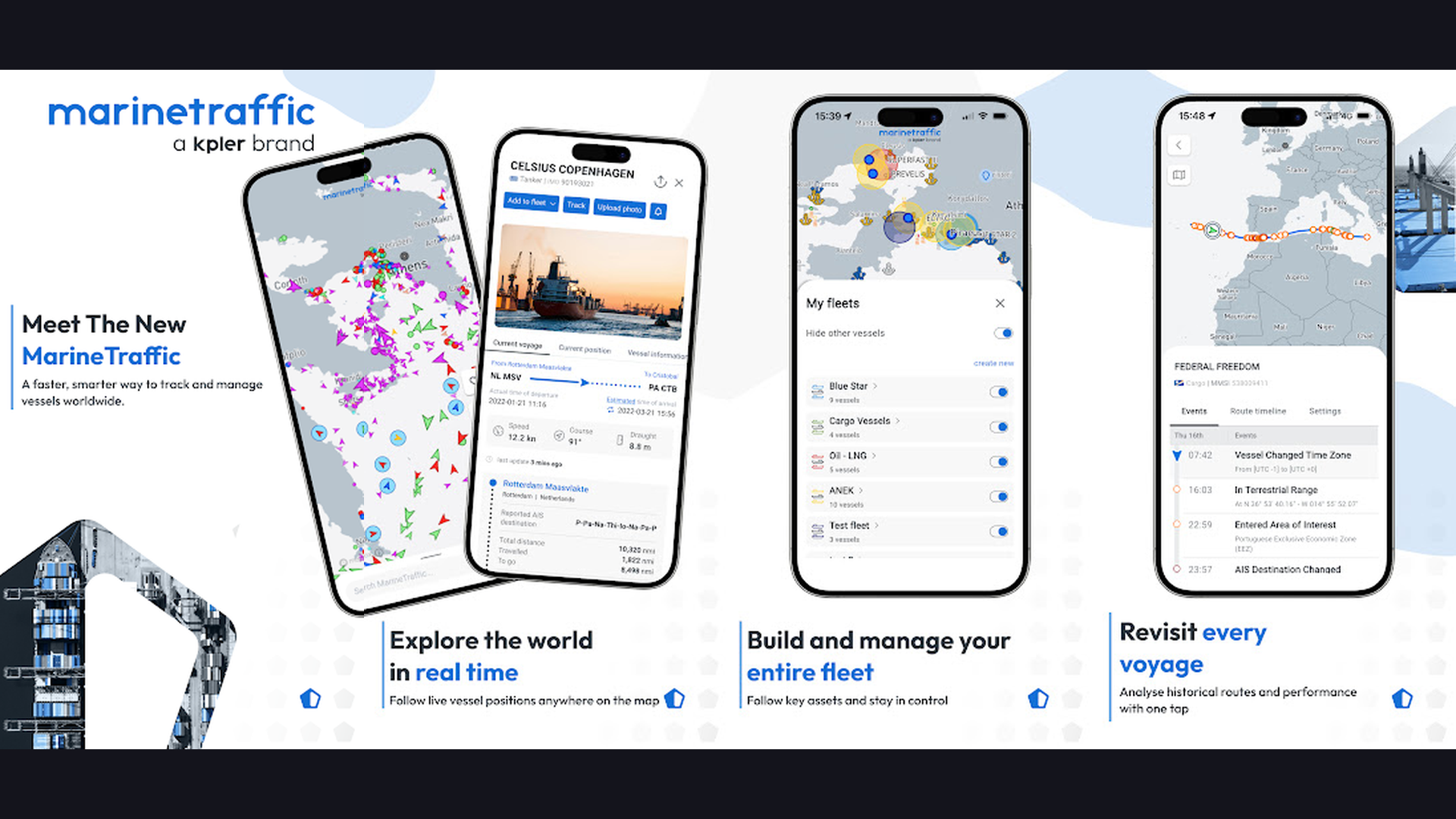
MarineTraffic is the worlds leading ship tracking app using real-time AIS (Automatic Identification System) data to show the exact position, speed, heading, and destination of every cruise ship, cargo vessel, and yacht on the worlds oceans, with detailed vessel information, photos, port arrivals, and routes. MarineTraffic turns cruise enthusiasts into maritime experts. The live map shows every vessel transmitting AIS signals worldwide, with cruise ships identifiable by their distinctive icons. Tap any ship to see its name, current speed, heading, destination port, estimated arrival time, and detailed specifications including tonnage, length, year built, and flag state. The voyage history shows a ships complete route over recent days. The port feature displays all vessels currently in port and those expected to arrive. The fleet tracking feature lets you create a personal list of favorite ships and receive notifications when they arrive at or depart from ports. The vessel photos are crowd-sourced from maritime enthusiasts worldwide. For cruise passengers, MarineTraffic is perfect for tracking your ships position during sailing days, watching your approach to ports, and spotting other cruise ships nearby. MarineTraffic is free (basic) or $5.99/month (premium with enhanced features). For cruise enthusiasts who love knowing exactly where every ship is on the ocean, MarineTraffic is fascinating. Discover tech tools at VPN apps.
7. PackPoint (Rating 4.7)
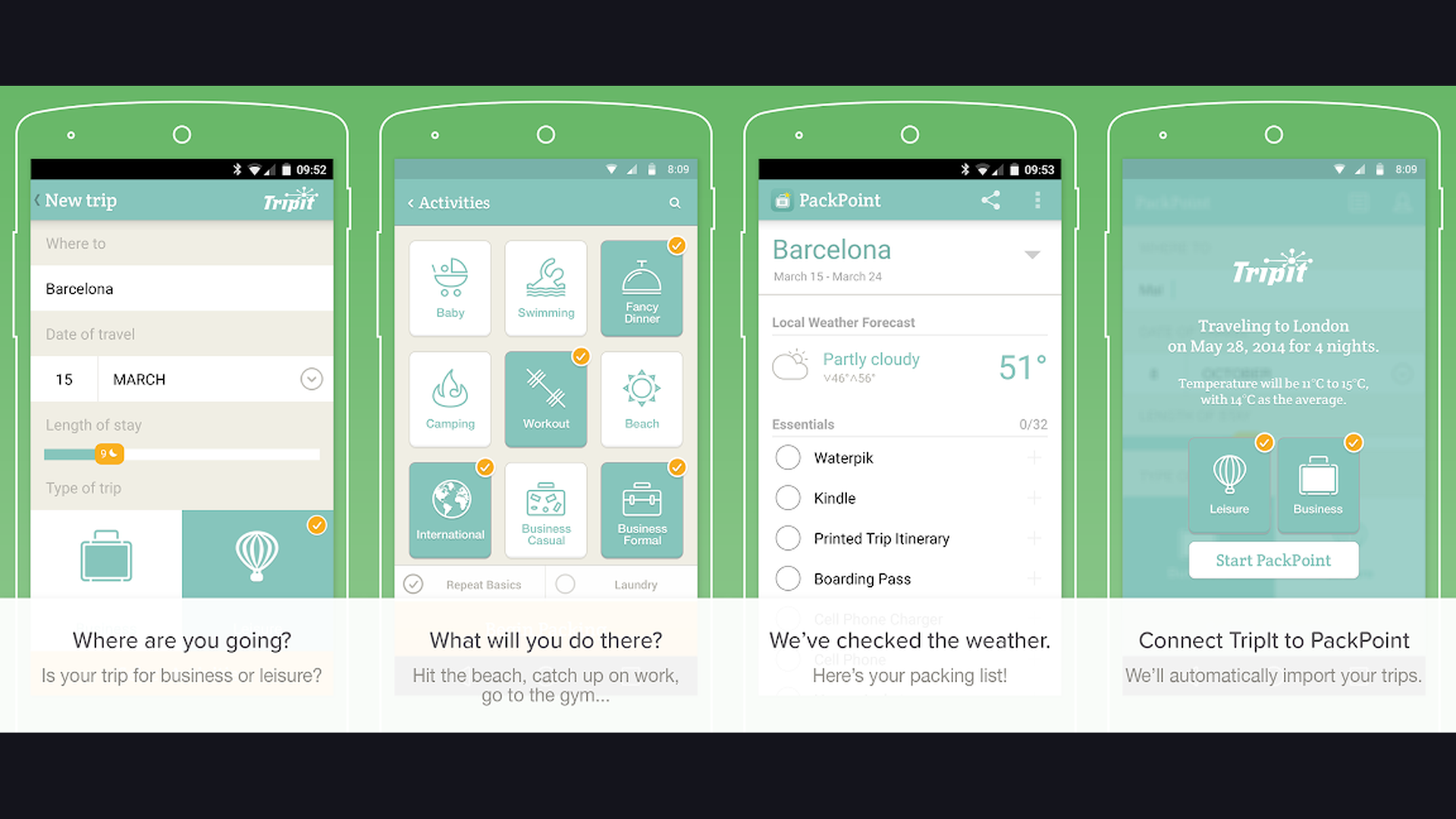
PackPoint is the smartest packing list app for cruise travelers, generating customized packing lists based on your destination, travel dates, planned activities, weather forecast, and trip duration, with cruise-specific recommendations for formal nights, beach days, excursion gear, and onboard dress codes. PackPoint eliminates the pre-cruise packing stress by thinking through every scenario for you. Enter your cruise itinerary with ports of call, trip duration, and planned activities (snorkeling, hiking, formal dining, gym, pool) and PackPoint generates a comprehensive, weather-aware packing list. The weather integration checks forecasts for each port to suggest appropriate clothing layers. The activity-based recommendations ensure you pack snorkeling gear for Caribbean stops, hiking boots for Alaskan excursions, and formal attire for gala nights. The list is fully customizable: add personal items, remove suggestions, and mark items as packed. The sharing feature lets you share lists with travel companions to avoid duplicate items. The reuse feature saves lists from past trips as templates. PackPoint is free (basic) or $2.99 one-time (premium). For organized cruisers who want to never forget an essential item, PackPoint is invaluable. Organize trips with digital planner apps.
8. Disney Cruise Line Navigator (Rating 4.7)
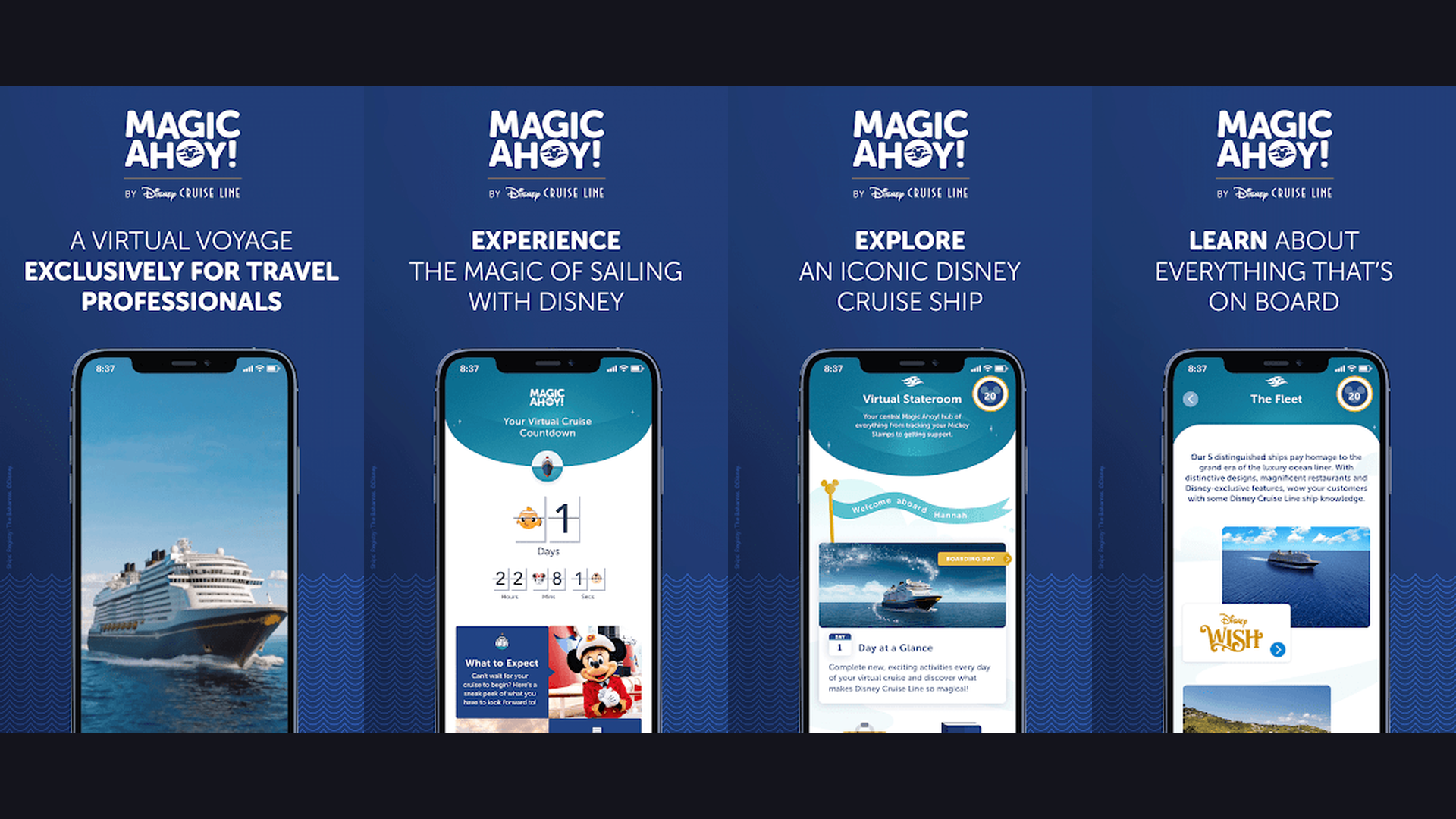
The Disney Cruise Line Navigator app is the official companion for Disney cruise ships, offering online check-in, digital boarding passes, real-time ship activity schedules, character meet-and-greet times and locations, kids club updates, dining rotation management, in-app chat using ships Wi-Fi at no extra charge, deck plans, port adventure booking, and digital copies of your onboard receipts. Disney Cruise Line Navigator is designed with families in mind. The character schedule feature is uniquely Disney: see exactly when and where Mickey, Elsa, Captain Jack Sparrow, and dozens of other characters are appearing for photos and autographs. The kids club integration lets parents track their childrens check-in status at the Oceaneer Club and Lab. The dining rotation display shows which restaurant your family is assigned to each evening, along with your dining time and table number. The daily schedule provides a comprehensive view of every activity, show, trivia session, pool party, and movie screening happening on the ship. The chat feature connects your family group without purchasing an internet package, which is essential when kids separate from parents on the ship. The port adventure marketplace lets you browse and book Disney-curated shore excursions. Navigator is 100% free. For Disney cruise guests, this app is as essential as your MagicBand. Find family apps at entertainment apps.
9. Celebrity Cruises (Rating 4.7)
The Celebrity Cruises app is the official companion for Celebrity cruise ships, featuring mobile check-in, pre-cruise package savings, dining and shore excursion reservations, in-app chat without Wi-Fi purchase, daily schedule viewer, deck maps, onboard account management, and on select ships smart cabin controls for adjusting temperature, lighting, and window shades from your phone. Celebrity Cruises positions itself as a premium, modern cruise experience and the app reflects this philosophy. The pre-cruise savings section offers discounted packages on classic beverage packages, premium internet, specialty dining, and spa services that are often 20-30% cheaper when purchased through the app before sailing. The smart cabin controls on Edge-class ships are remarkable: adjust your stateroom temperature, dim or brighten lights, open or close window shades, and control the TV all from your phone. The dining reservation system covers both complimentary main dining and specialty venues like Le Petit Chef, Fine Cut Steakhouse, and Luminae (for suite guests). The Cruise Lingo feature provides basic translations for languages spoken at destination ports. The shore excursion marketplace offers curated small-group tours emphasizing cultural immersion over mass tourism. Celebrity app is 100% free. For Celebrity guests wanting a premium digital companion matching the premium cruise experience, this app delivers. Capture moments with camera apps.
10. Google Maps (Rating 4.7)
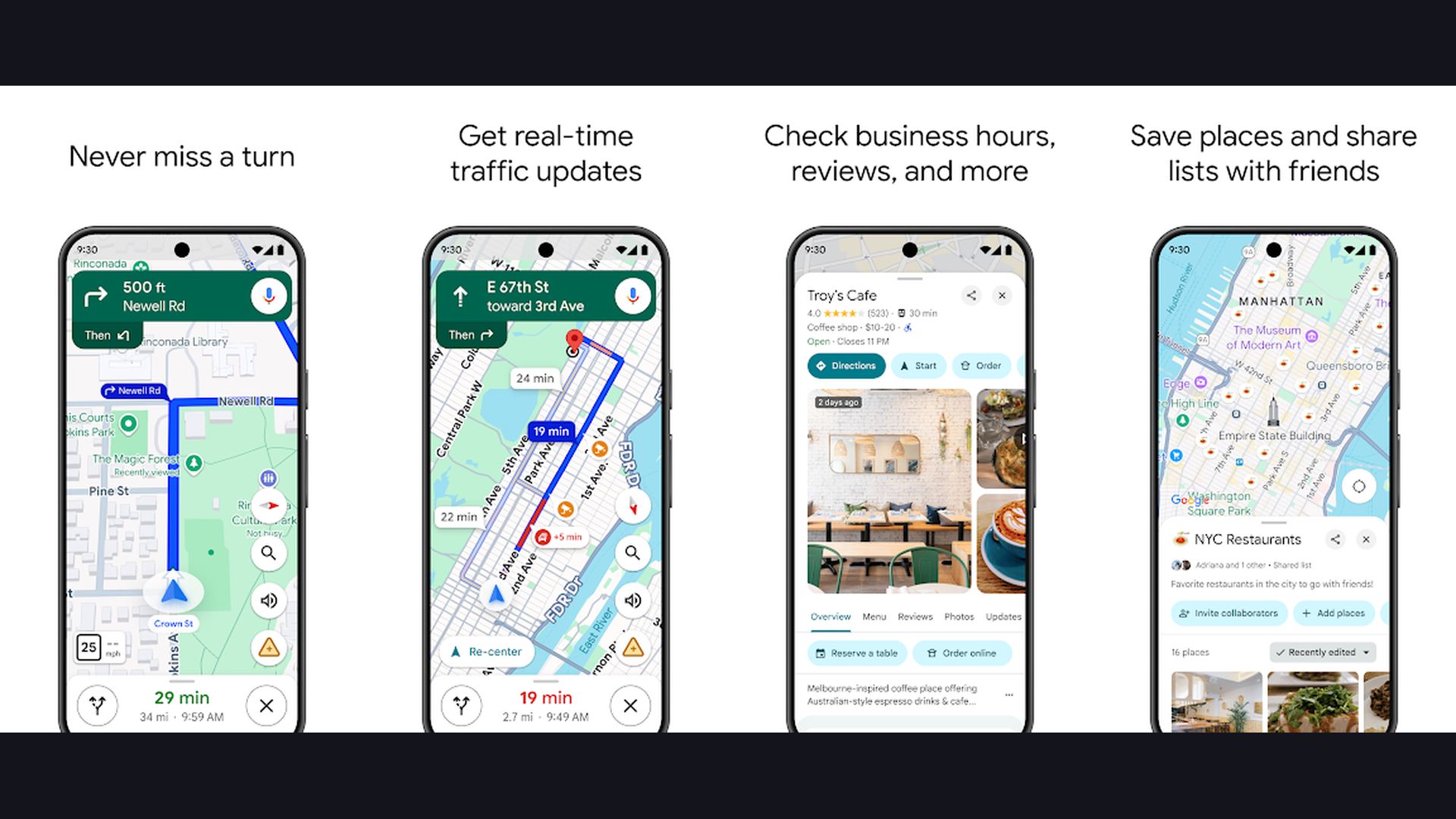
Google Maps is the essential navigation tool for every cruise port day, providing walking and transit directions in any port city worldwide, offline map downloads for navigating without data or Wi-Fi, restaurant and attraction discovery with reviews and photos, real-time transit information for buses and trains, and Street View for previewing destinations before you dock. Google Maps is not a cruise-specific app, but it is arguably the most important app you will use during port days. When your ship docks in Barcelona, Cozumel, Santorini, or Singapore, you need reliable navigation to find restaurants, attractions, taxi stands, and most importantly, your way back to the ship before the all-aboard time. The offline maps feature is absolutely critical for cruisers: download the map for each port city before you dock and navigate without expensive international data roaming. The walking directions account for pedestrian routes, stairs, and shortcuts that driving directions miss. The "Explore" tab surfaces top-rated restaurants, cafes, and attractions near your current location with ratings, photos, hours, and price levels. The transit feature shows local bus and train routes for independent sightseeing. Google Maps is 100% free. For navigating any cruise port in the world without data charges, Google Maps with offline downloads is indispensable. Explore mapping tools at navigation apps.
11. Carnival Hub (Rating 4.7)
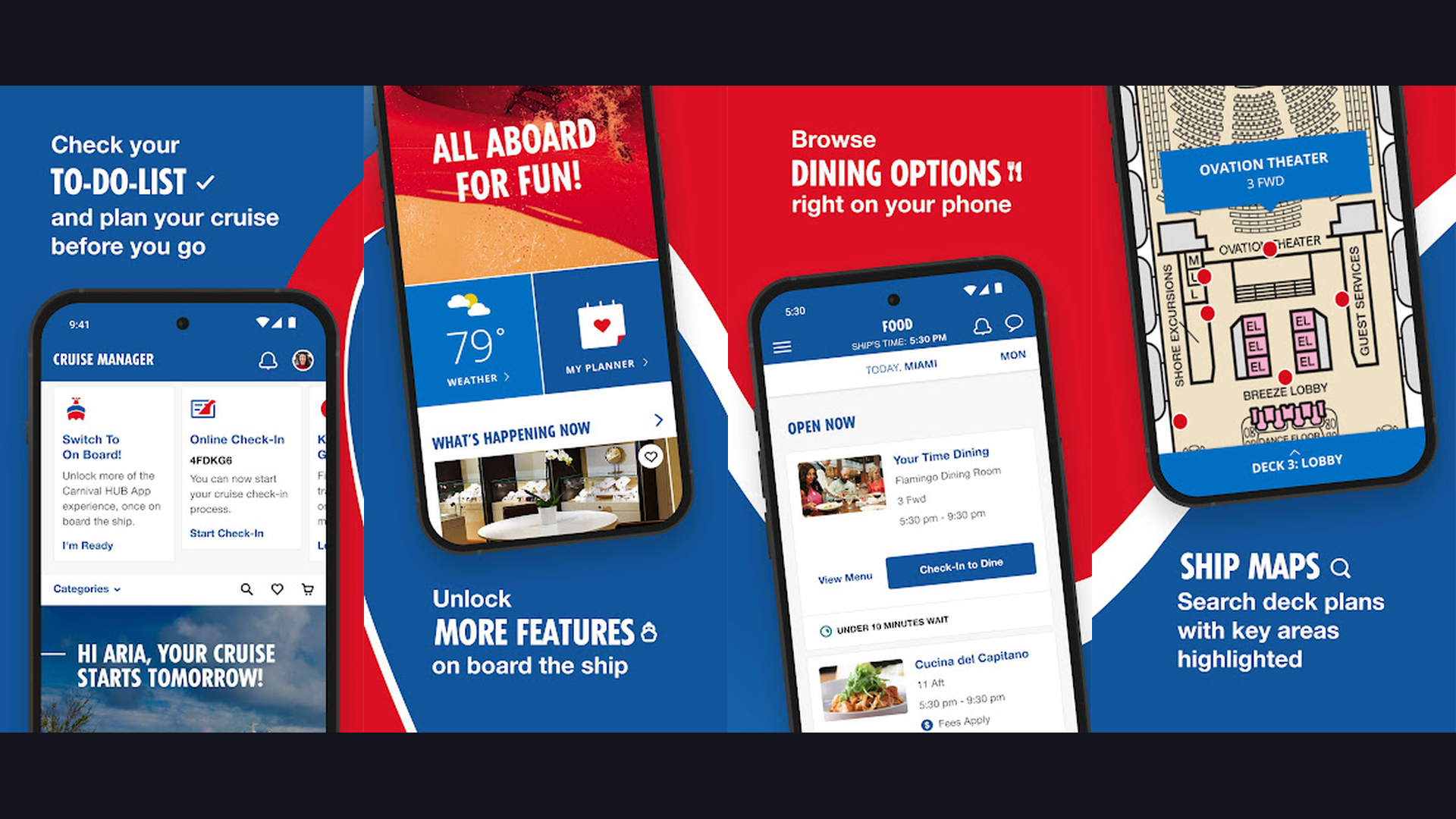
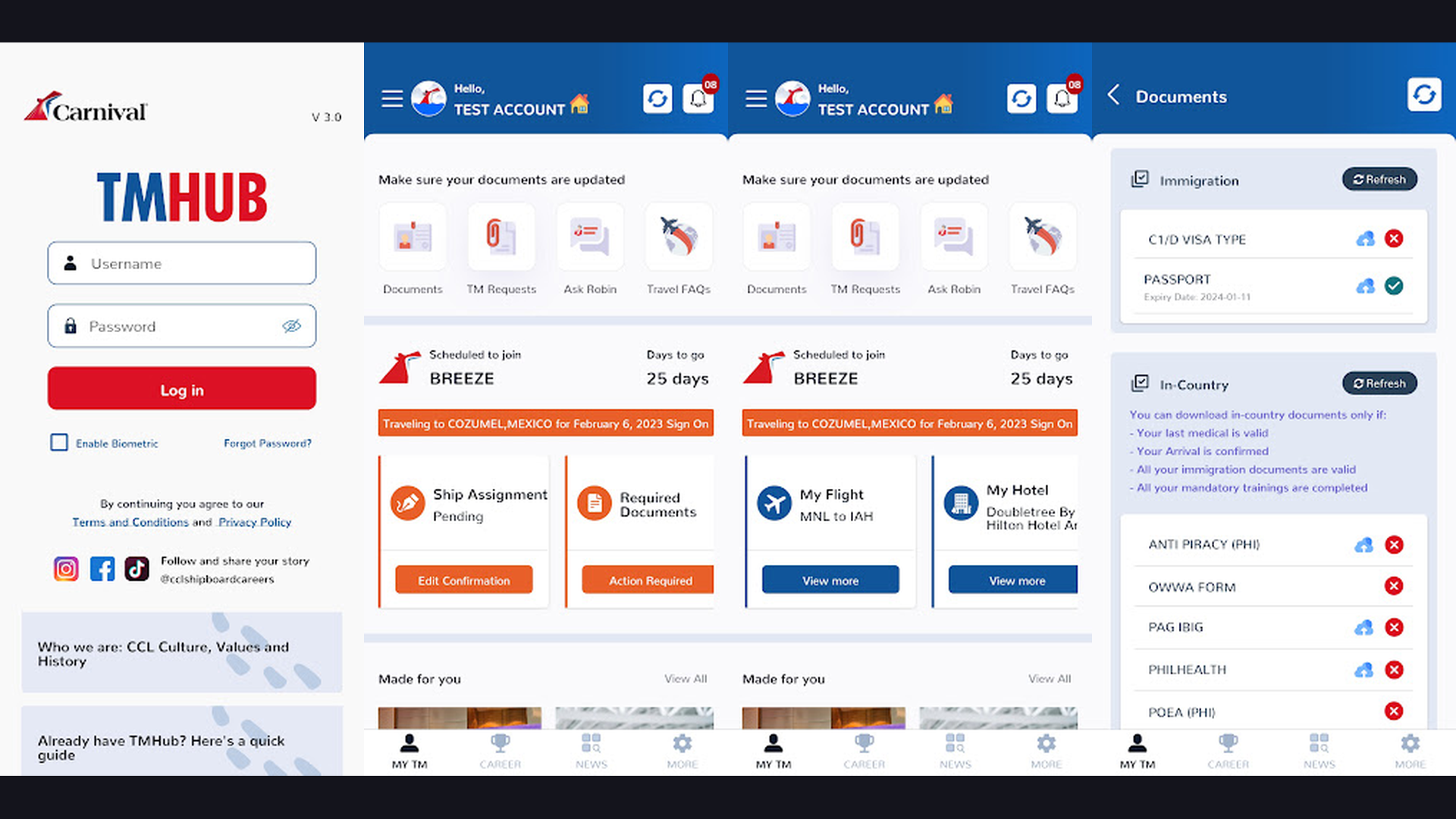
Carnival Hub is the official companion app for Carnival Cruise Line, offering daily fun schedule browsing, show and event listings, dining venue information, Sail and Sign account balance checking, shore excursion booking, ship deck maps, and on select ships pizza delivery ordering directly to your cabin or pool deck lounge chair. Carnival Hub captures the fun, casual spirit of Carnival cruising in digital form. The Fun Times schedule shows every activity happening on the ship including comedy shows, trivia contests, deck parties, live music, karaoke, casino tournaments, and kids programs. The dining section covers both included venues and specialty restaurants with menus and operating hours. The Sail and Sign tracker shows your onboard spending in real-time, helping you manage your vacation budget without surprises at the end of the cruise. The deck map feature helps you find your way around the Fun Ship, locating everything from the WaterWorks water park to the Serenity adult-only pool. The standout feature on select ships is pizza delivery: order a fresh pie from the app and have it delivered to your cabin, the pool deck, or wherever you are on the ship. The shore excursion marketplace lets you browse and book activities at every port. Carnival Hub is 100% free. For Carnival cruisers wanting all the fun organized in one place, the Hub delivers. Check out fun activities at social apps.
12. Princess MedallionClass (Rating 4.5)
The Princess MedallionClass app is the official companion for Princess Cruises integrated with the OceanMedallion wearable device, offering touchless boarding, on-demand food and drink delivery anywhere on the ship, keyless stateroom entry, interactive way-finding with turn-by-turn navigation through the ship, locate family members on the vessel in real-time, and personalized experience customization. Princess Cruises MedallionClass technology represents the most ambitious digital cruise experience in the industry. The OceanMedallion is a small wearable device (quarter-sized) that communicates with thousands of sensors throughout the ship. The app works in conjunction with this device to enable truly contactless experiences: walk up to your cabin door and it unlocks automatically, approach the bar and the bartender sees your favorite drink on their screen, enter the dining room and your dietary preferences are already loaded. The on-demand delivery feature is extraordinary: order food and drinks through the app and have them delivered to your exact location anywhere on the ship, whether you are at the pool, in the theater, or on your balcony. The family locator shows the real-time position of every member of your travel party on an interactive ship map. The interactive way-finding provides Google Maps-style turn-by-turn navigation through the ships corridors. Princess MedallionClass app is 100% free. For Princess guests wanting the most technologically advanced cruise experience, MedallionClass is groundbreaking. Stay connected with Wi-Fi calling apps.
Which Cruise Apps to Download
Essential for Every Cruiser (Download These Regardless of Cruise Line)
- Your Cruise Line App - Royal Caribbean, Carnival, Disney, MSC, Norwegian, Celebrity, or Princess (whichever you sail with)
- Google Maps - Offline port navigation (download maps before sailing)
- Tripadvisor - Port day restaurant and attraction discovery
- ShipMate - Universal ship tracker and deck plans across all cruise lines
Best for Cruise Enthusiasts
- MarineTraffic - Real-time AIS ship tracking with vessel details
- ShipMate - Cabin reviews, cruise countdown, community forums
Best for Pre-Cruise Planning
- PackPoint - Weather-smart cruise packing lists with activity recommendations
- Tripadvisor - Research ports and shore excursions in advance
Best Cruise Line Apps by Rating
- MSC for Me (4.8) - Most advanced AI-powered personalization
- Norwegian Cruise Line (4.8) - Best freestyle daily schedule builder
- Royal Caribbean (4.8) - Best overall cruise line app with GPS navigation
- Disney Cruise Navigator (4.7) - Best for families with character schedules
- Celebrity Cruises (4.7) - Best smart cabin controls
- Carnival Hub (4.7) - Most fun with pizza delivery feature
- Princess MedallionClass (4.5) - Most technologically ambitious
Cruise Technology Tips
- Download Offline Maps for Every Port Before You Sail - International data roaming on a cruise can cost $10-20 per megabyte. Open Google Maps, search for each port city on your itinerary, tap the port name, and select "Download offline map." This lets you navigate streets, find restaurants, and get walking directions without any data connection. Do this at home before your cruise while connected to Wi-Fi. For a 7-day Caribbean cruise with 4 port stops, downloading all 4 city maps takes under 10 minutes and saves hundreds of dollars in roaming charges.
- Complete Mobile Check-In 30+ Days Before Sailing - Every major cruise line app allows mobile check-in well before your sailing date. Complete it as early as possible to secure the earliest boarding time slot, which means you board the ship first and have access to pools, restaurants, and cabin drops before the crowds. Upload your passport photos, health forms, and emergency contacts through the app at home rather than dealing with paper forms at the port terminal.
- Use the In-App Chat to Coordinate with Your Group - Most cruise line apps (Royal Caribbean, Disney, Norwegian, MSC, Celebrity) include a free chat feature that works on the ships internal network without purchasing a Wi-Fi package. Set up your travel party in the app before sailing so everyone can communicate once onboard. This is especially valuable for families with teenagers who want independence, multi-cabin groups, and reunion or wedding parties spread across the ship. Explore communication tools at Wi-Fi calling apps.
- Buy Packages Through the App Before Sailing for Maximum Savings - Cruise lines consistently offer their best prices on drink packages, internet packages, spa credits, and specialty dining bundles through the app before embarkation day. Royal Caribbean and Celebrity typically offer 20-30% discounts on pre-cruise purchases compared to onboard prices. MSC and Norwegian offer similar pre-cruise savings. Set calendar reminders to check the apps savings section regularly in the weeks before your cruise, as prices sometimes drop further during flash sales.
- Bring a Portable Battery Pack for Port Days - Your phone becomes your lifeline during cruise port days: navigation, restaurant finding, translation, photos, and getting back to the ship on time. A single smartphone battery rarely lasts a full 8-hour port day of active GPS and camera use. Carry a portable battery pack (10,000 mAh or larger) to ensure your phone survives until all-aboard time. Charge both your phone and battery pack overnight in your cabin. Track your phone health with battery health apps.
- Screenshot Your All-Aboard Time and Ship Location - The most important piece of information during every port day is your all-aboard time and the ships terminal location. Take a screenshot of this information from your cruise line app before going ashore. If your phone dies, you lose data connection, or the app crashes, you still have this critical information accessible through your photo gallery. Missing the ship departure is every cruisers worst nightmare and is entirely preventable with this simple habit.
- Enable Push Notifications for Schedule Changes - Cruise itineraries can change due to weather, port closures, or mechanical issues. Enable push notifications for your cruise line app to receive immediate alerts about port changes, schedule modifications, tender service updates, and ship announcements. MSC for Me and Royal Caribbean are particularly good at proactive notifications. This ensures you never show up at the wrong venue at the wrong time because the schedule changed after you last checked.
- Use MarineTraffic to Track Your Ship During Debarkation - After your cruise ends, use MarineTraffic to track your ships departure from port and its journey to the next destination. This extends the cruise experience and satisfies the inevitable post-cruise blues. You can also use it to track your ship during pre-cruise excitement, watching it complete the voyage before yours. Maritime enthusiasts often find this nearly as enjoyable as the cruise itself. Learn more about boating at boater apps.
Frequently Asked Questions
Do cruise apps work without Wi-Fi onboard?
Yes, most cruise line apps have core features that work using the ships internal network without purchasing a Wi-Fi package. In-app chat, daily schedules, deck maps, dining reservations, and account balances typically work for free on the ships network. Features that require internet access (like web browsing, social media sharing, or email) do require a purchased Wi-Fi package. Royal Caribbean, Disney, Norwegian, MSC, and Celebrity all confirm their apps core functions work without Wi-Fi purchases.
Should I download my cruise line app before the cruise?
Absolutely. Download and set up your cruise line app at least 2-4 weeks before sailing. Complete mobile check-in as early as possible to secure early boarding time slots. Browse and purchase discounted pre-cruise packages (drinks, internet, dining, spa) through the app, as these are almost always cheaper than buying onboard. Familiarize yourself with the app interface so you are not learning it during embarkation day chaos. Some apps also require your booking number and personal details to be verified, which can take 24-48 hours.
Which is the best overall cruise companion app?
ShipMate is the best overall third-party cruise companion because it works across all cruise lines, providing ship tracking, deck plans, cabin reviews, port guides, and community forums in one app. For your specific cruise line, always download the official app (Royal Caribbean, Carnival, Disney, MSC, Norwegian, Celebrity, or Princess) as it provides line-specific features like check-in, reservations, and chat. The ideal setup is your cruise line app plus ShipMate, Google Maps, and Tripadvisor.
Can I use my phone at cruise ports?
Yes, but be cautious about data charges. International roaming on cruise port days can cost $10-20 per megabyte with most carriers. The best approach is to download Google Maps offline maps for each port before sailing, enable airplane mode when at port, and connect to free local Wi-Fi at cafes and tourist areas. Some carriers offer international day passes ($5-10/day) that include data. Alternatively, consider purchasing local SIM cards or international eSIM plans for data-intensive port days.
Is the ships Wi-Fi good enough for video calls?
Ships Wi-Fi has improved dramatically but remains inconsistent for video calls. Premium internet packages on modern ships (Royal Caribbean Starlink, MSC, Celebrity) now support video calling on platforms like WhatsApp and FaceTime. However, quality varies with the number of simultaneous users, weather conditions, and satellite coverage. Basic internet packages typically only support email and messaging. If video calling is important, purchase the premium/streaming tier internet package and try calling during off-peak hours (early morning or late night).
Do I need multiple cruise apps for one cruise?
For the best experience, download 3-4 apps: your specific cruise line app (essential for check-in, reservations, and chat), Google Maps (for port navigation with offline maps), Tripadvisor (for port day restaurant and attraction discovery), and either ShipMate or MarineTraffic (for ship tracking and deck plans). PackPoint is excellent for pre-cruise packing. This combination covers every aspect of your cruise from planning through debarkation.
Final Thoughts
The right cruise apps in 2026 transform your smartphone into a personal cruise concierge that handles check-in, navigation, dining, entertainment, communication, and port exploration. Start with your cruise line official app for onboard essentials: MSC for Me leads in AI personalization, Royal Caribbean offers the best GPS navigation, Disney Navigator is indispensable for families, Norwegian excels at freestyle scheduling, Celebrity brings smart cabin controls, Carnival Hub delivers fun with pizza delivery, and Princess MedallionClass pushes the boundaries of contactless technology. Layer on ShipMate for universal cruise tracking, MarineTraffic for maritime enthusiasts, Google Maps and Tripadvisor for port days, and PackPoint for stress-free packing. Download them all before you sail, complete check-in early, and prepare offline maps for every port. Bon voyage! For more travel technology, explore our guides on international travel apps, GPS apps, VPN apps, and camera apps.