
Graduate school demands reading hundreds of research papers, organizing thousands of references, writing literature reviews, and managing citations across dissertations, journal submissions, and conference papers. The right reading and literature management apps transform this overwhelming workflow into a structured, efficient process with AI-powered paper discovery, automated citation management, intelligent summarization, and visual literature mapping. In 2026, the combination of traditional reference managers and AI research tools gives grad students a research toolkit that was unimaginable just a few years ago.
This guide reviews 12 of the best reading and literature management apps for grad students in 2026, covering reference managers, AI research assistants, citation analysis tools, and literature visualization platforms. Whether you are starting your first literature review or managing the bibliography for your dissertation, these tools will save you hundreds of hours. For more graduate school recommendations, explore our guides on note-taking and mind mapping apps, essential grad student apps, health and fitness apps for grad students, digital planner apps, and AI assistant apps.
Table of Contents
- Zotero (Rating 4.7)
- Paperpile (Rating 4.5)
- Semantic Scholar (Rating 4.5)
- Elicit (Rating 4.5)
- ResearchRabbit (Rating 4.4)
- ReadCube Papers (Rating 4.3)
- Mendeley (Rating 4.2)
- Consensus (Rating 4.1)
- Scholarcy (Rating 4.0)
- Scite (Rating 4.0)
- Connected Papers (Rating 3.9)
- Litmaps (Rating 3.8)
- Which Tools Should You Use?
- Literature Management Tips
- Frequently Asked Questions
1. Zotero (Rating 4.7)
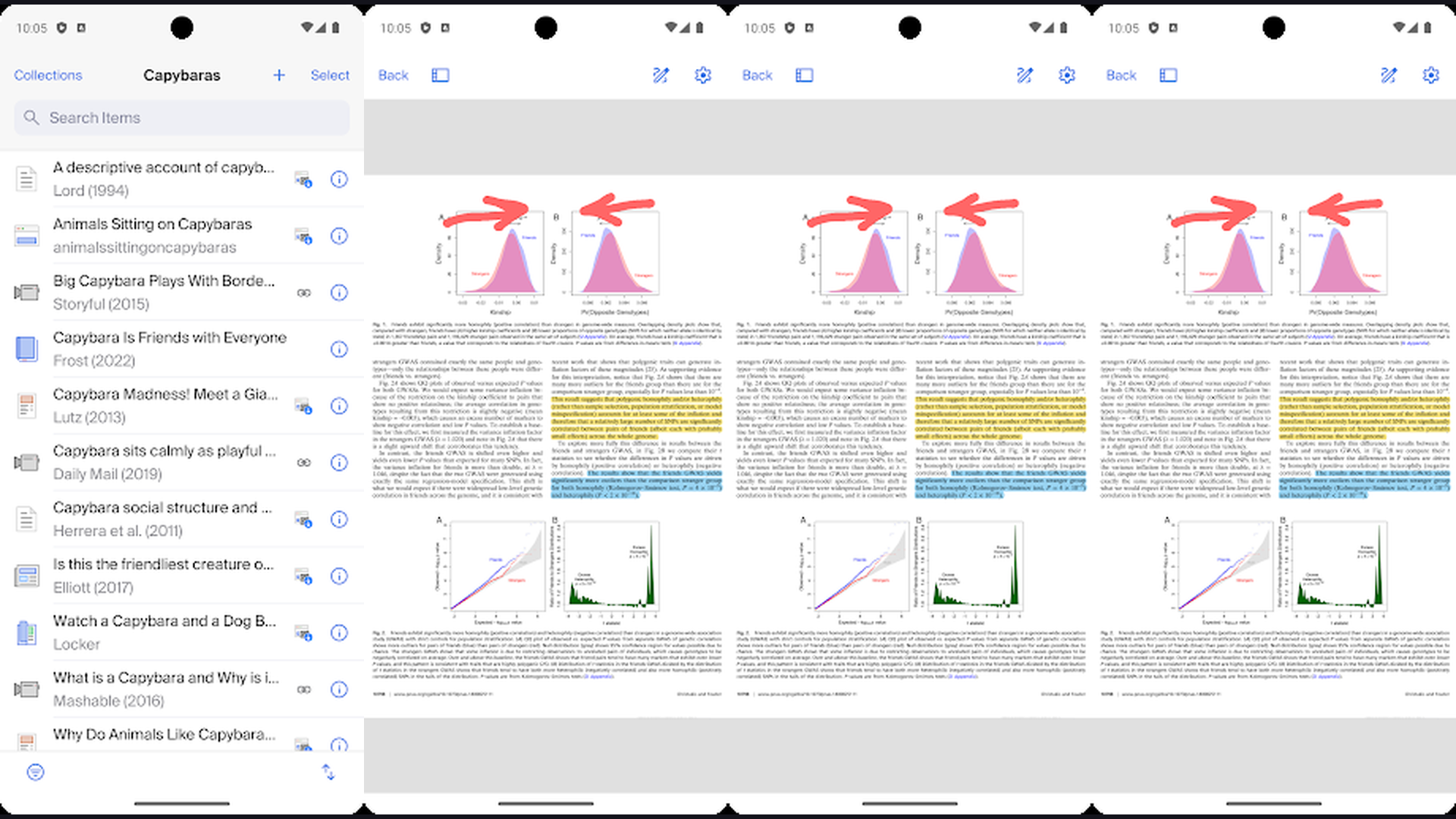
Zotero is the most widely recommended open-source reference manager for graduate students, offering one-click browser saving, automatic metadata extraction, PDF annotation with built-in reader, Word and Google Docs citation plugins, unlimited local storage, group collaboration libraries, and complete data ownership. Zotero has earned its position as the gold standard for academic reference management through years of community-driven development. The Zotero Connector browser extension saves references from journal databases, library catalogs, Google Scholar, news sites, and virtually any web page with a single click, automatically extracting metadata (authors, title, journal, DOI, abstract). The built-in PDF reader provides highlighting, sticky notes, and text annotations that sync across all your devices. The citation plugin for Microsoft Word and Google Docs inserts in-text citations and generates bibliographies in over 10,000 citation styles (APA, MLA, Chicago, IEEE, Vancouver, Harvard, and field-specific formats). The tagging system, collections, and saved searches organize thousands of references into manageable research categories. The group libraries enable real-time collaboration with lab members and co-authors. Zotero is free and open-source (300MB cloud sync free, plans from $20/year). For grad students wanting the most flexible and cost-effective reference manager, Zotero is the community favorite. Organize research with note-taking apps.


2. Paperpile (Rating 4.5)
Paperpile is the fastest and most Google-integrated reference manager, designed for researchers who live in the Google ecosystem with seamless Google Docs citation insertion, Google Drive cloud storage, Chrome-based PDF management, cross-device synchronization, and the cleanest web-based interface among all reference managers. Paperpile excels at speed and simplicity. The Google Docs integration is the best available: insert citations and generate bibliographies directly within Google Docs without leaving the document. The Chrome extension saves papers from any journal site, preprint server, or database with one click. The web-based library loads instantly and displays all your papers with metadata, tags, folders, and labels. The PDF viewer provides highlighting, annotations, and notes that sync across devices. The search function queries your entire library including full-text PDF content. The auto-update feature keeps metadata current as preprints become published papers. The BibTeX export integrates with LaTeX workflows. The mobile apps provide full library access and PDF reading on tablets and phones. Paperpile costs $2.99/month for students (academic discount). For Google ecosystem users wanting the fastest citation workflow in Google Docs, Paperpile is unbeatable. Write papers with grad student tools.
3. Semantic Scholar (Rating 4.5)
Semantic Scholar is the most powerful free AI-powered academic search engine, indexing over 200 million papers across all scientific fields with TLDR summaries, citation context analysis, author profiles, research feeds, citation graphs, and influence metrics that help researchers quickly assess paper relevance and impact. Built by the Allen Institute for AI, Semantic Scholar goes beyond traditional keyword searching by using natural language processing to understand research questions and surface the most relevant papers. The TLDR feature generates one-sentence plain-language summaries of papers, letting you scan dozens of results and decide which papers deserve a full read in seconds rather than minutes. The citation context feature shows you exactly how other papers cite a given work (supporting, contrasting, or mentioning), revealing the true impact and reception of research findings. The Semantic Reader provides an enhanced PDF reading experience with inline definitions, figure references, and citation pop-ups. The Research Feeds deliver personalized paper recommendations based on your reading history and saved papers. The Author Profiles aggregate publication history, citation metrics, co-author networks, and influence scores. Semantic Scholar is completely free. For grad students wanting the smartest academic search engine for literature discovery, Semantic Scholar is essential. Discover papers with academic tools.
4. Elicit (Rating 4.5)
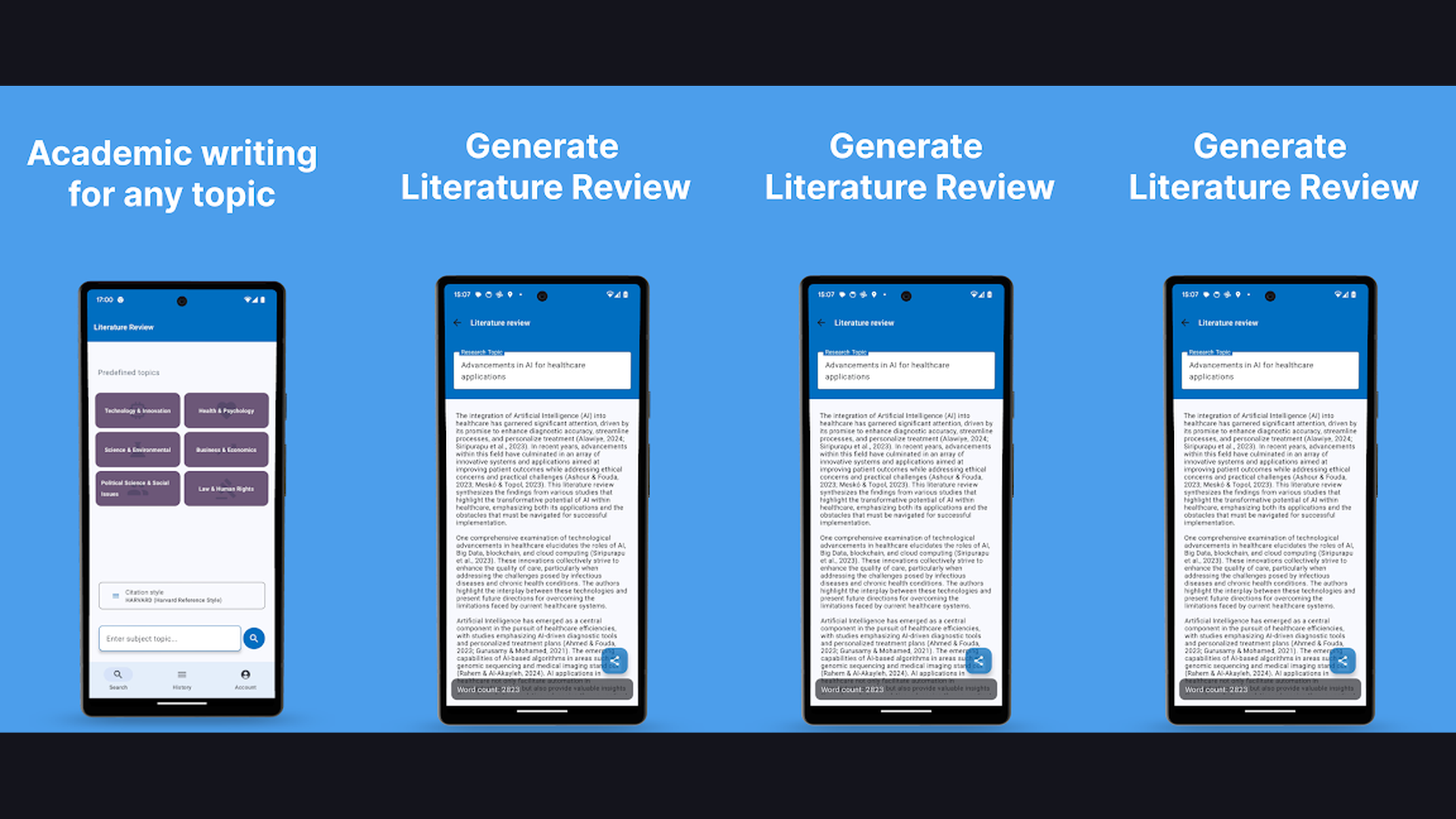
Elicit is the most advanced AI research assistant for automating literature reviews, capable of finding relevant papers from a natural language research question, extracting specific data points across hundreds of papers simultaneously, summarizing findings, and organizing evidence into structured tables without requiring complex search queries. Elicit represents the frontier of AI-assisted research. Instead of constructing Boolean search queries with AND/OR operators and specific keywords, you simply type a research question in plain English ("What are the effects of sleep deprivation on academic performance?") and Elicit finds, ranks, and summarizes the most relevant papers. The data extraction feature is transformative: define columns (sample size, methodology, key findings, population, intervention, outcome measures) and Elicit automatically extracts that data from every selected paper, building a structured evidence table. The synthesis feature identifies patterns, consensus, and contradictions across your paper set. The abstract screening tool rapidly filters hundreds of search results based on custom inclusion/exclusion criteria. The notebook feature lets you build and refine research workflows step by step. Elicit offers free tier with Plus from $10/month. For grad students wanting to automate systematic literature reviews, Elicit saves weeks of manual work. Research efficiently with organization apps.
5. ResearchRabbit (Rating 4.4)
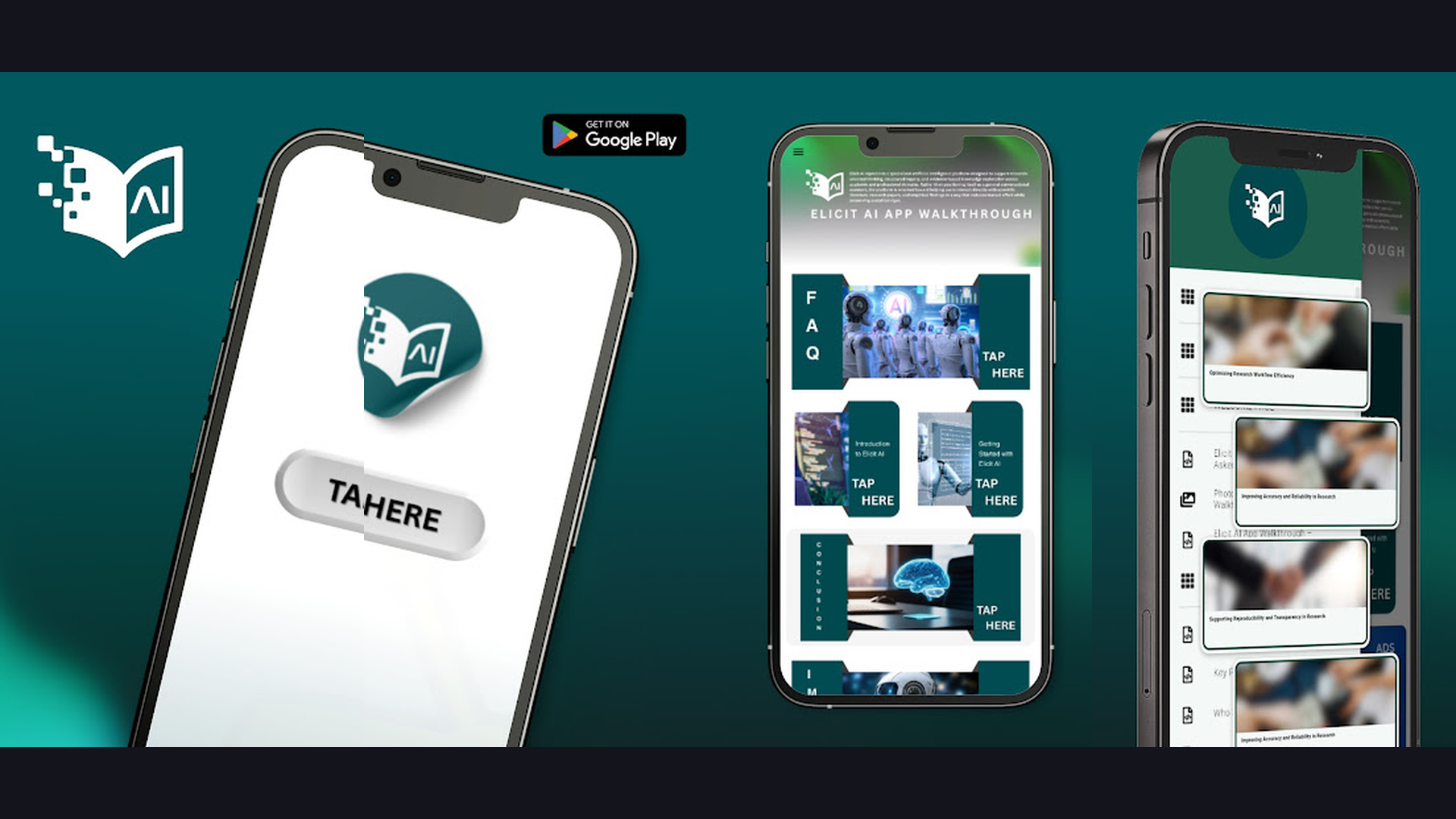
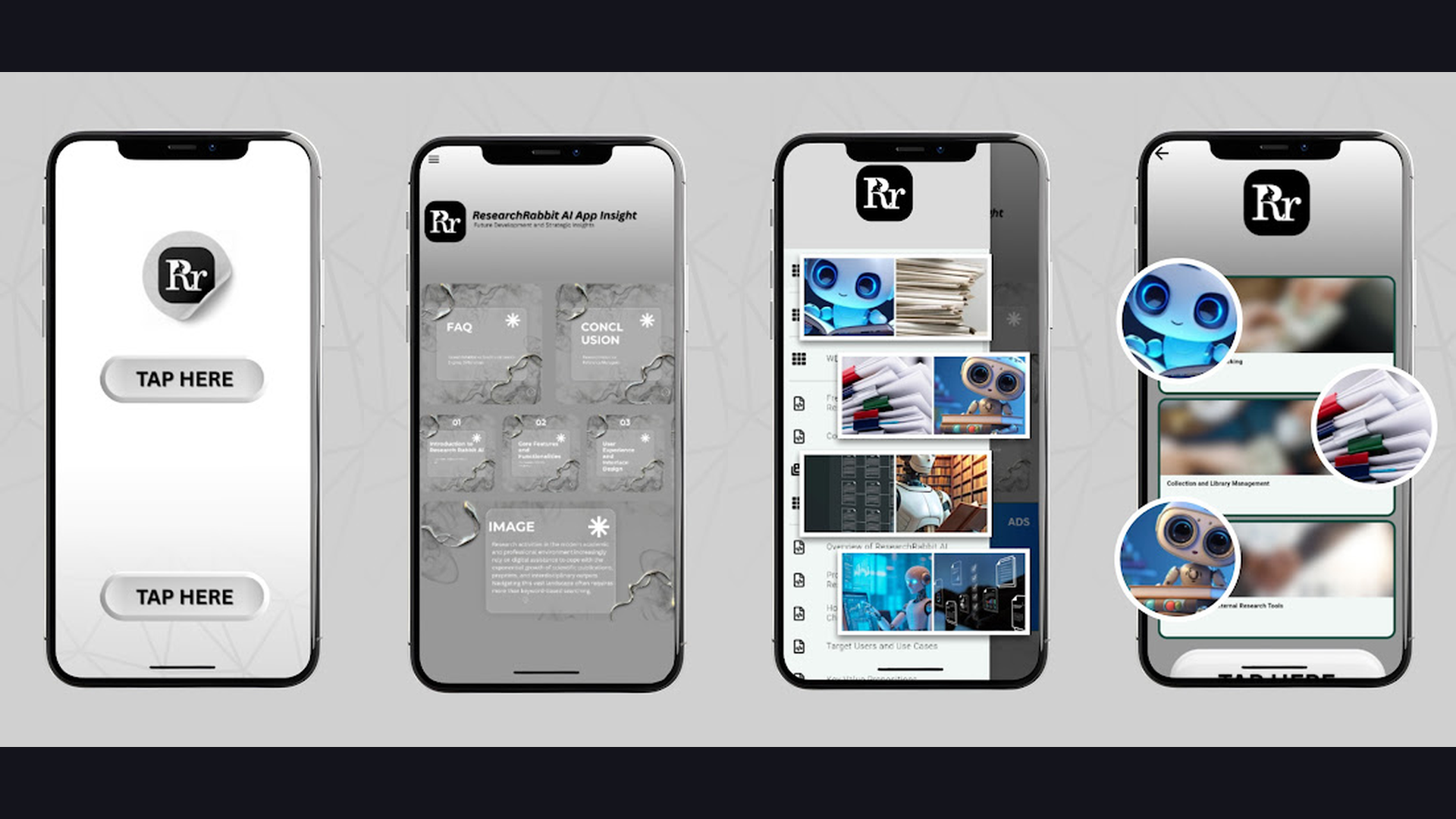
ResearchRabbit is the most intuitive literature discovery and visualization tool, using interactive citation network graphs to help researchers explore connections between papers, discover related works they would have missed through traditional searching, and build comprehensive literature maps organized by research themes. ResearchRabbit solves the "unknown unknowns" problem in literature reviews. Add a few seed papers to a collection, and ResearchRabbit generates an interactive visualization showing related papers, co-cited works, and research threads branching out from your starting points. The "Similar Work" suggestions surface papers that cite the same sources or are cited alongside your seed papers but might not appear in keyword searches. The "These Authors Also Wrote" feature reveals an author entire body of relevant work. The timeline view shows how a research topic has evolved chronologically. The collaboration feature lets lab groups build shared literature maps. The Zotero integration imports your existing library as seed papers. The email digest delivers weekly recommendations based on your collections. The visual graph interface makes literature exploration feel like exploring a map rather than scrolling through search results. ResearchRabbit is completely free. For grad students wanting to discover papers they would otherwise miss, ResearchRabbit is a revelation. Map your field with planning tools.
6. ReadCube Papers (Rating 4.3)
ReadCube Papers is the premier PDF reading and reference management platform designed for researchers, featuring an enhanced PDF reader that displays inline citation previews, AI-powered paper recommendations, cross-publisher full-text access through institutional authentication, advanced annotation tools, and the most polished reading experience among all reference managers. ReadCube Papers prioritizes the reading experience above all else. The Enhanced PDF reader is the standout feature: hover over any citation within a paper and a popup displays the cited paper abstract, letting you assess relevance without leaving your current reading. Click through to open the full cited paper if available through your institutional access. The SmartCite plugin for Word inserts formatted citations without leaving the document. The Recommendations engine analyzes your library and suggests papers based on your specific research interests. The cross-platform synchronization keeps your annotated PDFs, highlights, and notes identical across Mac, Windows, iOS, and web. The Lists feature organizes papers by project, chapter, or topic. The metrics dashboard shows citation counts and altmetrics for papers in your library. ReadCube Papers costs free with Premium from $3/month for students. For grad students who spend most of their time reading and annotating PDFs, ReadCube Papers offers the best reading experience. Read papers on mobile devices.
7. Mendeley (Rating 4.2)
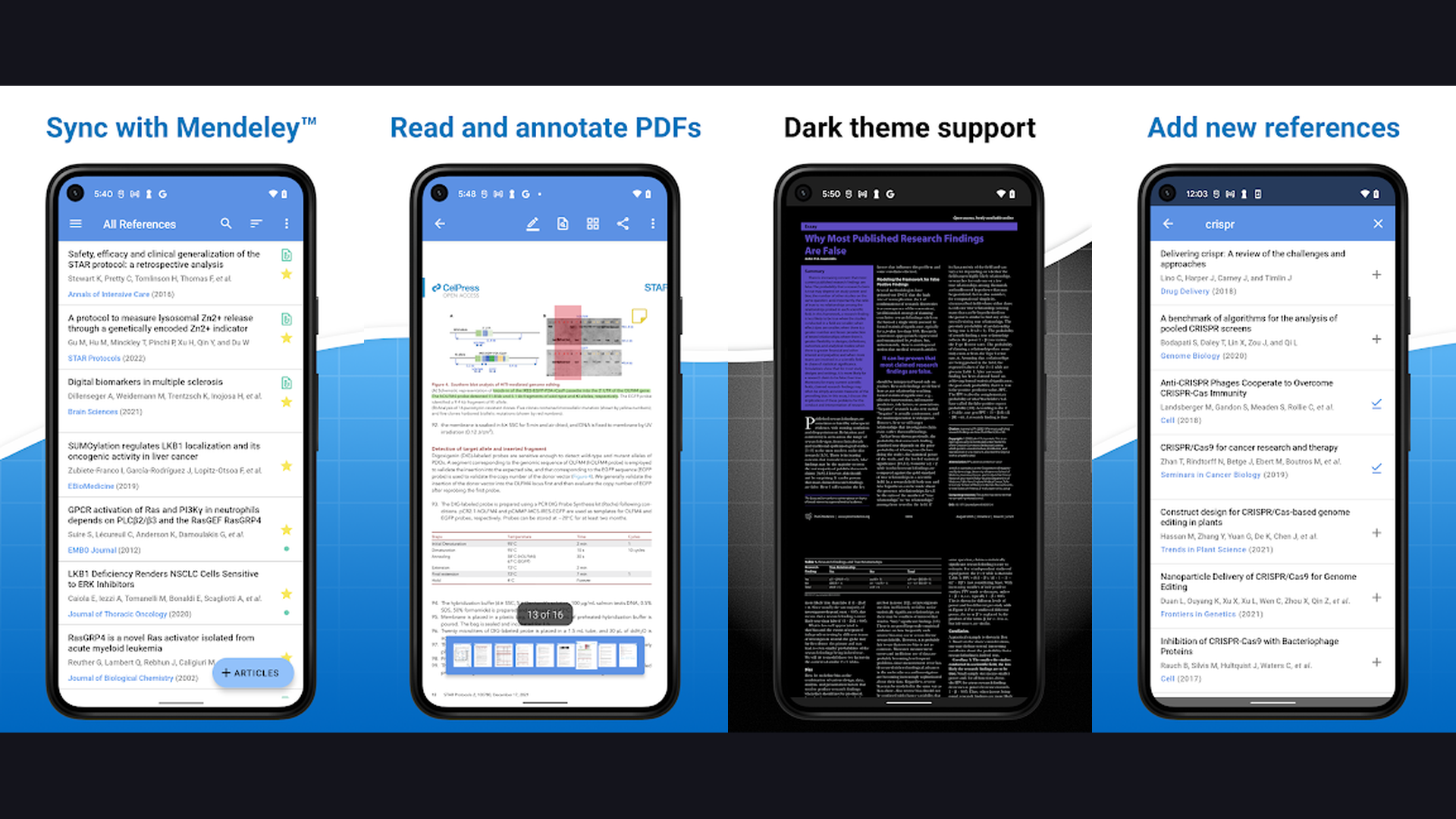
Mendeley is the Elsevier-backed reference manager combining citation management with academic social networking, offering free 2GB cloud storage, PDF annotation, Word citation plugin, group collaboration, researcher profiles, and a massive user community that surfaces trending papers and connects researchers across institutions. Mendeley reference manager provides a solid free option backed by the resources of Elsevier, the world largest academic publisher. The desktop and web apps organize your research papers with automatic metadata extraction from imported PDFs. The PDF annotation tools provide highlighting, sticky notes, and text annotations. The Word plugin generates citations and bibliographies in thousands of citation styles. The 2GB free cloud storage syncs your library across devices. The private groups feature enables collaboration with up to 25 members on shared collections. The social features reveal which papers other researchers in your field are reading, creating a discovery mechanism driven by community behavior. The researcher profile creates a public-facing page showcasing your publications and citations. The Mendeley Data repository lets you share research datasets alongside publications. Mendeley is free (2GB cloud storage, institutional plans available). For grad students wanting a free, full-featured reference manager with social discovery, Mendeley delivers strong value. Collaborate with peers using AI communication tools.
8. Consensus (Rating 4.1)
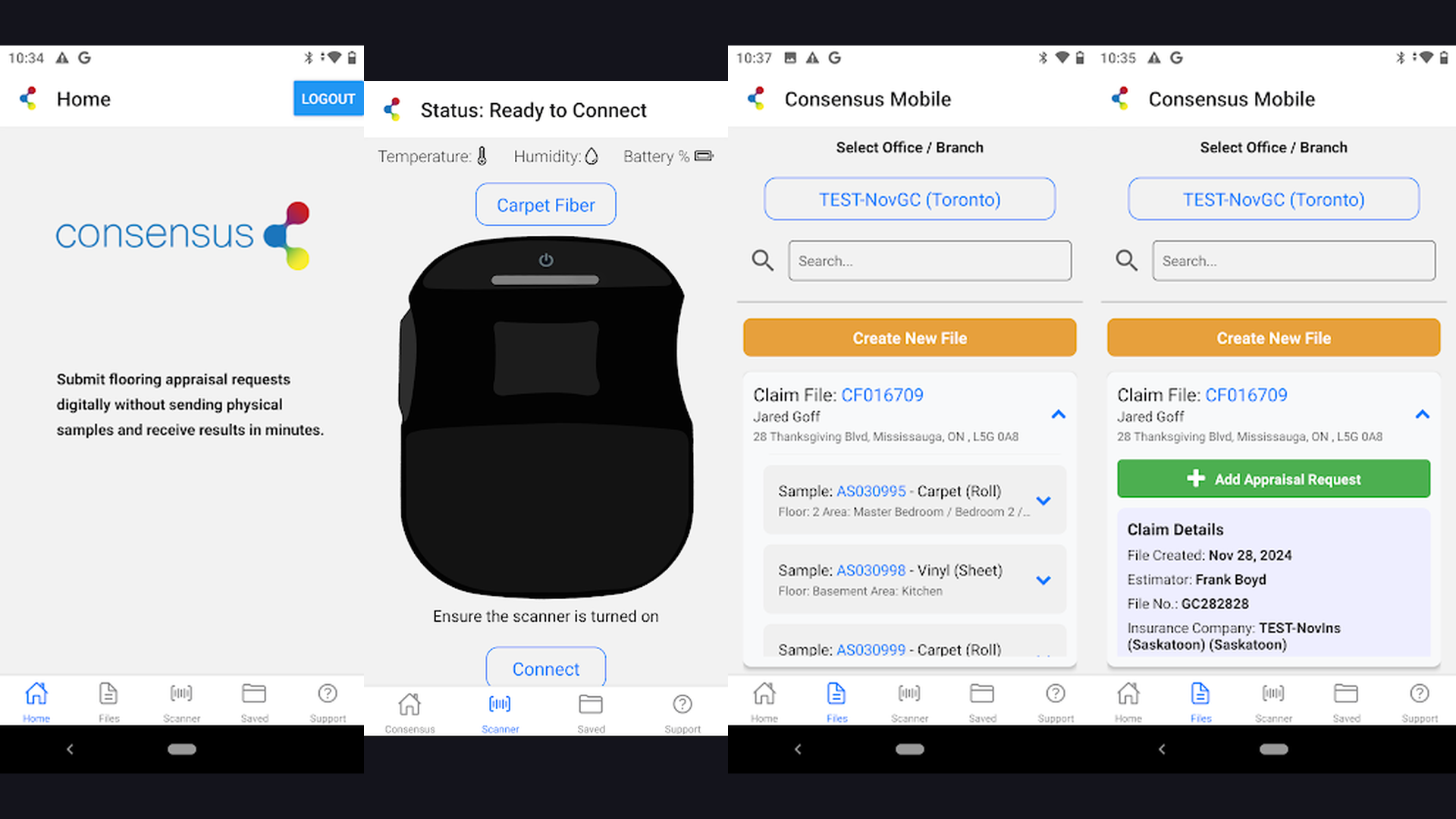
Consensus is the AI-powered academic search engine that directly answers research questions by analyzing and synthesizing findings from peer-reviewed papers, displaying a Consensus Meter showing scientific agreement levels, citation-backed summaries, and study snapshots that let researchers assess the state of evidence on any topic in seconds. Consensus eliminates the hours spent manually reading abstracts and synthesizing findings. Type a yes/no research question ("Does mindfulness meditation reduce anxiety?") and Consensus analyzes relevant papers, generating a Consensus Meter that visually displays what percentage of studies say yes, no, or are mixed. Each result shows a Study Snapshot with key findings extracted directly from the paper. The Copilot feature generates a comprehensive, citation-backed summary paragraph synthesizing findings across multiple papers, ready to be adapted into a literature review section. The filters narrow results by study type (RCT, meta-analysis, systematic review, cohort), sample size, journal quality, and publication date. The integration with Semantic Scholar database ensures comprehensive coverage. The Consensus Tree organizes topics into sub-questions for deeper exploration. Consensus offers free searches with Premium from $8.99/month. For grad students wanting to instantly understand the scientific consensus on any topic, Consensus is transformative. Analyze data with student tools.
9. Scholarcy (Rating 4.0)
Scholarcy is the most effective AI paper summarization tool, transforming research articles and textbook chapters into structured summary flashcards that extract key findings, methodology, contributions, limitations, and reference links, enabling grad students to screen papers five to ten times faster than manual reading. Scholarcy addresses the single biggest time sink for grad students: reading and evaluating whether a paper is relevant to their research. Upload a PDF or paste a URL, and Scholarcy generates a Summary Flashcard containing: the key contribution, highlighted findings, study context and participants, methodology details, open research questions, and a structured reference list with links. The browser extension generates instant flashcards from any paper you encounter online. The Scholarcy Library saves and organizes your flashcard collection. The comparative analysis feature generates side-by-side comparisons of multiple papers on the same topic. The integration with reference managers exports summarized papers to Zotero, Mendeley, and other tools. The priority scanning mode processes batches of papers and ranks them by relevance to your research question. Scholarcy offers free tier with Personal Library from $9.99/month. For grad students doing literature screening and rapid paper evaluation, Scholarcy is a massive time-saver. Speed up reading with productivity tools.
10. Scite (Rating 4.0)
Scite is the only citation analysis platform that shows HOW papers cite each other (supporting, contradicting, or mentioning), providing Smart Citations that reveal the true impact and reception of research findings, powered by AI analysis of over 1.2 billion citation statements from 187 million articles. Scite solves a critical problem in academic research: knowing whether a paper has been supported or contradicted by subsequent research. Traditional citation counts only tell you how many times a paper was cited, not whether those citations agreed with or challenged the findings. Scite Smart Citations classify each citation as "supporting" (the citing paper agrees with or builds upon the findings), "contrasting" (the citing paper presents evidence against the findings), or "mentioning" (neutral reference). The Citation Statement Search lets you search for specific claims across the entire scientific literature. The Scite Assistant is an AI chatbot that answers research questions using only evidence from peer-reviewed papers with full citations. The Reference Check tool analyzes your manuscript draft and flags any cited papers that have been retracted, contradicted, or have editorial notices. The dashboard visualizes the citation profile of any paper or author. Scite costs $20/month for student plans (institutional access available). For grad students wanting to verify the reliability of cited research, Scite provides unique insight. Verify sources with research tools.
11. Connected Papers (Rating 3.9)
Connected Papers is the most visually intuitive citation network tool, generating interactive graph visualizations from any seed paper to show related works, co-citation clusters, and research evolution over time, helping grad students build comprehensive literature reviews and discover foundational and derivative works. Connected Papers transforms abstract citation relationships into a visual map you can explore and understand intuitively. Enter any paper (by title, DOI, or URL), and Connected Papers generates a graph where each node is a related paper and connections represent citation similarity. Papers close together on the graph are more related; papers farther apart are more distant. The node size indicates citation count. The color gradient shows publication year (older papers are darker, newer papers are lighter). The "Prior Works" view shows the foundational papers that preceded your seed paper. The "Derivative Works" view reveals subsequent papers that built upon it. The graph is interactive: click any node to see the paper abstract, citation count, and links to the full text. The "Build a Graph" feature creates a new network centered on any paper you discover. The export function saves your graph papers to BibTeX or reference managers. Connected Papers offers 5 free graphs/month with Premium from $3/month. For grad students wanting to visually explore citation relationships, Connected Papers is uniquely powerful. Visualize research with organization apps.
12. Litmaps (Rating 3.8)
Litmaps is the most comprehensive literature mapping and monitoring platform, combining citation network visualization with automated new paper alerts, collaborative research maps, systematic review support, and timeline-based exploration that shows how research topics evolve chronologically across the entire scientific literature. Litmaps goes beyond one-time citation graphs by adding ongoing monitoring and collaboration. Create a Seed Map from initial papers, and Litmaps generates a visual citation network showing how papers connect. The Discover feature suggests new papers based on your map, automatically updating as new research is published. The Timeline view arranges papers chronologically along the horizontal axis with citation connections displayed vertically, revealing how ideas developed and branched over time. The collaborative maps let research teams build shared literature landscapes. The Systematic Review support helps define search strategies and track paper inclusion/exclusion decisions. The Alert system sends notifications when new papers are published that connect to your existing map. The PRISMA flow diagram generation assists with reporting for systematic reviews. The integration with reference managers imports and exports paper collections. Litmaps offers free tier with Pro from $10/month. For grad students conducting systematic reviews or tracking evolving research areas, Litmaps provides the most complete mapping solution. Track research with academic wellness tools.
Which Tools Should You Use?
The Essential Grad Student Stack (3 Tools)
- Zotero - Reference management, citation insertion, PDF annotation (free)
- Semantic Scholar - AI-powered paper discovery and TLDR summaries (free)
- ResearchRabbit - Visual literature discovery and citation mapping (free)
Best for Systematic Literature Reviews
- Elicit - Automated data extraction across hundreds of papers
- Litmaps - Citation mapping with systematic review support
- Scholarcy - Rapid paper screening with summary flashcards
- Scite - Citation context analysis (supporting vs. contradicting)
Best for Google Workspace Users
- Paperpile - Fastest Google Docs citation plugin ($2.99/month student)
- Zotero - Free Google Docs integration via connector
Best Free Combination
- Zotero - Reference management and citation (free, open-source)
- Semantic Scholar - Paper search and discovery (free)
- ResearchRabbit - Literature visualization (free)
- Connected Papers - Citation network graphs (5 free/month)
- Consensus - Evidence synthesis search (free tier)
Best for Heavy PDF Readers
- ReadCube Papers - Enhanced PDF reader with inline citation previews
- Zotero - Built-in PDF reader with annotations
- Paperpile - Clean PDF annotation with cloud sync
Best for Verifying Research Quality
- Scite - See if papers are supported or contradicted by later research
- Consensus - Consensus Meter shows scientific agreement levels
- Semantic Scholar - Citation context and influence metrics
Literature Management Tips for Grad Students
- Start Your Reference Manager on Day One - The single biggest mistake grad students make is waiting to set up a reference manager. Every paper you read, every article you skim, every source you might cite should go into Zotero, Paperpile, or Mendeley from the very first day of your program. Retroactively organizing hundreds of papers is painful and error-prone. Install the browser connector and develop the habit of saving every paper you encounter. Tag papers by course, project, chapter, or topic from the start. Adding a paper takes 2 seconds; finding it again without a reference manager takes 20 minutes. Start building your library from the very first assigned reading. Organize your workflow with planner apps.
- Use AI Discovery Tools to Avoid Missing Key Papers - Traditional database searching (PubMed, Google Scholar, Web of Science) only finds papers matching your search terms. ResearchRabbit, Connected Papers, and Litmaps find papers based on citation relationships, revealing important works that use different terminology. Add your 5-10 most important papers to ResearchRabbit and Connected Papers. The generated networks will surface foundational works, methodological papers, and recent extensions you would have missed. Run this discovery process at the start of any literature review and again before finalizing your manuscript. A thorough literature review that misses a key paper can damage your credibility with reviewers. Research smarter with academic tools.
- Screen Papers Before Reading Them Fully - Grad students often waste hours reading papers that turn out to be irrelevant. Use Scholarcy to generate summary flashcards before committing to a full read. Use Semantic Scholar TLDR summaries to scan search results rapidly. Use Elicit to extract specific data points from abstracts before deciding which papers to read in depth. A 30-second screening step saves 30 minutes of unnecessary reading per paper. Over a literature review of 200 papers, this screening habit saves 100+ hours. Develop a three-stage reading process: screen (Scholarcy/TLDR), assess (abstract + methods), and deep-read (full annotation in your reference manager). Save time with note tools.
- Verify Your Citations with Scite Before Submitting - One of the most embarrassing experiences in academia is citing a retracted or heavily contradicted paper. Before submitting any manuscript, run your reference list through Scite Reference Check. It flags any cited papers that have been retracted, received editorial expressions of concern, or have significant contradicting evidence. This 5-minute check can prevent weeks of revision requests from reviewers who notice problematic citations. Scite also reveals whether you are citing papers as supporting evidence that are actually contested in the field, helping you write more nuanced and accurate literature reviews. Ensure quality with AI verification tools.
- Build a Consistent Annotation System Across All Papers - Develop a color-coded highlighting system in your PDF reader and use it consistently: yellow for key findings, blue for methodology, green for quotes you might cite, red for limitations or criticisms, purple for theoretical frameworks. Add text notes explaining why each highlight matters to your research. Both Zotero and ReadCube Papers support custom highlight colors and note tags. When writing your literature review months later, you can scan your annotations and immediately find relevant content without rereading entire papers. Export your annotations as notes linked to specific papers in your reference manager. Maintain focus with wellness apps.
- Use Consensus for Quick Evidence Synthesis - When you need to know the scientific consensus on a specific question quickly, Consensus gives you an evidence-based answer in seconds. Instead of reading 20 paper abstracts to estimate the balance of evidence, type your question and the Consensus Meter shows the proportion of studies supporting, opposing, or mixed. The Copilot-generated summary provides a citation-backed paragraph you can adapt as a starting point for your literature review section. This is especially valuable for writing background sections where you need to establish what is already known about a topic. Always verify the underlying papers, but Consensus provides the fastest starting point for evidence synthesis. Write faster with productivity apps.
- Maintain Separate Collections for Each Chapter or Project - As your dissertation develops, create dedicated collections or folders in your reference manager for each chapter, paper, or project. A single unsorted library with 500+ papers becomes unusable. In Zotero, create a top-level collection for each dissertation chapter, with sub-collections for specific themes within that chapter. Tag papers that appear in multiple chapters, so they can be found from any collection. In Paperpile, use labels and folders for the same purpose. This organization makes bibliography generation trivial: select the collection for Chapter 3 and export the citations in your required style. Stay organized with planning apps.
- Set Up Weekly Paper Alerts and Feeds - Academic research moves fast, and new papers relevant to your topic are published weekly. Set up Semantic Scholar Research Feeds based on your key topics. Configure ResearchRabbit email digests for your seed paper collections. Create Google Scholar alerts for critical search queries. Subscribe to table of contents alerts from your top 3-5 journals. Litmaps will alert you when new papers connect to your existing citation maps. Dedicating 30 minutes every Monday morning to reviewing new paper alerts keeps your literature review current and prevents the shock of discovering a closely related paper published six months ago that your committee expects you to know about. Track updates with content apps.
Frequently Asked Questions
What is the best free reference manager for grad students?
Zotero is the best free reference manager. It is open-source, handles unlimited local references, includes a built-in PDF reader with annotation, supports over 10,000 citation styles, integrates with both Microsoft Word and Google Docs, and offers group collaboration libraries. The 300MB free cloud sync is sufficient for most students (syncing only attachment files counts against the limit, not reference metadata). If you need more cloud storage, plans start at $20/year. Mendeley is the runner-up free option with 2GB cloud storage and social networking features, though it is owned by Elsevier and has a more limited ecosystem of add-ons.
Is Mendeley or Zotero better for grad students?
Zotero is better for most grad students in 2026. It offers more flexible organization (tags, collections, saved searches), a better browser connector, more citation style options, a superior plugin ecosystem (Better BibTeX for LaTeX users, ZotFile for PDF management), and complete data ownership since it is open-source. Mendeley offers more free cloud storage (2GB vs 300MB) and built-in social networking features. Mendeley is also better if your institution has an Elsevier Mendeley Institutional Edition license. For LaTeX users, Zotero with Better BibTeX is the clear winner. For Google Docs users, Paperpile provides the fastest experience.
Can AI tools replace manual literature reviews?
Not entirely, but AI tools can reduce literature review time by 50-70%. Elicit automates paper discovery and data extraction. Scholarcy generates rapid summaries for screening. Consensus provides instant evidence synthesis. Semantic Scholar TLDR summaries speed scanning. However, AI tools can miss nuances, misinterpret complex findings, and have gaps in coverage. Expert judgment is still essential for evaluating methodology quality, identifying subtle biases, and synthesizing arguments. The best approach uses AI tools for initial discovery, screening, and data extraction, then applies human expertise for critical analysis, interpretation, and synthesis. Always verify AI-generated summaries against the original papers.
What tools integrate best together?
The most seamless integration chains are: Zotero + ResearchRabbit (import Zotero collections as seed papers), Zotero + Scite (Reference Check analyzes your Zotero manuscripts), Semantic Scholar + Zotero (save papers directly to Zotero from Semantic Scholar), Elicit + Zotero (export extracted paper lists to Zotero), and Connected Papers + Zotero (export graph papers as BibTeX). Paperpile integrates most seamlessly with Google Docs and Google Drive. Litmaps connects with Zotero for importing existing libraries. The common thread is that Zotero serves as the central hub that most other tools export to or import from.
Which tool is best for finding relevant papers?
It depends on your search approach. For keyword-based searching with AI enhancement, Semantic Scholar is best (200M+ papers, TLDR summaries, citation context). For natural language research questions, Elicit provides the most relevant results with data extraction. For citation-based discovery from known papers, ResearchRabbit and Connected Papers surface related works you would miss in keyword searches. For understanding scientific consensus on specific questions, Consensus synthesizes evidence from peer-reviewed papers. The optimal strategy combines keyword search (Semantic Scholar) with citation network exploration (ResearchRabbit or Connected Papers) to ensure comprehensive coverage.
Are these tools suitable for all academic disciplines?
Zotero, Paperpile, Mendeley, and ReadCube Papers support all academic disciplines equally. The AI tools have varying coverage: Semantic Scholar covers computer science, biomedical sciences, and social sciences most thoroughly. Elicit is strongest in biomedical and social sciences. Consensus focuses primarily on health, medicine, and social sciences. Scite covers STEM fields most comprehensively. For humanities scholars, Zotero is the strongest choice due to its exceptional handling of diverse source types (books, archival materials, artwork, films, legislation) and its humanities-specific plugins. Connected Papers and Litmaps work across all fields with DOI-indexed papers.
Final Thoughts
The literature management landscape in 2026 offers grad students an unprecedented toolkit. Zotero remains the foundation for reference management with unmatched flexibility and zero cost. Paperpile provides the fastest Google Docs workflow. ReadCube Papers delivers the best PDF reading experience. Mendeley offers solid free reference management with social features. Semantic Scholar, Elicit, Consensus, and Scholarcy bring AI-powered intelligence to paper discovery, summarization, and evidence synthesis. ResearchRabbit, Connected Papers, and Litmaps make citation networks visually explorable. Scite reveals the true reception of research findings. The optimal stack for most grad students is Zotero (free) + Semantic Scholar (free) + ResearchRabbit (free) as the core, supplemented by Elicit or Scholarcy for literature reviews and Scite for citation verification. For more academic recommendations, explore our guides on note-taking apps, grad student essentials, wellness tools, photo editors, and self-hosted apps.