
AI has transformed mobile photo editing from simple filter apps into powerful creative studios capable of removing backgrounds in seconds, restoring decades-old family photos, retouching portraits with professional precision, and even generating entirely new images from text descriptions. In 2026, the best AI photo editing apps use neural networks, machine learning, and generative AI to deliver results that previously required expensive software and expert skills.
This guide reviews 12 of the best AI photo editing apps for Android and iPhone, covering professional-grade editors, portrait retouching tools, background removers, photo enhancement and restoration apps, and creative platforms. Whether you are a professional photographer, an e-commerce seller, a social media creator, or someone who just wants better selfies, there is an AI photo editor designed for your exact needs. For more creative tools, explore our guides on reels making apps, content creation apps, digital planner apps, and AI assistant apps.
Table of Contents
- PhotoRoom (Rating 4.7)
- Photoshop Express (Rating 4.6)
- Adobe Lightroom (Rating 4.5)
- Facetune (Rating 4.4)
- Google Photos (Rating 4.4)
- FaceApp (Rating 4.3)
- Remini (Rating 4.1)
- Pixlr (Rating 4.1)
- Lensa (Rating 4.1)
- Picsart (Rating 4.0)
- Snapseed (Rating 4.0)
- VSCO (Rating 3.5)
- Which AI Photo Editor Is Right for You?
- AI Photo Editing Tips and Best Practices
- Frequently Asked Questions
1. PhotoRoom (Rating 4.7)
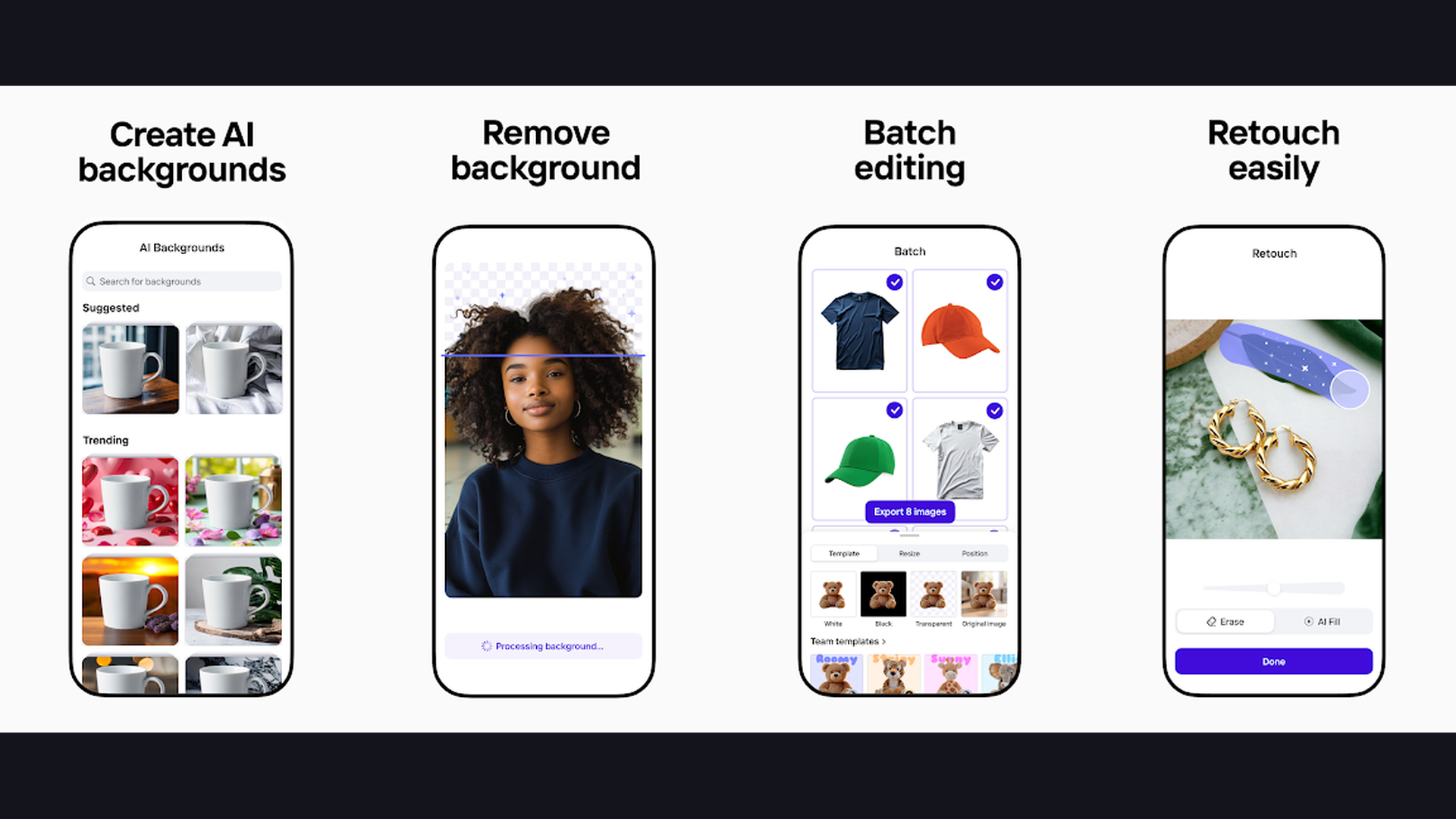
PhotoRoom is the highest-rated AI photo editor on mobile, specializing in instant background removal, AI-generated product backdrops, and professional e-commerce photography created entirely on your phone. PhotoRoom has revolutionized product photography for online sellers, small businesses, and social media creators. The AI background removal is remarkably precise: point your camera at any object and the background disappears instantly, replaced with a clean white backdrop, gradient, or AI-generated scene. The batch editing feature processes hundreds of product images simultaneously, maintaining consistency across your entire catalog. The AI Shadow tool adds realistic drop shadows that make products look professionally photographed. Smart backgrounds generate contextual scenes: place a shoe on a mountain trail, a candle in a cozy living room, or a watch on a marble surface. The AI Instant Backgrounds use text prompts to create custom studio-quality environments. The eraser tool removes unwanted objects seamlessly. PhotoRoom is free with Pro from $9.99/month. For online sellers, e-commerce entrepreneurs, and social media managers who need professional product photography without a studio, PhotoRoom is the essential AI tool. Perfect alongside shopping apps.


2. Photoshop Express (Rating 4.6)
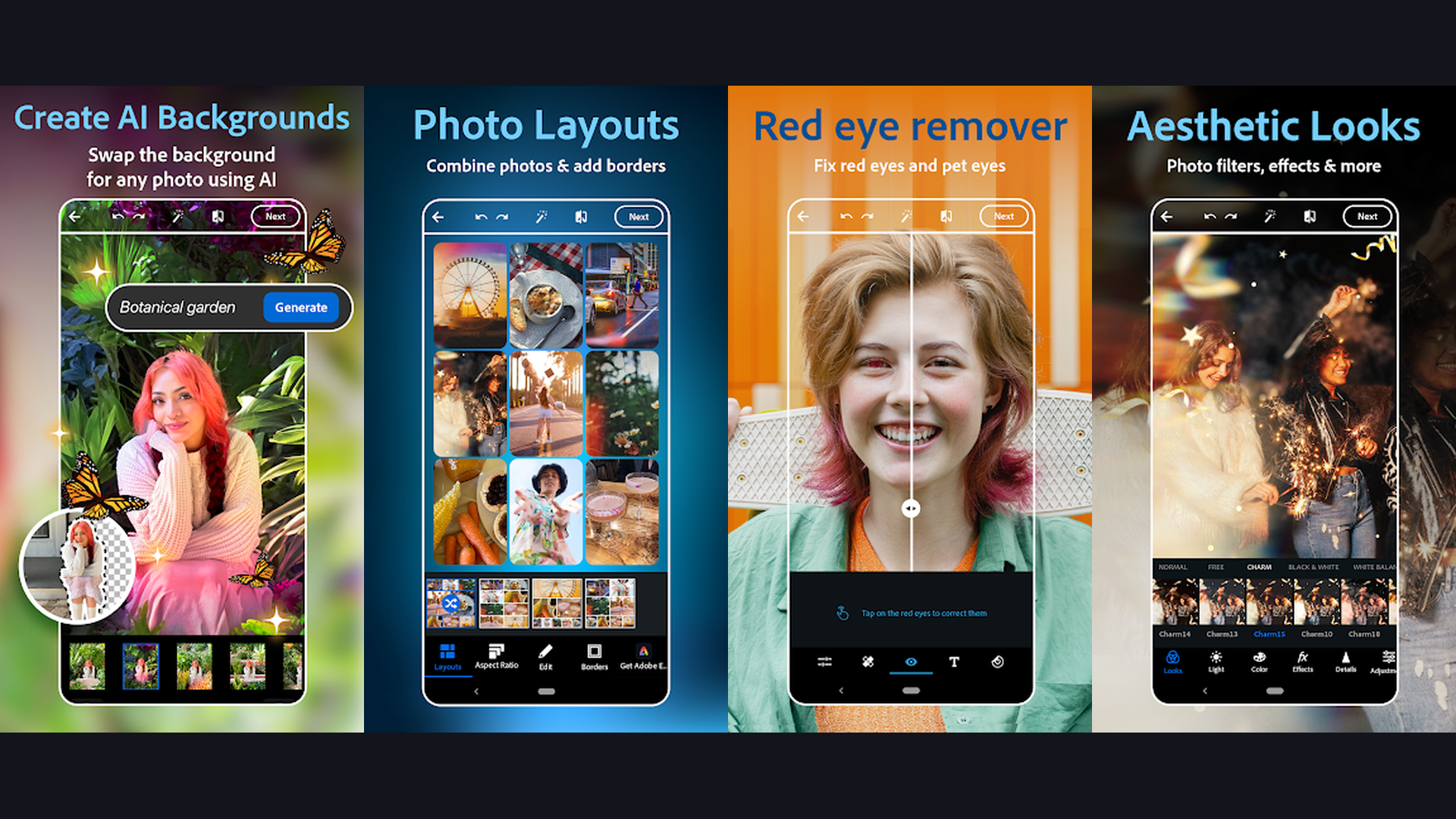
Photoshop Express brings Adobe professional-grade AI editing tools to mobile, including auto object selection, face contouring, AI-powered one-tap adjustments, and creative overlays powered by Adobe Sensei. Built on the same AI engine that powers desktop Photoshop, Photoshop Express delivers surprisingly powerful editing in a mobile-friendly interface. The Auto Object Selection uses AI to identify and isolate subjects, objects, and backgrounds with a single tap. The Face Contouring feature reshapes facial features with natural-looking precision. One-tap Auto Adjustments analyze your photo and apply optimal exposure, contrast, and color corrections. The Blemish Removal tool intelligently fills removed areas with matching texture. The Noise Reduction AI cleans up grainy low-light photos. The Background Blur creates professional bokeh effects. Creative Looks provides over 200 curated filters organized by mood. The Collage maker arranges multiple photos with customizable layouts. Raw file support lets you edit professional camera files on mobile. Photoshop Express is free with Premium features via Adobe subscription. For photographers who trust Adobe quality and want professional AI editing tools, Photoshop Express brings the gold standard to mobile. Explore content creation tools.
3. Adobe Lightroom (Rating 4.5)
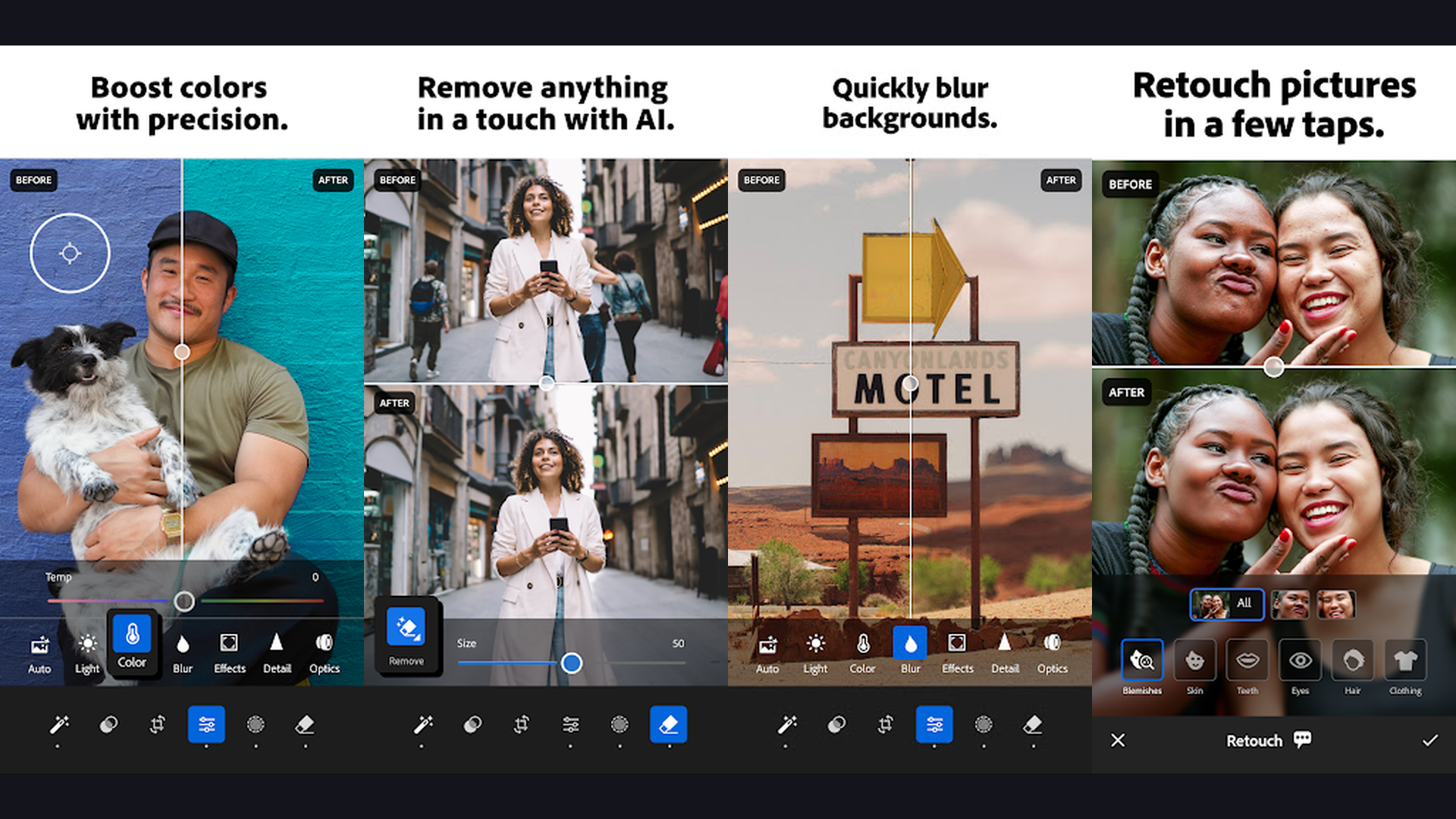
Adobe Lightroom Mobile is the industry-standard photo editing app for serious photographers, featuring AI-powered masking, adaptive presets, AI Denoise, and non-destructive RAW editing that syncs across all your devices. Lightroom AI masking is transformative: it automatically detects and creates masks for subjects, skies, backgrounds, people, and objects, allowing you to adjust each element independently. The AI Denoise feature removes noise from high-ISO photos while preserving fine detail, a technology that was previously only available on desktop. Adaptive Presets apply different adjustments to different areas of your photo automatically. The Lens Blur feature creates realistic bokeh with controllable depth. The Healing Brush removes distractions with AI-powered content-aware fill. Cloud storage syncs your entire library and edits across phone, tablet, and computer. The learning curve is steeper than casual editors, but the results are professional-grade. Lightroom is free (limited) or $9.99/month with Creative Cloud Photography plan. For serious photographers who want professional RAW editing with AI masking and cloud sync, Lightroom is the definitive mobile photo editor. Track your photography workflow with planner apps.
4. Facetune (Rating 4.4)
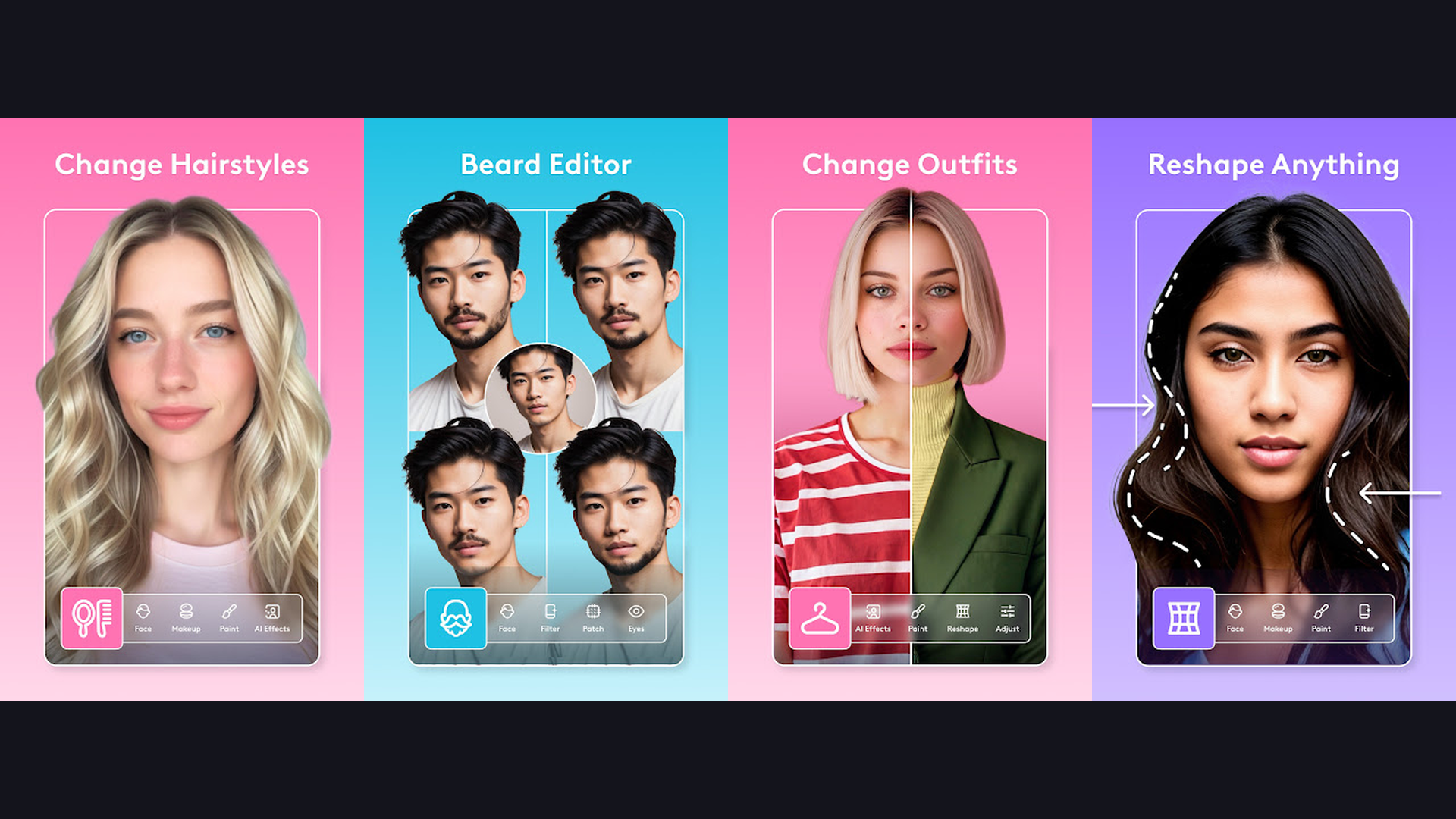
Facetune is the most popular AI-powered portrait retouching app, offering precise face reshaping, skin smoothing, teeth whitening, makeup application, and body editing with natural-looking results. Facetune has become the go-to selfie editor for millions of users. The AI skin smoothing removes blemishes, pores, and imperfections while preserving skin texture, avoiding the over-processed look that plagues other apps. The Reshape tool uses AI to subtly adjust facial features: slim the nose, define the jawline, widen the eyes, or lift the cheekbones with precision controls. Teeth whitening detects teeth automatically and applies natural brightening. The AI Makeup tool adds lipstick, eyeshadow, blush, and contouring that blends realistically with your skin tone. The Background Blur creates professional portrait bokeh. Hair color and style changes use AI to blend color naturally. The Lighting tool adds studio lighting effects: butterfly, Rembrandt, and rim lighting. Red-eye removal works instantly. Facetune is free with VIP from $7.99/month. For selfie enthusiasts and social media creators who want professional-quality portrait retouching, Facetune delivers the most precise face editing tools. Share on social platforms.
5. Google Photos (Rating 4.4)
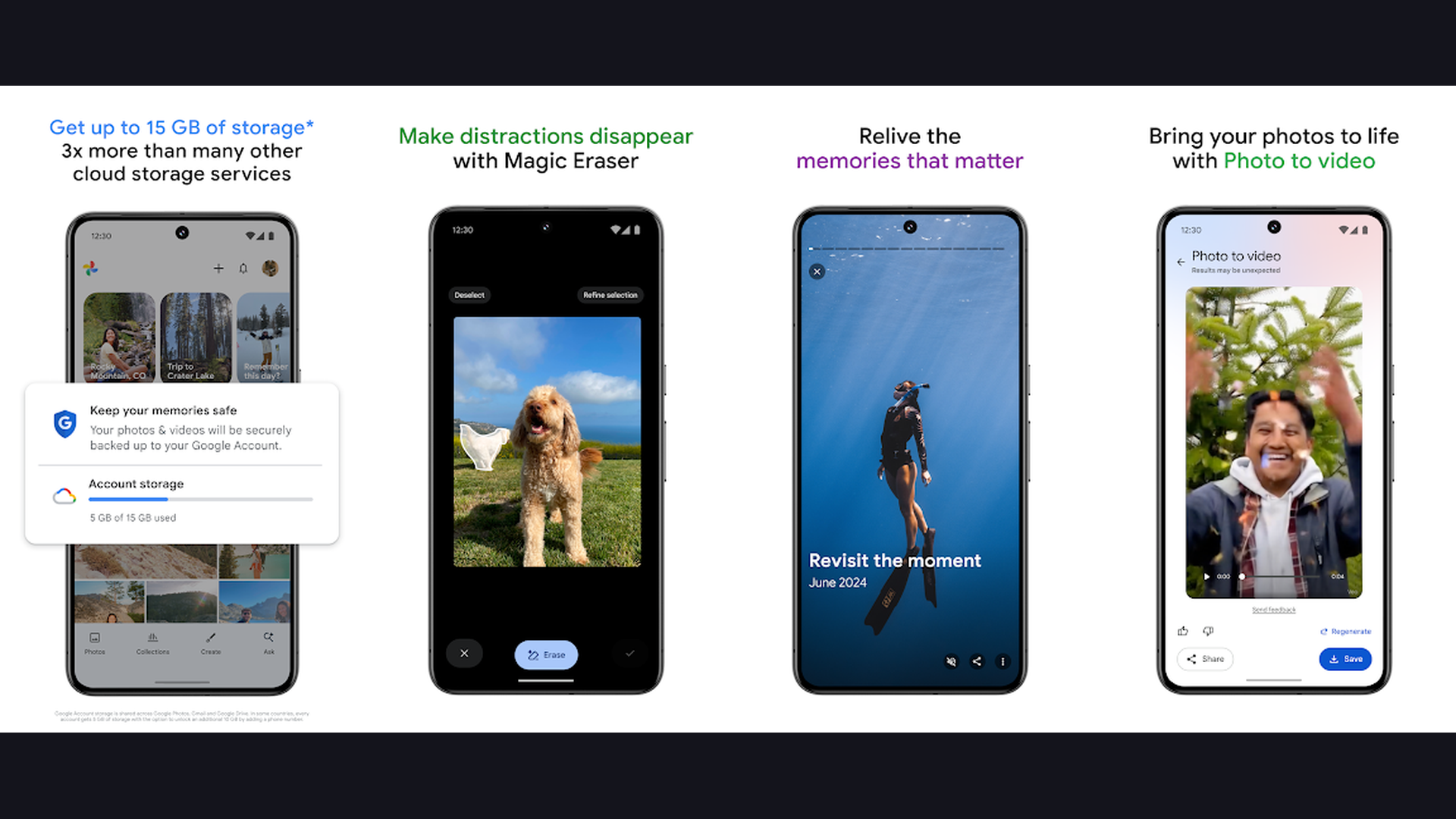
Google Photos combines unlimited cloud photo backup with powerful AI editing features including Magic Eraser, Photo Unblur, Portrait Light, and AI-powered search that finds any photo by describing its contents. Google Photos AI strengths go beyond editing into intelligent photo management. The AI search is remarkable: type "dog at beach" or "birthday party 2024" and it finds matching photos from your entire library without any manual tagging. The Magic Eraser removes unwanted objects and people from photos with a single tap, intelligently filling the void with matching background. Photo Unblur uses AI to sharpen old, blurry photos. Portrait Light adds adjustable studio lighting to portraits after they have been taken. The Collage maker automatically selects the best photos from an event. Memories creates animated slideshows from your library highlights. The suggestions feature automatically enhances photos with one-tap improvements. All edits sync across devices and are stored in the cloud. Google Photos is free with 15GB storage, Google One from $1.99/month. For anyone who wants intelligent photo organization and AI editing with cloud backup, Google Photos is the most comprehensive free solution. Manage storage with optimization tools.
6. FaceApp (Rating 4.3)
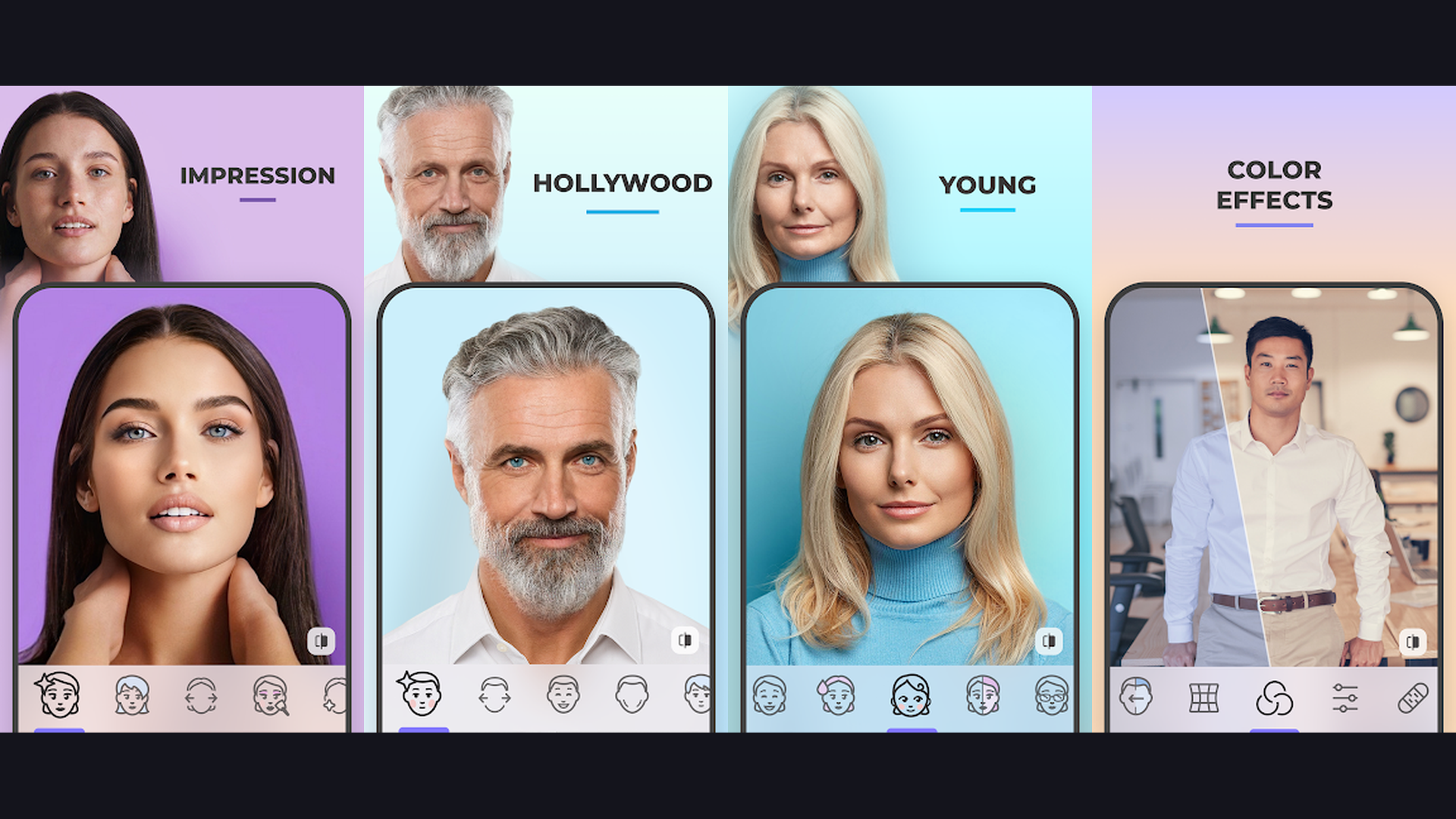
FaceApp is the most advanced AI face transformation app, famous for its incredibly realistic aging filter and offering gender swap, hairstyle changes, beauty enhancements, and artistic filters powered by neural network technology. FaceApp went viral for its aging filter that shows what you will look like decades in the future with uncanny accuracy. But the app offers far more than one trick. The gender swap filter produces remarkably realistic transformations. The hairstyle changer lets you try dozens of cuts and colors on your actual face before visiting a salon. The beard tools add or remove facial hair with natural blending. The beauty filters enhance features while maintaining a natural look. The smile filter adds a genuine-looking smile. The background changer replaces environments with AI-generated scenes. The morph feature blends two faces together. The weight and body editing tools produce subtle, realistic results. The artistic filters transform photos into paintings, cartoons, and illustrations. FaceApp is free with Pro from $4.99/month. For anyone who wants to see realistic transformations of their face and experiment with different looks, FaceApp offers the most believable AI face editing. Browse lifestyle apps.
7. Remini (Rating 4.1)
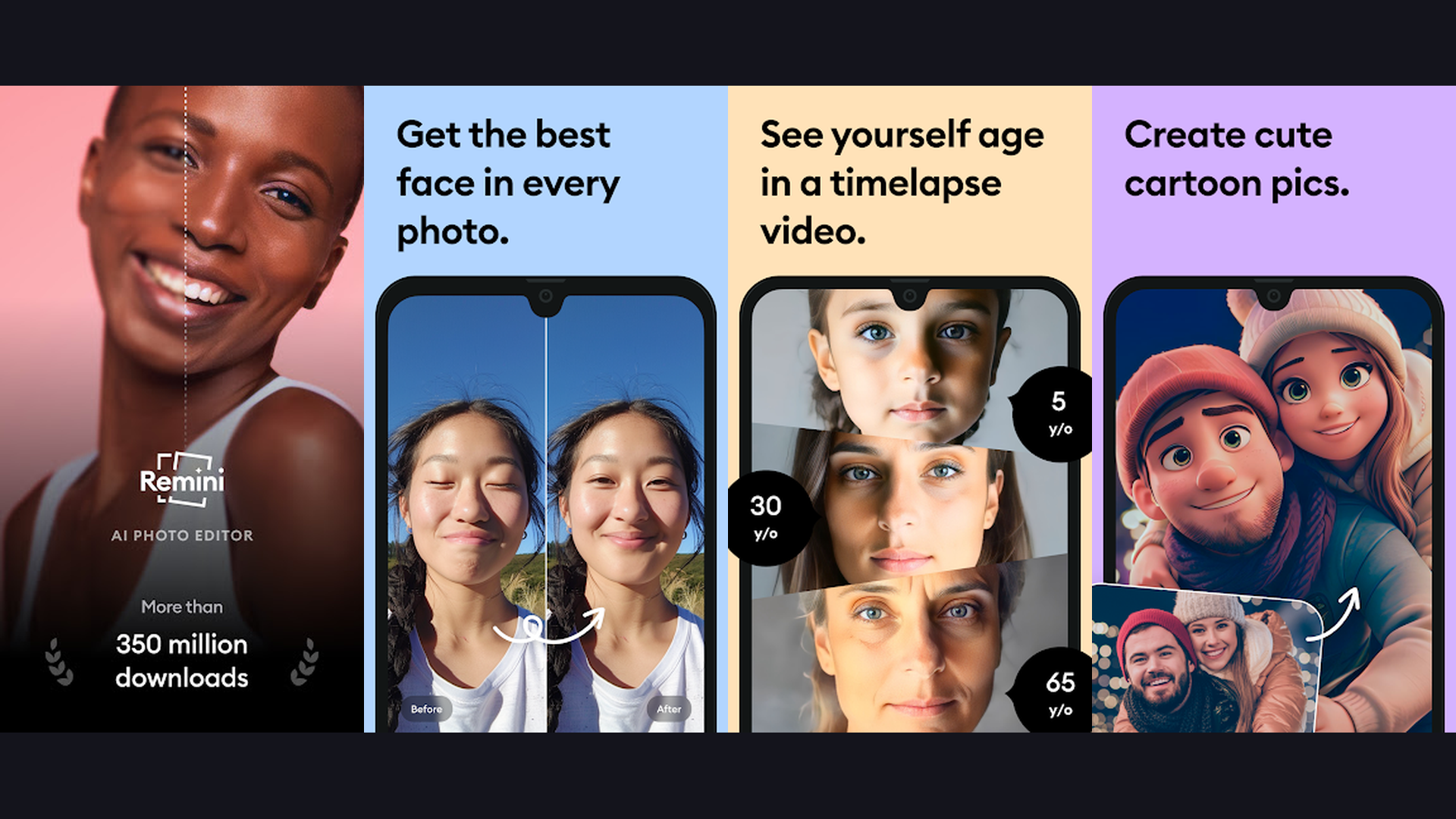
Remini is the leading AI photo enhancement app that restores blurry, low-quality, and old photos by adding remarkable detail and clarity, especially to faces, making it essential for restoring precious family memories. Remini specializes in a task no other app handles as well: taking a blurry, pixelated, or degraded photo and using AI to reconstruct missing detail. Upload a decades-old scanned photo of your grandparents and Remini will sharpen facial features, restore eye detail, and add clarity that reveals previously invisible information. The technology is transformative for genealogy and family history. The Face Enhance feature specifically targets facial details: skin texture, eye clarity, hair definition, and expression nuance. The Photo Enhancer upscales low-resolution images to higher resolution with AI-generated detail. The Colorize feature adds natural color to black-and-white photos. The Denoiser removes grain and artifacts from old scans. The AI Portraits generate artistic versions of your photos in various styles. The batch processing handles multiple photos simultaneously. Remini is free (limited) or Pro from $9.99/week. For anyone with old, blurry, or low-quality photos that need restoration, Remini performs near-miraculous AI enhancement. Preserve memories with note apps.
8. Pixlr (Rating 4.1)
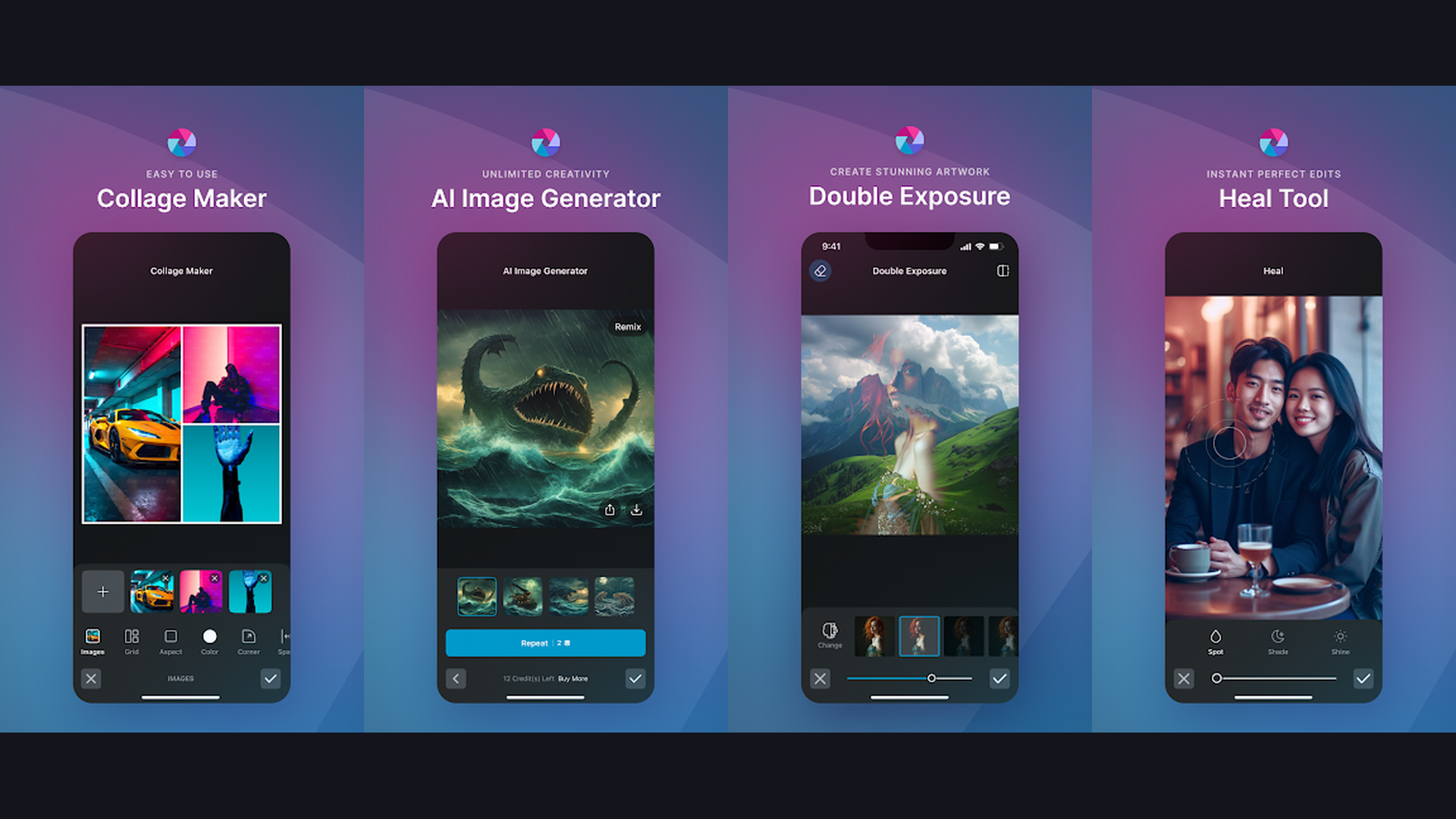
Pixlr is a versatile and lightweight AI photo editor offering background removal, object cleanup, style effects, text overlays, and collage creation with an intuitive interface perfect for quick creative edits. Pixlr balances powerful features with simplicity. The AI background removal cleanly separates subjects from backgrounds. The Auto Fix applies intelligent exposure, color, and contrast corrections. The AI Object Cleanup erases unwanted elements from photos. The Double Exposure feature blends two images with artistic effects. The extensive filter library includes color adjustments, vintage looks, film grain, and artistic styles. The text editor provides fonts, shadows, and effects for creating social media graphics. The overlay system adds light leaks, bokeh, textures, and decorative elements. The collage maker offers customizable templates. The drawing tools allow freehand annotation. Border effects frame your photos with various styles. Pixlr is free with Plus from $1.99/month. For casual editors who want quick AI-powered edits without complexity or expensive subscriptions, Pixlr offers the best value. Create content with content creation apps.
9. Lensa (Rating 4.1)
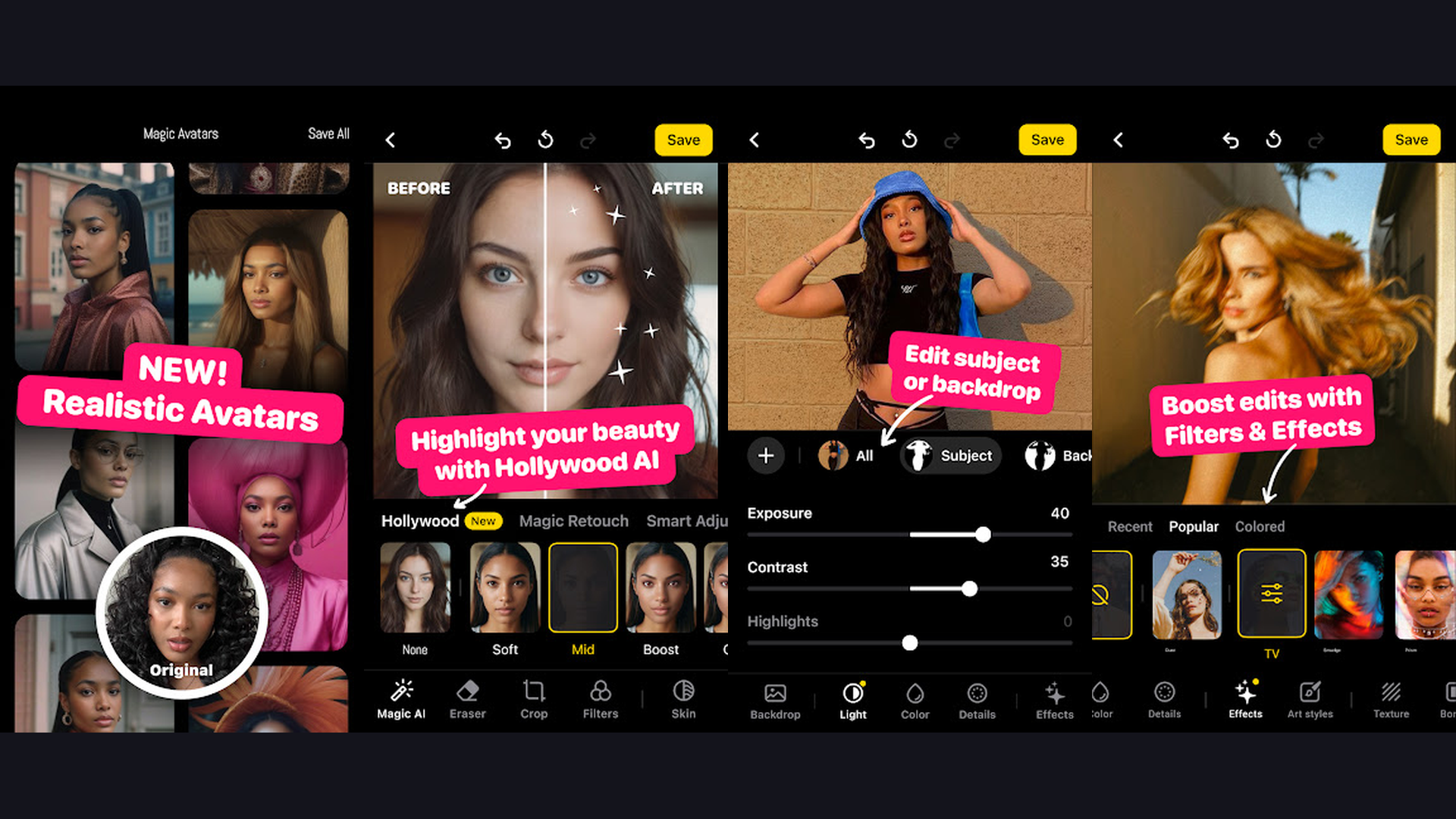
Lensa is an AI-powered photo editor focused on portrait enhancement and AI-generated avatars, offering face retouching, background editing, and the viral Magic Avatars feature that creates artistic portraits in dozens of styles. Lensa gained massive popularity through its Magic Avatars feature, which uses AI to generate dozens of artistic self-portraits from your selfies in styles ranging from anime and fantasy to sci-fi and classical art. Beyond avatars, Lensa provides sophisticated portrait editing. The Face Retouch smooths skin, removes blemishes, and evens skin tone while keeping texture natural. The eye tools adjust brightness, color, and size. The background blur creates bokeh effects with adjustable depth. The Background Replace swaps environments with AI-generated scenes. The Film Dust and Light FX add cinematic atmosphere. The Sharpen tool enhances detail clarity. The unique Depth Effect creates 3D photo-like results. The color correction tools include curves, levels, and HSL adjustments. Lensa is free with Pro from $3.99/month. For portrait and selfie enthusiasts who want AI avatars and professional portrait enhancements, Lensa offers a unique creative experience.
10. Picsart (Rating 4.0)
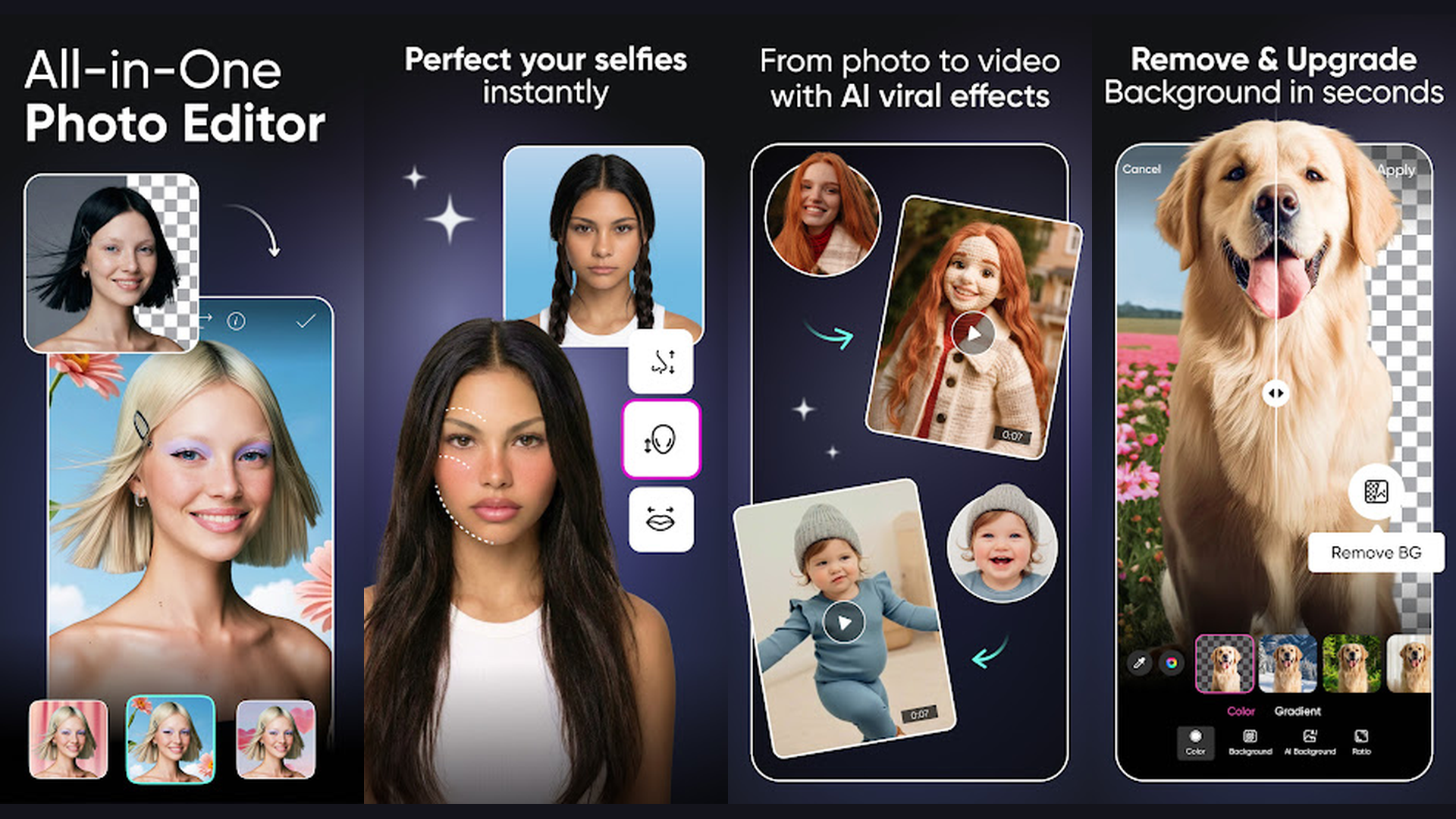
Picsart is the most versatile all-in-one AI creative platform combining photo editing, video editing, AI image generation, background removal, style transfer, and a massive template library for social media content creation. Picsart breadth is unmatched. The AI Enhance feature automatically improves photo quality with one tap. The AI Background Remover handles complex edges like hair with precision. The AI Style Transfer applies artistic styles from famous paintings to your photos. The AI Image Generator creates entirely new images from text prompts. The Object Removal erases unwanted elements and fills intelligently. The Sticker Maker cuts out subjects to create custom stickers. The Replay feature lets you apply the same editing steps to multiple photos. The templates library provides thousands of pre-designed layouts for Instagram stories, TikTok covers, YouTube thumbnails, and marketing materials. The collage maker and the drawing tools add further creative options. The video editor handles trimming and effects. Picsart is free with Gold from $11.99/month. For creators who need one app for photo editing, video editing, graphic design, and AI generation, Picsart is the most comprehensive creative platform. Perfect for social media content.
11. Snapseed (Rating 4.0)
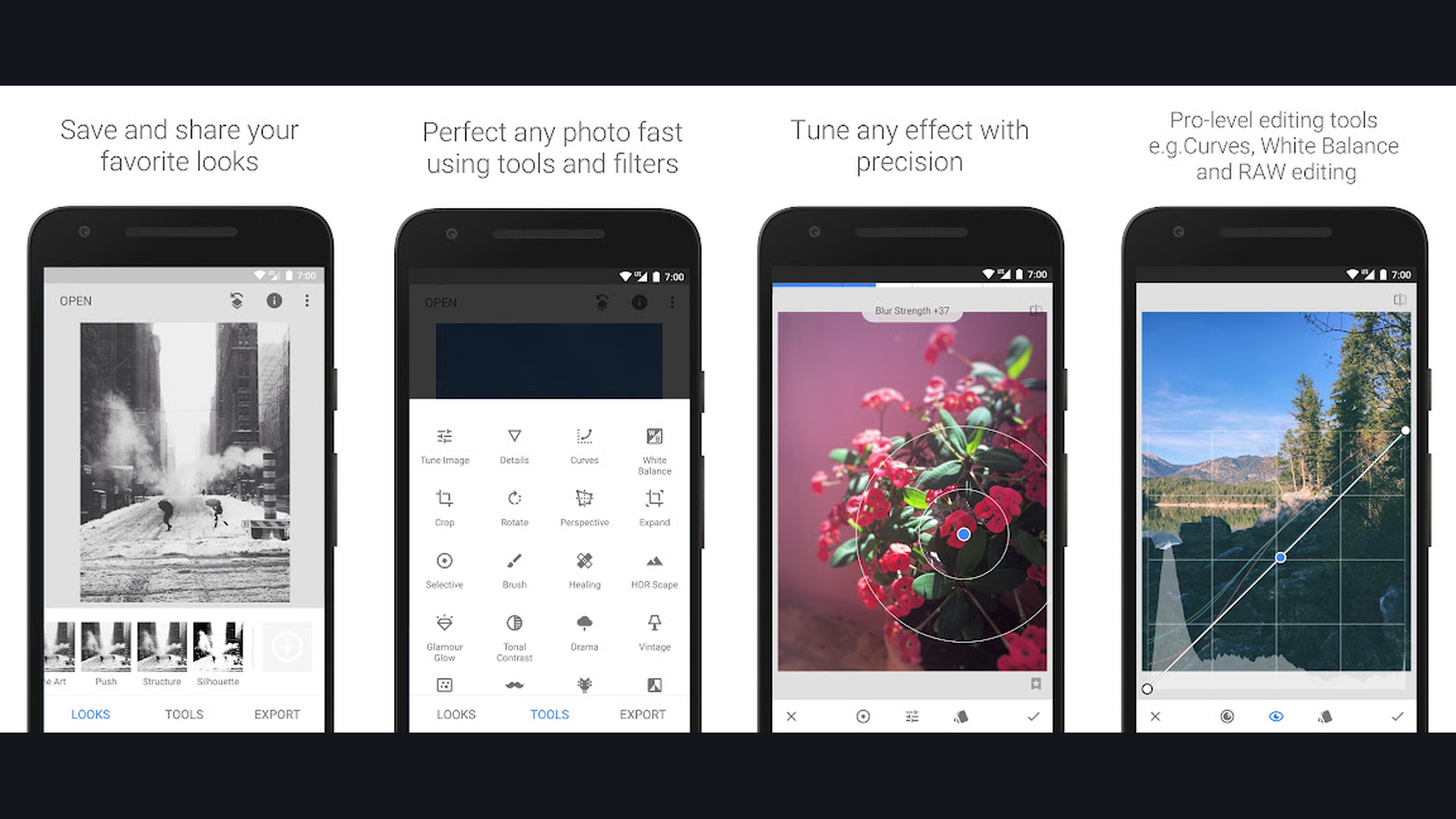
Snapseed by Google is the best completely free photo editor with no ads, no subscriptions, and no in-app purchases, offering professional-grade tools including AI Face Enhance, Selective editing, Healing tool, and non-destructive RAW editing. Snapseed stands alone as the only professional photo editor that is entirely free with zero monetization. No ads interrupt your editing. No premium features are locked behind paywalls. Every tool is available immediately. The Face Enhance AI automatically smooths skin, brightens eyes, and applies subtle face lighting. The Selective tool lets you tap specific areas and adjust brightness, contrast, and saturation independently. The Healing Brush removes unwanted objects with content-aware fill. The Perspective tool corrects distorted buildings and converging lines. The Lens Blur creates customizable bokeh with linear and elliptical shapes. The HDR Scape adds dramatic dynamic range. The Curves tool provides full tonal control. Non-destructive editing preserves your original and lets you modify any previous edit. RAW support handles professional camera files. Snapseed is completely free. For anyone who wants powerful, professional photo editing without spending anything, Snapseed is the undisputed champion. Organize edited photos with note-taking tools.
12. VSCO (Rating 3.5)
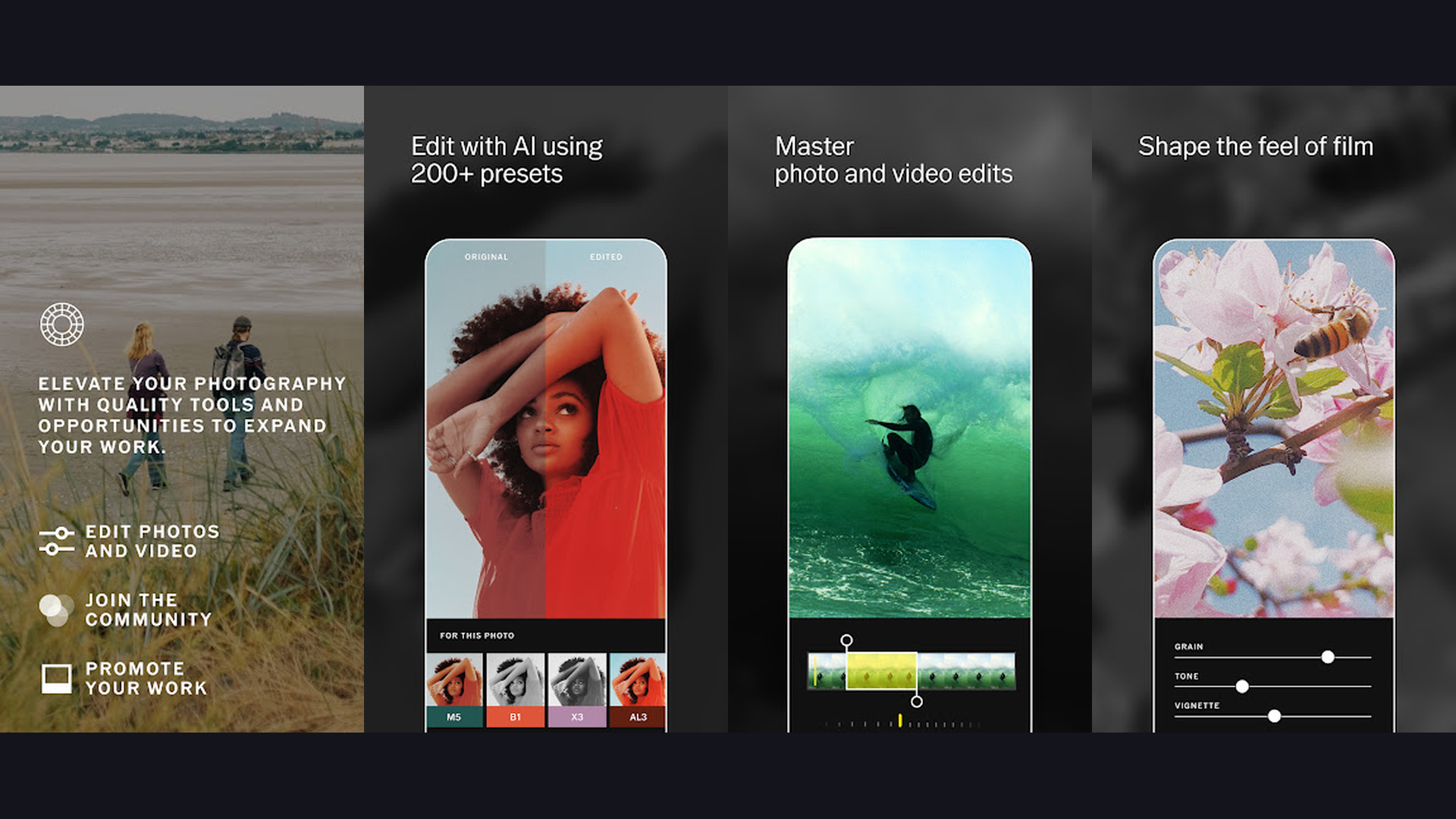
VSCO is the definitive preset and filter app for Instagram-worthy aesthetics, offering over 200 curated presets, advanced editing tools, film emulation, and a creative community that prioritizes artistic photography over follower counts. VSCO approach to photo editing emphasizes mood and cohesive visual identity rather than heavy manipulation. The preset collection is VSCO signature feature: over 200 meticulously crafted filters that emulate classic film stocks (Kodak Portra, Fuji Superia, Ilford HP5), vintage looks, and modern cinematic tones. The editing tools include HSL color adjustments, split tone for shadow and highlight colors, grain simulation, vignette, skin tone correction, and clarity enhancement. The Recipes feature saves your custom editing combinations for consistent application across photos. The VSCO community feed provides inspiration without follower counts, likes, or algorithm manipulation, focusing purely on artistic merit. The Montage feature creates layered image compositions. The video editor applies VSCO presets to video content. VSCO is free (limited presets) or Plus from $29.99/year. For photographers who want cinematic film-like presets and a curated aesthetic, VSCO defines the visual standard. Share creations through content platforms.
Which AI Photo Editor Is Right for You?
Best for Professional Photography
- Adobe Lightroom - Industry-standard RAW editing with AI masking and cloud sync
- Photoshop Express - Adobe-grade AI tools in a simpler mobile interface
Best for Portrait and Selfie Editing
- Facetune - Most precise face retouching and reshaping tools
- FaceApp - Most realistic face transformations (aging, gender, hairstyle)
- Lensa - AI avatars plus portrait enhancement and artistic effects
Best for Background Removal
- PhotoRoom - Best for e-commerce product photography with batch processing
- Picsart - Background removal plus full creative suite
Best for Photo Restoration
- Remini - Unmatched AI enhancement for old, blurry, and low-quality photos
Best for Creative Projects
- Picsart - All-in-one creative platform (photo, video, AI generation, templates)
- Pixlr - Lightweight AI editor with style effects and overlays
Best Free Options
- Snapseed - Best completely free editor with zero ads or paywalls
- Google Photos - Free AI editing plus cloud backup and smart organization
Best for Aesthetic Presets
- VSCO - Curated film-style presets for Instagram-worthy aesthetics
AI Photo Editing Tips and Best Practices
- Start with the Best Original Photo Possible - AI can enhance photos dramatically, but it cannot create detail that does not exist. Shoot in good lighting with a steady hand. Use your phone HDR mode. Clean your camera lens. Enable the highest resolution in your camera settings. A well-exposed, sharp original photo gives AI tools far more to work with than a dark, shaky one. The better your starting image, the more impressive the AI-enhanced result will be.
- Use RAW Format for Professional Results - If your phone supports RAW capture (most flagship phones do), shoot in RAW for editing in Lightroom or Snapseed. RAW files contain dramatically more color and exposure data than JPEGs, giving AI tools like Lightroom AI masking and Denoise much more information to work with. The difference between editing a RAW file and a compressed JPEG is enormous, especially for exposure recovery and color grading.
- Keep Portrait Retouching Subtle - The biggest mistake in AI portrait editing is overdoing it. Facetune and FaceApp provide powerful reshaping and smoothing tools, but the goal should be enhancement, not transformation. Use skin smoothing at 30-50% intensity rather than maximum. Make face reshaping adjustments small enough that the viewer does not notice them. The best retouching is invisible retouching. When people say "great photo" instead of "great editing," you have achieved the right balance.
- Use Remini to Restore Family Photos - Scan old family photographs with your phone camera or a scanner app, then run them through Remini. The AI face enhancement can restore remarkable detail to faded, blurry photos from decades ago. This is genuinely useful for preserving family history. Consider making it a project: digitize and enhance your parents and grandparents photo collections. The restored versions make meaningful gifts. Use note apps to catalog your family photos.
- Batch Process Product Photos with PhotoRoom - If you sell products online (Etsy, eBay, Amazon, Shopify, Instagram), PhotoRoom batch processing is a massive time-saver. Photograph all your products against any background, then batch-remove backgrounds and apply consistent white or styled backdrops in minutes. Consistent product photography increases sales significantly. Apply the same shadows and dimensions to every image for a professional catalog look.
- Create a Consistent Social Media Aesthetic with VSCO - Choose 2-3 VSCO presets and use them consistently across all your photos. Save your favorite preset adjustments as Recipes. This creates a cohesive visual identity on your Instagram grid or social media profiles. Consistency in color grading and mood is what separates amateur feeds from professional-looking accounts. A unified aesthetic dramatically improves perceived quality. Share through reels platforms.
- Layer Multiple AI Tools for Best Results - The most impressive edits often combine multiple apps. Process a photo through Lightroom for exposure and color grading, then use Facetune for portrait retouching, and finish with VSCO for a stylistic preset. Or enhance an old photo with Remini first, then edit colors in Snapseed, and remove background distractions with Picsart. Each app excels at specific tasks, so using them together produces results no single app can match.
- Always Keep Original Photos - Before applying any AI edits, ensure your original photo is preserved. Most apps (Lightroom, Snapseed, Google Photos) offer non-destructive editing that preserves the original. For apps that save destructively (Facetune, FaceApp), duplicate the photo first. You can never undo a saved destructive edit, but you can always re-edit from the original. Cloud backup through Google Photos or iCloud provides an additional safety net. Manage files with phone management tools.
Frequently Asked Questions
What is the best free AI photo editor?
Snapseed by Google is the best completely free AI photo editor. It offers professional-grade tools including AI Face Enhance, Selective editing, Healing Brush, Curves, HDR, Lens Blur, and RAW support with absolutely no ads, no subscriptions, and no in-app purchases. Every feature is unlocked from the start. Google Photos is the second-best free option, offering Magic Eraser, Photo Unblur, and Portrait Light along with free cloud backup and AI-powered photo organization. For more specialized free features, Picsart and Pixlr offer generous free tiers with AI background removal and creative tools.
Which app is best for removing photo backgrounds?
PhotoRoom is the best background removal app, especially for product photography and e-commerce. Its AI precisely handles complex edges like hair, fur, and transparent objects. The batch processing feature removes backgrounds from hundreds of images simultaneously. Picsart offers excellent background removal integrated with its broader creative suite. Google Photos Magic Eraser can remove specific objects and people from backgrounds. For a completely free background removal tool, Snapseed Healing Brush handles smaller object removal effectively.
Can AI really fix blurry or old photos?
Yes, Remini produces genuinely impressive results restoring blurry, low-quality, and old photographs. The AI reconstructs facial detail, adds clarity to faded areas, and can even colorize black-and-white images. However, there are limits - extremely pixelated images (under 50x50 pixels) or photos with no discernible subject may not improve significantly. For best results, start with scans at the highest resolution your scanner supports. Google Photos Photo Unblur also handles moderately blurry images well, especially on Google Pixel devices.
Is Adobe Lightroom worth the subscription?
Adobe Lightroom subscription is worth it for photographers who regularly shoot in RAW, need AI masking for selective edits, want cloud sync across devices, or consider photography a serious hobby or profession. The AI Denoise feature alone justifies the cost for night and low-light photographers. The Creative Cloud Photography plan ($9.99/month) includes both Lightroom and Photoshop, providing the complete professional editing toolkit. For casual users who edit JPEGs and want basic adjustments, Snapseed provides comparable basic tools for free.
Which AI photo editor is best for social media?
Picsart is the most complete social media photo editor because it combines AI photo editing, templates for Instagram stories and TikTok covers, video editing, AI image generation, and collaboration features in one app. VSCO is best specifically for creating a cohesive, aesthetic Instagram grid with its curated presets. Facetune is best for selfie and portrait retouching before posting. PhotoRoom is best for product-focused social media accounts. For quick casual edits, Google Photos AI suggestions can improve photos in seconds before sharing.
Are AI photo edits ethical?
AI photo editing raises valid ethical questions. Subtle enhancements (exposure correction, color grading, blemish removal) are widely accepted as standard photography practice. However, significant face reshaping, body modification, and unrealistic beauty enhancements can contribute to distorted beauty standards, especially when shared on social media without disclosure. For product photography, AI background replacement is standard practice. For journalism, significant AI manipulation is unethical. A good guideline: enhance what exists naturally rather than creating what does not. Many platforms now require AI-generated or significantly modified images to be labeled.
Final Thoughts
The AI photo editing landscape in 2026 offers powerful tools for every skill level and use case. PhotoRoom leads for e-commerce product photography. Photoshop Express and Adobe Lightroom deliver professional-grade editing with AI masking and RAW support. Facetune provides the most precise portrait retouching. Google Photos combines editing with intelligent organization. FaceApp creates the most realistic face transformations. Remini restores old and blurry photos remarkably. Pixlr offers lightweight creative editing. Lensa generates unique AI avatars. Picsart is the most versatile all-in-one creative platform. Snapseed provides the best completely free editing experience. VSCO defines aesthetic preset culture. Download a few, find your favorites, and let AI elevate your photography. For more app recommendations, explore our guides on AI apps, student apps, health apps, and language apps.