
Van life content creation in 2026 is more accessible and powerful than ever. Whether you are vlogging your cross-country adventures on YouTube, building an Instagram following with stunning landscape photography, blogging your van build and travel stories, or managing brand partnerships, the right mobile apps let you create professional-quality content from the back of your van without a laptop.
This guide reviews 12 of the best blogging and content creation apps for van lifers, covering video editors, photo editors, blogging platforms, social media schedulers, writing tools, and content planning systems. Every app works on mobile (crucial when your office is a van), and we prioritize tools with offline capabilities for those times when you are boondocking miles from the nearest cell tower. For more van life resources, explore our guides on budgeting apps for van lifers, health and fitness apps, navigation apps, and digital planners.
Table of Contents
- InShot (Rating 4.8)
- Canva (Rating 4.8)
- VN Video Editor (Rating 4.7)
- Notion (Rating 4.6)
- Adobe Lightroom (Rating 4.5)
- Buffer (Rating 4.5)
- WordPress (Rating 4.2)
- Grammarly (Rating 4.2)
- Snapseed (Rating 4.0)
- Later (Rating 3.9)
- VSCO (Rating 3.5)
- CapCut (Rating 3.4)
- The Van Life Content Creator Toolkit
- Content Creation Tips for Van Lifers
- Frequently Asked Questions
1. InShot (Rating 4.8)
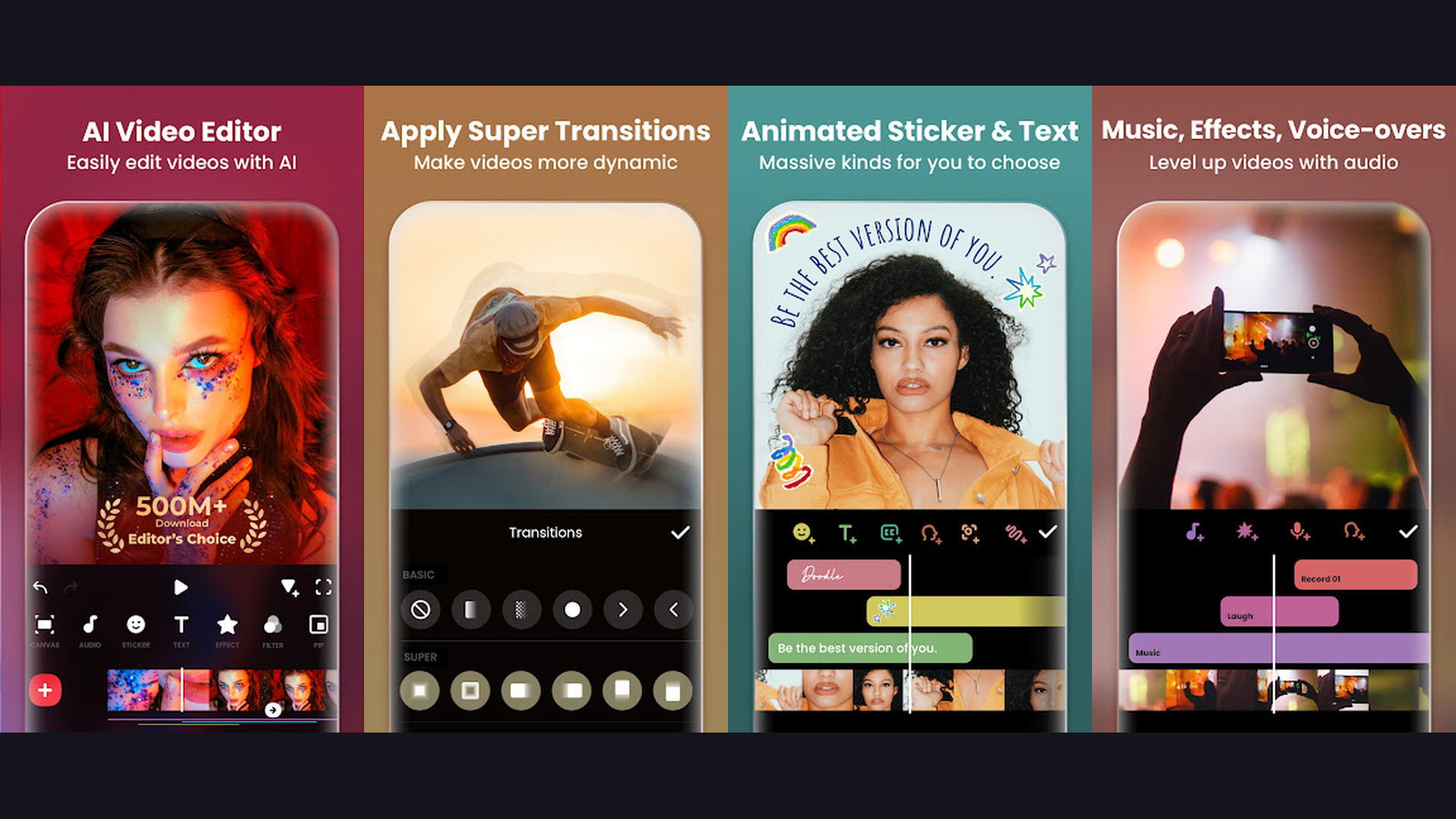
InShot is the highest-rated mobile video editor and the go-to app for van lifers creating quick, polished content for Instagram Reels, TikTok, and YouTube Shorts. InShot excels at fast, intuitive video editing that can be done entirely on your phone while sitting in your van after a day of driving. Trim, cut, and merge clips with simple gestures. Add music from the built-in library or your own tracks. Text overlays with animation effects help tell your story. The transition effects library includes smooth fades, zooms, and glitches perfect for travel montages. Speed controls let you create dramatic slow-motion sunsets or time-lapse driving sequences. The canvas feature adjusts aspect ratios instantly for different platforms (9:16 for Reels, 16:9 for YouTube, 1:1 for Instagram). Photo slideshow mode turns your van life photos into shareable videos. InShot InStar feature optimizes content specifically for Instagram. Export in up to 4K resolution. InShot is free with Pro from $3.99/month. For van lifers who need fast, phone-only video editing for social media content, InShot is the quickest path from raw footage to published post. Track your content earnings with budgeting apps.


2. Canva (Rating 4.8)
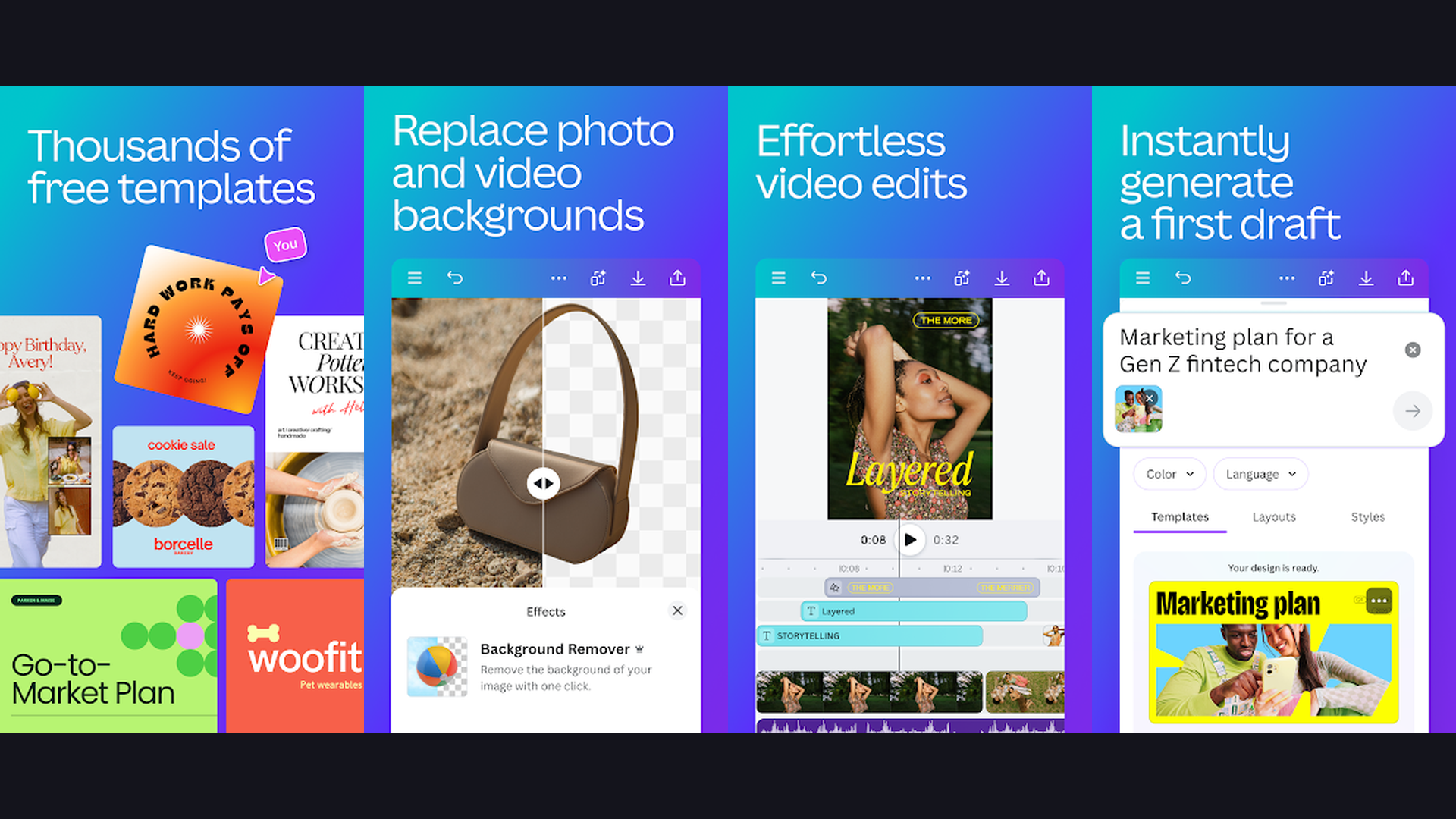
Canva is the ultimate all-in-one design platform for van life creators, handling everything from YouTube thumbnails and Instagram stories to blog graphics, media kits, and brand templates. For van lifers who are creators, not designers, Canva removes the need for Photoshop or Illustrator. The thousands of templates cover every content need: YouTube thumbnails with eye-catching text overlays, Instagram story templates with "swipe up" animations, Pinterest pins for blog traffic, Facebook cover photos, and even presentation decks for brand partnerships. The AI-powered Magic Design generates custom templates from your photos. Magic Write helps draft captions and copy. The background remover isolates subjects from cluttered van interiors. Brand Kit stores your fonts, colors, and logos for consistent visual identity across all platforms. Canva recent AI video features include text-to-video generation and smart video editing. The mobile app works seamlessly offline with pre-downloaded templates. Canva is free with Pro from $12.99/month. For van life content creators who need professional graphics without design skills, Canva is indispensable for every visual touchpoint. Plan your content calendar with digital planners.
3. VN Video Editor (Rating 4.7)
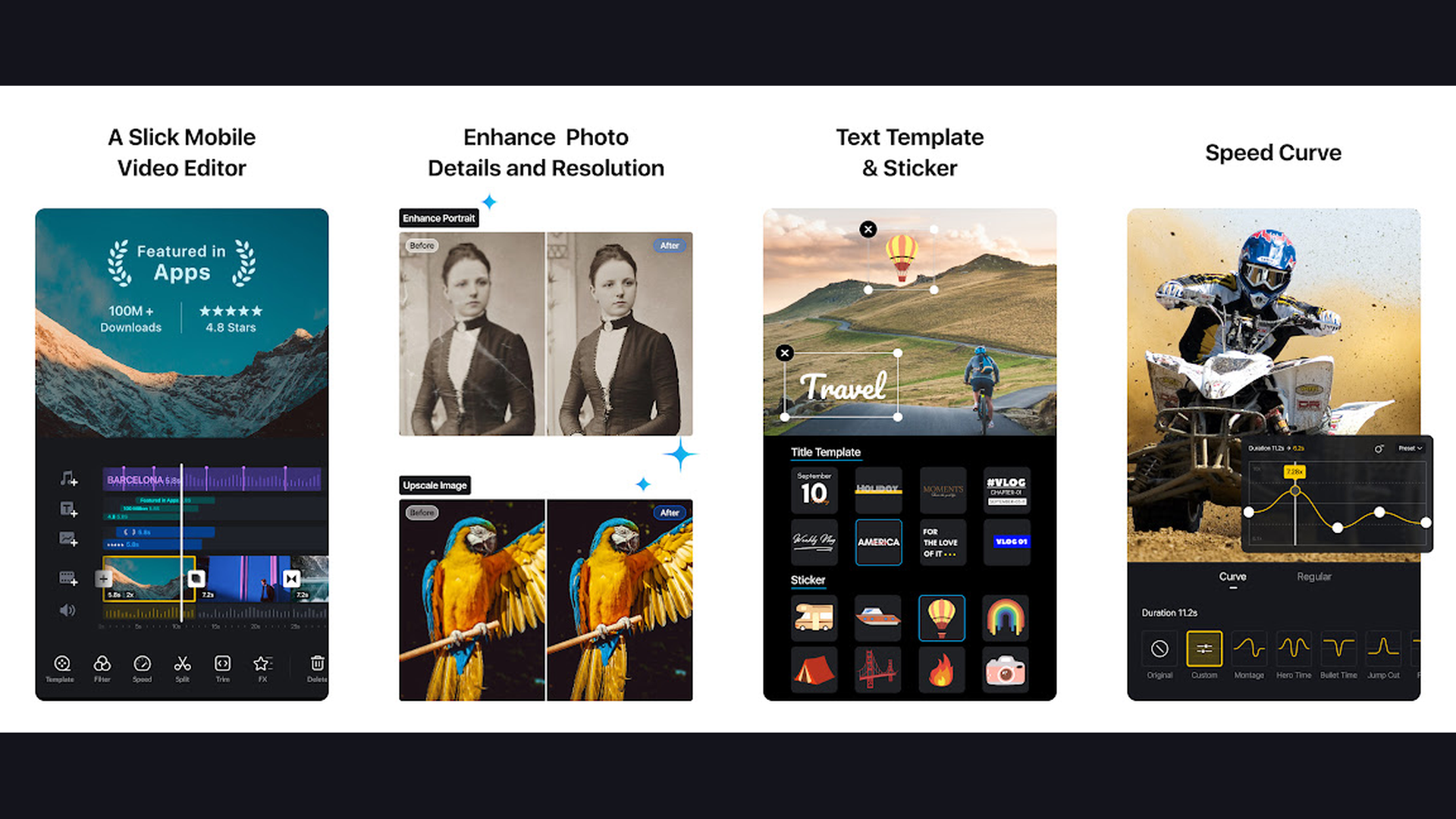
VN Video Editor is a powerful, completely free video editor with no watermarks that offers desktop-level timeline editing on mobile, making it ideal for van lifers who want professional results without subscriptions. VN stands out because it is genuinely free: no watermarks, no premium tier restrictions, no forced upgrades. The multi-track timeline supports multiple video and audio layers, allowing complex edits that rival desktop editors. Keyframe animation gives precise control over effects, scale, position, and opacity. The speed curve editor creates smooth speed ramp transitions perfect for dramatic landscape drives. The AI features include automatic captioning and smart editing suggestions. LUT filters give your van life footage a cinematic look. The curve speed adjustment creates buttery smooth slow-motion. Green screen support enables creative compositing. Export in up to 4K at 60fps with no quality restrictions. VN is completely free with no watermarks. For van life vloggers who want professional-grade video editing without any cost, VN delivers the most powerful free mobile video editor available.
4. Notion (Rating 4.6)
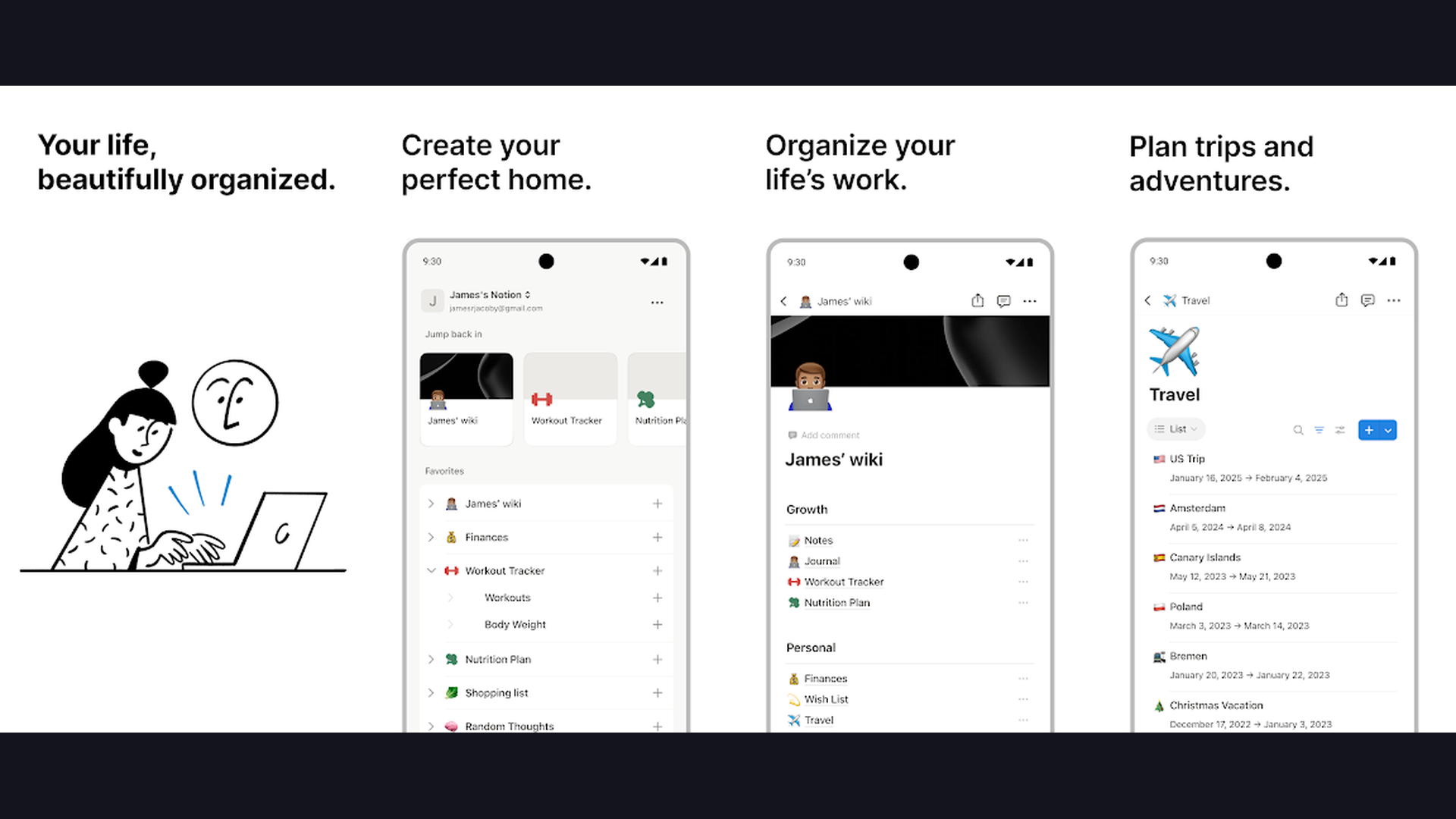
Notion is the all-in-one workspace that van life creators use to plan content calendars, draft blog posts, manage brand partnerships, track income, and organize every aspect of their nomadic creative business. Notion replaces multiple apps with one flexible platform. Create a content calendar database that tracks ideas, drafting status, filming schedule, editing progress, and publishing dates across all your platforms. Build a brand partnership tracker with deal stages, deliverables, payment status, and contact information. Draft blog posts with rich formatting, embedded images, and easy WordPress export. Create a van life expenses database for tax tracking. The AI writing assistant helps generate blog outlines, social media captions, and email templates. Templates from the Notion community include van life specific planners. The offline mode works without cell service, syncing when you reconnect. Notion is free for personal use, Plus from $10/month. For van life creators who need a single app to manage their entire content business while living on the road, Notion is the organizational backbone. Complement with wellness apps for a balanced nomad lifestyle.
5. Adobe Lightroom (Rating 4.5)
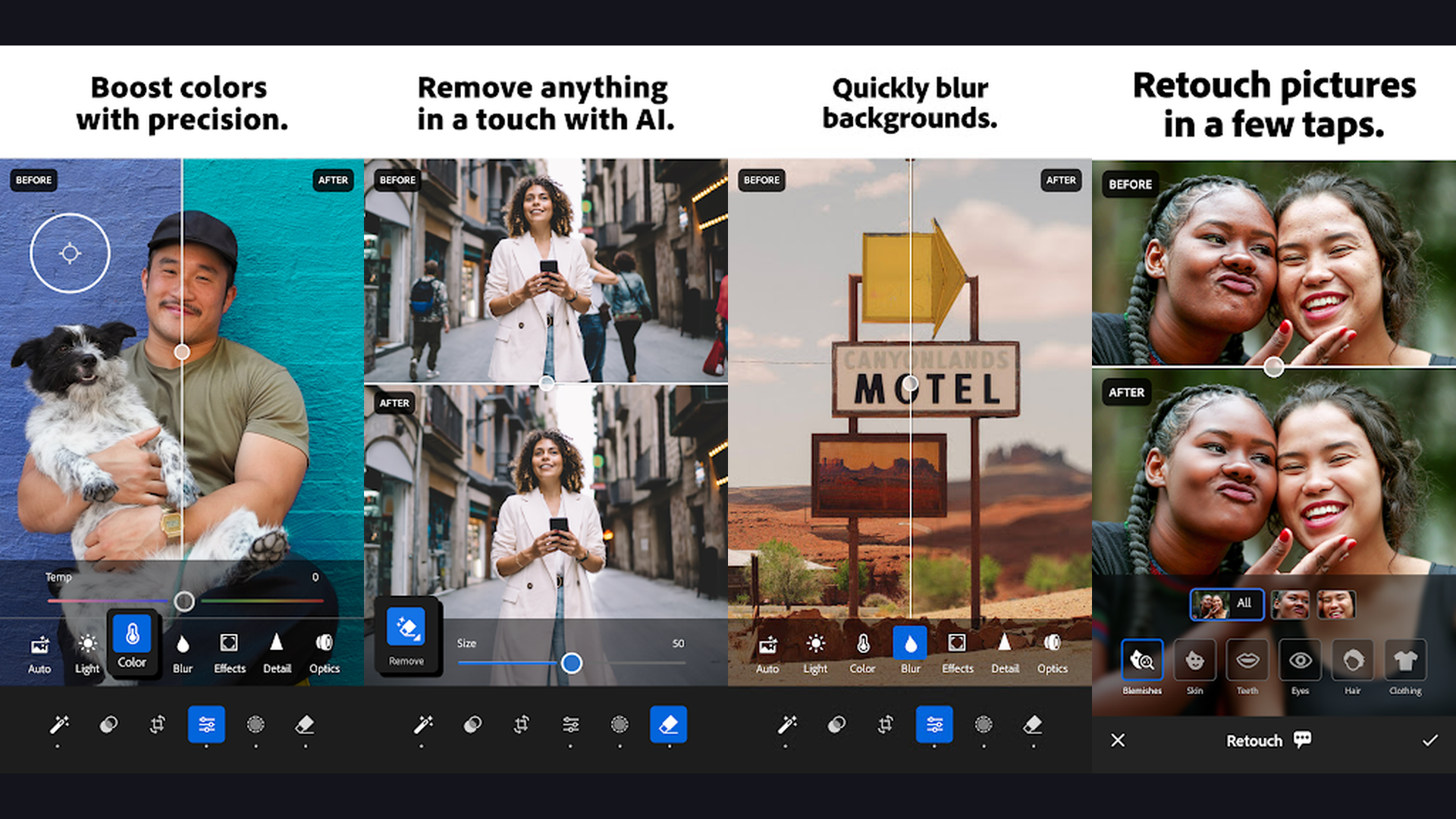
Adobe Lightroom Mobile is the professional-grade photo editor that van life photographers rely on for RAW file editing, consistent color grading across entire photo sets, and cross-device syncing. When you capture a stunning mountain sunrise or a moody foggy forest from your van, Lightroom turns those RAW photos into portfolio-quality images. The non-destructive editing preserves original files while you experiment with exposure, color, tone curves, and detail. Presets (custom or downloaded) let you apply your signature style to an entire batch of photos in seconds, maintaining the consistent aesthetic Instagram followers expect. The AI-powered Generative Remove erases unwanted objects (power lines, other campers). Lens Blur adds professional-looking depth of field. The selective editing tools let you adjust specific areas of a photo without affecting the whole image. Cloud syncing means edits made on your phone sync to desktop and tablet. Lightroom is free with limited features, Premium from $9.99/month. For van life photographers who want professional photo editing with consistent presets and RAW support, Lightroom is the industry standard.
6. Buffer (Rating 4.5)
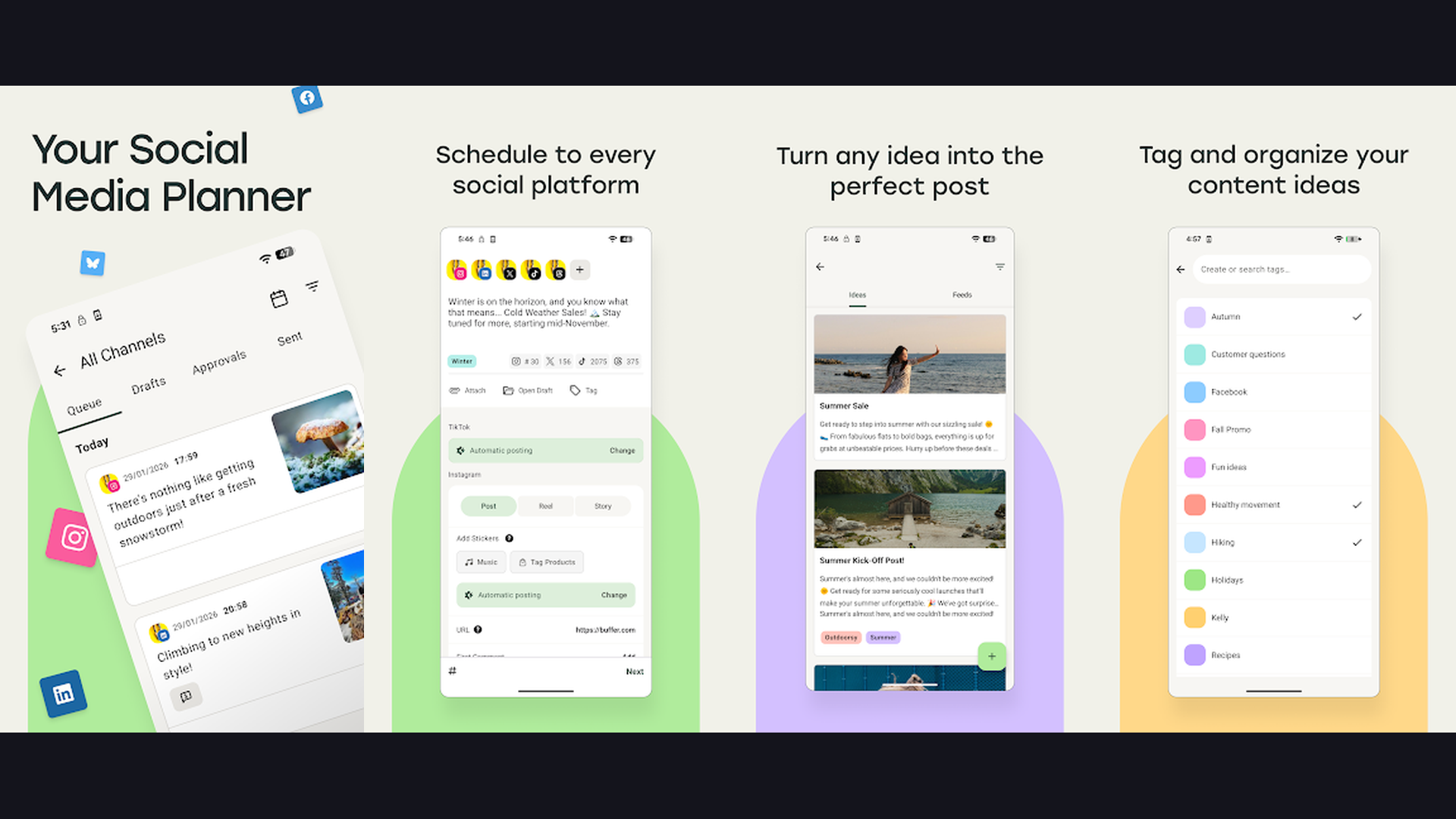
Buffer is the simplest social media scheduling tool for van life creators who want to batch-create content in areas with good WiFi and schedule posts for days when they are off-grid. Van life internet access is unpredictable. Buffer solves this by letting you create and schedule weeks of social media content when you have strong WiFi (at a coffee shop, library, or campground with service), then automatically publishing posts even when you are deep in a national forest with no signal. Schedule posts across Instagram, Facebook, Twitter/X, LinkedIn, Pinterest, and TikTok from one dashboard. The analytics show which posts perform best so you can refine your content strategy. The optimal timing feature suggests the best times to post for maximum engagement based on your audience. The AI Assistant helps generate post ideas, captions, and hashtags. The link-in-bio tool creates a custom landing page for your Instagram. Buffer is free for 3 channels, Essentials from $6/month. For van lifers who need to maintain a consistent posting schedule despite unreliable internet, Buffer is the essential social media automation tool. Navigate to WiFi spots with navigation apps.
7. WordPress (Rating 4.2)
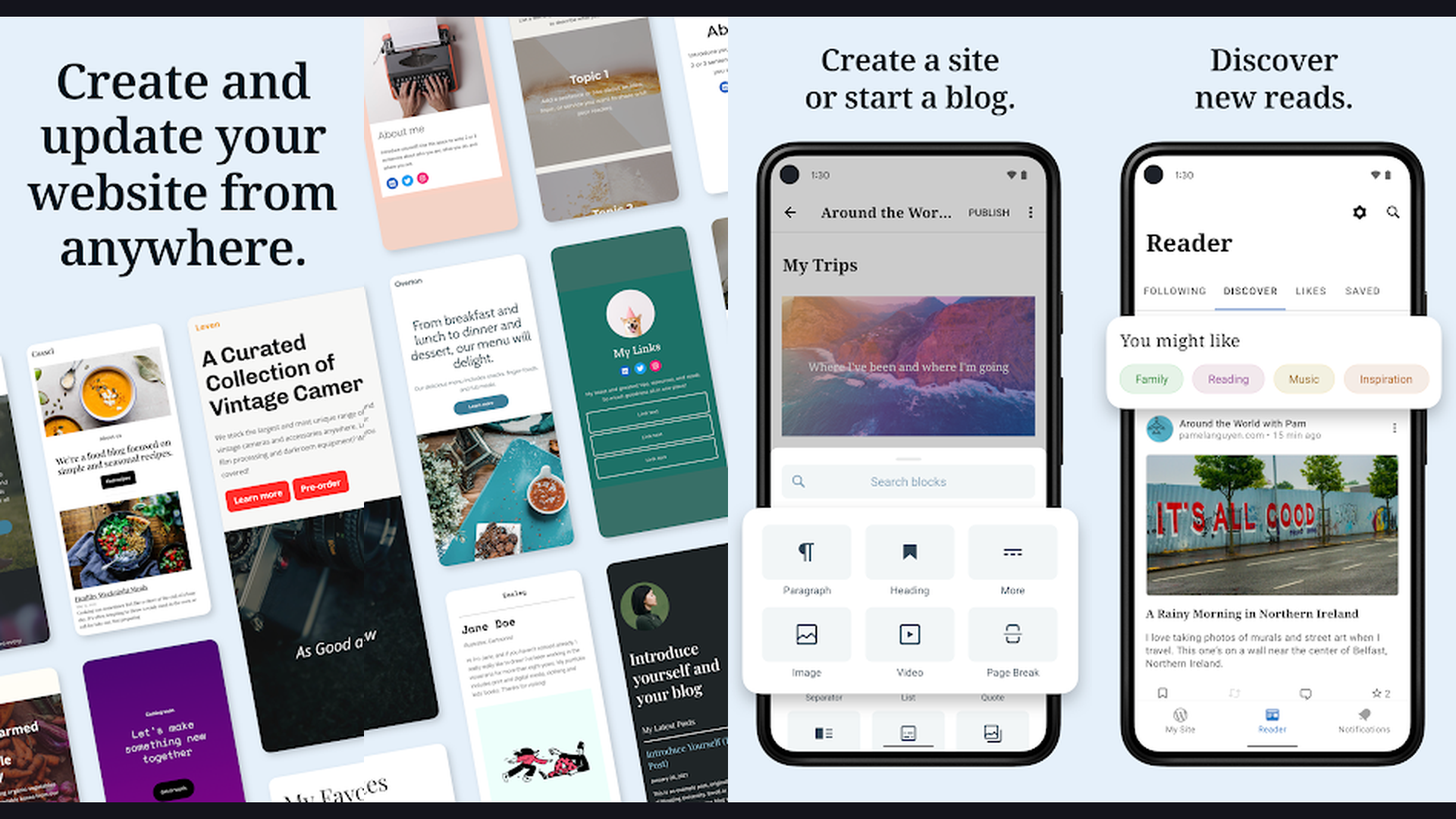
WordPress is the most popular blogging platform powering over 43% of all websites, and the mobile app lets van life bloggers write, edit, and publish posts from anywhere on the road. For van life bloggers who monetize through SEO-driven blog content, the WordPress mobile app is essential. Write and format blog posts with the block editor, add photos from your phone gallery, manage categories and tags, and publish directly from your van. The app supports both WordPress.com hosted sites and self-hosted WordPress.org installations. View site statistics including page views, visitors, and top-performing posts. Moderate and reply to comments. Upload media to your library. The offline drafting feature lets you write posts without internet, then publish when you have service. Push notifications alert you to new comments and stats milestones. For van lifers running WordPress with WooCommerce, the app lets you manage orders too. WordPress is free (self-hosted) or from $4/month (WordPress.com). For van life bloggers who run a WordPress-powered travel blog and need to publish from the road, the mobile app keeps your site active. Explore investment tools for growing blog income.
8. Grammarly (Rating 4.2)
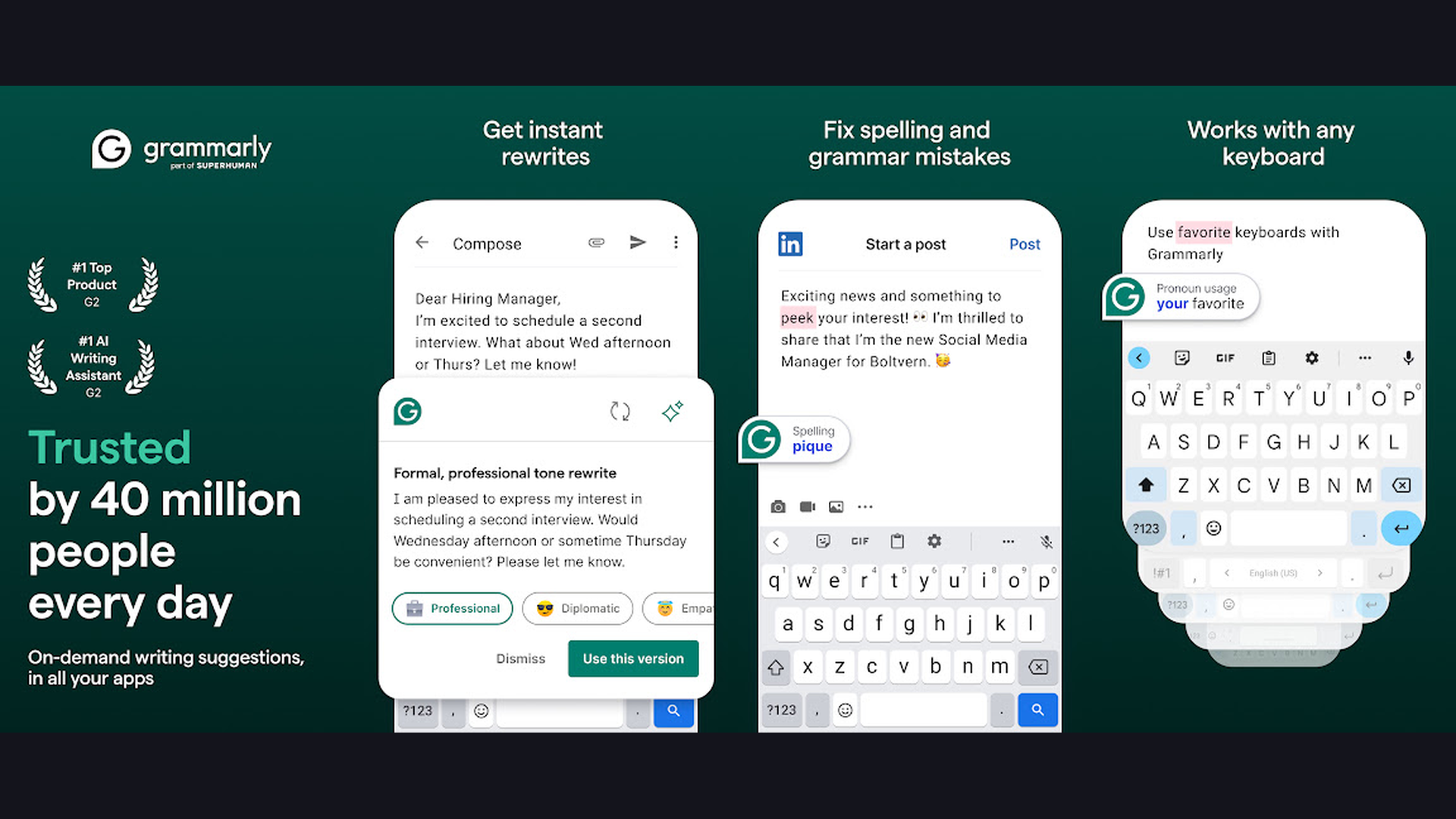
Grammarly is the AI-powered writing assistant that catches grammar, spelling, punctuation, and tone errors across every app on your phone, essential for van life creators writing blog posts, captions, and brand emails on mobile. When you are writing a blog post in the WordPress app, crafting an Instagram caption, or emailing a brand for a collaboration, Grammarly keyboard catches mistakes in real time. The tone detector ensures your writing matches your intended voice, whether that is casual and adventurous for Instagram or professional and polished for brand pitches. The clarity suggestions simplify complex sentences. The AI rewrite feature restructures awkward phrases. Grammarly works across every app: WordPress, Gmail, Notes, social media apps, and messaging platforms. The plagiarism checker ensures your content is original. The full-sentence rewrite suggestions improve flow and readability. For van lifers writing on small phone screens while bouncing down a dirt road, Grammarly catches the typos and autocorrect errors that inevitably occur. Grammarly is free for basic grammar, Premium from $12/month. For van life creators who write professionally on mobile, Grammarly ensures every piece of content is polished. Learn new languages on the road with language apps.
9. Snapseed (Rating 4.0)
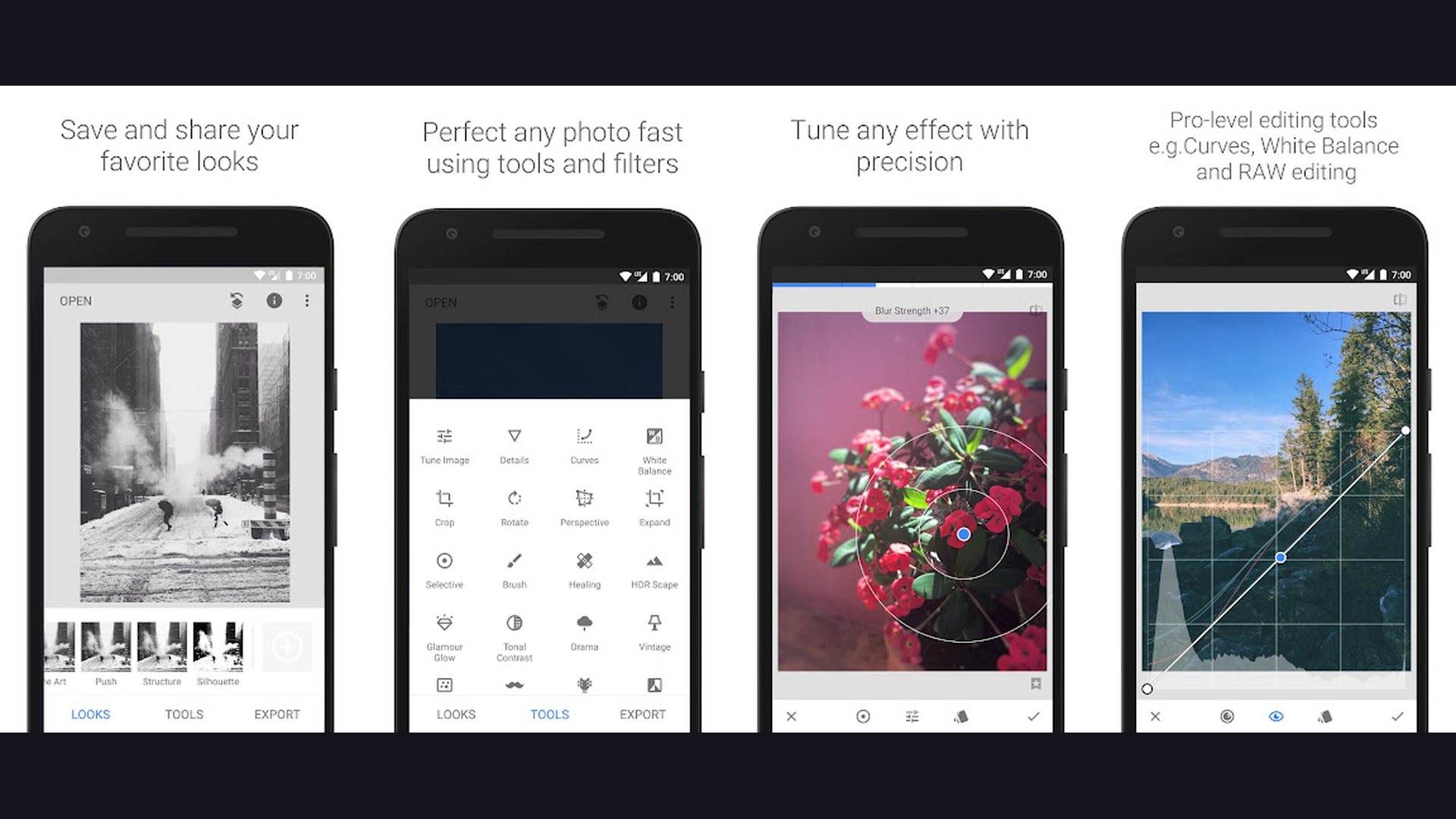
Snapseed is a completely free, professional-grade photo editor from Google with deep granular controls that rival Lightroom, making it the best free alternative for van life photographers. Snapseed offers Lightroom-level editing power at zero cost. The 29 tools include precision masking, curves, white balance, HDR scape, and structure for bringing out landscape details. The selective editing lets you adjust brightness, contrast, and saturation in specific areas of the photo. The healing tool removes unwanted objects. The perspective tool corrects distortion. The double exposure feature creates artistic compositions layering your van with landscapes. The Looks (filter presets) provide instant aesthetic transformations. The non-destructive editing saves your edit history so you can revisit and modify individual adjustments. The expand tool intelligently extends canvas with AI-generated content. Snapseed processes photos locally on your device, requiring no internet connection, perfecting for editing while boondocking off-grid. Snapseed is completely free with no premium tier. For van life photographers who want professional photo editing without any subscription cost, Snapseed is the most powerful free editor available.
10. Later (Rating 3.9)
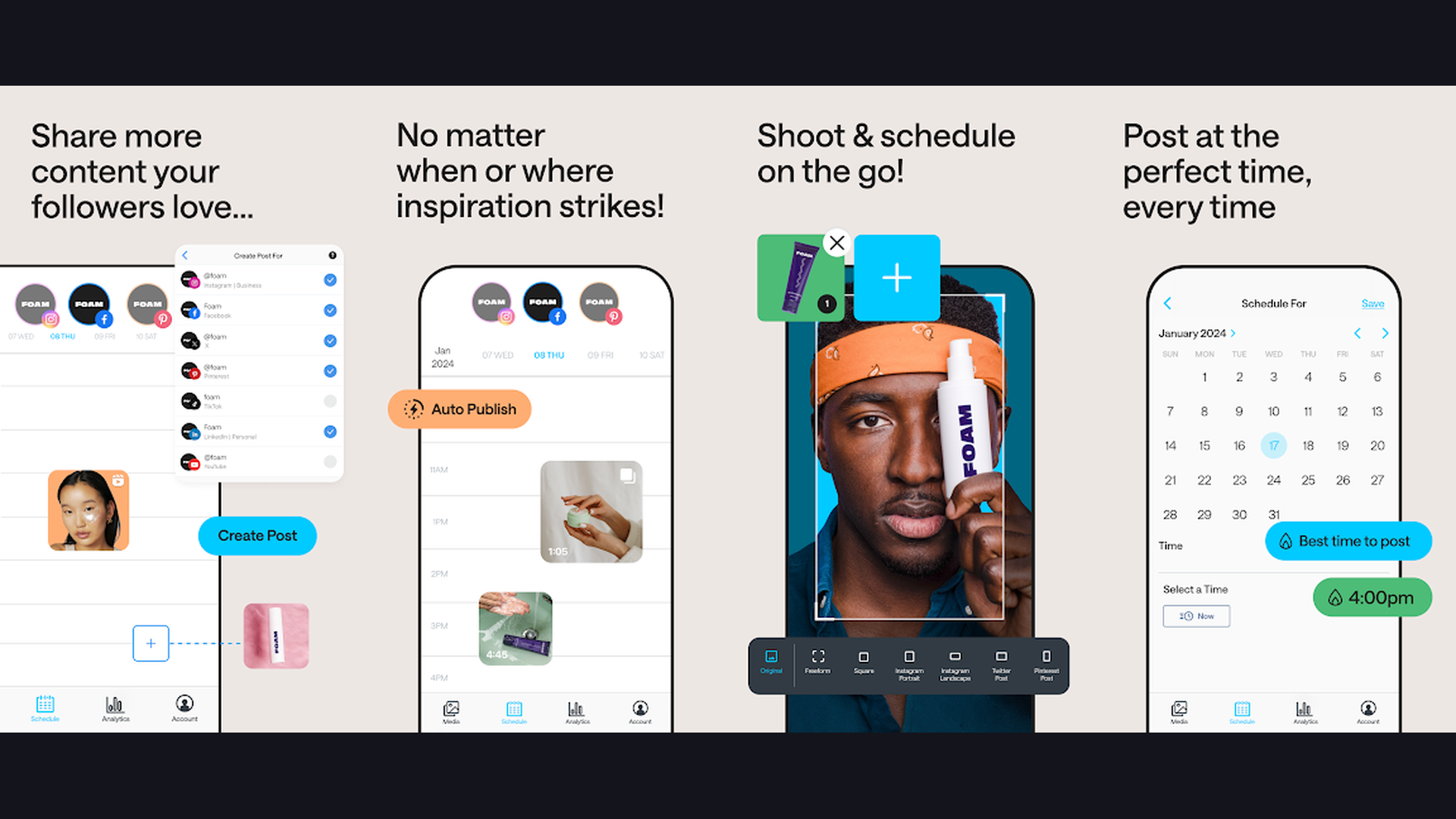
Later is a visual-first social media planner built around Instagram that includes AI-powered hashtag suggestions, a visual content calendar, and link-in-bio landing pages. Later is designed specifically for visually-driven creators like van lifers whose content is primarily photos and videos. The visual content calendar shows your upcoming Instagram grid layout, letting you plan how your posts will look together, which is crucial for maintaining an aesthetic feed that attracts followers. The drag-and-drop scheduling interface makes planning intuitive. AI-powered hashtag suggestions analyze your content and recommend the most effective hashtags for reach. The Linkin.bio feature creates a clickable landing page from your Instagram grid, driving traffic to your blog, YouTube channel, or affiliate links. Later supports Instagram, TikTok, Facebook, Pinterest, LinkedIn, and Twitter/X. The analytics dashboard shows best posting times, engagement rates, and follower growth. Later is free for 1 social profile, Starter from $25/month. For van life Instagram creators who want visual grid planning with smart hashtag optimization, Later provides the most Instagram-focused scheduling experience.
11. VSCO (Rating 3.5)
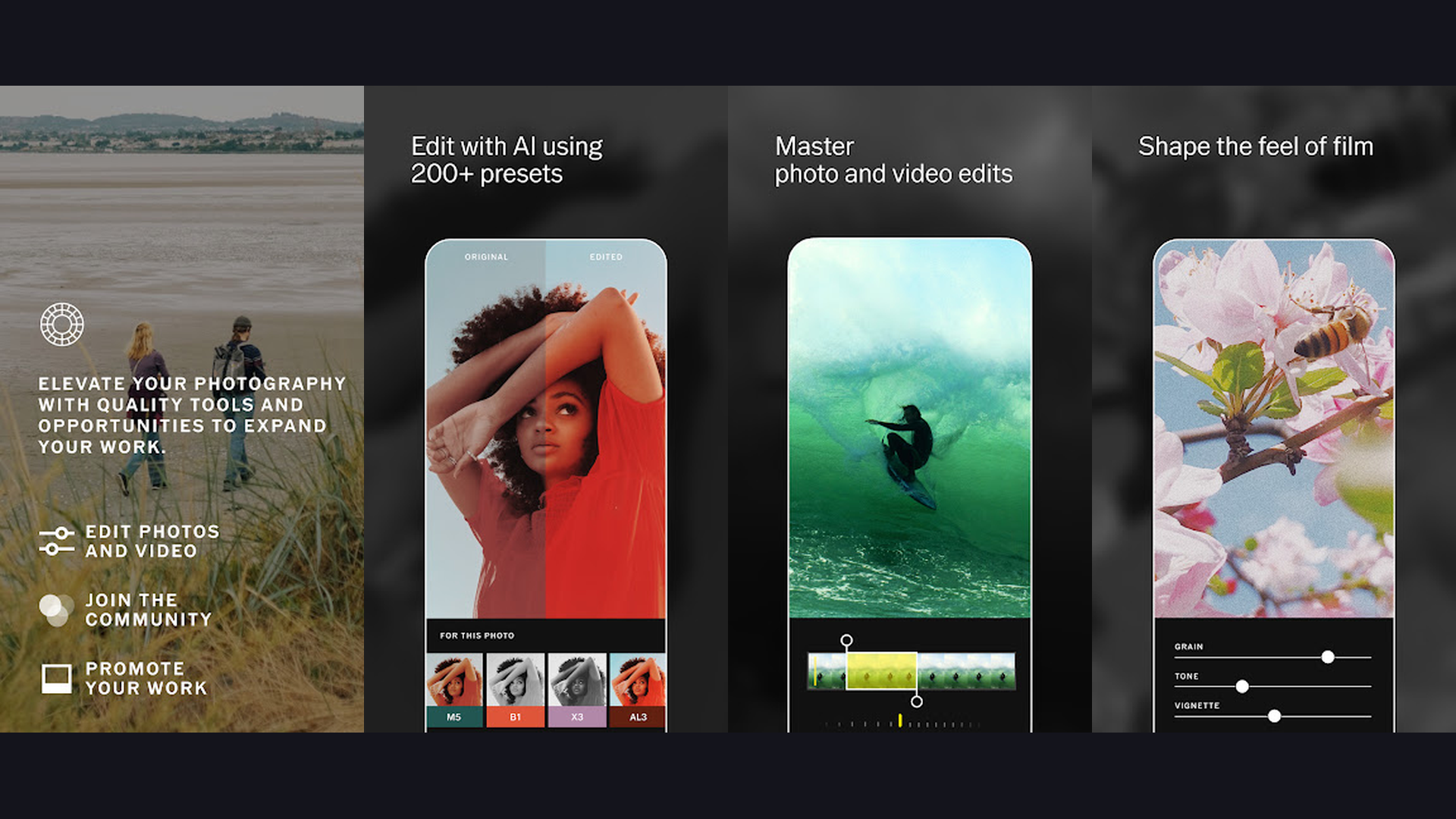
VSCO is a creative photo and video editor known for its iconic film-inspired presets that give van life photos a distinctive, moody aesthetic popular across Instagram and Pinterest. VSCO signature strength is its filter presets that replicate the look of classic film stocks: Kodak Portra warmth for golden hour van shots, Fuji Superia greens for forest camping, Ilford black and white for dramatic desert landscapes. These consistent presets help van lifers develop a recognizable visual brand. Beyond filters, VSCO offers advanced editing tools including HSL (hue, saturation, luminance) adjustments, split toning, grain, and fade effects. The video editing features include filters, speed adjustments, and trimming. VSCO community platform lets you share work, discover inspiration from other creators, and participate in creative challenges. The Montage feature creates multi-photo and video compositions. The VSCO aesthetic has become synonymous with outdoor adventure and travel content. VSCO is free with limited presets, Plus from $29.99/year. For van lifers who want a consistent, film-inspired aesthetic across all their visual content, VSCO presets deliver the most recognizable creative style. Use alongside planning apps for organized content creation.
12. CapCut (Rating 3.4)
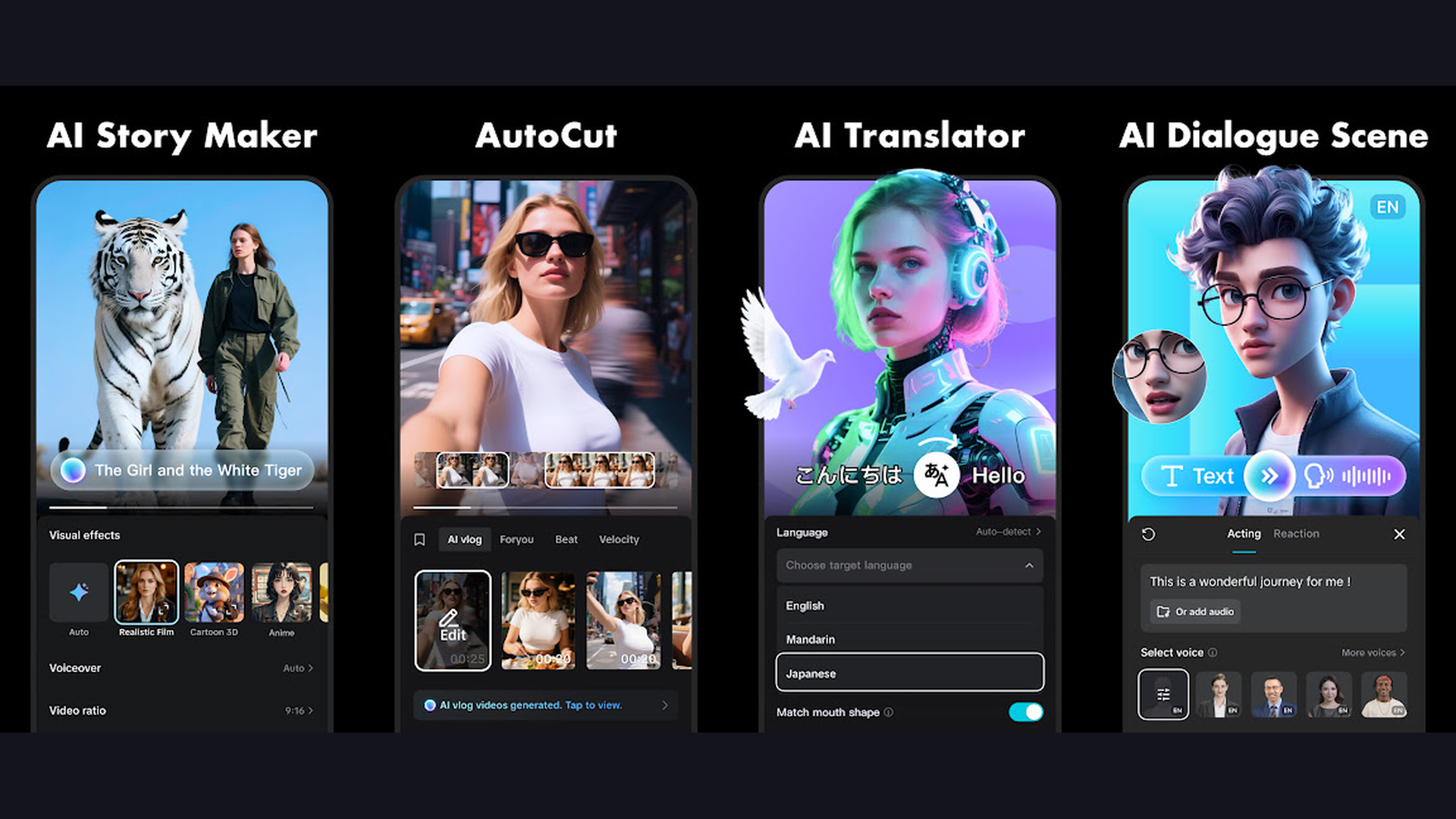
CapCut is the most popular video editor for short-form content creation, packed with AI-powered features, trending templates, and TikTok integration that make it essential for van life creators on social media. CapCut dominates mobile video editing for social media content. The trending templates let you create viral-style videos by simply adding your clips to pre-built formats with synchronized music, transitions, and effects. The AI features are powerful: auto-captions generate accurate subtitles in multiple languages, text-to-speech creates voiceovers, and the smart cutout tool removes backgrounds without a green screen. The keyframe animation gives precise control over movements and effects. The speed ramping feature creates dynamic pace changes in driving footage. The auto-reframe tool automatically adjusts horizontal video to vertical format for Reels and TikTok. CapCut music library includes trending sounds that boost discoverability. The direct TikTok publishing integration streamlines the posting workflow. CapCut is free with Pro from $7.99/month. For van life creators focused on TikTok and Instagram Reels with trendy, high-engagement content, CapCut is the most feature-rich free video editor. Track your channel growth with financial tracking apps.
The Van Life Content Creator Toolkit
Best for Video Editing
- InShot - Fastest phone-only editing for Instagram Reels, TikTok, and YouTube Shorts
- VN Video Editor - Most powerful free editor, desktop-level timeline, no watermarks
- CapCut - Best for trending templates, AI captions, and TikTok-optimized content
Best for Photo Editing
- Adobe Lightroom - Professional RAW editing, batch presets, cross-device syncing
- Snapseed - Best free alternative to Lightroom, works fully offline
- VSCO - Iconic film-inspired presets for distinctive van life aesthetic
Best for Blogging and Writing
- WordPress - Write, edit, and publish blog posts from the road
- Grammarly - AI writing assistant for polished captions, posts, and emails
- Notion - Draft blog posts, organize content ideas, manage partnerships
Best for Social Media Management
- Buffer - Simplest scheduling, batch content when you have WiFi
- Later - Visual Instagram grid planning with AI hashtag suggestions
Best for All-in-One Design
- Canva - Thumbnails, stories, graphics, brand kits, and AI design tools
Best Free Apps (No Cost at All)
- VN Video Editor - Full-featured, no watermark, no restrictions
- Snapseed - Professional photo editing, completely free
- WordPress - Free for self-hosted blogs
Content Creation Tips for Van Lifers
- Batch Your Content When You Have WiFi - The biggest challenge of van life content creation is unreliable internet. When you find strong WiFi (coffee shops, libraries, co-working spaces, Starlink-equipped campgrounds), batch-upload all your edited content to Buffer or Later and schedule it for the next 1-2 weeks. This way, your social media stays active even when you are off-grid for days. Download any resources you need (templates, music, fonts) while connected.
- Edit Offline, Publish Online - Most editing apps (InShot, VN, Snapseed, CapCut, Lightroom) work fully offline. Develop a workflow where you film and edit during your off-grid adventures, save finished content to your phone, and then publish in batches when you reconnect. Writing blog drafts in WordPress or Notion offline mode means you can work on long-form content without cell service. Use planning apps to map this workflow.
- Invest in a Phone with Ample Storage and Battery - Content creation eats storage and battery. A 256GB+ phone gives you room for raw footage and edited exports. A power bank or solar charging setup keeps your phone alive for editing sessions. Consider a phone with a high-quality camera to eliminate the need for a separate camera entirely. Many successful van life creators shoot everything on their iPhone or Samsung flagship.
- Develop a Consistent Visual Aesthetic - Van life Instagram accounts that grow fastest have a recognizable visual style. Pick 2-3 Lightroom or VSCO presets and apply them consistently across all photos. Use the same Canva templates for your Instagram stories and YouTube thumbnails. This visual consistency builds brand recognition and makes your feed look professional and intentional rather than random.
- Create a Content Calendar in Notion - Planning prevents creative burnout. Use Notion to map out content themes by weeks: van build tips on Mondays, scenic drives on Wednesdays, cooking in the van on Fridays. This structure gives you a creative framework while leaving room for spontaneous content when something amazing happens on the road. Track which content types get the most engagement and double down on winners.
- Repurpose Content Across Platforms - One piece of van life content can serve multiple platforms. A scenic drone shot becomes an Instagram photo, a YouTube thumbnail, a Pinterest pin, and a blog header. A 10-minute YouTube vlog gets cut into three 60-second Reels or TikToks. A blog post becomes a Twitter/X thread. Use CapCut auto-reframe to convert horizontal YouTube content to vertical Reels format automatically. This multiplies your content output without multiplying your work.
- Use Grammarly for Brand Communication - When pitching brands for sponsorships, writing partner emails, or creating media kits, every word matters. Grammarly tone detection ensures your pitch sounds professional and confident. Typos and grammatical errors in brand emails can kill partnerships. Use Grammarly across all your communication apps to maintain professionalism even when typing on your phone while parked at a trailhead.
- Monitor Your Content Analytics - Buffer and Later analytics show which posts drive the most engagement, best posting times for your audience, and follower growth trends. WordPress stats show which blog posts drive organic search traffic. Use this data to refine your content strategy. If sunset van photos consistently outperform cooking content, create more sunset content. Data-driven content creation grows audiences faster than guessing. Track your earnings with budgeting tools.
Frequently Asked Questions
Can I create professional content from a van without a laptop?
Yes. Modern smartphones and mobile apps have made laptop-free content creation entirely viable. InShot, VN Video Editor, and CapCut handle video editing that previously required desktop software. Lightroom Mobile and Snapseed match professional photo editing capabilities. WordPress and Notion handle blog writing and content management. Buffer and Later manage social media scheduling. Many full-time van life creators now work exclusively from their phones and tablets, eliminating the power consumption, weight, and fragility of carrying a laptop in a van.
What is the best free content creation setup for van life?
The best free setup uses VN Video Editor for video (no watermarks, full features), Snapseed for photo editing (professional-grade, fully free), WordPress for blogging (free for self-hosted sites), Canva free tier for graphics and thumbnails, and Buffer free tier for scheduling 3 social channels. This combination covers all content creation needs without spending anything, and all apps work offline except Buffer (which only needs internet for scheduling, not content creation).
How do van life creators handle content creation without reliable internet?
The key is separating creation from distribution. Create content (film, edit, write) offline using apps that work without internet (InShot, VN, Snapseed, Lightroom, WordPress draft mode, Notion offline). When you find WiFi, batch-upload finished content and schedule future posts through Buffer or Later. Many van lifers also invest in Starlink portable satellite internet or cellular boosters like WeBoost for more reliable connectivity. Planning content schedules 1-2 weeks ahead means your online presence stays active even during extended off-grid periods.
Which video editor should I use for YouTube vlogs vs Instagram Reels?
For YouTube vlogs (longer horizontal videos), VN Video Editor is best because of its multi-track timeline, no watermarks, and desktop-level editing tools. For Instagram Reels and TikTok (short vertical content), CapCut excels with its trending templates, auto-captions, and platform-specific optimizations. InShot is the fastest option for quick social content across all formats. Many creators use VN for YouTube and CapCut for short-form, using both apps to cover all platforms.
How can van life bloggers monetize their content?
Van life creators monetize through multiple streams: brand partnerships (use Notion to track deals), affiliate marketing through blog posts (WordPress), YouTube AdSense revenue, Instagram sponsored posts, selling Lightroom presets or Canva templates, digital courses about van life or content creation, and print-on-demand merchandise. A WordPress blog with SEO-optimized content drives passive income through display ads and affiliate links. Instagram and YouTube provide sponsorship and ad revenue. The most successful van life creators combine 3-4 of these income streams and use Buffer and Later to maintain consistent content output that attracts brand deals.
Do I need Adobe Creative Cloud for van life content creation?
No. While Lightroom Mobile is excellent for photo editing, free alternatives like Snapseed and VSCO provide comparable results. VN Video Editor matches many Premiere Rush features at no cost. Canva replaces much of what creators use Illustrator and Photoshop for. The only Adobe product worth the subscription for most van lifers is Lightroom if you shoot RAW photos and need preset syncing across devices. Otherwise, the free app ecosystem (VN, Snapseed, Canva free, WordPress, Buffer free) provides everything needed for professional content creation.
Final Thoughts
The van life content creator toolkit in 2026 is remarkably powerful and affordable. InShot and VN Video Editor handle video editing from quick social clips to professional vlogs. CapCut dominates trending short-form content. Lightroom, Snapseed, and VSCO give your photos professional polish. Canva creates every graphic you need without design skills. WordPress keeps your blog running from the road. Notion organizes your entire content business. Buffer and Later keep your social media active when you are off-grid. Grammarly polishes every word you write. The best part: many of these tools are completely free, meaning your only real investment is creativity and the stunning landscapes visible from your van doors. For more van life tools, explore our guides on budgeting, navigation, health and fitness, and language learning.