Modern smart home security systems offer incredible convenience, but there are times when you need absolute, immediate privacy without fumbling through menus on your smartphone. Whether your phone is dead, you have lost access to your Amazon account, or you simply want to ensure a camera is completely offline during a private gathering, knowing exactly how to disable a Ring camera without the app in 2026 is an essential troubleshooting skill for any home owner.
Reliance on digital apps for physical security hardware can occasionally be restrictive. Sometimes you just need to bypass the digital layer entirely, much like individuals who utilize the best police scanner apps for iPhone to monitor unencrypted radio frequencies natively. In this strictly focused guide, we will outline the distinct physical methods to disable your Ring doorbell or security camera quickly by manipulating power sources, Wi-Fi networks, and physical barriers.
Method 1: Disconnecting the Power Supply
The most absolute way to disable any piece of electronics is to sever its power completely. Because Ring offers both wired and battery-operated models in 2026, the specific action required depends entirely on the hardware model installed at your property.
Unplugging Wired Security Cameras
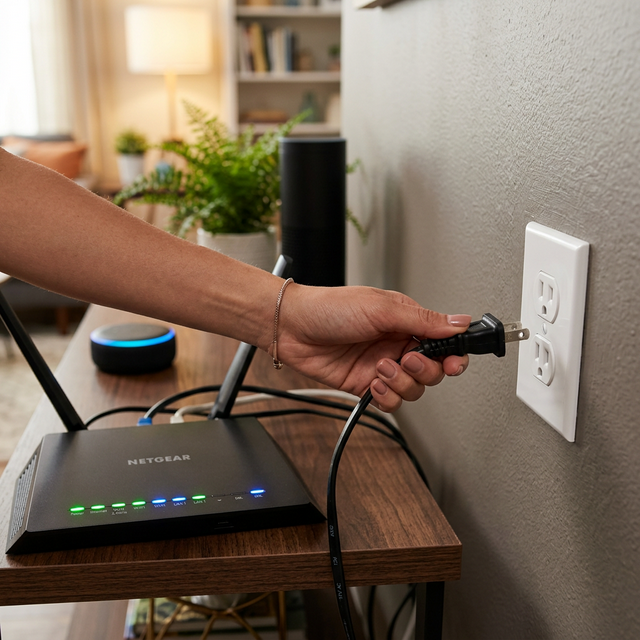
If you are utilizing a Ring Stick Up Cam Plug-In or an Indoor Cam that connects directly to a standard wall outlet, disabling it is as simple as pulling the plug. Tracing the power cable and disconnecting it from the wall physically ensures the camera immediately powers down. It can neither record video nor transmit audio once the electricity is cut.
Removing Power from Battery-Operated Models
For battery-reliant devices like standard Ring Video Doorbells or the battery Stick Up Cam, you must physically detach the battery pack. Depending on your 2026 model, this usually involves unscrewing the security screw at the base of the doorbell using the provided star-shaped screwdriver, removing the faceplate, and pressing the silver release tab to slide the battery out. Once the battery is removed, the camera is completely inert.
Flipping the Circuit Breaker for Hardwired Devices
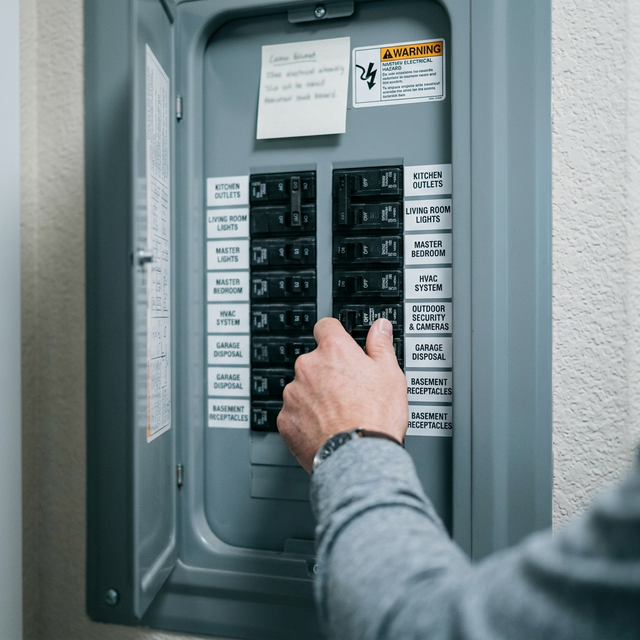
Hardwired devices like the Ring Floodlight Cam or Spotlight Cam Plus wired editions are wired directly into your home's electrical grid. Because there is no simple plug or easily accessible battery to remove, you must locate your home's main electrical panel (fuse box). Find the specific switch labeled "Outdoor Lighting" or "Security" and flip the breaker down to the 'OFF' position. Be highly aware that this action will also kill power to any other lights or outlets sharing that specific circuit.
Method 2: Disrupting the Wi-Fi Connection
Every single Ring device manufactured in 2026 relies 100% on a constant Wi-Fi connection to process motion alerts, allow remote live viewing, and upload footage to the cloud. If you sever this connection, the camera becomes effectively blind to the outside world.
Unplugging the Router
The fastest way to take your cameras offline without touching them is to unplug your home's Wi-Fi router. The moment the internal network drops, the camera loses its ability to communicate with the Ring servers. This is an efficient emergency method, similar in sudden detachment to navigating offline using downloaded maps via the best boating apps when out of cellular range. However, keep in mind this will simultaneously disconnect all your other smart TVs, laptops, and smart home appliances.
Blocking the Device via Router Settings
If you possess moderate technical knowledge and have access to your router's admin portal via a desktop computer, you can log in and actively block the Ring camera's specific MAC address from accessing the internet. This elegant solution disables the camera's feed while leaving the rest of your home network entirely functional, a focused networking technique akin to selectively routing specific traffic through the best VPN apps.
Method 3: Creating a Physical Obstruction
If you cannot reliably cut the power or drop the Wi-Fi network—perhaps you are renting or visiting someone else's property—you can physically blind the device. This low-tech solution focuses strictly on the camera lens itself.
Applying Lens Covers or Opaque Tape
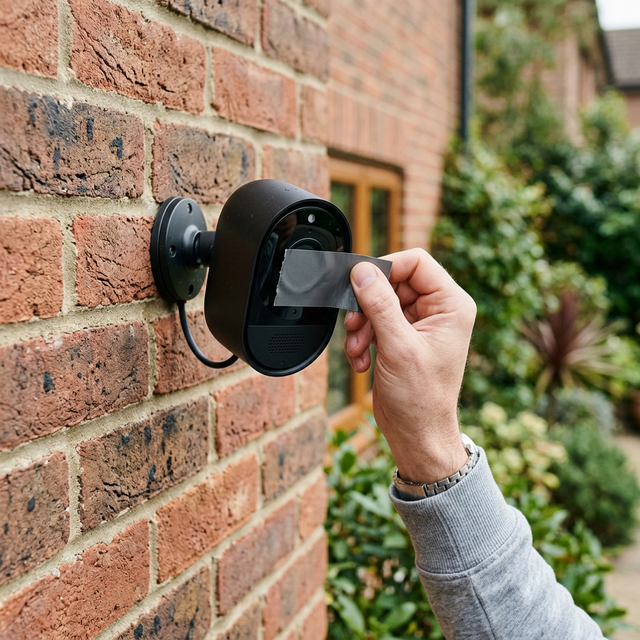
Placing a piece of thick, opaque tape (like electrical tape or duct tape) directly over the camera lens is an immediate fix. Many privacy-conscious users in 2026 also install aftermarket physical shutters that snap over the doorbell. The camera may still sense motion via infrared sensors or record audio if the microphone is left unobstructed, but the video feed will be completely black.
Blocking Motion Sensors
To stop the camera from even waking up or triggering recording events, you must also cover the PIR (Passive Infrared) motion sensors, usually located on the lower half of the device. Draping a thick towel over the entire unit or taping a piece of cardboard across the whole face effectively blinds the lens and stifles the motion sensors simultaneously.
Conclusion
A smart home should serve you, not trap you. Knowing how to disable a Ring camera without the app—by cutting the hardwired power, pulling the battery, shutting down the router, or simply taping over the physical lens—ensures you maintain absolute, tactile control over your privacy in 2026, regardless of your digital access status. Tracking these manual workarounds is smart homeownership, just like logging your physical routes offline using dedicated RV travel journals and blogging apps. Always remember to reverse these steps when you are ready to re-secure your perimeter.
Frequently Asked Questions (FAQ)
Does unplugging a Ring camera delete recorded videos?
No, cutting power does not delete past footage. Any video recorded and successfully uploaded prior to the power loss remains safely stored on your Amazon cloud account.
Will a Ring camera still work if I turn off my Wi-Fi?
No. Without an active internet connection, the camera cannot send motion notifications, allow live viewing, or upload videos. It becomes essentially dormant.
Can I just tape over the lens to disable it?
Taping the lens will block video recording entirely, but the device may still trigger motion alerts and record audio if those sensors are left uncovered.
How do I disable a Ring Doorbell if I am renting?
If you cannot access the breaker or Wi-Fi settings in a rental, utilizing opaque tape over the lens and motion sensor or placing a physical cover over the whole unit is the safest non-destructive method.