
Du, one of the premier telecommunication providers in the UAE, offers incredibly popular "Social Data" packages that provide unlimited or highly discounted access to platforms like WhatsApp, Facebook, Instagram, and X (formerly Twitter). These daily and monthly bundles are fantastic for staying connected. However, if you are leaving the country, switching to a comprehensive full-data plan, or simply want to cut down on your monthly telecom expenses, you must proactively cancel these subscriptions to stop unwanted automatic renewals.
In this quick, definitive guide updated for 2026, we will walk you through exactly how to deactivate DU social data packages using three guaranteed methods: USSD codes, SMS texting, and the official Du mobile application.
1. Method 1: The Quick USSD Code Route
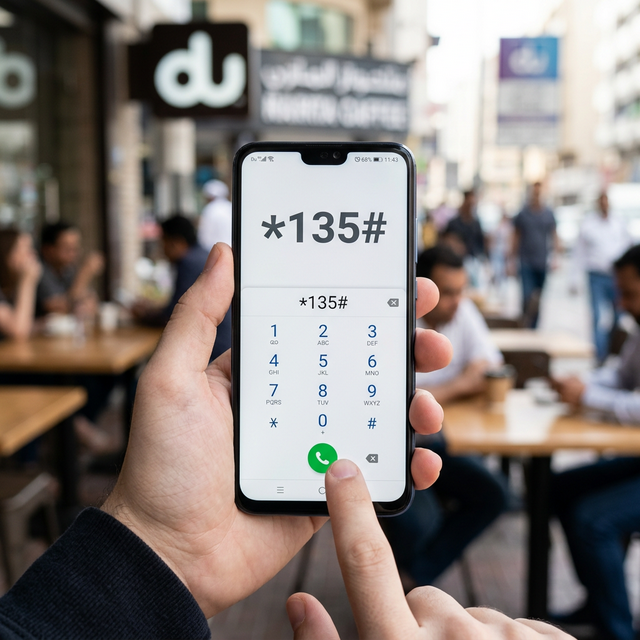
The absolute fastest way to manage any Du prepaid or postpaid telecom service without requiring an active internet connection is by utilizing standard USSD (Unstructured Supplementary Service Data) shortcodes directly from your native phone dialer.
- Open the native phone dialing app on your smartphone.
- Dial exactly *135# and press the call button.
- A black USSD menu will overlay on your screen. Reply with the number corresponding to "Data Bundles" or "Manage Services" (the exact menu numbering occasionally shifts, so read carefully).
- Navigate to "Active Packages" and locate your specific Social Data bundle.
- Select the option to "Deactivate" or "Unsubscribe". You will receive a confirmation SMS shortly after confirming.
2. Method 2: Sending a Cancellation SMS
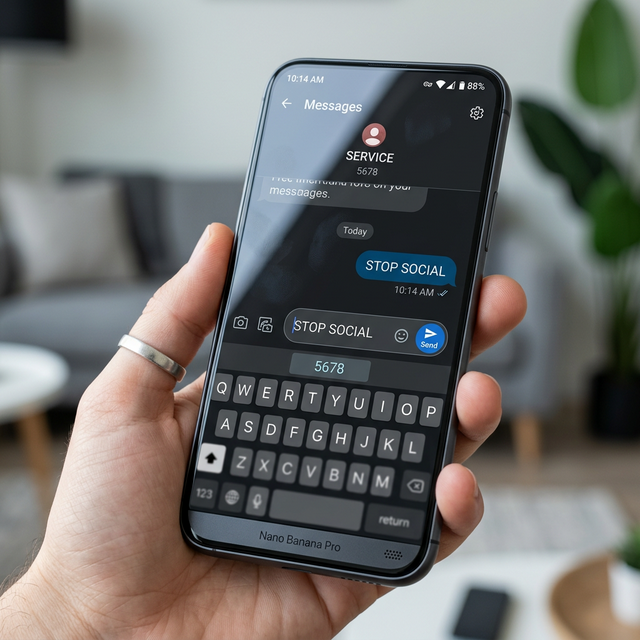
If you know exactly which specific social package you are subscribed to (for example, the "Daily Social" or the "Monthly Non-Stop Social"), sending a direct SMS is highly efficient. Du processes these systematic commands instantly via their backend infrastructure.
To cancel the daily social data package, simply open your native messaging application, type the exact phrase STOP SOCIAL, and send it directly to the shortcode 1355. Your mobile request will instantly trigger an automated termination, and Du will immediately reply with an SMS confirming that auto-renewal has been successfully canceled.
Always keep this confirmation SMS saved in your device for your billing records. If you are experiencing issues sending basic SMS messages, the problem might reside with your physical device. Consider reading our Mobile Phone Reviews to find a reliable daily driver.
3. Method 3: Using the Official Du UAE App
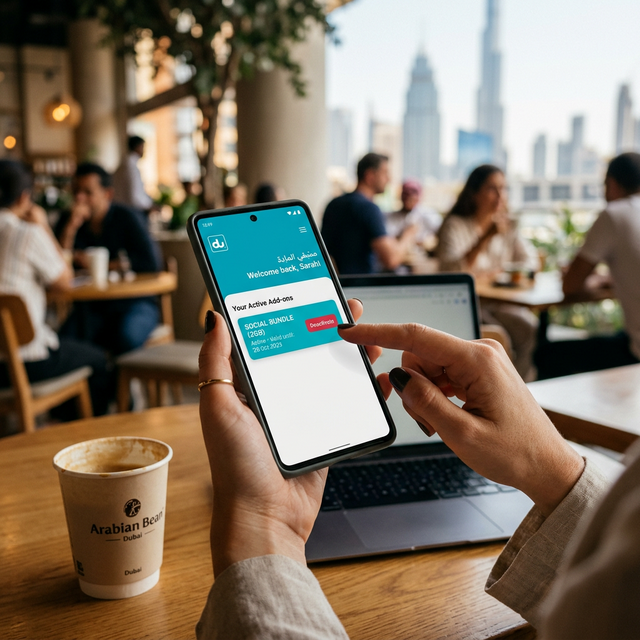
If you prefer a highly visual, drag-and-drop interface, the official Du mobile application (available on both the Apple App Store and Google Play) is by far the most transparent method for managing your digital profile.
Once you download and log into the application using your Du mobile number, navigate to the main dashboard. Here, you will see a detailed breakdown of your absolute remaining data, minutes, and actively recurring subscriptions. Tap on the specific "Social Data" tile under your Active Plans. A menu will slide up showcasing your usage statistics alongside a prominent "Deactivate" toggle switch. Switch it off. The app will ask for a final confirmation before processing the termination immediately.
Managing telecom plans via digital apps is incredibly data-heavy. If your current mobile device constantly freezes while loading modern telecom dashboards, it might be time for a processor upgrade. We highly suggest checking out our guide on the surprisingly powerful budget MediaTek Helio G-Series chips.
Conclusion
Learning exactly how to deactivate DU social data ensures you maintain absolute, strict control over your prepaid credit and monthly postpaid billing within the UAE. Whether you utilize the rapid offline *135# USSD dialect, send a quick cancellation SMS, or tap the toggle inside the official mobile application, the process is designed to be completely user-friendly and instantaneous. Once canceled, be aware that any residual social data MBs you have already paid for usually remain active until the billing cycle expires. Keep exploring the MobileKiShop Homepage for more straightforward tech tutorials.