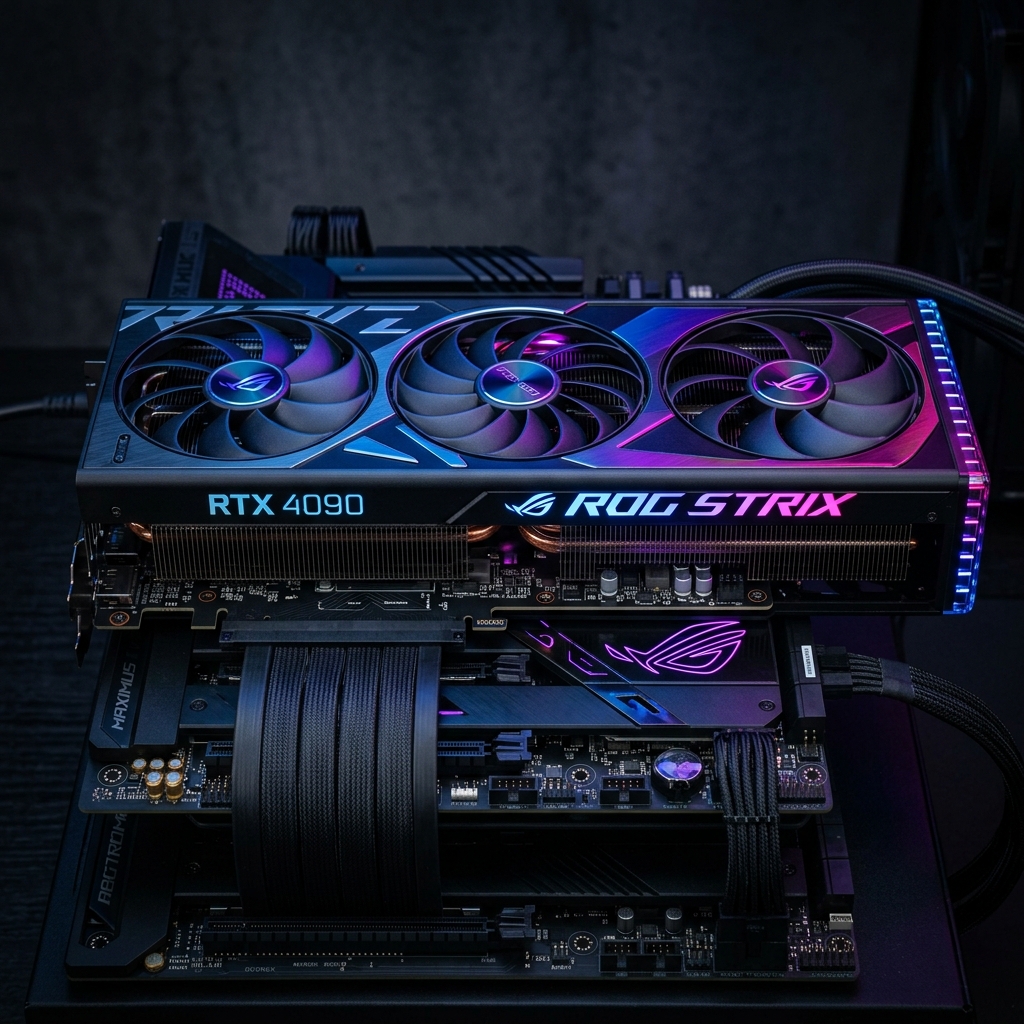
A GPU (Graphics Processing Unit) is a specialized electronic processor designed to rapidly perform the mathematical calculations required for rendering graphics and images. Originally developed to accelerate video game graphics, GPUs have evolved into one of the most important computing components in modern technology, now powering everything from gaming and video editing to artificial intelligence, scientific research, and autonomous vehicles. This complete guide explains what a GPU is, how it works, its types, and its wide range of applications in 2026.
What is a GPU?
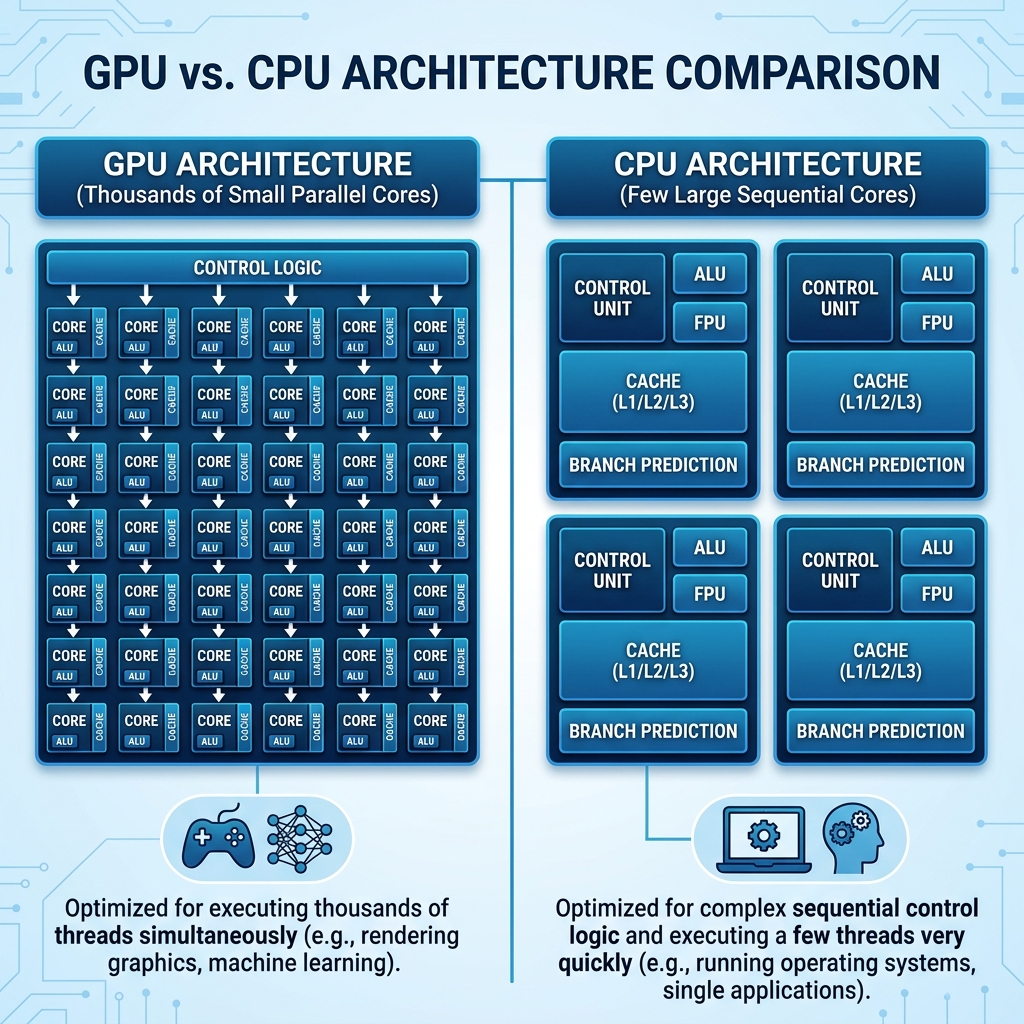
A GPU is a dedicated processor chip optimized for parallel computation. Unlike a CPU (Central Processing Unit) which typically has between 8 and 64 powerful cores designed to handle complex, sequential tasks one after another, a GPU contains thousands to tens of thousands of smaller, simpler processing cores designed to handle many tasks simultaneously. This massive parallelism makes GPUs exceptionally efficient at the type of mathematics involved in graphics rendering, where the same calculations must be applied independently to millions of pixels on a screen at once.
Brief History
The term GPU was popularized by NVIDIA in 1999 with the launch of the GeForce 256, which was marketed as the world first GPU. Before dedicated GPUs, graphics processing was handled by the CPU or by simpler fixed-function graphics accelerators. The introduction of programmable shaders in the early 2000s transformed GPUs from fixed-function graphics hardware into general-purpose parallel processors. By the mid-2000s, researchers discovered that GPUs could be repurposed for non-graphics scientific computation, leading to the development of GPGPU (General-Purpose GPU computing) and frameworks like NVIDIA CUDA. Today, NVIDIA, AMD, and Intel are the dominant GPU manufacturers for consumer and professional markets.
How a GPU Works
Parallel Processing Architecture
The fundamental design philosophy of a GPU is parallelism. A modern high-end GPU like the NVIDIA RTX 5090 contains over 21,000 CUDA cores (shader processors). These cores are grouped into clusters called Streaming Multiprocessors (SMs) in NVIDIA architecture, or Compute Units (CUs) in AMD architecture. Each cluster contains multiple cores that can execute the same instruction on different data simultaneously, a model called SIMD (Single Instruction Multiple Data). This design is extremely efficient for graphics rendering where the same shader program must be run on millions of pixels, vertices, or light rays simultaneously.
The Graphics Rendering Pipeline
When rendering a 3D scene for display, the GPU processes it through a series of stages called the graphics pipeline. In the vertex processing stage, 3D geometry coordinates are transformed from 3D world space to 2D screen space. During rasterization, 3D triangles are converted into 2D pixel fragments. In the pixel shading stage, each pixel color is calculated based on lighting, textures, shadows, and material properties. Finally, in the output merger stage, pixels are composited together accounting for depth, transparency, and anti-aliasing before being sent to the display. Modern GPUs can process millions of these pipeline cycles per second, producing smooth frame rates in real-time graphics applications.
GPU Memory (VRAM)
GPUs have their own dedicated high-speed memory called VRAM (Video RAM). This memory stores textures, frame buffers, shader code, and other data that the GPU needs immediate access to during rendering. Modern high-end GPUs feature GDDR7 or HBM (High Bandwidth Memory) with bandwidths exceeding 1 terabyte per second. The amount of VRAM is a critical specification for GPUs used in gaming (8-24 GB for modern games), professional creative work (24-48 GB), and AI training (24-80 GB or more for large model training). More VRAM allows larger textures, higher resolutions, and bigger AI models to be loaded directly on the GPU without slower system RAM access.
Types of GPUs
Discrete GPU (Dedicated Graphics Card)
A discrete GPU is a separate expansion card that plugs into the PCIe slot of a desktop or laptop motherboard. It has its own dedicated processor chip, VRAM, cooling system, and power connectors. Discrete GPUs deliver the highest graphics performance and are used in gaming PCs, workstations, and AI servers. Examples include the NVIDIA GeForce RTX series, NVIDIA RTX Ada/Blackwell professional cards, and AMD Radeon RX series. Discrete GPUs are the most expensive option but offer performance that integrated graphics cannot match.
Integrated GPU (iGPU)
An integrated GPU is built directly into the same chip as the CPU and shares system RAM with the processor rather than having dedicated VRAM. Integrated graphics are found in most laptops and desktop processors where a separate graphics card is not installed. Modern integrated GPUs have improved dramatically in recent years. AMD Ryzen processors with RDNA integrated graphics and Apple M-series chips with their integrated GPU cores can handle light gaming, video playback, and creative applications efficiently. However, integrated GPUs remain significantly weaker than discrete cards for demanding 3D applications and AI workloads due to the shared memory bandwidth limitation.
Mobile GPU
Mobile GPUs are optimize for smartphone and tablet SoCs (System on Chip), balancing performance with extreme power efficiency to extend battery life. The most notable mobile GPUs include Apple GPU (integrated in A-series and M-series chips), Qualcomm Adreno GPU (found in Snapdragon SoCs), ARM Mali GPU, and Imagination Technologies PowerVR. Modern flagship smartphone GPUs can handle console-quality gaming, real-time ray tracing, and on-device AI inference while consuming only a few watts of power.
GPU for Gaming

Gaming remains the primary consumer use case for discrete GPUs. A powerful gaming GPU enables higher resolutions (1080p, 1440p, 4K, and beyond), higher frame rates (60 fps, 144 fps, 240 fps for competitive gaming), higher quality graphics settings (ray tracing, global illumination, advanced shadows), and new rendering technologies. Modern GPU features important for gaming include Real-Time Ray Tracing which simulates physically accurate light behavior for photorealistic reflections, shadows, and ambient occlusion. DLSS / FSR / XeSS are AI-powered upscaling technologies from NVIDIA, AMD, and Intel respectively that render frames at a lower resolution and use neural networks to upscale them to higher resolutions with minimal quality loss, effectively boosting performance by 2x to 4x. High Refresh Rate Support enables monitors running at 144Hz, 240Hz, or 360Hz to display ultra-smooth gameplay for competitive gaming.
GPU for AI and Machine Learning

The most transformative modern use of GPUs beyond gaming is Artificial Intelligence and machine learning. Training large AI models requires performing the same matrix multiplication operations on enormous datasets billions of times, and the massively parallel architecture of GPUs is perfectly suited for this workload. NVIDIA H100 and H200 GPUs (and the newer B200 Blackwell architecture) power the majority of AI research and production infrastructure around the world, including the training of large language models (LLMs) like GPT-4, Gemini, and Claude. Key GPU features for AI workloads include Tensor Cores (specialized matrix multiplication units in NVIDIA GPUs that operate at trillions of tensor operations per second), large VRAM capacity (80 GB HBM3 in NVIDIA H100 for fitting large models in memory), NVLink interconnect (allowing multiple GPUs to share memory and work as one pool for even larger models), and FP8 / FP16 precision (lower precision arithmetic for faster AI inference with acceptable accuracy trade-offs).
GPU for Professional Creative Work
Professional content creators in video production, 3D animation, visual effects, and product design rely on powerful GPUs for their daily work. Video editors use GPU acceleration for real-time 4K and 8K video playback, color grading, and rendering in applications like Adobe Premiere Pro, DaVinci Resolve, and Final Cut Pro. 3D artists and animators use GPU renderers like NVIDIA OptiX, AMD ProRender, and Apple Metal for fast photorealistic rendering in tools like Blender, Cinema 4D, and Maya. Architects and product designers use GPU-accelerated visualization software for real-time walkthroughs of 3D models. NVIDIA RTX professional cards (RTX 4000, RTX 5000, RTX 6000) and AMD Radeon Pro series are designed specifically for professional workstation environments with certified drivers, ECC memory, and extended warranty support.
GPU vs CPU: Key Differences
| Feature | CPU | GPU |
|---|---|---|
| Core Count | 8 to 64 cores | Thousands of cores |
| Core Design | Complex, high-IPC | Simple, high-throughput |
| Task Type | Sequential, complex logic | Parallel, repetitive math |
| Memory | Shared system RAM | Dedicated VRAM (GDDR/HBM) |
| Best For | OS, apps, gaming logic | Graphics, AI, scientific computing |
| Power Use | 65W to 350W (desktop) | 150W to 600W (desktop) |
How to Choose a GPU in 2026
When selecting a GPU for your needs, consider the following factors. Use Case: Gaming requires different GPU specifications than AI training or professional 3D work. VRAM Amount: 8 GB minimum for 1080p gaming, 12-16 GB for 1440p, 16-24 GB for 4K gaming, and 24-80 GB for AI workloads. Performance vs Budget: The RTX 4060 and AMD RX 7600 offer great value for 1080p gaming while the RTX 5090 and AMD RX 9070 XT target high-end 4K gaming. Power Requirements: High-end GPUs require 600-800 watt power supplies, so ensure your system power supply is adequate. Drivers and Software Ecosystem: NVIDIA CUDA support is essential for most AI and some professional applications, while AMD offers better value-to-performance ratios for pure gaming workloads.
Conclusion
The GPU has transformed from a specialized graphics rendering chip into one of the most versatile and powerful computing platforms in modern technology. Its massively parallel architecture that was originally designed to render millions of pixels per frame is equally well-suited to training artificial intelligence models, accelerating scientific simulations, and powering real-time 3D graphics. As AI applications continue to expand and gaming graphics push toward photorealism, the GPU will remain at the center of both consumer computing and enterprise technology infrastructure throughout 2026 and well beyond.