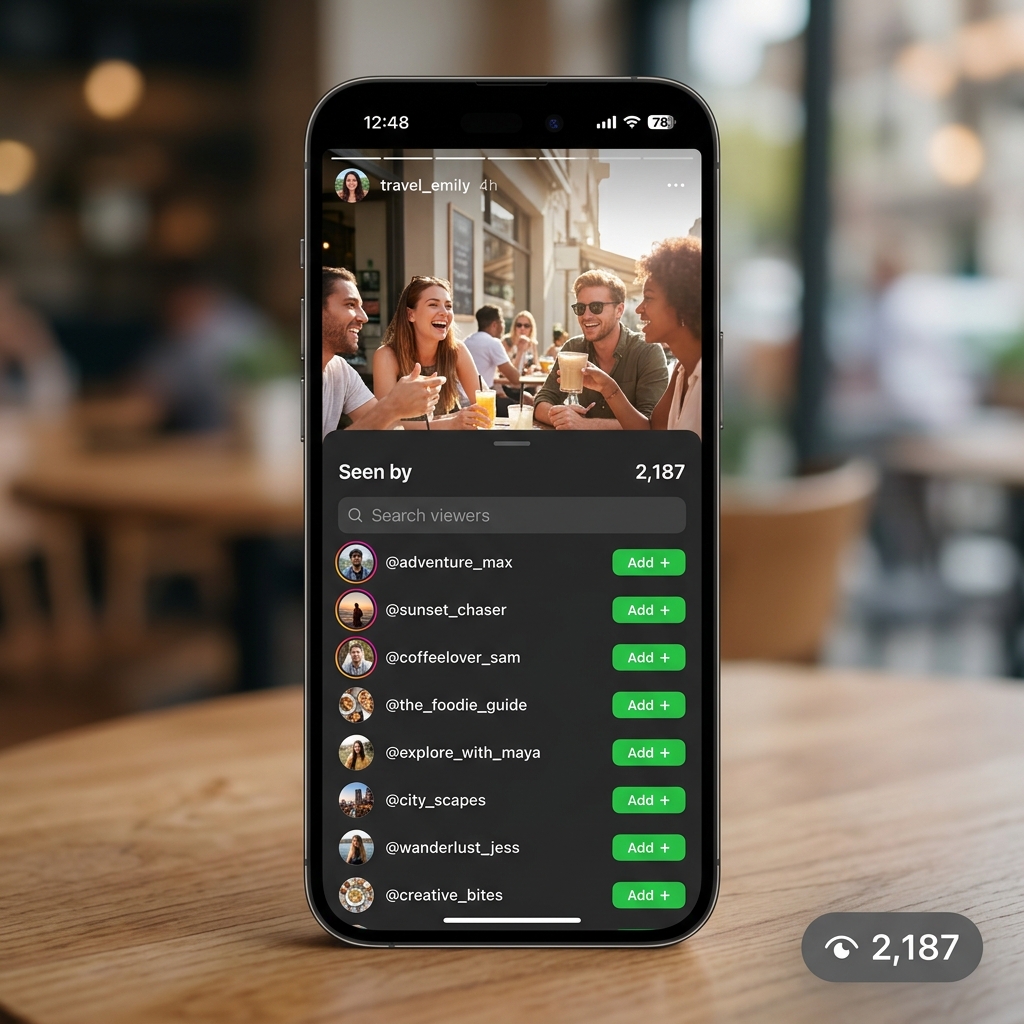
Instagram Stories are one of the most engaging content formats on the platform, disappearing after 24 hours and keeping followers coming back for fresh updates. One of the most useful features of Instagram Stories is the ability to see exactly who has viewed your story. Whether you are curious about which friends watched your latest update or tracking audience engagement as a creator, Instagram provides built-in tools to view your story viewers list. This complete guide covers everything you need to know about seeing who viewed your Instagram Story in 2026.
How to See Who Viewed Your Instagram Story
Viewing your story viewers list on Instagram is straightforward and takes just a few taps.
Step-by-Step Instructions
Open the Instagram app and tap your profile photo in the top left corner of the home screen (or tap the Stories bar at the top). Your story will open and begin playing. While your story is playing, swipe up from the bottom of the screen. A panel will slide up showing the viewer list with the names and profile photos of everyone who has viewed your story so far. You can also see the total view count and any reactions or replies people have sent to your story. Tap any username in the list to visit their profile directly.
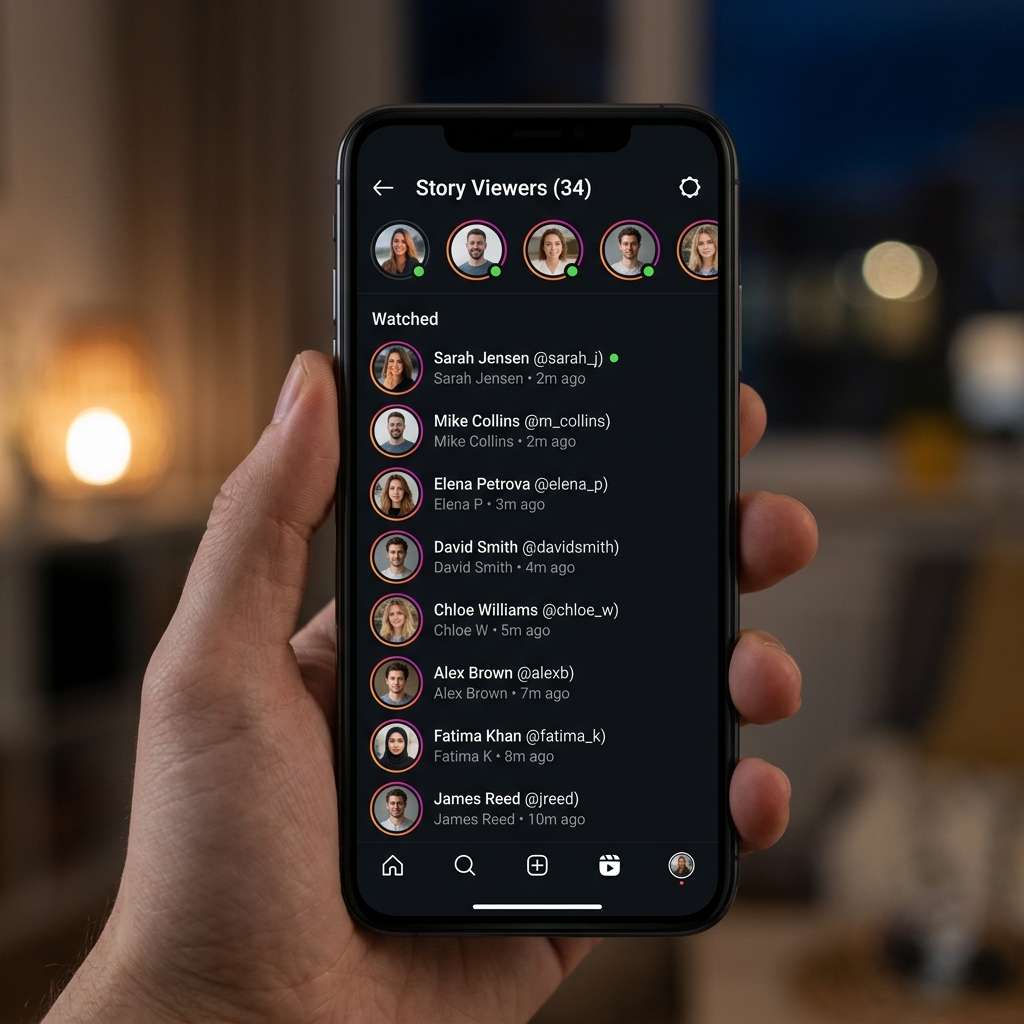
Viewing the List After Your Story is Still Live
Your story viewer list is fully accessible and updated in real time for as long as your story is live (up to 24 hours from posting). Each time someone new views your story, they are added to the list automatically. You can check the viewer list multiple times throughout the 24-hour period to see new viewers as they watch. The list shows the most recent viewers at the top by default, though this ordering can vary based on Instagram algorithm and your relationship with the viewer.
How the Viewer List is Ordered
Many Instagram users wonder why certain people appear at the top of their story viewer list. Instagram has not fully disclosed its algorithm for ordering story viewers, but based on user observations and research, the ordering appears to be influenced by several factors.
Factors That Influence Viewer Order
Mutual Interaction: Accounts that frequently interact with your posts through likes, comments, DMs, and profile visits tend to appear higher in your viewer list. Your Own Interaction: Accounts that you interact with most often (viewing their stories, liking their posts, sending DMs) may appear prominently in your viewer list. Recency: In the early hours after posting, viewers are listed in roughly chronological order. As views accumulate, the algorithm takes over and reorders the list based on engagement signals. Account Type: Verified accounts or accounts you follow closely may be prioritized in the list ordering.
Viewing Story Insights (Creator and Business Accounts)
If you have an Instagram Creator or Business account, you get access to more detailed Story Insights beyond just the viewer list.
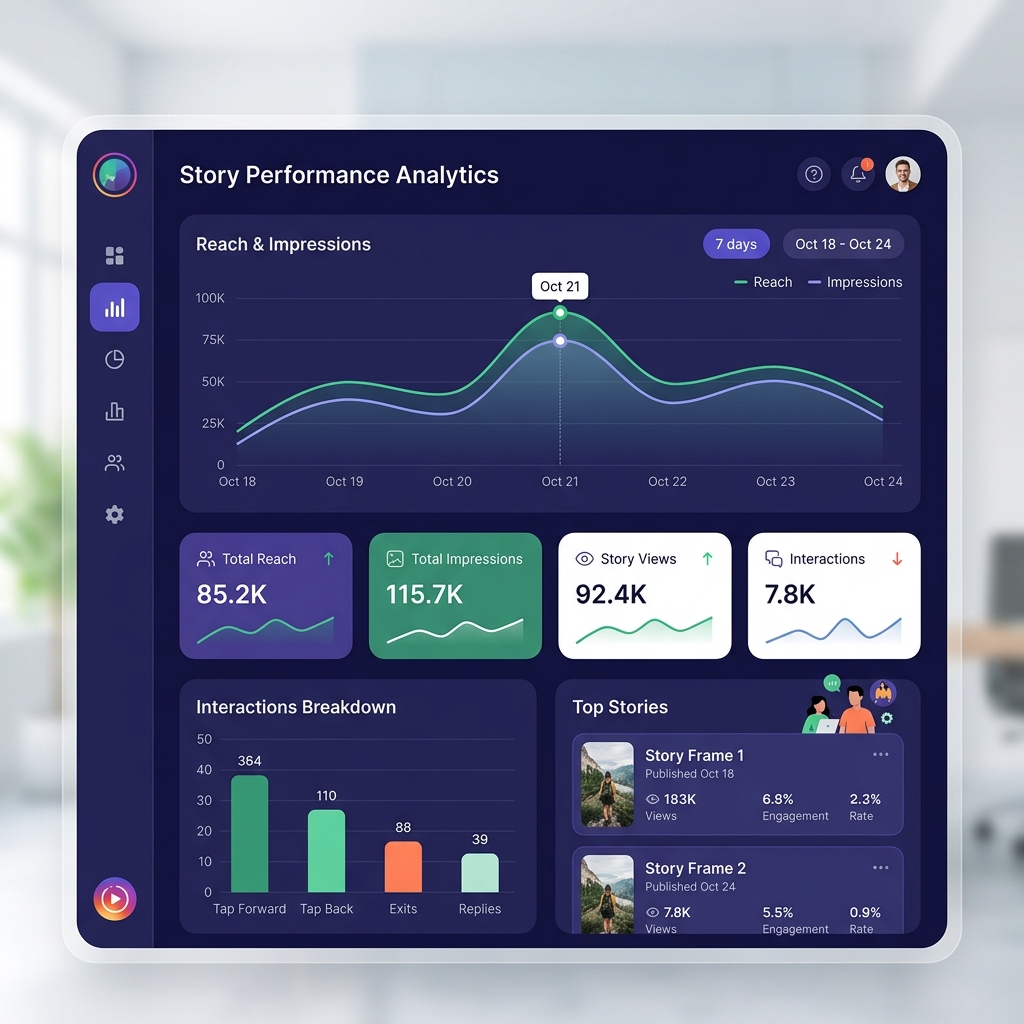
How to Access Story Insights
Open your story and swipe up to see the viewer panel. Tap the bar chart icon or look for the View Insights option in the viewer panel. The Insights screen shows several valuable metrics: Reach (unique accounts that saw your story), Impressions (total number of times the story was viewed including repeat views by the same account), Replies (total replies sent to your story), Profile Visits (accounts that visited your profile after seeing your story), Follows (new followers gained from your story), Link Clicks (if you added a link sticker), and Sticker Taps (interactions with hashtag, mention, and location stickers).
Converting to a Creator Account
If you currently have a personal account and want access to Instagram Insights, you can switch to a Creator or Business account for free. Go to Settings > Account > Switch to Professional Account. Select Creator for influencers, athletes, and public figures, or Business for brands and companies. Both account types provide full access to Story Insights including the detailed viewer and engagement data described above.
How Long Can You See Story Viewers?
Instagram allows you to see the full viewer list for your story while it is live and for a limited time after it expires.
During the 24-Hour Window
While your story is active, you can check the viewer list at any time by opening your story and swiping up. The list updates in real time as new viewers watch your story.
After the Story Expires
After your story expires (24 hours after posting), you can still view the final viewer list for an additional 48 hours through Instagram Insights if you have a professional account. For personal accounts, the viewer list is generally no longer accessible once the story has expired. To find expired story data, go to Settings > Archive to access your archived stories. Tap any archived story and look for the View Insights or activity icon. Professional accounts retain story metrics in the Archive indefinitely.
Can Someone See If You Viewed Their Story?
Yes. Just as you can see who viewed your story, the person whose story you viewed can also see that you viewed theirs. Every Instagram user who posts a story has access to the viewer list, and your username will appear in their list the moment you watch their story. There is no way to view an Instagram story anonymously on the official Instagram app. Third-party apps that claim to allow anonymous story viewing are generally unreliable, may violate Instagram terms of service, and often pose security risks by requesting your login credentials.
Privacy Settings for Your Story Views
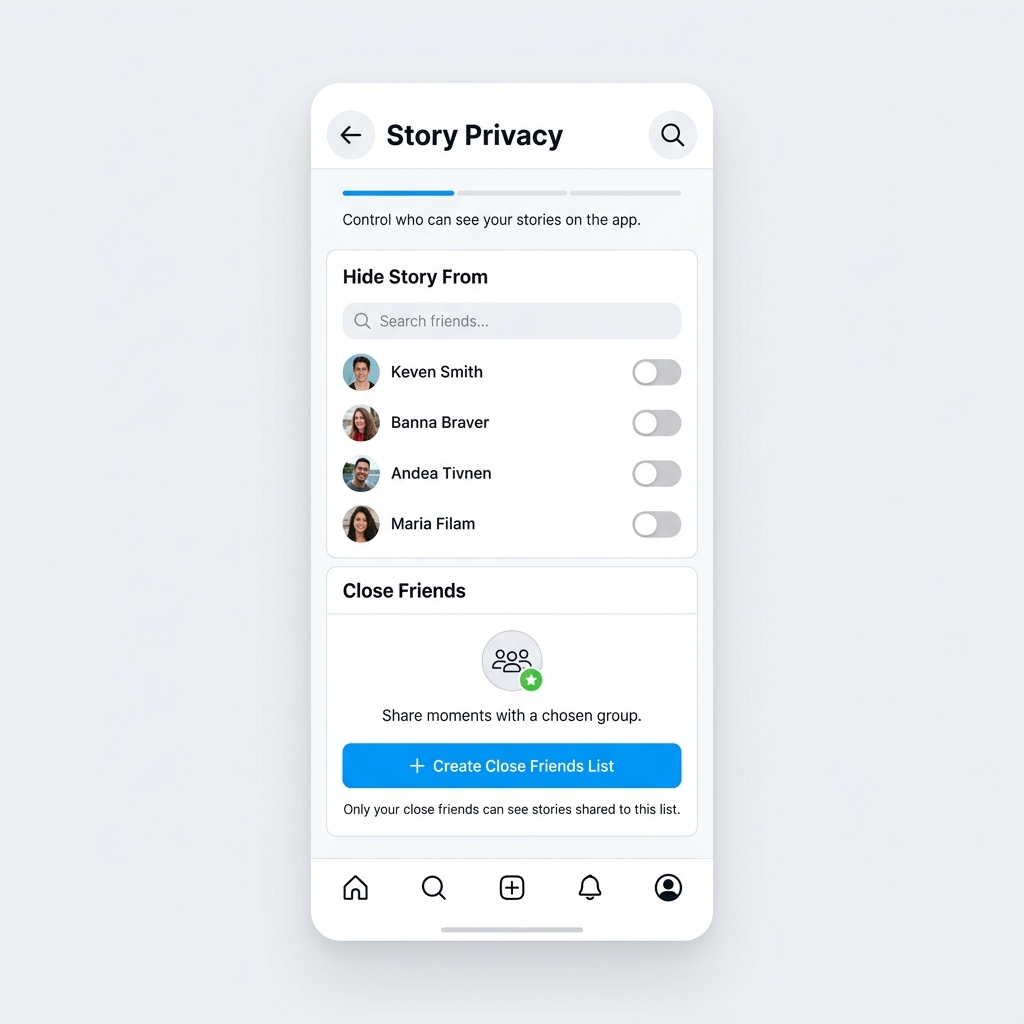
Hiding Your Story from Specific People
If you want to prevent specific followers from seeing your story without unfollowing or blocking them, use the story hide feature. Go to Settings > Privacy > Story. Tap Hide Story From. Add the accounts you want to hide your story from. Those accounts will not be able to view your stories, and they will not appear in your viewer list.
Close Friends List
Posting stories to your Close Friends list restricts viewing to only the accounts you have added to that list. Only close friends can see the story, and only they appear in the viewer list. To post a Close Friends story, tap the green star icon when sharing your story. To manage your Close Friends list, go to Settings > Privacy > Close Friends and add or remove accounts.
Story Sharing Controls
You can also control whether others can reshare your story. Go to Settings > Privacy > Story. Under Sharing, toggle off Allow Sharing as Message to prevent viewers from forwarding your story to others via DM. Toggle off Allow Resharing to Stories to prevent viewers from reposting your story to their own Stories.
Common Questions About Instagram Story Views
Why is My View Count Higher Than the Viewer List?
Your story may have a higher impression count than unique viewer count because the same person can view your story multiple times. Instagram counts each view separately (impressions) while the viewer list only shows each account once regardless of how many times they watched your story.
Why Can I Not See the Full Viewer List?
Instagram limits the visible viewer list for stories with very high view counts (typically stories with over 10,000 views). For high-reach stories, you may see a count rather than individual usernames. This is a platform limitation for accounts with very large audiences. Switching to a Professional account and using Insights provides the most comprehensive data available in these cases.
Conclusion
Seeing who viewed your Instagram Story is a simple, built-in feature that works for all account types. Personal account holders can swipe up while their story is live to see the complete viewer list, while Creator and Business accounts get access to additional Insights including reach, impressions, and engagement metrics. Understanding the viewer ordering, privacy controls, and the 48-hour post-expiry window helps you get the most out of your Instagram Story analytics in 2026.