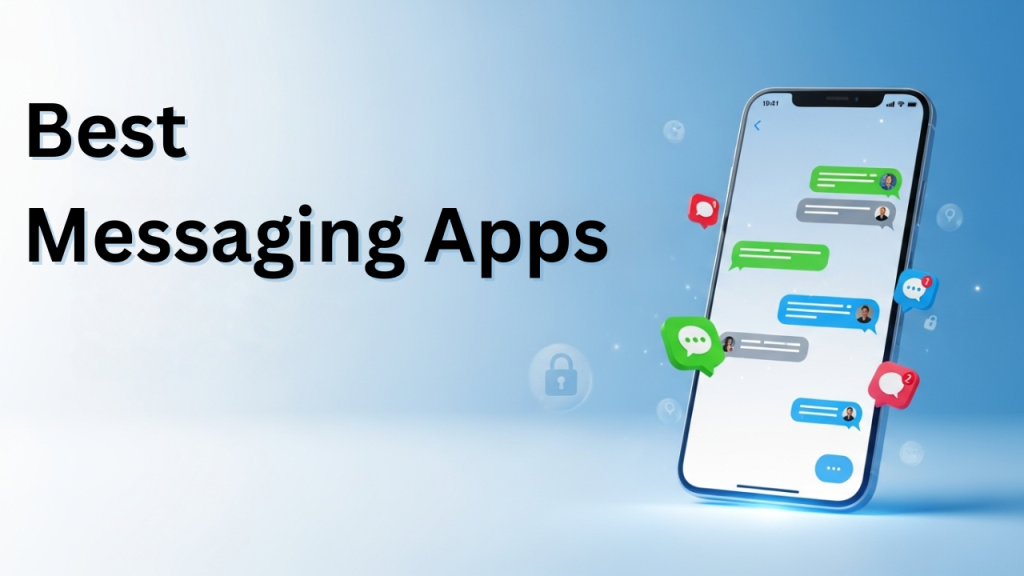
Every message you send is a piece of your privacy—do you really want Meta holding the keys? With growing concerns over data collection, targeted ads, and constant platform changes, more users are stepping away from Meta-owned apps like WhatsApp, Messenger, and Instagram DMs.
Fortunately, a wave of alternative messaging apps has risen—offering stronger privacy protections, richer features, and vibrant communities. From encrypted chats to creative group platforms, these mobile apps prove you don’t need Meta to stay connected. Whether you value security, simplicity, or social interaction, there’s a messaging app tailored to your needs.
Why Move Away from Meta Apps?
- Privacy Concerns: Meta apps are notorious for collecting user data to fuel ads.
- Ad Overload: Increased integration with ads disrupts conversations.
- Trust Issues: Scandals have eroded confidence in Meta’s platforms.
- Independence: Alternative apps focus on user-first experiences, not advertiser profits.
What to Look for in a Messaging App
- End-to-End Encryption: Ensures only you and your recipient can read messages.
- Cross-Platform Access: Sync chats across mobile phones, tablets, and desktops.
- Group Features: Support for communities, work teams, and family chats.
- Media & Calls: Share files, photos, and enjoy video/voice calling.
- Extra Features: Self-destruct messages, anonymity, bot integrations, or fun add-ons.
12 Best Messaging Apps If You’re Moving Away from Meta
1. Telegram
How It Works: Telegram blends speed, privacy, and flexibility into one platform. It supports massive group chats, channels with unlimited subscribers, and bots that automate tasks or provide entertainment. Messages are cloud-based for multi-device sync, while Secret Chats offer end-to-end encryption with self-destruct timers. For RV travelers, students, or professionals, it’s a versatile app that balances fun and security.
Price: Free.
Best For: Users who want both privacy and community features.
Good to Know: Not all chats are end-to-end encrypted unless you use Secret Chats.
User Experience: Clean, fast, and intuitive.
Platform: iOS,
Android
Supports massive groups and channels
Cloud sync across all devices
Default chats aren’t encrypted
Can feel overwhelming for new users
2. Signal
How It Works: Signal is built for privacy from the ground up, with end-to-end encryption applied by default to all chats, calls, and media. The app allows disappearing messages, encrypted voice and video calls, and group conversations without storing any user data. It’s open-source, meaning its security can be audited publicly. Unlike Meta apps, Signal doesn’t sell ads or track users, making it a top choice for security-conscious people.
Price: Free.
Best For: Users prioritizing maximum privacy.
Good to Know: Operated by a nonprofit foundation.
User Experience: Minimalist design with focus on simplicity.
Platform: iOS,
Android
End-to-end encrypted by default
No ads or trackers
Smaller user base
Lacks extras like stickers and bots
3. Rakuten Viber
How It Works: Viber offers secure messaging with end-to-end encryption plus free voice and video calls worldwide. It also provides communities and group chats where thousands of members can interact. Viber Out allows low-cost international calling to non-app numbers, making it ideal for global users. Combined with stickers and customization, it’s a mix of practical and fun.
Price: Free; in-app purchases for stickers and Viber Out credits.
Best For: International communication.
Good to Know: Very popular in Eastern Europe, Asia, and the Middle East.
User Experience: Colorful, friendly, and global in focus.
Platform: iOS,
Android
Free and affordable international calls
End-to-end encrypted chats
Smaller U.S. audience
Ads appear in free version
4. Threema
How It Works: Threema emphasizes anonymity and privacy. Unlike Meta apps, it doesn’t require a phone number or email to register, giving you full control over your identity. All messages, calls, and even polls are encrypted end-to-end. It’s popular in Europe, where strict data protection laws apply, and it stores as little data as possible.
Price: Paid (one-time purchase).
Best For: Users who want anonymity and security.
Good to Know: Based in Switzerland under GDPR protections.
User Experience: Secure, no-frills, and straightforward.
Platform: iOS,
Android
Doesn’t collect personal data
Full end-to-end encryption
Paid app may deter new users
Smaller global community
5. Wire
How It Works: Wire is a secure collaboration app offering encrypted chats, calls, and file sharing. Built for businesses, it supports team messaging, video conferencing, and integration with workplace tools. Unlike Meta apps, Wire puts compliance and data protection at the forefront, making it suitable for organizations and individuals alike.
Price: Free personal plan; premium for businesses.
Best For: Professionals and work teams.
Good to Know: Also based in Switzerland with strict privacy rules.
User Experience: Sleek, professional interface.
Platform: iOS,
Android
Business-grade security
Team collaboration features
Limited free version
Not as social for casual users
6. iMessage
How It Works: Apple’s iMessage is tightly integrated into the iOS ecosystem, blending regular SMS with encrypted messaging between
Apple devices. It includes stickers, reactions, FaceTime integration, and seamless syncing across iPhones, iPads, and Macs. For Apple users, it feels like a natural extension of their device.
Price: Free.
Best For: iPhone and Mac users.
Good to Know: Only works within Apple’s ecosystem.
User Experience: Polished and smooth, but limited to Apple fans.
Platform: iOS
Fully encrypted within Apple ecosystem
Seamless across devices
No Android or Windows support
Tied entirely to Apple ecosystem
7. LINE
How It Works: LINE is a social platform that combines messaging, calls, payments, and games. It features stickers, emojis, and social timelines, making it a fun and vibrant option. Encrypted chats (via “Letter Sealing”) keep conversations private, while LINE Pay enables mobile transactions.
Price: Free; in-app purchases.
Best For: Users who want messaging plus lifestyle features.
Good to Know: Extremely popular in Japan and Southeast Asia.
User Experience: Feature-rich and lively.
Platform: iOS,
Android
Combines chat, payments, and games
Encrypted chats available
Can feel bloated with features
Limited adoption in the U.S.
8. Discord
How It Works: Discord started as a gaming chat app but has grown into a versatile community platform. It supports servers, channels, voice, video, and live streaming. Communities can be public or private, with bots to enhance functionality. While not encrypted end-to-end, it’s great for group collaboration and community engagement.
Price: Free; Nitro subscription for extras.
Best For: Communities, gamers, and group chats.
Good to Know: Strongest for group interaction, not private chats.
User Experience: Interactive, fun, and highly customizable.
Platform: iOS,
Android
Great for communities and events
Supports voice and video streaming
No end-to-end encryption
Can be complex for casual users
9. GroupMe
How It Works: GroupMe simplifies group messaging by allowing chats through internet and SMS. It’s lightweight and accessible, even for users without smartphones. Owned by Microsoft, it’s designed for small groups like families, classes, or teams. Stickers and simple polls add a fun element.
Price: Free.
Best For: Small groups and casual users.
Good to Know: Works with basic phones via SMS.
User Experience: Very easy to use and minimalistic.
Platform: iOS, Android
No end-to-end encryption
Can be complex for casual users
Lacks encryption
Limited advanced features
10. Slack
How It Works: Slack is built for professional communication, using channels, threads, and integrations to organize team conversations. It supports file sharing, voice calls, and video meetings. Unlike Meta apps, it focuses on productivity rather than social features, making it a favorite for businesses worldwide.
Price: Free basic version; premium subscriptions.
Best For: Work teams and professional communication.
Good to Know: Integrates with hundreds of third-party tools.
User Experience: Organized and professional.
Platform: iOS,
Android
Perfect for workplace teams
Strong integrations with apps
Not designed for casual chats
Free version has message limits
11. Snapchat
How It Works: Snapchat combines messaging with disappearing photos, videos, and Stories. It encourages casual, playful communication with filters, lenses, and Snap Map for location sharing. Chats disappear by default unless saved, offering a sense of privacy. Popular among teens, it’s more about fun than formal communication.
Price: Free; optional premium.
Best For: Younger audiences and casual use.
Good to Know: Content vanishes quickly unless saved.
User Experience: Fun, creative, and playful.
Platform: iOS,
Android
Disappearing messages and snaps
Highly engaging with filters and lenses
Not for professional use
Privacy concerns with screenshots
12. WeChat
How It Works: WeChat is a multi-purpose app that combines messaging, payments, shopping, and more. It supports group chats, voice/video calls, and social feeds. In China, it’s a lifestyle app used for everything from chatting to booking taxis. However, privacy is limited due to government regulations.
Price: Free.
Best For: Users with contacts in China.
Good to Know: Subject to strict local data laws.
User Experience: Powerful but heavy.
Platform: iOS,
Android
All-in-one platform for chat, payments, and social
Huge global user base
Limited privacy
Government monitoring concerns
Comparison Table: Top 12 Alternative Messaging Apps
| App Name |
Encryption |
Group Support |
Free/Paid |
Standout Feature |
| Telegram |
Optional |
Large groups/channels |
Free |
Bots & channels |
| Signal |
Default |
Small-medium groups |
Free |
Privacy-first |
| Viber |
Yes |
Groups & communities |
Free/Paid |
International calls |
| Threema |
Yes |
Groups |
Paid |
Anonymous use |
| Wire |
Yes |
Teams & groups |
Free/Paid |
Business-grade security |
| iMessage |
Yes (Apple only) |
Groups |
Free |
Seamless Apple integration |
| LINE |
Yes |
Groups & communities |
Free/Paid |
Stickers & payments |
| Discord |
No |
Servers/large groups |
Free/Paid |
Community servers |
| GroupMe |
No |
Groups |
Free |
SMS integration |
| Slack |
Yes (workspace) |
Teams & channels |
Free/Paid |
Work integrations |
| Snapchat |
Partial |
Groups |
Free |
Disappearing messages |
| WeChat |
Yes (China) |
Groups & communities |
Free |
All-in-one ecosystem |
Tips for Switching from Meta Messaging Apps
- Backup chats before moving away from WhatsApp or Messenger.
- Invite friends gradually to encourage adoption.
- Explore features unique to new apps (disappearing messages, bots, integrations).
- Separate personal and work use across different platforms.
- Choose apps based on privacy needs—not all are equally secure.
FAQs
Conclusion
Your conversations deserve freedom, not surveillance. Moving away from Meta-owned messaging platforms is about more than privacy—it’s about reclaiming control, exploring better features, and building communities on your own terms. With alternatives ranging from privacy-first apps to vibrant social platforms, you no longer need to settle for apps that put ads and data collection first.
The future of messaging belongs to users, not corporations—and the first step is choosing the app that fits your voice, your network, and your values.